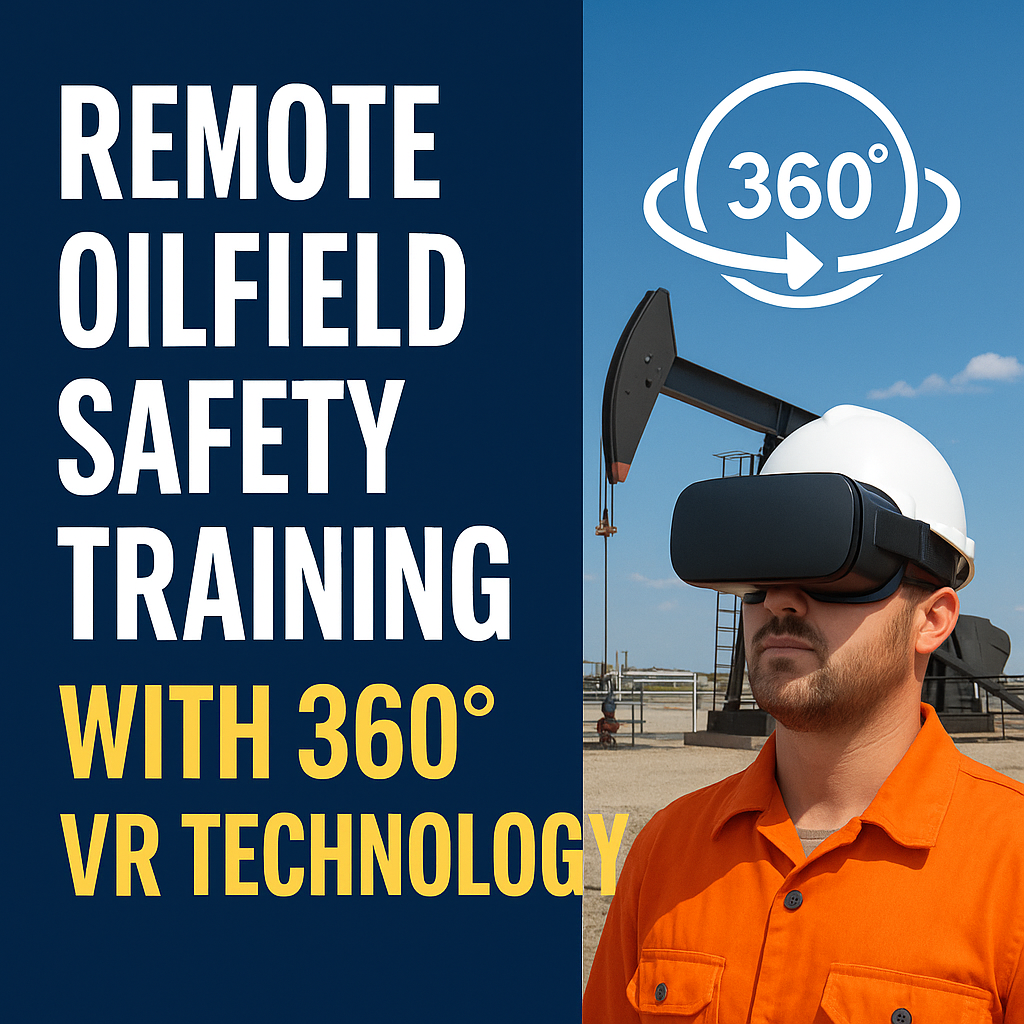
Remote Oilfield Safety Training with 360 VR Technology

Cloudpano
July 25, 2025
5 min read
Share this post

🧯 Remote Oilfield Safety Training with 360° VR Technology: A Complete Guide 🛢️🎧

In oil and gas, safety is non-negotiable — but how you train your workers can make or break your safety outcomes. With crews scattered across remote sites and harsh environments, traditional safety training can be logistically challenging, inconsistent, and expensive.

That’s why the industry is rapidly adopting 360° VR technology for remote oilfield safety training.

From hazard recognition to emergency response protocols, immersive virtual reality experiences help workers learn faster, retain more, and stay safer — without ever stepping foot on-site. 🧠⚠️

In this guide, we’ll show you how to implement 360° VR safety training, what tools to use, and how this powerful approach is transforming oilfield safety programs in 2025 and beyond.

🔥 The Safety Training Problem in Oil & Gas

Here’s what traditional oilfield training often looks like:

  • 🚌 Traveling hours to a central training center
  • 📖 Reviewing long manuals and PowerPoints
  • 🧪 Mock drills that aren’t site-specific
  • ⏰ Delays in onboarding due to scheduling

The result?

❌ Low engagement
❌ Poor retention
❌ Inconsistency across crews
❌ Higher safety incident risk

🔗 Related: Using 360 Virtual Tours for Remote Oilfield Safety Training

🌀 What Is 360° VR Training?

360° VR training uses virtual reality headsets or browser-based 360° environments to simulate real oilfield locations. Workers can:

✅ Look around in all directions
✅ Interact with safety elements
✅ Practice emergency procedures
✅ Complete knowledge checks in context

It combines 360° virtual tours, interactive annotations, and immersive simulation to create a memorable learning experience — anywhere, anytime. 🧑‍🏭🎓

💡 Why Use VR for Oilfield Safety?

1. Immersive Learning

VR helps users feel like they’re on-site — which dramatically increases understanding of site layout, hazards, and protocols.

2. Consistent Training Across Teams

Everyone, everywhere, receives the same high-quality safety program — whether they’re in Midland or the Marcellus.

3. Reduced Travel and Risk

No need to send trainees to remote sites. Train from headquarters, training centers, or even at home.

4. Scalable and Repeatable

Deploy one training experience to hundreds of workers. Let them repeat it as often as needed.

5. Stronger Retention and Engagement

Studies show VR learners retain 75% more information than traditional methods. 🔥

🔗 Related: Cloud-Based Oilfield Reporting with Virtual Tours

🛠️ What You Need to Build a 360° VR Safety Program

✅ 1. Capture Tools

Use 360° cameras or drones to film your environment:

  • Insta360 One RS – For walkthroughs
  • DJI Mavic 3 Enterprise – For aerial views
  • Ricoh Theta Z1 – For tight spaces or indoor safety areas

🔗 Related: Best Cameras and Drones for Oilfield Virtual Tours in 2025

✅ 2. VR Creation Platform

Upload and build your training in platforms like:

  • CloudPano
  • Unity or Unreal Engine (for interactive simulations)
  • 360° video players with hotspot support

Add:

  • Hotspots with safety info
  • Navigation buttons
  • Voiceover instructions
  • Pop-up training quizzes

🔗 Related: 360° Virtual Tours for Oilfield Project Updates: A Complete Guide

✅ 3. VR Headsets (Optional)

Use headsets like:

  • Meta Quest 3
  • Pico 4
  • HTC Vive

Or offer browser-based tours for remote workers to complete on a phone, tablet, or computer.

📋 What to Include in a 360° Safety Training Experience

  • Muster Points & Evacuation Routes
  • PPE Zones and Requirements
  • Lockout/Tagout Procedures
  • Gas Detection Areas
  • Fire Suppression Equipment Locations
  • Emergency Communication Systems

🔗 Related: Streamlining Oilfield Inspections Using 360 Virtual Tours

📊 Real-World Example: Safety Success with VR in Alberta

A Canadian oilfield services firm implemented a 360° VR safety program for new hires. Training was completed in less than 30 minutes and included:

  • 360° site walkthrough
  • Interactive hazard ID quiz
  • Emergency drill simulations

Results after 60 days:

  • 50% decrease in first-month incident rates
  • 80% improvement in safety quiz scores
  • 100% onboarding completion within 24 hours of hire

📌 More success stories: Case Study: Virtual Tour Implementation for Oilfield Workflow Visibility

🔁 How to Roll It Out Step-by-Step

🎬 Step 1: Film Your Site in 360°

Capture high-risk zones, access points, and evacuation paths with your 360 camera or drone.

🧩 Step 2: Build the VR Experience

Use a platform to upload scenes and embed:

  • Labels
  • Video/audio instructions
  • Links to SOPs
  • Quizzes

🔗 Related: Building a Centralized Oilfield Documentation System with 360 Tours

📲 Step 3: Deploy the Training

Distribute your training via:

  • LMS platforms
  • Internal safety portals
  • QR codes on hiring paperwork
  • Offline mode on tablets or headsets

📈 Step 4: Track Results

Log completions, quiz scores, and feedback in your training records.

🔗 Related: Real-Time Oilfield Development Tracking with 360° Virtual Tours
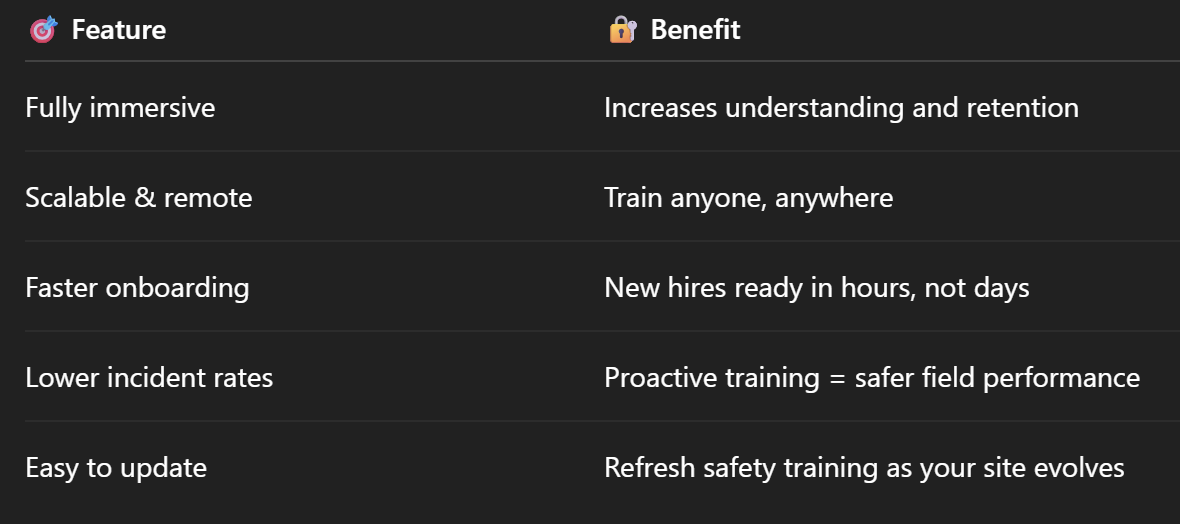
💥 Benefits Recap

🎯 Final Thoughts

If your team is still relying on old training manuals and slideshow presentations to onboard crews working in the world’s riskiest environments — it’s time to modernize. ⚙️

360° VR technology makes safety training:

✅ Faster
✅ Smarter
✅ More effective
✅ Site-specific

Whether you’re onboarding a new hire or retraining an entire crew, VR delivers the clarity, consistency, and confidence your oilfield teams need to stay safe and productive.

Share this post
Cloudpano

Choose The Right 360° Camera

Insta360 ONE RS 1-Inch 360 Edition

  • Compact, ready to go anywhere

  • Interchangeable lens that’s upgradeable

  • Dual 1-inch sensors for improved clarity and low light performance

  • Dynamic range and 6K 360° capture

  • 360° photo resolution at 21MP

Learn More

Insta360 X4

  • 8K 360° video recording for ultra-detailed visuals.

  • 4K single-lens mode for traditional wide-angle shots.

  • Invisible selfie stick effect for drone-like perspectives.

  • 2.5-inch touchscreen with Gorilla Glass protection.

  • Waterproof up to 33ft for underwater shooting.

Learn More

Ricoh Theta Z1

  • 360° photo resolution in 23MP

  • Slim design at 24 mm thick

  • Built-in image stabilization for smooth video capture.

  • Internal 19GB storage for photo and video storage.

  • Wireless connectivity for remote control and sharing.

Learn More

Ricoh Theta X

  • 60MP 360° still images for high-resolution photography.

  • 5.7K 360° video recording at 30fps.

  • 2.25-inch touchscreen for intuitive control.

  • USB Type-C port for fast charging and data transfer.

  • MicroSD card slot for expandable storage.

Learn More
Property Marketing
Allows potential buyers to explore properties in detail from anywhere, enhancing the real estate marketing process.
Automotive Spins
Create an interactive virtual showroom and engage affluent digital buyers with live 360º video calls, all through the CloudPano mobile app for a complete automotive sales solution.
Interactive Floor Plans
Create 2D and 3D floor plans with measurements in 4 minutes or less, all from your phone. Download the Floor Plan Scanner app and get your first scan free.

360 Virtual Tours With CloudPano.com. Get Started Today.

Try it free. No credit card required. Instant set-up.

Try it free
Latest posts

See our other posts

Interviews, tips, guides, industry best practices, and news.

Best File Formats for Dealership Inventory Images (JPEG vs PNG)

This comprehensive guide explains the best image format for dealership inventory by comparing JPEG vs PNG for car photos. Learn how file format impacts website speed, image quality, SEO performance, and CRM compatibility. Discover why most dealerships should use optimized JPEG images for daily inventory listings, when PNG makes sense, and how AI-generated studio images can be exported efficiently for faster sales and better online presentation.
Read post

How AI Automatically Adds Realistic Shadows to Vehicle Images

This in-depth guide explains how AI car photo shadow generation automatically adds realistic shadows to vehicle images. Learn how AI detects vehicle angles, lighting direction, and ground contact points to create studio-quality shadows without manual editing. Discover how dealerships can use automated shadow generation to improve image consistency, increase perceived value, and create high-converting inventory photos at scale.
Read post

How to Create a Clean White Studio Background for Car Photos Using AI

This comprehensive guide explains how to create a white studio background for car photos using AI. Learn how AI automotive background removal detects vehicles, removes distracting lot backgrounds, and generates clean white studio environments with realistic shadows and lighting. Discover how saved background presets, bulk processing, and high-resolution exports help dealerships produce consistent inventory photos that increase trust, boost click-through rates, and drive faster vehicle sales.
Read post



