


.png)



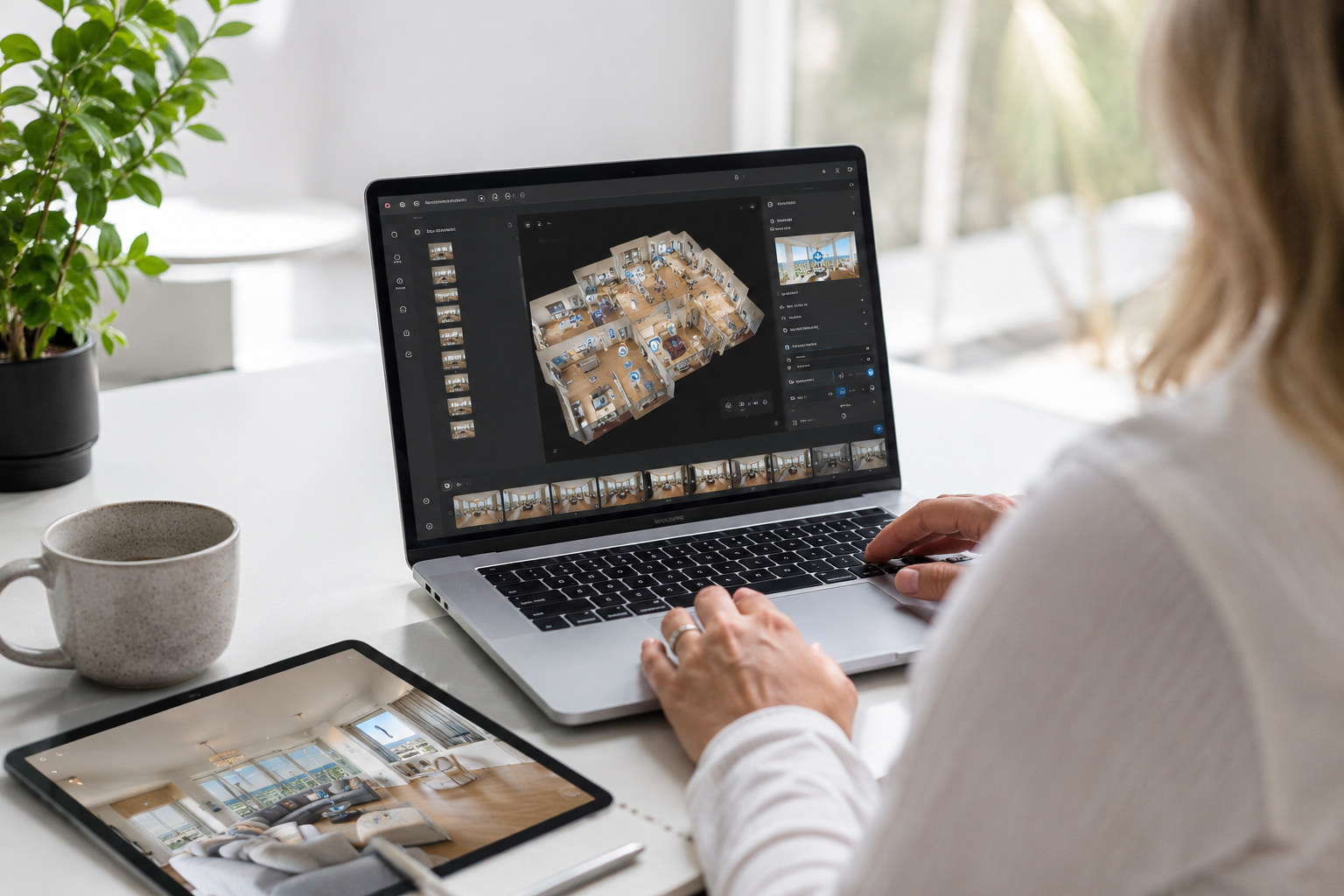
Shoot the same property with the same camera, and two different pieces of software can still produce wildly different results — one with clean, seamless navigation ready to impress a buyer, the other with visible seams and a clunky viewer nobody wants to click through. Finding the best virtual tour software for real estate is less about chasing the single "best" brand and more about matching a platform's strengths to how you actually work.
This is a practical virtual tour software comparison: what separates the strong platforms from the mediocre ones, the categories worth weighing before you commit, and where CloudPano fits into that picture. If you're earlier in the process and haven't shot anything yet, the complete guide to creating a professional virtual tour covers the equipment and shooting side of the equation — this article picks up once you've got captures ready to turn into a finished tour.
It's easy to get distracted by feature lists, but a handful of categories matter far more than the rest when you're choosing a real estate 360 tour platform. Stitching quality comes first — how cleanly the software blends individual captures into one seamless scene, since this is the single biggest visible difference between a professional-looking tour and an amateur one. Navigation experience matters almost as much: hotspot-based movement between rooms should feel intuitive, and features like a dollhouse or floor-plan overview genuinely help buyers orient themselves in a larger home.
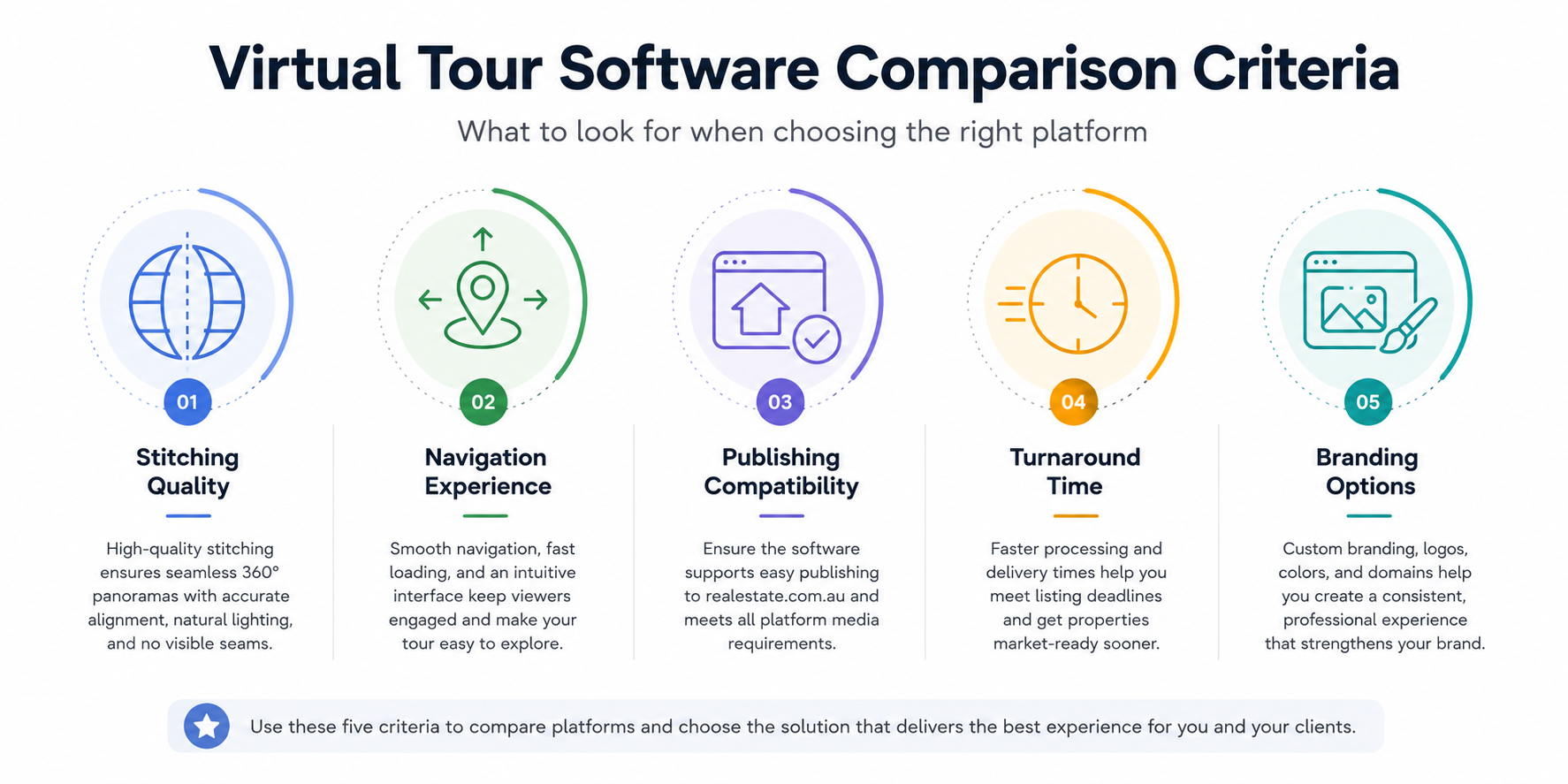
Publishing compatibility deserves its own line item, since a beautifully produced tour is only useful if it embeds or links cleanly into a realestate.com.au listing without a clunky workaround. Turnaround time and ease of use affect how many properties you can realistically shoot and deliver in a week, which matters enormously if you're running this as a business rather than a hobby. And branding and client-delivery options — a custom domain, your logo on the viewer, a clean shareable link — separate a tool built for professionals from one built purely for personal use.
Two categories are easy to overlook until they cause a problem: file compatibility with the camera or cameras you actually own, and long-term hosting reliability. A platform that only supports a narrow set of camera brands can box you in if you ever upgrade or switch equipment, and a tour that stops working months after a listing goes live — because a link expired or a hosting plan lapsed — undoes all the effort that went into shooting it in the first place. It's worth asking directly, before signing up, how long a published tour stays live and what happens to it if you downgrade or cancel a subscription.
General-purpose 360° viewers and social-media-oriented tools can technically display a panorama, but they're rarely built with real estate's specific needs in mind: consistent room-to-room navigation, floor-plan overlays, embedding into listing platforms, and client-facing branding. Software purpose-built for real estate tends to handle all of these out of the box, rather than requiring workarounds.
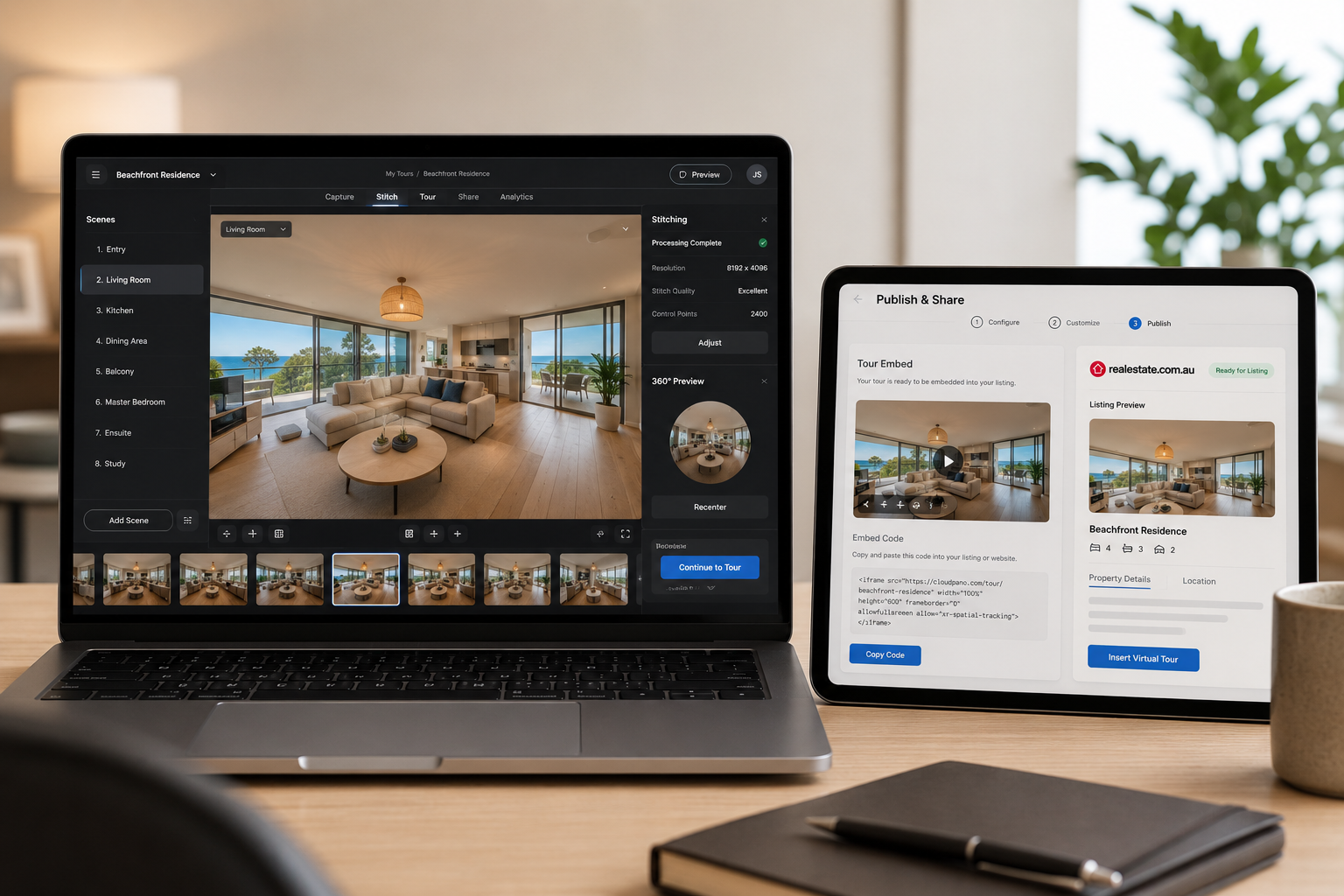
This matters most at the moments that are easy to overlook when you're comparing feature lists on paper: how the tour actually looks the first time a buyer clicks it open, how quickly you can deliver a finished link to an agent after a shoot, and how professional the whole experience feels compared to a competitor's listing next to yours in the search results.
There's a broader ecosystem worth knowing about beyond the stitching-and-hosting software itself, too — from the cameras that capture the raw footage through to AI-assisted staging tools and floor-plan generators that increasingly integrate with virtual tour platforms. If you want the fuller picture of the wider world of virtual tour technology and tools available to real estate professionals, that's covered separately; this article stays focused specifically on the software layer that turns captures into a finished, publishable tour.
Thinking about CloudPano vs competitors real estate software is less useful as a single winner-takes-all comparison than as a question of fit. Some platforms position themselves at the premium end, with strong 3D dollhouse rendering and enterprise-style pricing aimed at larger agencies and commercial property. Others focus on affordability and simplicity, prioritizing a fast, low-friction workflow for photographers who need to turn shoots around quickly and in volume. CloudPano's positioning sits in the space built specifically around ease of publishing, branding flexibility, and a workflow designed around getting a finished tour onto a listing quickly — without requiring enterprise-level pricing to get there.
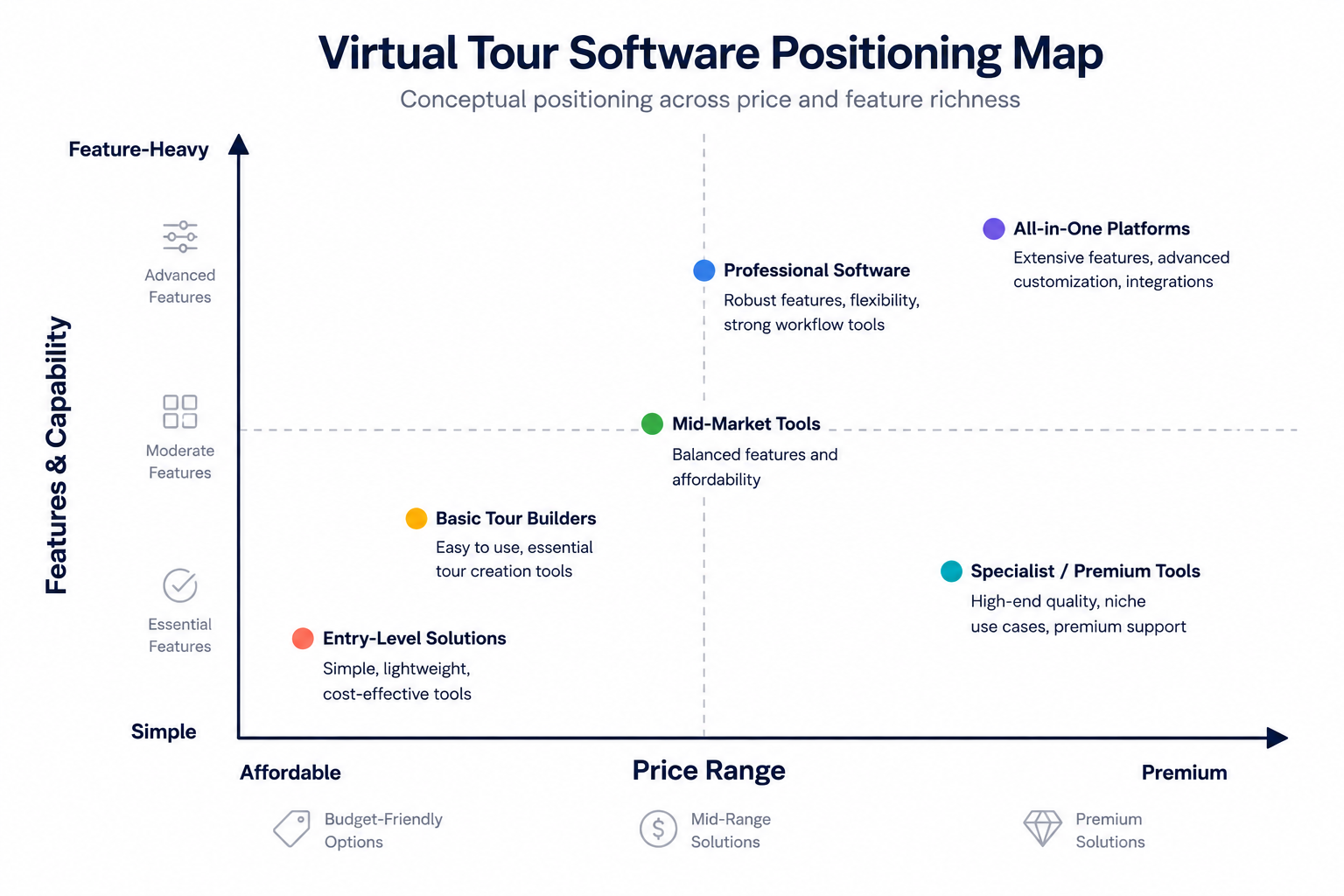
Rather than treating this as one platform being objectively "better," it's worth matching the choice to your actual business: a solo photographer prioritizing speed and straightforward client delivery has different needs from an agency handling large-scale commercial properties that might justify a more expensive, feature-heavy platform. For a detailed head-to-head breakdown of CloudPano, Matterport, and iGuide, including where each one genuinely differs, that comparison is covered in full elsewhere in this series — this article is about the evaluation framework, not a single verdict.
Before settling on a platform, it's worth testing a free trial or demo with an actual property rather than judging based on marketing screenshots alone. Shoot a real room, run it through the stitching process, and honestly assess whether the finished result looks like something you'd be proud to send an agent.
It's also worth confirming, directly and explicitly, how a tour from that software actually gets onto a realestate.com.au listing — whether that's a direct embed, a shareable link, or a file upload — since this step varies between platforms and is easy to overlook until you're trying to publish your first finished tour under time pressure. Pricing structure matters too: some platforms charge per tour, others on a monthly subscription regardless of volume, and the right model depends heavily on how many properties you're shooting in a typical month.
Support and onboarding are worth weighing as well, particularly if you're new to virtual tours altogether. A platform with responsive support and clear documentation can shave hours off your first few shoots, while a confusing interface with no real help available turns what should be a quick job into a frustrating one. If you're evaluating a platform as part of a small team rather than solo, it's also worth checking whether pricing scales sensibly as you add more users or shoot a higher volume of properties, since some pricing tiers are clearly built for individuals and start to feel restrictive once a business grows past that point.
With this many platforms on the market, it's tempting to spend more time comparing spec sheets than actually shooting listings. In practice, the fastest path to a good decision is picking two or three platforms that fit your budget and business model, running a real test shoot through each one, and judging the result the way a buyer actually would — not by which one has the longest feature list.
Once you've made that choice, the far bigger driver of quality is consistency in how you shoot and prepare properties, not which specific software brand is stitching the result together. Switching platforms later, if your needs change, is rarely as painful as people assume — most photographers who upgrade or switch software do so once volume or client expectations genuinely outgrow their current tool, not because the original choice was wrong.
Software you chose when you were shooting a handful of listings a month may not still fit once you're producing tours daily, working with a small team, or taking on larger commercial properties with more demanding client expectations. It's worth periodically checking whether your current platform still covers everything on your evaluation checklist, rather than assuming an initial choice should last indefinitely.
A useful trigger point is any moment your business changes meaningfully — hiring a second shooter, picking up an agency client with strict branding requirements, or starting to shoot larger properties where dollhouse-style 3D rendering becomes genuinely valuable rather than a nice-to-have. At that point, it's worth running the same evaluation process again: test a couple of alternatives with a real shoot, and compare the result honestly against what you're currently getting.


Compact, ready to go anywhere
Interchangeable lens that’s upgradeable
Dual 1-inch sensors for improved clarity and low light performance
Dynamic range and 6K 360° capture
360° photo resolution at 21MP

8K 360° video recording for ultra-detailed visuals.
4K single-lens mode for traditional wide-angle shots.
Invisible selfie stick effect for drone-like perspectives.
2.5-inch touchscreen with Gorilla Glass protection.
Waterproof up to 33ft for underwater shooting.

360° photo resolution in 23MP
Slim design at 24 mm thick
Built-in image stabilization for smooth video capture.
Internal 19GB storage for photo and video storage.
Wireless connectivity for remote control and sharing.

60MP 360° still images for high-resolution photography.
5.7K 360° video recording at 30fps.
2.25-inch touchscreen for intuitive control.
USB Type-C port for fast charging and data transfer.
MicroSD card slot for expandable storage.
.png)

.png)

Try it free. No credit card required. Instant set-up.






.svg)


.svg)