


.png)


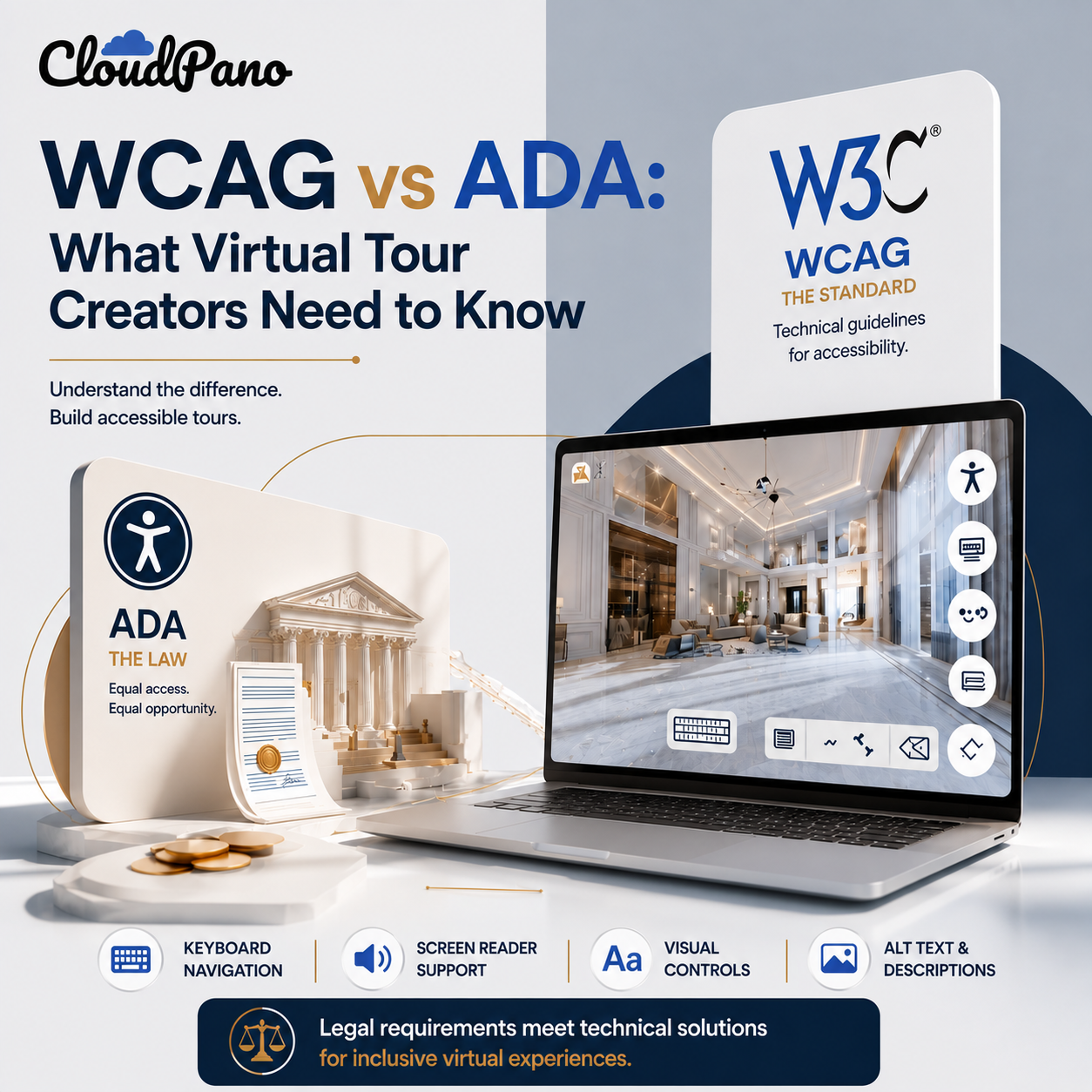
If you've spent any time researching accessibility for your virtual tour, you've likely encountered two terms that are sometimes used almost interchangeably: ADA and WCAG. They're related, but they're not the same thing, and understanding the difference — WCAG vs. ADA — matters when deciding how to approach building an accessible virtual tour.
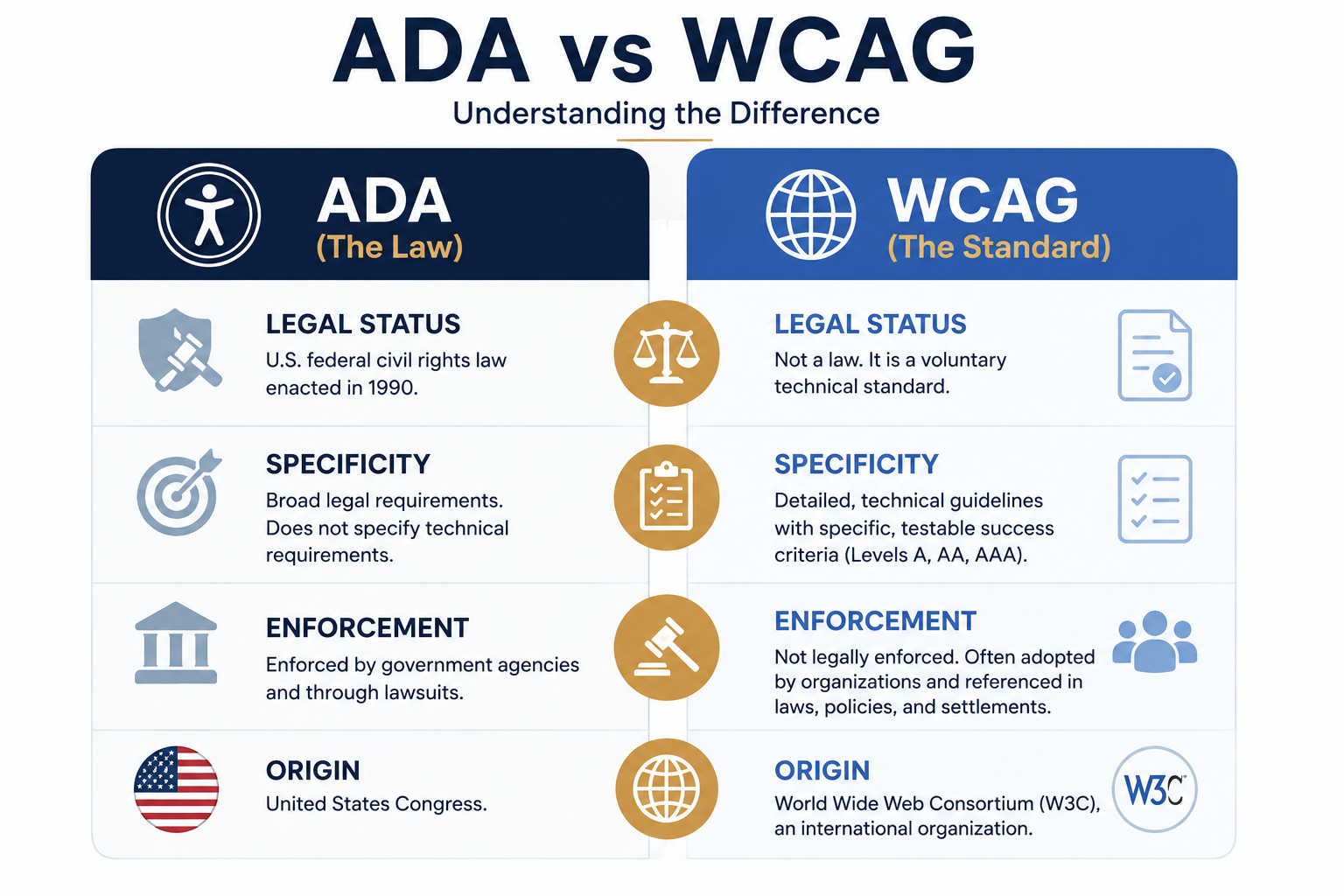
The Americans with Disabilities Act (ADA) is a U.S. federal civil rights law, passed in 1990, that prohibits discrimination based on disability. It covers areas such as employment, state and local government services, and places of public accommodation. Digital accessibility has also become an important consideration in how organizations provide access to their goods and services online. You can review the government's guidance at ADA.gov.
The ADA itself does not provide a comprehensive set of technical requirements for every type of website or interactive digital experience, such as a virtual tour. Instead, it establishes broader legal obligations related to equal access and non-discrimination.
The Web Content Accessibility Guidelines (WCAG), published by the World Wide Web Consortium (W3C), provide detailed technical guidance for making web content more accessible. Unlike the ADA, WCAG itself is not a U.S. federal law, although it is an enormously influential accessibility standard. You can review the guidelines at W3C's WCAG page.
WCAG is organized around four core principles: content should be Perceivable, Operable, Understandable, and Robust, often abbreviated as POUR. The guidelines include specific, testable success criteria organized into three conformance levels: A, AA, and AAA. Level AA is a commonly referenced accessibility target for websites and other digital experiences.
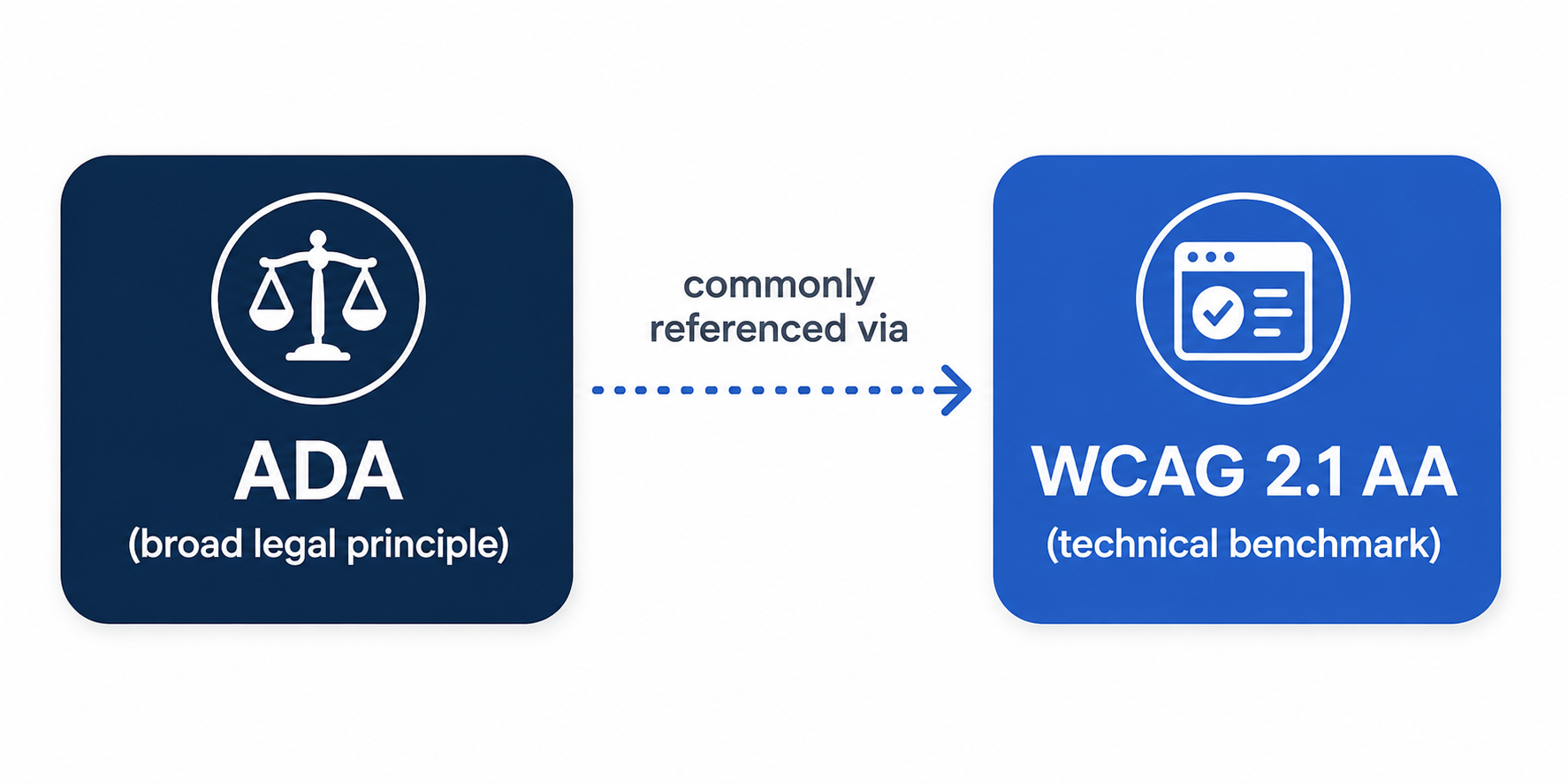
Here's the part that can cause confusion: although the ADA and WCAG are not the same thing, WCAG is widely used as a technical framework for evaluating and improving digital accessibility.
Government guidance, accessibility policies, settlements, and other legal contexts may reference WCAG when establishing technical accessibility expectations. However, meeting a particular WCAG conformance level should not automatically be treated as a guarantee of ADA compliance, since legal obligations can depend on the organization, technology, jurisdiction, and circumstances involved.
In practice, WCAG gives organizations a concrete technical framework they can use when working toward more accessible digital experiences.
WCAG gives you something specific to build toward. "Comply with the ADA" describes a legal obligation, but it isn't a simple technical checklist for a virtual tour. WCAG provides specific, testable accessibility criteria that developers and organizations can evaluate their digital experiences against.
ADA helps explain the legal context, while WCAG provides technical guidance. Understanding the ADA can help you understand why equal digital access matters from a U.S. legal perspective. WCAG provides practical technical direction for improving accessibility through features such as keyboard operability, meaningful labels, sufficient contrast, and assistive technology compatibility.
Neither one was written specifically for interactive 360° tours. Applying accessibility standards to virtual tour technology can require careful consideration of how general web accessibility principles translate to immersive and highly interactive environments. WCAG's broader principles — Perceivable, Operable, Understandable, and Robust — provide a useful framework for evaluating these experiences.
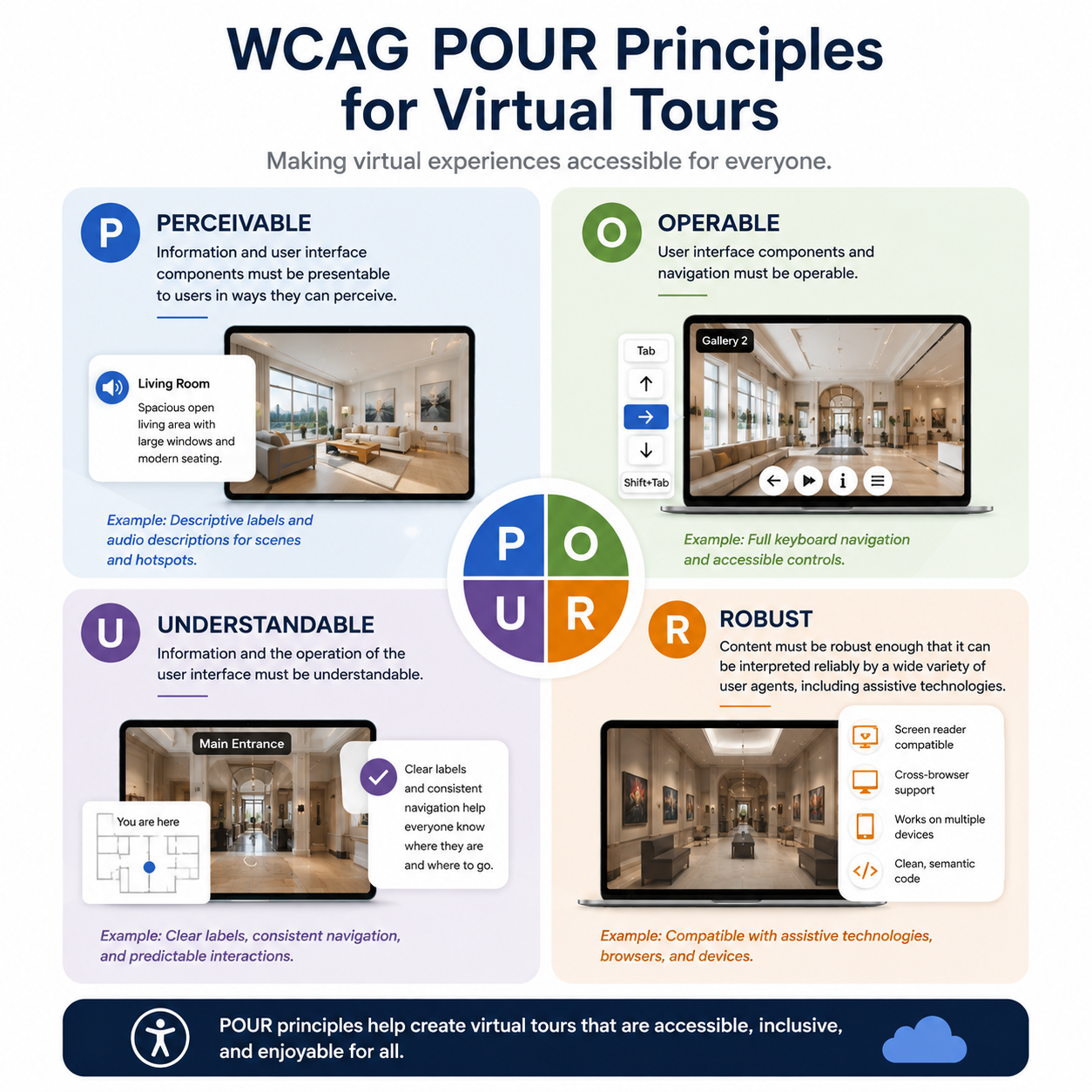
Perceivable: Important scene and hotspot information should be available in ways that don't depend entirely on visual perception. This can include meaningful text descriptions and accessible labels that communicate what a scene or interactive element represents.
Operable: Interactive elements — including hotspots, navigation controls, buttons, and menu items — should be usable without requiring a mouse or touchscreen alone. Keyboard accessibility is particularly important here.
Understandable: Navigation should be predictable and consistently labeled so users, including those using assistive technologies, can understand where they are and how to move through the tour.
Robust: The tour should be designed to work reliably with a range of browsers, devices, and assistive technologies, using accessibility-friendly web practices wherever possible.
A purpose-built ADA widget for virtual tours can provide accessibility features that support broader WCAG principles, such as keyboard navigation, screen reader compatibility, and visual accessibility controls.
Rather than requiring tour creators to develop every accessibility feature from scratch, a built-in accessibility solution can provide a practical foundation for making virtual tours easier for more people to navigate and experience.
However, an accessibility widget should be viewed as one part of a broader accessibility strategy, rather than a guarantee that every aspect of a virtual tour or website automatically meets all applicable accessibility or legal requirements.
If you're building or managing virtual tours, you don't necessarily need to become an expert in ADA case law or memorize every WCAG success criterion. What's useful is understanding the distinction: the ADA establishes legal accessibility obligations in the U.S., while WCAG provides a widely used technical framework for making digital experiences more accessible.
Accessibility tools and widgets can then help translate many of those principles into practical features without requiring a major custom development effort.
For more information on how CloudPano approaches accessibility specifically for virtual tours, visit the ADA compliance page.
This article is for general informational purposes only and does not constitute legal advice.


Compact, ready to go anywhere
Interchangeable lens that’s upgradeable
Dual 1-inch sensors for improved clarity and low light performance
Dynamic range and 6K 360° capture
360° photo resolution at 21MP

8K 360° video recording for ultra-detailed visuals.
4K single-lens mode for traditional wide-angle shots.
Invisible selfie stick effect for drone-like perspectives.
2.5-inch touchscreen with Gorilla Glass protection.
Waterproof up to 33ft for underwater shooting.

360° photo resolution in 23MP
Slim design at 24 mm thick
Built-in image stabilization for smooth video capture.
Internal 19GB storage for photo and video storage.
Wireless connectivity for remote control and sharing.

60MP 360° still images for high-resolution photography.
5.7K 360° video recording at 30fps.
2.25-inch touchscreen for intuitive control.
USB Type-C port for fast charging and data transfer.
MicroSD card slot for expandable storage.
.png)

.png)

Try it free. No credit card required. Instant set-up.







.svg)


.svg)