


.png)


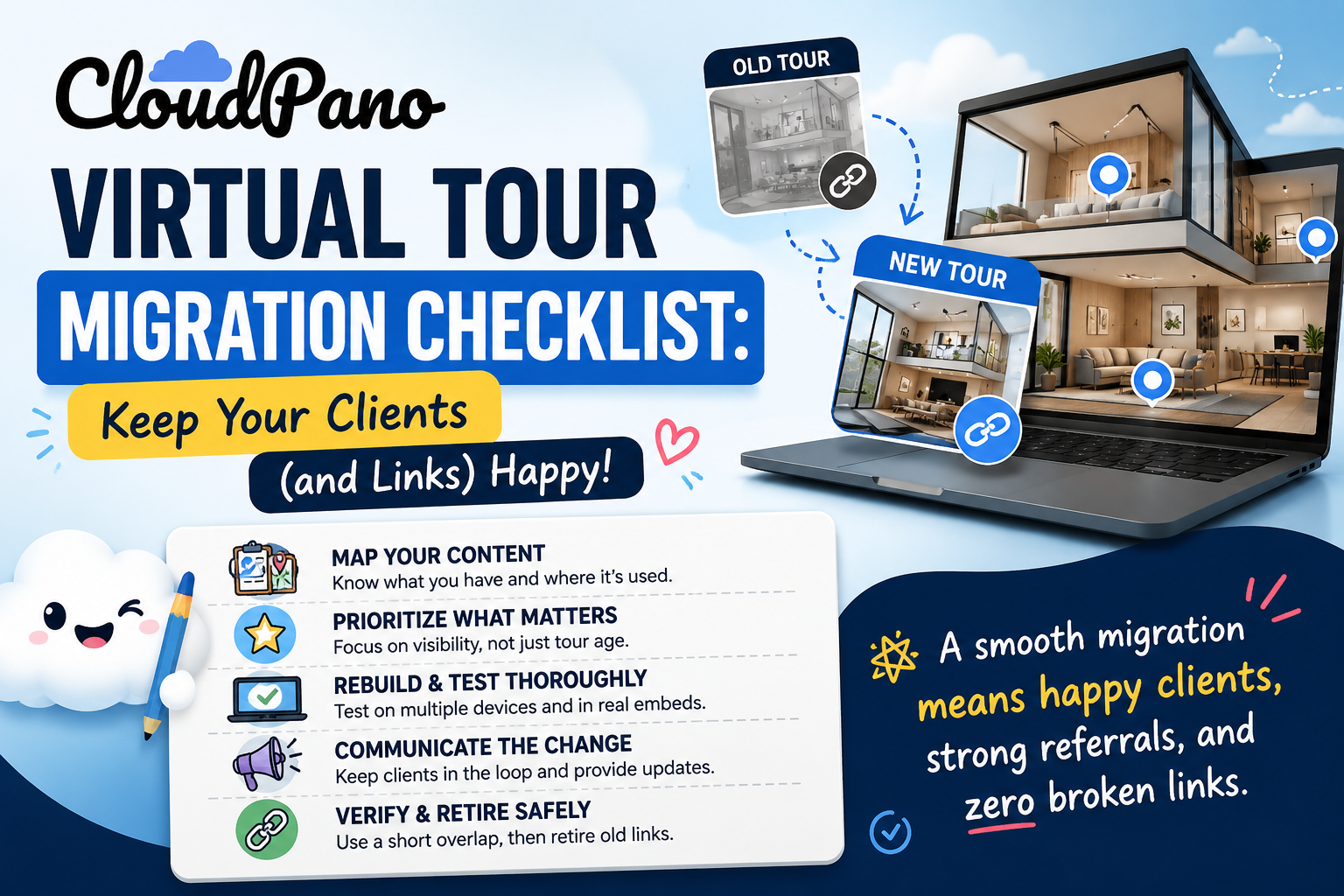
The technical side of switching virtual tour platforms is only half the concern. The other half — often the more stressful one — is making sure none of your actual clients notice anything went wrong. A broken embed on a listing page, a dead link in a marketing email, or a client asking why their property tour suddenly disappeared are the outcomes worth actively planning against. This virtual tour migration checklist is built specifically around that concern: not just moving your content, but moving it without anyone downstream noticing a disruption.
Most migration advice focuses on the mechanics of moving data — export options, storage, rebuilding tours. That's necessary, but it treats the migration as an internal, technical project. The moment a tour is embedded on a client's website, shared in a listing, or referenced in an active marketing campaign, the migration stops being purely internal. Someone outside your organization now has an expectation that a specific link keeps working, and switching 3D tour software without accounting for that expectation is how avoidable client friction happens.
Not every business needs the same level of care here. A solo user with a handful of personal tours and no external clients relying on specific links can move faster and worry less about sequencing. An agency, brokerage, or business managing tours on behalf of multiple external clients is in a fundamentally different position — switching 3D tour software under those conditions means every link has a real person on the other end who might notice if something breaks, often without warning you first.
If your business falls into the second category, treat this checklist as closer to mandatory than optional. The cost of skipping careful sequencing isn't just internal cleanup — it's a client-facing embarrassment that's genuinely avoidable with a bit of upfront planning. Being honest with yourself about which category you're in is the first real decision point before starting any tour platform transition, since it determines how much of this checklist actually applies to your specific situation.
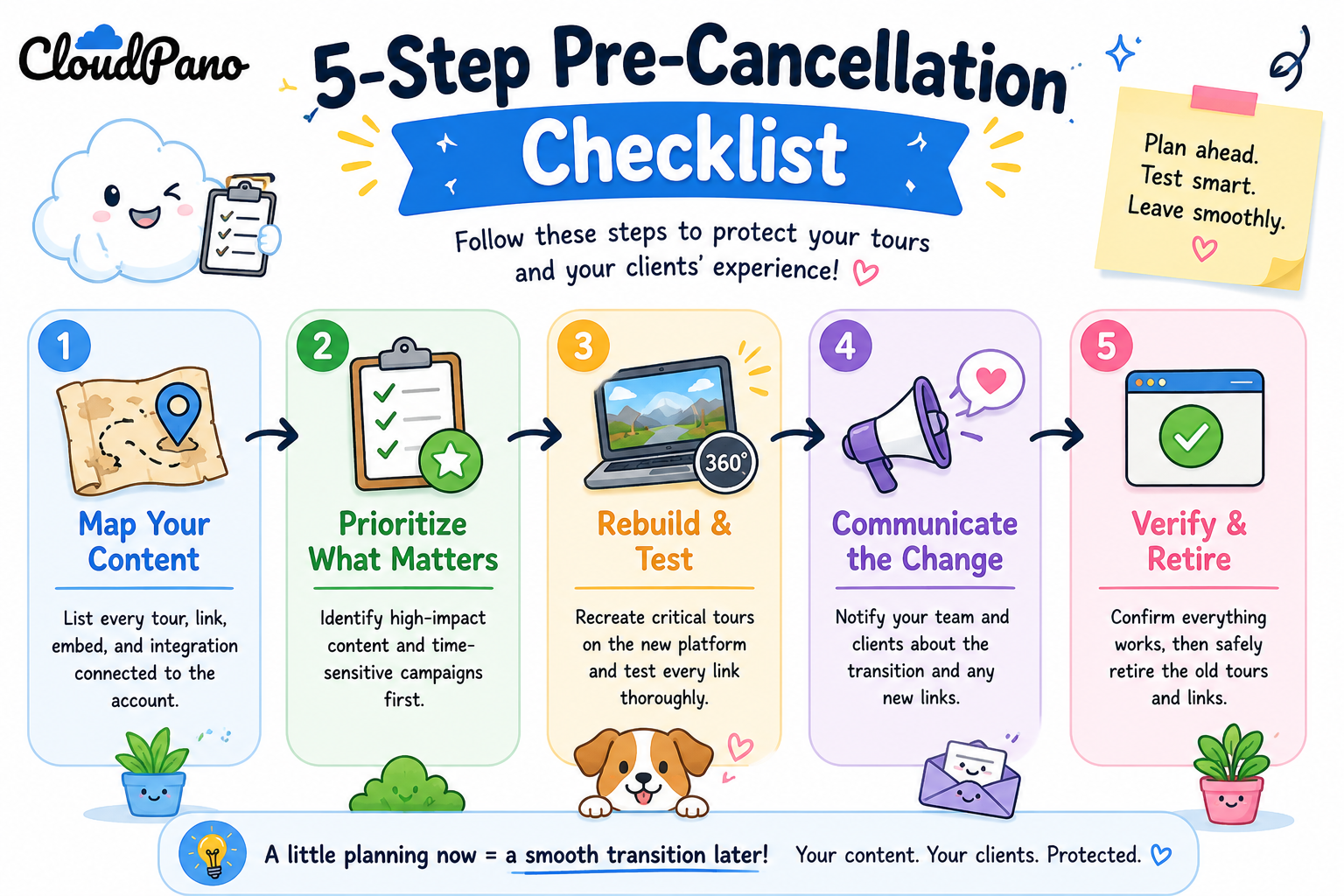
Before touching anything, build a complete list of every tour currently embedded somewhere client-facing — a property listing, a client's own website, a shared social post, an email campaign still in circulation. This is different from a general content inventory; it's specifically about identifying client-facing tour links that someone outside your team is actively relying on right now.
This step alone often reveals that the actual list of at-risk links is much shorter than the full library might suggest — plenty of older or archived tours simply aren't linked anywhere a client would currently encounter them, which narrows the real scope of what needs careful handling. Keeping this list of client-facing tour links updated as you go, rather than relying on memory, also protects against the common mistake of forgetting a less-obvious placement, like a link embedded in an old email signature or a partner's referral page.
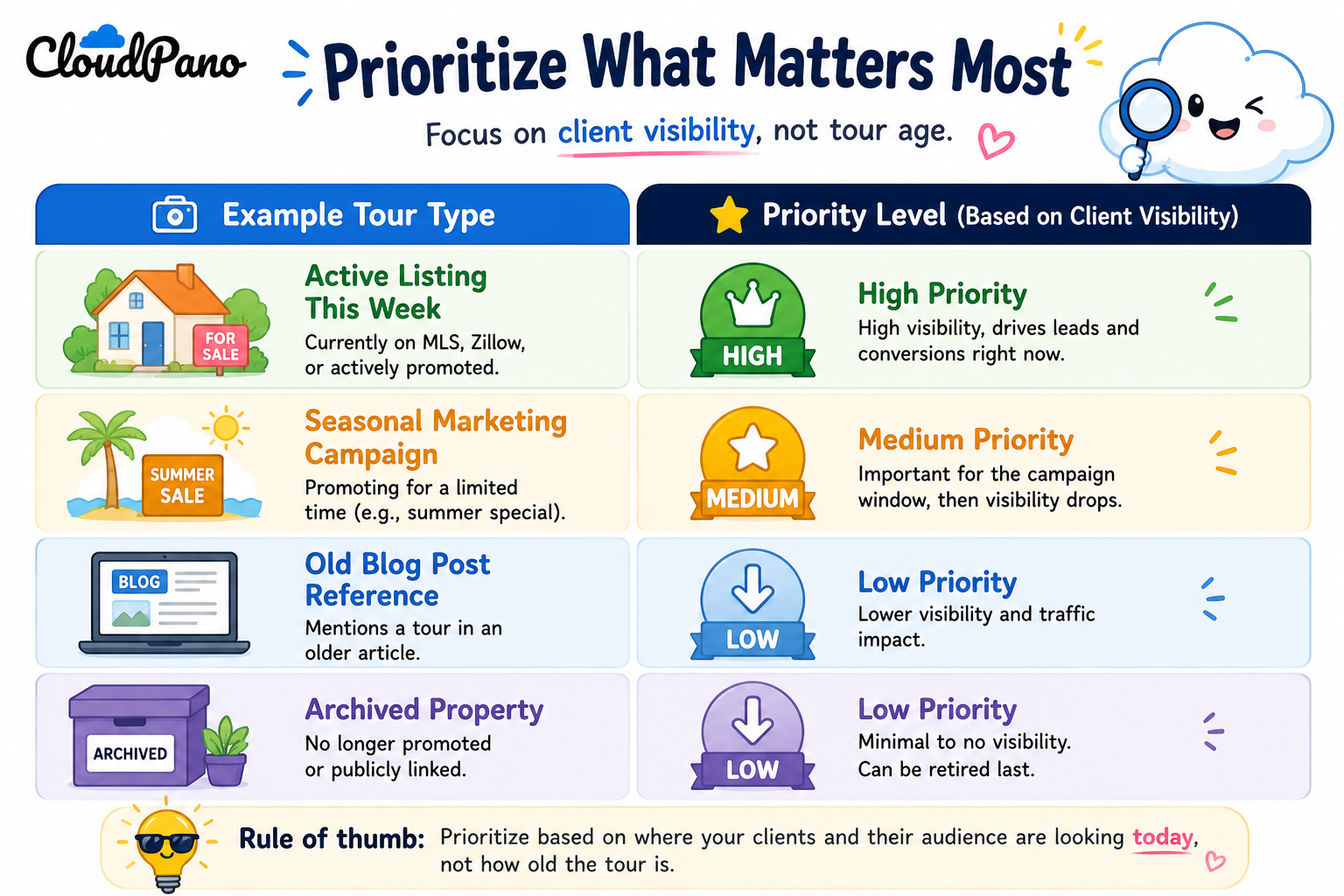
Once you have the list, sort it by how visible and time-sensitive each link is, not by how old the tour is. A tour embedded on a listing that's actively being shown to buyers this week deserves far more careful handling than a tour linked from an old blog post that gets minimal traffic. This prioritization determines the order you migrate things in — highest client visibility first, so you have the most runway to catch and fix any issue before it affects the people who matter most.

Rebuild the highest-priority tours on the new platform and test them thoroughly — on different devices, in the actual embed context they'll be used in, not just as a standalone link — before communicating any change to a client or updating a public-facing page. This sequencing matters: testing after you've already told a client something changed puts you in a much worse position if something isn't quite right yet.
For any client relationship where the change might be noticeable — an agency managing tours on a client's behalf, for instance — a short, proactive heads-up ("we're upgrading our virtual tour technology, you may notice a brief transition on [date], let us know if anything looks off") tends to land far better than silence followed by a client noticing something broken on their own. This is a small step that meaningfully changes how a tour platform transition is perceived, even if the technical execution is identical either way.

Once the new tour is live, tested, and any necessary client communication has gone out, confirm the new link is working correctly in its actual live context — not just in a private preview — before fully retiring or redirecting the old one. Keeping the old link active for a short overlap period, where feasible, provides a safety net in case anything needs to be reverted quickly.
On G2's virtual tour software category page, reviewers managing tours for external clients (agencies, in particular) frequently mention that the biggest migration risk they experienced wasn't the platform switch itself, but insufficient testing of embedded links before a client noticed a problem — reinforcing why Step Three matters as much as it does.

Community discussions on r/realtors echo a similar pattern: agents who've handled a platform switch smoothly consistently mention proactive client communication as a key reason nothing felt disruptive to the people on the other end, even when the underlying technical work was substantial.
"Won't clients notice regardless of how careful we are?"
Not necessarily. Most clients don't scrutinize the underlying platform powering a tour — they notice broken links, slow load times, or a tour that suddenly isn't there. If the finished result works as expected, most clients never realize a platform change happened at all unless you tell them directly.
"This sounds like a lot of extra work on top of the migration itself."
It's additional structure, not necessarily additional total effort — most of this checklist is about sequencing existing migration work more carefully around client visibility, rather than adding entirely new tasks. The upfront planning is what prevents a much more time-consuming cleanup effort later if a client-facing link breaks without warning.
Beyond individual client sensitivity, it's worth considering broader timing too. Real estate has predictable busy seasons; hospitality and retail often have their own peak periods tied to holidays or events. Scheduling a migration during a genuinely slow period for your specific business, rather than during your busiest stretch, gives you more margin for error if something takes longer than expected to rebuild or test properly. This isn't always possible to control perfectly, but where you have a choice, a quieter period is worth prioritizing over convenience or an arbitrary internal deadline.
Migrating virtual tour platforms without disrupting clients isn't primarily a technical challenge — it's a sequencing challenge. Mapping what's actually client-facing, prioritizing by visibility rather than age, testing before communicating, and keeping a brief overlap window are what separate a smooth transition from one that generates avoidable client friction.
If you're earlier in the process and still deciding whether to switch at all, our complete migration guide covers the broader decision and process end to end. And if you're specifically concerned about what happens to existing tours once an account changes status, our article on cancellation and account closure covers that ground directly. Read together, these three pieces cover the decision, the technical mechanics, and the client-facing sequencing — the three angles most businesses need before feeling confident about a switch.


Compact, ready to go anywhere
Interchangeable lens that’s upgradeable
Dual 1-inch sensors for improved clarity and low light performance
Dynamic range and 6K 360° capture
360° photo resolution at 21MP

8K 360° video recording for ultra-detailed visuals.
4K single-lens mode for traditional wide-angle shots.
Invisible selfie stick effect for drone-like perspectives.
2.5-inch touchscreen with Gorilla Glass protection.
Waterproof up to 33ft for underwater shooting.

360° photo resolution in 23MP
Slim design at 24 mm thick
Built-in image stabilization for smooth video capture.
Internal 19GB storage for photo and video storage.
Wireless connectivity for remote control and sharing.

60MP 360° still images for high-resolution photography.
5.7K 360° video recording at 30fps.
2.25-inch touchscreen for intuitive control.
USB Type-C port for fast charging and data transfer.
MicroSD card slot for expandable storage.
.png)

.png)

Try it free. No credit card required. Instant set-up.






.svg)


.svg)