


.png)


Deciding to switch from Matterport is usually the easy part, once you've reached that point. What holds people back afterward is uncertainty about the actual process — what happens to existing tours, how long it takes, what could go wrong. This guide walks through the real steps involved, so the decision to switch isn't followed by weeks of guessing what comes next.
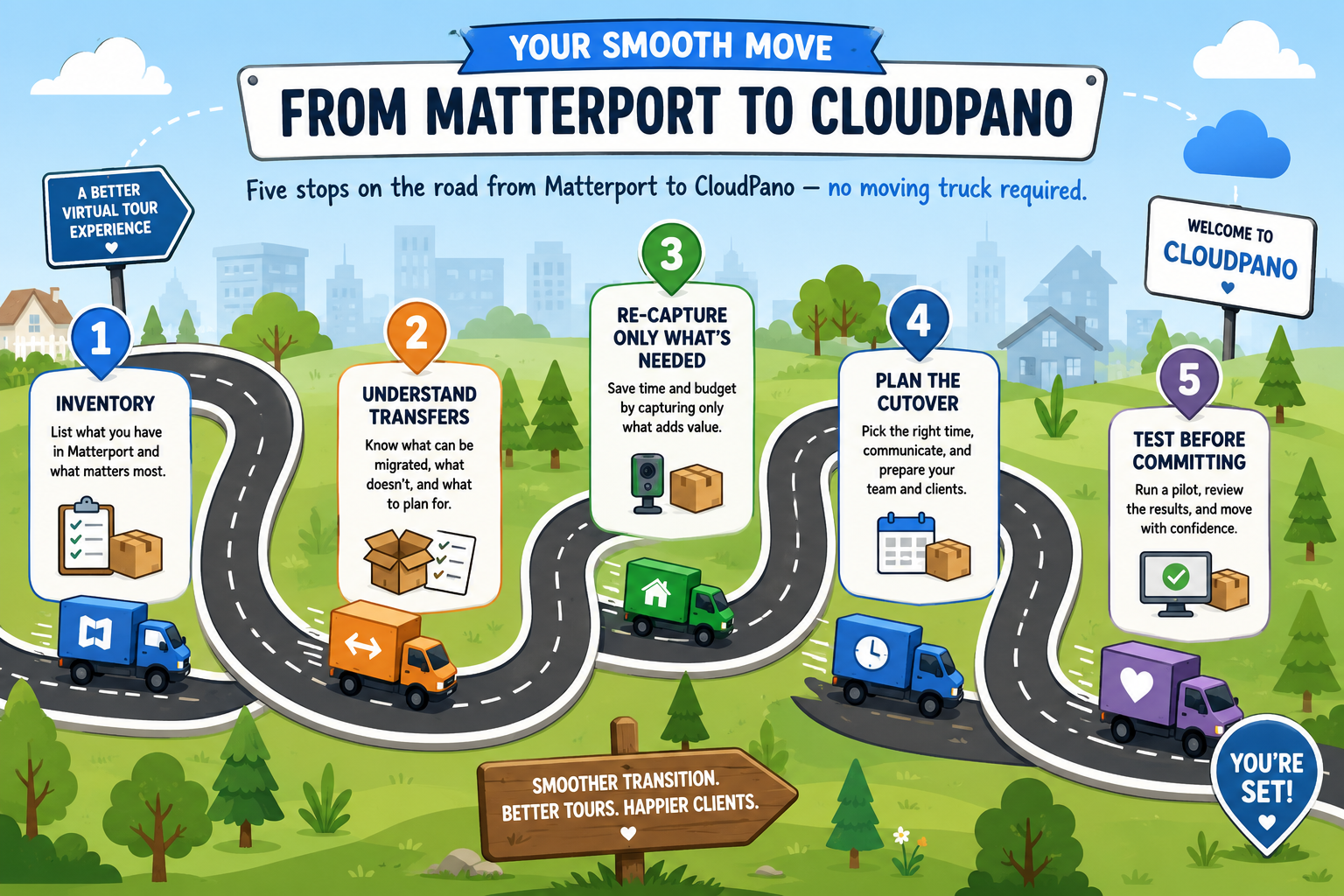
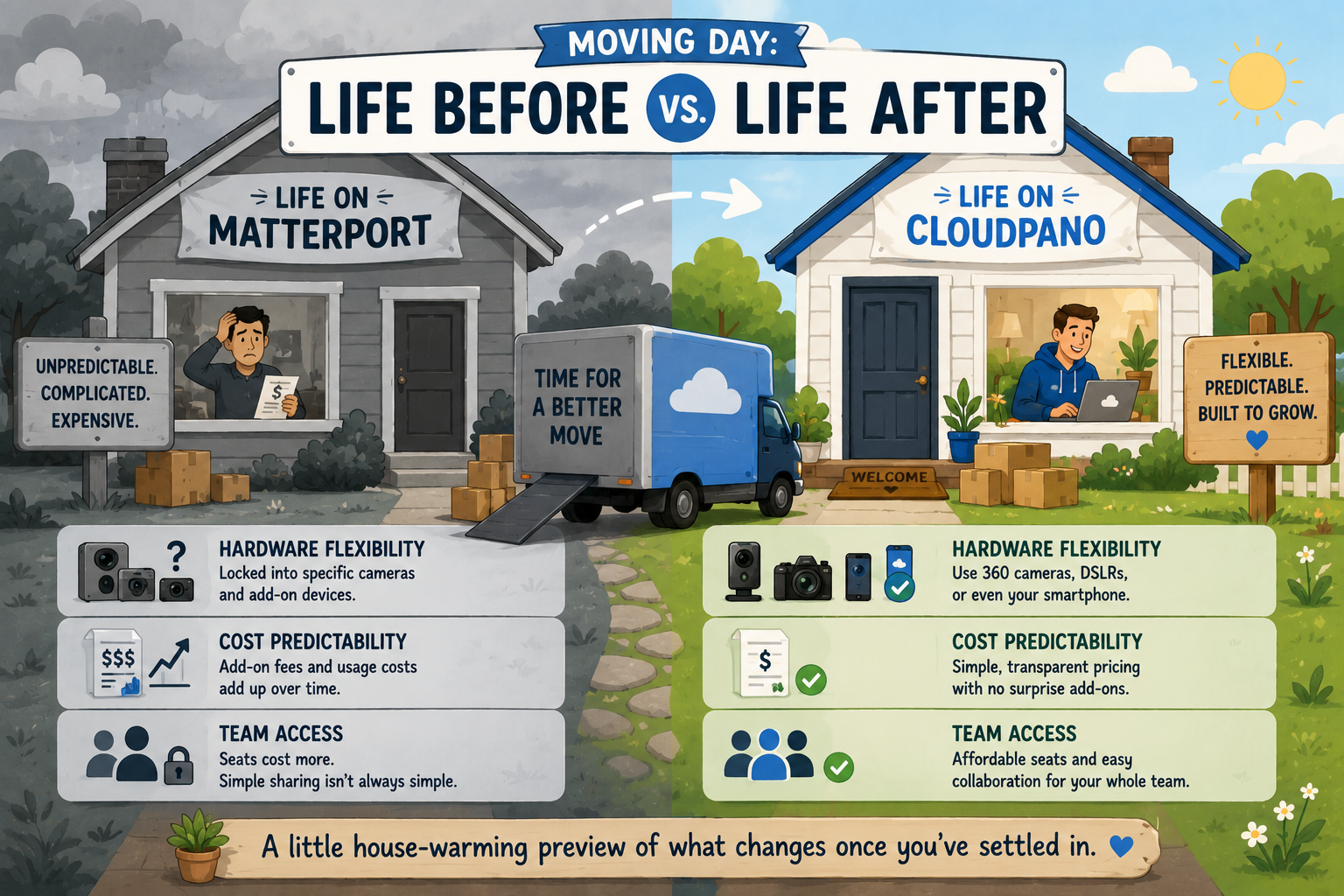
Most hesitation around switching platforms comes from not knowing what the process actually looks like, not from the process itself being especially difficult. A matterport migration guide that just says "it's easy" without explaining specifics doesn't actually reduce anxiety — it just asks you to trust a vague reassurance. The more useful approach is to walk through the actual steps plainly, so you can judge for yourself whether the effort matches your expectations.
Before moving from Matterport to any new platform, start with a clear-eyed inventory of what you currently have: how many active tours exist, which ones are embedded on live client-facing pages, which are archived and rarely viewed, and which camera or capture equipment you're currently using. This step alone resolves a surprising amount of anxiety, because most of the perceived scale of a migration comes from not knowing exactly what needs to move.
This is the step most people skip, and it's the one that causes the most stress later. Check Matterport's own support documentation directly for the current export and data portability options available on your specific plan, since these can vary. In general, raw capture data and processed tours are treated differently, and what's exportable in one form isn't always exportable in another. Knowing this upfront — not discovering it mid-migration — is the single biggest factor in a smooth virtual tour platform switch.
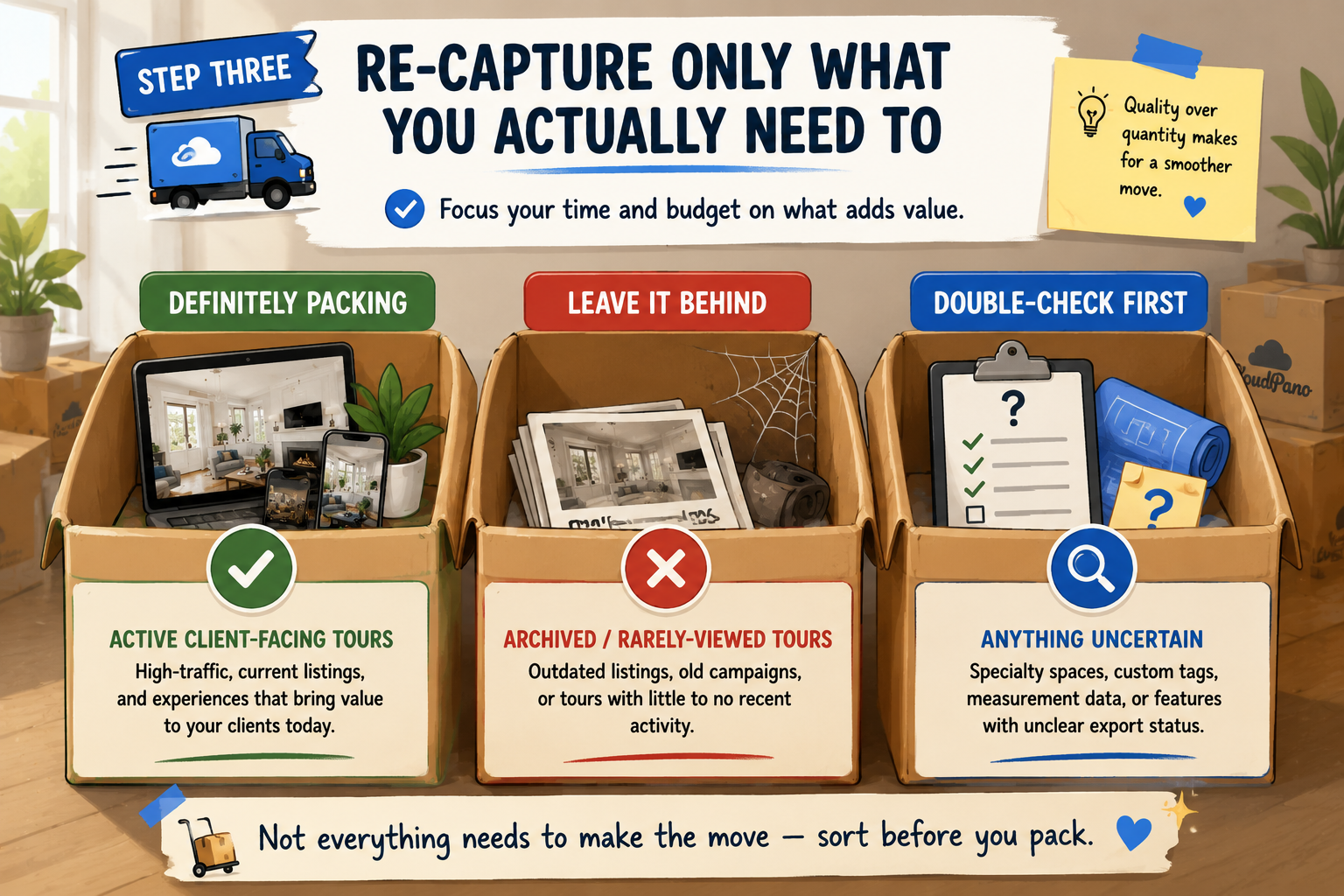
Not every tour needs to be rebuilt from scratch. Tours that are archived, rarely viewed, or tied to properties or projects that are no longer active often don't need to move at all — only actively used, client-facing tours typically warrant the effort of recreating. This step alone often shrinks a seemingly enormous migration project down to a much more manageable list.
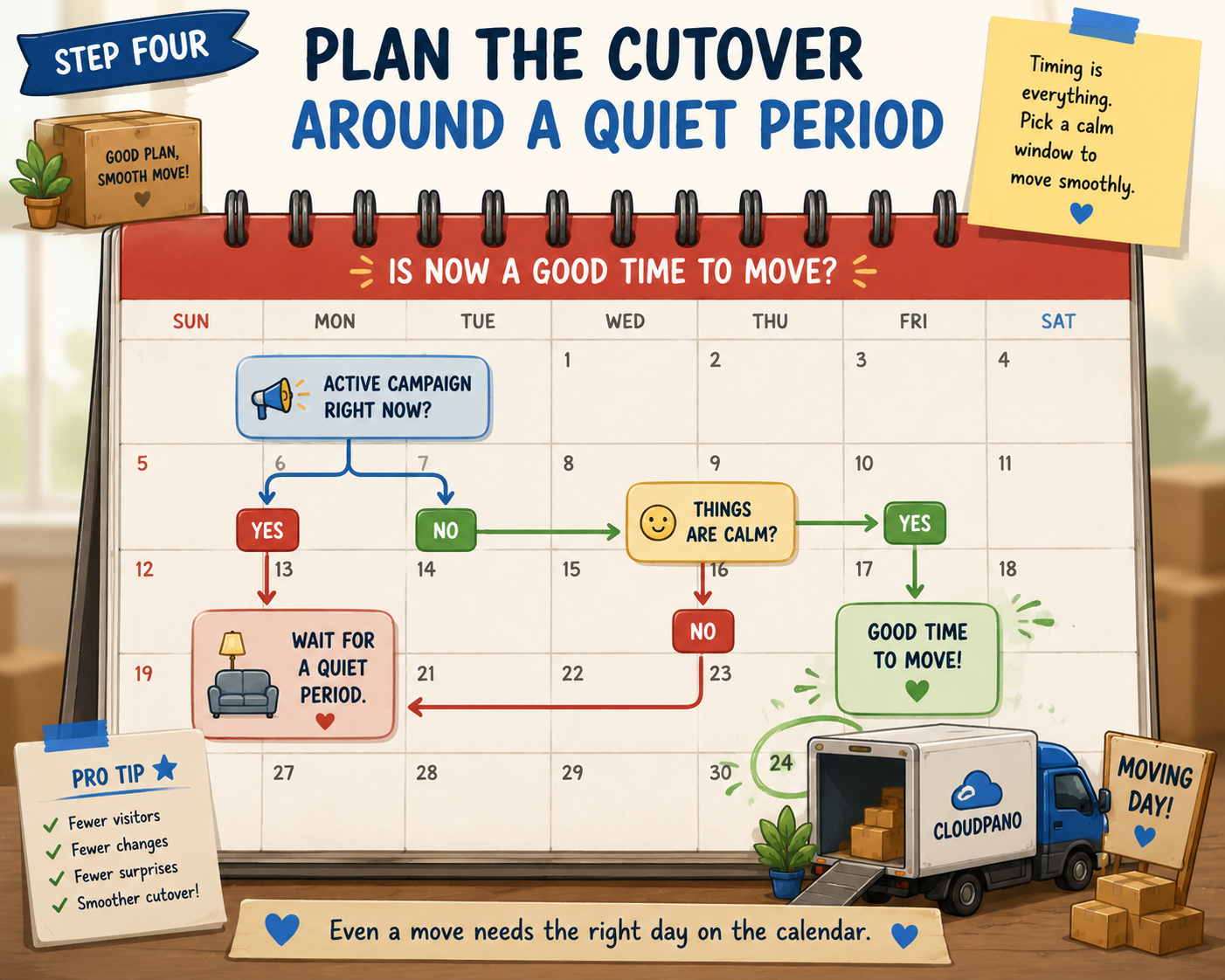
Timing matters more than most people expect. Rather than switching mid-campaign on an active listing or high-traffic tour, plan the cutover for a natural lull — between major projects, outside of a peak sales period, or right after a tour's most active viewing window has passed. This single scheduling decision does more to reduce perceived risk than almost anything else in the process.
Before decommissioning your old account entirely, publish a small number of rebuilt tours on the new platform and test them under real conditions — shared links, embedded pages, mobile viewing. This is the step that catches any remaining surprises while you still have your old setup as a fallback, rather than after it's gone.
There's a consistent pattern worth naming directly: businesses moving from Matterport tend to imagine the process as one giant, undifferentiated task, when in practice it breaks down into a handful of much smaller, sequential steps. This "wall of effort" perception is one of the biggest reasons people delay a switch far longer than the actual work would justify.
Part of the fix is simply seeing the steps broken out plainly, the way they're laid out above — inventory, understand what transfers, rebuild selectively, time the cutover, test before committing. Each one, taken individually, is a manageable task with a clear start and end point. It's only when they're lumped together as one vague, undefined project that the process starts to feel overwhelming. This is true of most virtual tour platform switch projects, not just this one specifically — breaking a big transition into discrete, checkable steps almost always makes it feel more achievable than treating it as a single monolithic task.
On G2's virtual tour software category page, reviewers who've gone through a platform switch frequently describe the actual transition as more manageable than anticipated, particularly once they'd done the inventory step above and understood exactly what needed to move.
Capterra's virtual tour software listings show a similar pattern, and community threads on r/realtors specifically discuss migration timing and what to expect from agents who've made the move already — worth reading for candid, first-hand accounts beyond a formal review.
The migration itself is only part of the picture — it's worth setting expectations for the period right after, too. Most businesses report a short adjustment window where team members are still getting comfortable with a new interface, even for tasks they could do in their sleep on the old platform. This is normal and typically resolves within the first couple of weeks of regular use, not months.
It's also worth deliberately checking in on a few specific things during this window: are shared links behaving as expected across different devices and browsers, is anyone on the team running into a permission or access issue that wasn't caught during testing, and are analytics or reporting numbers showing up the way you expect compared to what you were used to seeing. Catching small issues early, while you still remember exactly what "normal" looked like on the old platform, is far easier than trying to diagnose something months later when the comparison point has faded from memory.
"What if something breaks during the transition and a client notices?"
This is exactly why Step Five exists — testing rebuilt tours under real conditions before fully retiring the old platform gives you a safety net. Most reported issues happen when businesses skip direct testing and assume everything transferred correctly without checking.
"How long does this actually take?"
It depends heavily on how many active, client-facing tours you have — inactive or archived tours don't need to move at all, which is why Step One and Step Three matter so much. For a business with a modest number of active tours, the process is typically measured in days of focused work, not weeks, once you know exactly what needs rebuilding.
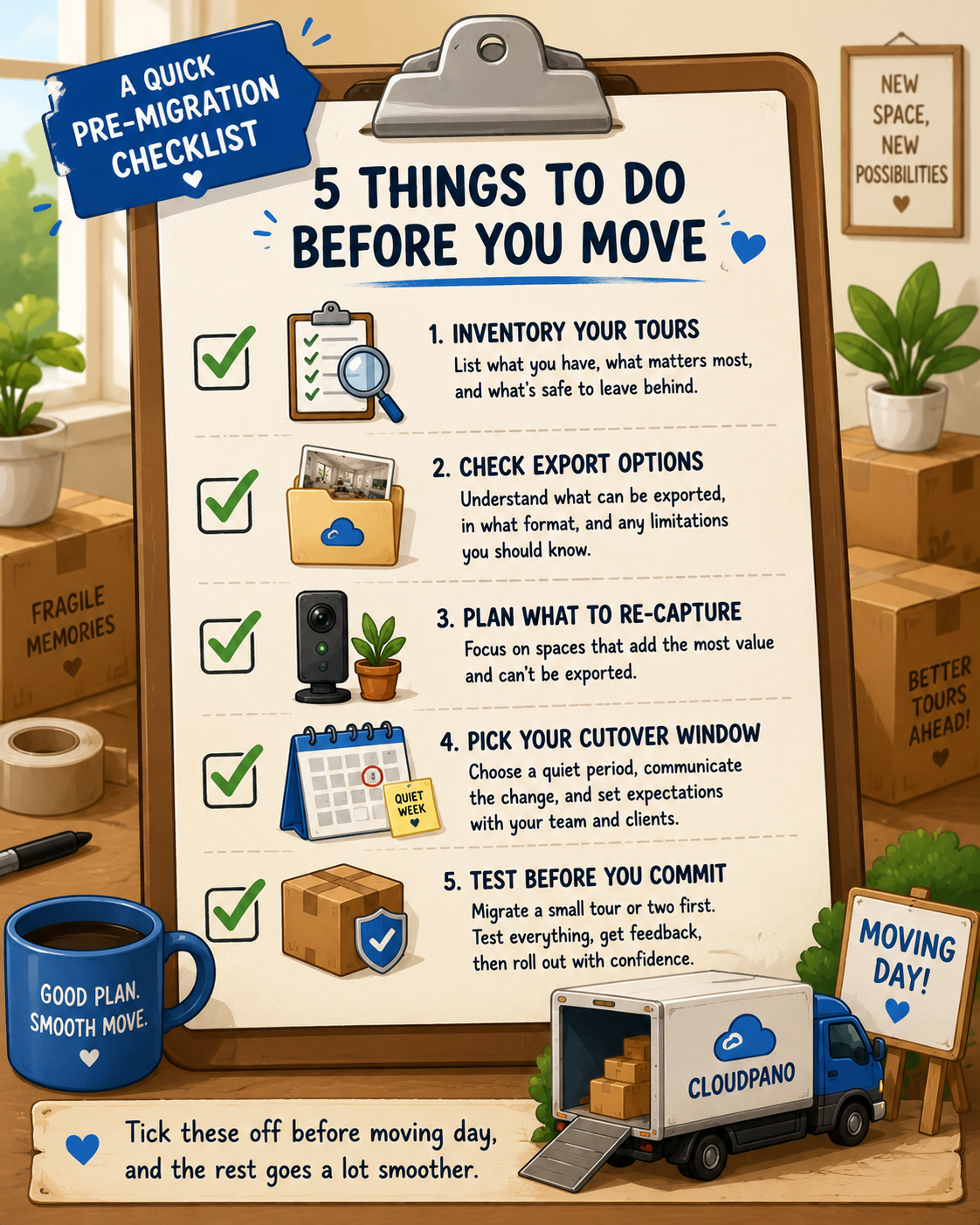
Before you begin, confirm the following:
The uncertainty around switching platforms is usually bigger than the actual work involved, especially once you break the process down into discrete steps: inventory, understanding what transfers, rebuilding only what's actively needed, timing the cutover carefully, and testing before fully committing. Most people who complete a matterport migration guide-style process like this one describe it as more manageable in practice than it felt while they were still deciding whether to start.
If you've been putting off a switch specifically because the process felt unclear, this breakdown should remove most of that uncertainty. The next reasonable step is a CloudPano trial where you can rebuild one or two tours as a test run before committing to a full migration — a low-risk way to confirm the process works smoothly for your specific setup. Most people who take that first small step find it answers more of their remaining questions than another round of research ever could.


Compact, ready to go anywhere
Interchangeable lens that’s upgradeable
Dual 1-inch sensors for improved clarity and low light performance
Dynamic range and 6K 360° capture
360° photo resolution at 21MP

8K 360° video recording for ultra-detailed visuals.
4K single-lens mode for traditional wide-angle shots.
Invisible selfie stick effect for drone-like perspectives.
2.5-inch touchscreen with Gorilla Glass protection.
Waterproof up to 33ft for underwater shooting.

360° photo resolution in 23MP
Slim design at 24 mm thick
Built-in image stabilization for smooth video capture.
Internal 19GB storage for photo and video storage.
Wireless connectivity for remote control and sharing.

60MP 360° still images for high-resolution photography.
5.7K 360° video recording at 30fps.
2.25-inch touchscreen for intuitive control.
USB Type-C port for fast charging and data transfer.
MicroSD card slot for expandable storage.
.png)

.png)

Try it free. No credit card required. Instant set-up.






.svg)


.svg)