


.png)


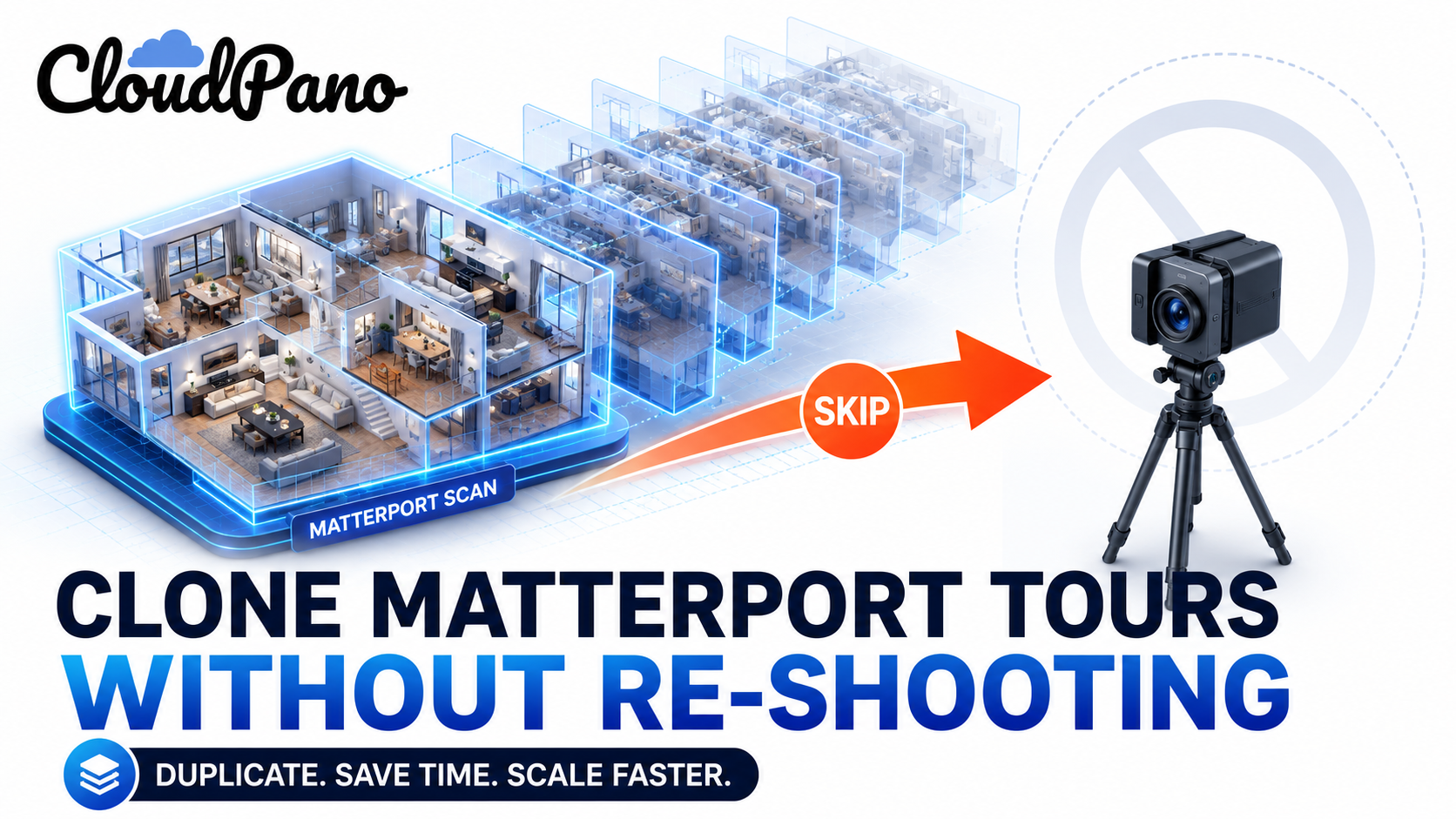
One of the more anxiety-inducing assumptions about switching virtual tour platforms is that it means redoing everything — repacking a camera, revisiting every property, and rebuilding a tour library entirely from scratch. That assumption is usually wrong, but it's wrong in a specific, checkable way rather than a blanket "don't worry about it." Whether you can genuinely reuse Matterport scans on a new platform depends on a few concrete factors, not on wishful thinking or vendor promises either way.
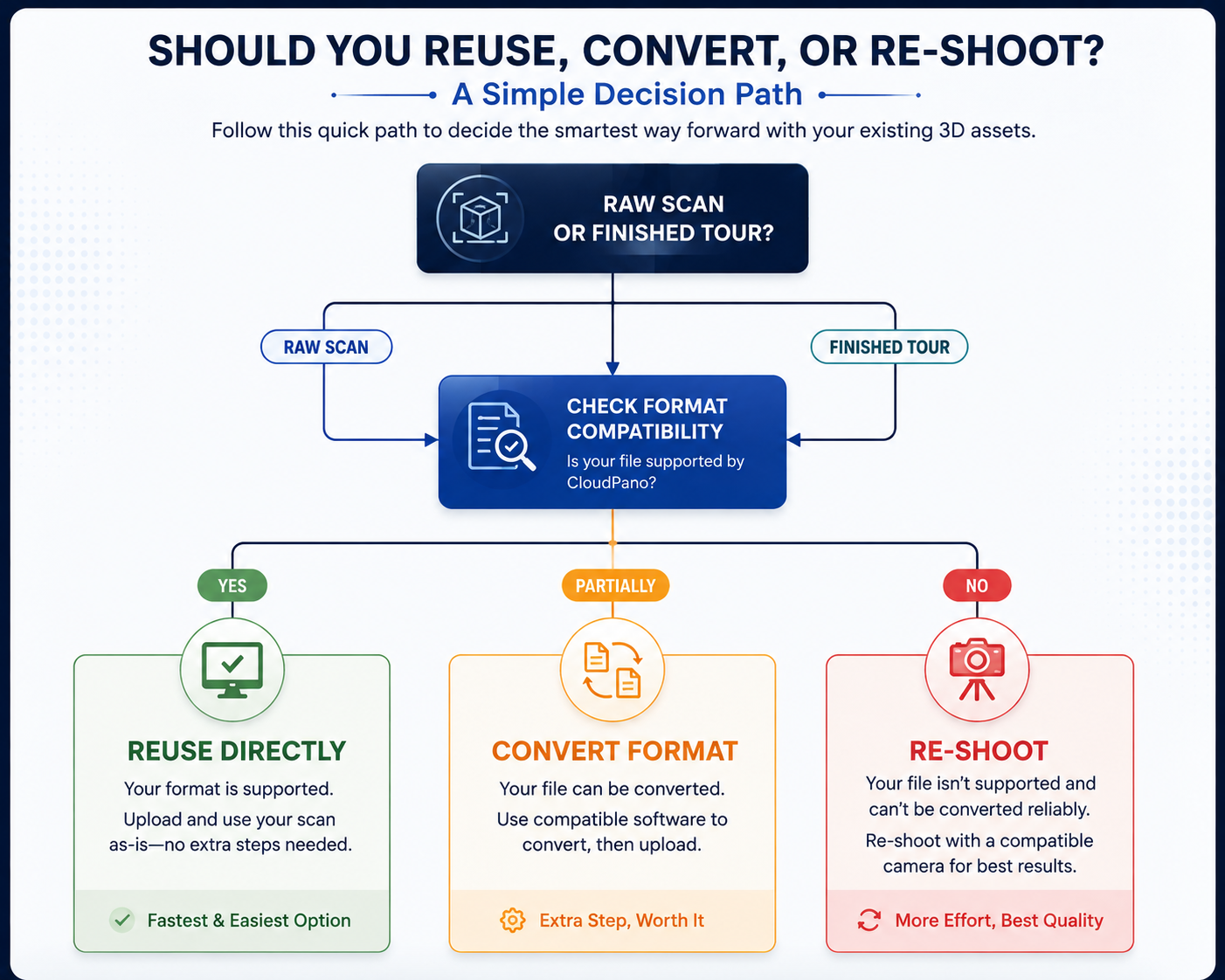
The honest answer to "can I reuse my existing scans" is: it depends on what stage of processing that scan is in, and what file format it's actually stored in. A raw, unprocessed scan is a fundamentally different asset than a fully rendered, platform-specific tour, and the two behave very differently when you try to bring them somewhere new. Treating this as one universal question is exactly how people end up either needlessly re-shooting everything out of caution, or assuming reuse is possible when it isn't, and discovering that partway through a migration.
This distinction matters more here than almost anywhere else in the migration process. A raw scan — the direct output of your capture device before platform-specific processing — is closer to a generic data format, and is more likely to have some path to reuse elsewhere, depending on the specific camera and file type involved. A finished, rendered tour, on the other hand, is typically built using platform-specific rendering technology and generally isn't something you can simply drop into a different platform's viewer.

This is the same underlying distinction covered from an export-policy angle in our article on exporting Matterport tour data — that piece focuses on what you're allowed to take with you contractually, while this one focuses on what's technically usable once you have it.
It's worth pausing on why so many people assume a full re-shoot is necessary without checking first. Part of it is understandable caution — nobody wants to discover mid-migration that something they assumed would carry over actually didn't. But part of it is also simply not knowing that matterport raw data and a finished tour are meaningfully different assets in the first place. Marketing language across this entire software category tends to talk about "your tours" as a single, undifferentiated thing, which obscures the fact that the raw material behind a tour and the finished product presented to viewers are built, stored, and processed very differently.
Once you understand that distinction, the reuse question stops being a vague, anxiety-inducing unknown and becomes a specific, checkable technical question — which format, which camera, which import path. That reframing alone tends to reduce a lot of the unnecessary caution that leads people toward a full re-shoot they didn't actually need.
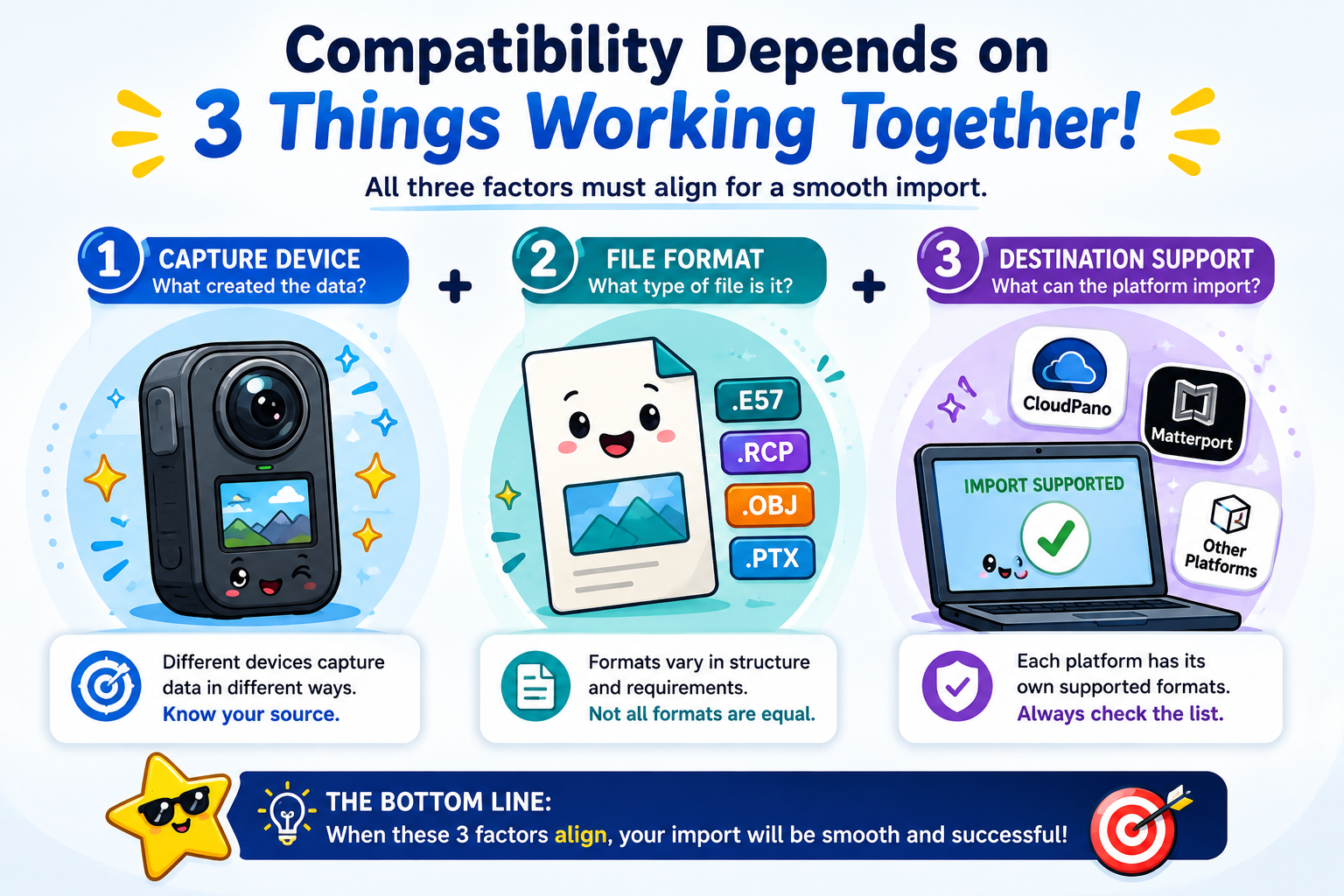
3D scan compatibility across platforms comes down to a few practical factors: the specific camera or capture device used, the file format that device outputs, and whether the destination platform has an import path for that specific format. Some cameras produce more standardized, widely-supported output; others use more proprietary formats tied closely to a single ecosystem.
This is worth checking directly and specifically — not "does CloudPano support 3D scans" in the abstract, but "does CloudPano support raw output from the exact camera model I used for this specific shoot." The answer can vary meaningfully by camera brand and even by model generation, so a general compatibility claim isn't a substitute for checking your specific equipment.
Once you know which of your scans are genuinely reusable, the practical next step is organizing a virtual tour asset migration — moving the usable raw material over, confirming it imports and processes correctly on the new platform, and only re-shooting the specific properties or spaces where reuse genuinely isn't viable. This is a meaningfully smaller project than a blanket re-shoot of your entire library, and treating it as a sorting exercise rather than an all-or-nothing decision is what keeps the actual workload manageable.
If you discover that your specific Matterport raw data doesn't have a clean import path to your new platform, you have a few reasonable options rather than defaulting straight to a full re-shoot: check whether an intermediate conversion tool exists for your specific format, prioritize re-shooting only the highest-value, currently active properties rather than your full historical library, and treat any archived or low-traffic tours as simply not worth the effort of recreating at all.
This triage approach — reuse where possible, convert where feasible, re-shoot only what's genuinely necessary — tends to produce a far more manageable project than an assumption that everything needs to be redone from the ground up.
On G2's virtual tour software category page, reviewers who've switched platforms occasionally mention discovering that specific older scans weren't compatible with a new platform's import tools, reinforcing why checking your specific camera and file format matters more than trusting a general compatibility claim.

Community discussions on r/Matterport are a useful, current resource here too, since camera compatibility and raw data questions come up regularly, and other users often share specific, recent experience with particular camera models that's more current than any general article can promise.
As you go through this assessment for your own library, it's worth keeping a simple running list of which properties or tours fall into each category — reusable as-is, needs conversion, or needs a re-shoot. This doesn't need to be elaborate; a basic spreadsheet is enough. Having this record means you're not repeating the same compatibility check multiple times, and it gives you a clear, at-a-glance view of how much of the re-shoot work is actually necessary versus how much was initial worry that turned out to be unfounded once you checked.
"What if I don't know what file format my scans are even in?"
This is a reasonable starting point, not a dead end — check your camera manufacturer's documentation or your account's export settings directly, since this information is usually available even if it's not something you've needed to think about before now.
"Isn't it safer to just re-shoot everything to be sure?"
For a small number of highly important, active tours, a fresh re-shoot is sometimes the simpler and more reliable choice, and there's nothing wrong with choosing that route deliberately. But defaulting to a full re-shoot of your entire library out of general caution, without first checking what's actually reusable, usually means far more work than necessary.
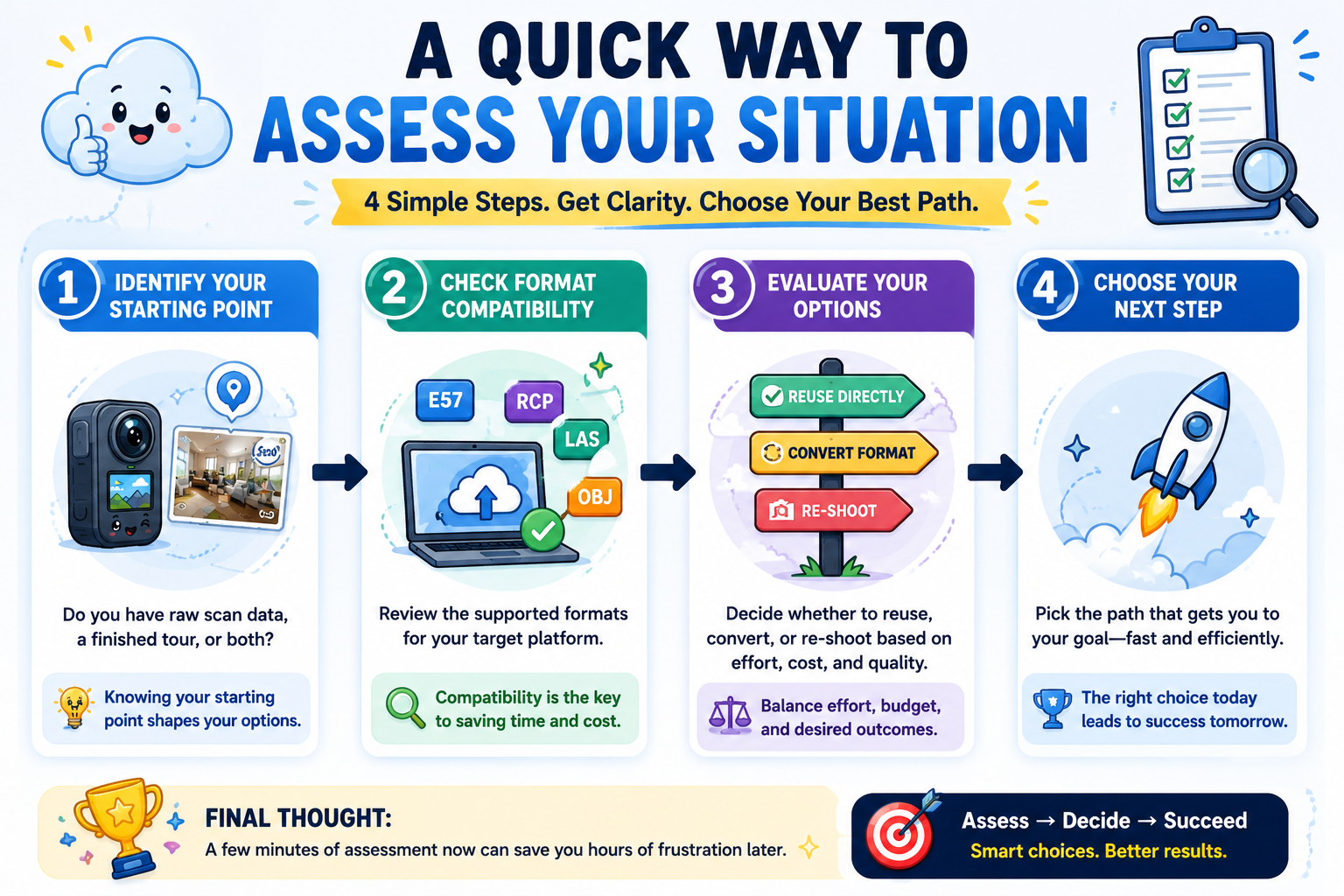
Switching platforms doesn't automatically mean starting over. Whether you can reuse Matterport scans comes down to specific, checkable factors — processing stage, camera format, and the new platform's import capabilities — rather than a blanket answer either way. Testing a small sample directly, rather than assuming full compatibility or defaulting straight to a re-shoot, is the most reliable way to find out where your specific library actually stands.
If you're earlier in the process and want the fuller migration picture, our complete migration guide covers the broader process end to end, and our article on exporting Matterport tour data covers the related export-policy side of this same question. Between the two, you'll have both the contractual answer (what you're allowed to take) and the technical answer (what actually works once you have it) — which together resolve most of the uncertainty people have before starting a migration.


Compact, ready to go anywhere
Interchangeable lens that’s upgradeable
Dual 1-inch sensors for improved clarity and low light performance
Dynamic range and 6K 360° capture
360° photo resolution at 21MP

8K 360° video recording for ultra-detailed visuals.
4K single-lens mode for traditional wide-angle shots.
Invisible selfie stick effect for drone-like perspectives.
2.5-inch touchscreen with Gorilla Glass protection.
Waterproof up to 33ft for underwater shooting.

360° photo resolution in 23MP
Slim design at 24 mm thick
Built-in image stabilization for smooth video capture.
Internal 19GB storage for photo and video storage.
Wireless connectivity for remote control and sharing.

60MP 360° still images for high-resolution photography.
5.7K 360° video recording at 30fps.
2.25-inch touchscreen for intuitive control.
USB Type-C port for fast charging and data transfer.
MicroSD card slot for expandable storage.
.png)

.png)

Try it free. No credit card required. Instant set-up.





.svg)


.svg)