


.png)


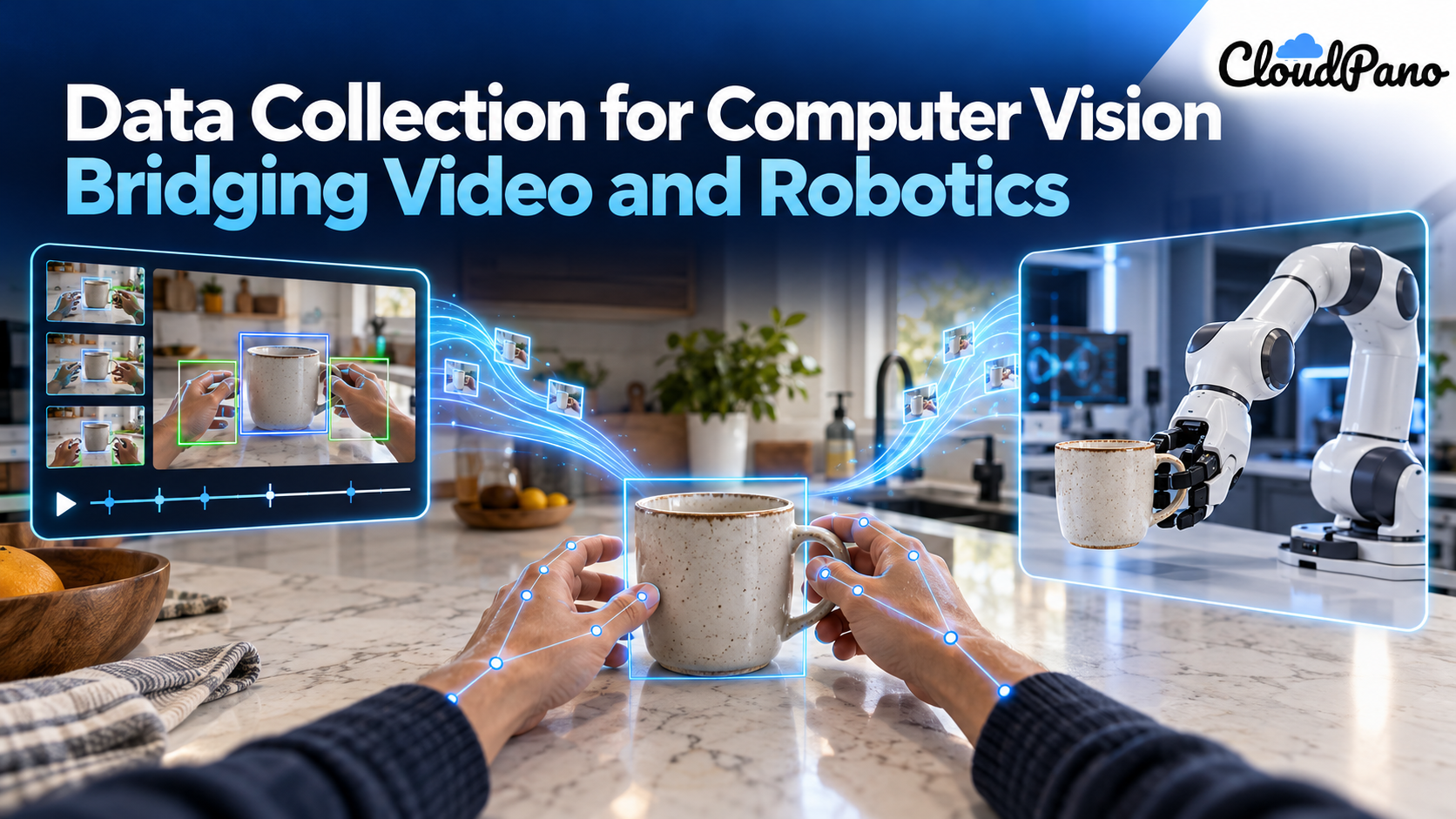
The same first-person video can train both computer vision models and robots. CV models use it to recognize objects, hands and actions. Robots use it to learn what matters in a scene before they ever move. To serve both, collect video with consistent viewpoints, synchronized sensors like depth and IMU, and labels for hand pose, actions and contact, so one capture feeds two pipelines.
If you collect video to train a computer vision model, you may be sitting on robot training data without knowing it. In 2022, researchers took Ego4D, a 3,670-hour dataset of everyday first-person video built for vision benchmarks, and used it to pretrain R3M, a visual representation that let a Franka robot arm learn manipulation tasks in a real apartment from just 20 demonstrations (arXiv:2203.12601).
That result points to a shift in how teams should think about data collection for computer vision. Video is no longer just input for recognition models. The same footage, captured the right way, can feed a robot policy too. This guide explains what each side needs, walks through a simple example that connects the two, and shows how to plan one capture that serves both. If you're new to why footage from the real world matters so much, start with our guide to real-world video data.
Data collection for computer vision is the work of capturing the images or video a model learns from, plus the labels that tell it what it's looking at. The goal is footage that matches the conditions the model will face in use.
For video models, that usually means recording real activities, then marking objects, hands and actions over time. EPIC-KITCHENS-100 is a well-known example: 100 hours of head-mounted camera video from 45 kitchens, with 90K labeled actions across 700 videos (arXiv:2006.13256). Its challenges include action recognition, action detection and action anticipation, which are classic computer vision tasks.
Good computer vision training data has a few things in common:
Because a robot has to understand a scene before it can act in it, and video of people doing tasks is far easier to get than robot data. Pretraining on human video gives a robot a head start on seeing.
R3M shows how this works. Its authors trained a visual representation on Ego4D human video, then froze it and used it as the robot's eyes. Across 12 simulated manipulation tasks, it improved task success by over 20% compared with training from scratch, and by over 10% compared with visual representations like CLIP and MoCo (arXiv:2203.12601).
The video itself was never collected for robots. Ego4D was built as a benchmark suite for vision tasks such as episodic memory, hand-object manipulation and forecasting, with footage from 931 camera wearers in 74 locations across 9 countries (arXiv:2110.07058). Its value to robotics came from scale, variety and a first-person view of hands at work.
Picture one clip: a person in a kitchen picks up a mug, carries it to the sink and rinses it, filmed from a head-mounted camera. The footage is the same for both teams. What changes is what each team needs labeled and recorded alongside it.
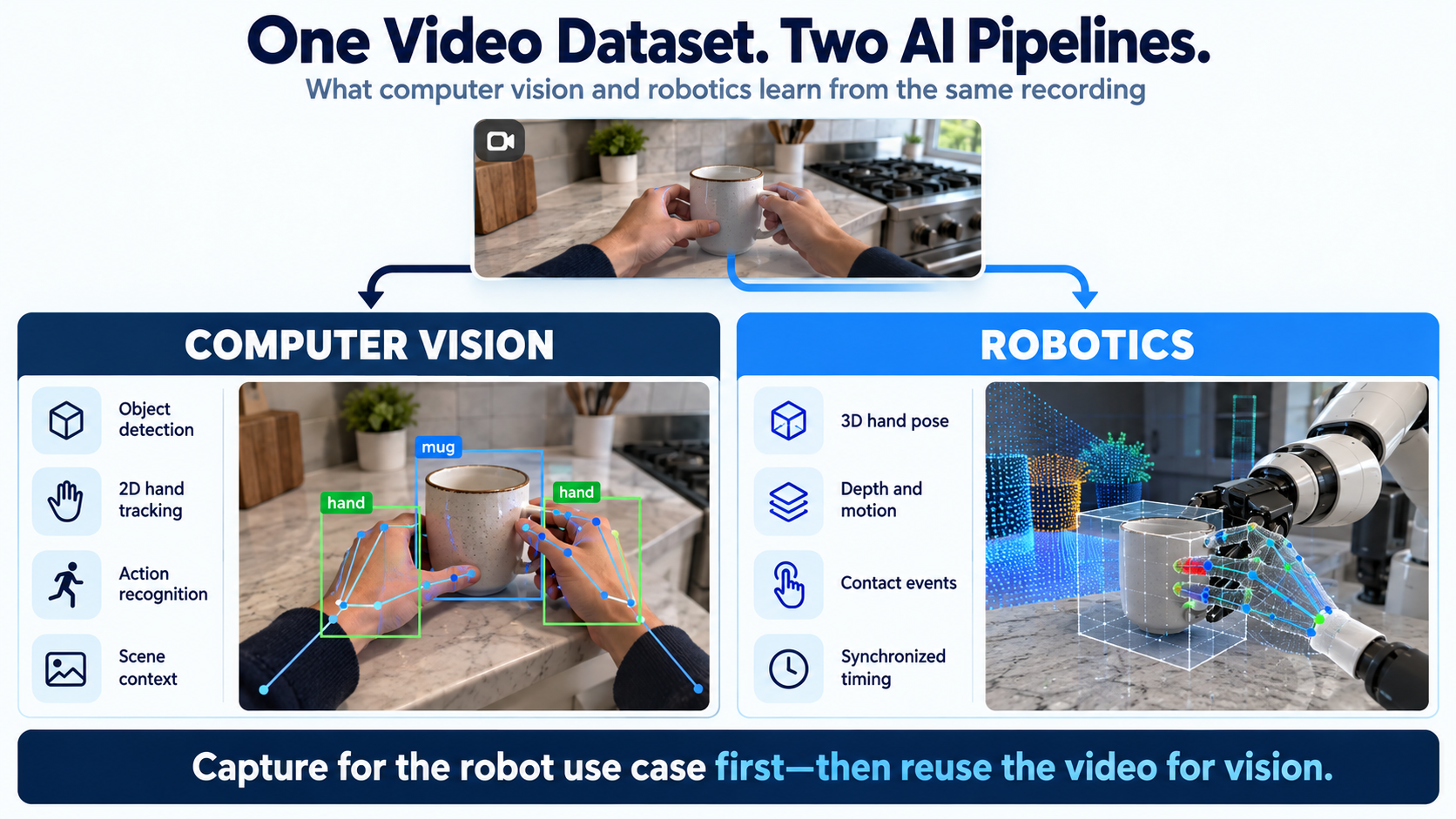
What the computer vision team takes from the clip:
What the robotics team takes from the same clip:
The overlap is large. Action segments and hand labels serve both. The difference is precision: a vision model can learn "this is a grasp" from 2D boxes, but a robot learning how to grasp needs the 3D shape and the exact moment of contact. Our guide to object interaction datasets covers this hand-object layer in more depth.
Robots need the physical side of the scene: depth, motion, timing and contact. Most computer vision datasets stop at pixels and labels.
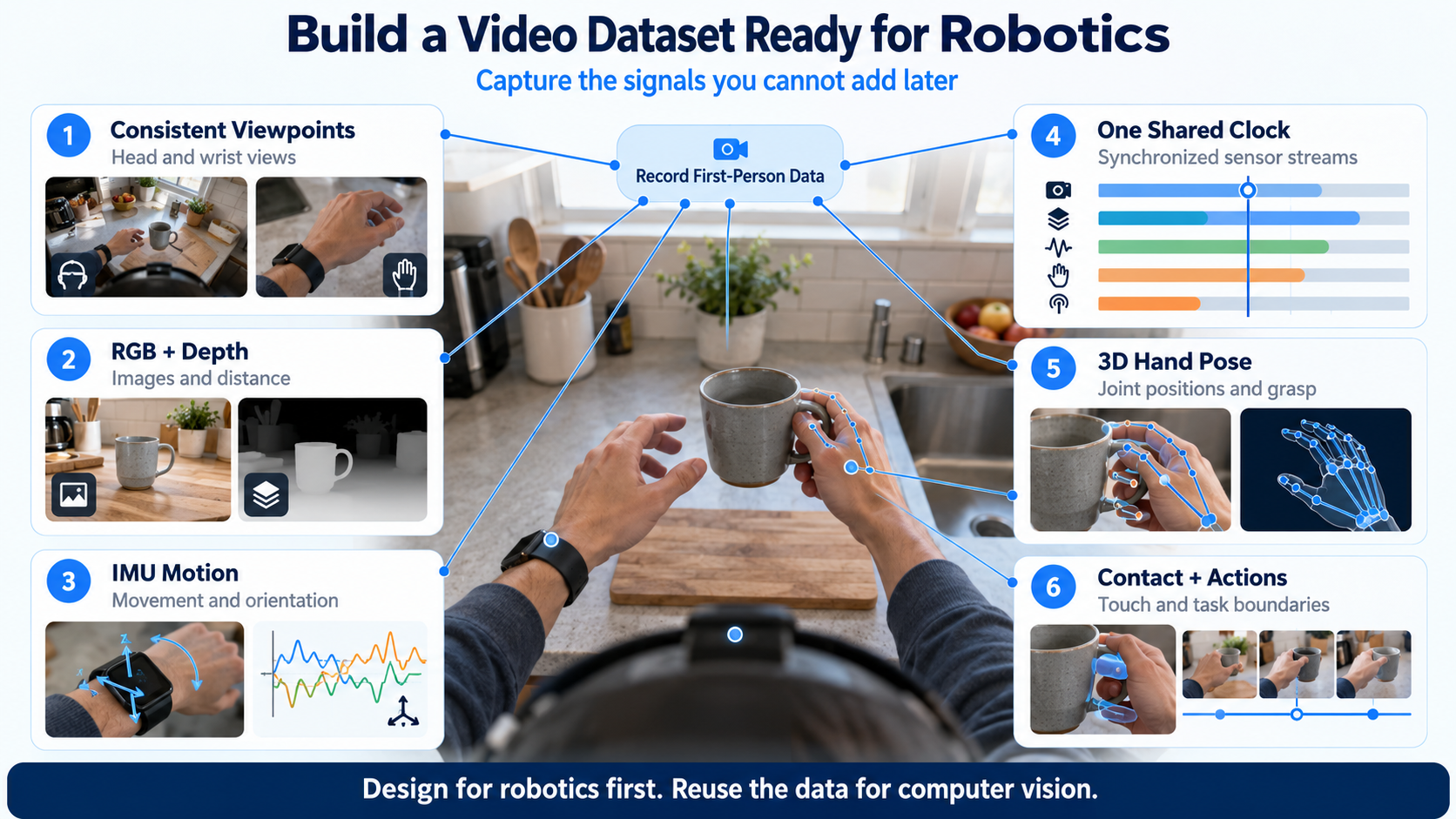
None of this hurts a computer vision use case. A dataset with these extras still works for recognition and detection. The reverse isn't true: a CV-only dataset can't be upgraded with depth or synchronized motion after the fact.
Write the capture spec for the more demanding use, which is usually robotics, and let the computer vision labels come along with it.
Firsthand collects real-world video to a written spec covering camera positions, sensors and tasks. Capture can be egocentric, stereo or wrist-mounted, with RGB, depth, IMU and audio triggered from a single hardware clock. Labels include hand pose, action segments and contact events, and data ships in RLDS, LeRobot, WebDataset or HDF5 under a perpetual, buyer-owned license (Firsthand). Where coverage is deep, the first validated batch arrives in a median of 48 hours from a signed spec.
Here's what it doesn't do:
The third-party results in this article, including R3M's, were not measured on Firsthand data.
If you're planning a capture that needs to serve both a vision model and a robot, see our robotics video data collection service.
Computer vision and robotics are drawing on the same well: real-world, first-person video. A vision model needs the pixels and the labels. A robot also needs depth, motion, timing and contact. Plan your data collection for computer vision with the robot's needs in the spec, and one capture can feed both pipelines instead of two.
Computer vision models learn from images and video, paired with labels that say what is in them: objects, people, hands, actions or scene layout. Some systems also use depth, stereo or motion data. The best training data matches the lighting, angles and settings the model will meet once it is in use.
Public datasets such as Ego4D and EPIC-KITCHENS are a common starting point for research, but always check each license before commercial use. When public data doesn't match your task, setting or license needs, teams commission custom collection, where footage is captured and labeled to a written spec.
A robot's vision system is the combination of cameras, sensors and software that turns what it sees into information it can act on. It can include standard cameras, stereo pairs or depth sensors, and wrist-mounted cameras, plus the models that detect objects and estimate their position.
Three things stand out in recent studies: data quality, diversity and pairing with robot data. HumanScale's gains depended on careful filtering and labeling. Diverse first-person footage helps policies generalize to new scenes. And Physical Intelligence found human data helped more as robot pretraining grew, so most teams combine human demonstrations with some robot data.
Common methods are surveys, interviews, observation, experiments and existing records. For computer vision, observation is the core: recording video or images of real activities. Teams then add labeling, and sometimes sensor logging such as depth or motion, to turn raw footage into usable training data.


Compact, ready to go anywhere
Interchangeable lens that’s upgradeable
Dual 1-inch sensors for improved clarity and low light performance
Dynamic range and 6K 360° capture
360° photo resolution at 21MP

8K 360° video recording for ultra-detailed visuals.
4K single-lens mode for traditional wide-angle shots.
Invisible selfie stick effect for drone-like perspectives.
2.5-inch touchscreen with Gorilla Glass protection.
Waterproof up to 33ft for underwater shooting.

360° photo resolution in 23MP
Slim design at 24 mm thick
Built-in image stabilization for smooth video capture.
Internal 19GB storage for photo and video storage.
Wireless connectivity for remote control and sharing.

60MP 360° still images for high-resolution photography.
5.7K 360° video recording at 30fps.
2.25-inch touchscreen for intuitive control.
USB Type-C port for fast charging and data transfer.
MicroSD card slot for expandable storage.
.png)

.png)

Try it free. No credit card required. Instant set-up.






.svg)


.svg)