


.png)


Ask ten SEO specialists whether accessibility improves search rankings, and you'll likely get ten slightly different, carefully hedged answers. The honest picture is nuanced: an ADA widget SEO relationship exists, but it's mostly indirect — accessibility work tends to reinforce the same technical fundamentals that support strong SEO rather than being a direct ranking factor on its own.
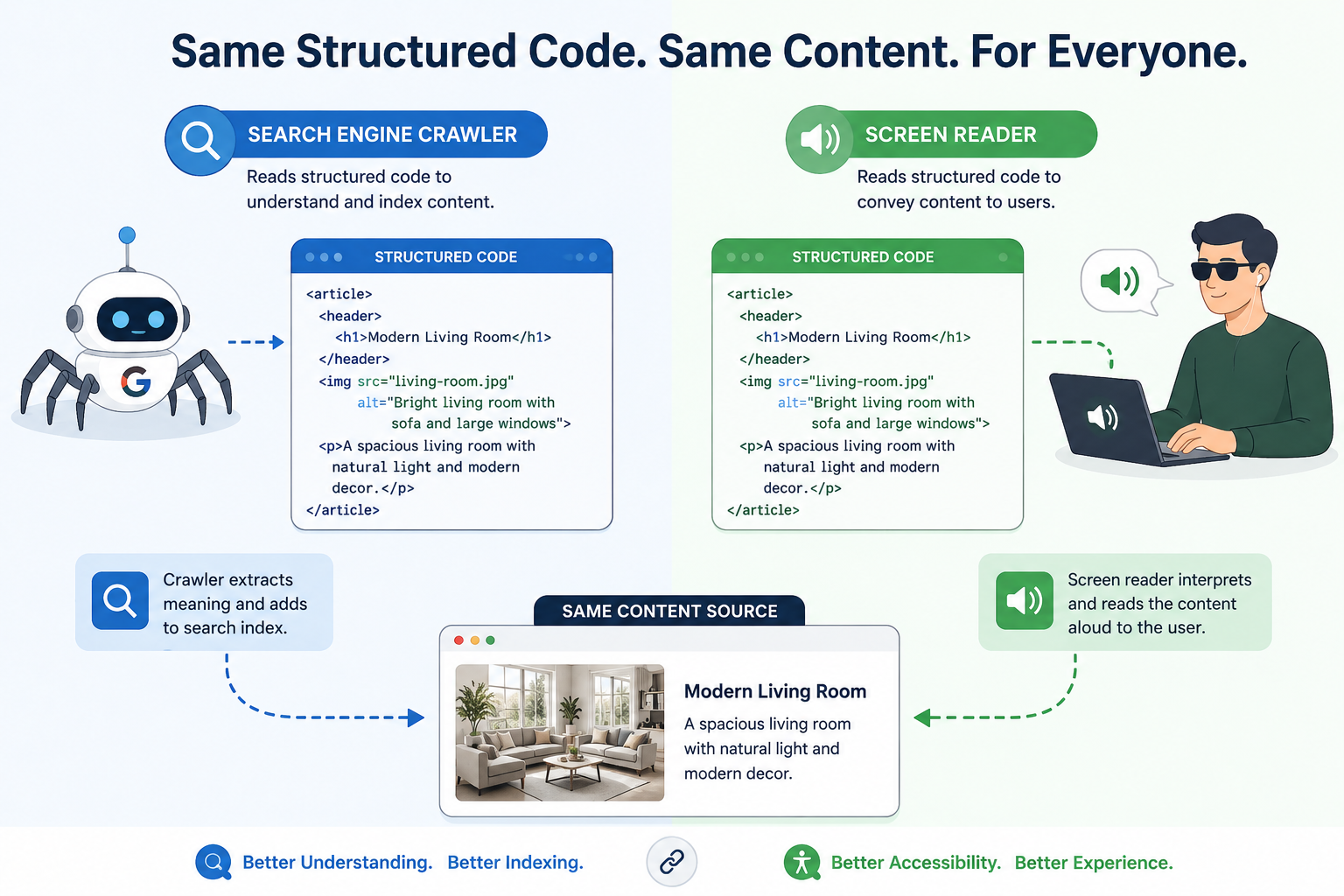
Search engines like Google don't have an official "accessibility score" that directly boosts rankings. However, many of the technical elements search engines use to understand and index content — semantic HTML structure, descriptive alt text, clear heading hierarchy, and logical navigation — are the same elements emphasized by accessibility guidelines.
This overlap isn't a coincidence. Both search engines and assistive technologies like screen readers rely on structured, well-labeled content to make sense of a page. A page (or virtual tour) that's genuinely well-structured for a screen reader tends to be well-structured for a search crawler, too.
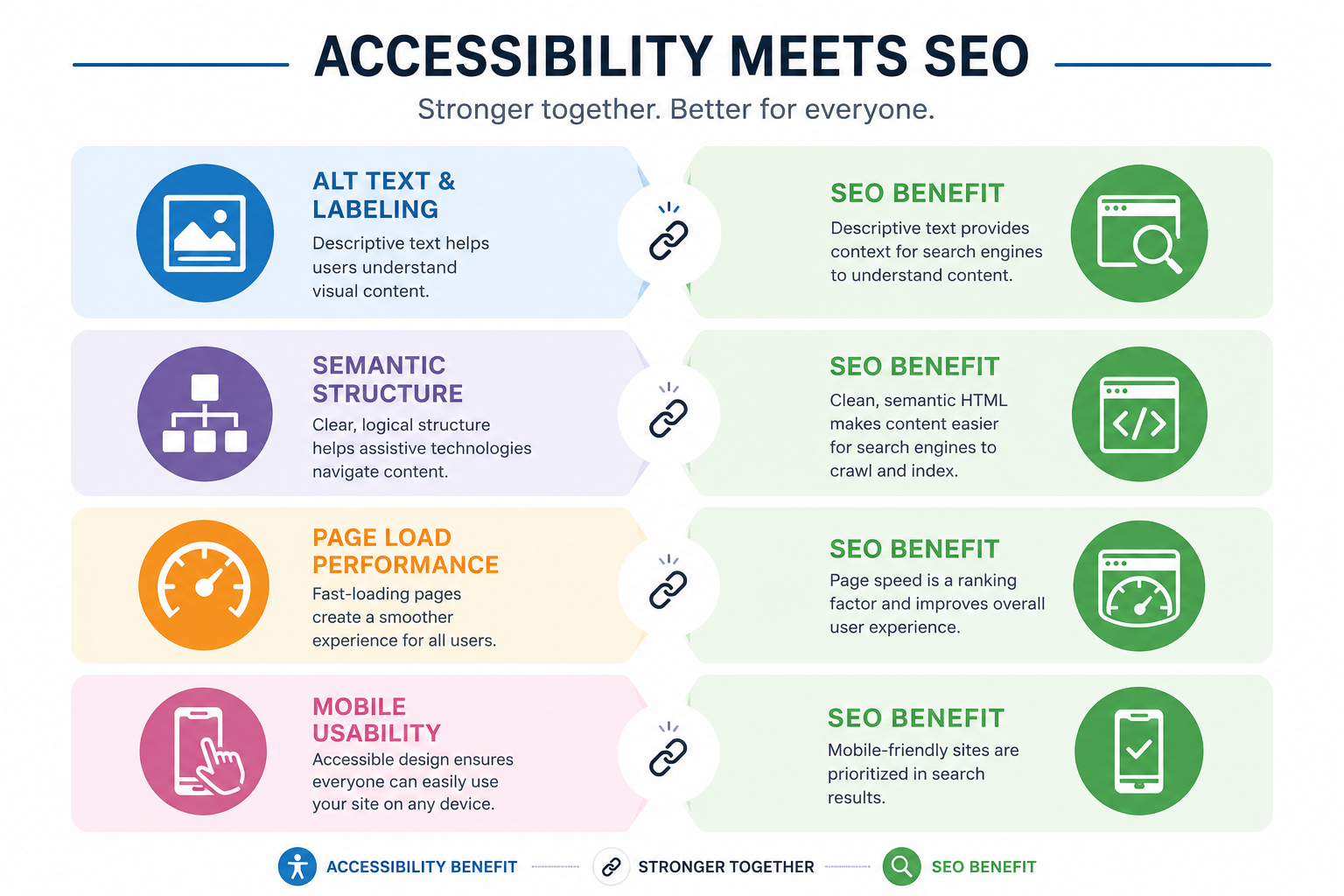
Alt text and descriptive labeling. When an ADA widget prompts you to add clear, descriptive labels to scenes and hotspots — "Master Bedroom" instead of "Scene 4" — that descriptive text can also provide useful context that helps search engines understand what your tour contains, depending on how the content is implemented and exposed to crawlers.
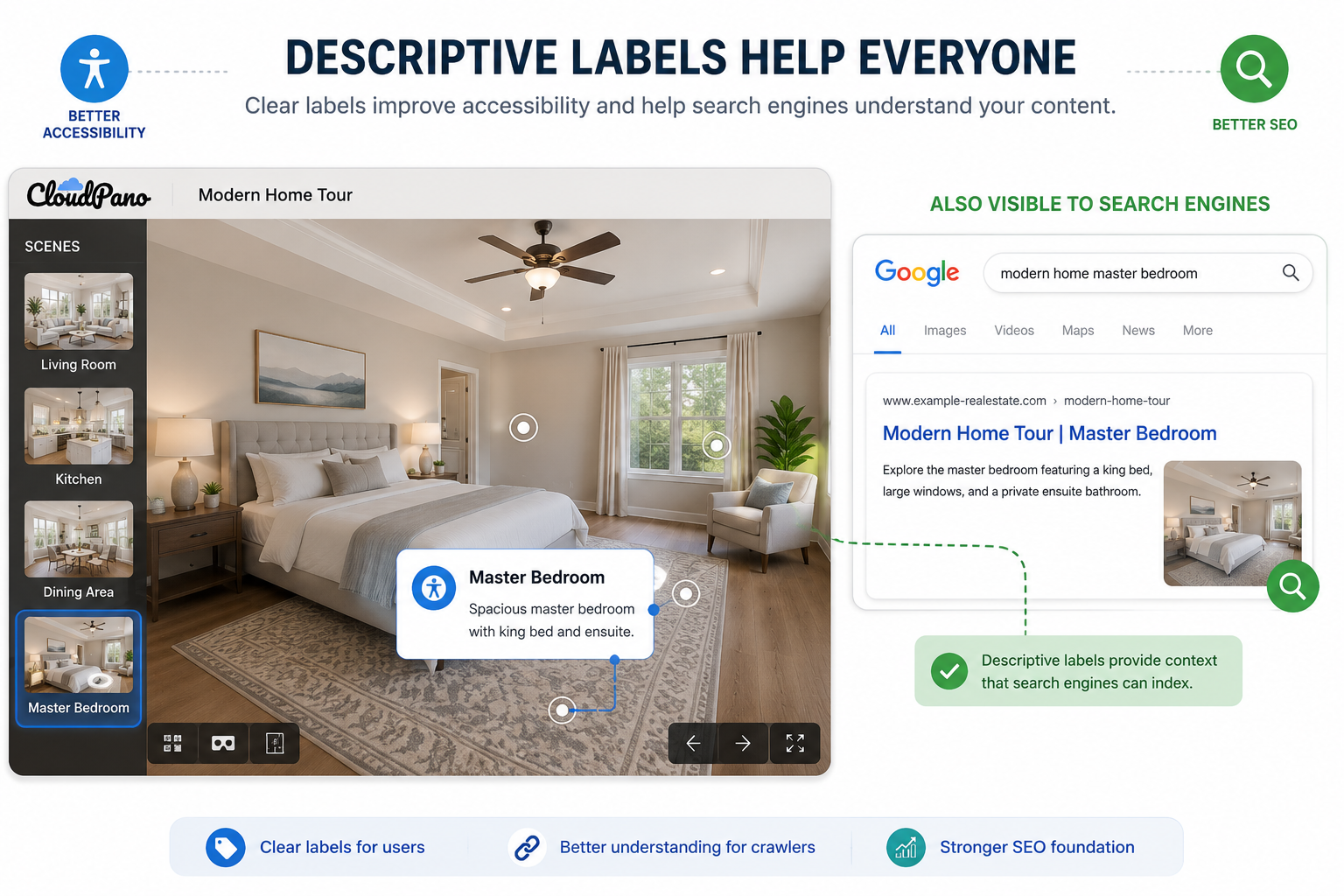
Semantic structure. Accessible navigation typically relies on clear, consistent structural patterns rather than purely visual cues. This tends to produce cleaner underlying markup, which can make content easier for search crawlers to parse and index accurately.
Page load performance. Poorly implemented, heavy third-party accessibility overlays can affect page load times, which may negatively impact user experience and performance-related SEO signals. A well-integrated, platform-level widget can help minimize this issue by working as part of the core tour experience rather than as an additional external layer.
Mobile usability. Google has emphasized mobile usability for years. Accessibility features — such as larger tap targets, clear focus indicators, and readable text sizing — overlap significantly with general mobile usability best practices.
It's worth being clear-eyed here: adding an ADA widget alone won't dramatically move your search rankings, and any tool or article claiming a direct, guaranteed ranking boost from accessibility work should be treated skeptically. Content quality, backlinks, site performance, relevance, and many other factors matter far more directly.
What accessibility work can provide is a stronger technical and usability foundation — the same foundation that supports good SEO practices more broadly. Think of it less as a ranking hack and more as removing friction that could otherwise limit your site's usability and overall performance.
Search engines care about whether pages provide a useful, satisfying experience. An accessible virtual tour that more visitors can actually use and engage with may contribute to a better overall user experience simply because more of your audience can meaningfully interact with the content rather than encountering navigation or usability barriers.
WebAIM's accessibility research has repeatedly found significant accessibility issues across many websites. That means a genuinely accessible virtual tour, on top of its direct accessibility value, may also offer a competitive advantage in a space where many competitors haven't fully addressed accessibility.
If your primary motivation for adding an ADA widget is SEO, it's worth reframing that expectation: think of accessibility as supporting your existing SEO efforts rather than replacing them. The real, direct benefit remains making your virtual tour usable by more people. The SEO benefit is a potential secondary outcome of doing that well — through descriptive labeling, clean structure, and better overall usability, all of which align with broader SEO best practices.
If you're looking to strengthen both accessibility and the underlying technical foundation of your virtual tour's SEO, start with a platform-level solution rather than a bolted-on overlay. CloudPano's ADA compliance page explains what's included, and CloudPano's feature set covers how tour structure and performance fit together across the platform.


Compact, ready to go anywhere
Interchangeable lens that’s upgradeable
Dual 1-inch sensors for improved clarity and low light performance
Dynamic range and 6K 360° capture
360° photo resolution at 21MP

8K 360° video recording for ultra-detailed visuals.
4K single-lens mode for traditional wide-angle shots.
Invisible selfie stick effect for drone-like perspectives.
2.5-inch touchscreen with Gorilla Glass protection.
Waterproof up to 33ft for underwater shooting.

360° photo resolution in 23MP
Slim design at 24 mm thick
Built-in image stabilization for smooth video capture.
Internal 19GB storage for photo and video storage.
Wireless connectivity for remote control and sharing.

60MP 360° still images for high-resolution photography.
5.7K 360° video recording at 30fps.
2.25-inch touchscreen for intuitive control.
USB Type-C port for fast charging and data transfer.
MicroSD card slot for expandable storage.
.png)

.png)

Try it free. No credit card required. Instant set-up.







.svg)


.svg)