


.png)


For sighted users, navigating a virtual tour can feel intuitive: click, drag, look around, select a hotspot, and move to the next room. For someone using a screen reader — software that converts on-screen content into speech or braille output — those visual interactions may not communicate meaningful information on their own.
A screen reader virtual tour experience depends on whether the tour's interactive elements and content are structured, labeled, and exposed in ways that assistive technology can interpret. This is one of the most important considerations when making a virtual tour accessible.
Screen readers don't "see" a webpage the way a person does. Instead, they interpret information exposed by the browser and underlying code, including headings, labels, alternative text, semantic HTML, roles, states, and ARIA attributes.
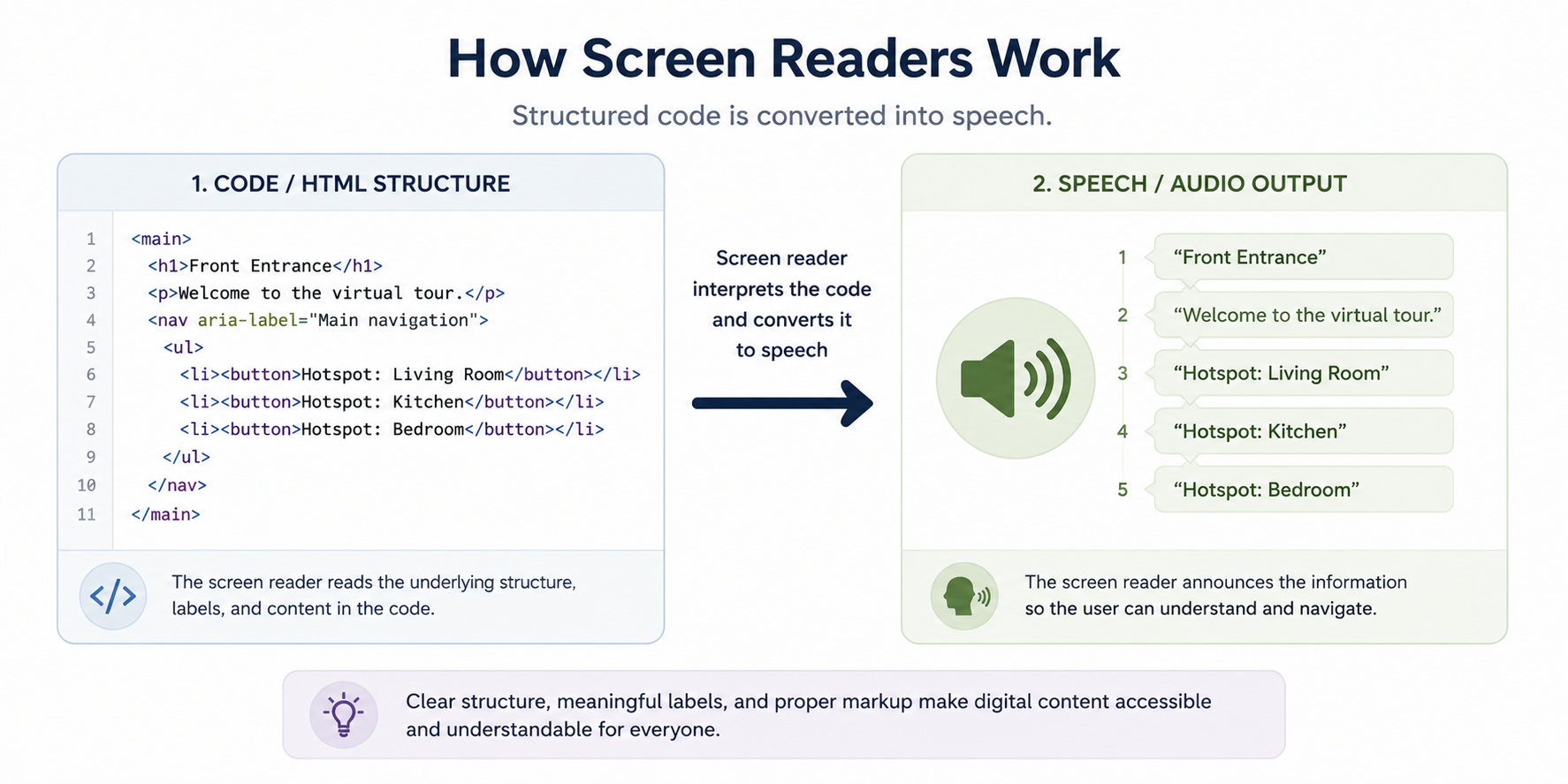
If an interactive element has no meaningful label or accessible role, a screen reader may skip it or announce something generic and unhelpful, such as "button."
This is why an image without appropriate alternative text may provide little or no useful information to a screen reader user. A 360° tour presents an even greater challenge because much of the experience depends on visual and spatial information.
The W3C's Web Content Accessibility Guidelines (WCAG) provide a framework for making digital content perceivable, operable, understandable, and robust for people using different technologies and methods of interaction.
Standard webpages are generally built from familiar elements such as headings, paragraphs, links, images, buttons, and forms. Browsers and assistive technologies have well-established ways of interpreting these elements when they're implemented correctly.
Virtual tours are different.
They may rely on custom JavaScript, WebGL, canvas-based rendering, or other interactive technologies that don't automatically expose all of their visual or spatial information to assistive technologies.
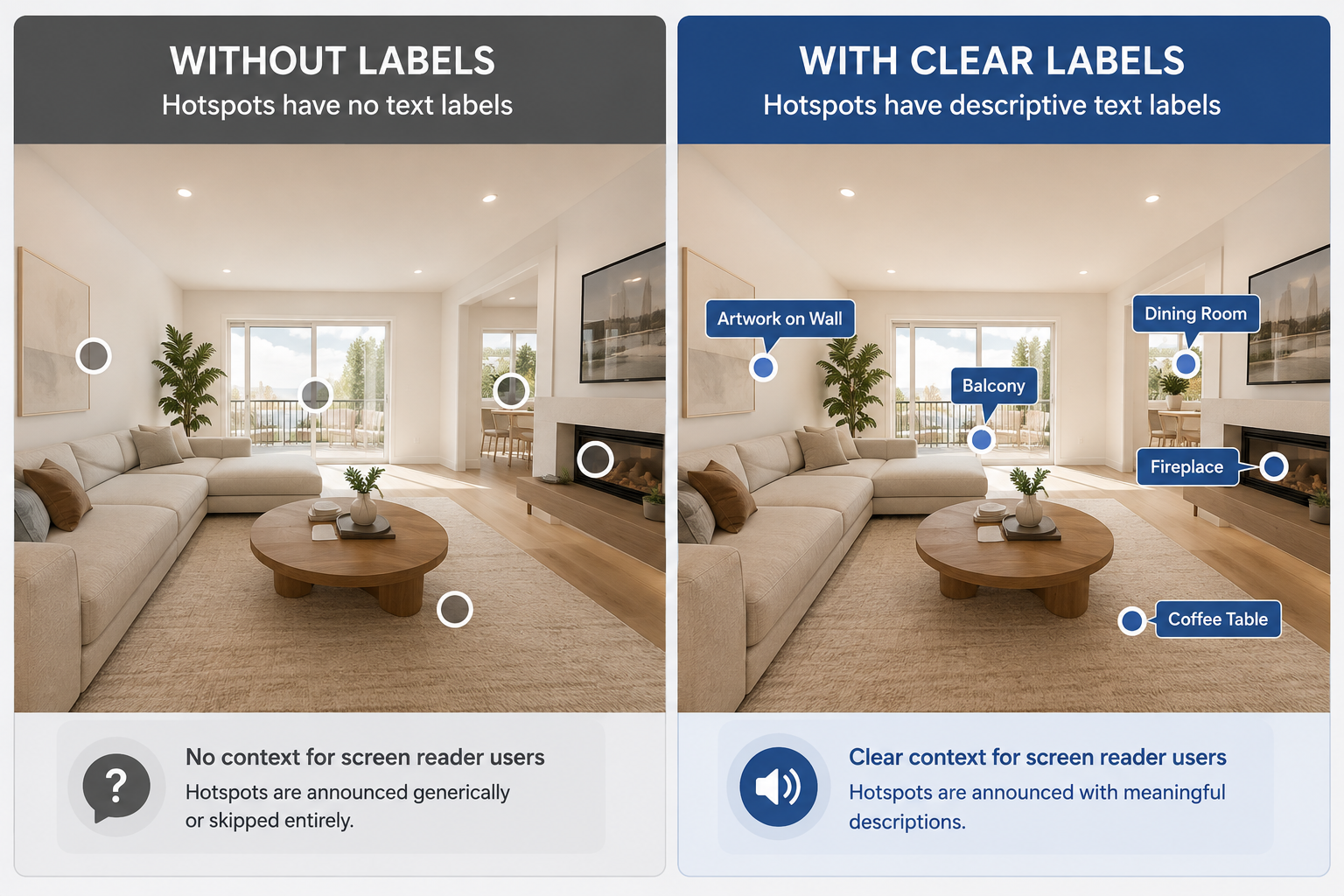
A 360° scene might visually show a Kitchen with a hotspot leading to the Dining Room, but unless those elements are given meaningful accessible names and appropriate interaction behavior, a screen reader may not be able to communicate that information effectively.
This is why accessibility for virtual tours needs to account for the tour environment itself rather than focusing only on the surrounding webpage.
A purpose-built ADA widget for virtual tours can help provide accessibility functionality designed around the interactive elements found within a virtual tour.
Depending on the implementation, important accessibility features may include:
Scene and hotspot labeling. Interactive elements can be given clear, descriptive names — such as "Master Bedroom" or "Hotspot to Hallway" — so users can understand their purpose when navigating with assistive technology.
Logical navigation order. Interactive elements should follow a predictable sequence so keyboard and screen reader users can move through the tour without encountering a confusing or inconsistent focus order.
Communication of state changes. When a visitor moves from one scene to another, the interface should provide enough information for the user to understand that the context has changed and identify the new scene.
Alternative text and accessible descriptions. Images, floor plans, and other meaningful media may require appropriate alternative text or descriptions. WebAIM provides additional guidance on creating useful alternative text and accessible web content.
An ADA widget can provide important accessibility functionality, but it should be combined with thoughtfully labeled content and appropriate testing rather than treated as an automatic guarantee of complete accessibility.
Imagine a screen reader user opening a real estate virtual tour with properly implemented accessibility support.
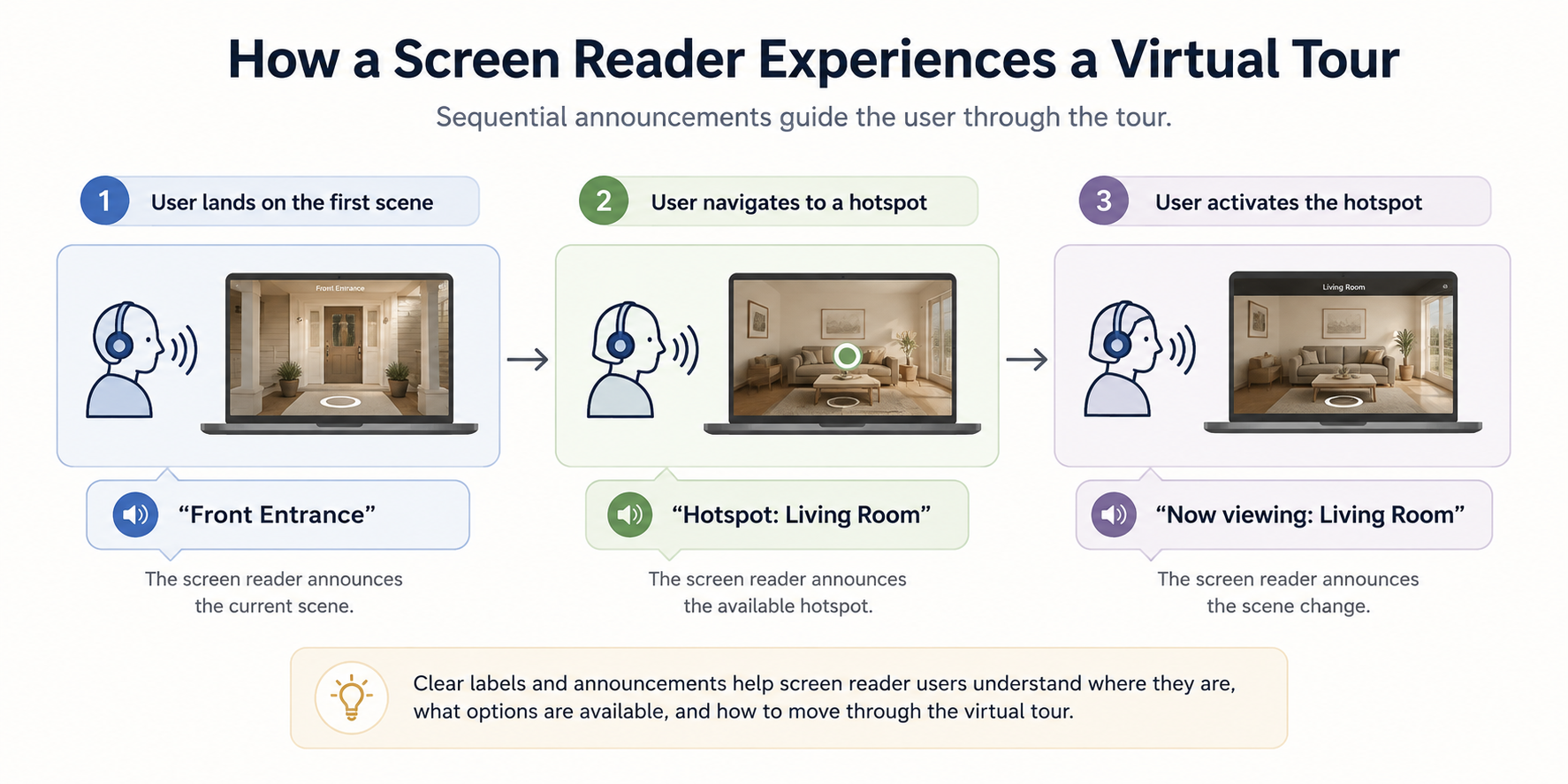
Instead of encountering unlabeled controls or unclear navigation, they might hear information such as:
"Front Entrance. Hotspot: Living Room."
They could then use keyboard controls and screen reader commands to identify available navigation options and move through the property while receiving meaningful information about each scene.
The exact experience will vary depending on the tour platform, screen reader, browser, and accessibility implementation. The important point is that meaningful labels and accessible interaction patterns provide information that would otherwise be communicated primarily through visual cues.
You don't need specialized equipment to perform a basic accessibility check.
Major operating systems include built-in screen readers, such as Voice Over on macOS and iOS, Talk Back on Android, and Narrator on Windows. NVDA is also a widely used free screen reader for Windows.
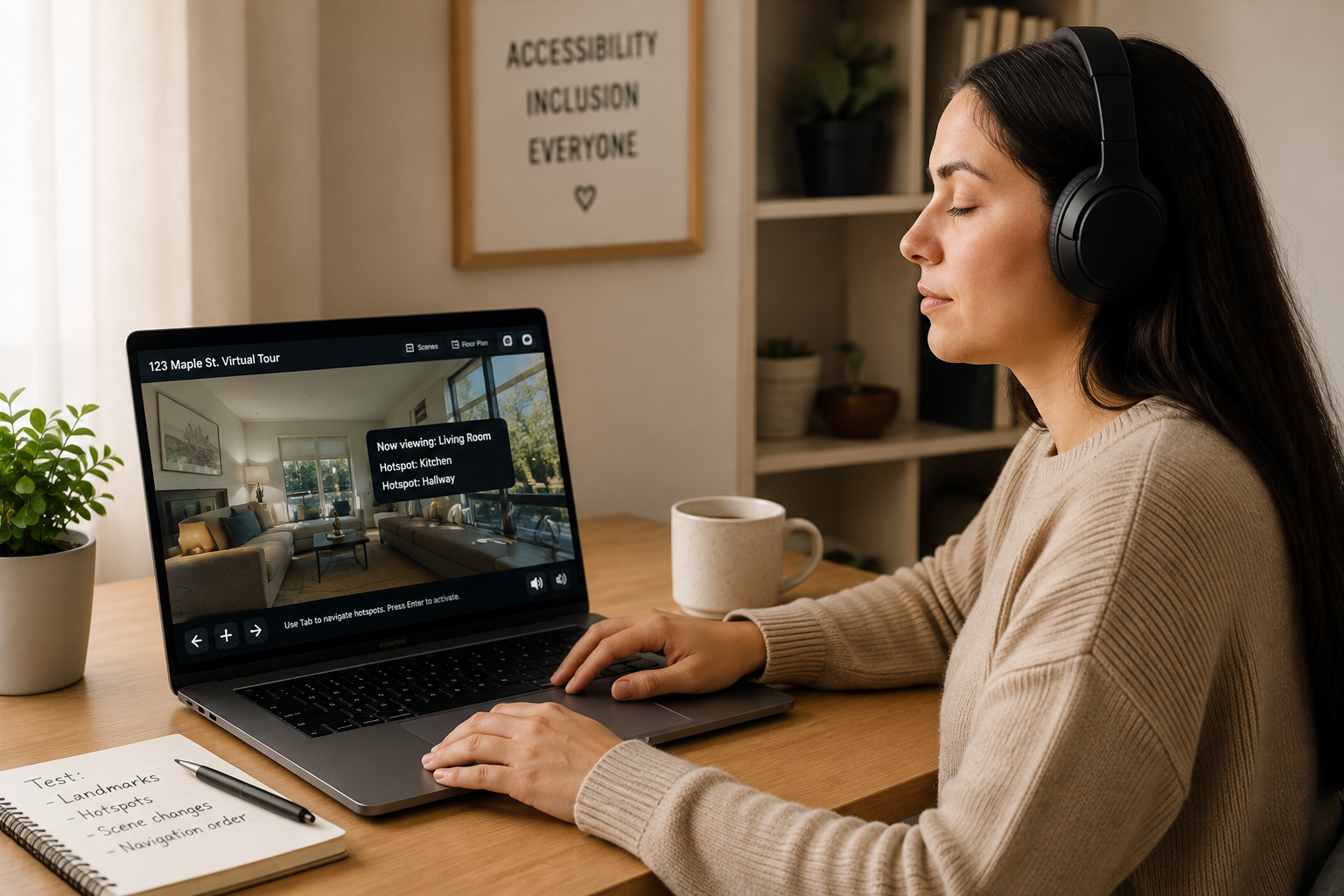
Try navigating your virtual tour using a screen reader and keyboard without relying on visual cues.
Ask yourself:
If important controls or information aren't available through assistive technology, those areas may require additional accessibility work.
Screen reader compatibility primarily matters because it helps make digital experiences usable by people who are blind or have low vision. That's an important goal on its own.
Many practices that support screen reader accessibility — including meaningful labels, descriptive alternative text, clear structure, and semantic markup — can also contribute to better-organized digital content.
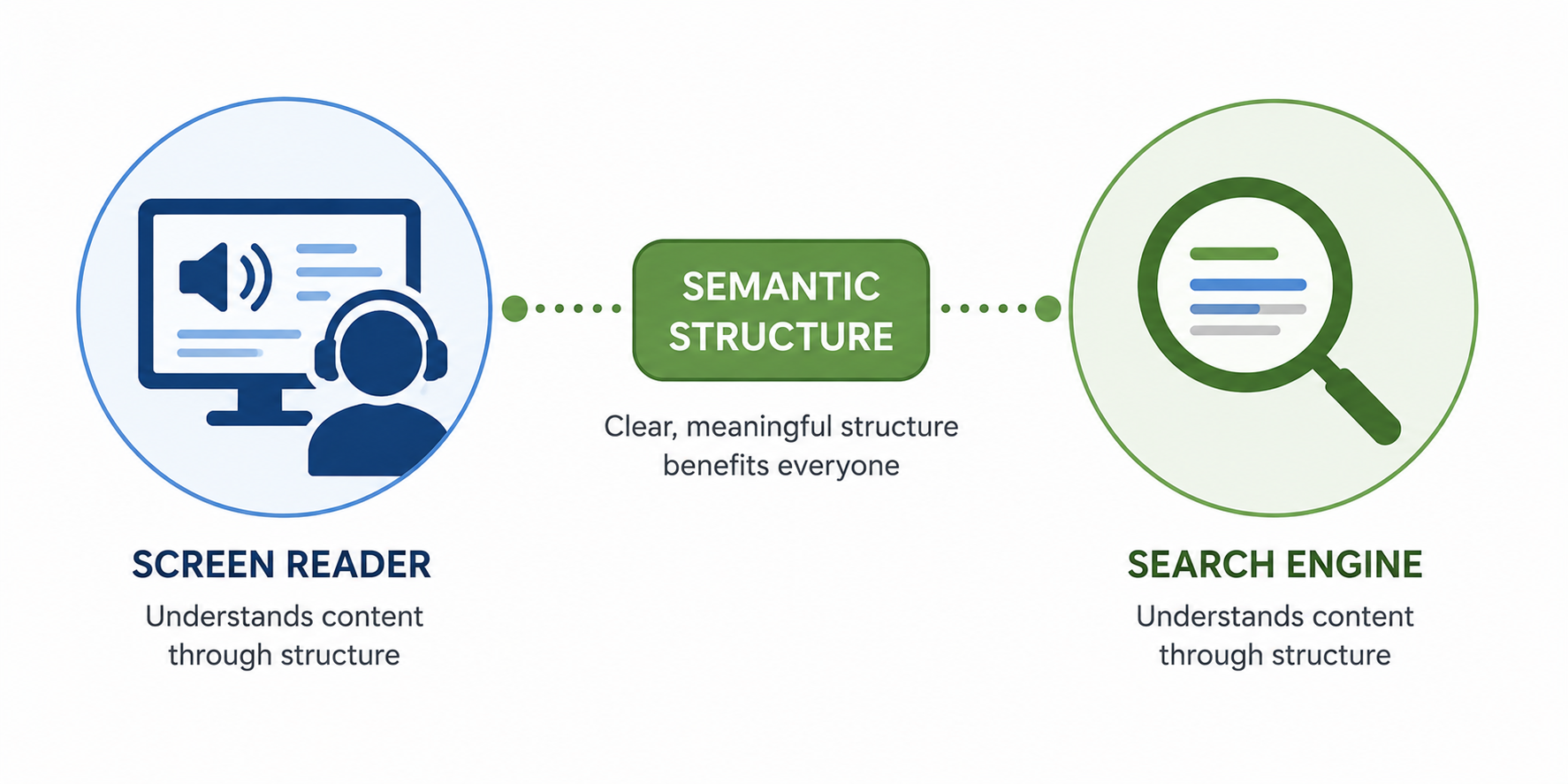
Some of these practices overlap with SEO best practices because search engines also use structural and descriptive information to understand webpages. However, screen reader accessibility and SEO serve different purposes, and improving one doesn't automatically guarantee improvements in the other.
If your virtual tour doesn't currently provide adequate screen reader support, start by reviewing the accessibility functionality available through your tour platform.
A purpose-built accessibility solution can provide a strong foundation, while descriptive scene and hotspot labels, keyboard testing, screen reader testing, and ongoing review can help address additional barriers.
Learn more about CloudPano's accessibility functionality on the CloudPano ADA compliance page, or explore the CloudPano platform to learn more about creating and hosting interactive 360° virtual tours.


Compact, ready to go anywhere
Interchangeable lens that’s upgradeable
Dual 1-inch sensors for improved clarity and low light performance
Dynamic range and 6K 360° capture
360° photo resolution at 21MP

8K 360° video recording for ultra-detailed visuals.
4K single-lens mode for traditional wide-angle shots.
Invisible selfie stick effect for drone-like perspectives.
2.5-inch touchscreen with Gorilla Glass protection.
Waterproof up to 33ft for underwater shooting.

360° photo resolution in 23MP
Slim design at 24 mm thick
Built-in image stabilization for smooth video capture.
Internal 19GB storage for photo and video storage.
Wireless connectivity for remote control and sharing.

60MP 360° still images for high-resolution photography.
5.7K 360° video recording at 30fps.
2.25-inch touchscreen for intuitive control.
USB Type-C port for fast charging and data transfer.
MicroSD card slot for expandable storage.
.png)

.png)

Try it free. No credit card required. Instant set-up.







.svg)


.svg)