


.png)


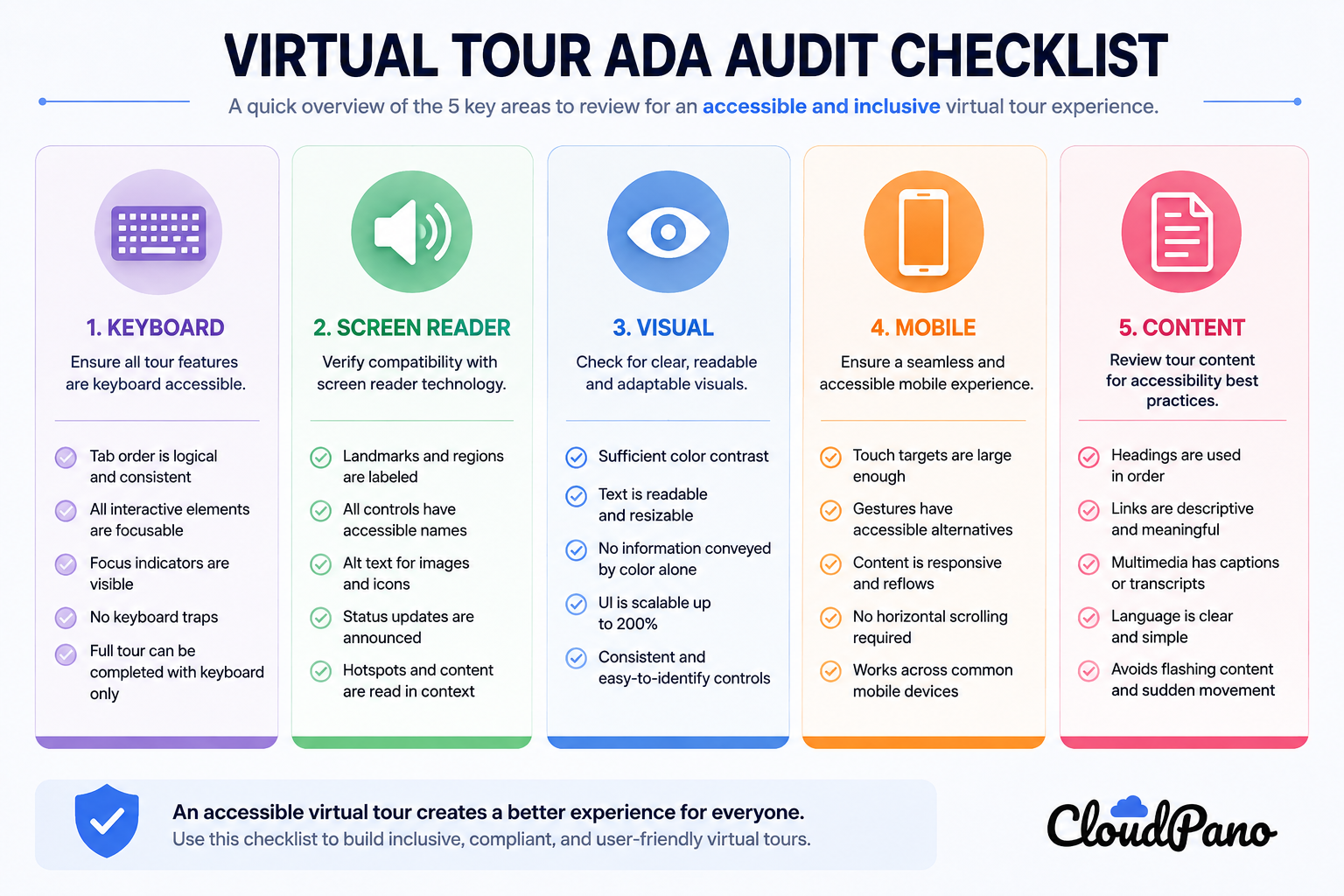
A lot of accessibility advice assumes you're starting fresh — building a new tour with accessibility baked in from day one. But most businesses reading this already have a virtual tour live, sometimes one that's been up for years without ever being evaluated for accessibility. If that's you, the more useful starting point isn't a setup guide — it's an ADA compliance audit virtual tour checklist you can run against what already exists.
This article walks through exactly that: a practical, do-it-yourself audit you can complete in under an hour, without needing a developer or a formal accessibility consultant.
It's easy to assume a tour is "probably fine" simply because it looks polished and no one has complained. But visitors who hit a barrier rarely leave feedback explaining why — they just leave. A tour can be actively excluding a meaningful share of visitors for months or years without that showing up anywhere in your analytics as an obvious problem. An audit is how you find out, deliberately, rather than waiting for a complaint or a lawsuit to surface it for you.
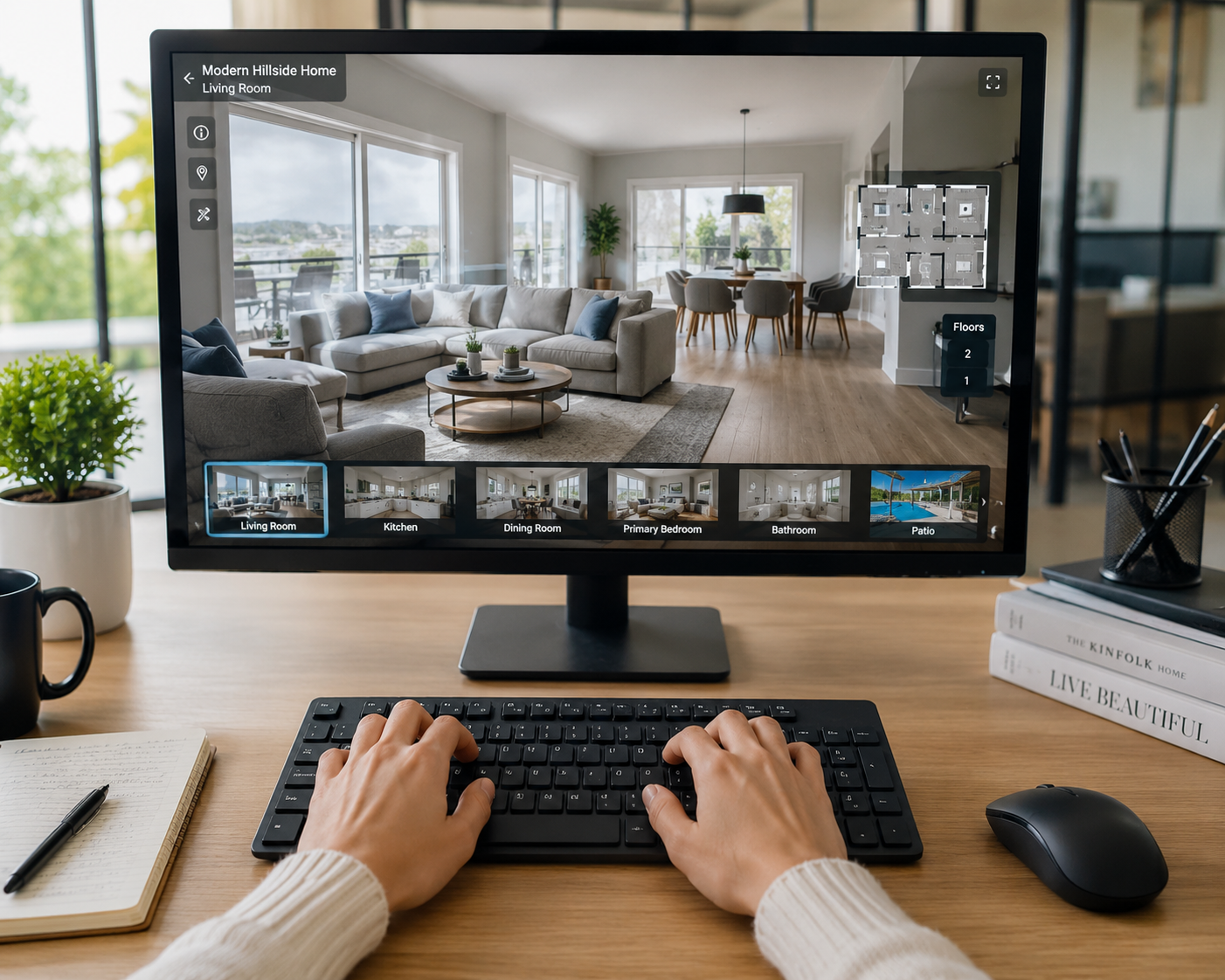
Set your mouse aside entirely for this section.
If you get stuck at any point here, that's the exact point a real keyboard-only visitor gets stuck too.
Turn on a screen reader — VoiceOver (Mac/iOS), Narrator (Windows), NVDA (free, Windows), or TalkBack (Android).
This part of the audit tends to surface the most gaps, since screen reader support is rarely something that happens by accident — it has to be deliberately built in, following principles laid out in the W3C's WCAG guidelines.
Repeat a condensed version of the above on an actual phone or tablet, not just a resized browser window:
This is the part a widget alone can't fix, and it's often the most neglected:
If you checked most or all boxes across all five sections, your tour already has a reasonably strong accessibility foundation — worth revisiting periodically as you add content, but not an urgent overhaul.
If you found gaps primarily in Parts 1–4 (keyboard, screen reader, visual, mobile), that's a strong signal your tour is missing a functional accessibility layer entirely — the kind of gap a purpose-built ADA widget is specifically designed to close, often without requiring a rebuild.
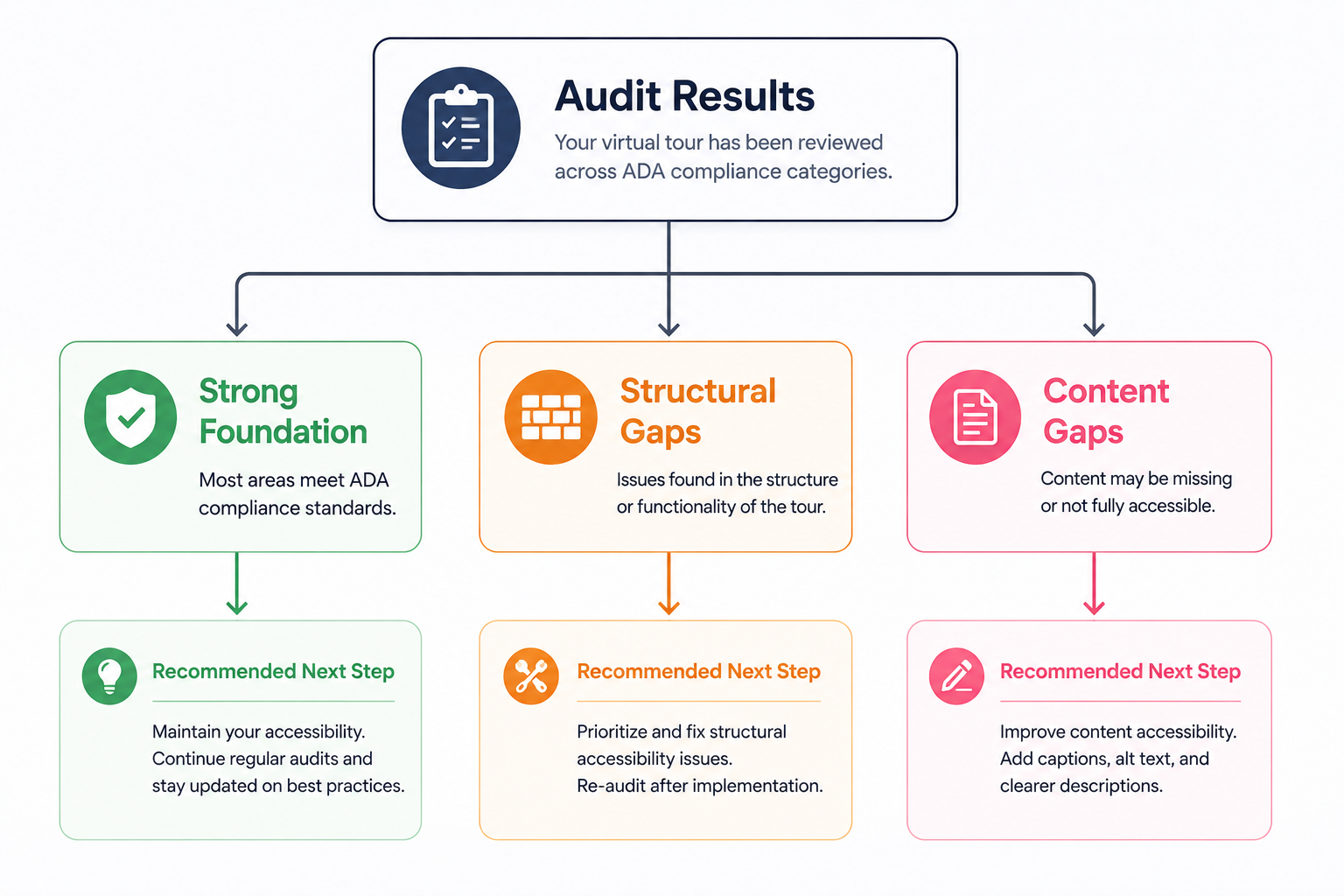
If your gaps are concentrated in Part 5 (content), the technical foundation may already be reasonably solid, and what's missing is simply the descriptive labeling work — updating generic scene and hotspot names to something meaningful.
Most real-world audits turn up a mix of both, which is useful to know going in: a widget solves the structural half of the problem, but someone still needs to spend an hour or two on labeling for the fix to be complete.
Once you know where the gaps are, prioritize in this order: functional accessibility first (keyboard and screen reader support, since nothing else matters if a visitor can't navigate at all), then content labeling, then the more polish-oriented items like contrast and motion controls. Re-run this same checklist any time you add significant new content to the tour, since new scenes and hotspots inherit whatever gaps existed at the time they were added.
If your audit turned up more gaps than you expected, you're not alone — this is genuinely the norm for tours that weren't built with accessibility as a starting requirement. The fastest path to closing the structural gaps is a platform-level solution like CloudPano's ADA compliance widget, which you can enable without rebuilding your existing tour. From there, the CloudPano feature set covers everything else the platform offers alongside accessibility.


Compact, ready to go anywhere
Interchangeable lens that’s upgradeable
Dual 1-inch sensors for improved clarity and low light performance
Dynamic range and 6K 360° capture
360° photo resolution at 21MP

8K 360° video recording for ultra-detailed visuals.
4K single-lens mode for traditional wide-angle shots.
Invisible selfie stick effect for drone-like perspectives.
2.5-inch touchscreen with Gorilla Glass protection.
Waterproof up to 33ft for underwater shooting.

360° photo resolution in 23MP
Slim design at 24 mm thick
Built-in image stabilization for smooth video capture.
Internal 19GB storage for photo and video storage.
Wireless connectivity for remote control and sharing.

60MP 360° still images for high-resolution photography.
5.7K 360° video recording at 30fps.
2.25-inch touchscreen for intuitive control.
USB Type-C port for fast charging and data transfer.
MicroSD card slot for expandable storage.
.png)

.png)

Try it free. No credit card required. Instant set-up.







.svg)


.svg)