


.png)


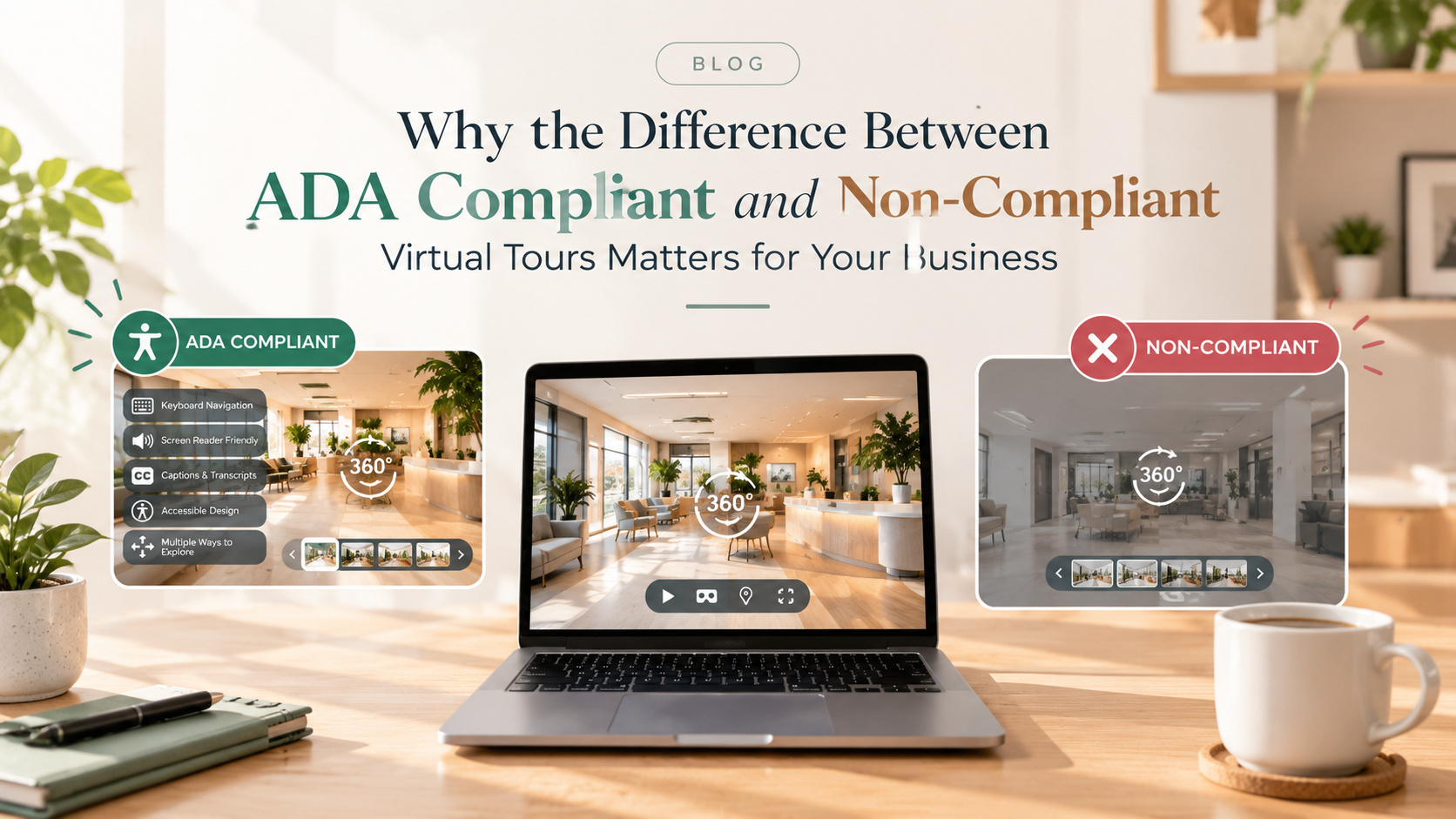
ADA compliant virtual tours provide accessibility features such as keyboard navigation, screen reader support, alt text, and captions. Non-compliant tours may create barriers for users with disabilities. Understanding these differences helps businesses improve accessibility, reach more potential customers, and reduce legal risks while providing a more inclusive virtual tour experience.
Virtual tours have become a standard part of how properties, hotels, and businesses market themselves online. But not all virtual tours are built the same way — and the gap between an accessible tour and an inaccessible one can have a bigger impact on your business than most people realize.
Understanding ADA compliant vs non-compliant virtual tours isn't just a technical distinction for developers to worry about. It affects who can actually use your marketing materials, how your business is perceived, and in some cases, what legal exposure you're carrying without even knowing it.
In this guide, we'll break down exactly what separates a compliant tour from a non-compliant one, why that difference matters more than many businesses assume, and how to evaluate where your current tours stand. 🔑
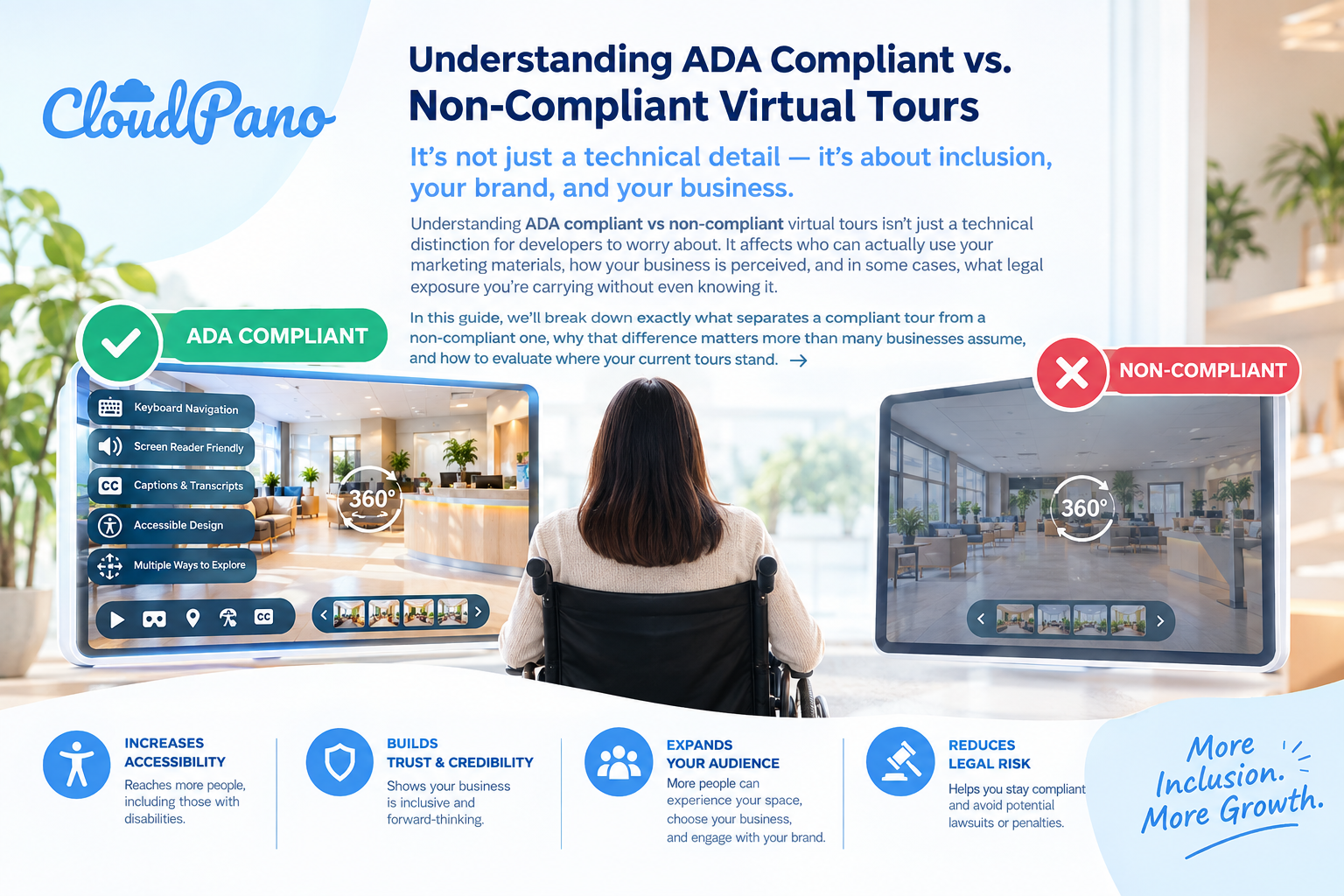
At a glance, a compliant and non-compliant virtual tour might look almost identical to the average visitor. The differences usually live in the underlying structure and functionality — the parts of a tour that aren't obvious unless you're using assistive technology or specifically testing for accessibility.
A non-compliant virtual tour often requires a mouse or touchscreen to move between rooms, hotspots, or menu options. A compliant tour, by contrast, supports full keyboard navigation, allowing users who can't operate a mouse to move through the entire experience using tab and arrow key controls. ⌨️
Compliant tours are built with semantic markup and ARIA labels that allow screen readers to accurately describe buttons, navigation elements, and content aloud. Non-compliant tours frequently lack this structure entirely, leaving visually impaired users with a screen reader that either goes silent or announces confusing, unhelpful information.
In a compliant tour, every image and interactive hotspot includes descriptive alt text — something like "Spacious living room with hardwood floors and large bay window." Non-compliant tours often have no alt text at all, or generic placeholders like "image1.jpg" that provide zero useful information to assistive technology. 📝
If a tour includes narration or an embedded walkthrough video, a compliant version will include captions or a transcript. A non-compliant tour typically skips this step entirely, excluding users who are deaf or hard of hearing.
Compliant tours are designed with sufficient contrast between text and background elements, making labels and navigation menus readable for users with low vision or color blindness. Non-compliant tours often use decorative overlays or low-contrast text purely for visual style, without considering readability.
A compliant tour typically has a clear, consistent navigation flow — predictable starting points and controls throughout. Non-compliant tours can feel disorganized or inconsistent, which creates friction for every visitor, but especially for those relying on assistive technology to navigate.
It's easy to treat accessibility as a minor technical detail, but the gap between ADA compliant vs non-compliant virtual tours has real consequences that extend well beyond a checkbox on a development list.
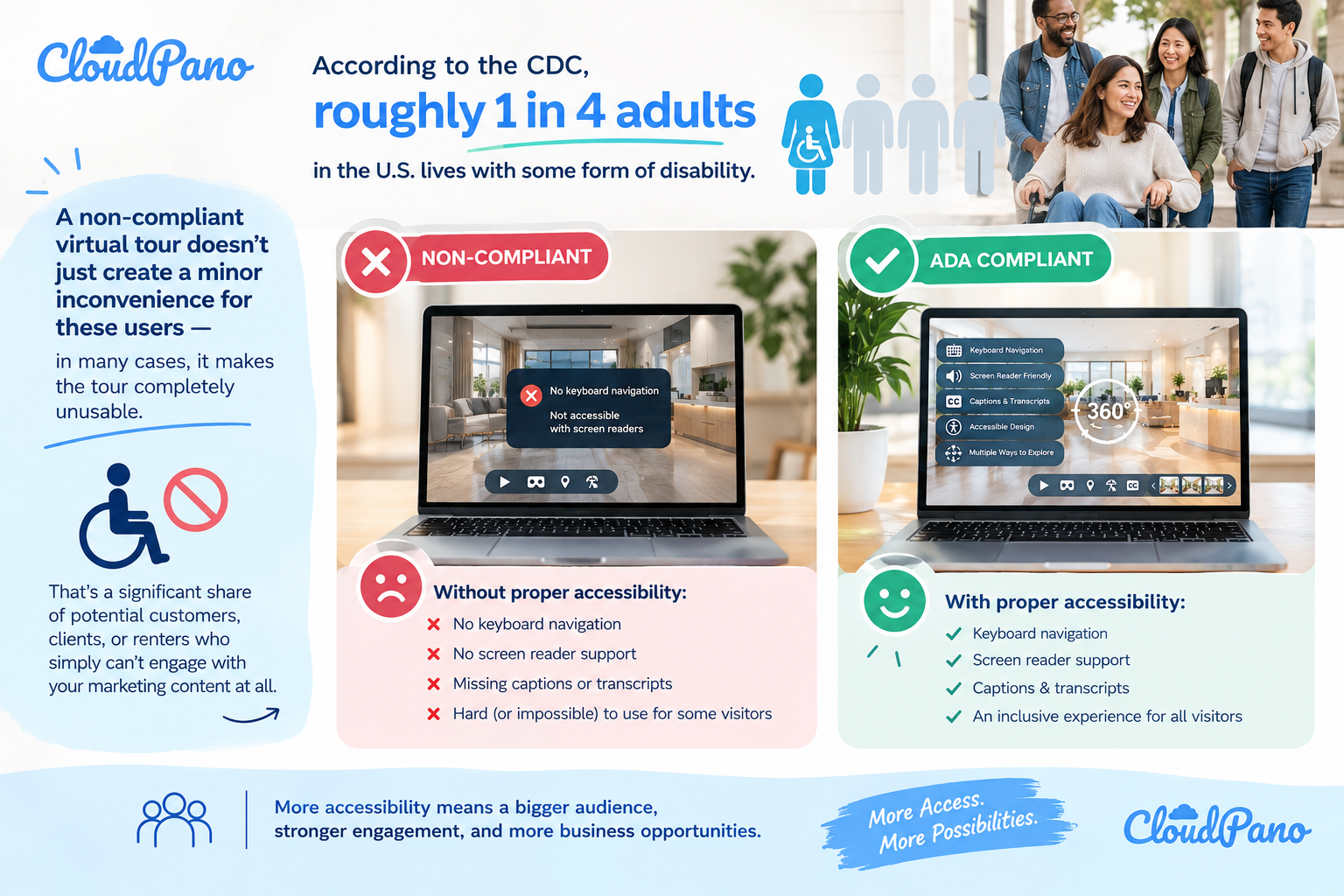
According to the CDC, roughly one in four adults in the U.S. lives with some form of disability. A non-compliant virtual tour doesn't just create a minor inconvenience for these users — in many cases, it makes the tour completely unusable. That's a significant share of potential customers, clients, or renters who simply can't engage with your marketing content at all. 🚫
While the ADA doesn't name virtual tours specifically, courts have increasingly applied accessibility expectations to digital tools, including websites and interactive content. Non-compliant virtual tours have already factored into legal complaints in industries like real estate and hospitality, particularly when a user can demonstrate they were unable to access property or business information because of accessibility barriers.
Businesses that prioritize accessibility are increasingly viewed as more professional and trustworthy. On the other hand, a non-compliant tour — especially if flagged publicly by a customer or advocacy group — can create reputational damage that's harder to undo than the cost of building accessibility in from the start. 🤝
Many of the same practices that make a tour accessible — descriptive alt text, clear heading structure, semantic markup — also improve how search engines index and rank your content. Businesses comparing ADA compliant vs non-compliant virtual tours often find that the compliant version simply performs better in organic search results, as a direct side effect of being built more thoughtfully. 📈
If you're not sure whether your existing virtual tours lean compliant or non-compliant, a few simple tests can reveal a lot.
Unplug your mouse, or simply avoid using it, and try to move through your entire tour using only your keyboard. If you get stuck or certain elements are unreachable, that's a strong sign of non-compliance.
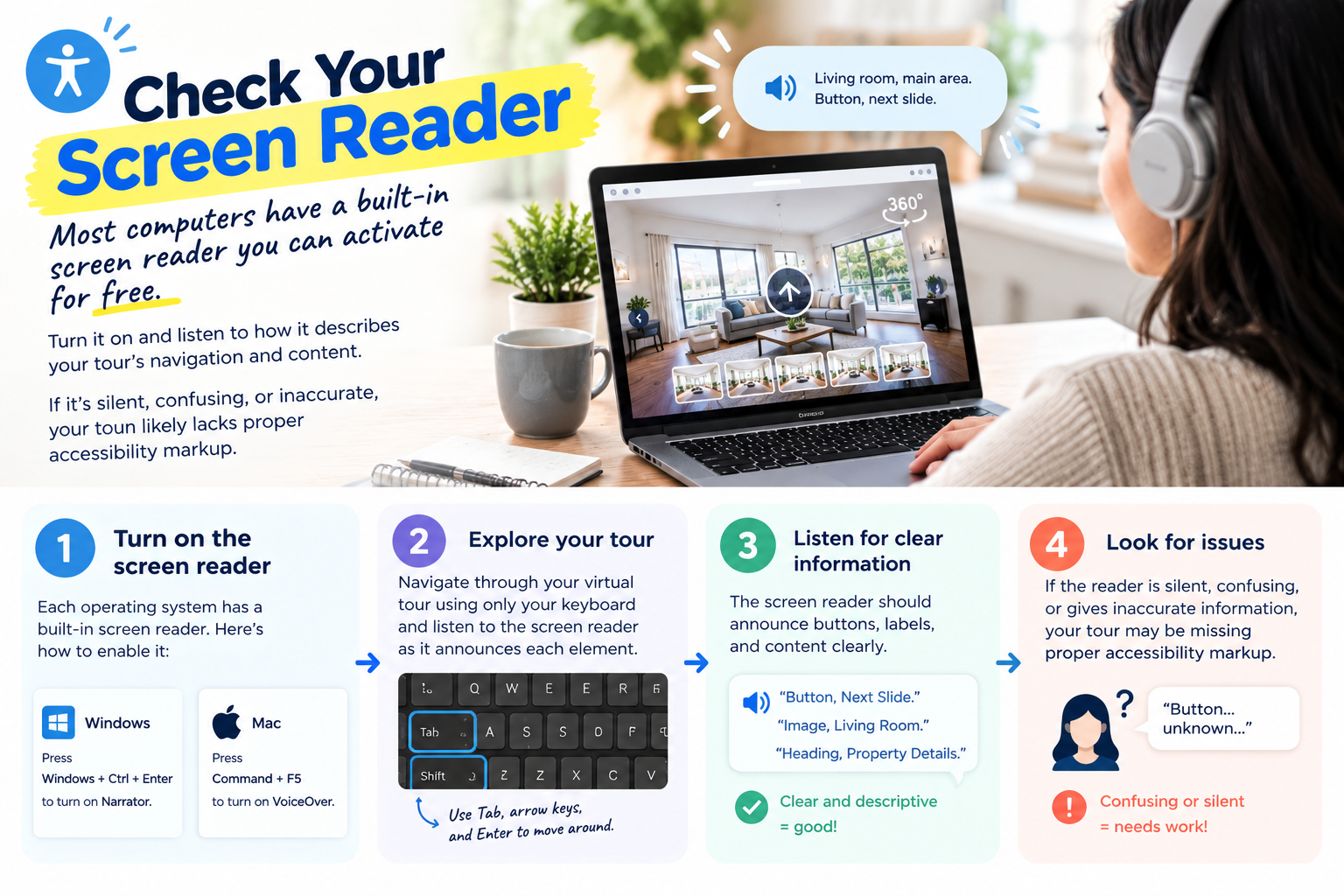
Most computers have a built-in screen reader you can activate for free. Turn it on and listen to how it describes your tour's navigation and content. If it's silent, confusing, or inaccurate, your tour likely lacks proper accessibility markup.
Look at the images and hotspots throughout your tour. If there's no way to add descriptions, or if existing descriptions are vague or missing, this is an area that needs attention.
Look closely at any text overlays, navigation labels, or floor plan markers. If they're difficult to read against their background, users with low vision will likely struggle even more.
If your tour includes narration or video content, check whether captions or transcripts are available. Their absence is one of the more common gaps in non-compliant tours.
Testing your own tour can be useful, but it's easy to miss issues when you already know how the content is supposed to work. Asking a colleague unfamiliar with the tour — or better yet, someone who regularly uses assistive technology — to navigate it can surface problems you'd otherwise overlook.
Improving accessibility doesn't usually require rebuilding a tour from scratch. In many cases, it's a matter of enabling existing features within your virtual tour platform, or making targeted updates to specific elements.
Rather than trying to patch accessibility issues manually, look for virtual tour software that already includes built-in support for keyboard navigation, screen reader compatibility, and alt text fields. This significantly reduces the technical lift required on your end.
Rather than treating accessibility as a one-time fix, build it into how your team creates and publishes tours going forward — similar to how you might already check pricing accuracy or image quality before a listing goes live.
Tours created before your team prioritized accessibility are easy to overlook. Set a recurring reminder to review older tours against a simple accessibility checklist, especially high-traffic or frequently reused listings.
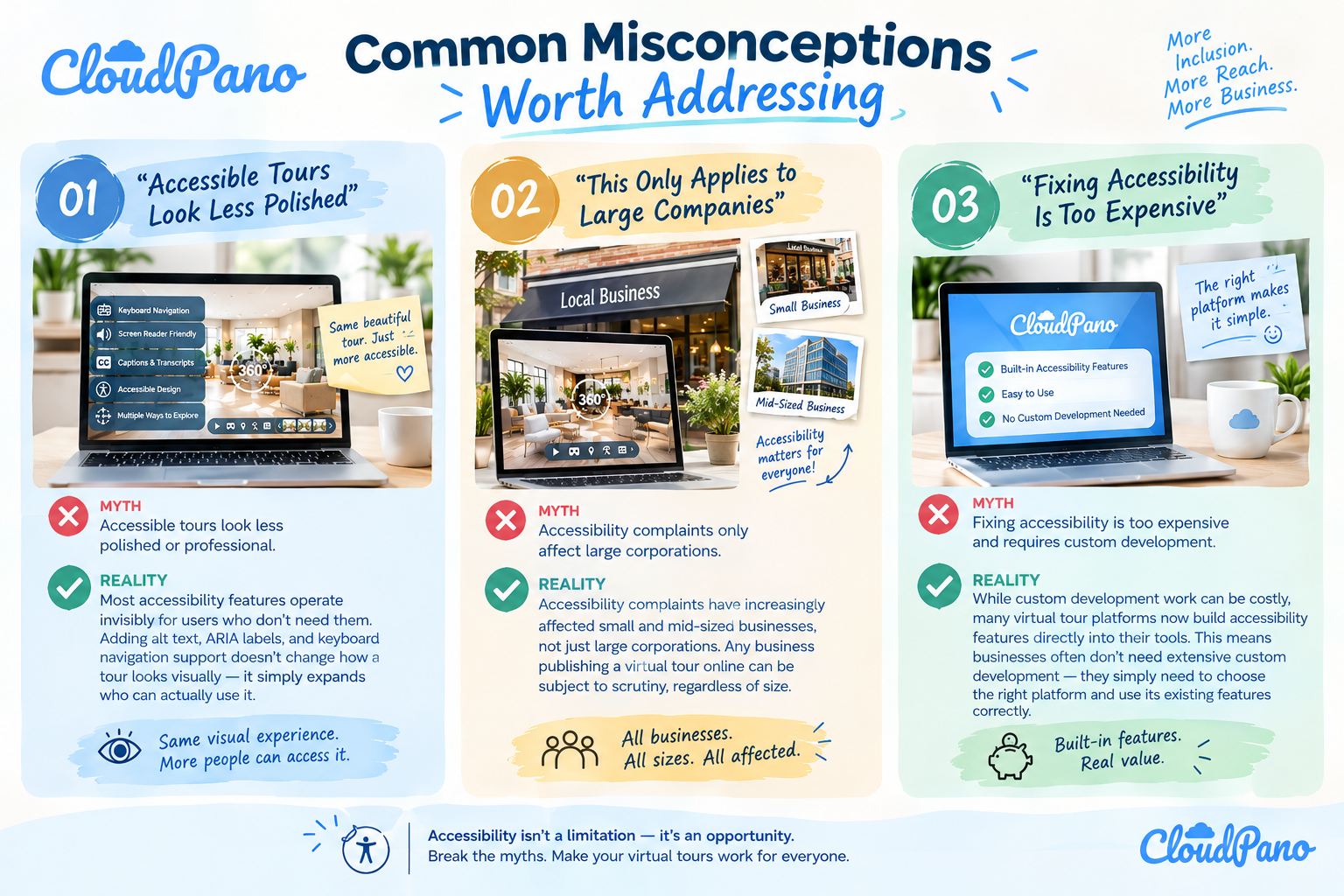
Most accessibility features operate invisibly for users who don't need them. Adding alt text, ARIA labels, and keyboard navigation support doesn't change how a tour looks visually — it simply expands who can actually use it.
Accessibility complaints have increasingly affected small and mid-sized businesses, not just large corporations. Any business publishing a virtual tour online can be subject to scrutiny, regardless of size.
While custom development work can be costly, many virtual tour platforms now build accessibility features directly into their tools. This means businesses often don't need extensive custom development — they simply need to choose the right platform and use its existing features correctly.
The distinction between ADA compliant vs non-compliant virtual tours isn't just a technical detail buried in development documentation — it directly shapes who can engage with your business, how much legal exposure you're carrying, and how your brand is perceived by current and future customers.
Businesses that treat accessibility as a core part of their virtual tour strategy tend to find that the benefits extend well beyond risk reduction. Wider audience reach, improved search performance, and a stronger reputation are all natural byproducts of building tours the right way from the start. 🏠✨
As virtual tours continue to play a larger role in how properties and businesses are marketed, understanding the difference between ADA compliant vs non-compliant virtual tours is quickly becoming essential rather than optional. The good news is that closing this gap rarely requires starting over — it's usually a matter of testing your current tours honestly, choosing platforms that support accessibility natively, and treating it as a standard step in your publishing process rather than an extra task.
Businesses that make this shift early tend to avoid the scramble that comes with addressing complaints after the fact, while also opening their content to a wider, more engaged audience from day one. 🚀
ADA compliant virtual tours provide accessibility features such as keyboard navigation, screen reader support, alt text, and captions. Non-compliant tours may lack these features, making it difficult for people with disabilities to navigate and understand the content.
ADA compliance helps businesses make virtual tours accessible to people with disabilities. Accessible tours can improve user experience, expand audience reach, and reduce potential legal risks. They also help businesses provide equal access to property and service information.
Businesses can test their virtual tours using keyboard-only navigation and screen readers. They should also check image descriptions, captions, color contrast, and navigation controls. These tests help identify accessibility barriers that may prevent users with disabilities from exploring the tour.
Yes. Inaccessible virtual tours may create legal risks when they prevent people with disabilities from accessing property or business information. Specific legal obligations depend on the business, jurisdiction, and applicable accessibility laws. Businesses should review their accessibility requirements and address potential barriers.
Businesses can improve accessibility by adding descriptive alt text, captions, keyboard navigation, and screen reader support. Choosing a platform with built-in accessibility features and regularly reviewing older tours can help maintain a more inclusive experience for all visitors.


Compact, ready to go anywhere
Interchangeable lens that’s upgradeable
Dual 1-inch sensors for improved clarity and low light performance
Dynamic range and 6K 360° capture
360° photo resolution at 21MP

8K 360° video recording for ultra-detailed visuals.
4K single-lens mode for traditional wide-angle shots.
Invisible selfie stick effect for drone-like perspectives.
2.5-inch touchscreen with Gorilla Glass protection.
Waterproof up to 33ft for underwater shooting.

360° photo resolution in 23MP
Slim design at 24 mm thick
Built-in image stabilization for smooth video capture.
Internal 19GB storage for photo and video storage.
Wireless connectivity for remote control and sharing.

60MP 360° still images for high-resolution photography.
5.7K 360° video recording at 30fps.
2.25-inch touchscreen for intuitive control.
USB Type-C port for fast charging and data transfer.
MicroSD card slot for expandable storage.
.png)

.png)

Try it free. No credit card required. Instant set-up.






.svg)


.svg)