


.png)


Real estate professionals increasingly rely on immersive tours to showcase properties, drive engagement, and close more deals online. As digital experiences become a core part of property marketing, the choice of real estate virtual tour platforms matters more than ever. Two of the most frequently compared names in the space are CloudPano vs Matterport — and agents aren’t just comparing features, they’re comparing strategy.
This comprehensive virtual tour software comparison explores why agents and photographers carefully weigh CloudPano and Matterport before deciding, what recent industry news means for tour distribution, and how to choose the best virtual tour platform for real estate agents today — and in the future.
Virtual tours are more than flashy add-ons. They:
📈 Increase online engagement
🔍 Boost listing search visibility
📱 Provide interactive walkthroughs for remote buyers
🕒 Reduce time on market
✉ Support lead generation and follow-up
Agents are no longer satisfied with static photos alone — buyers want immersive experiences they can explore from anywhere. But with more options available than ever, knowing which real estate virtual tour platforms to use has become strategic.
In late 2025, a major shift highlighted how platform decisions can affect agents’ visibility and choices.
Zillow announced it was removing Matterport 3D virtual tours from its Zillow and StreetEasy listing sites, citing a decision by CoStar Group — which acquired Matterport — not to renew its API agreement and enforce new content usage terms. Zillow said those terms restricted third-party display of Matterport tours on its sites. Source: Zillow pulls Matterport tours from listings, blames CoStar
Meanwhile, CoStar pushed back, saying that customers can still share their Matterport “Spaces” anywhere, and that the issue was Zillow’s unilateral decision. Source: CoStar’s Matterport 3D Tours Removed from Zillow
This high-profile dispute drove many agents to reconsider how they deliver virtual tours and whether they should rely on a single platform’s integrations — fueling interest in Matterport alternatives for real estate like CloudPano.
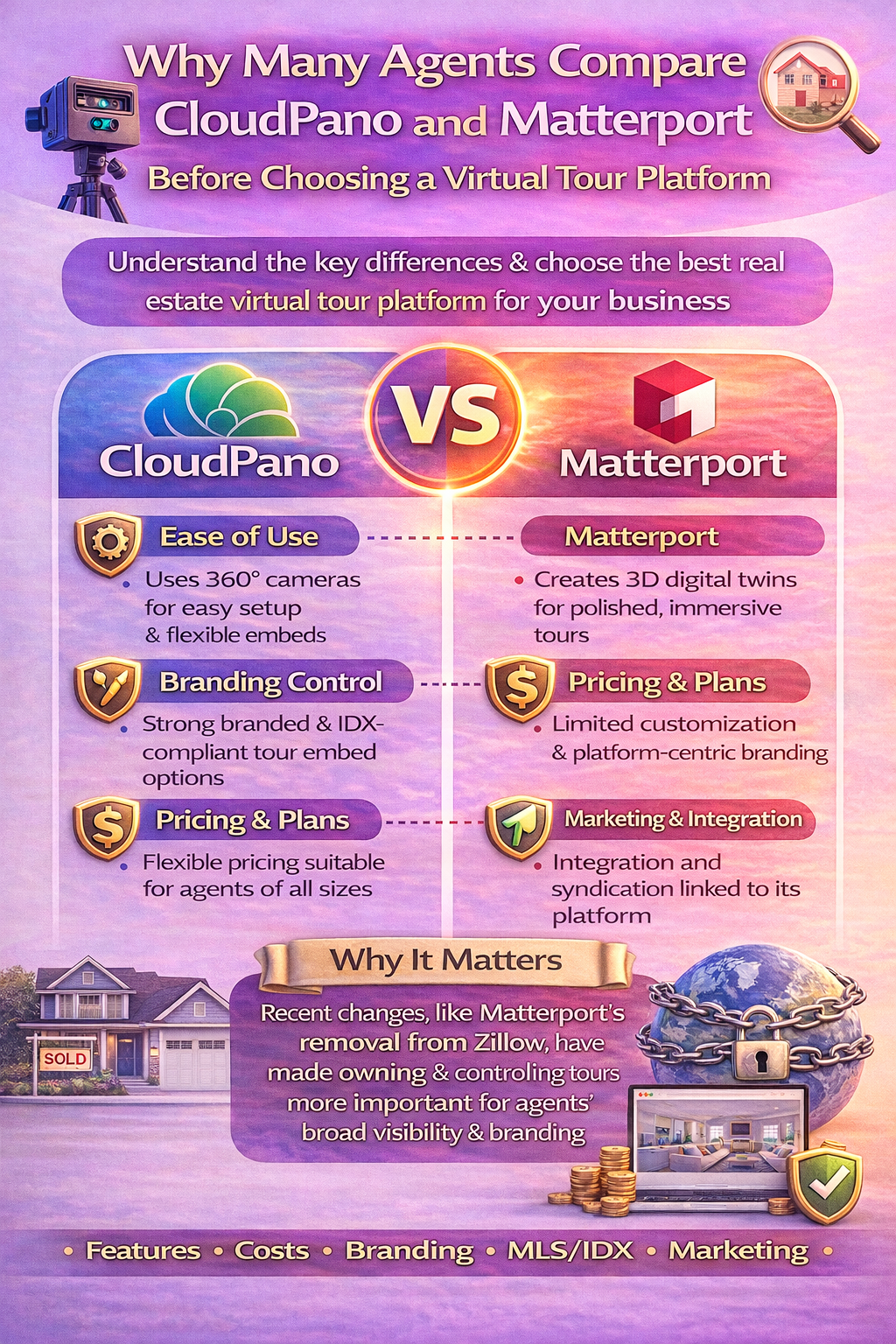
Matterport is one of the most recognizable names in virtual tours. Its strengths include:
Agents who choose Matterport often do so because of the visual polish and strong brand recognition. But there are considerations, including subscription costs and hardware requirements — especially for frequent use.
CloudPano is a rising star among Matterport alternatives for real estate due to its flexibility:
CloudPano’s strength is giving agents control over how, where, and with what branding their tours are presented — a key factor for many professionals managing multi-platform marketing.
Let’s break down why agents compare these platforms so carefully:
Many real estate agents aren’t technical specialists. Platforms that let them upload and publish tours quickly — with minimal friction — tend to win favor.
For many, CloudPano’s straightforward setup with drag-and-drop and no proprietary hardware requirements is appealing. Matterport’s automated scanning workflow is highly polished but can feel more rigid and hardware-dependent.
Agents think strategically about their brand. Some virtual tour platforms allow custom logos, colors, and marketing elements, while others have more standardized delivery.
CloudPano offers branding flexibility, allowing agents to embed tours on their own domains and tailor the experience. Matterport’s branding options are more limited, often centered around the platform’s own interface.
Cost matters, especially for agents building their own business rather than working under large brokerages.
Matterport generally operates on a subscription model based on the number of hosted tours. CloudPano’s pricing is often seen as more flexible, offering options that fit individual agents and small teams without significant overhead.
Different clients and properties require different tour features. Matterport’s strength is 3D scanning with detailed digital twins, while CloudPano focuses more on versatile panoramas with customizable UI elements.
Agents who want advanced customization with calls-to-action, lead capture, or interactive branding often like the control CloudPano offers.
For many agents, the ability to embed tours cleanly on personal websites, landing pages, or IDX feeds is crucial. CloudPano’s standard embed options make this straightforward. Matterport also supports embedding, but some workflows feel more controlled by the platform’s ecosystem.
Ease of embedding — and greater control over how tours appear outside a proprietary portal — remain a differentiator for agents focused on their own online presence.
When agents weigh CloudPano vs Matterport, they’re essentially answering this question: Which virtual tour platform aligns best with my business model, budget, and branding strategy?
High-end immersive tours: Matterport leads with spatial 3D and polished dollhouse views.
Flexible branding & marketing focus: CloudPano shines with customization and embedding on your own channels.
Cost-conscious agents: Many may lean to CloudPano’s more customizable pricing.
MLS & IDX integration: Both platforms support embeds, but agents often prefer options that let them control branding and placement.
While CloudPano and Matterport are among the most discussed, there are other real estate virtual tour platforms agents may consider based on specific needs:
No single platform suits everyone — which is why many agents study comparisons and test products before committing.
Here are practical questions to help guide your decision:
These questions help clarify whether a tool like CloudPano or Matterport — or even a combination — fits your workflow.
The 2025 removal of Matterport tours from Zillow and StreetEasy reminds agents that platform ecosystems can shift suddenly. Zillow’s decision stemmed from an API agreement dispute with CoStar — Matterport’s owner — and concerns about content usage terms. Source: Zillow removes Matterport 3D home tours from its sites
This shake-up drove many agents to consider how dependent they were on a single tour technology for broad visibility — especially on high-traffic portals. As a result, agents looked more closely at alternative workflows and tools to ensure continuity regardless of portal integration changes.
Read More:
Future-Proofing Your Virtual Tours: Why Platform Flexibility Matters
Branded vs Unbranded Virtual Tours: Marketing Flexibility with CloudPano and Matterport
Once you choose a platform, integrate tours effectively:
📍 Embed tours on your own website
📍 Use tours in social media and email campaigns
📍 Add tours to MLS/IDX listings
📍 Include links in printed materials via QR codes
Making tours a central part of your marketing cleaves the gap between just another listing and an immersive property experience.
Choosing between CloudPano vs Matterport isn’t about right or wrong — it’s about fit. Agents choose based on their business needs, whether that’s brand control, pricing strategy, or platform capabilities. A thoughtful virtual tour software comparison helps you select the tool that enhances your listings, aligns with your audience, and supports growth.
Whether you opt for the immersive digital twins of Matterport or the flexible, embedded workflow of CloudPano — or even explore other Matterport alternatives for real estate — understanding the strengths and trade-offs of each platform empowers smarter marketing decisions.


Compact, ready to go anywhere
Interchangeable lens that’s upgradeable
Dual 1-inch sensors for improved clarity and low light performance
Dynamic range and 6K 360° capture
360° photo resolution at 21MP

8K 360° video recording for ultra-detailed visuals.
4K single-lens mode for traditional wide-angle shots.
Invisible selfie stick effect for drone-like perspectives.
2.5-inch touchscreen with Gorilla Glass protection.
Waterproof up to 33ft for underwater shooting.

360° photo resolution in 23MP
Slim design at 24 mm thick
Built-in image stabilization for smooth video capture.
Internal 19GB storage for photo and video storage.
Wireless connectivity for remote control and sharing.

60MP 360° still images for high-resolution photography.
5.7K 360° video recording at 30fps.
2.25-inch touchscreen for intuitive control.
USB Type-C port for fast charging and data transfer.
MicroSD card slot for expandable storage.
.png)

.png)

Try it free. No credit card required. Instant set-up.







.svg)


.svg)