


.png)


In today’s competitive real estate market, virtual tours are not just a nice add-on—they’re essential. Buyers expect immersive experiences that help them explore properties before they ever step foot inside. But recent shifts in how platforms display and support virtual tours have created confusion for real estate professionals.
This article breaks down everything you need to know about CloudPano vs Matterport, what happened with Matterport tours on major listing sites, and how to choose the best virtual tour software for real estate that gives you control, flexibility, and long-term marketing independence.
In October 2025, Zillow announced a significant change: it removed Matterport 3D virtual tours from listings on its platform, including StreetEasy. Zillow said this was due to a decision by CoStar—Matterport’s new owner—to decline renewing the API agreement that previously allowed Zillow to automatically display those tours. Source: Zillow pulls Matterport tours from listings, blames CoStar
According to Zillow, the updated media terms restricted the use of Matterport content on third-party sites, prompting the removal. Source: Zillow removes CoStar-owned Matterport 3D tours from its listings
However, CoStar and Matterport disputed the claim, saying users can still share their Matterport Spaces anywhere, including Zillow, and that the API situation was unrelated to sharing rights. Source: CoStar disputes Zillow announcement, says clients can share Matterport tours on Zillow
This tug-of-war made real estate professionals sit up and take notice—if a major listing portal can change how it displays virtual tours, what does that mean for your marketing assets?
Virtual tours are powerful marketing tools. They help:
But when a platform like Zillow changes its rules or integrations, it highlights a critical issue: virtual tour ownership and platform portability.
Matterport has been a leader in 3D virtual tour technology for years, known for its immersive 3D “digital twins” and dollhouse views. Source: Wikipedia But being a great product doesn’t automatically mean it’s the best fit for every use case—especially when you want control over where and how your tour appears.
When agents and photographers evaluate platforms, the comparison often comes down to a few core needs:
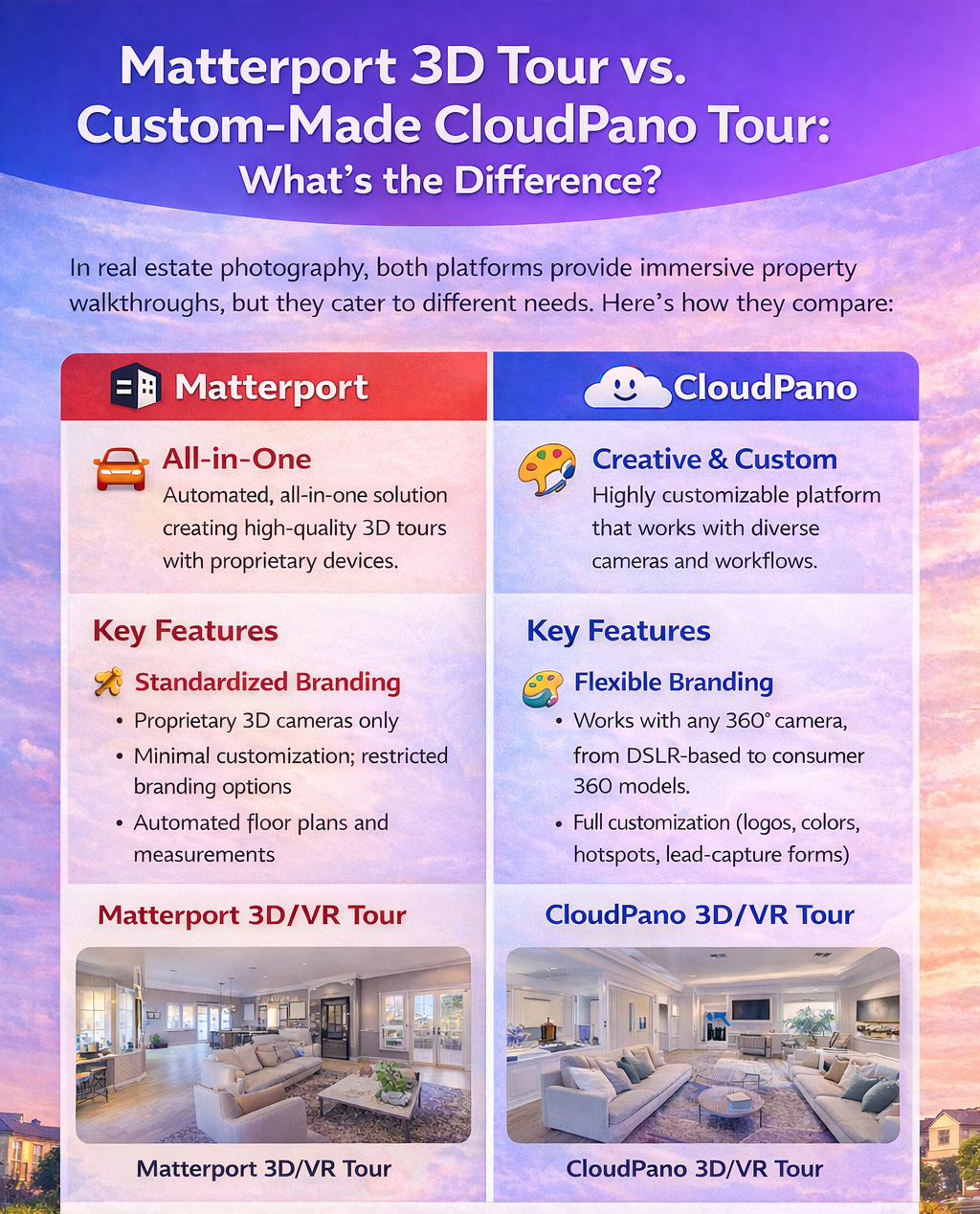
Here’s how CloudPano and Matterport differ on those fronts:
With Matterport, tours are hosted on Matterport’s servers and come with platform-specific branding. That’s fine for many users, but it can mean less control over where and how tours are displayed, especially if a portal changes its integrations or terms.
CloudPano, on the other hand, lets you host tours with unbranded links and embed codes that you control. That means you can embed tours on your own website, share them on social media, publish them in MLS tour fields, and more—without being tied to a single portal’s API.
Branding matters. You want your name, logo, and design to be front and center in your marketing—not someone else’s emblem.
📌 Matterport tours generally display the Matterport brand.
📌 With CloudPano, you can choose branded or unbranded virtual tours, meaning:
This level of control helps you build your brand rather than promoting a vendor’s.
Real estate associations often have rules about how tours are displayed on MLS and syndicated feeds. Some MLS systems require unbranded tour links, especially when tours are included with listing data that goes out to third-party sites and apps.
CloudPano makes it easy to generate MLS compliant virtual tours with simple unbranded URLs you can paste into MLS tour fields.
Matterport tours can be used in MLS too, but the branding and hosting model means you need to ensure compliance, especially in markets with stricter rules.
In a world where platforms can change how they integrate with your content in a moment’s notice (as the Zillow–Matterport situation showed), having flexibility matters.
CloudPano focuses on giving you ownership of your content, meaning:
✔ Embed on any website
✔ Use in email marketing
✔ Share on social media
✔ Create custom landing pages
✔ Add maps & floor plans
Matterport’s strength is in highly immersive 3D experiences and sophisticated visualization tools—but that doesn’t guarantee the same level of marketing flexibility or branding control.
Matterport often requires specialized cameras and has equipment costs. CloudPano works with most 360° cameras (including affordable models), and even smartphone-captured panoramas can be uploaded and published with ease.
With CloudPano, you can publish tours quickly—often the same day you capture them. Faster delivery means faster marketing impact.
Because CloudPano offers embeddable tours that you control, they’re not reliant on a single portal’s technology stack or API. That protects your investment over time, even if portals like Zillow change how they choose to display virtual tour content.
There’s no single “best” virtual tour platform for everyone. But if your priority is control, flexibility, branding, and distribution freedom, CloudPano stands out as a strong choice in the virtual tour platform comparison landscape.
Here’s why CloudPano is often recommended as a Matterport alternative:
✨ Works with any 360° or panoramic image source
✨ No proprietary camera requirement
✨ Unlimited tours in most plans
✨ MLS-ready unbranded tour links
✨ Full branding and custom domain options
✨ Embed tours anywhere you want
✨ Tools for lead capture and interactive presentations
Matterport is a powerful tool for immersive 3D experiences—but if you want ownership of your virtual tour content and the ability to market listings across the widest range of platforms and channels, CloudPano offers a compelling combination of flexibility and cost-effectiveness.
Your virtual tours are marketing assets. They help sell properties, attract leads, and build your brand. When a major portal changes how it displays a technology—as happened with Matterport tours on Zillow—having a platform that puts you in the driver’s seat becomes even more important.
By prioritizing virtual tour ownership, MLS compliance, and branding flexibility, you position your business to thrive no matter how the digital landscape evolves. From CloudPano vs Matterport, CloudPano often gives agents, brokers, and photographers the control they need to market successfully across platforms, channels, and time.
If you’re assessing Matterport alternatives and want a system designed for modern real estate marketing, explore CloudPano today. Whether you’re just starting with virtual tours or scaling your entire portfolio, the right platform can make all the difference.


Compact, ready to go anywhere
Interchangeable lens that’s upgradeable
Dual 1-inch sensors for improved clarity and low light performance
Dynamic range and 6K 360° capture
360° photo resolution at 21MP

8K 360° video recording for ultra-detailed visuals.
4K single-lens mode for traditional wide-angle shots.
Invisible selfie stick effect for drone-like perspectives.
2.5-inch touchscreen with Gorilla Glass protection.
Waterproof up to 33ft for underwater shooting.

360° photo resolution in 23MP
Slim design at 24 mm thick
Built-in image stabilization for smooth video capture.
Internal 19GB storage for photo and video storage.
Wireless connectivity for remote control and sharing.

60MP 360° still images for high-resolution photography.
5.7K 360° video recording at 30fps.
2.25-inch touchscreen for intuitive control.
USB Type-C port for fast charging and data transfer.
MicroSD card slot for expandable storage.
.png)

.png)

Try it free. No credit card required. Instant set-up.







.svg)


.svg)