


.png)


Choosing virtual tour software based on a marketing page's feature list is a common first step, but it's rarely sufficient on its own — feature lists describe what a platform can technically do, not how well it does it, or whether specific capabilities that matter to you are actually included at the tier you're considering. This article is a concrete checklist of what to actually test and verify, rather than another general framework for narrowing down candidates.
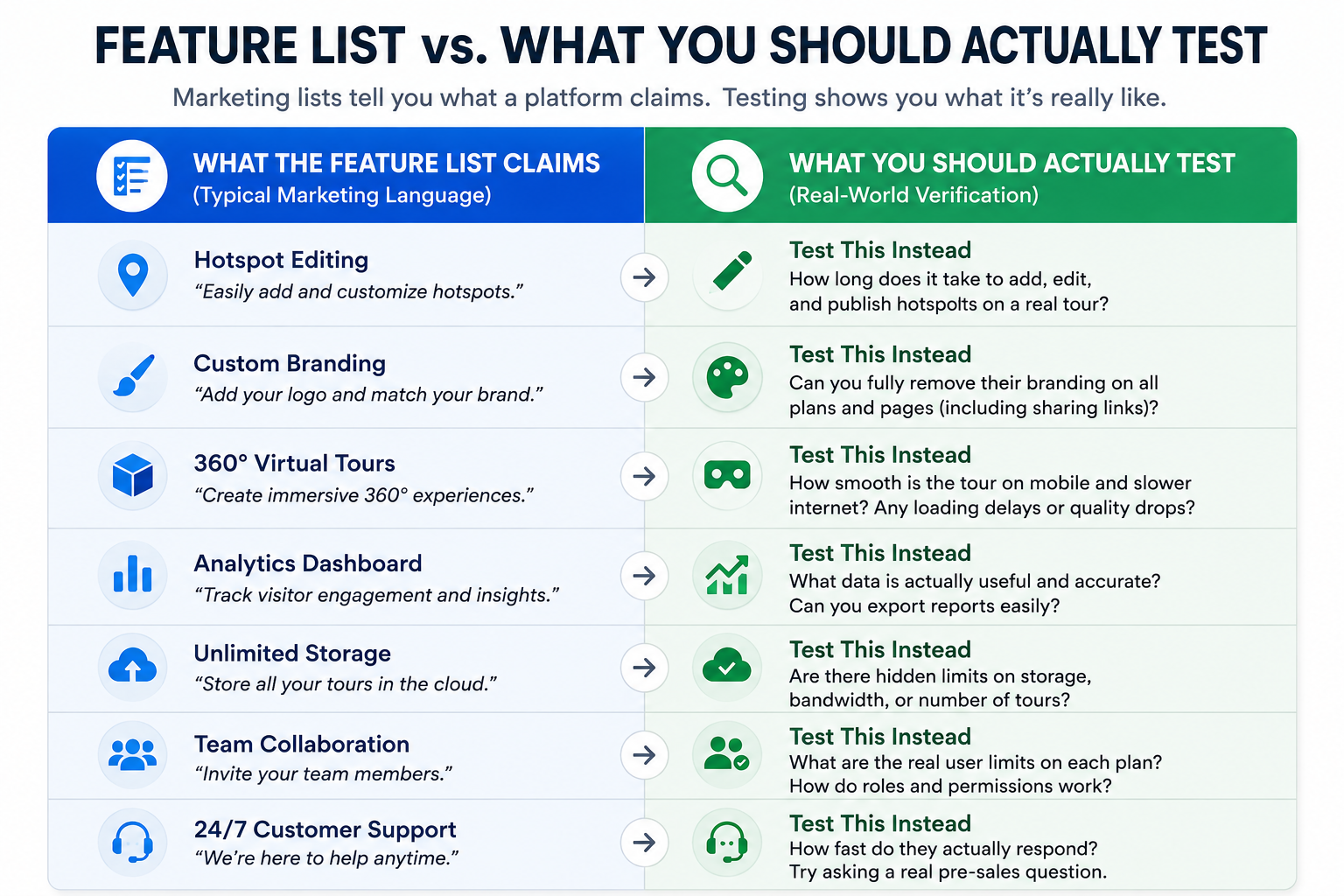
A vendor's feature list is written to sound comprehensive, and it usually is technically accurate — the feature exists somewhere in the product. What it doesn't tell you is whether that feature is available at your specific plan tier, how intuitive it actually is to use, or whether it performs well under your specific real-world conditions. A checklist forces you to verify each item directly, rather than taking a marketing claim at face value.
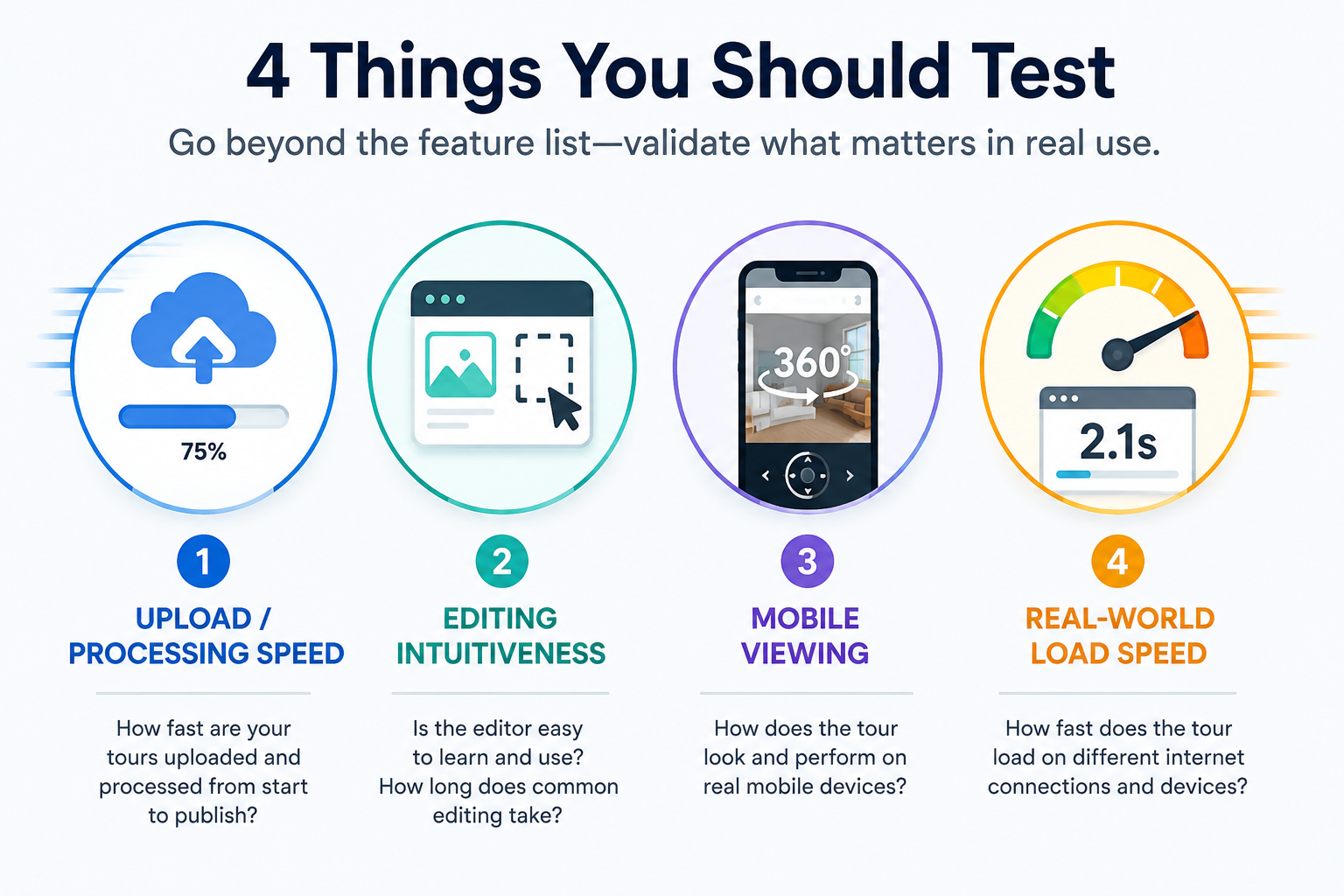
Start with the fundamentals — the 3D tour platform features that affect your day-to-day experience regardless of which specific platform you're considering:
Upload and processing speed. How long does it actually take from finishing a capture to having a published, viewable tour? Test this directly with your own content rather than trusting a general claim.
Editing intuitiveness. Can you place hotspots, add branding, and adjust settings without extensive trial and error? A feature that's technically present but genuinely difficult to use effectively isn't as valuable as it sounds on a features page.
Mobile viewing experience. Since a meaningful share of tour views happen on mobile devices, test how a tour actually looks and performs on a phone, not just a desktop browser.
Load speed under real conditions. A tour that loads quickly in a private demo account can behave differently once it's embedded on a real page with other content competing for bandwidth.
Beyond the core fundamentals above, build a personalized virtual tour software checklist specific to your own use case — the items that matter for your business, not a generic list built for an average user who may look nothing like you.
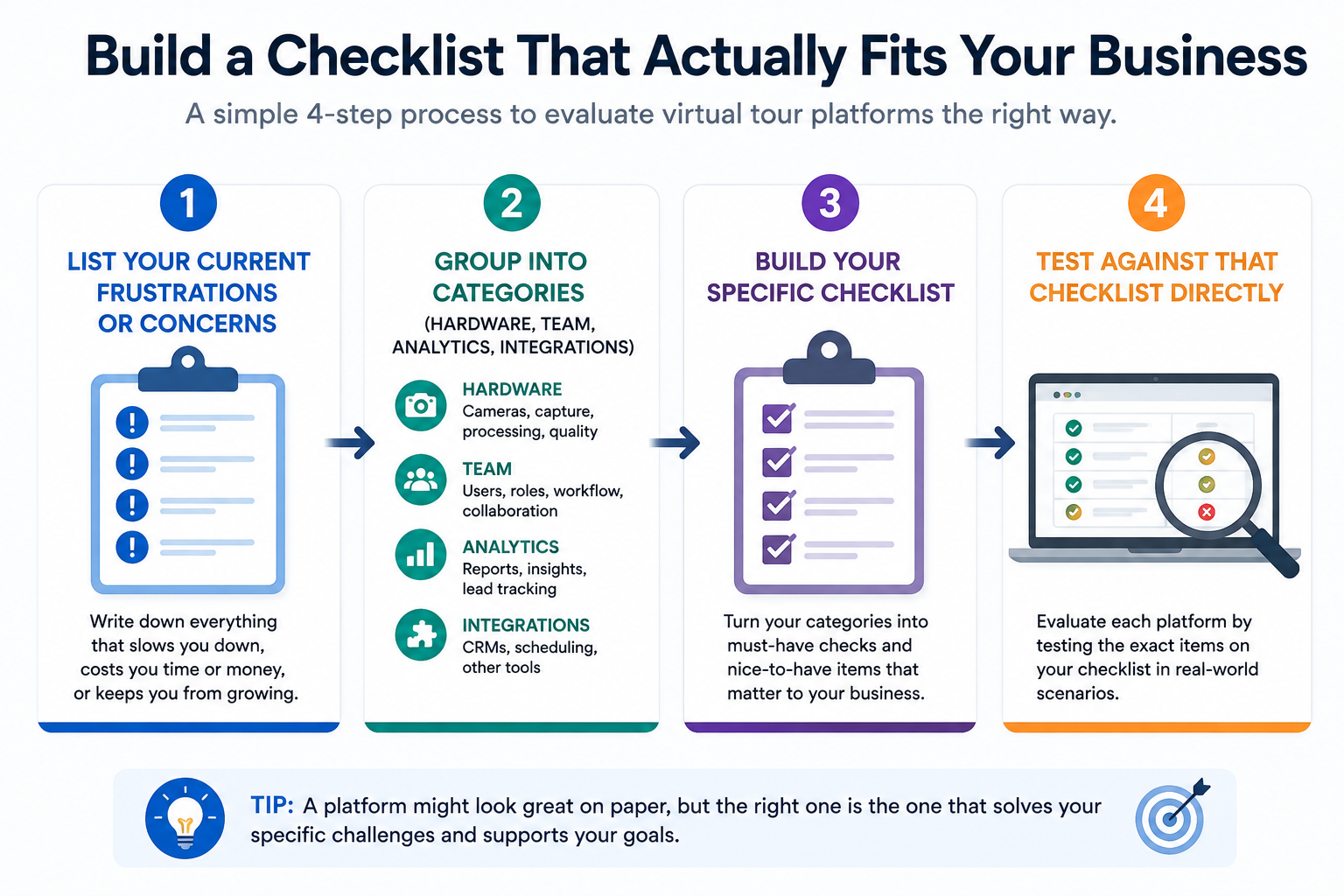
Useful categories to build your own checklist around: hardware compatibility with your specific camera, team and permission needs if you're not a solo user, analytics depth if you report on tour performance, and industry-specific integrations (an MLS, a booking system, a CMS) if your workflow depends on one.
The point of building this yourself, rather than using a generic checklist, is that a generic list will always include items that don't matter to you and miss items that do. Your checklist should reflect your actual workflow, not an average user's.
A checklist this detailed can sound like a lot of work, but it's worth being specific about how little time it actually requires when run efficiently. Most trial accounts allow full access to core functionality without a time limit measured in days — you can realistically complete every item on the checklist above in a single, focused session lasting an hour or two, provided you go in with your own content ready rather than starting from scratch mid-session.
The key is preparation: have a piece of your own capture content ready before you start the trial, rather than using the trial period to also figure out what you're going to test with. Walking in with a specific plan — this content, these six checks, in this order — turns what could be a sprawling, open-ended evaluation into a contained, efficient session that gives you a clear answer by the time you're done.
It's worth being precise about what qualifies as a genuine Matterport replacement for your specific situation, since this varies by what you actually use Matterport for today. If your primary use is straightforward real estate listing tours, a replacement needs to handle that core workflow at least as well, with your specific must-haves included. If you rely heavily on Matterport's specific analytics or team features, a genuine replacement needs to match those specifically, not just offer tours in general.
This is why a checklist approach works better than a general "best alternative" search — it forces you to define replacement in terms of your actual current usage, rather than a generic notion of feature parity.
Not every checklist item carries equal weight, and it's worth thinking about results in terms of severity rather than a simple pass/fail count. A platform that stumbles slightly on mobile viewing but excels everywhere else is a very different situation than one that fails on team permissions when team access is central to how your business operates. Weight your findings against how central each item actually is to your daily workflow, rather than treating every checklist item as equally disqualifying.
It's also worth testing more than one platform against the same checklist before drawing a final conclusion. A single trial can feel conclusive in the moment, but comparing results across two or three platforms run through the identical checklist gives you a much clearer sense of relative strengths and weaknesses than any one trial in isolation.
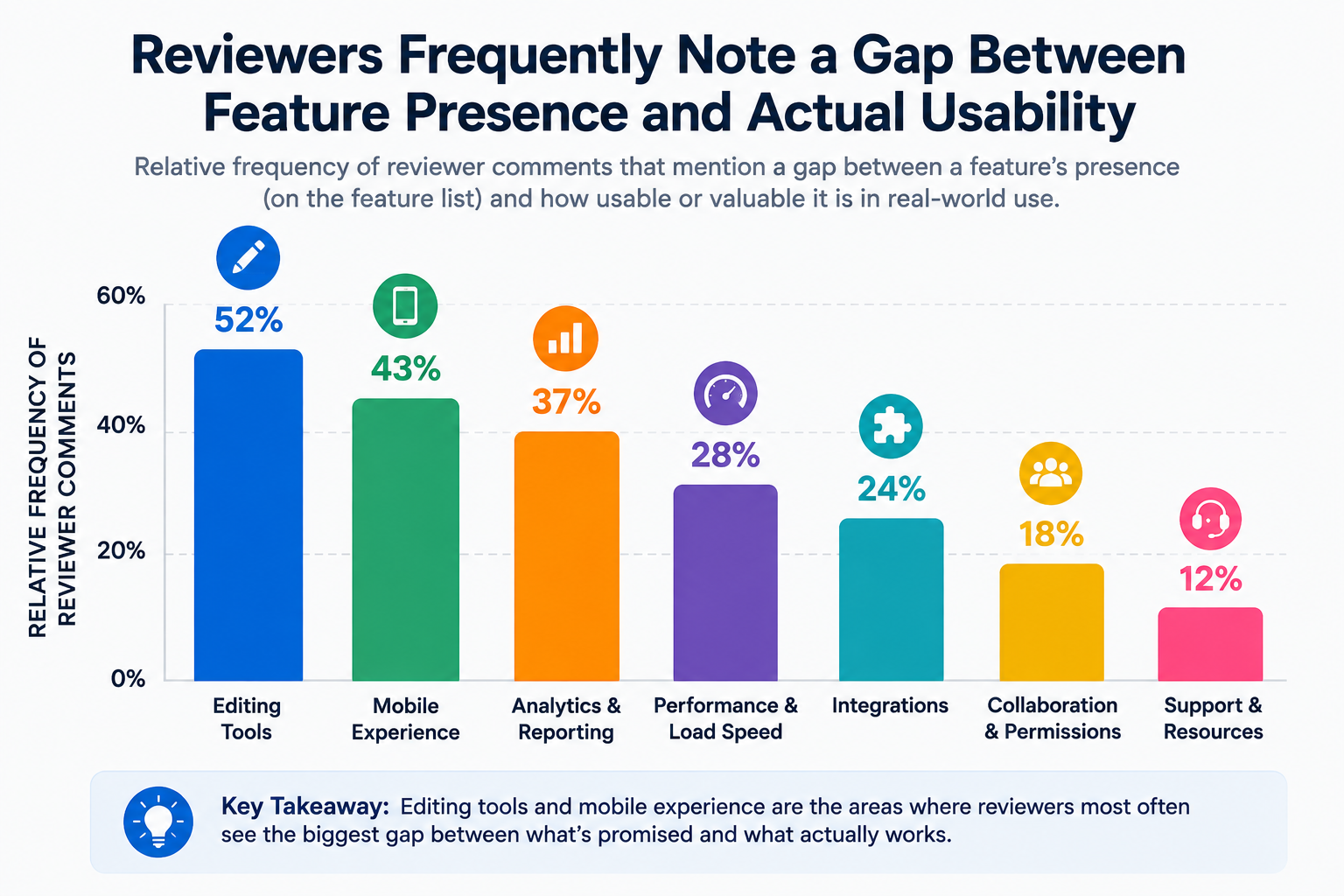
On G2's virtual tour software category page, reviewer comments frequently reveal the gap between a feature's presence and its actual usability — search for reviews mentioning specific tasks (like "hotspot editing" or "mobile viewing") rather than general satisfaction scores, since these tend to surface the practical detail a features page won't.
Capterra's virtual tour software listings offer a similar cross-platform view, useful specifically for comparing how the same feature category (say, analytics) is discussed across multiple competing products.
"Isn't this a lot of testing for what should be a simple decision?"
It's more upfront effort than skimming a features page, but considerably less effort than discovering a critical gap after you've already committed to an annual plan and built workflows around it. Most of this checklist can be run through in a single trial session, not spread across weeks.
"What if I don't know yet which features actually matter to me?"
This is common, and it's worth resolving before testing rather than during. Spend a few minutes listing what frustrates you about your current setup (if you have one) or what you're most worried about getting wrong — that list is usually a strong starting point for your personal checklist.
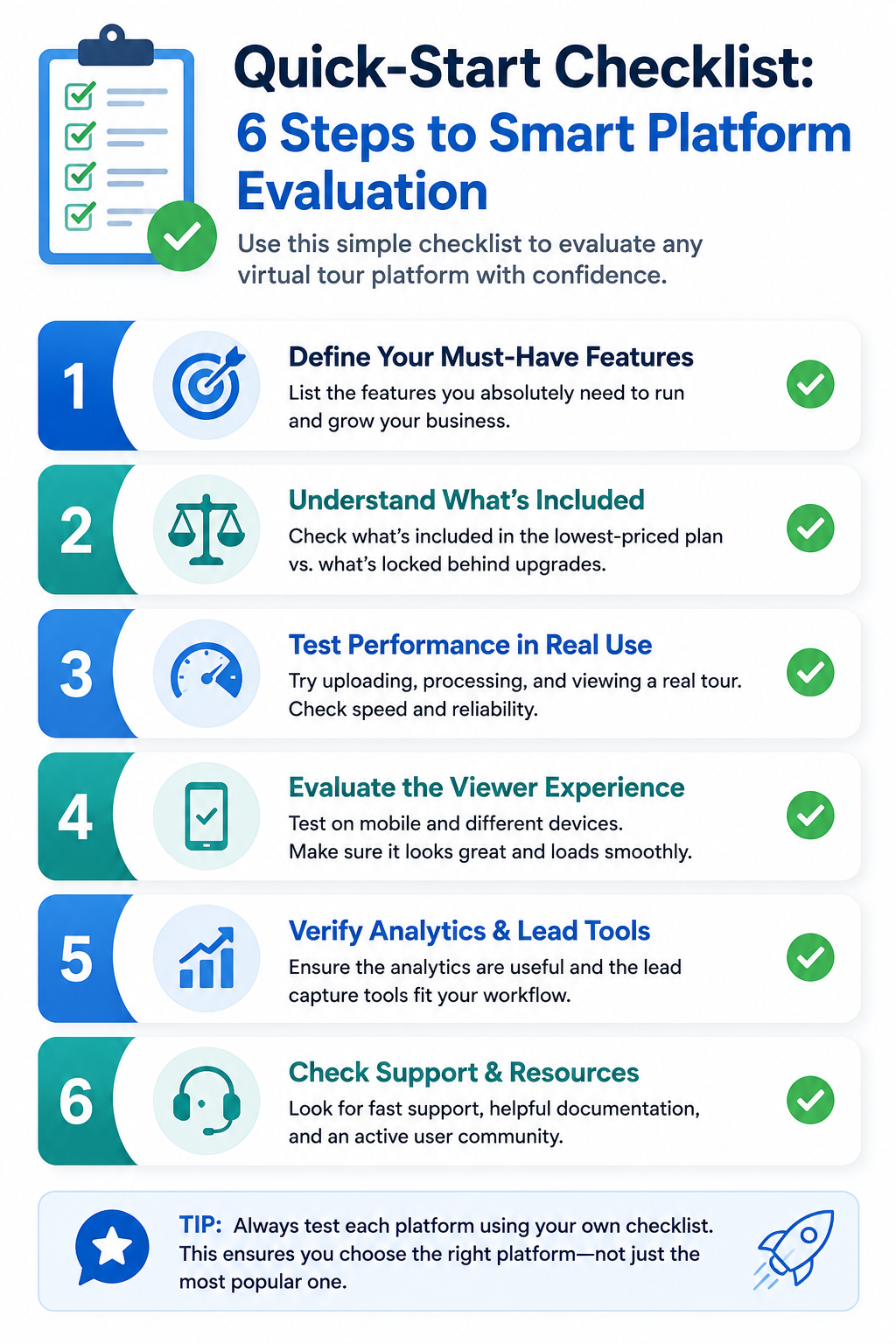
Choosing virtual tour software well means testing specific, concrete items rather than trusting a features page at face value. The core fundamentals — upload speed, editing intuitiveness, mobile experience, real-world load speed — apply regardless of which platform you're considering, and a personalized checklist built around your specific workflow catches the gaps a generic comparison would miss.
If you're ready to run this checklist against a specific platform, a CloudPano trial is a reasonable place to start, testing directly against your own content rather than a demo account. And if you're still narrowing down which alternative to test first, our complete guide on choosing a Matterport alternative covers the broader decision framework. Either way, the habit of testing concretely rather than trusting a features page is the single most useful thing to take away from this article, regardless of which specific platform you end up choosing.


Compact, ready to go anywhere
Interchangeable lens that’s upgradeable
Dual 1-inch sensors for improved clarity and low light performance
Dynamic range and 6K 360° capture
360° photo resolution at 21MP

8K 360° video recording for ultra-detailed visuals.
4K single-lens mode for traditional wide-angle shots.
Invisible selfie stick effect for drone-like perspectives.
2.5-inch touchscreen with Gorilla Glass protection.
Waterproof up to 33ft for underwater shooting.

360° photo resolution in 23MP
Slim design at 24 mm thick
Built-in image stabilization for smooth video capture.
Internal 19GB storage for photo and video storage.
Wireless connectivity for remote control and sharing.

60MP 360° still images for high-resolution photography.
5.7K 360° video recording at 30fps.
2.25-inch touchscreen for intuitive control.
USB Type-C port for fast charging and data transfer.
MicroSD card slot for expandable storage.
.png)

.png)

Try it free. No credit card required. Instant set-up.






.svg)


.svg)