


.png)


Searching for Matterport alternatives usually turns up the same kind of content: a ranked list, often thin on real differentiation, positioning one product as the clear winner regardless of what you actually need. That's not particularly useful, because the right alternative depends entirely on your specific priorities — cost predictability, hardware flexibility, team features, or industry-specific needs. This article is a framework for evaluating alternatives properly, not another generic ranking.
Most comparison content in this category is built around a simple ranked list — first place, second place, and so on — which implies a single correct answer exists for everyone searching this term. In reality, businesses researching this topic are asking meaningfully different underlying questions: some want the cheapest option, some want broader camera compatibility, some are specifically frustrated with one aspect of Matterport (pricing, storage limits, team features) and are really looking for a fix to that specific problem rather than a generically "better" product.
A useful evaluation starts by getting clear on which of these you actually are, rather than defaulting to whichever product a ranked list happens to put first.

Rather than a single flat list, it helps to think about Matterport competitors in a few rough categories, since products within each category tend to share similar tradeoffs:
Broad, flexible platforms — products like CloudPano that emphasize hardware compatibility across a range of cameras and more transparent, predictable pricing as a library scales.
Specialized regional or niche players — platforms like iStaging, which have built strong footholds in specific markets or use cases (retail and hospitality, in iStaging's case) and may offer deeper functionality for those specific contexts.
Lower-cost or simplified alternatives — platforms like Cupix or EyeSpy360, which often appeal to smaller businesses or occasional users prioritizing affordability and simplicity over the deepest feature set.
Knowing roughly which category fits your situation narrows the field considerably before you get into detailed, product-by-product comparison.

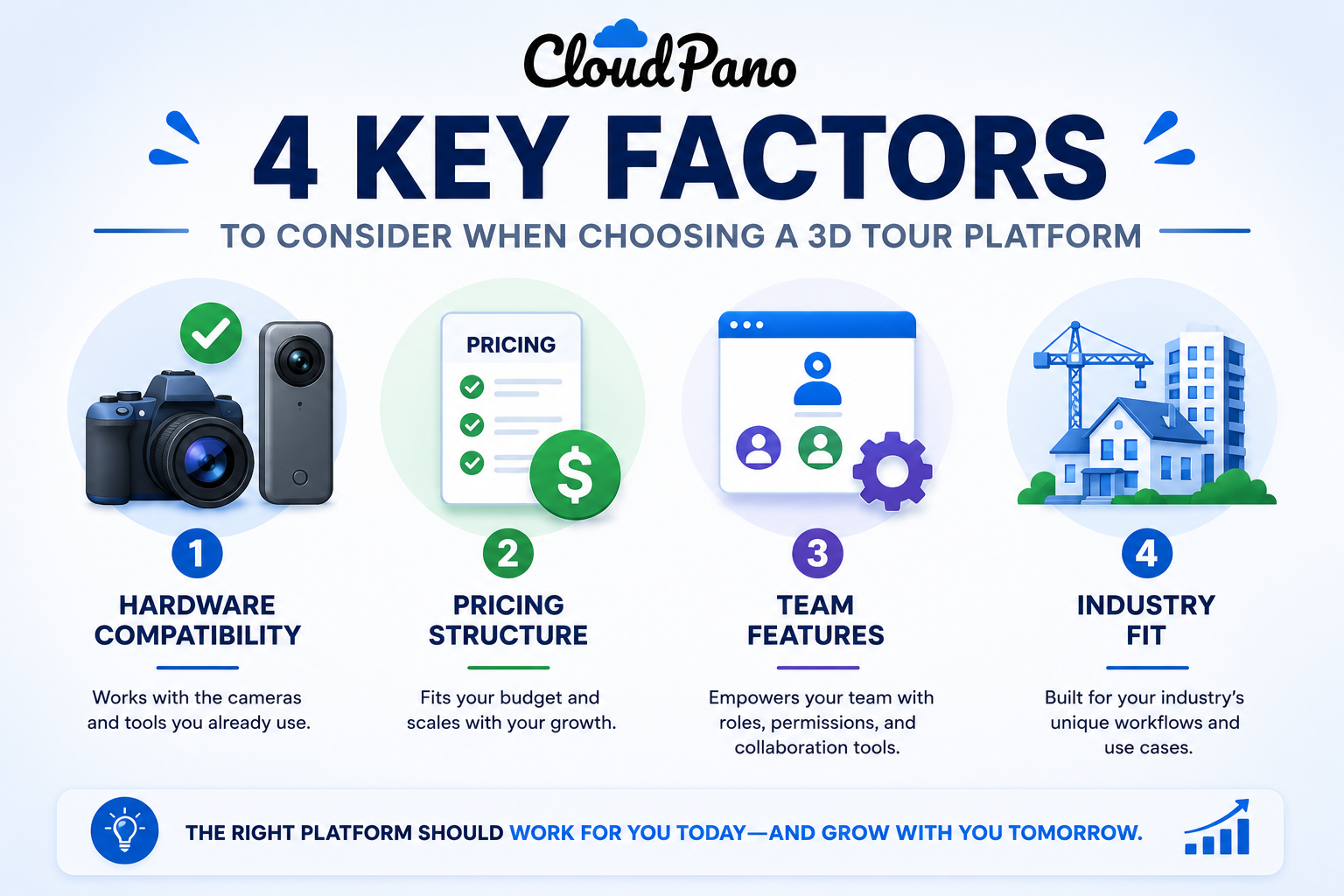
Once you've narrowed to a category, the following factors tend to matter most across virtual tour software options generally:
Hardware compatibility — whether the platform is built around a specific camera ecosystem or works broadly across many capture devices.
Pricing structure — whether cost scales predictably with actual usage, or penalizes a growing tour library disproportionately.
Team and account features — how well the platform handles multiple users, permissions, and shared libraries as you grow beyond a single person.
Industry fit — whether the platform is built with your specific use case (real estate, hospitality, retail, museums) meaningfully in mind, or is more generic.
It's worth explaining why starting with categories, rather than jumping straight into comparing specific products, actually produces a better decision. When you compare virtual tour software options one by one without first narrowing by category, you end up trying to weigh fundamentally different tradeoffs against each other on the same scale — comparing a low-cost, simplified tool against a full-featured platform built for a completely different use case, as if they're competing for the same job. They usually aren't.
Narrowing to a category first means every product you're comparing at the detailed level is actually a plausible fit for your situation, which makes the final comparison faster and more meaningful. It also protects against the common trap of being swayed by an impressive feature in a product that, category-wise, was never really a serious option for your specific needs in the first place.
There isn't a single best Matterport alternative that applies universally — but there is a reliable way to find the best one for your specific situation. Start with your top three priorities from the differentiation categories above, then evaluate only the platforms that plausibly fit your category (broad/flexible, niche/specialized, or low-cost/simple) against those specific priorities, rather than every product on the market.
This scoped approach is faster and more useful than an exhaustive comparison of every available platform, most of which won't be a serious contender for your specific situation anyway once you've identified your actual priorities.
It's worth flagging that some of the platforms mentioned above have built particular strength in specific industries, which can matter more than general category fit if your use case is narrow enough. A museum or cultural institution, for instance, may have meaningfully different needs than a residential real estate agency, even if both are nominally shopping in the same "virtual tour software" category. Features like accessibility support, multi-language content, or integration with a specific ticketing or booking system can matter far more to a niche institutional buyer than they would to a typical real estate use case.
If your business falls into a genuinely specialized vertical, it's worth searching specifically for how platforms are discussed within that industry's own trade publications or communities, rather than relying solely on general software review sites. Industry-specific context often surfaces considerations that a general comparison, including this one, simply won't think to cover.
On G2's virtual tour software category page, the full landscape of competitors is visible in one place, along with reviewer sentiment across products — a useful starting point once you've narrowed your category, since it lets you compare reviewer feedback on the two or three platforms that actually fit your situation.
Capterra's virtual tour software listings offer a similar cross-platform view, and are particularly useful for filtering by business size or industry, since reviewer priorities tend to differ meaningfully across those segments.

"Isn't it safer to just pick whatever's ranked first on a comparison site?"
Rankings on comparison sites often reflect a mix of factors — review volume, affiliate relationships, general popularity — that don't necessarily correlate with fit for your specific situation. A product ranked lower overall can still be the better choice for your particular priorities, which is exactly why the category-and-priorities approach above tends to serve readers better than a single ranked list.
"What if I'm not sure which category fits my situation?"
That's a reasonable position to be in, and it usually resolves quickly once you write out your actual top three priorities honestly. If cost predictability and camera flexibility top your list, you're likely in the broad/flexible category. If you're in a specific niche industry with specialized needs, the niche category is worth a closer look first.
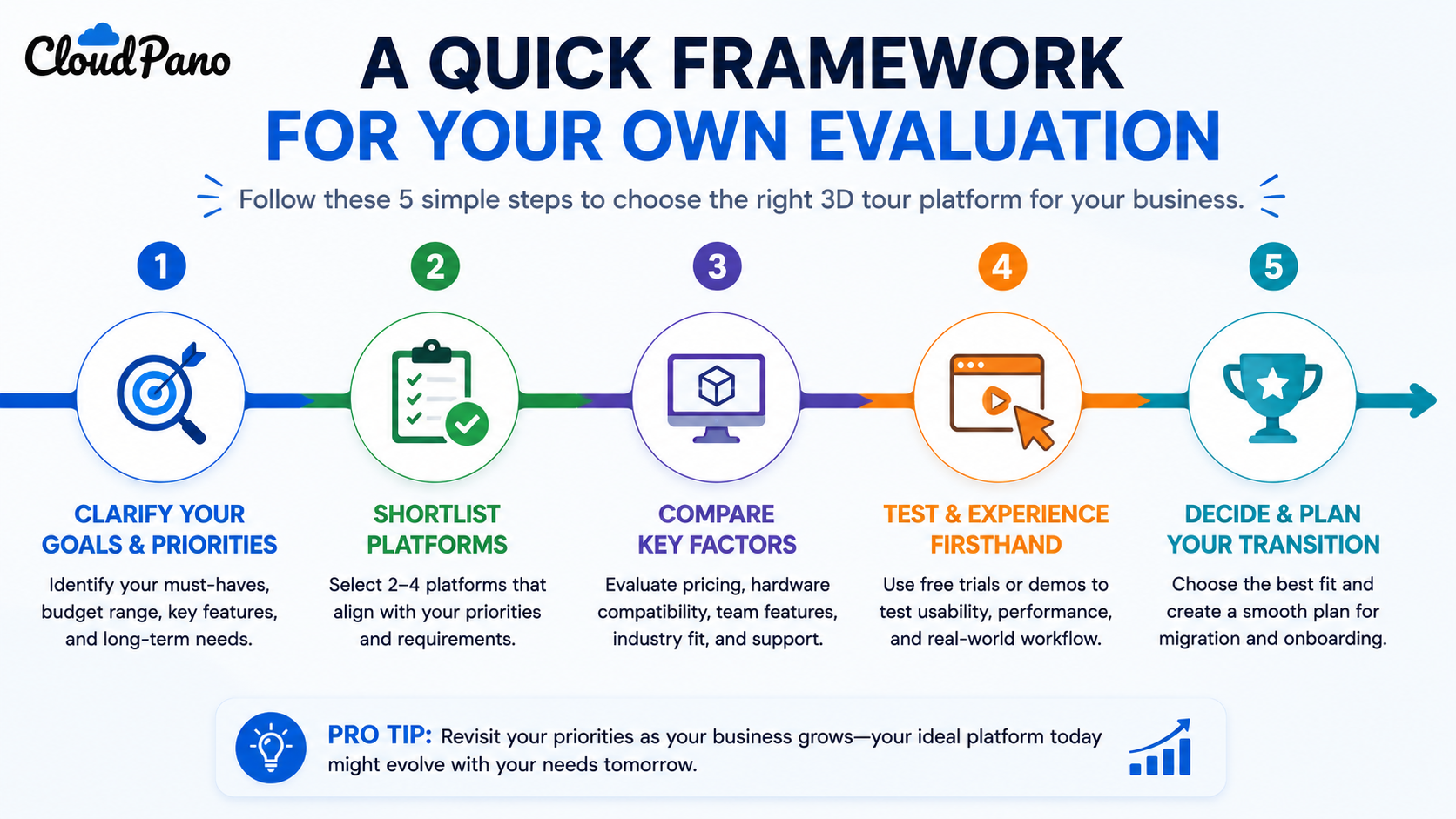
There's no single best Matterport alternative that fits every business — the right choice depends on your specific priorities around hardware, pricing structure, team needs, and industry fit. Working from a category-and-priorities framework, rather than a generic ranked list, gets you to a genuinely well-matched platform faster than reading through every available comparison article, including this one.
This is worth remembering the next time you encounter a confidently-ranked "top 5" list on this topic: treat it as a starting point for names to research, not a verdict to accept at face value. The actual work of matching a platform to your business happens in the priorities-and-category exercise above, not in whichever order a list happens to present its entries.
If your priorities point toward broad hardware compatibility and predictable cost scaling as your library grows, it's worth testing CloudPano directly against your specific needs. And if you want a deeper, direct comparison between CloudPano and Matterport specifically, our complete comparison guide covers that ground in full. Whichever platform you land on, the framework above — category first, specific priorities second, product comparison last — will serve you better than approaching this decision through a generic ranked list, regardless of which alternative ultimately turns out to be the right fit.


Compact, ready to go anywhere
Interchangeable lens that’s upgradeable
Dual 1-inch sensors for improved clarity and low light performance
Dynamic range and 6K 360° capture
360° photo resolution at 21MP

8K 360° video recording for ultra-detailed visuals.
4K single-lens mode for traditional wide-angle shots.
Invisible selfie stick effect for drone-like perspectives.
2.5-inch touchscreen with Gorilla Glass protection.
Waterproof up to 33ft for underwater shooting.

360° photo resolution in 23MP
Slim design at 24 mm thick
Built-in image stabilization for smooth video capture.
Internal 19GB storage for photo and video storage.
Wireless connectivity for remote control and sharing.

60MP 360° still images for high-resolution photography.
5.7K 360° video recording at 30fps.
2.25-inch touchscreen for intuitive control.
USB Type-C port for fast charging and data transfer.
MicroSD card slot for expandable storage.
.png)

.png)

Try it free. No credit card required. Instant set-up.






.svg)


.svg)