


.png)


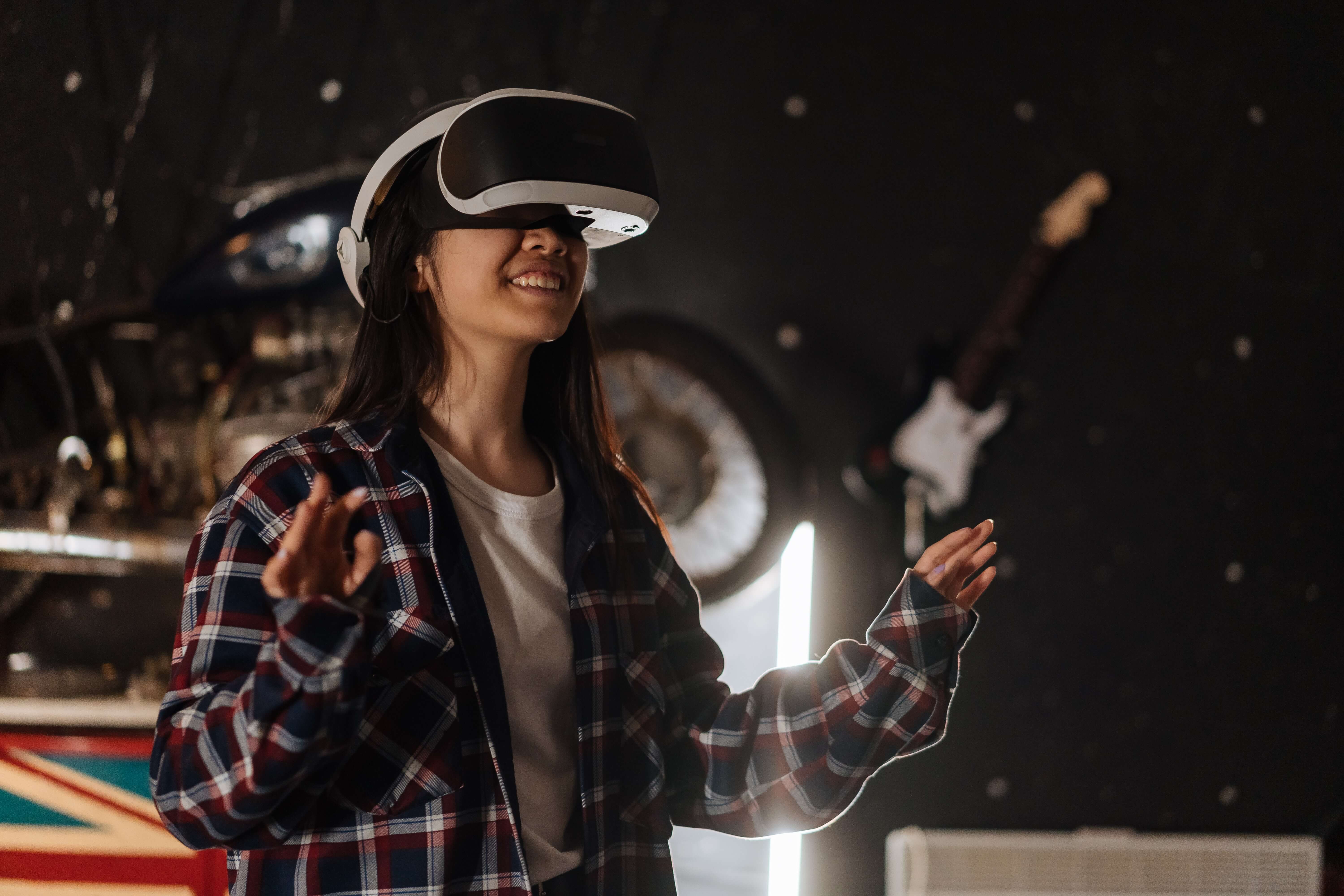
Virtual tours let people explore a property, destination, or space online from anywhere, at any time. Their main advantages include immersive viewing, broader reach, convenience, and fewer unnecessary in-person visits. However, creating a quality tour requires time, suitable equipment, and a reliable internet connection. A platform like CloudPano helps make virtual-tour creation and sharing easier.
Virtual tours have revolutionized the way we showcase spaces, from real estate properties to museums and travel destinations. These immersive digital experiences offer a unique way to engage with audiences, allowing them to explore a location as if they were physically present. However, like any technology, virtual tours come with their own set of advantages and disadvantages.
In this article, we'll delve into both sides of the coin, shedding light on why virtual tours have gained popularity and how to navigate their potential drawbacks. We'll also discuss how Cloudpano, a leading virtual tour creation platform, can be a valuable asset in optimizing your virtual tour experiences.

1. Immersive Engagement
One of the most significant advantages of virtual tours is their ability to provide viewers with an immersive experience. Unlike static images or traditional videos, virtual tours allow users to navigate through a space as if they were physically present. They can explore rooms, examine details, and get a genuine sense of the environment, making it a powerful tool for showcasing real estate properties, hotels, or vacation rentals.
2. Increased Interaction
Many virtual tours incorporate interactive elements such as hotspots, clickable objects, and multimedia content. These features enhance the user experience by providing valuable information and engaging viewers. For example, in a real estate virtual tour, clicking on a hotspot might reveal additional details about a room or highlight specific features.
3. Convenience and Accessibility
Virtual tours offer unmatched convenience and accessibility. Viewers can access these tours from the comfort of their homes or anywhere with an internet connection. This accessibility is especially valuable for out-of-town buyers or individuals with mobility limitations who might struggle with physical property visits.
4. Time and Cost Savings
Virtual tours can save both time and money for both sellers and buyers. Sellers can reduce the need for physical showings, which can be time-consuming and costly. Buyers, on the other hand, can use virtual tours to narrow down their choices more efficiently, ensuring that the properties they visit in person align with their preferences.
5. Broader Reach
Virtual tours can be easily shared across various online platforms, reaching a global audience. This expanded reach can attract more potential buyers, renters, or visitors. It's an effective way to showcase properties or destinations to individuals who might not have had the opportunity to visit otherwise.
6. 24/7 Availability
Virtual tours are available around the clock, providing viewers with the flexibility to explore a property or space at any time. This availability accommodates different time zones and busy schedules, ensuring that potential buyers or visitors can engage with the content when it's convenient for them.
7. Marketing Edge
In competitive markets, offering virtual tours can set you apart from competitors who rely solely on traditional marketing materials. It demonstrates a commitment to innovation and enhanced customer experiences, potentially attracting more clients and customers.
1. Initial Investment
Creating high-quality virtual tours may require an initial investment in equipment and software. However, it's important to note that the cost can vary significantly based on your needs and the technology you choose. There are affordable solutions available for those on a budget.
2. Learning Curve
For individuals new to virtual tour creation, there may be a learning curve associated with using specialized software or equipment. However, user-friendly platforms like Cloudpano can mitigate this challenge by offering intuitive interfaces and resources to help you get started.
3. Technical Issues
As with any digital technology, technical glitches can occasionally disrupt the viewing experience. Ensuring a stable internet connection, regularly maintaining your equipment, and testing your virtual tours can help minimize such issues.
4. Limited Personal Interaction
While virtual tours are immersive, they lack the personal touch of an in-person tour guided by a real estate agent or a curator. Some buyers or visitors may still prefer physical showings or guided tours for a more tactile and interactive experience.
5. Resource Intensity
Creating a high-quality virtual tour can be resource-intensive. It may require extensive planning, photography or scanning, and post-processing to ensure that the final product is engaging and informative. Allocating the necessary time and resources is essential for success.
6. Accessibility Concerns
Not all viewers may have access to the technology required for virtual tours, such as virtual reality (VR) headsets or high-speed internet connections. Ensuring that your virtual tours can be accessed on a variety of devices and connection speeds can help address this concern.

1. User-Friendly Interface
Cloudpano offers an intuitive and user-friendly interface, making it accessible to both beginners and experienced virtual tour creators. Whether you're creating your first tour or looking to enhance your skills, Cloudpano's interface streamlines the process.
2. Customization
Cloudpano allows for extensive customization, enabling you to tailor your virtual tours to match your branding and style preferences. You can create unique and visually stunning experiences that resonate with your target audience.
3. Analytics Tools
The platform provides analytics tools that allow you to track viewer behavior and engagement within your tours. These insights are invaluable for understanding how viewers interact with your content and making data-driven decisions to improve your tours.
Cloudpano offers cost-effective solutions, ensuring that creating virtual tours doesn't break the bank. You can explore different pricing plans to find the one that aligns with your budget and project needs.
Virtual tours have become a powerful tool for engaging audiences, whether in the real estate industry, tourism, education, or beyond. While they offer numerous advantages, it's essential to acknowledge and address potential disadvantages to optimize their effectiveness. By leveraging user-friendly platforms like Cloudpano and staying attuned to user feedback, virtual tour creators can create compelling and immersive experiences that captivate audiences and meet their evolving expectations. Whether you're a real estate agent looking to showcase properties or a museum curator bringing exhibits to life, virtual tours are a dynamic and versatile solution worth exploring.

Virtual tours let viewers explore a space remotely, whenever it is convenient for them. They can create a stronger sense of layout and scale than standard photos, while interactive hotspots can provide additional details about rooms, features, or exhibits. For businesses, virtual tours can also expand visibility by making a property or destination accessible to a wider online audience.
Virtual tours require planning, imagery, and time to produce well. Users may also experience slow loading or reduced quality if they have a weak internet connection or older device. Although tours are highly useful for early research, they cannot replace every part of an in-person visit, including the physical feel, sound, and atmosphere of a space.
A virtual tour uses connected panoramic images, 360° images, video, or 3D views to let visitors move through a digital version of a space. Users can click or tap to look around, move between rooms, and interact with hotspots. Platforms such as CloudPano make it possible to upload tour media, add navigation, customize branding, and share the finished experience online.
Virtual tours can help buyers explore a property before arranging a showing, especially when they live far away or have limited time. They allow viewers to review rooms, layout, and key features at their own pace. While they do not replace every in-person showing, they can help attract more qualified interest and make listing marketing more useful.
Virtual tours can improve access because people can explore a space from home or on the go. However, creators should consider viewers with slower internet, smaller screens, or accessibility needs. Use clear navigation, readable labels, descriptive text, and mobile-friendly design. Making tours easy to use across devices helps more people engage with the experience.

Compact, ready to go anywhere
Interchangeable lens that’s upgradeable
Dual 1-inch sensors for improved clarity and low light performance
Dynamic range and 6K 360° capture
360° photo resolution at 21MP

8K 360° video recording for ultra-detailed visuals.
4K single-lens mode for traditional wide-angle shots.
Invisible selfie stick effect for drone-like perspectives.
2.5-inch touchscreen with Gorilla Glass protection.
Waterproof up to 33ft for underwater shooting.

360° photo resolution in 23MP
Slim design at 24 mm thick
Built-in image stabilization for smooth video capture.
Internal 19GB storage for photo and video storage.
Wireless connectivity for remote control and sharing.

60MP 360° still images for high-resolution photography.
5.7K 360° video recording at 30fps.
2.25-inch touchscreen for intuitive control.
USB Type-C port for fast charging and data transfer.
MicroSD card slot for expandable storage.
.png)

.png)

Try it free. No credit card required. Instant set-up.







.svg)


.svg)