


.png)


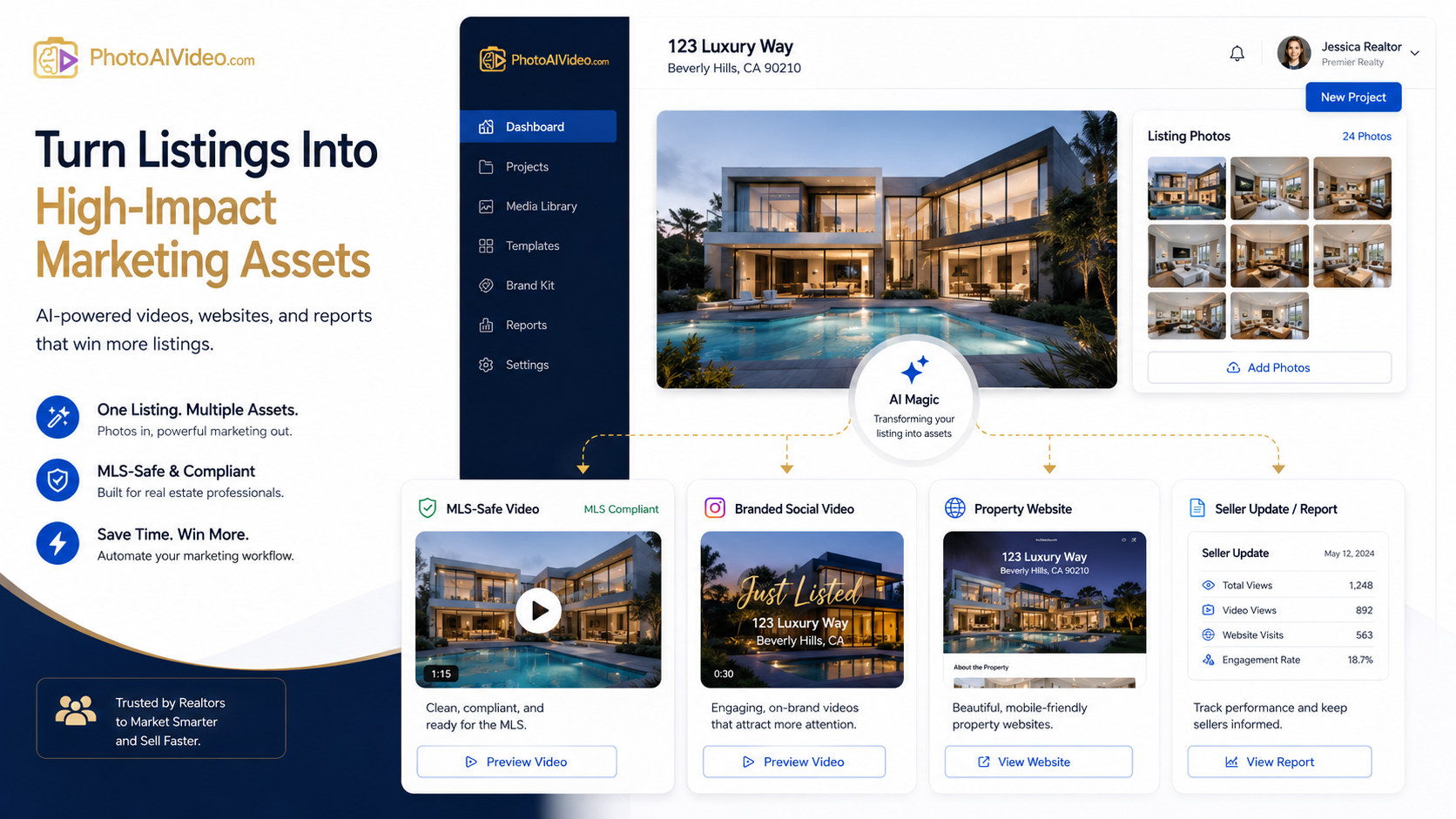
A listing should not require five different tools, three folders, two video versions, and a last-minute compliance check from someone who is already buried in emails.
But that is how a lot of real estate media workflows operate.
The agent has listing photos. The photographer has the edited images. The marketing assistant needs a video. The brokerage wants brand consistency. The MLS needs a clean, compliant asset. Social media needs something more polished and promotional. Everyone is working from the same property, but the content gets scattered across different tools and different rules.
That is where a specialized MLS compliant real estate media app becomes useful.
For Realtors, real estate photographers, brokerages, and listing coordinators, the goal is not just to “make a video.” The goal is to create the right media asset for the right channel without slowing down the listing launch or accidentally publishing something that does not belong in the MLS.
PhotoAIVideo helps simplify that process by giving real estate professionals a faster way to create video content from listing photos, including clean media workflows that can support MLS-safe and marketing-ready versions.
MLS rules vary by board, brokerage, and region. Always confirm your local requirements before publishing listing media. For broader industry context, review NAR’s MLS policy resources and NAR’s Handbook on Multiple Listing Policy.
A specialized MLS compliant real estate media app is not just another editing tool.
It is a workflow tool built around the way listing media is actually used.
A regular video editor can help you cut clips, add music, and create a polished video. That is useful, but it does not automatically solve the real estate-specific problems that happen during listing media production.
Real estate teams need to manage:
The problem is not creativity. The problem is control.
A specialized app should help agents and teams create listing media faster while keeping the workflow organized. It should support a cleaner process for creating videos from existing listing photos, reviewing those videos, and using them in the correct place.
That is why an AI real estate marketing software for agents can be more useful than a generic design tool. The real estate workflow has its own rules, pressure points, and compliance concerns.
Real estate marketing usually breaks down in the handoff.
The photographer delivers the photos. The agent asks for a video. The marketing assistant grabs a few images, adds motion, exports a file, and posts it somewhere. Then someone asks, “Can we use this for the MLS too?”
That question should be answered before the asset is created.
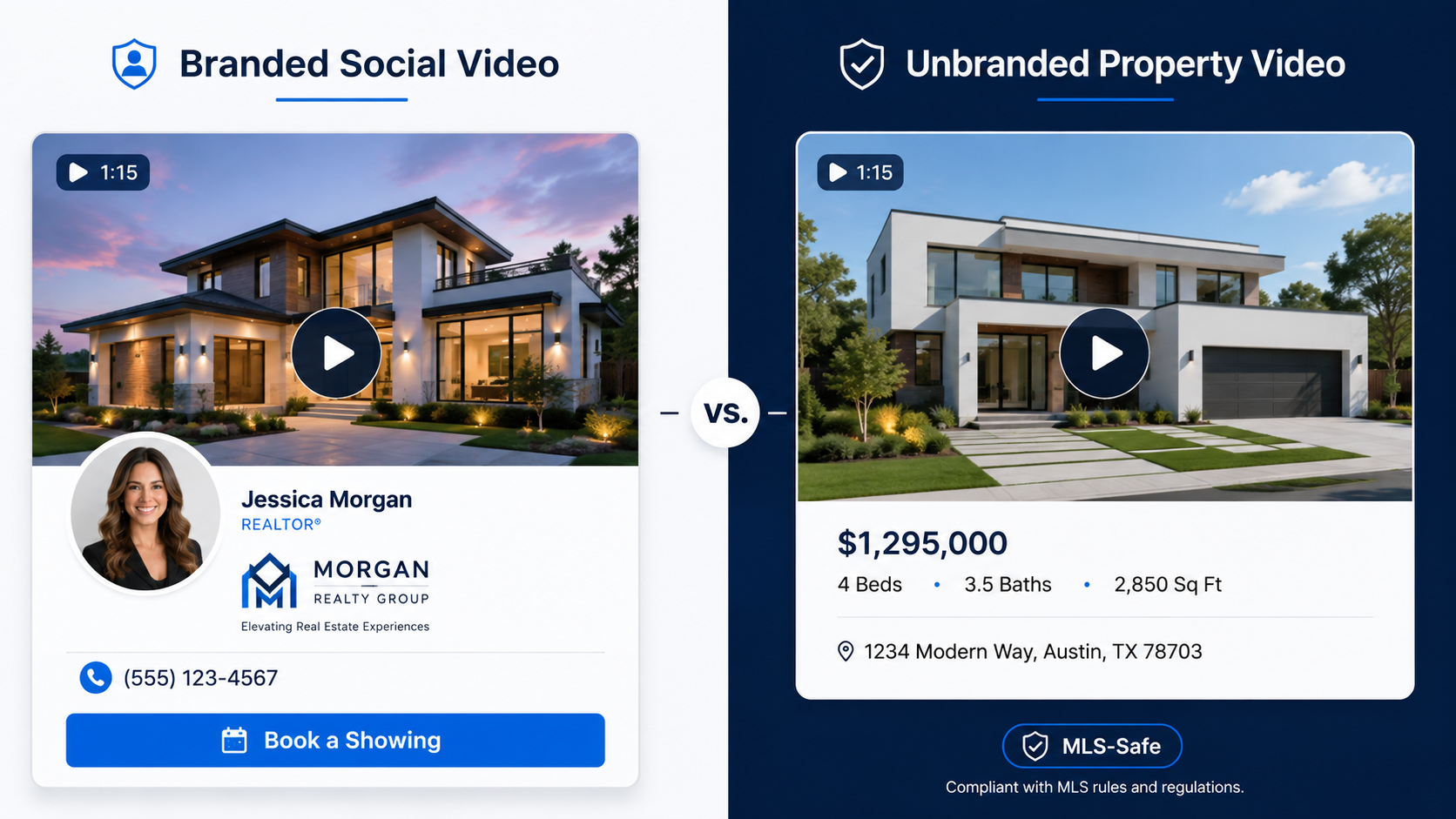
A social media video and an MLS-safe video are not always the same thing. A social version may include the agent’s logo, contact information, brokerage branding, call-to-action text, voiceover, intro card, or branded outro. That can be great for Instagram, Facebook, YouTube, email marketing, and seller updates.
But MLS environments often require cleaner, unbranded listing media.
That means a team may need two different outputs:
Without a defined process, agents either overcomplicate everything or reuse one video everywhere.
Neither is ideal.
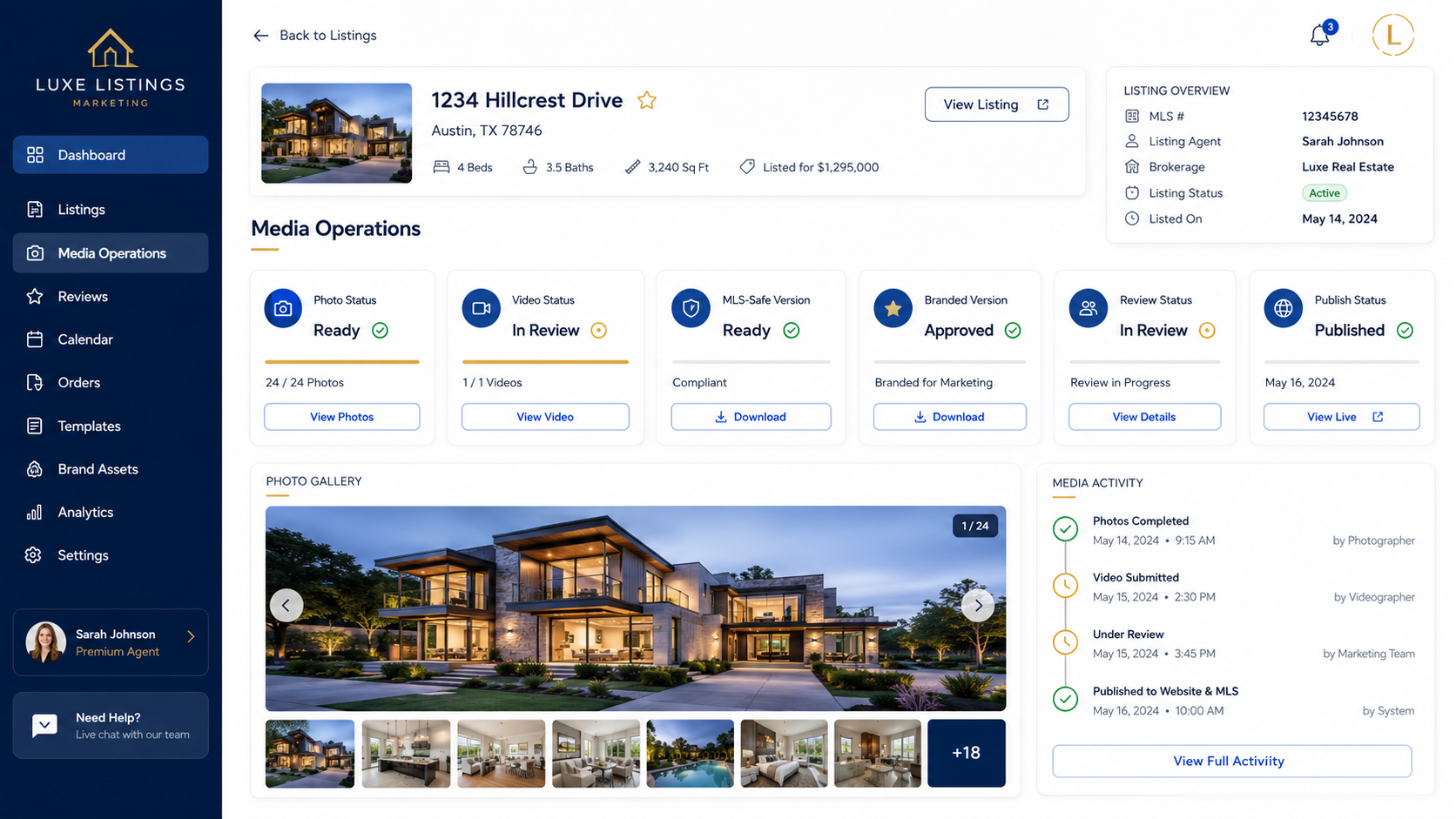
A specialized app helps reduce that confusion. Instead of treating every listing video like a custom editing project, teams can create a more repeatable workflow: start with approved property photos, generate the video, review the content, export the right version, and publish it to the right channel.
That is the difference between a creative asset and a reliable listing media system.
The typical listing workflow has too many loose ends.
Here is what often happens.
The agent gets excited about a new listing and wants video content immediately. The photos are already done, but there is no time to schedule a separate video shoot. Someone opens a general video editor or template app and starts building a quick property video.
The video looks decent.
Then the issues start.
The file name does not identify whether it is branded or unbranded. The captions are written for social media, not the MLS. The thumbnail has the brokerage logo. The video player page may show the agent profile. The assistant exports one version, but the agent needs three. The brokerage wants a compliance review. The seller wants the listing live yesterday.
That is not a video problem.
That is a workflow problem.
A basic editing tool can create content. It does not necessarily help a real estate team manage version control, channel intent, MLS-safe publishing, or repeatable listing delivery.
This is where a real estate video software that works with MLS rules becomes valuable. The tool should help the team think in terms of outputs, not just aesthetics.
The question should not be, “Can we make a nice video?”
The better question is, “Can we create the correct listing media asset quickly, review it properly, and use it in the correct channel?”

PhotoAIVideo is built around a simple but powerful idea: real estate professionals already have property photos, and those photos can become video assets.
Instead of starting from a blank editing timeline, agents and teams can use PhotoAIVideo to turn listing photos into AI-generated videos. That makes it easier to create more property marketing content without scheduling another shoot or hiring a video editor for every listing.
For MLS-related workflows, this matters because speed alone is not enough.
The content still needs to be reviewed.
The right version still needs to be exported.
The video still needs to match the channel.
PhotoAIVideo helps support a cleaner workflow by giving agents and teams a faster way to create videos from approved property images. From there, the team can prepare the correct version for the MLS, social media, property websites, or client updates.
That is why PhotoAIVideo can function as an MLS compliant video maker for property listings when paired with a smart review process and local MLS rule awareness.
The app helps with production speed.
The workflow helps with publishing discipline.
You need both.
A specialized media app should make the process feel lighter, not more complicated. Here is a practical workflow for using PhotoAIVideo as part of a listing media system.

Use final listing images that have already been reviewed for quality and accuracy.
Before creating the video, check the photos for anything that could create problems:
AI video works best when the source images are clean.
Do not create one video and figure out the channel later.
Choose the purpose first:
The purpose determines the captions, branding, music, pacing, and review process.
Use PhotoAIVideo to create motion from the listing images.
This is where the workflow starts to save time. Instead of building movement manually, the agent or media team can use AI to create a more dynamic property video from photos that already exist.
This is especially useful for teams that want to create real estate videos from photos with AI on a repeatable basis.
Before publishing, review the video based on its destination.
For MLS-safe use, check for:
For social media, the review is different. You may want branding, a call to action, and stronger promotional language.
Do not rely on memory.
Use simple naming conventions:
Clear file names reduce mistakes.
The final step is distribution.
Use the MLS-safe version where compliance matters. Use the branded version where promotion matters. Use the social version where attention matters. Use the seller update version when communicating progress.
A specialized workflow gives each asset a job.
That is what makes the system scalable.
A generic tool can be useful.
But for real estate listing operations, generic tools often create extra decisions. A specialized app helps reduce those decisions by focusing on the workflow agents actually need.
A solo agent may not have a full marketing department.
That agent still needs listing videos, social posts, seller updates, and MLS-safe assets. PhotoAIVideo can help the agent turn property photos into video content without hiring a videographer for every listing.
This is where automated video marketing software for Realtors becomes practical. It gives the agent a way to create more media from the assets they already paid for.
Real estate photographers can use PhotoAIVideo as an upsell.
If they already deliver listing photos, they can offer AI-generated listing videos as an add-on package. This can increase order value without requiring a full video shoot every time.
A photographer can deliver:
That is a better package.
Brokerages need consistency.
When every agent uses a different tool, file name, video style, and publishing process, the brokerage loses control. A more structured media workflow helps brokerages create cleaner standards for video usage, compliance review, and agent marketing.
The goal is not to slow agents down.
The goal is to prevent chaos.
Listing coordinators are often the people who catch mistakes right before launch.
They need clear files, clean versions, and predictable workflows. A specialized app can help reduce confusion by giving the coordinator better source material and clearer output options.
Property managers can use AI-generated videos for rental listings, unit promotions, and leasing updates.
For rentals, speed matters. A vacant unit sitting for an extra week can cost money. If property photos already exist, turning them into videos can help create more engaging rental content without waiting for another media appointment.
A video for Instagram and a video for the MLS may need different rules.
If the team does not define the channel first, someone will eventually use the wrong version.
The video file may be clean, but the hosting page may not be.
If the player page shows an agent profile, brokerage logo, contact button, or suggested branded videos, that can still create issues for MLS-safe use.
Some teams put important information inside graphics or video frames but do not include it as crawlable page text.
That is bad for SEO.
Google can understand some image context, but important information should also appear as normal HTML text on the page. Google’s image SEO best practices recommend using helpful image context, descriptive filenames, and relevant surrounding text.
AI-generated motion can make listing photos more engaging, but the final video still needs human review.
Do not publish a video if the movement, crop, transition, or visual effect makes a room feel misleading.
The property should still be represented accurately.
File naming only works if everyone follows it.
If one person uses “final.mp4,” another uses “MLS version 2,” and another uses “new-new-final-approved.mp4,” the workflow will break.
Use naming rules every time.
A beautiful video is helpful.
A repeatable process is more valuable.
Real estate teams need tools that support production, review, version control, and publishing. Design matters, but operations keep the listing launch on track.
These resources support the article’s points around MLS policy awareness, crawlable content, image optimization, and structured data.


Compact, ready to go anywhere
Interchangeable lens that’s upgradeable
Dual 1-inch sensors for improved clarity and low light performance
Dynamic range and 6K 360° capture
360° photo resolution at 21MP

8K 360° video recording for ultra-detailed visuals.
4K single-lens mode for traditional wide-angle shots.
Invisible selfie stick effect for drone-like perspectives.
2.5-inch touchscreen with Gorilla Glass protection.
Waterproof up to 33ft for underwater shooting.

360° photo resolution in 23MP
Slim design at 24 mm thick
Built-in image stabilization for smooth video capture.
Internal 19GB storage for photo and video storage.
Wireless connectivity for remote control and sharing.

60MP 360° still images for high-resolution photography.
5.7K 360° video recording at 30fps.
2.25-inch touchscreen for intuitive control.
USB Type-C port for fast charging and data transfer.
MicroSD card slot for expandable storage.
.png)

.png)

Try it free. No credit card required. Instant set-up.







.svg)


.svg)