


.png)


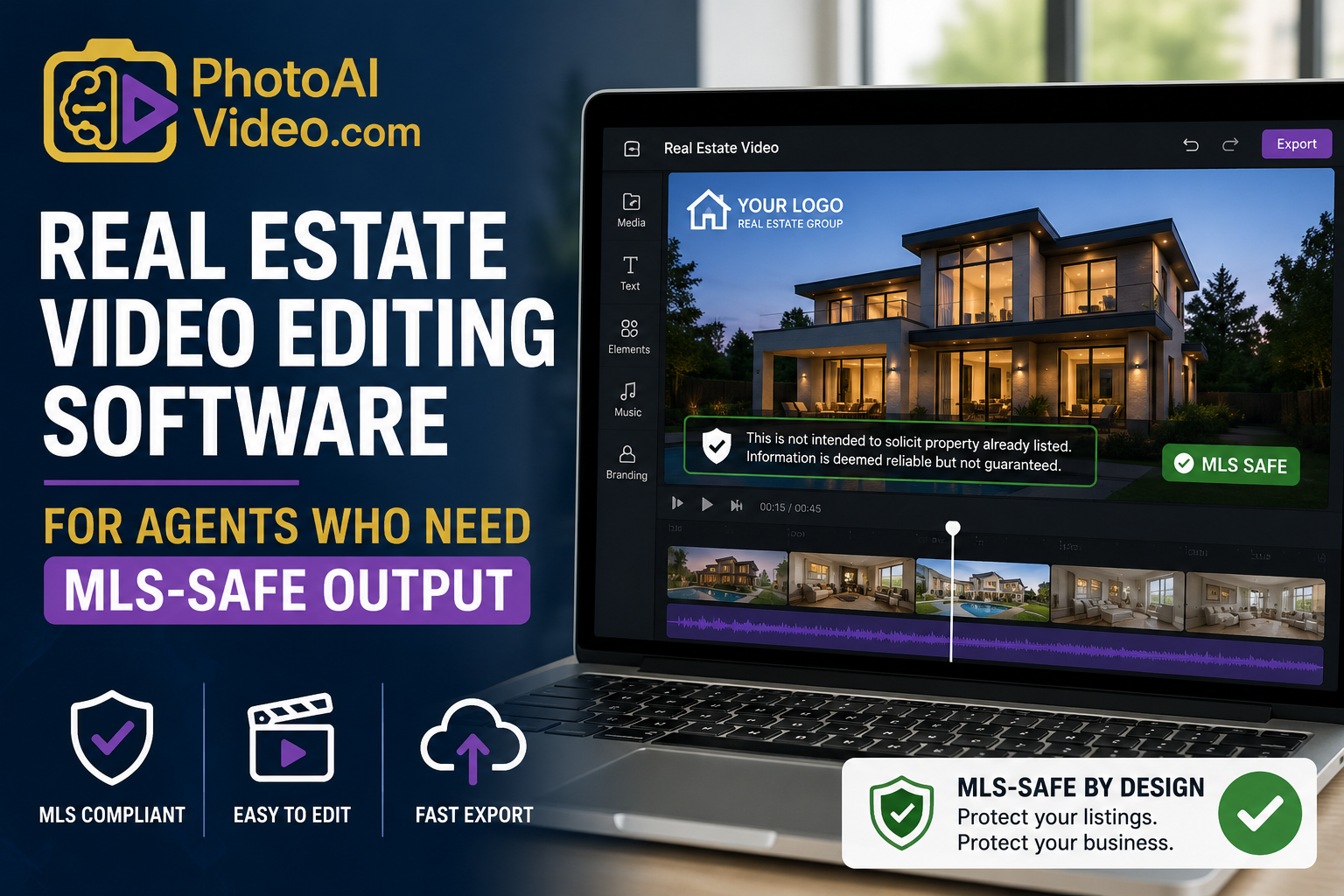
An agent once proudly showed her broker a listing video she'd customized herself — new font, repositioned logo, a cleaner-looking layout than the template default. Her broker's first question wasn't about the design. It was "where's the equal housing disclosure?" She'd moved a text box while editing and hadn't noticed it had been deleted, not relocated. The video looked better. It also wasn't compliant anymore, and it had already been live for four days.
That's the tension this article is actually about. Most searches for real estate video editing software for agents are looking for creative control — better templates, more customization, a video that doesn't look like a stock output. But for agents bound by brokerage and MLS rules, editing freedom and compliance safety pull in opposite directions unless the software is built to keep them from colliding. This is about finding software that gives you both, without one silently breaking the other.
MLS-safe editing means the software allows genuine creative customization — colors, music, pacing, branding — while treating certain elements (equal housing language, brokerage disclosure text, licensing information) as protected rather than freely deletable. The distinction that matters is between "locked" elements that can't be removed or resized off-frame, and "editable" elements that agents can freely adjust without compliance risk.
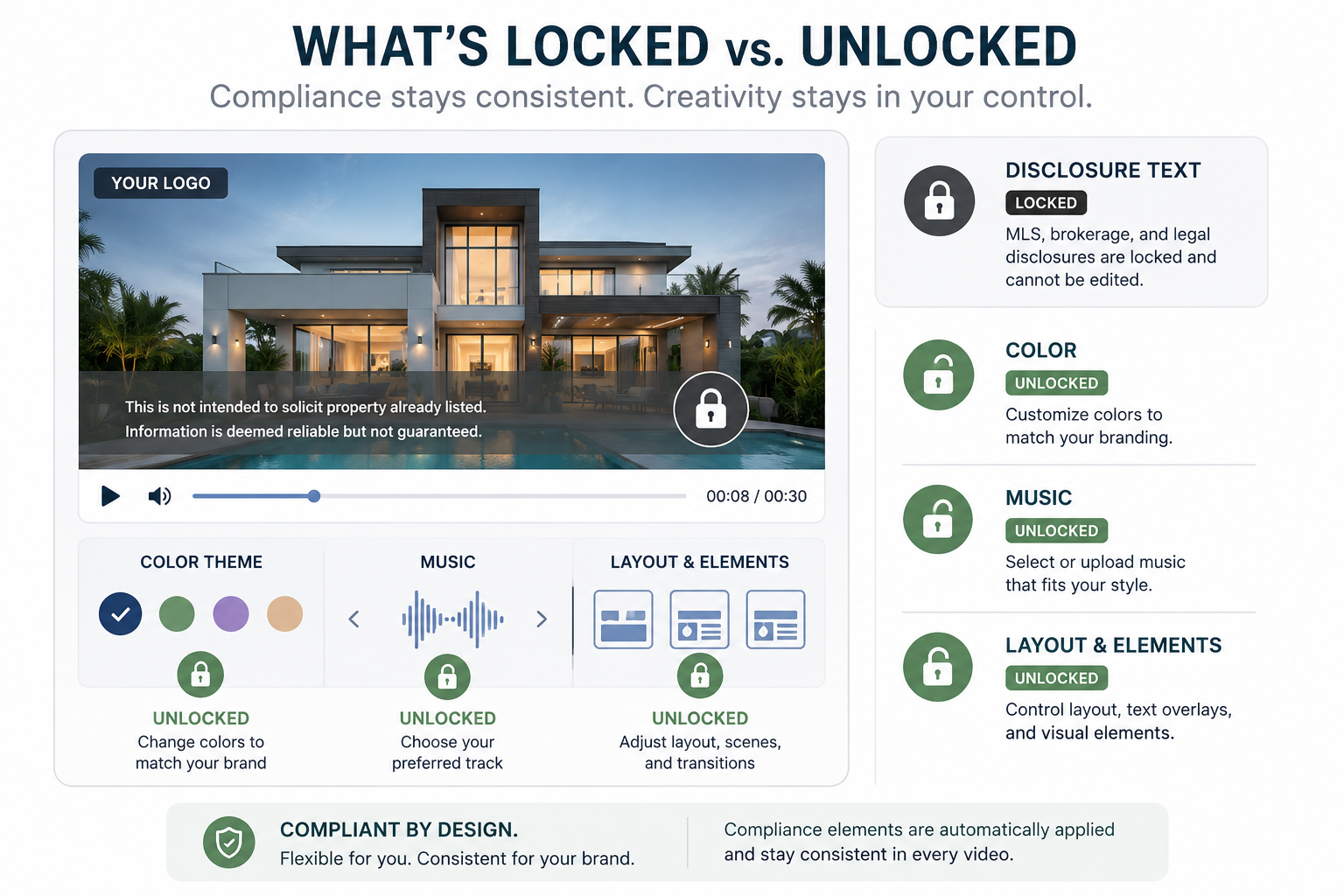
Some platforms handle this by hard-locking compliance elements into a fixed position, immune to template changes. Others rely on the agent to manually re-add disclosure text every time they customize a template, which — as the story above shows — is exactly where things go wrong. Editing freedom without a safety net isn't a feature; it's a liability waiting for a busy Tuesday.
Compliance mistakes in listing videos aren't just an internal correction — they're public the moment the video goes live, sitting on a listing page or a social feed until someone catches it. Fair housing violations in marketing materials carry real regulatory weight, and the National Association of Realtors has repeatedly flagged consistent disclosure language as a compliance area that gets scrutinized in digital marketing specifically, not just print.
For a brokerage, this scales into a bigger risk than any single agent's mistake. If forty agents are all customizing videos with editing tools that don't protect compliance elements, the brokerage is trusting forty individual people to remember a rule perfectly, every single time, under deadline pressure. That's not a training problem. That's a systems problem the software should be solving.
Here's how it usually plays out. An agent wants her videos to feel distinct from every other listing on the block, so she starts customizing templates more aggressively — swapping fonts, repositioning elements, trying different layouts for different property types. Somewhere in that process, a disclosure element gets nudged off-frame, resized into invisibility, or deleted entirely while she's focused on the parts of the design she actually cares about.
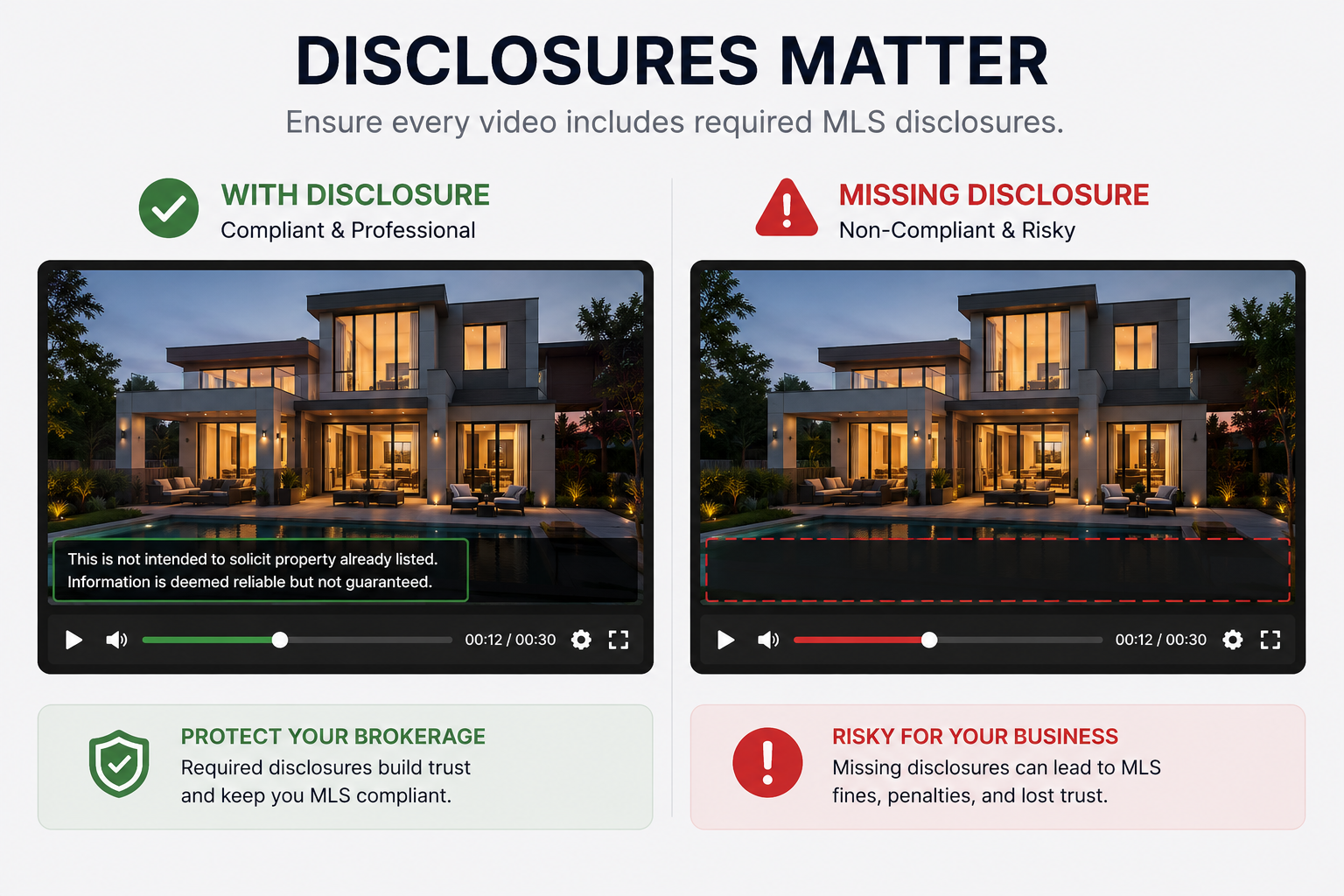
This actually happens more than brokerages realize, because the mistake is invisible to the agent making it — she's not trying to remove a disclosure, she's just moving a text box she assumed was decorative. Nobody catches it until a broker, a compliance officer, or worse, an outside complaint flags the video after it's already been live and viewed.
The practical test for PhotoAIVideo — or any tool in this category — is whether compliance elements survive customization by design, not by agent memory. That means disclosure text and required language stay locked in position and legible regardless of what template, color scheme, or layout an agent chooses, while everything else — the parts that make a video feel personal rather than templated — stays genuinely editable. Creative control and compliance shouldn't be a tradeoff the agent has to manage manually every time.
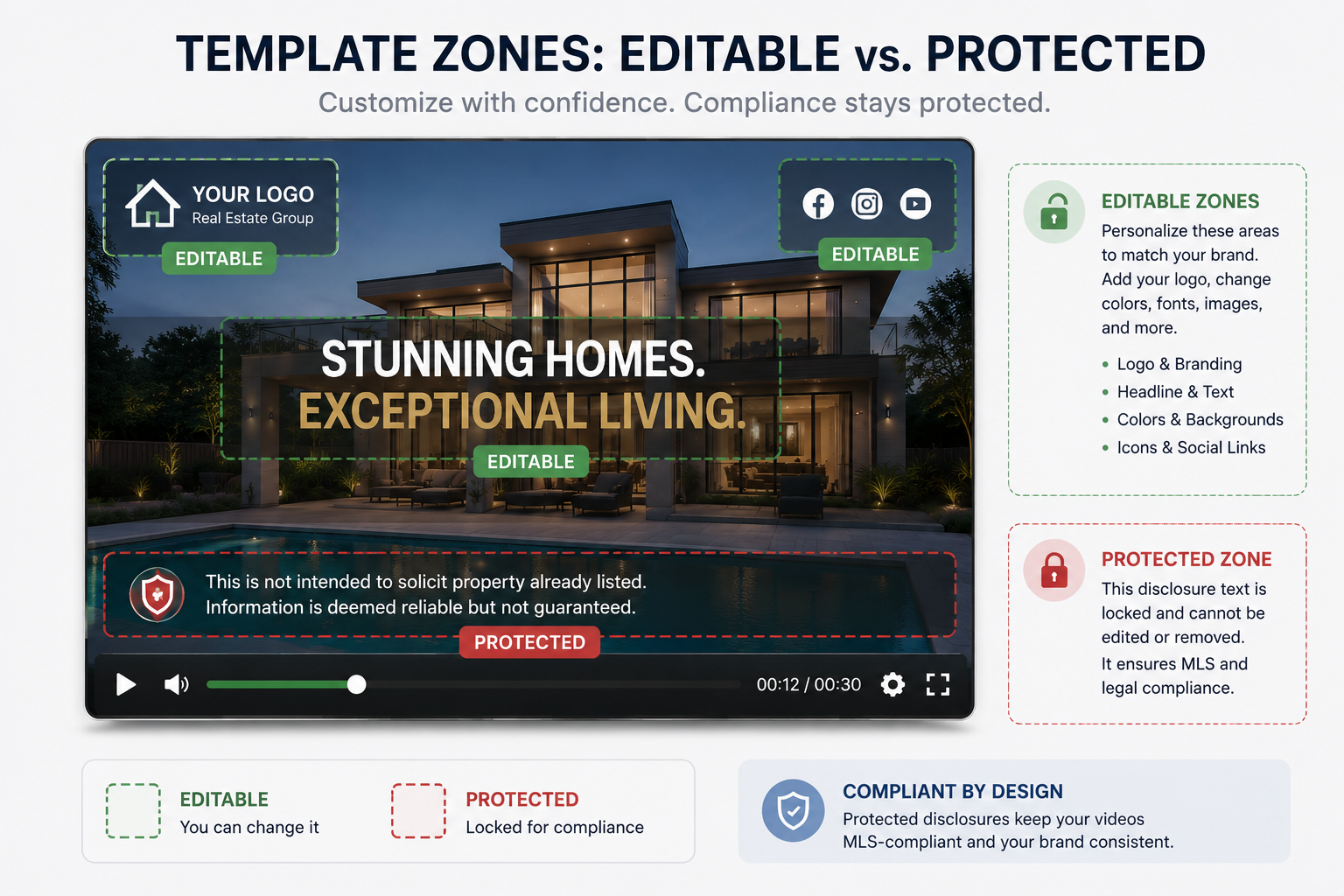
Step 1: Identify which elements are locked versus editable before you start customizing. Before touching a template, check which fields are protected so you know your creative boundaries upfront instead of discovering them by accident.
Step 2: Customize within the editable zones first. Colors, music, pacing, and branding elements are usually where genuine creative differentiation lives — start there rather than trying to move protected elements.
Step 3: Preview the full video before publishing, every time. Even with locked elements, a quick full playback catches issues templates alone can't — overlapping text, cropped disclosures on certain aspect ratios, awkward pacing around required language.
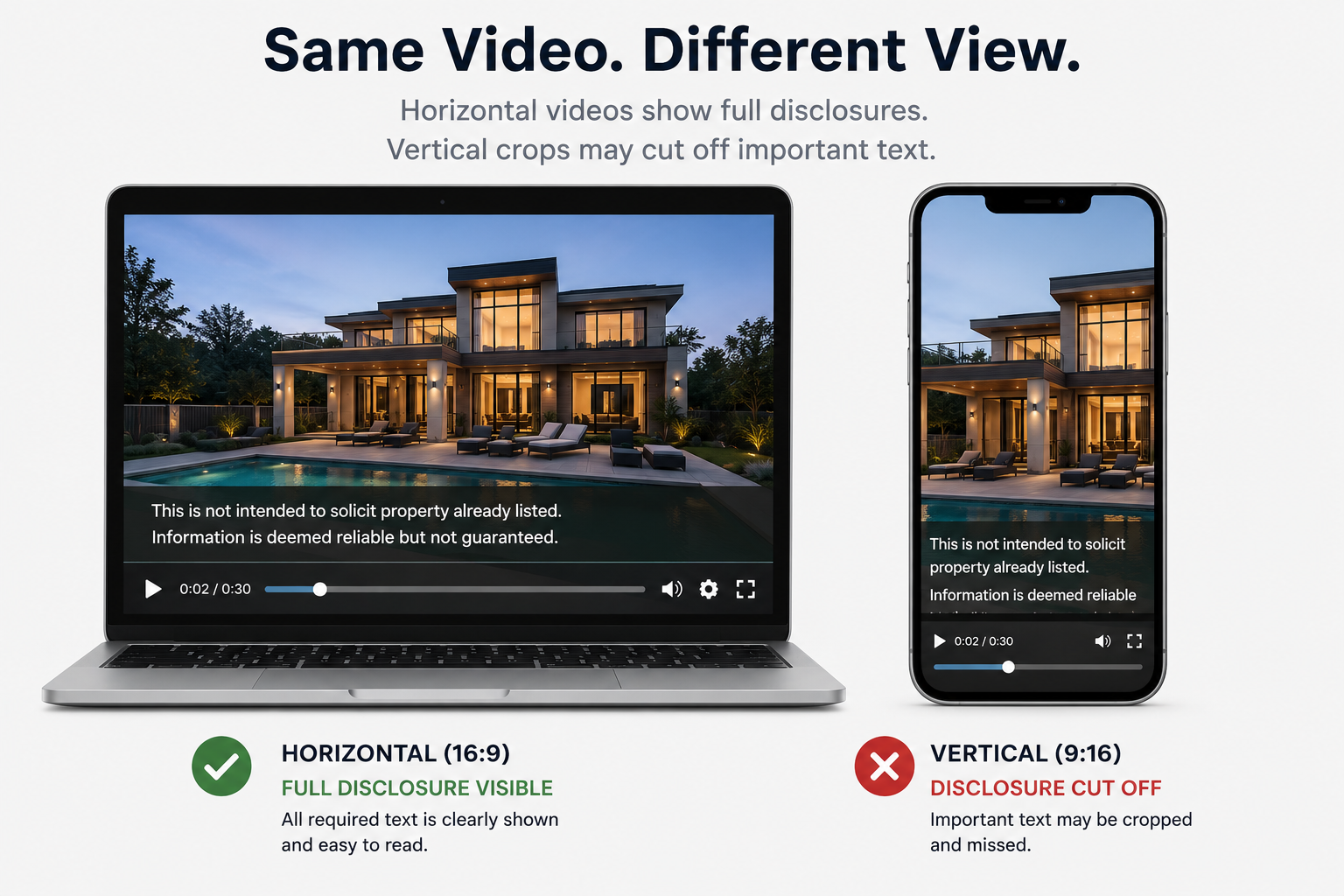
Step 4: Confirm disclosure text remains legible across every export format. A disclosure that's readable on a listing page can become too small or get cropped out entirely on a vertical social export — check formatting across every channel you plan to publish to.
Step 5: Establish a brokerage-level review habit for new agents. Even with software safeguards in place, a quick spot-check during onboarding catches any workflow habits that might work around the guardrails unintentionally.

Can I fully customize a real estate listing video without risking compliance issues?
Yes, as long as the software locks required disclosure and licensing elements in place while leaving design elements like color, music, and layout genuinely editable — the risk comes from tools that don't distinguish between the two.
What's the most common way agents accidentally break MLS compliance while editing videos?
Repositioning or resizing a text element that they assume is decorative, which can delete or crop out required disclosure language without an obvious visual warning.
Do locked compliance elements limit creative differentiation too much?
Not usually — most of what makes a video feel personal (music, pacing, color, layout) lives outside the compliance elements, so locking disclosure text rarely restricts meaningful creative choices.
Does disclosure text need to be checked separately for social media exports?
Yes. A disclosure that's legible on a horizontal listing-page video can become too small or get cropped out on a vertical export, so it's worth checking formatting across every platform you publish to.
How can a brokerage reduce compliance risk across many agents customizing their own videos?
Choosing software that locks required elements by design removes dependence on every individual agent remembering the rule correctly under deadline pressure.
Is training agents on compliance rules enough without software safeguards?
Training helps but isn't a complete solution — even well-trained agents make mistakes when moving quickly, which is why locked elements function as a safety net rather than a replacement for training.
What should I check before letting my whole team customize video templates?
Confirm which elements are locked versus editable, test how disclosure text holds up across your typical export formats, and consider a brief onboarding spot-check for new agents before giving full customization access.


Compact, ready to go anywhere
Interchangeable lens that’s upgradeable
Dual 1-inch sensors for improved clarity and low light performance
Dynamic range and 6K 360° capture
360° photo resolution at 21MP

8K 360° video recording for ultra-detailed visuals.
4K single-lens mode for traditional wide-angle shots.
Invisible selfie stick effect for drone-like perspectives.
2.5-inch touchscreen with Gorilla Glass protection.
Waterproof up to 33ft for underwater shooting.

360° photo resolution in 23MP
Slim design at 24 mm thick
Built-in image stabilization for smooth video capture.
Internal 19GB storage for photo and video storage.
Wireless connectivity for remote control and sharing.

60MP 360° still images for high-resolution photography.
5.7K 360° video recording at 30fps.
2.25-inch touchscreen for intuitive control.
USB Type-C port for fast charging and data transfer.
MicroSD card slot for expandable storage.
.png)

.png)

Try it free. No credit card required. Instant set-up.







.svg)


.svg)