


.png)


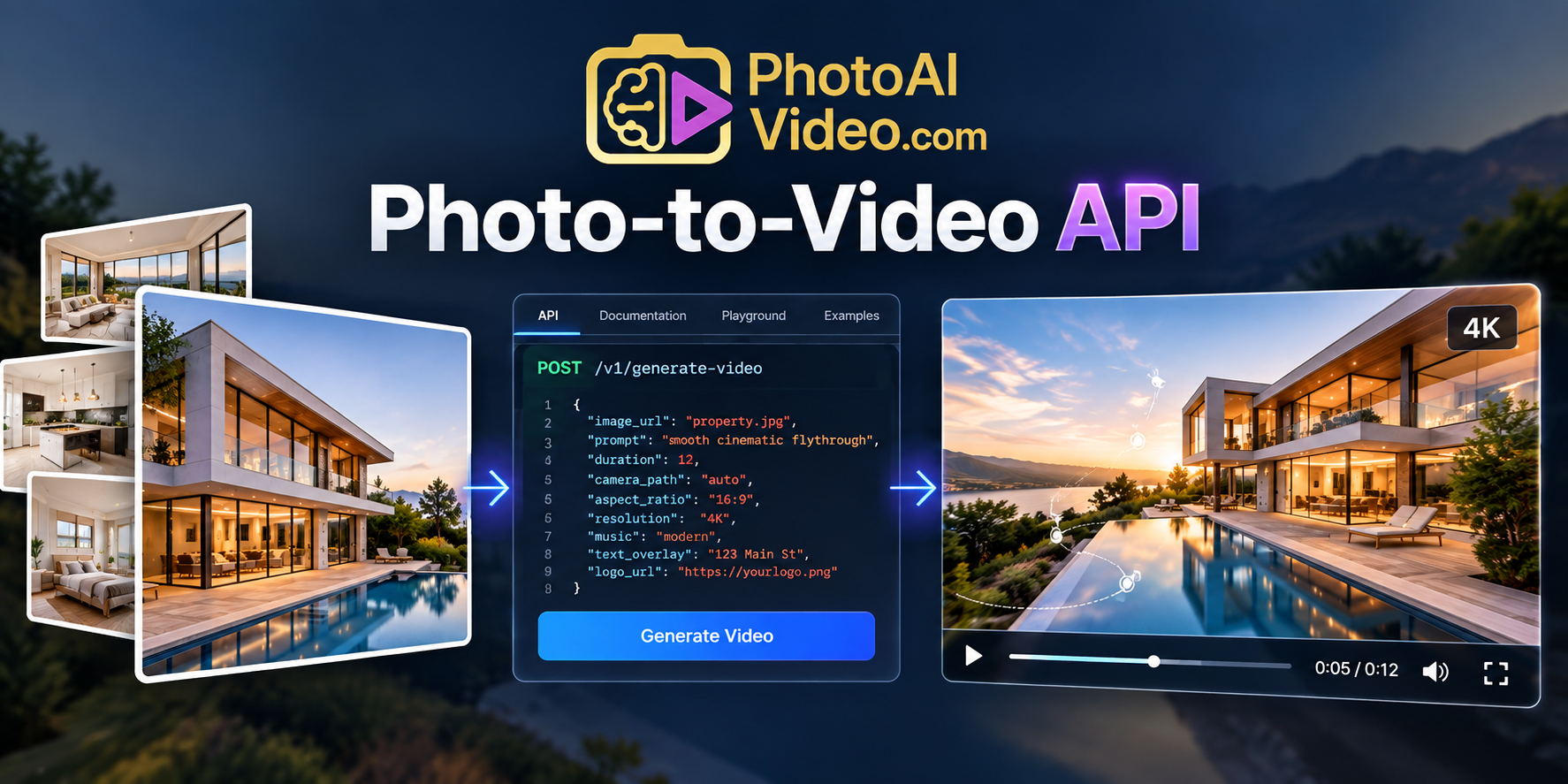
A photo-to-video API lets developers programmatically turn still images into video clips. PhotoAiVideo allows applications to upload an image, create an asynchronous AI video-generation job, select camera movement and duration, monitor processing, and retrieve the finished video. Multiple completed clips can also be combined into branded portrait or landscape reels.
Turn still images into cinematic video clips programmatically with the PhotoAiVideo photo-to-video API.
Built for developers, real estate platforms, SaaS products, media companies, and automated content workflows, the API lets your application upload an image, create an AI video generation job, select camera movement and duration, monitor processing, and retrieve the finished video.
For real estate applications, listing photos can become cinematic property clips that are combined into branded listing reels. For other applications, the same image-to-video workflow can become part of a larger automated content product.
Instead of building and maintaining your own video-generation infrastructure, your application can focus on the experience around the video while PhotoAiVideo handles generation and reel assembly through the API.
A photo-to-video API allows software to programmatically transform a still image into a video clip.
Your application sends an image and generation instructions to an API. The video-generation service processes the image, creates motion, and returns a video output that your software can use in its own interface or workflow.
This makes image-to-video generation available as a software capability rather than only as a standalone creative tool.
Instead of asking users to open another application, upload an image manually, generate a video, download the result, and upload it back into your platform, your product can initiate the entire workflow programmatically.
For developers, that opens the door to applications that automatically generate videos when an image is uploaded, a listing is published, a marketing campaign is created, or another event occurs inside the product.
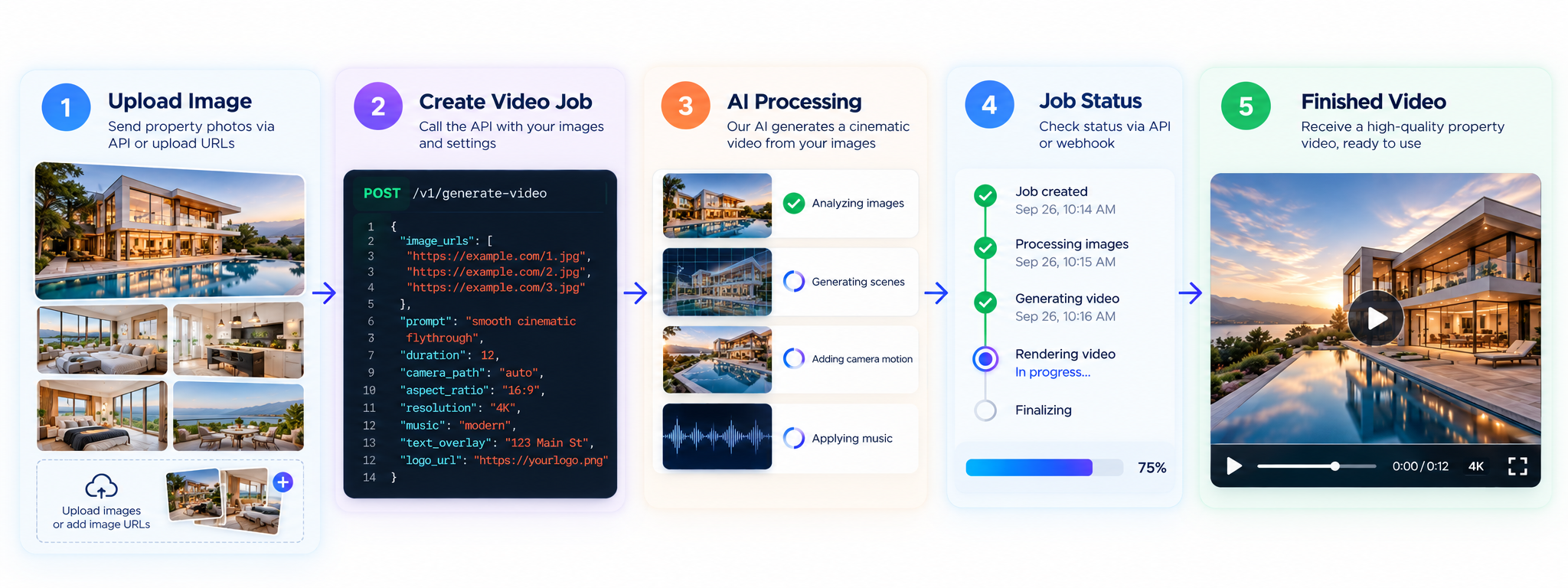
The PhotoAiVideo workflow follows a straightforward sequence:
Upload Image → Create Video Job → Process Image → Check Job Status → Retrieve Video
The process is asynchronous because AI video generation takes longer than a typical API request.
Instead of waiting for the video to render while keeping the original connection open, your application receives a job ID. It can store that ID, continue running normally, and check the generation status in the background.
Once the job reaches a completed state, your application can retrieve the generated video.
This architecture makes photo-to-video generation suitable for both interactive applications and automated workflows processing larger numbers of images.
PhotoAiVideo uses presigned upload URLs for input images.
Your application first requests an upload URL and transfers the source image to the provided storage location.
The API can reserve between 1 and 20 upload slots in a request, making it possible to prepare several images as part of the same workflow.
Uploading an image does not consume a generation credit.
Once the upload is complete, your application keeps the corresponding public image URL. That URL becomes the input for the video-generation request.
Separating image upload from generation also makes it easier to manage larger media files without embedding them directly into the generation request.
After the image has been uploaded, your application can submit it for video generation.
The request can include the uploaded image URL, instructions describing the intended motion or result, supported camera effects, and the desired duration.
PhotoAiVideo currently supports video clips of 4, 5, or 6 seconds.
When the request is accepted, the API returns a job ID and a pending status.
The generated video does not arrive in the initial response.
That distinction is important when designing the application around the API: video generation should be treated as a background job rather than an instant transformation.
PhotoAiVideo supports 19 camera movement effects that can be applied during video generation.
These include movements such as:
Different movements can produce different visual effects from the same source image.
A wide interior photograph might benefit from lateral movement, while a strong focal point may work better with a gradual push-in.
Developers can decide how much control to expose.
An application could automatically choose an appropriate movement based on its own logic, allow users to select one manually, or generate default settings while still providing an override.
This makes camera movement part of the product experience rather than requiring every video to use identical animation.
Video generation runs asynchronously.
After submitting the request, your application should persist the returned job ID and associate it with the relevant image, user, project, property, or order in your own database.
Your background process can then check the video's status.
If the job is still processing, the application waits and checks again later.
If the job completes, the API provides the generated video output.
If generation fails, your application can record the failure and decide whether to retry, notify the user, or move on to another image.
Job-status requests do not consume generation credits, so monitoring a render does not increase the generation cost.
For production applications, this asynchronous model helps prevent long-running video jobs from blocking user-facing requests.
Once generation completes, the video becomes part of your application's workflow.
What happens next depends on the product.
A real estate application could attach the video to a property listing.
A media platform could add the generated clip to a user's project.
A marketing application could pass it into another content workflow.
A SaaS platform could present the video directly inside its own interface.
An automated content system could queue the generated clip for additional processing.
This is one of the primary advantages of an API-based approach: the video output does not have to be the end of the workflow.
It can become an input for whatever your software needs to do next.
Real estate is a natural use case for photo-to-video generation because property platforms already contain the primary input: listing photography.
A CRM, MLS platform, property-management application, brokerage platform, or photography system may already have dozens of images associated with every property.
Instead of requiring those photos to be uploaded manually to another video application, an integration can use selected property images to initiate generation automatically.
For example, an application could take photos of a property's exterior, living room, kitchen, bedroom, and backyard and create individual cinematic clips from each image.
Those clips can then become the building blocks for a complete property video.
For developers specifically building property-video workflows, the PhotoAiVideo Real Estate Video API provides the broader real estate implementation path for turning listing photos into finished video experiences.
Individual photo animations are useful, but many applications need a complete video rather than isolated clips.
PhotoAiVideo provides reel generation for this purpose.
Between 2 and 20 completed video jobs can be combined into one reel.
The clips are passed in the order they should appear, giving the application control over the sequence of the finished video.
For a real estate listing, for example, the sequence might move from the exterior to the main living areas, bedrooms, outdoor spaces, and closing scene.
For another type of application, the clips could follow whatever narrative or content order makes sense for the product.
Reel generation is also asynchronous, so the application receives another job ID and monitors it until the merged video is ready.
A finished video often needs more than motion.
PhotoAiVideo's reel workflow can add presentation and branding elements during assembly.
Applications can incorporate background music and text overlays, including information such as a property address or another short message.
An ending card can provide a closing message or call to action.
Logo watermarking can add customer, company, brokerage, or platform branding to the finished output.
Because these elements are handled as part of the reel workflow, developers do not necessarily need to create a separate video-processing system simply to assemble clips and apply common branding elements.
This is particularly useful for white-label products and platforms generating content for multiple customers.
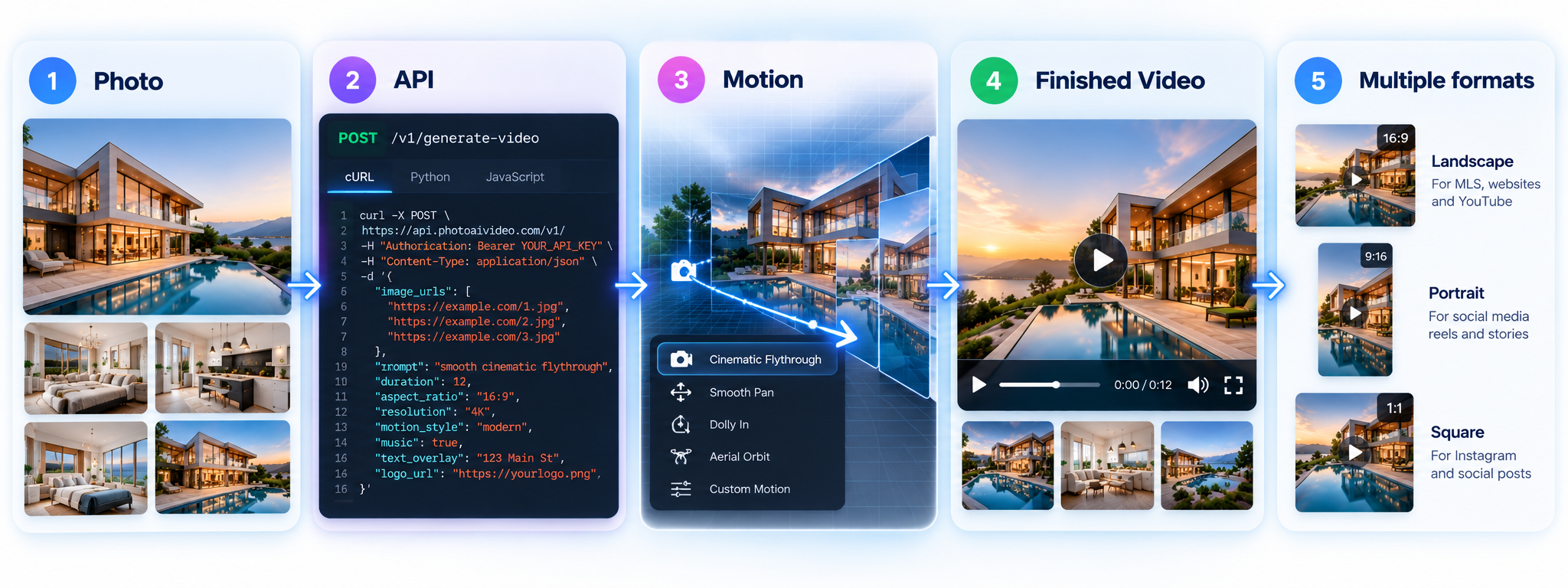
Modern applications often need content for more than one destination.
Landscape video remains useful for websites, property pages, presentations, and traditional video players.
Portrait video is important for mobile-first social platforms and vertical content experiences.
PhotoAiVideo supports portrait and landscape reel workflows so developers can choose an orientation appropriate for the destination.
For example, a real estate platform could generate a landscape property video for a listing page while using the same underlying content workflow to create a vertical social reel.
A media application could allow the user to choose the intended destination before generation.
Supporting multiple orientations at the API level makes it easier to build video generation into products serving several publishing channels.
The real value of a photo-to-video API appears when generation becomes part of an automated process.
Rather than waiting for a user to manually request every individual video, applications can connect generation to events already happening in their systems.
A workflow might start when:
Your application determines the trigger.
The API handles the underlying video-generation jobs.
That separation makes it possible to add AI video without redesigning the rest of the product around a standalone video editor.
Applications creating videos from several photos should not force every clip to finish before starting the next one.
Each image can be submitted as its own generation job.
The application can store the returned job IDs and monitor those jobs independently.
This makes it possible to process several images as part of the same project while the user continues working elsewhere in the application.
Once the required jobs have completed, your workflow can move to the next stage, such as reel assembly.
For larger systems, generation can be coordinated through a queue and background workers.
This architecture is useful for everything from a five-image social video to a platform processing property listings at scale.
PhotoAiVideo uses a credit-based API model.
Creating one individual video job costs 1 credit.
Combining completed clips into one reel costs 1 additional credit.
Supporting operations such as requesting upload URLs, checking job status, listing jobs, and retrieving the account's credit balance do not consume generation credits.
For example, an application that generates six video clips and combines them into one finished reel uses seven credits.
Because the cost is tied to generation rather than status checks, developers can calculate the expected credit usage of a workflow before starting it.
This is especially useful for SaaS products that need to set user allowances, build usage-based pricing, or control the cost of batch processing.
Failures are a normal consideration in any automated media-generation system.
PhotoAiVideo automatically refunds the generation credit when a render fails.
This means the application does not need to create a separate manual process to request the return of a credit for an unsuccessful generation.
Developers should still track the failure state.
Your system may need to retry an appropriate job, notify the user, select another image, or record the failure for troubleshooting.
For automated systems, treating completed and failed jobs as expected terminal states makes the workflow easier to operate reliably.
Building image-to-video functionality internally involves more than selecting an AI model.
A production application may also need infrastructure for uploads, media storage, GPU-based rendering, queues, asynchronous processing, job state, retries, video assembly, music, text overlays, branding, file delivery, usage tracking, and billing.
Those components create operational work beyond the actual generation model.
Using a photo-to-video API changes the engineering problem.
Instead of building the entire rendering pipeline, your team builds the orchestration and product experience around an existing generation service.
You still control when videos are created, which images are selected, what users see, how your product charges for the feature, and where completed videos go.
The API handles the underlying generation workflow.
A photo-to-video API is most useful when video needs to become part of another application rather than remain a separate manual tool.
Real estate software companies can turn existing listing photos into property-video features.
MLS and listing platforms can add automated video generation to property records.
Real estate CRMs can generate marketing videos without sending agents to another platform.
Photography and media companies can add video deliverables to existing photo workflows.
Marketing platforms can generate motion content from customer images.
Agencies and brokerages can automate branded video production across multiple properties.
SaaS founders and developers can build image-to-video functionality into customer-facing products without operating their own video-rendering infrastructure.
Still images already sit inside countless applications, media libraries, listing databases, CRMs, marketing platforms, and customer workflows.
A photo-to-video API turns those existing assets into programmable video content.
With PhotoAiVideo, your application can upload images, generate cinematic clips, control camera movement, monitor asynchronous jobs, combine completed clips into reels, add branding, and retrieve finished video output.
For real estate applications, the same workflow can turn listing photography into property videos and social-ready reels without requiring agents or customers to recreate their existing content in another tool.
For other products, the API provides the underlying generation layer while your application controls the experience around it.
Start with one image. Generate your first video clip. Then build the workflow that makes video a native part of your product.
A photo-to-video API lets developers programmatically transform still images into video clips. PhotoAiVideo allows applications to upload images, create AI video-generation jobs, control camera movement and duration, monitor processing, and retrieve the completed video.
PhotoAiVideo currently supports individual video clip durations of 4, 5, or 6 seconds, with 19 available camera movement effects.
Yes. PhotoAiVideo can merge 2 to 20 completed video clips into one reel and supports elements including music, text, ending cards, logos, and output orientation.
Yes. PhotoAiVideo supports portrait reel generation for vertical video workflows as well as landscape output, making the API suitable for websites and vertical social content.
If a PhotoAiVideo generation job fails, the consumed generation credit is automatically refunded. Applications can track the failed job and determine whether to retry, notify the user, or take another action.
PhotoAiVideo — Real Estate Video API / Developer API
PhotoAiVideo Real Estate Video API
PhotoAiVideo — How to Build a Real Estate Video App With the API
Developer Implementation Guide
PhotoAiVideo — API Keys, Authentication and Credits
Authentication & Credits Guide


Compact, ready to go anywhere
Interchangeable lens that’s upgradeable
Dual 1-inch sensors for improved clarity and low light performance
Dynamic range and 6K 360° capture
360° photo resolution at 21MP

8K 360° video recording for ultra-detailed visuals.
4K single-lens mode for traditional wide-angle shots.
Invisible selfie stick effect for drone-like perspectives.
2.5-inch touchscreen with Gorilla Glass protection.
Waterproof up to 33ft for underwater shooting.

360° photo resolution in 23MP
Slim design at 24 mm thick
Built-in image stabilization for smooth video capture.
Internal 19GB storage for photo and video storage.
Wireless connectivity for remote control and sharing.

60MP 360° still images for high-resolution photography.
5.7K 360° video recording at 30fps.
2.25-inch touchscreen for intuitive control.
USB Type-C port for fast charging and data transfer.
MicroSD card slot for expandable storage.
.png)

.png)

Try it free. No credit card required. Instant set-up.

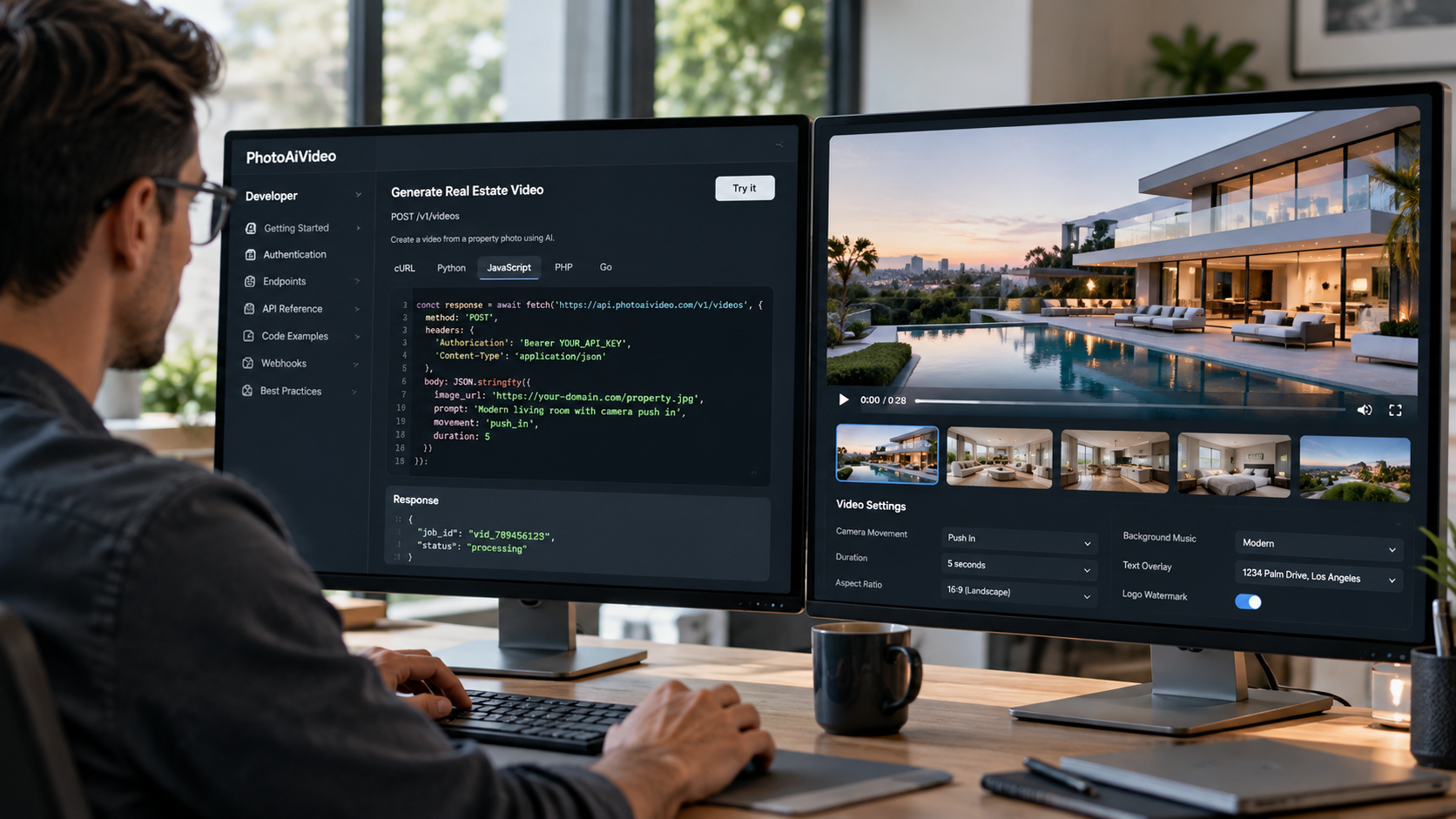




.svg)


.svg)