


.png)


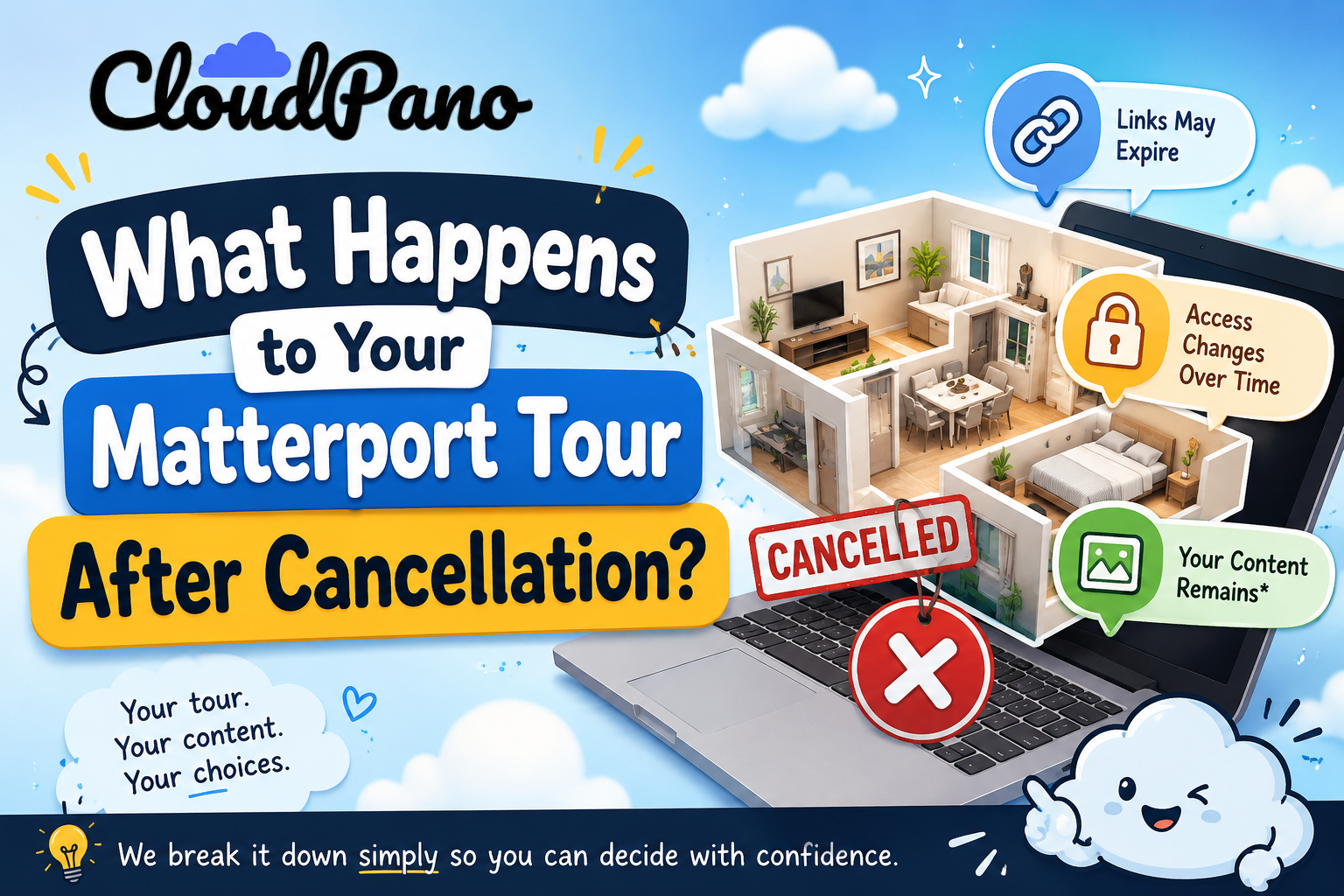
Before canceling or downgrading an account, it's worth knowing exactly what to expect afterward — not in vague terms, but specifically: do your tour links keep working, does anyone lose access immediately, and who actually owns the content once the account changes status? This article walks through what typically happens to a matterport tour after cancellation, so the decision to leave isn't followed by an unpleasant surprise a few weeks later.
It's easy to focus entirely on the decision to switch platforms and treat what happens to the old account as an afterthought. But if you have active, client-facing tours still embedded on listings, marketing pages, or shared links, understanding the cancellation process in advance is just as important as planning the migration itself. Getting this wrong doesn't just cause internal inconvenience — it can mean a client or customer encountering a broken link with no warning.
This is usually the first and most practical concern: does a shared or embedded tour link keep working after you cancel? The honest answer is that this depends on your specific plan and how far past cancellation you are — most platforms in this category, including Matterport, don't sever access the instant a cancellation request is submitted, but access is also not indefinite. There's typically a window during which existing content remains accessible before matterport link expiration actually takes effect.

Because this window and its exact terms can vary by plan and change over time, the only reliable way to know your specific timeline is to check Matterport's own current terms of service or ask support directly, rather than relying on general assumptions from a forum post or article — including this one.
It's tempting to assume every account works on the same fixed schedule, but matterport link expiration timing can vary based on plan type, account history, and sometimes even the specific reason for cancellation (voluntary cancellation vs. non-payment, for instance, may follow different processes). This variability is exactly why a general article — including this one — can describe the typical pattern but can't substitute for checking your own account's specific terms.
The same variability applies to matterport account closure more broadly: a downgrade to a lower tier behaves differently than a full account cancellation, and a business that's simply reducing usage without fully leaving the platform may face a completely different timeline than one exiting entirely. Treating these as the same process, when they're actually governed by different terms, is a common source of the confusion discussed later in this article.
Beyond individual tour links, it's worth understanding what happens to the broader account itself. Matterport account closure typically follows a somewhat different timeline than individual link expiration — you may lose the ability to log in and manage tours before the public-facing links themselves stop resolving, or the reverse may be true, depending on the platform's specific process. This distinction matters practically: if you need to export anything or update tour information one last time, you generally want to do that well before initiating a cancellation, not after.
This is one of the clearest arguments for completing any export or data-saving steps (covered in more depth in our related article on exporting Matterport tour data) before you submit a cancellation request, rather than assuming you'll have time afterward.
A related but distinct concern is virtual tour ownership — who actually owns the finished tour, the underlying capture data, and any media associated with it, both during an active subscription and after cancellation. This is worth understanding clearly rather than assuming, since ownership and access are two different things: you might technically own your source content while still losing practical access to the finished, hosted version once an account closes, simply because the hosting and rendering infrastructure that displays it is no longer available to you.
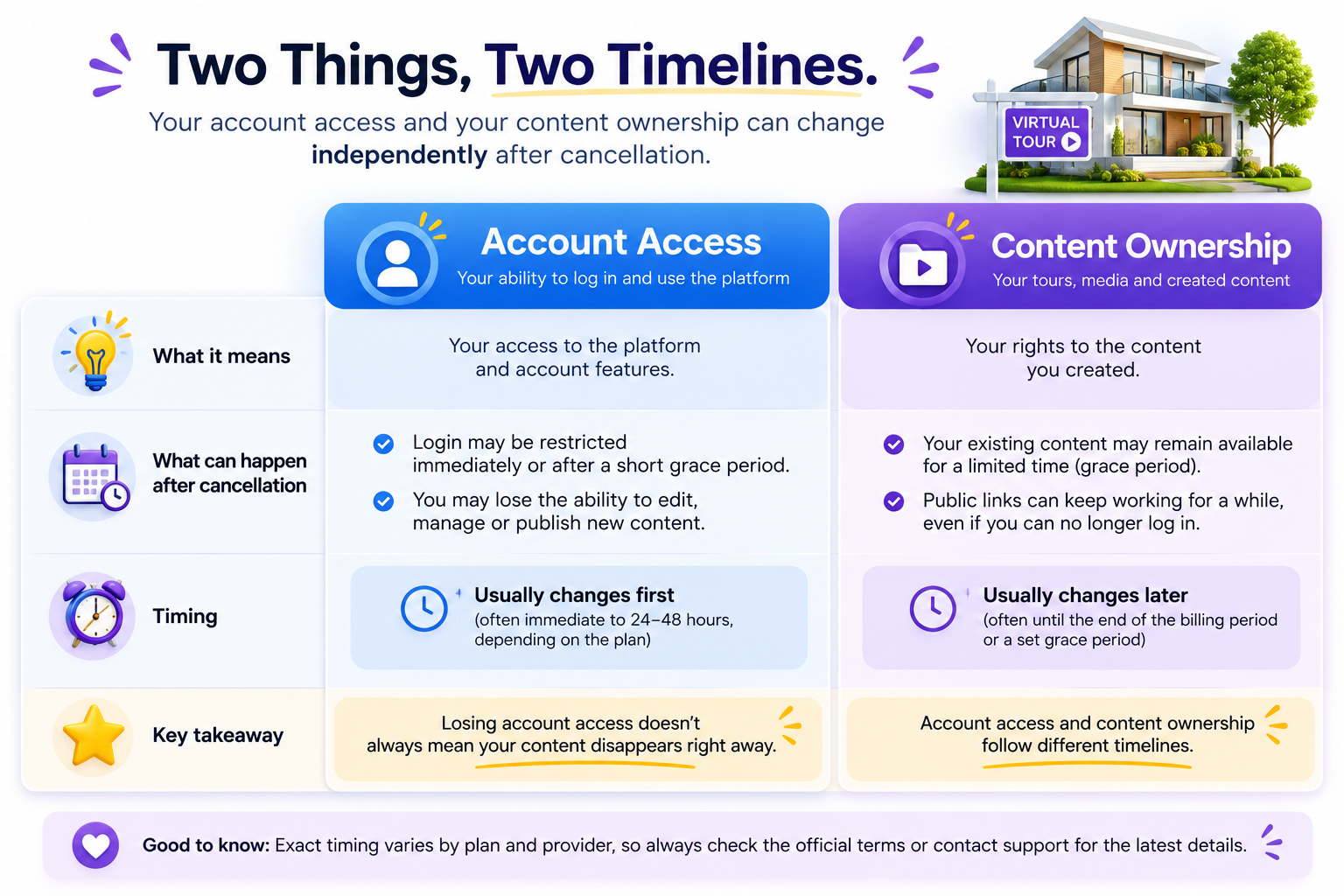
Checking a platform's terms of service directly for language specifically addressing ownership of user-generated content, separate from language about account access, is worth the ten minutes it takes — this is exactly the kind of detail people assume rather than verify, and assumptions here can be costly if a dispute or question arises later. This question of virtual tour ownership isn't unique to Matterport, either — it's worth applying the same scrutiny to whichever platform you move to next, rather than assuming a new vendor's terms are automatically more favorable.
On G2's virtual tour software category page, reviewers occasionally mention confusion or frustration around exactly when access ended relative to when they expected it to, reinforcing why checking specifics directly — rather than assuming a a general timeline applies to your account — matters so much here.

Community discussions on r/Matterport are also a useful, current resource for this exact topic, since account closure and link expiration questions come up regularly and other users often share their own specific, recent experience, which can be more current than any single article's characterization of policy.
"Shouldn't the company just tell me this clearly when I cancel?"
Reasonably, yes — and to be fair, most platforms do provide some information during the cancellation flow itself. The issue is that this information often arrives at the point of cancellation, which is too late to plan around if you needed more lead time to export data or notify clients. Getting these answers before you initiate cancellation, not during it, is the more useful order of operations.
"What if I need my tours to stay live a bit longer while I finish migrating?"
This is worth asking about directly and explicitly, rather than assuming either outcome. Some platforms allow a grace period or a downgrade to a lower tier that keeps content accessible longer than a full cancellation would, which can buy meaningful breathing room during a migration if you plan for it in advance rather than discovering the option too late.
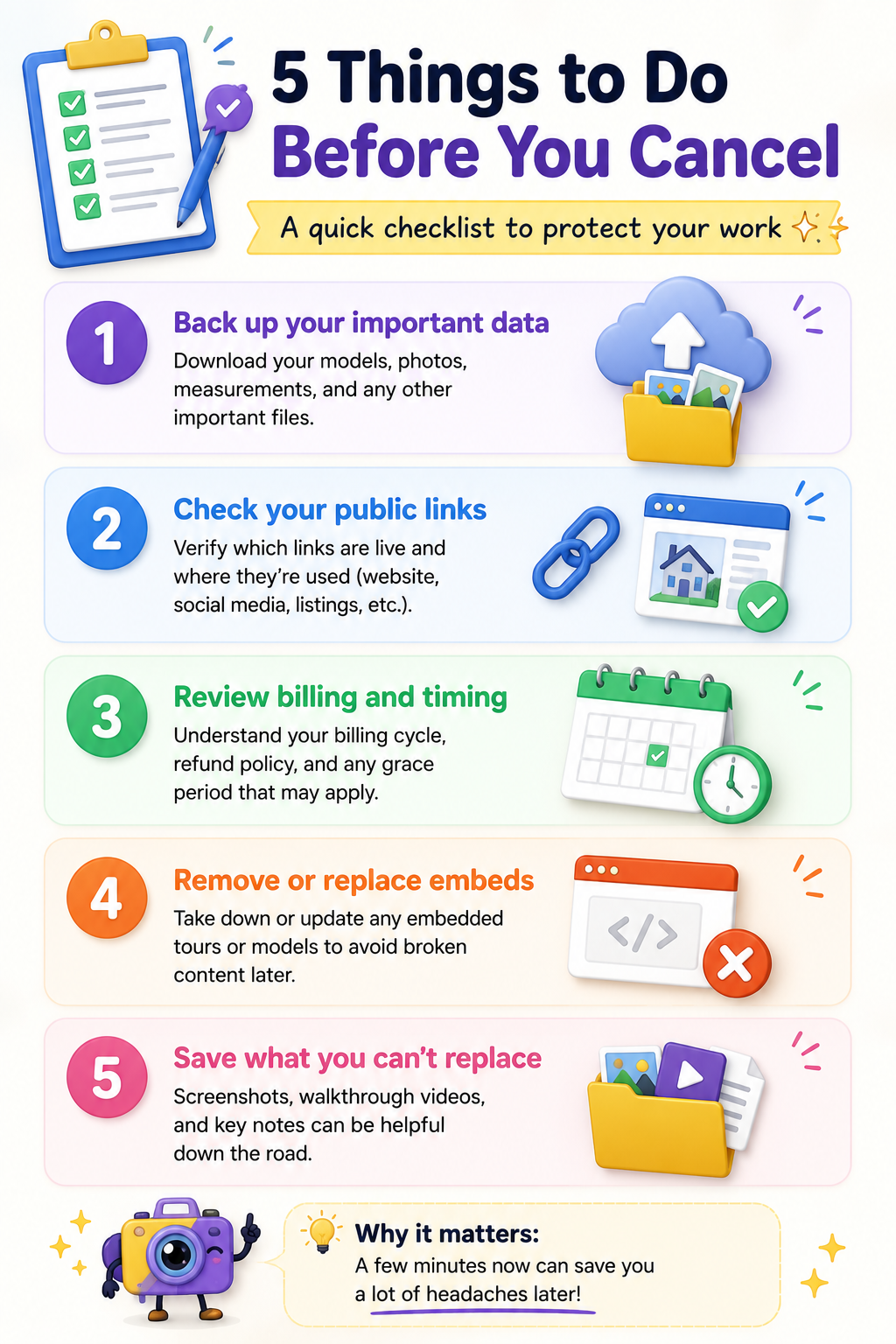
Before submitting any cancellation request:
One practical habit worth adopting: take a screenshot or save a copy of the specific cancellation, access, and ownership terms that apply to your account at the time you're considering leaving. Terms of service pages get updated over time, and having your own record of what applied when you made your decision protects you if there's ever a discrepancy or dispute later. This takes a few minutes and is genuinely worth doing before you initiate anything, rather than trying to reconstruct what the terms said after the fact.
What happens to your tours after leaving Matterport isn't a single dramatic event — it's a sequence of smaller transitions: link access winding down on its own timeline, account-level access potentially ending on a different schedule, and ownership questions that are worth confirming directly rather than assuming. None of this needs to be alarming if you plan around it, but all of it is much easier to manage if you check the specifics before you cancel rather than after.
If you're in the process of planning a full switch, our complete migration guide covers the broader process end to end, and our article on exporting Matterport data covers exactly what you can save before you go. Taken together, these three pieces — cancellation timing, export mechanics, and the broader migration process — cover the practical questions most people have before actually leaving, rather than leaving any of them to guesswork after the fact.


Compact, ready to go anywhere
Interchangeable lens that’s upgradeable
Dual 1-inch sensors for improved clarity and low light performance
Dynamic range and 6K 360° capture
360° photo resolution at 21MP

8K 360° video recording for ultra-detailed visuals.
4K single-lens mode for traditional wide-angle shots.
Invisible selfie stick effect for drone-like perspectives.
2.5-inch touchscreen with Gorilla Glass protection.
Waterproof up to 33ft for underwater shooting.

360° photo resolution in 23MP
Slim design at 24 mm thick
Built-in image stabilization for smooth video capture.
Internal 19GB storage for photo and video storage.
Wireless connectivity for remote control and sharing.

60MP 360° still images for high-resolution photography.
5.7K 360° video recording at 30fps.
2.25-inch touchscreen for intuitive control.
USB Type-C port for fast charging and data transfer.
MicroSD card slot for expandable storage.
.png)

.png)

Try it free. No credit card required. Instant set-up.







.svg)


.svg)