


.png)


There's a narrower, more specific version of the general "can I export my tour" question that deserves its own answer: what about just the individual 360-degree images that make up a tour, separate from the finished, interactive walkthrough experience? If you're trying to matterport export tour content specifically in image form — for a portfolio, a backup, or reuse somewhere outside the interactive viewer entirely — the answer is meaningfully different from the broader export question, and worth understanding on its own terms.
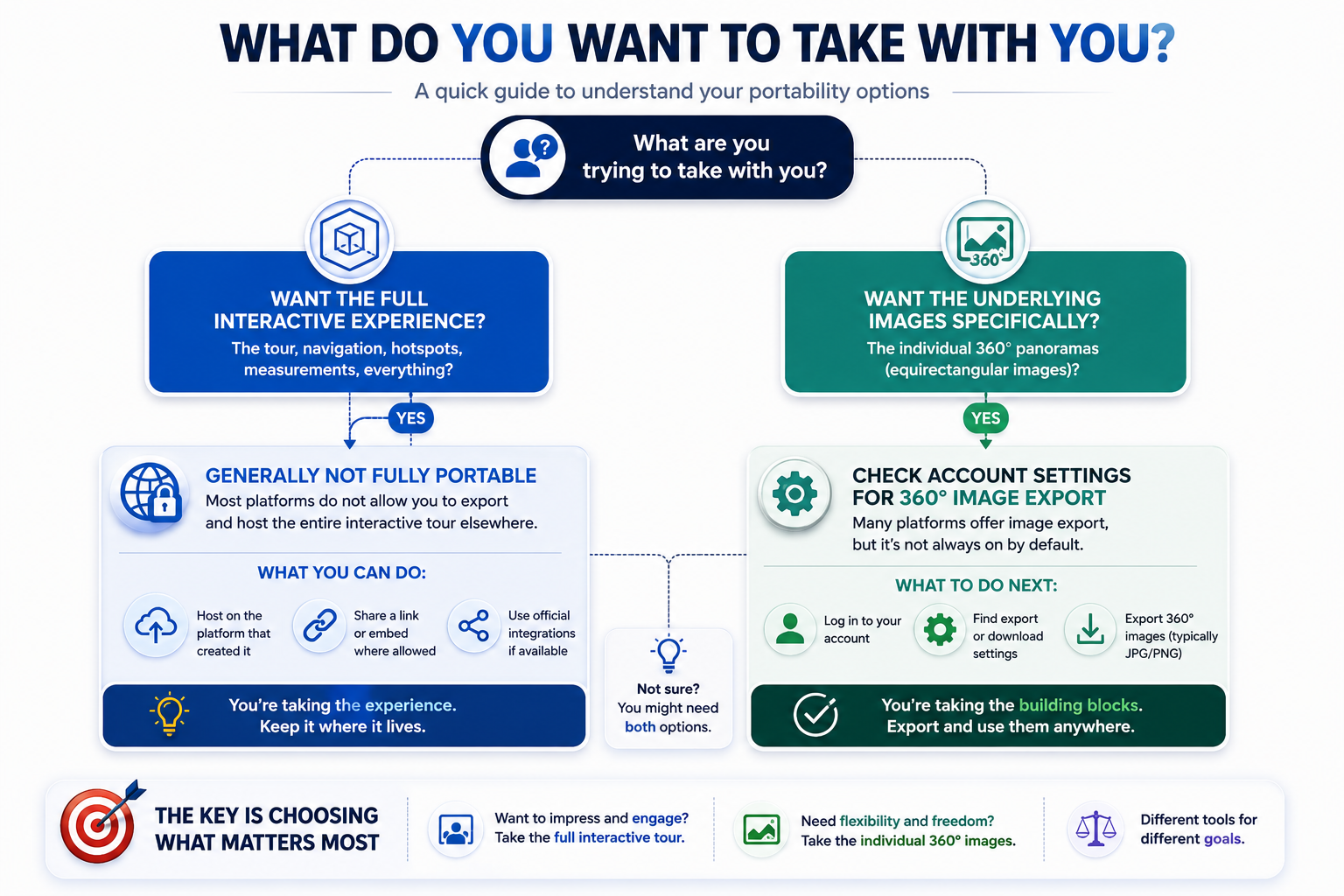
A finished interactive tour is a navigable experience — hotspots, a floor plan, a dollhouse view, transitions between rooms. The individual 360-degree images that make up each "room" in that tour are a simpler, more self-contained asset: a single panoramic image representing one capture point. These behave very differently when it comes to portability, because a single image is a far more standardized, widely-usable file type than an entire interactive experience built on proprietary navigation software.
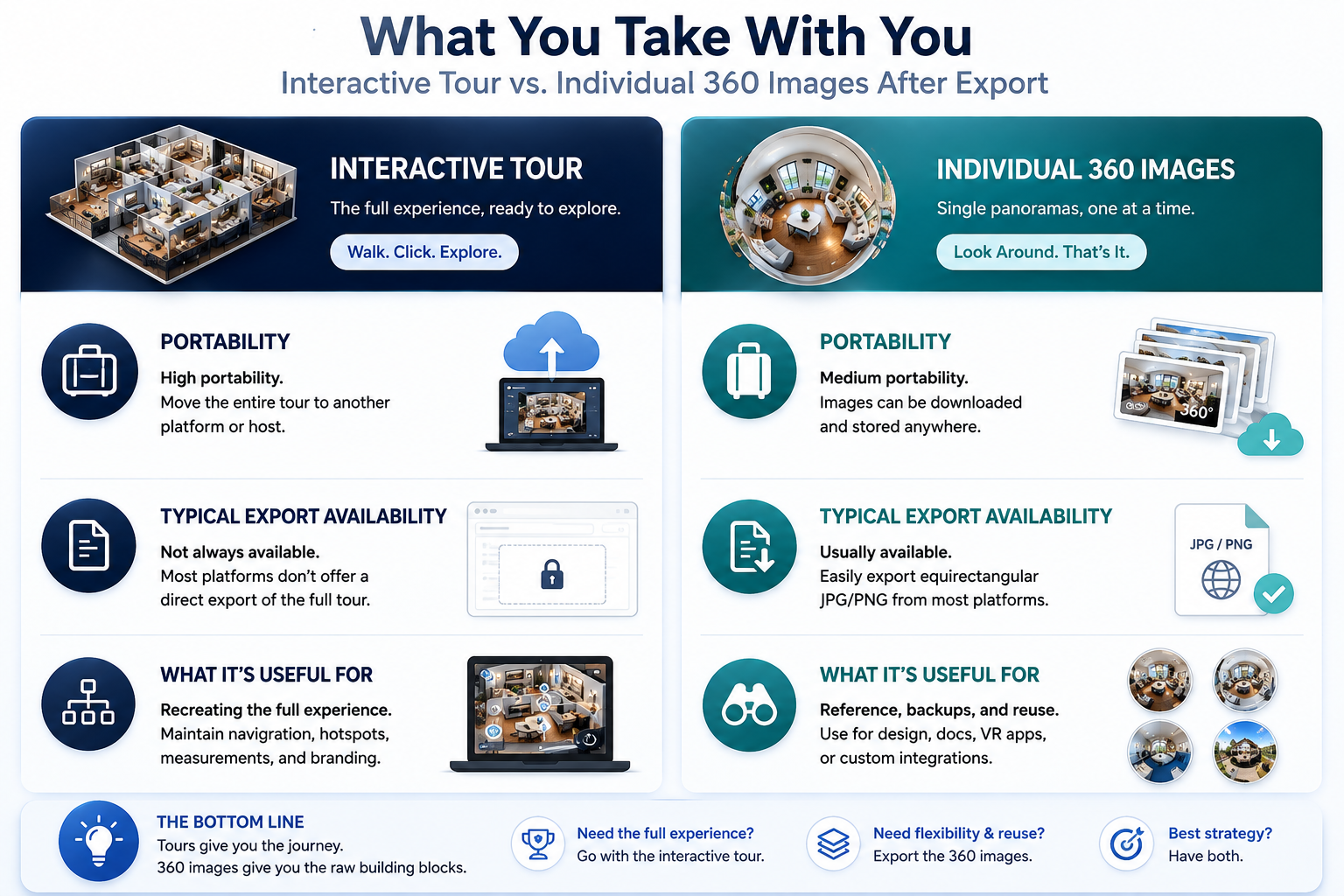
This distinction matters because someone asking about matterport export 360 images specifically is usually not trying to recreate the full interactive tour elsewhere — they want the underlying visual content itself, for a use case like a marketing portfolio, a personal archive, or reuse in a completely different kind of presentation.
Individual panoramic images are generally a more exportable asset than the finished tour, though availability and format still depend on your specific account type and plan. Where this option exists, it's usually accessed through account or tour-level settings rather than being automatically bundled with every plan tier.
Most general articles and support conversations default to the broader "can I export my tour" framing, which means the narrower, more specific question about matterport export 360 images often doesn't get a clear, direct answer unless you ask for it explicitly. This isn't intentional obscurity — it's just that the broad framing is the more common question, so it's the one that gets addressed by default in general documentation and support scripts.
If your actual need is the images themselves, it's worth being explicit about that from the start of any conversation with support, rather than starting with the broad question and hoping the answer happens to cover your specific case. A direct, narrow question tends to get a more useful, specific answer than a broad one filtered down after the fact.
A broader matterport data export request — pulling everything associated with an account, across many tours — is a bigger, more involved undertaking than exporting the 360 images from a single tour. If your goal is genuinely just archiving or reusing specific visual content from a handful of properties, scoping your request to those specific images rather than a full account export is usually the faster, more straightforward path, and one that's less likely to run into plan-tier restrictions that a full bulk export request might.
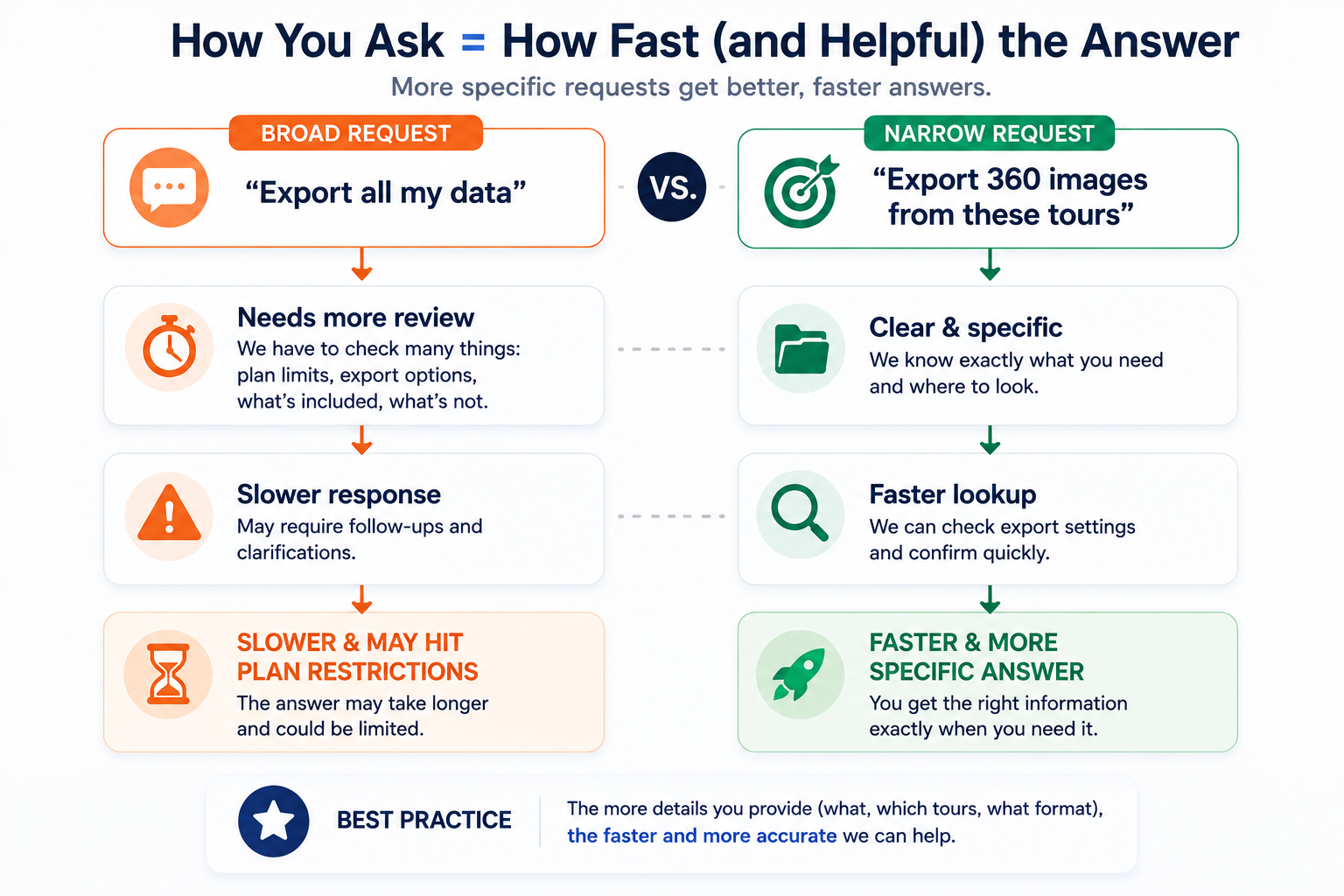
This distinction is worth keeping in mind specifically because support requests phrased broadly ("can I get all my data") sometimes get routed or answered differently than a narrow, specific request ("can I export the 360 images from these three tours"). Being specific about what you actually need tends to get a faster, clearer answer.
If your broader goal is a full Matterport tour migration to a new platform, individual 360 images are useful raw material, but it's worth being realistic about what they get you: a new platform can potentially use these images as source material for rebuilding a tour, but this generally still means recreating the interactive navigation, hotspots, and branding from scratch rather than importing a finished, ready-to-use tour wholesale.
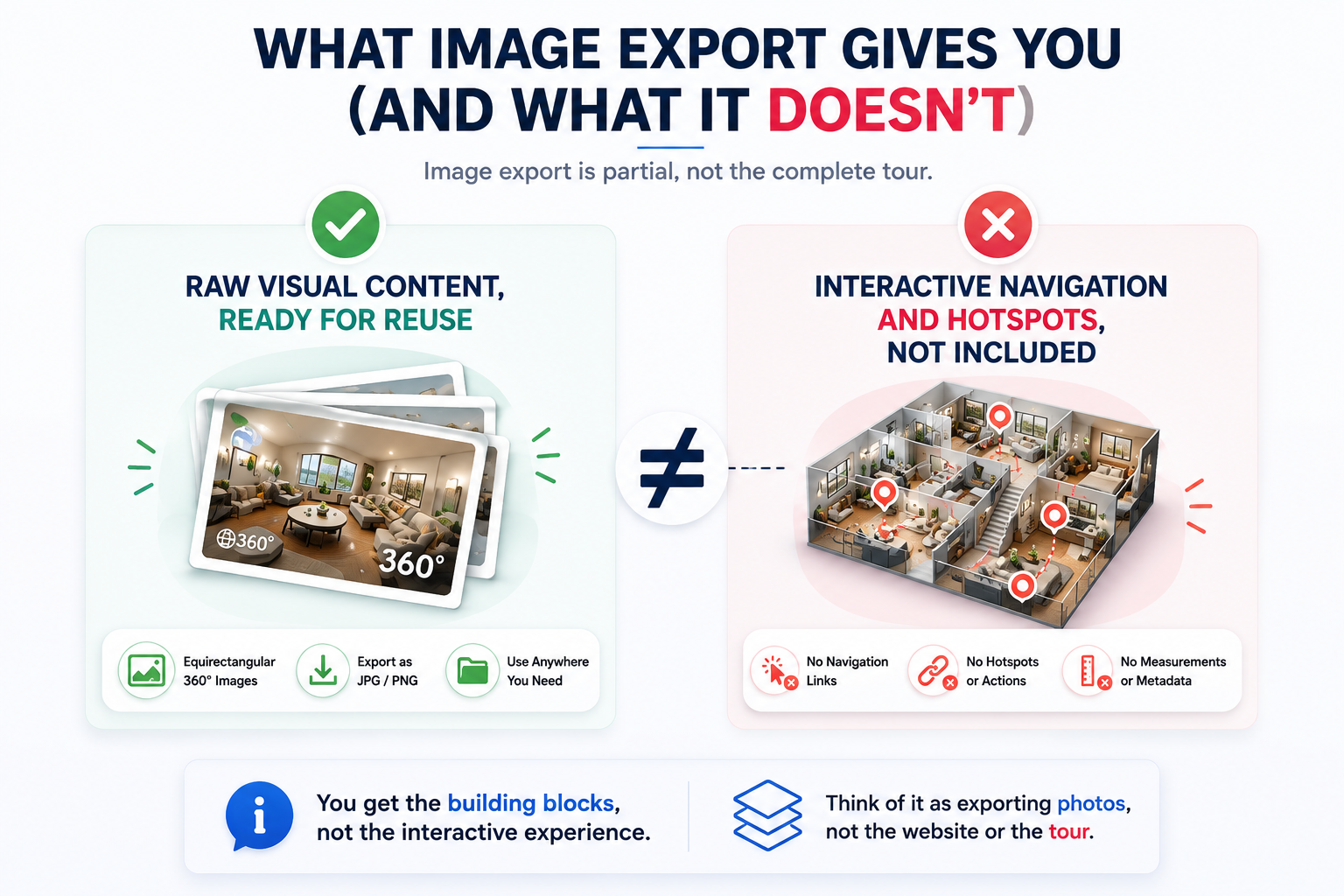
In other words, 360 image export solves a narrower problem — having the underlying visual content available to you — without solving the broader problem of a fully portable interactive experience. Treating it as a partial win rather than a complete migration shortcut sets more realistic expectations going in.
On G2's virtual tour software category page, reviewers occasionally distinguish between wanting the interactive tour to transfer versus just wanting access to their own captured images, and the two groups tend to report very different levels of satisfaction with what's actually possible — worth keeping in mind when you're deciding which of these two questions actually applies to your situation.
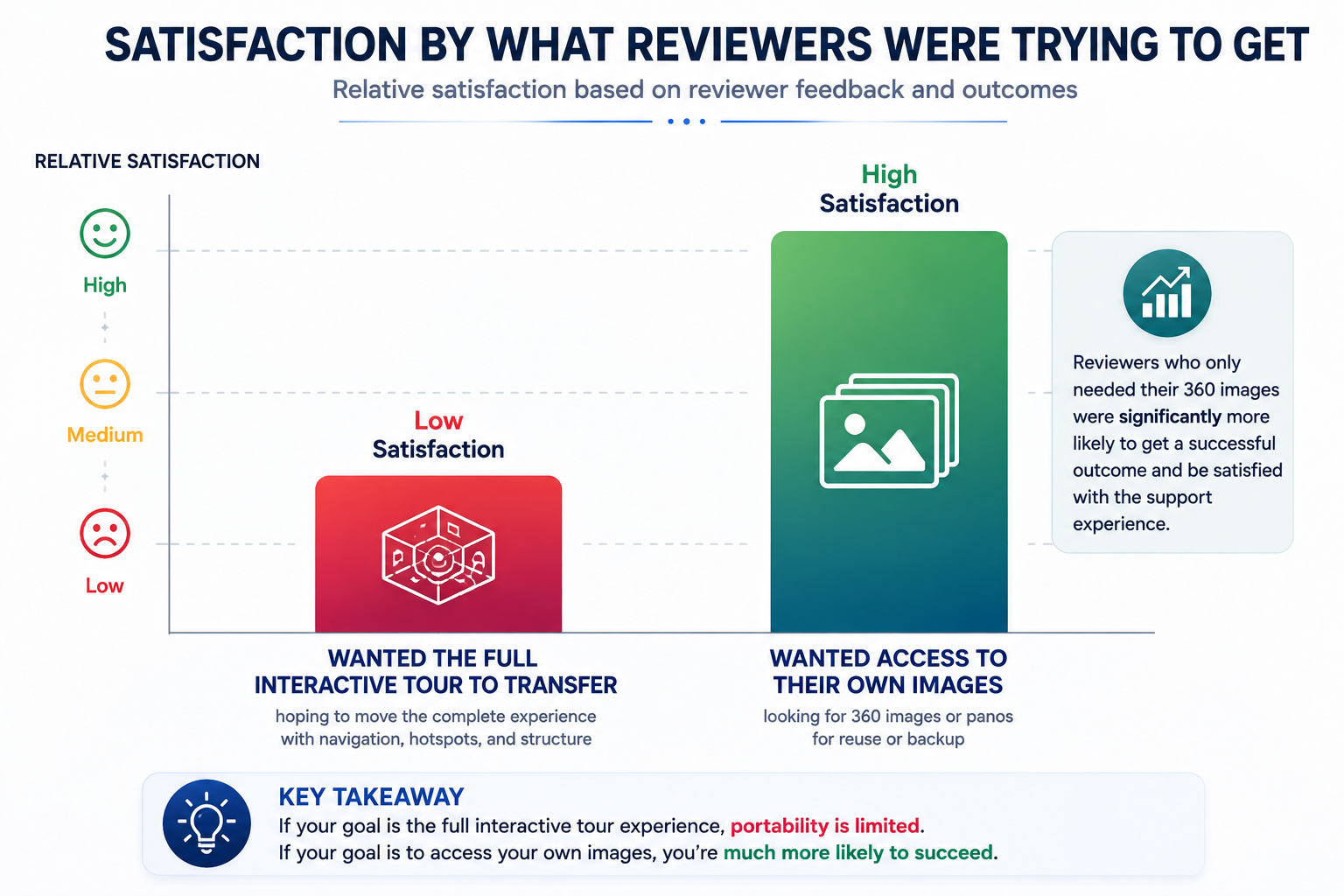
Community discussions on r/Matterport are a useful, current resource specifically for this narrower image-export question, since users often share concrete, recent experience with the specific export options available to them.
It's worth grounding this in a few concrete scenarios, since the distinction between images and interactive tours can otherwise feel abstract. An agency wanting to build a portfolio page showcasing past work might genuinely only need individual images, not a rebuilt interactive tour for each property — a gallery of panoramic shots serves that purpose fine on its own. A business archiving historical properties for internal record-keeping, without any need for a public-facing interactive experience, is in a similar position.
By contrast, a business that needs visitors to actually navigate through a space — clicking between rooms, exploring a floor plan — genuinely needs the interactive experience, not just the underlying images, and should plan on rebuilding that experience on a new platform using the images as source material rather than expecting the interactivity itself to transfer. Being clear with yourself about which of these two scenarios actually describes your need is the first step before deciding how to phrase an export request or plan a broader migration.
"Isn't this basically the same as asking if I can export my tour?"
Related, but distinct. "Can I export my tour" usually implies wanting the finished, interactive experience to move with you, which generally isn't possible in a fully portable form. "Can I export the images" is a narrower, more achievable ask, and it's worth phrasing your request this specific way if that's genuinely what you need.
"If I get the images, is that basically a complete migration?"
Not quite — as covered above, it's useful raw material, not a finished, ready-to-use tour on a new platform. It solves the content-preservation part of the problem, not the interactive-experience-rebuilding part.
If you're specifically wondering about exporting 360 images rather than the full interactive tour experience, that's a narrower and generally more achievable question than the broader export conversation. It's worth checking your specific account's options directly, phrasing your request narrowly if that's genuinely what you need, and going in with realistic expectations that these images are useful source material rather than a complete, ready-to-use migration shortcut on their own.
This narrower framing is worth remembering the next time you're evaluating any platform's export claims, not just Matterport's — "can I export my data" and "can I export the specific asset I actually need" are frequently different questions with different answers, and asking the more specific one tends to get you a more useful response regardless of which vendor you're dealing with.
If you want the fuller picture on export policy and data portability more broadly, our complete article on exporting Matterport tour data covers that ground in more depth, and our migration guide covers the full process end to end. Between the narrow image-specific question answered here and the broader export and migration coverage in those two pieces, most of the practical questions people have before starting this kind of project should be resolved.


Compact, ready to go anywhere
Interchangeable lens that’s upgradeable
Dual 1-inch sensors for improved clarity and low light performance
Dynamic range and 6K 360° capture
360° photo resolution at 21MP

8K 360° video recording for ultra-detailed visuals.
4K single-lens mode for traditional wide-angle shots.
Invisible selfie stick effect for drone-like perspectives.
2.5-inch touchscreen with Gorilla Glass protection.
Waterproof up to 33ft for underwater shooting.

360° photo resolution in 23MP
Slim design at 24 mm thick
Built-in image stabilization for smooth video capture.
Internal 19GB storage for photo and video storage.
Wireless connectivity for remote control and sharing.

60MP 360° still images for high-resolution photography.
5.7K 360° video recording at 30fps.
2.25-inch touchscreen for intuitive control.
USB Type-C port for fast charging and data transfer.
MicroSD card slot for expandable storage.
.png)

.png)

Try it free. No credit card required. Instant set-up.






.svg)


.svg)