


.png)


The future of AI real estate video is likely to bring more natural motion, deeper branding, improved voiceovers and avatars, and tighter integration with listing and marketing workflows. Tools built for real estate agents can make video creation faster, while agents should prioritize adaptable workflows, accurate content, consistent branding, and human review.
The future of AI real estate video isn't something agents need to wait for — it's already unfolding in the listings hitting MLS feeds today. What started as a novelty a few years ago, the kind of feature a tech-forward agent might show off at an open house, has quietly become increasingly common in competitive listing marketing. Buyers are accustomed to richer visual content, and a well-produced walkthrough video can help a listing stand out from a static photo gallery.
That shift matters less for what it says about any single tool and more for what it says about where the category is headed. Agents who understand the trajectory of AI real estate video, not just its current feature set, are better positioned to keep adapting as the tools around them improve.
Not long ago, producing a listing video meant hiring a videographer, scheduling a shoot around the seller's availability, and waiting days for a final cut. That workflow didn't always scale well for agents juggling a full pipeline of listings, so video was often treated as a premium add-on reserved for higher-end properties.
AI changed the economics. Platforms that generate cinematic video directly from listing photos removed the scheduling bottleneck entirely, and tools built for real estate agents can now turn a folder of photos into a polished video in minutes rather than days.
That efficiency is a big part of why video marketing continues to grow in importance across industries. Trend reports like Wyzowl's State of Video Marketing survey have tracked video's growing role in how businesses market themselves, while HubSpot's video marketing statistics point to the same broader pattern.
None of this means video guarantees a sale, but it does suggest a durable trend: consumers increasingly expect richer visual context before taking the next step, and agents who provide it are meeting potential buyers where their attention already is.
The practical result is that AI real estate video is moving from a "nice to have" toward a more common component of competitive listing marketing. That normalization is worth paying attention to because it reframes the question agents should be asking. It's becoming less about "Should I use AI real estate video?" and more about "How do I make sure the tools I'm using keep pace with where this category is going?"
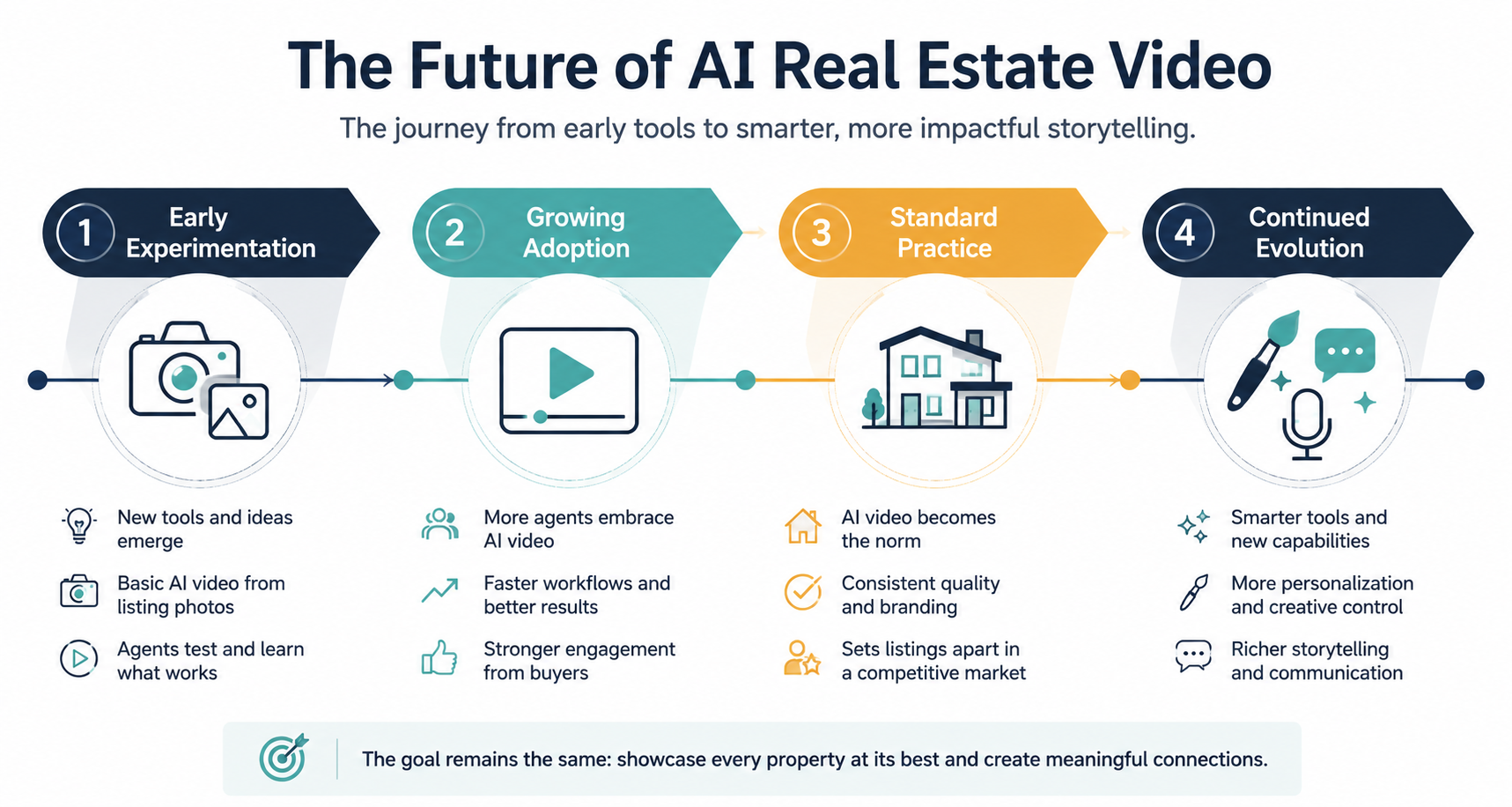
It's worth being upfront: nobody can say with certainty what specific features will exist or when. But some general directions seem like reasonable, low-risk bets based on how the category has moved so far and how adjacent AI-driven media tools have evolved.
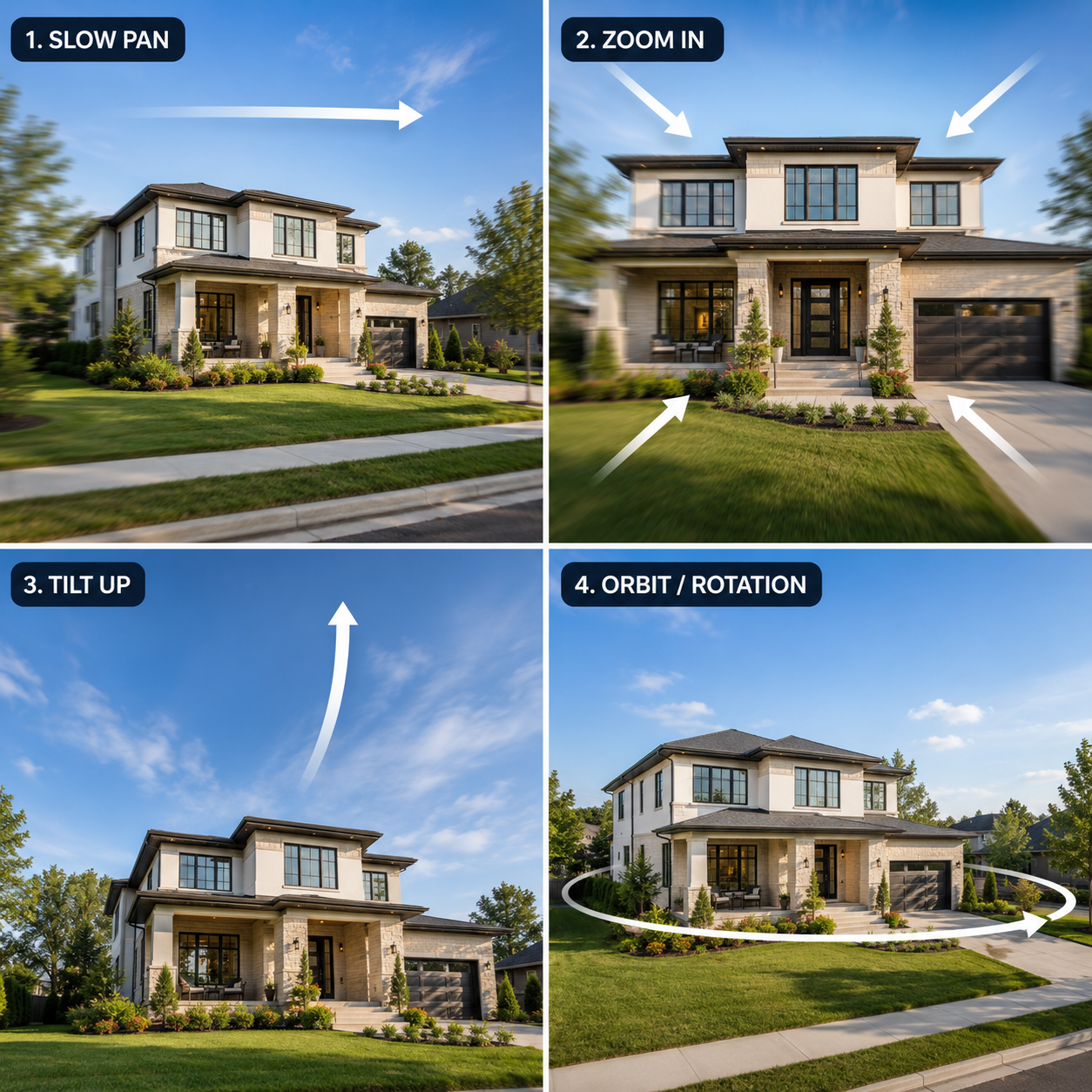
Early listing videos leaned on a handful of camera movements — mostly pans and zooms. Tools have since expanded well beyond that. Platforms already offering 12 or more professional camera movements, including pans, zooms, tilts, dolly moves, and orbits, suggest a trend toward more cinematic range rather than less.
It's reasonable to expect this kind of stylistic customization to keep broadening, giving agents more ways to match a video's pacing and mood to a property's actual character — a slow, contemplative pace for a quiet countryside listing versus something brisker for a downtown condo — without requiring a professional editor.
Buyers don't just remember a property; they can also remember who showed it to them. Branding features — custom logos, color schemes, agent contact information, and tailored intro and outro sequences — already let agents put their own identity front and center on every video rather than leaving that space generic.
The likely direction is more granular personalization, not less: greater control over how an agent's brand appears, more flexibility in tone, and tighter alignment between a video's look and an agent's or brokerage's existing marketing identity.
Voice and on-camera presence are some of the more human-feeling parts of a listing video, and they're also some of the fastest-moving. Optional AI voiceover add-ons and AI avatar clones already give agents ways to add narration or a personal on-screen presence without needing a microphone, a perfect script read, or a camera crew.
It's reasonable to expect these features to keep sounding and looking more natural over time, narrowing the gap between something that feels obviously AI-generated and something that more closely resembles an agent's natural presentation.
That said, this is exactly the kind of specific capability where certainty isn't warranted, so agents should think of it as a general trend to watch rather than a feature to bank on within any particular timeline.
Right now, many agents still treat video creation as a separate step bolted onto their existing listing process: photos come in, the video gets made, and then it's manually distributed across marketing channels.
The more durable direction is toward tighter integration — video tools that plug more directly into the systems agents already use for MLS workflows, CRM follow-up, and social distribution. The broader real estate technology ecosystem is already highly data-driven, with sources like the Redfin Data Center illustrating how extensively housing and listing activity is tracked through digital systems.
Here's the part that matters most for agents deciding whether to invest time in these tools now: the specific features will keep changing, but the habits an agent builds around AI real estate video can stick and compound.
An agent who's already comfortable incorporating video into every new listing — who has an established workflow, a sense of what buyers respond to, and branding assets ready to drop in — isn't starting from zero every time the underlying technology improves. They're simply applying an established habit to a better tool.
Meanwhile, an agent who's waited on the sidelines has to build that habit and catch up on the workflow at the same time, potentially while competitors have already become comfortable using the format.
This is why the "wait and see" approach can come with an opportunity cost over time. It's not that any one feature is make-or-break. It's that comfort with the format itself — knowing how to select photos that translate well to video, understanding pacing, and maintaining a consistent branding setup — is a skill that can transfer forward no matter how the underlying AI evolves.
Given that specifics are hard to predict, the more useful question for agents is how to stay adaptable rather than which exact feature to chase.
Choose a platform that's actively maintained. Tools that are regularly updated are more likely to keep adding capabilities as the category evolves rather than leaving agents stuck with a frozen feature set. This can matter more over time than any single feature on offer today.
Build workflow habits that don't depend on one specific feature. An agent whose process is "I get photos, I generate a video, I brand it consistently, and I distribute it across the same channels every time" has a habit that survives almost any product update. An agent whose workflow is built entirely around one particular camera movement or one specific voice style is more exposed if that detail changes.
Keep branding assets ready and consistent. Logos, color palettes, contact information, and intro and outro materials are inputs that stay valuable no matter how the underlying video-generation technology changes. Having those ready to go means an agent can take advantage of new capabilities as they appear rather than scrambling to assemble branding materials from scratch.
Match the tool to the way you actually work. Some agents want a fully self-service app they can use on their own between showings; others prefer handing photos off and having a finished video returned to them. Platforms that offer both a DIY option and a Done-For-You service give agents room to shift between the two as their time and workload change without needing to switch tools entirely.
For agents evaluating where to start, PhotoAIVideo offers tiers that scale from individual agents to teams, brokerages, and photographers looking for white-label options, with plans ranging from a free tier through Creator and Pro levels, plus custom enterprise pricing for larger brokerages. Reviewing the pricing page is a reasonable way to see how these options map onto different business sizes before committing to a workflow.
Probably not entirely. Professional videography can remain valuable for luxury properties, highly customized productions, agent-led presentations, and listings requiring original on-site footage. AI-generated video provides another option for creating listing content efficiently from existing photography when a traditional video shoot is unnecessary or impractical.
Not necessarily. Some AI video platforms can generate listing videos from existing property photos, reducing the need for additional filming equipment. However, strong source photography still matters because image quality, composition, ordering, and property accuracy can influence the quality of the resulting video.
Build a repeatable workflow rather than depending on one AI feature. Keep high-quality listing photos and branding assets organized, establish a consistent review process, and choose actively maintained tools. This makes it easier to adopt improvements in motion, narration, personalization, and distribution as the technology develops.
Yes. A repeatable photo-to-video workflow can be used by individual agents, real estate teams, brokerages, and photographers. Larger organizations may particularly benefit from standardized branding, templates, review processes, and repeatable distribution because these make it easier to maintain consistency across multiple properties and agents.
Agents should prioritize realistic camera movement, property accuracy, branding controls, flexible video formats, easy editing, voiceover options, and efficient distribution. Tools built for real estate agents should ultimately make the listing workflow easier rather than simply adding more AI features that create additional steps.


Compact, ready to go anywhere
Interchangeable lens that’s upgradeable
Dual 1-inch sensors for improved clarity and low light performance
Dynamic range and 6K 360° capture
360° photo resolution at 21MP

8K 360° video recording for ultra-detailed visuals.
4K single-lens mode for traditional wide-angle shots.
Invisible selfie stick effect for drone-like perspectives.
2.5-inch touchscreen with Gorilla Glass protection.
Waterproof up to 33ft for underwater shooting.

360° photo resolution in 23MP
Slim design at 24 mm thick
Built-in image stabilization for smooth video capture.
Internal 19GB storage for photo and video storage.
Wireless connectivity for remote control and sharing.

60MP 360° still images for high-resolution photography.
5.7K 360° video recording at 30fps.
2.25-inch touchscreen for intuitive control.
USB Type-C port for fast charging and data transfer.
MicroSD card slot for expandable storage.
.png)

.png)

Try it free. No credit card required. Instant set-up.







.svg)


.svg)