


.png)


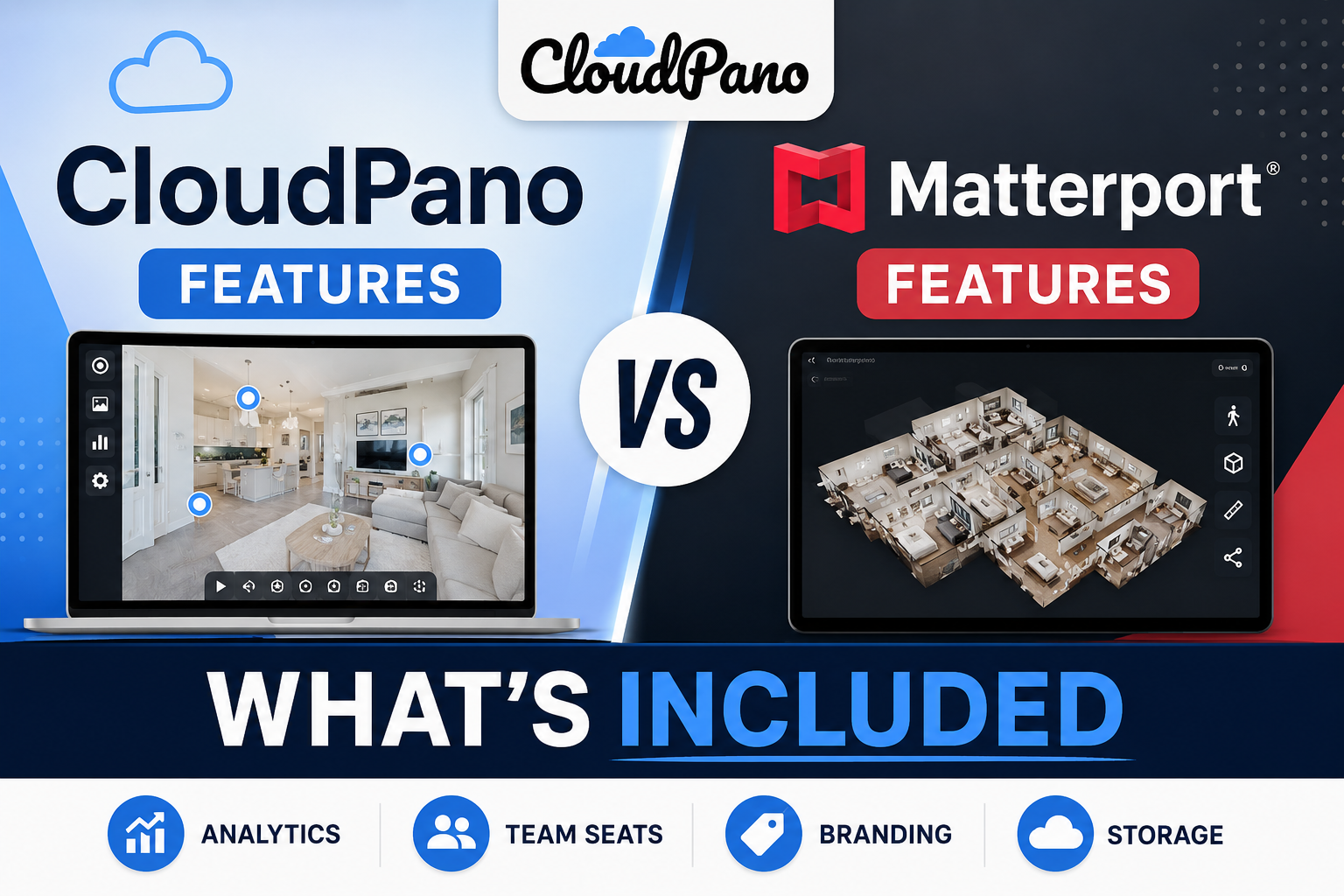
Every virtual tour platform's marketing page shows the same thing: a long list of impressive-sounding features. What that list rarely makes clear is which of those features come standard on your plan, and which ones require an upgrade, an add-on, or a separate line item you won't notice until the first invoice arrives. Understanding cloudpano vs matterport features at that level of detail — not just the headline capability, but what tier it actually requires — is the difference between budgeting accurately and getting an unpleasant surprise three months in.
This isn't about accusing any vendor of being dishonest. Tiered pricing is a completely normal business model. The problem is that tiering details are usually buried in a pricing page footnote or a support article, not front and center where you'd actually see them before signing up. This article lays out where that gap tends to show up in practice.
Most people assume a feature they see demoed in a sales call is simply part of the product. In reality, plenty of commonly-demoed features sit behind a specific plan tier or a paid add-on, and the sales conversation doesn't always make that distinction clear in the moment. This is how matterport hidden fees end up feeling like a surprise even to careful buyers — not because anything was hidden maliciously, but because the standard sales demo doesn't naturally surface tier boundaries.
The practical fix is simple but underused: ask directly, for every feature that matters to you, "is this included at the tier I'm planning to buy, or does it require an upgrade?" Vendors that answer this plainly and quickly are giving you useful signal about how they'll treat billing questions later.
Certain capabilities that read as "core" functionality on a features page turn out, in practice, to require a higher tier or a specific matterport add-ons purchase. Common examples reported by users across independent reviews include: advanced analytics beyond basic view counts, certain white-labeling or branding customizations, and expanded team/user seat allowances beyond a small default number.
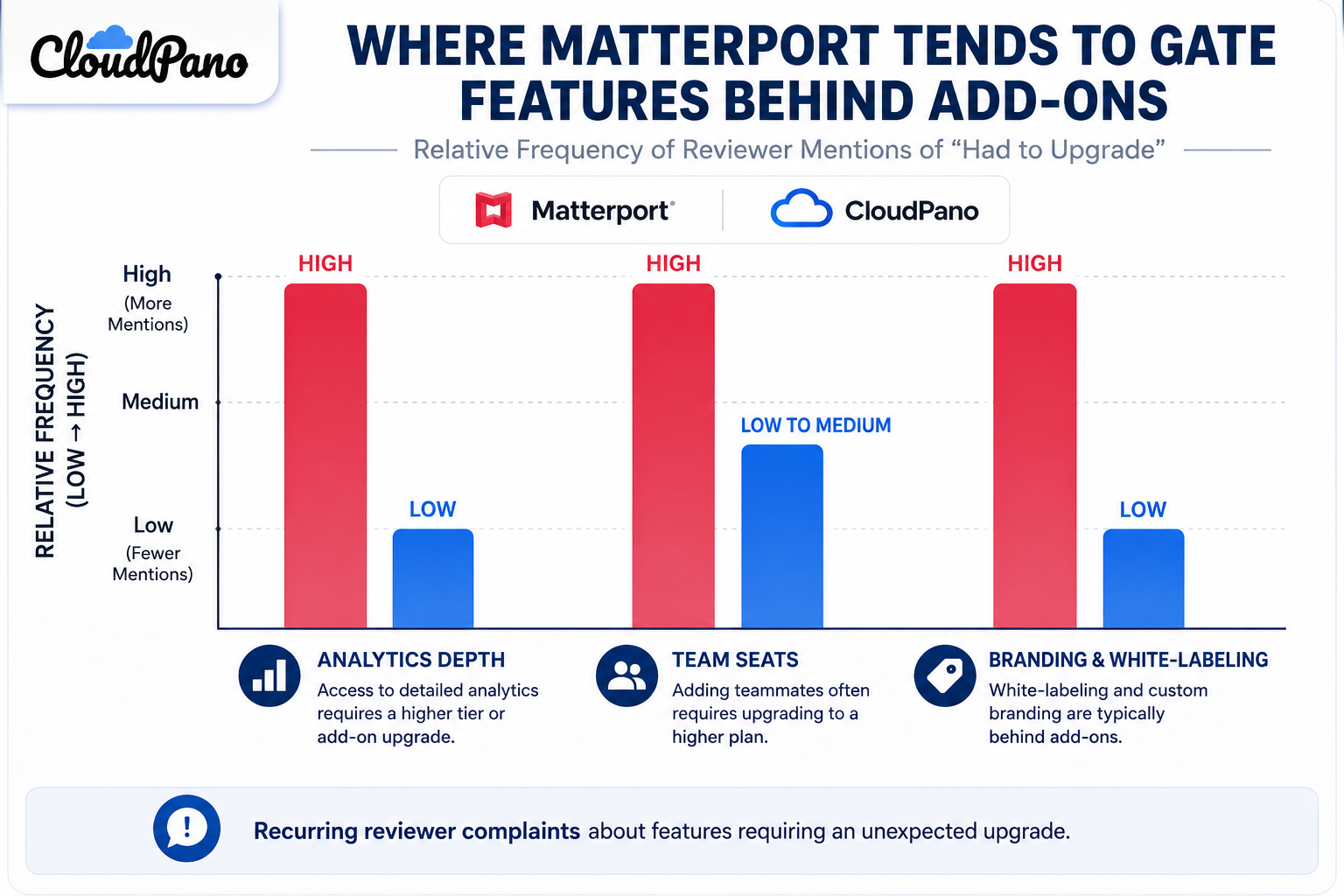
None of these are unreasonable things to charge for. The issue is less about whether they're paid and more about whether that's clear before you commit to a plan based on an assumption about what's bundled. On G2's Matterport review page, a recurring theme among reviewers is discovering that a feature they expected to be standard required an upgrade — usually phrased along the lines of "wish I'd known this before signing the annual plan."
By contrast, CloudPano has generally positioned a wider set of customization and branding options as included at more accessible tiers, rather than gated behind the top plan. This is a genuine point of differentiation worth checking directly against your own must-have list, since "generally" isn't a guarantee for your specific use case — pricing tiers do get restructured over time.
The broader pattern, though, is one of virtual tour software inclusions being described more plainly upfront: fewer instances of a feature being demoed as if it's universal, only for a buyer to discover during setup that it's tier-gated. If accurate expectation-setting before signup matters to you — and it should — this pattern is worth weighing alongside raw feature-count comparisons.
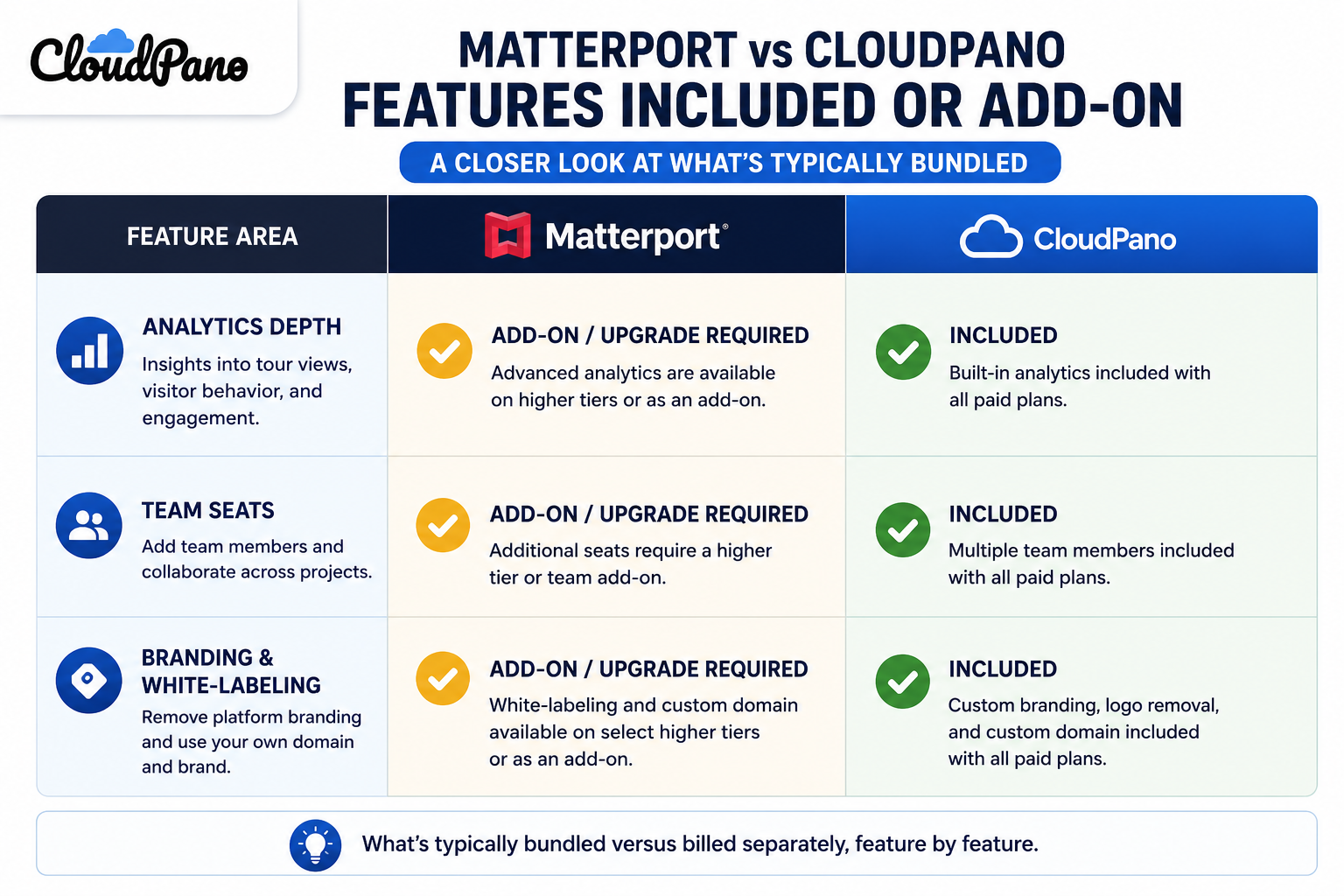
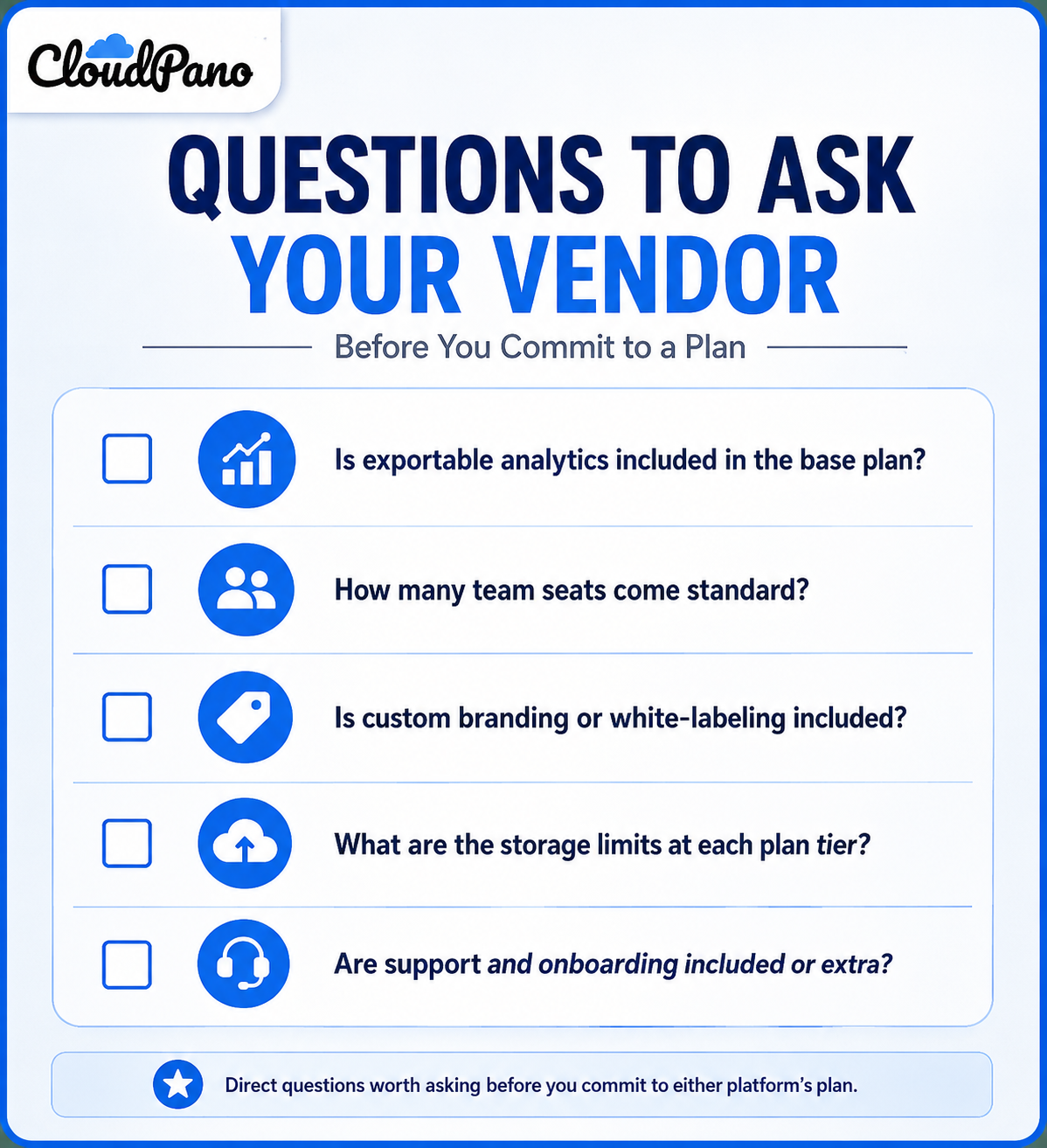
Three categories come up repeatedly in review sites and community discussions as the ones buyers most often assume are included and later discover aren't:
Analytics depth. Basic view counts are typically included everywhere. Exportable data, engagement heatmaps, or drop-off analysis are more likely to sit behind a higher tier.
Team seats and permissions. A default plan often includes a small number of user seats. Businesses that assume unlimited internal collaboration sometimes discover additional seats carry incremental cost.
Branding and white-labeling. Removing platform branding entirely, or applying deep custom styling, is a common point where "customizable" in marketing copy turns out to mean "customizable at a specific tier."
Checking these three categories specifically, rather than reading a general feature list, is the fastest way to avoid the most common matterport hidden fees and equivalent surprises on any competing platform.
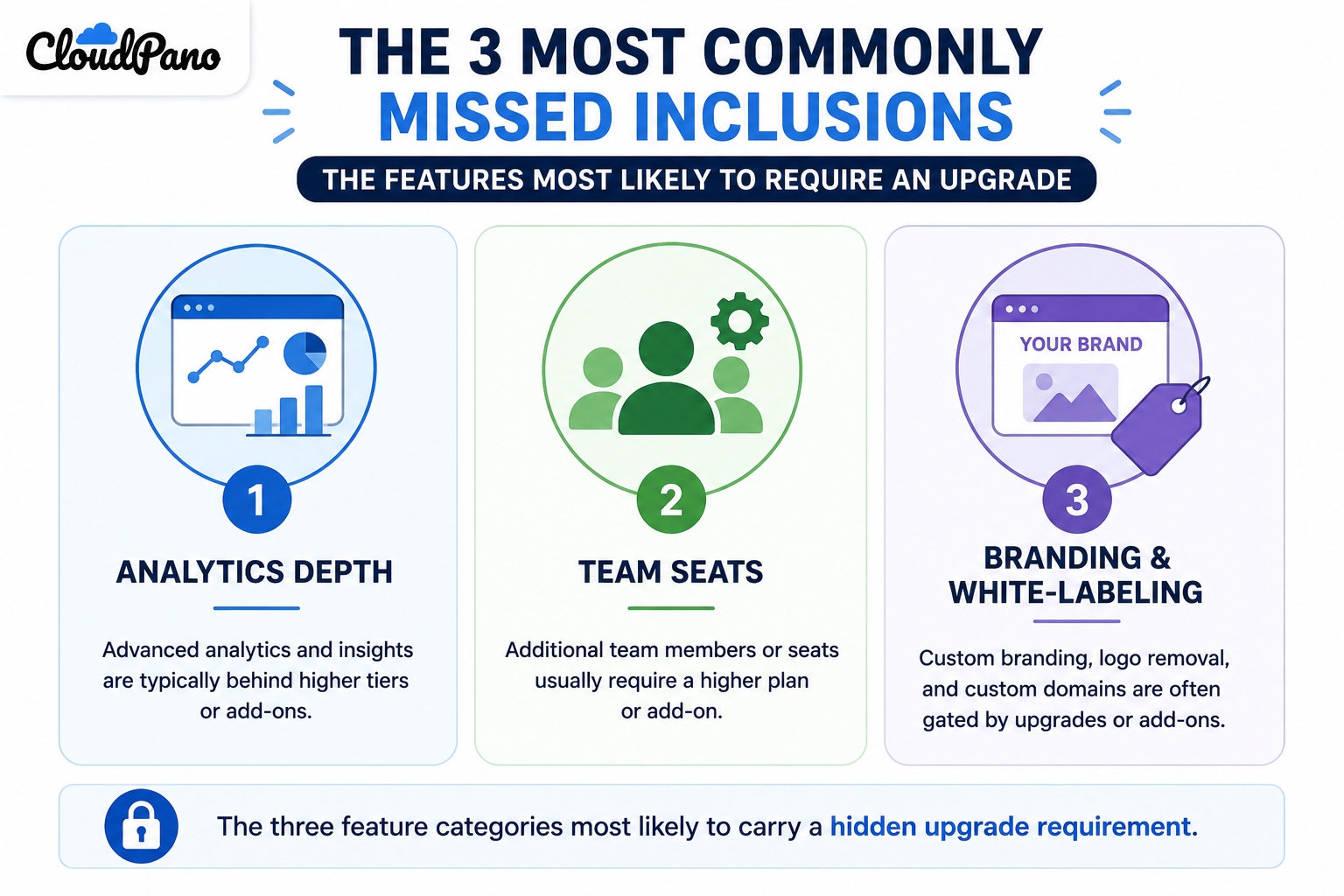
It's worth understanding the business logic behind this, because it explains why the pattern exists rather than treating it as an oversight. Analytics infrastructure, expanded seat management, and white-label branding all carry real engineering and support cost to maintain. Vendors reasonably want heavier users — the ones who need more seats, more branding depth, more data — to contribute more revenue. The reasonable version of this is transparent tiering. The frustrating version is when a feature is demoed as if standard, then discovered to be an add-on only after signup.
This distinction matters when you're evaluating matterport add-ons specifically, because not all gated features are equally reasonable to charge for. A modest per-seat fee past a generous default allowance is a normal, defensible model. A core reporting feature that was prominently demoed during the sales process but turns out to require the top-tier plan is a different kind of surprise — one worth asking about directly and weighing against how the alternative platform handles the same feature.
The practical impact of unclear virtual tour software inclusions isn't just annoyance — it's budget planning. A business that scopes a project assuming a certain feature set, then discovers mid-project that hitting their actual requirements needs a plan upgrade, ends up with a cost that wasn't in the original plan. This is especially relevant for agencies or teams pricing client work off a specific software cost assumption — an unexpected upgrade doesn't just cost the business, it can eat directly into a margin that was already quoted to a client.
Building a habit of confirming inclusions before quoting a client, rather than after, removes this risk almost entirely. It costs a few extra minutes of research up front and prevents a much more uncomfortable conversation later.
"Isn't every platform going to have some version of this problem?"
Largely, yes — tiered software pricing is standard practice everywhere, not unique to virtual tour platforms. The point of this comparison isn't that one platform is tiered and the other isn't. It's that the clarity and generosity of what's included at accessible tiers varies meaningfully, and that's worth checking directly rather than assuming parity across vendors.
"Won't I just find out what's missing once I start using it?"
You will eventually, but "eventually" often means after you've already built workflows around an assumption. It's far cheaper, in time and budget, to ask the specific questions above during a trial or sales conversation than to discover a gap after several months of use.
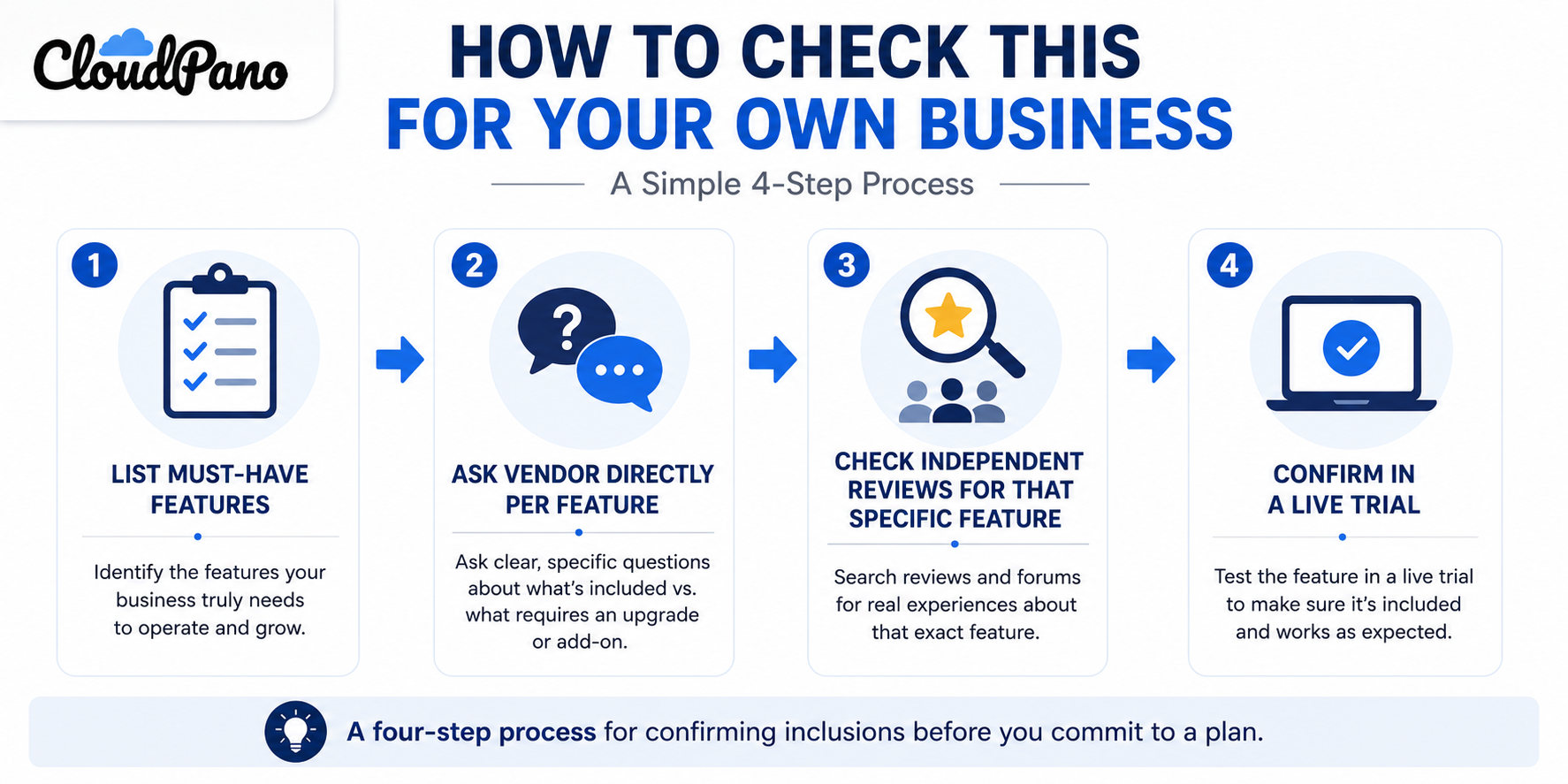
Rather than relying on any single article's characterization of either platform, run a short, specific check:
The gap between a feature list and what's actually included at your plan tier is where most billing frustration in this category comes from — not dishonesty, just a mismatch between what a demo shows and what a specific plan bundles. Matterport's tendency to gate certain analytics, team, and branding capabilities behind higher tiers is a documented pattern across independent reviews. CloudPano has generally aimed to include more of that functionality at accessible tiers, though it's worth verifying against your specific needs rather than taking that as a blanket guarantee.
If getting a clear, tier-by-tier answer before you commit matters to you, it's worth running a CloudPano trial and checking your specific feature list directly against what's included — rather than assuming either platform's marketing page tells the whole story. If you're also weighing a full switch, our complete comparison guide covers pricing, hosting, and support side by side.


Compact, ready to go anywhere
Interchangeable lens that’s upgradeable
Dual 1-inch sensors for improved clarity and low light performance
Dynamic range and 6K 360° capture
360° photo resolution at 21MP

8K 360° video recording for ultra-detailed visuals.
4K single-lens mode for traditional wide-angle shots.
Invisible selfie stick effect for drone-like perspectives.
2.5-inch touchscreen with Gorilla Glass protection.
Waterproof up to 33ft for underwater shooting.

360° photo resolution in 23MP
Slim design at 24 mm thick
Built-in image stabilization for smooth video capture.
Internal 19GB storage for photo and video storage.
Wireless connectivity for remote control and sharing.

60MP 360° still images for high-resolution photography.
5.7K 360° video recording at 30fps.
2.25-inch touchscreen for intuitive control.
USB Type-C port for fast charging and data transfer.
MicroSD card slot for expandable storage.
.png)

.png)

Try it free. No credit card required. Instant set-up.







.svg)


.svg)