


.png)


A raw feature list rarely tells you what you need to know when comparing cloudpano vs matterport features. Both platforms can list dozens of capabilities, and most of those capabilities exist on both sides in some form. The more useful question isn't "which platform has more features" — it's "which platform's specific strengths line up with how your business actually uses a virtual tour tool." This article approaches the comparison from that angle: by use case, not by checklist.
Feature comparison charts tend to reward breadth — the platform that can check more boxes looks like the winner, regardless of whether any individual business actually needs most of those boxes checked. A photography studio doing occasional real estate work and an agency managing dozens of listings monthly have almost nothing in common in terms of which features matter, even though a generic comparison chart would present the same feature list to both.
This is the core limitation of comparing matterport features or cloudpano features in the abstract — the comparison only becomes meaningful once it's filtered through your specific workflow.
This is often the single biggest practical differentiator, and it's largely a hardware question rather than a software one. Matterport's software experience is built closely around its own camera ecosystem, which produces a tightly integrated capture-to-publish workflow if you're already using Matterport-compatible hardware. CloudPano takes a broader, more hardware-agnostic approach, supporting a wider range of 360° cameras.
For a business that hasn't yet invested in capture equipment, this is worth deciding early, since it shapes every other feature comparison downstream. For a business with existing camera equipment, it's worth confirming compatibility directly rather than assuming either platform works seamlessly with what you already own.
Both platforms support hotspots, embedded media, and some level of branding customization within a tour. Where virtual tour software features genuinely diverge is in how much customization is available without requiring a higher plan tier, and how intuitive the editing interface is for someone without a design background.
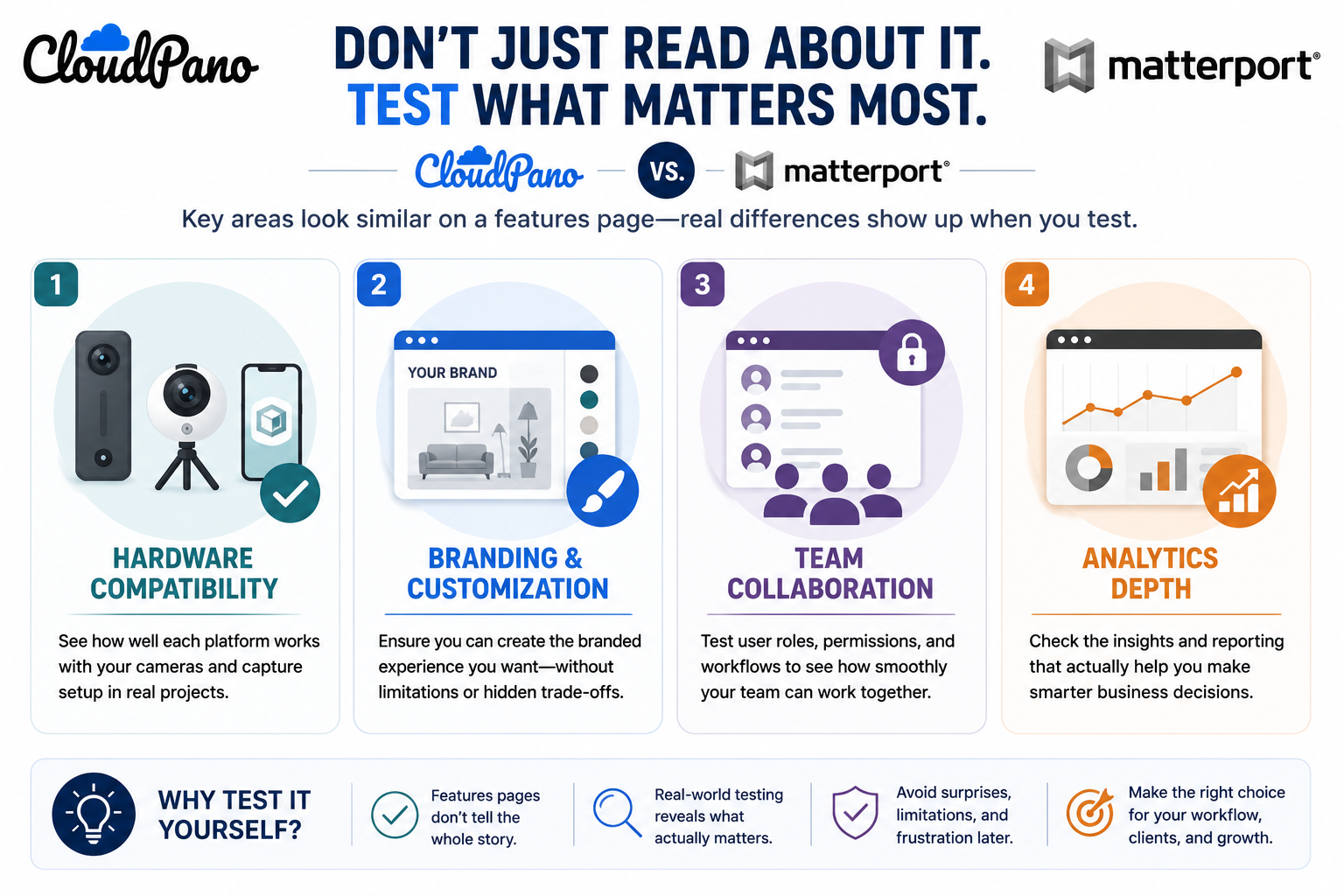
Businesses that need heavy custom branding — an agency managing tours under multiple client identities, for instance — should test this directly rather than relying on a features page, since "customizable" can mean very different things in practice depending on how deep the customization actually goes and what skill level it requires.
For a solo user, this category barely matters. For any business with more than one person touching the tour library, it becomes one of the most consequential differences between platforms — who can upload, who can edit, who can view only, and how cleanly a shared library stays organized as more people use it.
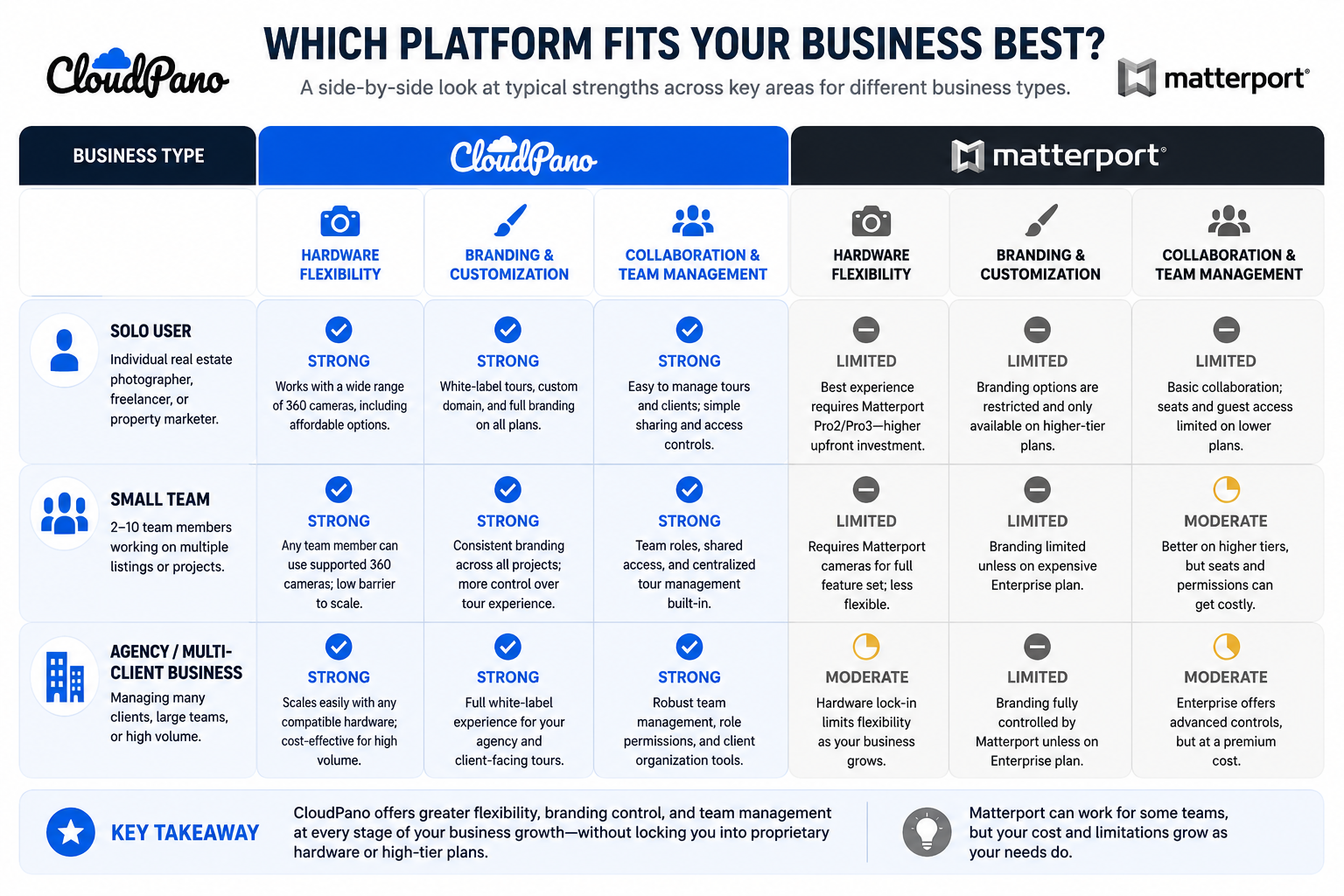
This is covered in more depth in our dedicated team-support comparison, but it's worth flagging here specifically because it's a common blind spot when comparing feature lists: single-user demos rarely surface multi-user friction points.
Both platforms offer some form of viewer analytics. The meaningful difference is in depth: basic view counts exist broadly, but exportable data, engagement heatmaps, and drop-off analysis vary by platform and often by tier. Businesses that feed tour performance into broader marketing or sales reporting should test this specifically, since it's one of the features most likely to be assumed-included and later discovered to require an upgrade.
Reviewers rarely rate features in the abstract — they tend to describe whether a platform fit their specific use case, which is a more useful signal than a generic star rating. On G2's virtual tour software category page, reviewers frequently frame their feedback in terms of fit: agencies citing hardware flexibility and team features as decisive, solo real estate agents citing ease of use and brand familiarity instead.
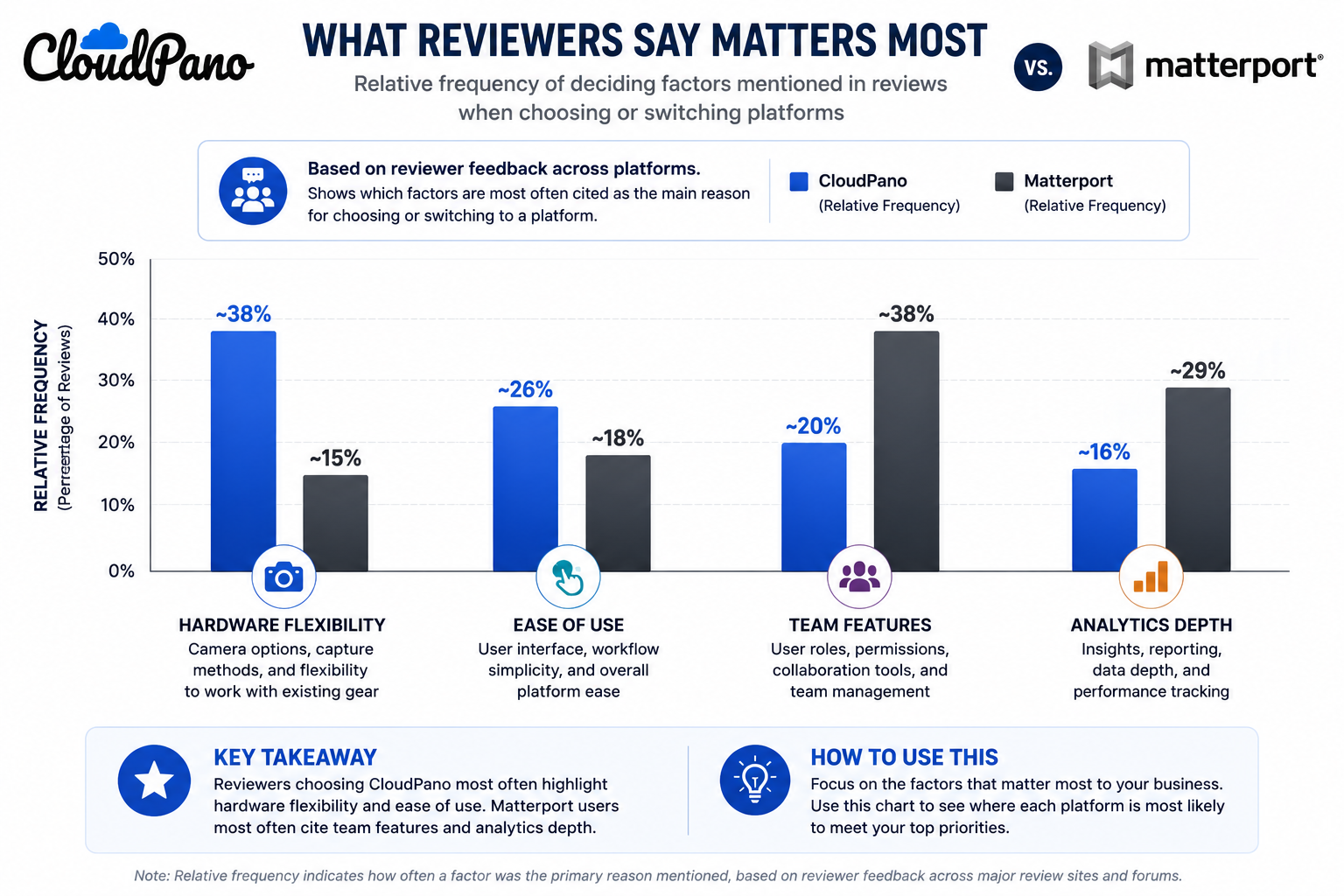
Capterra's virtual tour software listings show a similar pattern when filtered by business size — smaller accounts tend to prioritize ease of setup, while larger accounts more frequently mention team and analytics depth as the deciding factor.
No comparison article, including this one, can fully substitute for testing cloudpano features against your own content and workflow. Written comparisons are useful for narrowing down what to test, but the actual experience of uploading a real tour, inviting a real team member, and checking real analytics tends to surface fit issues that no feature list captures — things like how intuitive an interface feels after the first hour of use, or how quickly support responds to a real question versus a sales inquiry.
This matters more for virtual tour software features specifically because so many of the meaningful differences are experiential rather than binary. A feature can technically exist on both platforms and still feel meaningfully different to use — one interface might make branding customization a five-minute task, while the other requires digging through several menus to find the same option. No comparison chart captures that difference; only direct use does.
This is also why the trial period built into most platforms' sales process exists in the first place — it's an acknowledgment, from the vendors themselves, that written comparisons only go so far. Treating a trial as a required step rather than an optional extra tends to produce much better-informed decisions than relying on comparison content alone.
"Doesn't the platform with more features just win by default?"
Not if most of those extra features are irrelevant to how you actually work. A longer feature list padded with capabilities you'll never use isn't a meaningful advantage — it can even be a disadvantage if it comes with a more complex interface or a higher price tier to unlock features you don't need.
"What if my use case changes later?"
This is worth planning for loosely rather than optimizing around perfectly. Most businesses' needs shift gradually, not overnight, which usually gives you time to reassess rather than requiring you to predict every future need today. Picking the platform that fits your current and near-term use case is a more reliable strategy than trying to future-proof against every possible scenario.
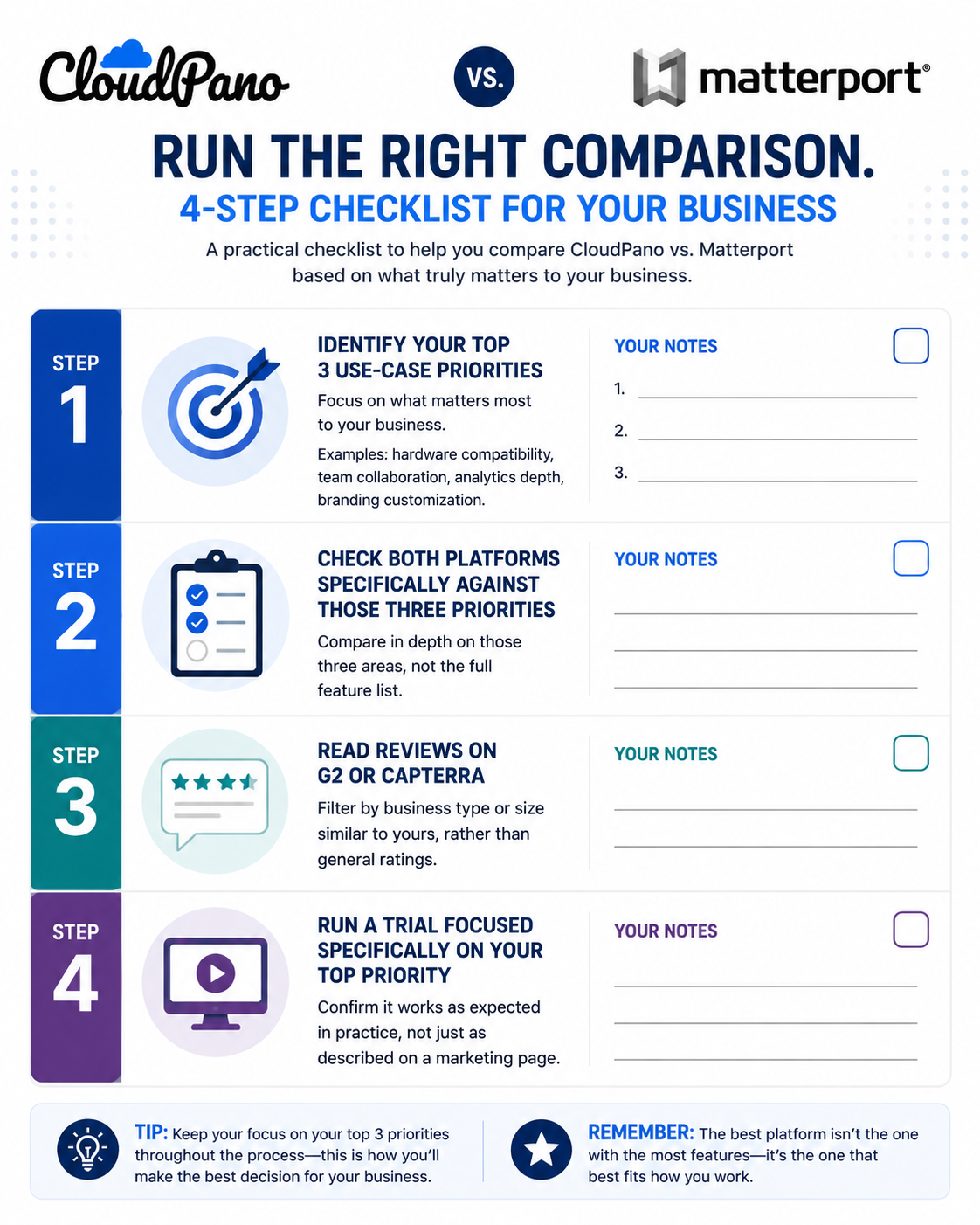
Rather than comparing feature lists directly, work backward from your actual workflow:
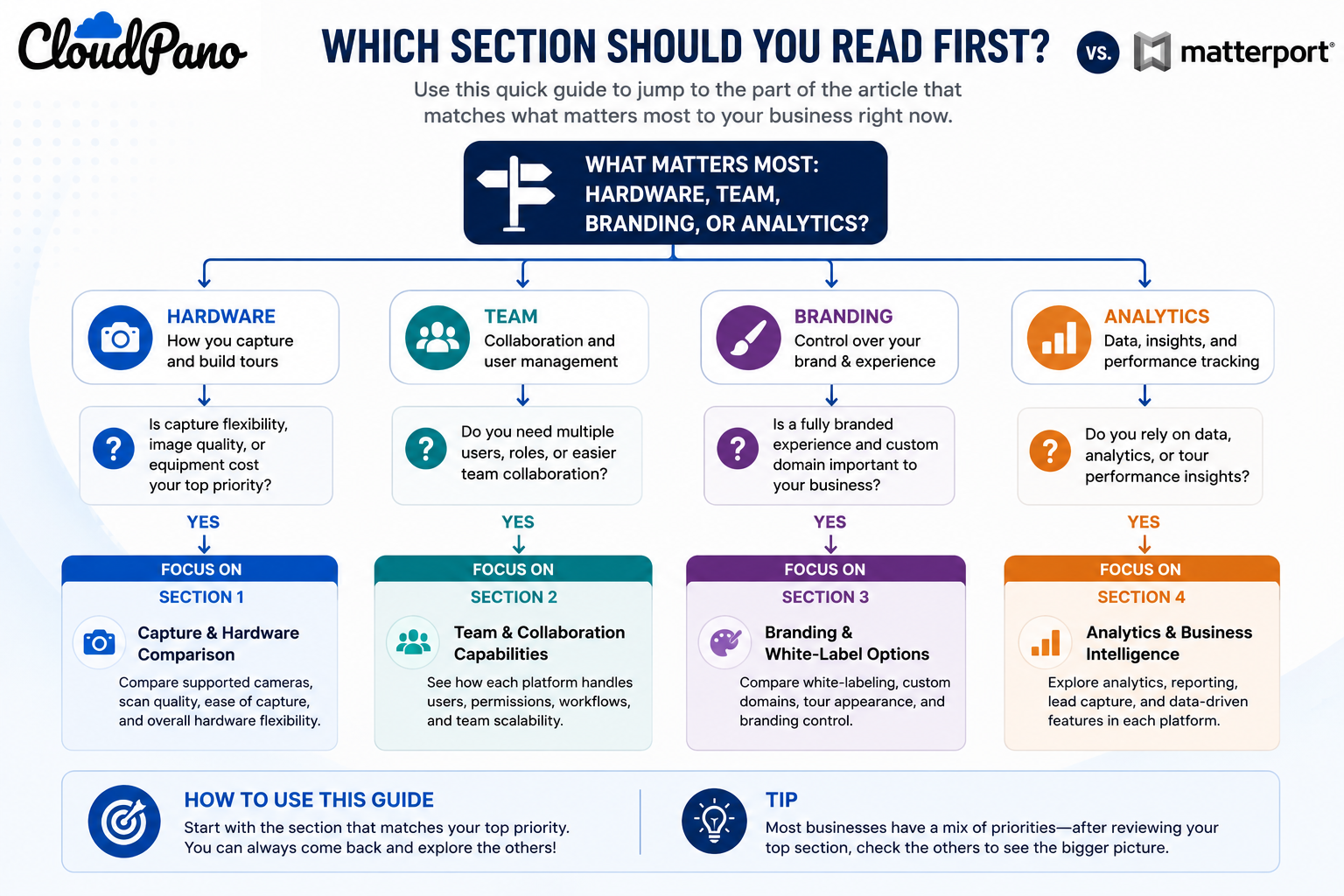
This four-step process takes considerably less time than reading through every available comparison article on this topic, including this one, and it produces a decision grounded in your own actual priorities rather than someone else's general framing of what matters most.
The more useful version of cloudpano vs matterport features isn't a side-by-side checklist — it's a filtered comparison based on what your specific business actually needs, whether that's hardware flexibility, team collaboration, branding depth, or analytics reporting. Matterport tends to fit businesses standardized around its hardware ecosystem with simpler, single-user or small-team needs. CloudPano tends to fit businesses with broader hardware requirements or growing teams that need more accessible collaboration and customization.
If your priorities point toward flexibility and scalability rather than a tightly integrated single-hardware workflow, it's worth testing CloudPano directly against your top three priorities before committing to a renewal. That direct test, more than any comparison article, is what will actually tell you whether the fit is right for how your business works day to day. And if team collaboration specifically is your deciding factor, our dedicated comparison on team support covers that ground in more depth.


Compact, ready to go anywhere
Interchangeable lens that’s upgradeable
Dual 1-inch sensors for improved clarity and low light performance
Dynamic range and 6K 360° capture
360° photo resolution at 21MP

8K 360° video recording for ultra-detailed visuals.
4K single-lens mode for traditional wide-angle shots.
Invisible selfie stick effect for drone-like perspectives.
2.5-inch touchscreen with Gorilla Glass protection.
Waterproof up to 33ft for underwater shooting.

360° photo resolution in 23MP
Slim design at 24 mm thick
Built-in image stabilization for smooth video capture.
Internal 19GB storage for photo and video storage.
Wireless connectivity for remote control and sharing.

60MP 360° still images for high-resolution photography.
5.7K 360° video recording at 30fps.
2.25-inch touchscreen for intuitive control.
USB Type-C port for fast charging and data transfer.
MicroSD card slot for expandable storage.
.png)

.png)

Try it free. No credit card required. Instant set-up.







.svg)


.svg)