


.png)



Small businesses evaluating virtual tour software are often solving a different problem than larger agencies — it's not just about features, it's about finding something that fits a genuinely limited budget without ending up feeling like a compromise. This guide is specifically about finding an affordable Matterport alternative that fits a small business budget without sacrificing the core functionality that actually matters for your use case.
Larger agencies evaluating virtual tour platforms can absorb a certain amount of cost in exchange for advanced features they'll actually use across a large volume of properties. A small business — a single-location retailer, an independent real estate agent, a small hospitality operator — doesn't have that same cost-absorption capacity, and doesn't need most enterprise-level features anyway. The evaluation question for a small business isn't "what's the most capable platform" — it's "what's the most capable platform I can genuinely justify paying for, given my actual usage."
This distinction matters because chasing a feature-rich platform priced for larger businesses often means paying for capability you'll never use, while a platform genuinely built with smaller budgets in mind tends to concentrate its value in the features small businesses actually need.
Before evaluating specific platforms, it's worth being precise about what affordability should mean here. The cheapest possible option isn't necessarily the best choice if it's so limited that it can't actually support your core use case — a tour that looks unprofessional or lacks basic functionality doesn't serve your business well regardless of price. Genuinely useful cheap virtual tour software balances low cost against a baseline of functionality that still lets you present your business credibly.
This is really a value question, not a pure price question: the goal is the best ratio of functionality to cost within a genuinely constrained budget, not simply the lowest number on a pricing page.
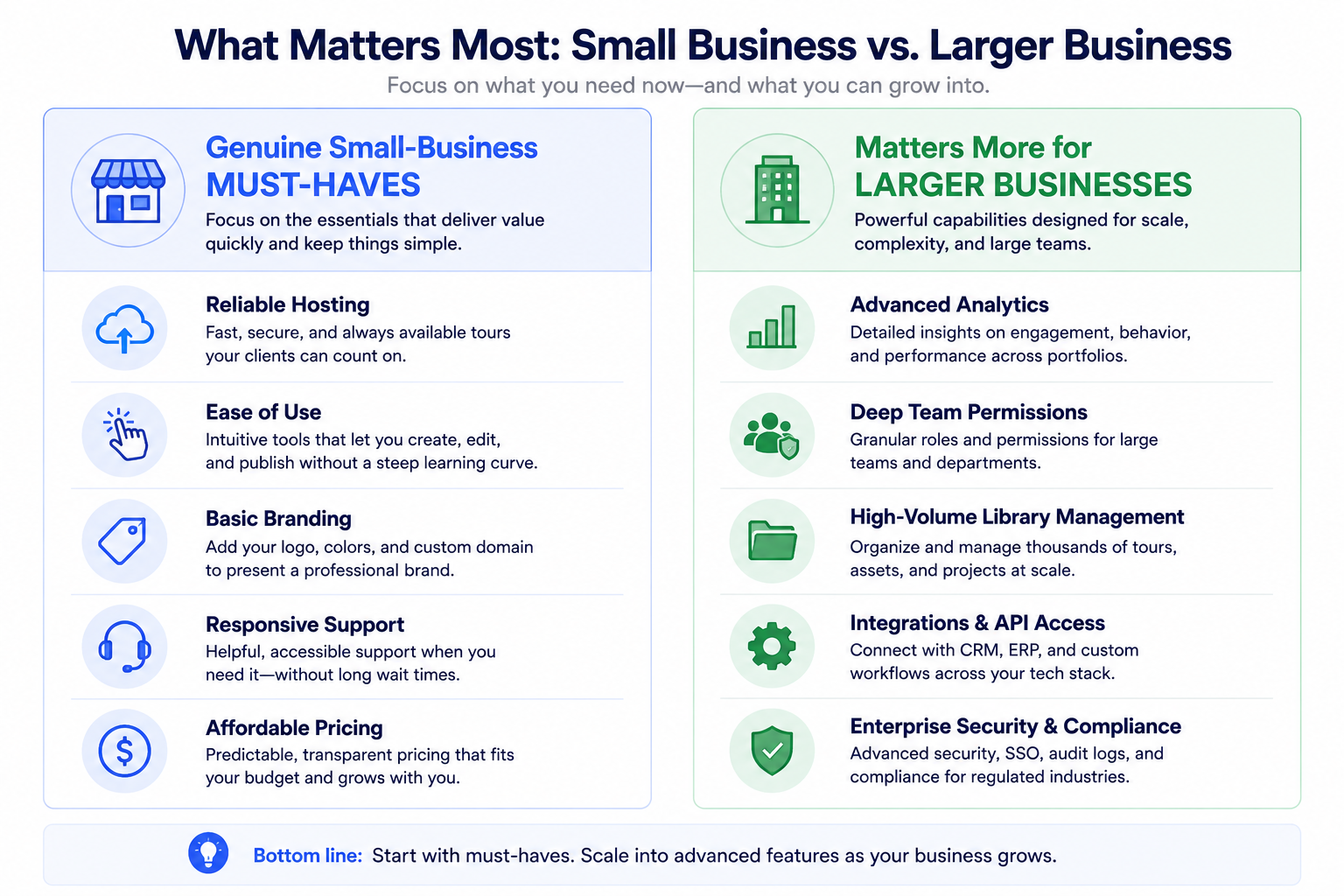
It helps to get specific about what a small business genuinely needs, since this differs from what a large agency needs. Most small business 3D tours don't require deep team collaboration features (if you're a one or two-person operation), advanced analytics beyond basic view counts, or support for managing dozens of tours simultaneously. What they typically do need: reliable hosting that keeps a tour live and fast-loading, straightforward editing that doesn't require a steep learning curve, and enough branding customization to look professional on your own website or listing.
Evaluating platforms against this more modest, specific list — rather than a generic "best features" comparison built for larger businesses — tends to surface genuinely well-suited options faster.
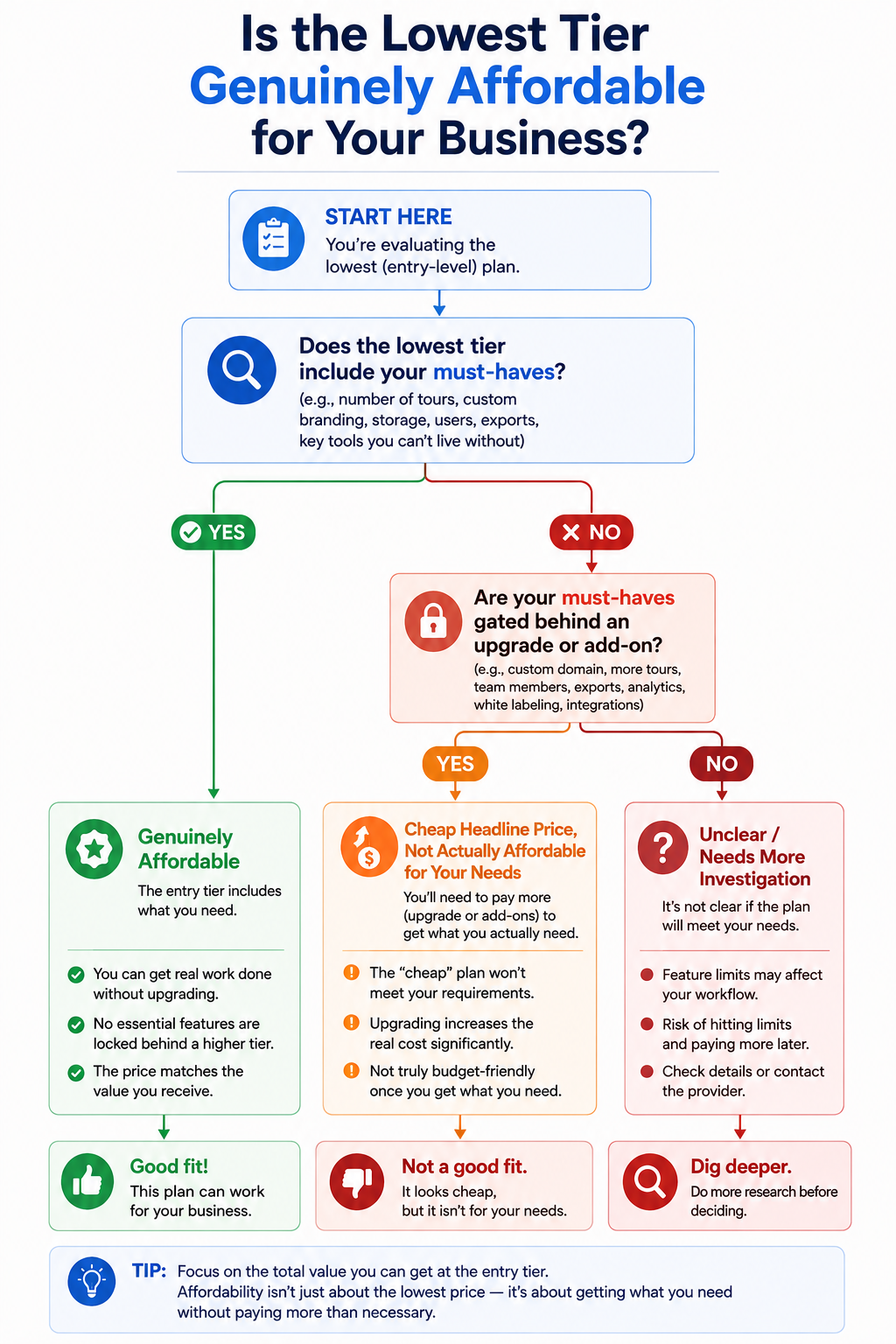
The practical way to find a suitable low cost 360 tour platform is to check specifically whether a lower-priced tier includes your must-have basics (reliable hosting, straightforward editing, adequate branding) or whether those basics are gated behind a higher tier that defeats the purpose of choosing an affordable option in the first place. Some platforms structure their lowest tier around genuinely usable core functionality; others use a low headline price to attract attention while gating anything actually useful behind an upgrade.
Among platforms often discussed in this budget-conscious context, EyeSpy360 has generally positioned itself toward smaller and occasional users with a simplified, accessible entry point. CloudPano's tiers have generally aimed to include genuinely useful core functionality even at more accessible price points, rather than reserving basic usability for a premium tier — though as with any platform, confirming current specifics against your own must-have list directly is worth doing before committing.
Every platform in this category, regardless of actual positioning, tends to describe itself as affordable in some form of marketing copy, which makes the word nearly meaningless without checking specifics. A genuinely useful cheap virtual tour software option and a merely cheap-sounding one can carry an identical headline price while differing enormously in what's actually included at that price. This is exactly why the must-have-versus-nice-to-have exercise above matters more than reading marketing claims at face value — every company's homepage will tell you their pricing is reasonable; only checking against your specific requirement list tells you whether that's actually true for your situation.
Affordability isn't just about the subscription price itself — it's worth checking for costs that sit just outside the headline number. Some platforms charge extra for things a small business might assume are included: additional storage past a modest cap, removing platform branding, or exporting analytics data. None of these are unreasonable to charge for in isolation, but they can turn an apparently affordable plan into something considerably more expensive once you actually need one or two of them.
Before committing based on a headline price, it's worth asking directly what typically ends up as an add-on for businesses similar to yours, rather than discovering this after your first invoice includes a line item you didn't expect. A vendor's willingness to answer this plainly during a sales conversation is itself a useful signal about how transparent their broader pricing approach tends to be.
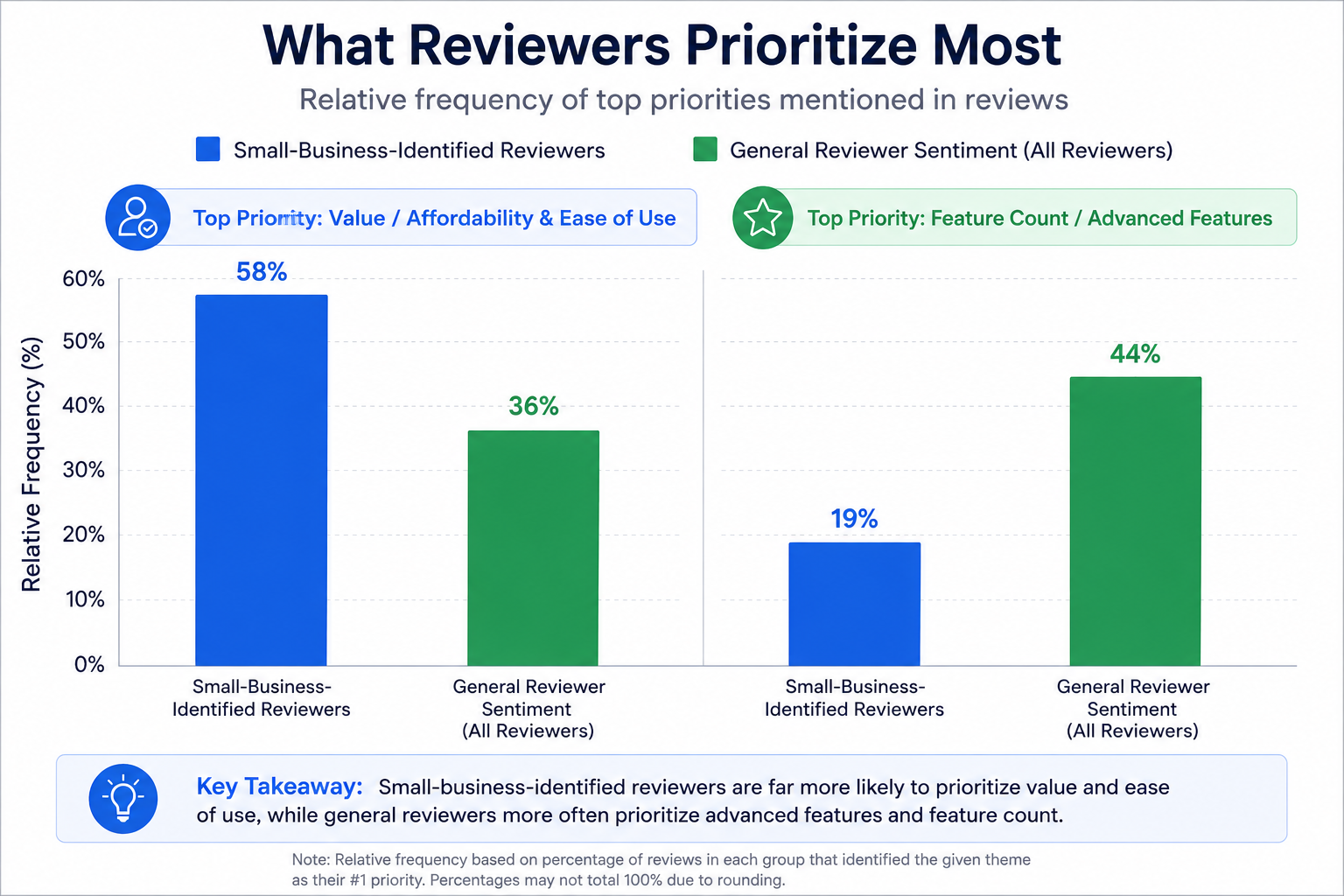
On G2's virtual tour software category page, reviewers specifically identifying as small business owners frequently emphasize value and ease of use over raw feature count, which tracks with the priorities discussed above — worth filtering reviews by this lens rather than reading general sentiment that may reflect larger business priorities.
Community discussions on r/smallbusiness and r/realtors occasionally surface candid budget-specific comparisons from other small business owners, which can be a more directly relevant source than a general software review aimed at a broader audience.
"Won't a cheaper platform just mean lower quality tours?"
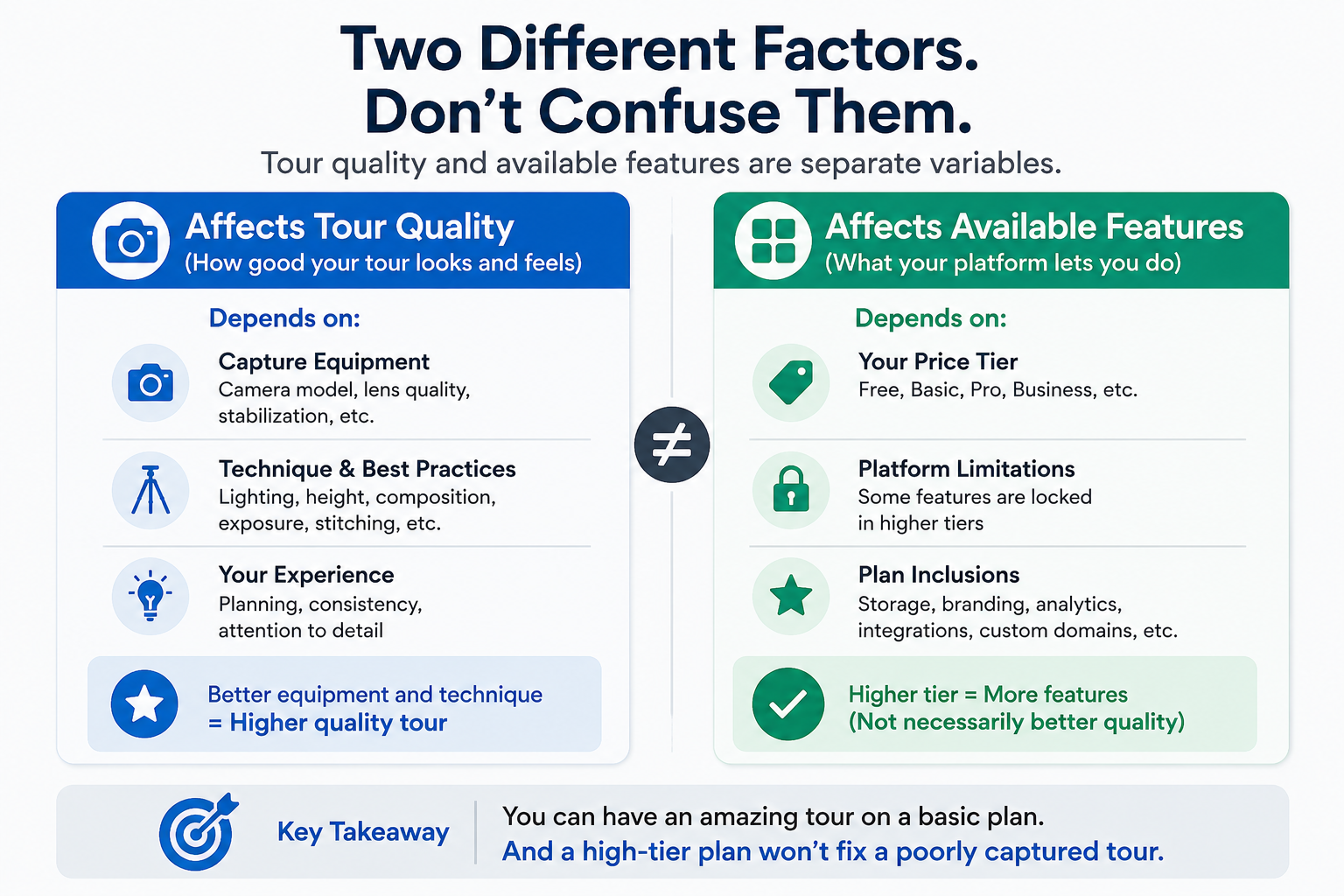
Not necessarily — tour quality depends heavily on your own capture equipment and technique, not just the software platform's price tier. A well-captured tour on an affordable platform generally looks better than a poorly-captured one on an expensive platform. Price tier affects available features and polish options more than it affects the fundamental visual quality of your source material.
"What if I outgrow a budget-focused platform later?"
This is worth planning around loosely rather than avoiding a good current fit over a hypothetical future need. Most platforms allow tier upgrades as your business grows, and choosing the right fit for your current situation is generally better than overpaying now for capacity you might need eventually but don't need yet.
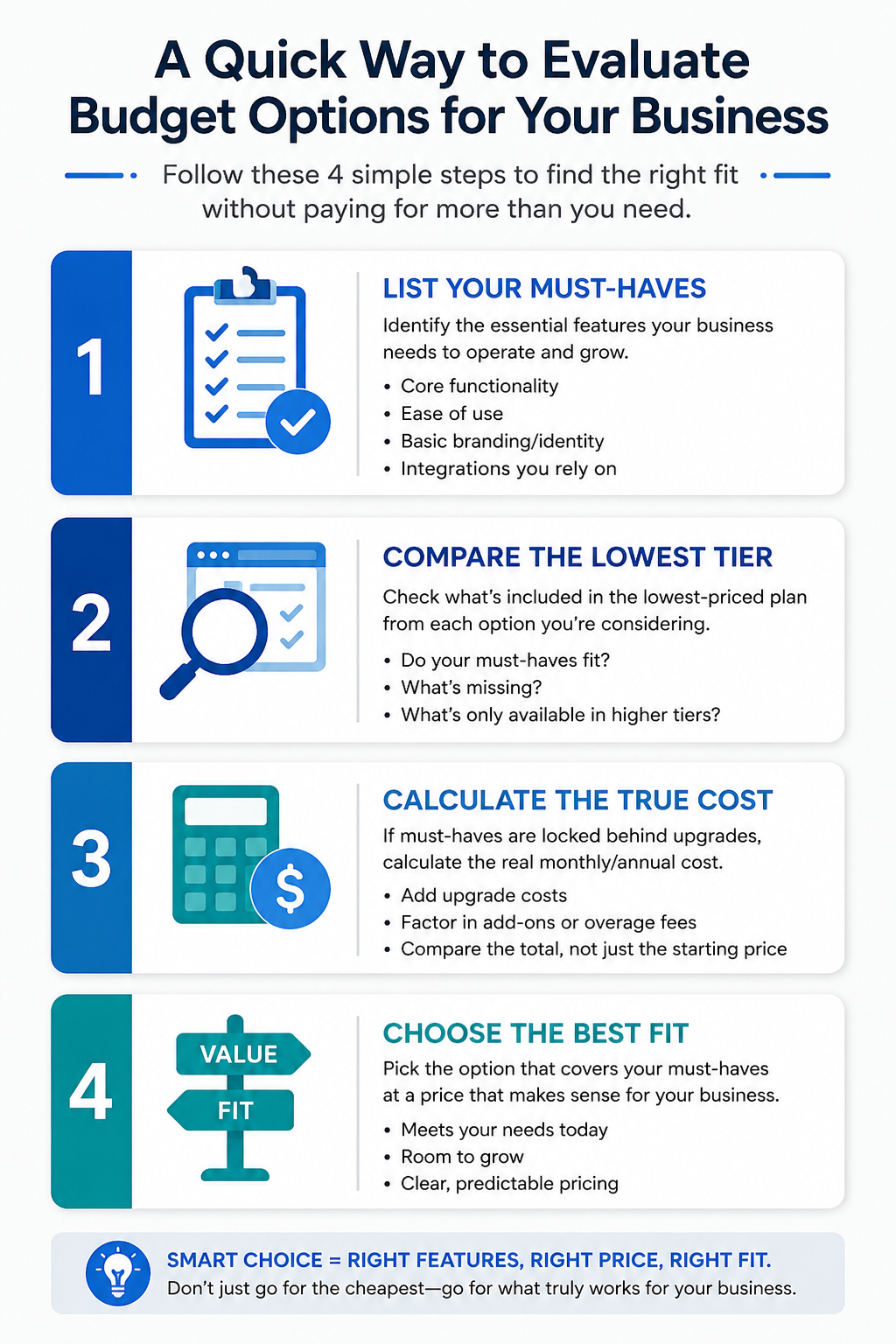
Finding a genuinely affordable Matterport alternative isn't about chasing the lowest possible price — it's about finding the platform that includes your specific must-haves at a price your business can comfortably sustain. Small businesses have different priorities than larger agencies, and evaluating against your own specific, modest requirement list tends to produce a better outcome than a generic feature comparison built for a different kind of buyer.
If reliable hosting and straightforward usability at an accessible price point are your priorities, it's worth testing CloudPano directly against your specific budget and requirements. And if you want the broader framework for evaluating alternatives beyond just budget, our complete guide on choosing a Matterport alternative covers that ground in full. Whatever you decide, running the numbers against your own actual requirements, rather than a headline price alone, is what separates a genuinely good budget decision from one that only looks good until the first unexpected charge shows up.


Compact, ready to go anywhere
Interchangeable lens that’s upgradeable
Dual 1-inch sensors for improved clarity and low light performance
Dynamic range and 6K 360° capture
360° photo resolution at 21MP

8K 360° video recording for ultra-detailed visuals.
4K single-lens mode for traditional wide-angle shots.
Invisible selfie stick effect for drone-like perspectives.
2.5-inch touchscreen with Gorilla Glass protection.
Waterproof up to 33ft for underwater shooting.

360° photo resolution in 23MP
Slim design at 24 mm thick
Built-in image stabilization for smooth video capture.
Internal 19GB storage for photo and video storage.
Wireless connectivity for remote control and sharing.

60MP 360° still images for high-resolution photography.
5.7K 360° video recording at 30fps.
2.25-inch touchscreen for intuitive control.
USB Type-C port for fast charging and data transfer.
MicroSD card slot for expandable storage.
.png)

.png)

Try it free. No credit card required. Instant set-up.





.svg)


.svg)