


.png)


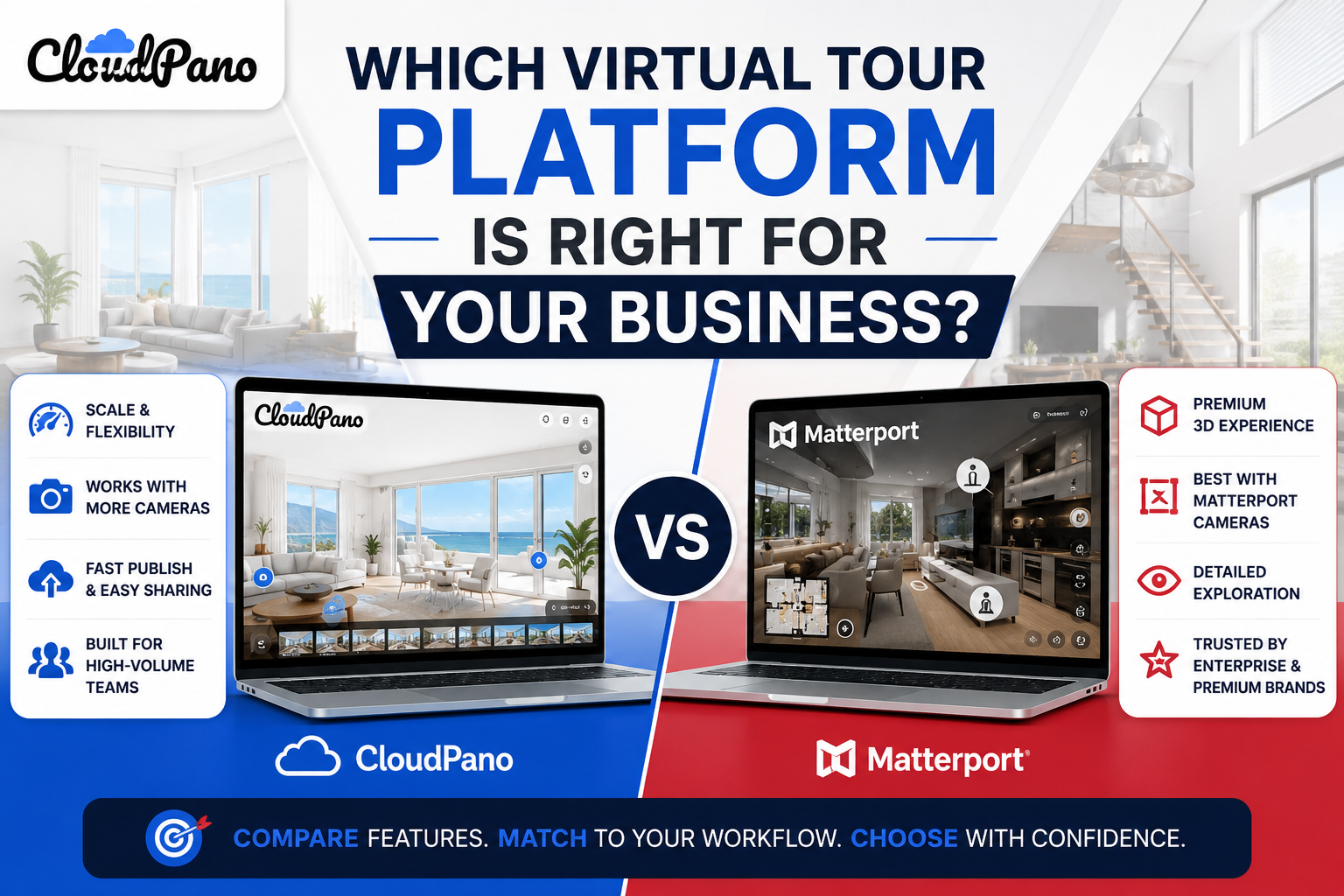
Searching for the best virtual tour platform usually leads to the same dead end: a dozen articles ranking software by feature count, each with a slightly different winner depending on who wrote it. That's not particularly useful, because "best" isn't a fixed property of a platform — it depends entirely on how your business actually operates. A platform that's genuinely excellent for a high-volume real estate team can be overkill, or a poor fit in other ways, for a boutique hospitality brand producing a handful of tours a year.
This article isn't another ranked list. It's a framework for figuring out which platform actually fits your situation, so you're not relying on a generic "top 5" article written for an audience that may look nothing like your business.
Before choosing 3d tour software, it helps to get specific about what you're actually optimizing for. Most businesses evaluating this category are really asking one of a few different underlying questions, even if they phrase it the same way:
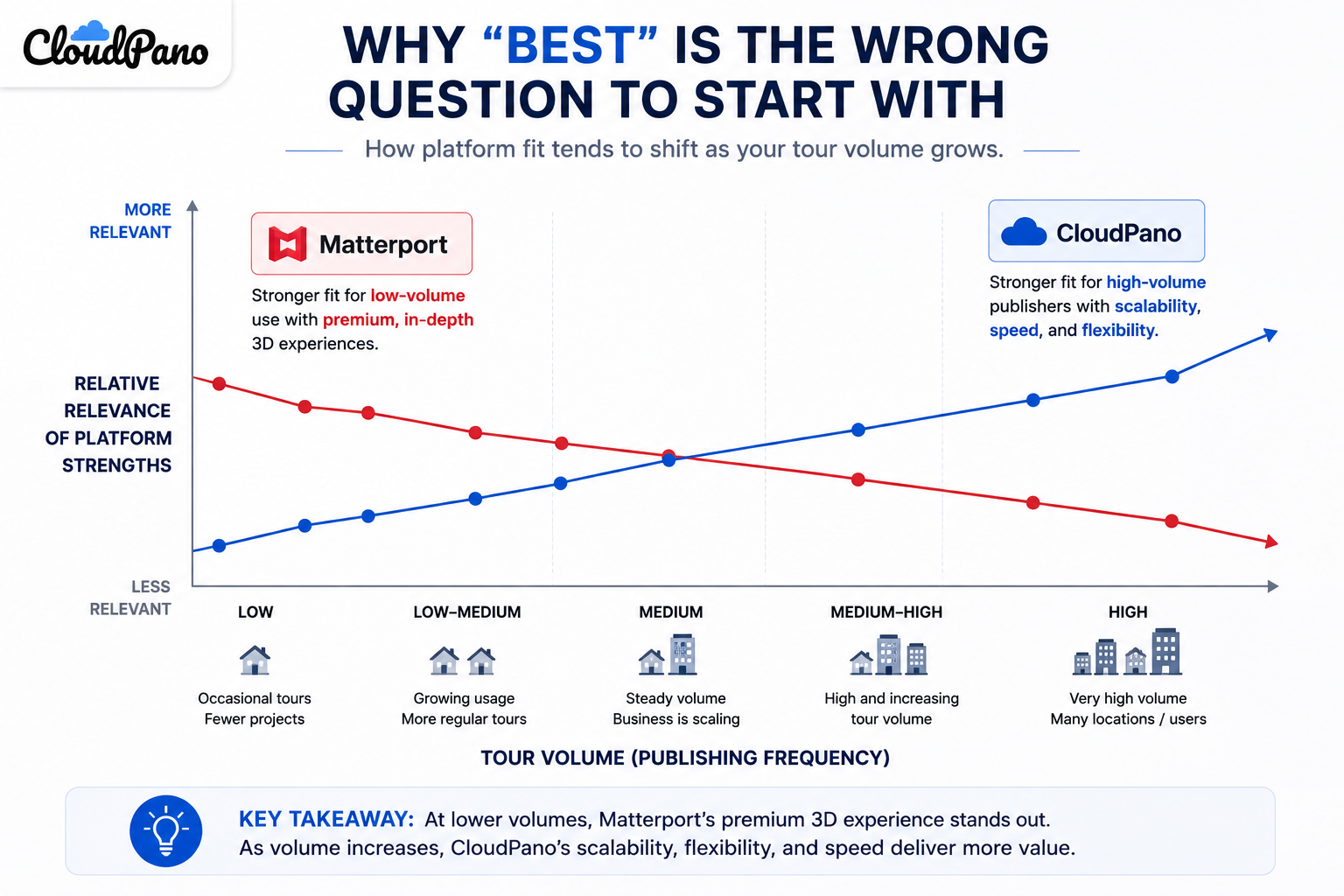
These are different questions with potentially different answers. A feature-count ranking collapses all of them into a single score, which is exactly why those rankings feel unsatisfying — they're answering a question you didn't actually ask.
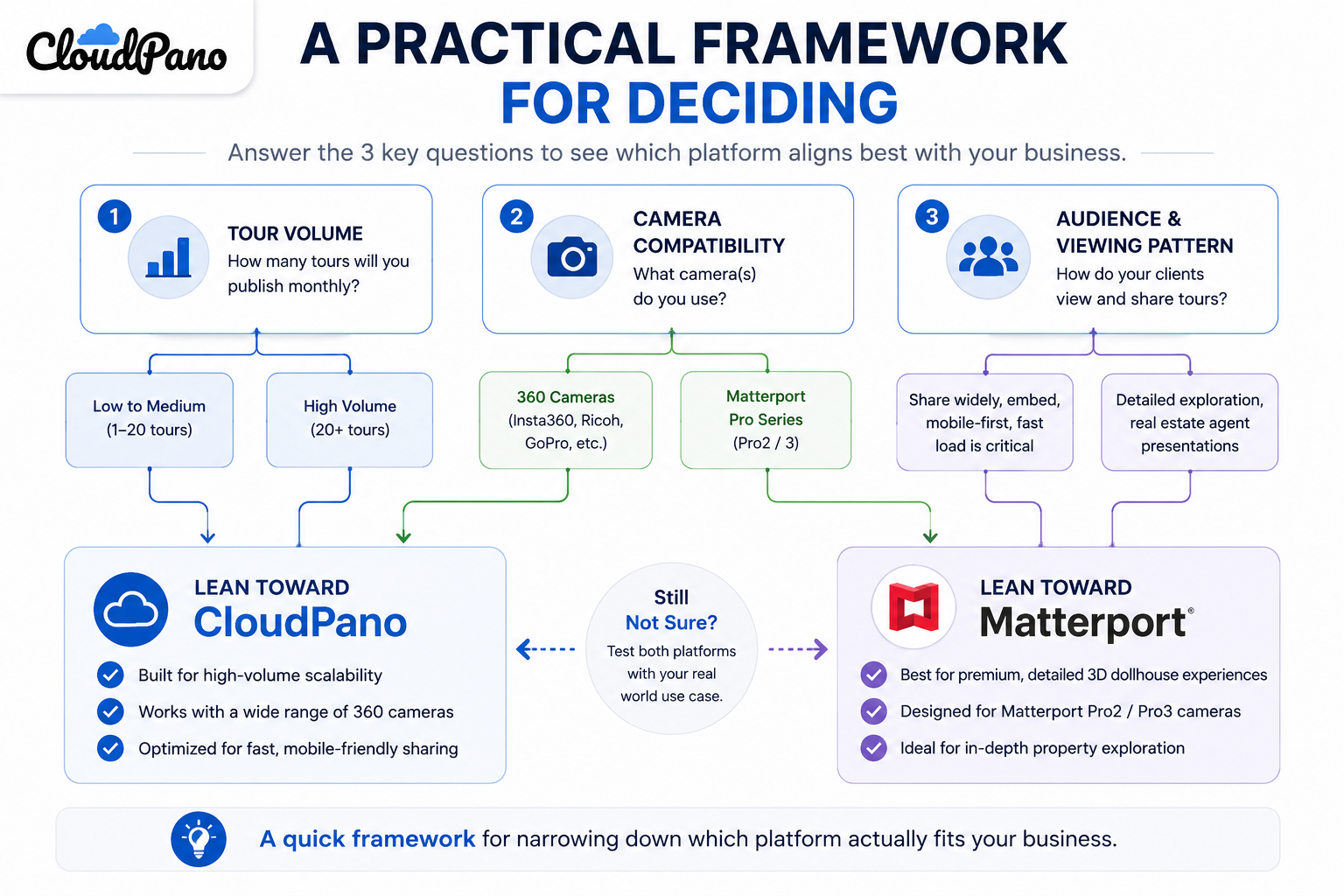
Rather than starting from a features list, start from your own usage pattern. Three questions tend to separate businesses into meaningfully different buying decisions:
How many tours will you produce, and how often? A business producing one or two tours a year has very different priorities than an agency producing dozens monthly. Occasional users should weight ease of setup heavily; high-volume users should weight cost-scaling and storage terms heavily, since those compound over time.
What camera or capture equipment are you using? Platforms vary in how tightly they're built around specific hardware ecosystems versus how broadly they support third-party cameras. If you've already invested in equipment, compatibility should be checked directly, not assumed.
Who's actually going to view the finished tour, and how? A tour meant to sit on a single real estate listing page has different requirements than one meant to be embedded across a marketing campaign or shared widely on social media — the latter puts more pressure on bandwidth and load speed.
Framed through that lens, matterport or cloudpano isn't really an either/or brand preference — it's a question of which platform's underlying strengths line up with your specific answers above.
Matterport's strength has traditionally been in high-fidelity capture using its own hardware ecosystem, with strong brand recognition specifically in residential real estate. Businesses that have already standardized on Matterport-compatible cameras, and that produce a relatively stable, moderate volume of tours, often find this a comfortable fit.
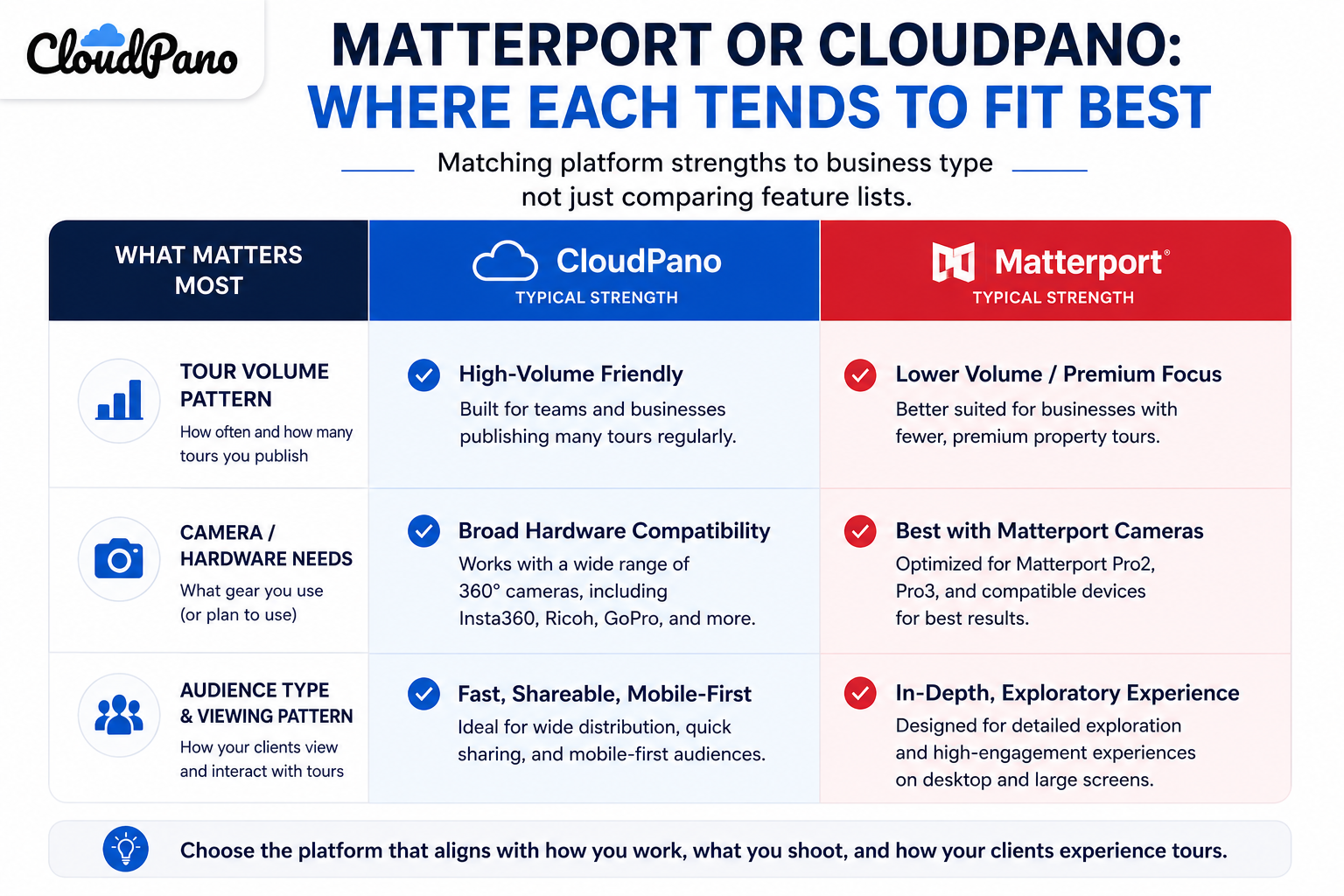
CloudPano's strengths tend to show up more clearly for businesses with broader camera compatibility needs, a growing or unpredictable tour volume, or a priority on more transparent, predictable cost scaling as usage increases. Reviewers on G2's virtual tour software category page frequently cite ease of onboarding and hardware flexibility as reasons for choosing CloudPano over more hardware-locked alternatives.
A useful virtual tour software comparison doesn't start with a spreadsheet of every possible feature — it starts with the three questions above, answered honestly for your specific business, and then checked against each platform's actual strengths rather than its marketing copy.
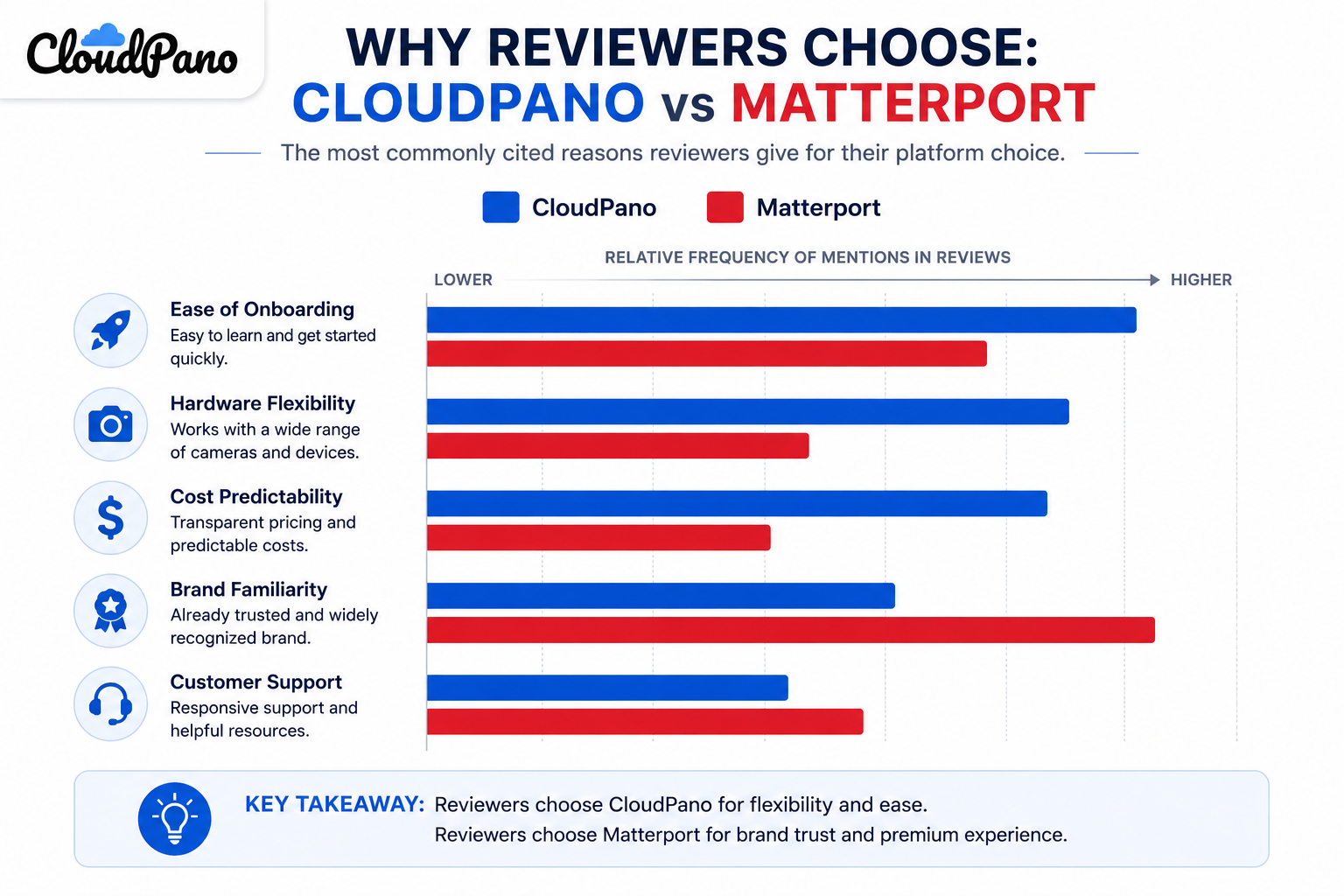
This is also where independent sources are more useful than any single vendor's website. Capterra's virtual tour software listings let you filter and compare reviewer sentiment across multiple products at once, which surfaces patterns a single comparison article can't. Community discussions in places like r/realtors or r/Matterport are useful for a different reason: they surface the actual, unscripted questions other buyers asked before making a decision, which is often a better guide than a curated feature list, precisely because nobody in those threads is trying to close a sale.
It's tempting to treat this as a five-minute decision — skim two pricing pages, pick whichever one looks slightly cheaper, and move on. For a business that only occasionally needs a virtual tour, that shortcut is probably fine. For a business where tours are a recurring part of how you sell, market, or showcase something, the cost of getting this wrong compounds. A platform mismatch doesn't usually show up as a dramatic failure — it shows up as small ongoing friction: a workflow that takes longer than it should, a bill that creeps up unpredictably, a feature you assumed was included that wasn't.
That's the real argument for choosing 3d tour software deliberately rather than defaulting to whichever platform a competitor mentioned or whichever one appeared first in a search. The upfront time spent running through the framework above is small compared to months or years of friction from a mismatched platform.
It's also worth acknowledging that this decision doesn't need to feel permanent or high-stakes. Most platforms offer trial periods specifically so you can test assumptions with your own content before committing financially. Treating the decision as "test, then commit" rather than "research exhaustively, then commit forever" tends to produce better outcomes with less analysis paralysis.
"Isn't this just going to lead me to whatever conclusion the article wants?"
That's a fair instinct to have toward any comparison content, including this one. The way to guard against it is to run the three-question framework above yourself, with your own honest answers, rather than taking any single article's conclusion at face value — including the direction this one leans. If your answers point toward Matterport's strengths rather than CloudPano's, that's a legitimate outcome of the framework, not a failure of it.
"What if my needs change after I commit to a platform?"
This is worth planning for rather than avoiding a decision over. Most businesses' needs do shift over time, and it's reasonable to revisit this comparison periodically rather than assuming a decision made today is permanent. If a change does become necessary, a migration between platforms is a planned project, not an emergency — a dedicated migration guide covers what that process actually involves.
Before committing to either platform, it's worth running through this quickly:
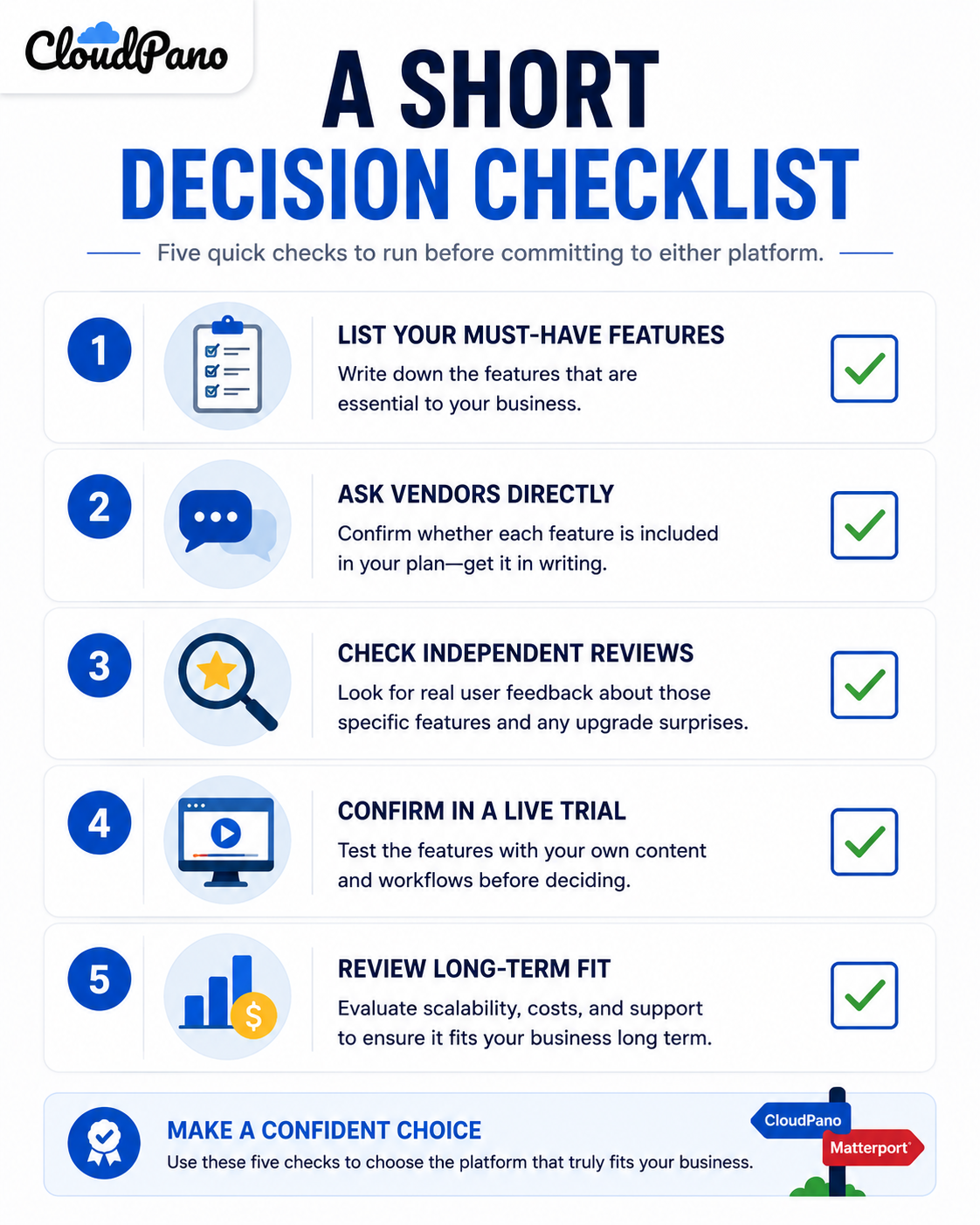
This checklist takes an afternoon, not a week, and it's the difference between a decision grounded in your actual usage pattern and one grounded in whichever pricing page you happened to read first. Businesses that skip this step tend to be the ones who end up revisiting the decision within a year — not because either platform is bad, but because the initial choice was never actually matched to their specific situation in the first place.
There isn't a single best virtual tour platform in the abstract — there's a best fit for your specific volume, equipment, and audience. Matterport tends to suit businesses standardized around its hardware ecosystem with a steady, moderate tour volume. CloudPano tends to suit businesses with broader equipment needs, growing or unpredictable volume, and a priority on predictable cost scaling.
If your honest answers to the framework above point toward flexibility and scalability being your priority, it's worth running a CloudPano trial with your own content to confirm the fit directly, rather than deciding from a features page alone. And if you're already comparing the two platforms head-to-head on cost and features specifically, our complete comparison guide walks through that in more depth.


Compact, ready to go anywhere
Interchangeable lens that’s upgradeable
Dual 1-inch sensors for improved clarity and low light performance
Dynamic range and 6K 360° capture
360° photo resolution at 21MP

8K 360° video recording for ultra-detailed visuals.
4K single-lens mode for traditional wide-angle shots.
Invisible selfie stick effect for drone-like perspectives.
2.5-inch touchscreen with Gorilla Glass protection.
Waterproof up to 33ft for underwater shooting.

360° photo resolution in 23MP
Slim design at 24 mm thick
Built-in image stabilization for smooth video capture.
Internal 19GB storage for photo and video storage.
Wireless connectivity for remote control and sharing.

60MP 360° still images for high-resolution photography.
5.7K 360° video recording at 30fps.
2.25-inch touchscreen for intuitive control.
USB Type-C port for fast charging and data transfer.
MicroSD card slot for expandable storage.
.png)

.png)

Try it free. No credit card required. Instant set-up.







.svg)


.svg)