


.png)


A Complete Guide to Choosing the Right HDR Merging Software
You’ve captured your bracketed exposures — one dark, one balanced, one bright (or maybe five or seven). Now comes the next step: turning those multiple shots into one clean, natural-looking image.
That’s where HDR merging software comes in.
The right software can make the difference between realistic, professional images and overprocessed, artificial-looking results. In this guide, we’ll explore what HDR merging software does, what features matter most, and which types of tools are best for different photographers.
Let’s find the perfect fit for your workflow. 🚀
HDR merging software combines multiple exposures of the same scene into a single image with balanced lighting.
It pulls:
🌤 Highlight detail from darker exposures
🌑 Shadow detail from brighter exposures
🎨 Midtones from balanced shots
The goal is to create a final image that looks natural and evenly lit, without blown highlights or muddy shadows.
Cameras can’t capture the full range of light in high-contrast scenes. That’s why photographers bracket exposures.
But bracketed images are only useful if you merge them properly.
Good HDR merging software helps you:
✔ Preserve detail across the tonal range
✔ Avoid halos and artifacts
✔ Maintain natural contrast
✔ Speed up editing workflows
Without the right tools, HDR can look fake and overdone.
Not all programs are equal. Here’s what matters most.
Look for software that keeps images realistic instead of overly dramatic.
Important when people, trees, or curtains move between exposures.
Corrects minor shifts between shots for sharp results.
Saves time when editing multiple properties or shoots.
Ensures maximum image quality.
Good HDR merging software should balance automation with manual control.
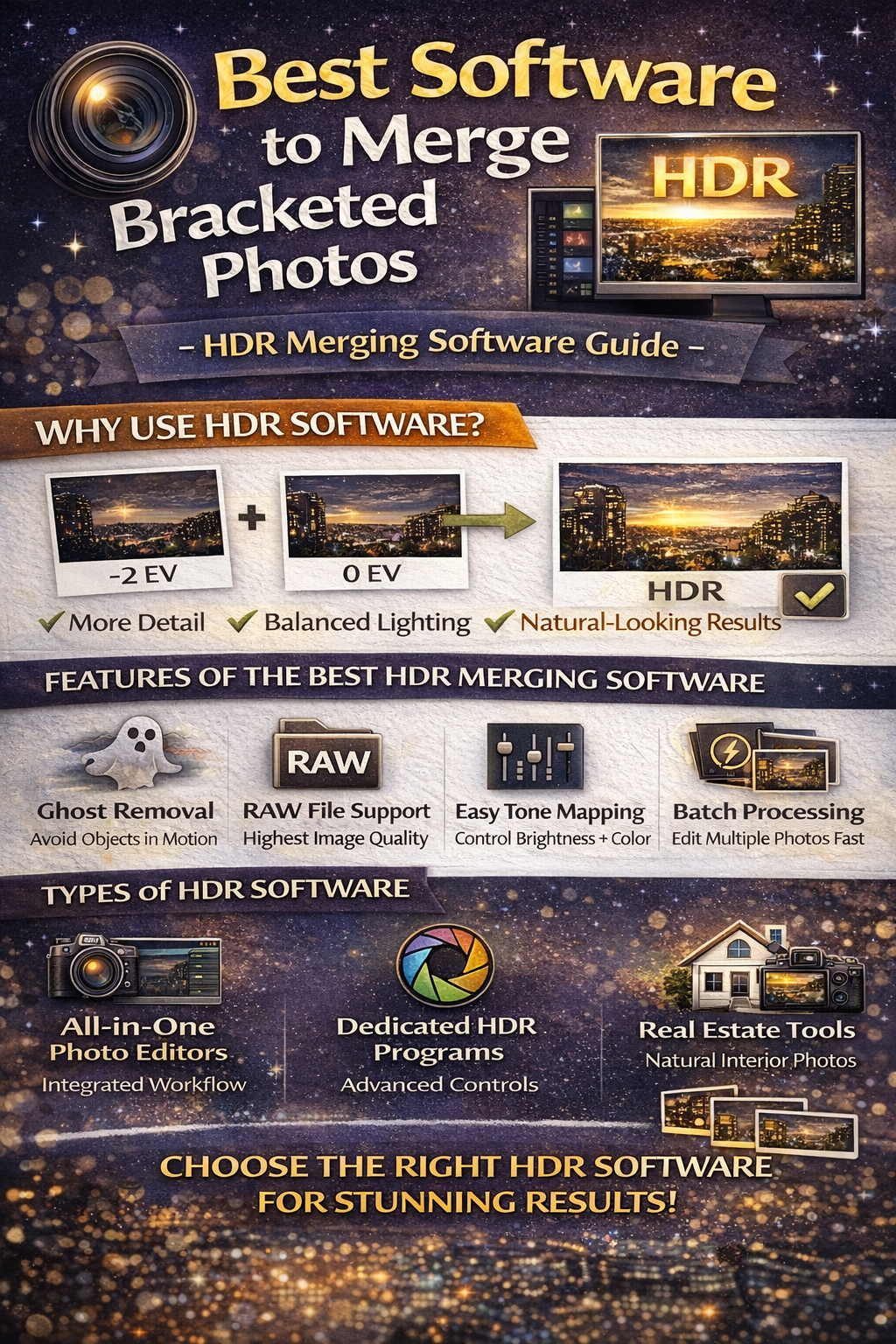
There are several categories of tools photographers use.
Many professional editing programs include built-in HDR merging.
Benefits:
✔ Integrated workflow
✔ Strong color correction tools
✔ Natural-looking results
These are popular for real estate and landscape photographers who want everything in one place.
These programs are designed specifically for HDR.
They often include:
✔ Advanced tone mapping
✔ Strong ghost removal
✔ Detailed control over highlight and shadow blending
They’re powerful but sometimes easier to overprocess.
Some software focuses on producing clean, natural interior photos.
These tools often prioritize:
✔ Subtle HDR blending
✔ Balanced window detail
✔ Quick batch editing
They’re designed for photographers who need speed and realism.
While the “best” choice depends on your needs, these categories include many well-known tools.
Great for photographers who want HDR merging combined with full editing control.
Ideal for those who want deeper HDR-specific controls and effects.
Perfect for fast, natural merges tailored to property photography.
Choosing the right HDR merging software depends on your style and volume of work.
Ask yourself:
📷 Do you want natural or dramatic HDR?
⏳ Do you edit high volumes of images?
🖥 Do you prefer simple or advanced controls?
🏠 Are you shooting real estate or landscapes?
Your answers guide your choice.
Some photographers want subtle, realistic blends. Others prefer bold, stylized HDR.
If realism is your goal, choose HDR merging software known for soft tone mapping and minimal halos.
For artistic or dramatic work, more aggressive tools may suit you.
Batch-processing tools are great for high-volume workflows.
Manual blending tools offer more precision but take longer.
Many photographers combine both approaches depending on the project.
Poor HDR merges often come from incorrect settings.
Watch for:
🚫 Halos around windows
🚫 Gray, lifeless shadows
🚫 Over-saturated colors
🚫 Unnatural glow effects
The best HDR merging software makes it easier to keep edits subtle and natural.
If you’re new to HDR, start with tools that:
✔ Have simple sliders
✔ Offer automatic alignment
✔ Provide preset tone mapping
You can grow into more advanced software later.
Experienced photographers often prefer tools that allow:
✔ Manual exposure blending
✔ Masking and layer control
✔ Precise highlight recovery
These features give maximum creative flexibility.
Real estate and event photographers benefit from batch merging.
Good HDR merging software lets you:
✔ Apply the same merge settings to multiple images
✔ Maintain consistent style
✔ Save hours of editing time
This is crucial for large shoots.
Typical workflow:
1️⃣ Capture bracketed photos
2️⃣ Import into HDR merging software
3️⃣ Align and merge exposures
4️⃣ Adjust tone mapping
5️⃣ Fine-tune contrast and color
6️⃣ Export final image
The smoother your software integrates with this process, the faster you’ll work.
The best HDR merging software isn’t about flashy effects — it’s about producing clean, natural, balanced images efficiently.
Look for tools that:
✔ Preserve realistic light
✔ Offer reliable alignment
✔ Handle ghosting well
✔ Support RAW files
✔ Fit your editing speed and style
Great HDR starts with good capture, but it’s the right software that brings it all together.
Choose wisely, keep edits natural, and your merged images will look professional every time. ✨


Compact, ready to go anywhere
Interchangeable lens that’s upgradeable
Dual 1-inch sensors for improved clarity and low light performance
Dynamic range and 6K 360° capture
360° photo resolution at 21MP

8K 360° video recording for ultra-detailed visuals.
4K single-lens mode for traditional wide-angle shots.
Invisible selfie stick effect for drone-like perspectives.
2.5-inch touchscreen with Gorilla Glass protection.
Waterproof up to 33ft for underwater shooting.

360° photo resolution in 23MP
Slim design at 24 mm thick
Built-in image stabilization for smooth video capture.
Internal 19GB storage for photo and video storage.
Wireless connectivity for remote control and sharing.

60MP 360° still images for high-resolution photography.
5.7K 360° video recording at 30fps.
2.25-inch touchscreen for intuitive control.
USB Type-C port for fast charging and data transfer.
MicroSD card slot for expandable storage.
.png)

.png)

Try it free. No credit card required. Instant set-up.







.svg)


.svg)