


.png)


An agent in Sacramento shoots her own listing photos on an iPhone between showings, edits her own videos from the front seat of her car, and posts to Instagram before she's even back at the office. She isn't doing this because she loves editing. She's doing it because there's no marketing coordinator, no photographer on retainer, and no one else who's going to make sure the new listing gets seen this weekend. That's the actual context most best real estate video apps roundups completely ignore — they're written for brokerage marketing teams, not for the one person doing everything.
Solo agents don't need the tool built for a fifteen-person office. They need something that fits inside a fifteen-minute window between a showing and a client call, doesn't require a training session, and doesn't cost more per month than the deal it's helping close is worth in commission math.
A tool built for a solo agent isn't a stripped-down version of brokerage software — it's software designed around a different set of constraints entirely. No marketing team means no one else is going to fix a branding mistake before it goes live. No dedicated photographer means the input photos are often shot quickly, on a phone, in whatever light the listing offers that day. And no committee means the agent is making every software decision alone, usually in a spare ten minutes, not during a scheduled evaluation period.

This changes what actually matters in a comparison. Team-scaling features, multi-seat admin controls, and brand-consistency tools across dozens of users are irrelevant here. What matters is: can one person go from phone photos to a finished, branded video without help, and can they do it fast enough that it doesn't compete with actually selling houses.
For a solo agent, time isn't just money in the abstract — it's the literal tradeoff against showings, calls, and open houses that are also unpaid until a deal closes. Every hour spent wrestling with software is an hour not spent on either lead generation or the parts of the job that actually require a license. Realtor.com's ongoing market data has repeatedly shown that listings with strong visual marketing, including video, tend to generate faster buyer engagement — which matters more for a solo agent than almost anyone else, since a slow-moving listing directly costs them time they don't have a team to absorb.
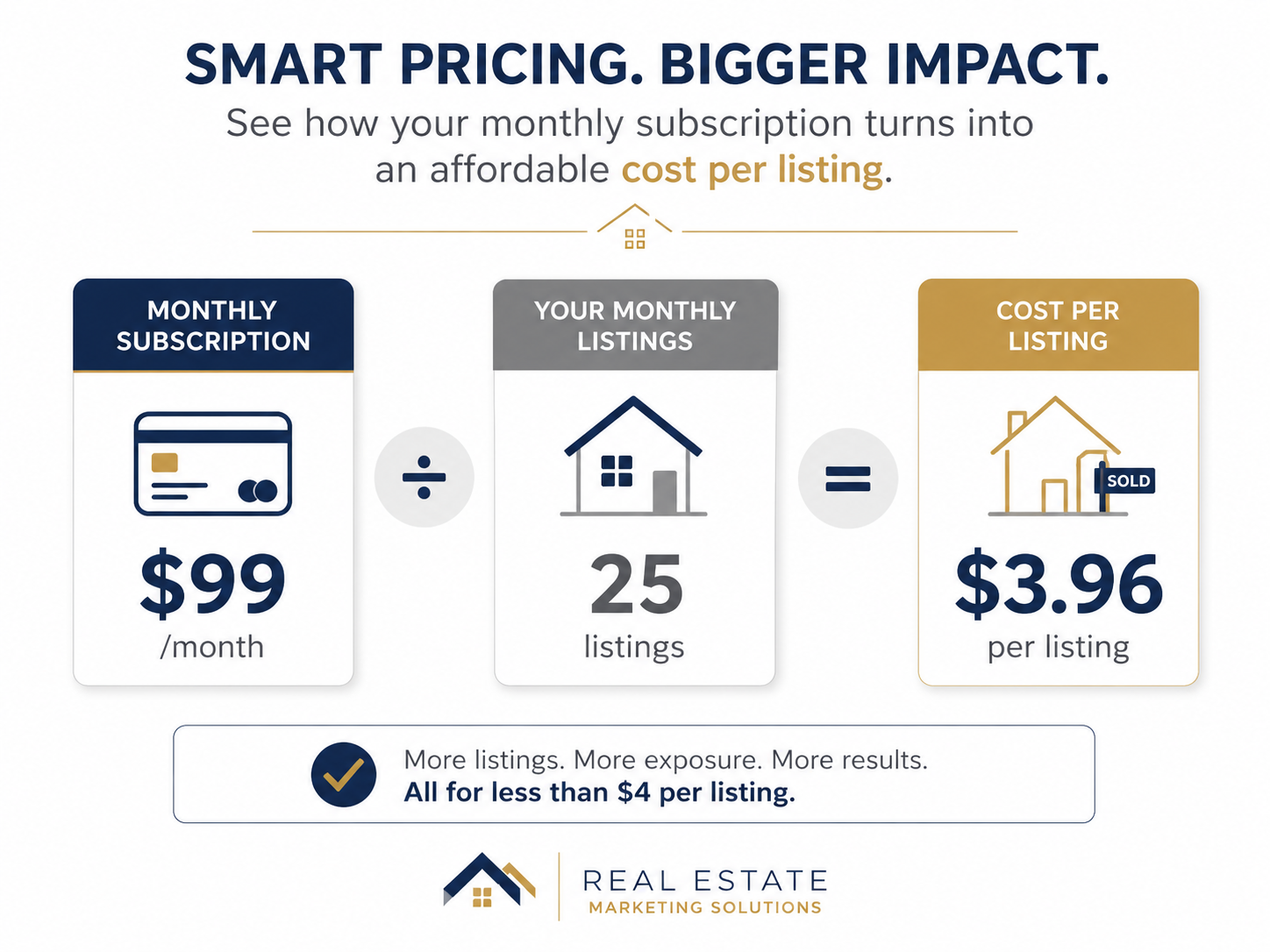
There's also a budget reality that brokerage comparisons skip past. A tool priced for a fifteen-agent office often bakes in features and per-seat pricing that make no sense for one person. Paying for capacity you'll never use isn't just wasteful — for a solo agent covering their own software costs out of commission, it's a direct hit to margin on every deal.
Here's what typically happens: an agent signs up for a video tool recommended by a brokerage-focused blog post, one clearly written with a marketing department in mind. The interface assumes someone else set up the brand kit. The pricing assumes multiple seats. The workflow assumes there's a person dedicated to reviewing and posting content, when in reality it's the same agent doing it solo, usually from a phone, usually in a hurry.
The result is a tool that technically works but never quite fits — video gets skipped for smaller listings because it's just one more task competing with everything else on a Tuesday, and the agent quietly reverts to posting plain photos instead. This is usually the moment someone searches for real estate video editing software for agents specifically, hoping to find something built around an individual's actual day rather than an office's.
PhotoAIVideo works from the same starting point most solo agents actually have: a folder of listing photos, sometimes phone-shot, sometimes from a quick professional session, and very little spare time to turn them into something polished. Brand kit setup is a one-time step — logo, contact card, colors — after which every future listing pulls from those same saved settings automatically, without needing anyone else to manage it.
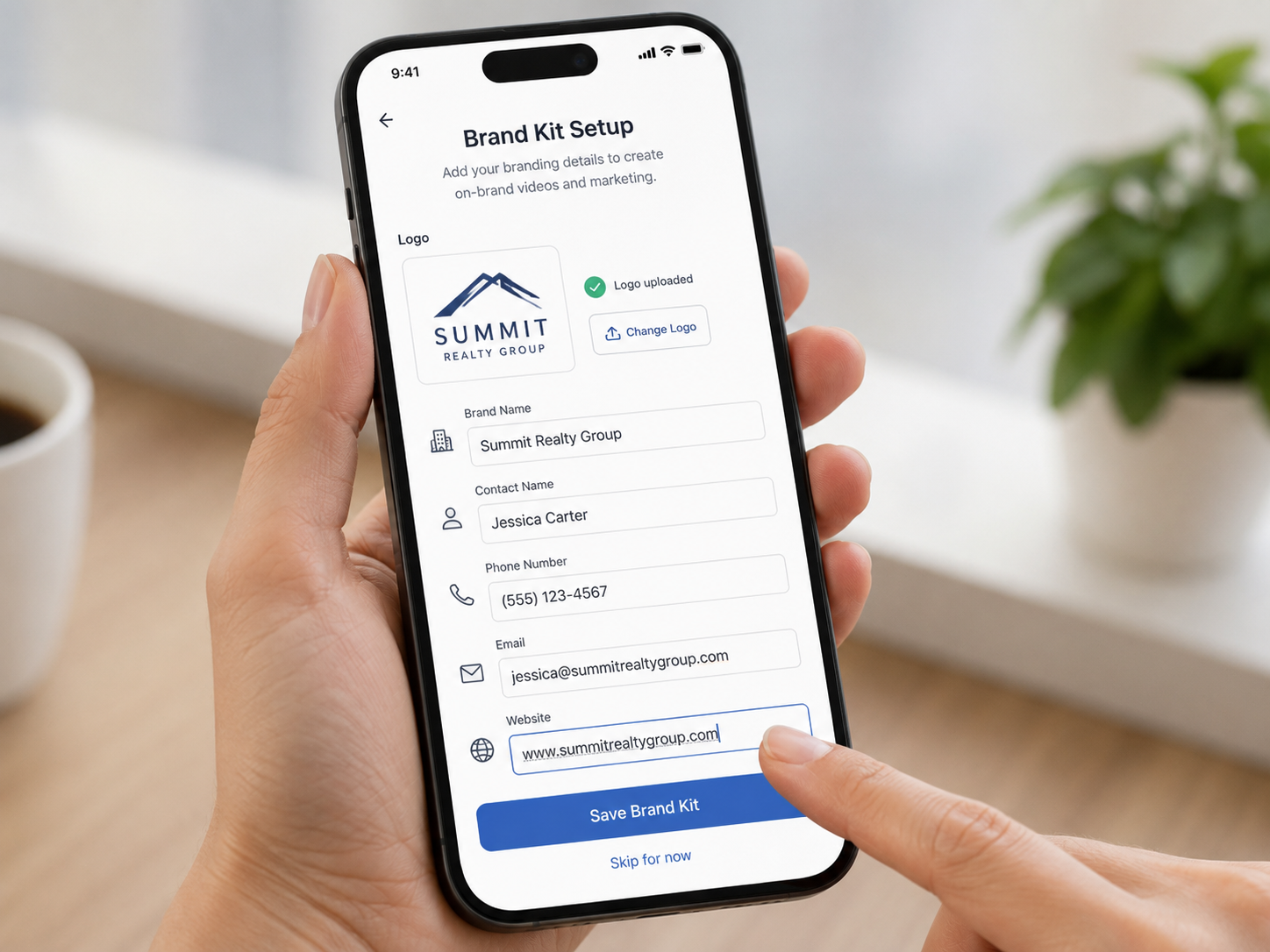
The practical value for a solo agent isn't a long feature list. It's that the whole process, from upload to a finished multi-format video, fits inside the kind of gap that exists between a showing and the next appointment. There's no team to coordinate with, no admin panel to configure, and no reason the tool should feel like it was built for someone else's job description.
Step 2 is the one that actually changes behavior. A workflow tied to a desktop often just doesn't happen on busy days — and busy days are exactly when a fresh listing needs marketing most.
If you're comparing an AI real estate video software comparison written for offices, most of the scoring criteria simply won't apply to your situation — which is exactly why a solo-agent-specific evaluation looks different.

An agent posting listings the same day she shoots them herself. Speed and a simple mobile workflow matter more here than any advanced editing capability she'll never have time to use.
A newer agent building a personal brand from scratch. Consistent, professional-looking video across every listing — even modest ones — does more for a new agent's credibility than one occasional, highly polished video.
A part-time agent balancing real estate with another job. Every minute matters more here than for a full-time agent, so a tool with real setup speed isn't a nice-to-have, it's the deciding factor.
An agent working rural or lower-price-point listings. These are often the listings brokerage-level tools get pointed away from because they're not "worth" premium marketing — but a fast, low-cost tool makes video viable for every listing, not just the flagship ones.
An agent who occasionally hires a photographer but edits video themselves. The workflow needs to accept professionally shot photos just as easily as phone photos, without extra steps depending on the source.

Choosing a tool built for brokerages because it ranked well in a general comparison. Team-oriented features you'll never use often come bundled with cost you will pay regardless.
Skipping video on smaller or lower-commission listings to save time. Those are frequently the listings that benefit most from extra visibility, since they don't have other marketing advantages working in their favor.
Treating brand kit setup as optional or "something to do later." Every listing posted before your branding is finalized is a missed chance to reinforce your name and contact info consistently.
Relying entirely on desktop workflows. If the tool doesn't work reasonably well from a phone, it's competing with your actual schedule, not fitting into it.
Comparing tools based on brokerage-focused review articles. Most published comparisons are written with marketing departments in mind — the criteria that matter for a fifteen-person office often don't apply to a one-person business at all.
What's the best real estate video app for a solo agent on a budget?
Look for per-listing cost, not just the monthly price — a tool that seems slightly more expensive but requires no extra time or team features often works out cheaper in practice for a one-person business.
Can I really create professional listing videos from just my phone?
Yes — modern AI-driven platforms are increasingly built around phone-shot photos, since that's how the majority of solo agents actually capture their listings day to day.
Do solo agents need the same real estate video software as brokerages?
No — brokerage tools often include multi-seat admin features and team-scaling tools that add cost without adding value for a single user.
How much time should editing a listing video actually take for a solo agent?
Ideally the length of a short break between appointments — if it's taking 30 minutes or more per listing, the tool is likely built for a workflow you don't have.
Is it worth adding video to lower-priced or rural listings?
Often, yes — these listings frequently get skipped for extra marketing effort, which means video can be a meaningful point of difference rather than an expected baseline.
What should a solo agent prioritize: template variety or workflow speed?
Workflow speed, almost always — a smaller set of reliable templates that go out the door quickly beats a large library that takes longer to navigate every time.
How do I set up consistent branding without a marketing team's help?
Choose a tool where brand kit setup is a one-time, self-service process — logo, contact info, and colors saved once and applied automatically to every future listing.


Compact, ready to go anywhere
Interchangeable lens that’s upgradeable
Dual 1-inch sensors for improved clarity and low light performance
Dynamic range and 6K 360° capture
360° photo resolution at 21MP

8K 360° video recording for ultra-detailed visuals.
4K single-lens mode for traditional wide-angle shots.
Invisible selfie stick effect for drone-like perspectives.
2.5-inch touchscreen with Gorilla Glass protection.
Waterproof up to 33ft for underwater shooting.

360° photo resolution in 23MP
Slim design at 24 mm thick
Built-in image stabilization for smooth video capture.
Internal 19GB storage for photo and video storage.
Wireless connectivity for remote control and sharing.

60MP 360° still images for high-resolution photography.
5.7K 360° video recording at 30fps.
2.25-inch touchscreen for intuitive control.
USB Type-C port for fast charging and data transfer.
MicroSD card slot for expandable storage.
.png)

.png)

Try it free. No credit card required. Instant set-up.







.svg)


.svg)