


.png)


A brokerage in Phoenix signed up for a video platform because the pricing page listed "200+ cinematic templates" and a drone-effects library. Nine months later, their marketing coordinator pulled the usage data out of curiosity. The office had used four templates, total, across every listing that year. The other 196 sat there, contributing nothing except a longer dropdown menu that made picking a template take longer than it used to.
That's the trap almost everyone falls into when they start a real estate video AI software comparison: treating a longer feature list as a better product. It isn't. It's just a longer list. The tools that actually get used week after week are usually the ones with a short list of features that map directly onto a real Tuesday, not a demo reel built to impress a buying committee.
Feature bloat is any capability that sounds valuable in a sales conversation but doesn't get used often enough to justify the complexity it adds to daily workflow. It's not about a feature being bad — most of them work fine. It's about the cost of navigating around them every time you just want to get a normal listing video out the door.
In real estate video software specifically, bloat tends to show up as template libraries nobody scrolls past the first page of, AI voice options in six accents nobody selects, or advanced color grading controls built for professional videographers, not agents trying to post before an open house. None of that is useless in the abstract — it's useless for the person actually running the tool three times a week.
The direct cost of feature bloat is subscription price — platforms with more capability generally charge more, and you end up paying for things that sit unused. But the bigger cost is time and confusion. Every extra menu, toggle, or "advanced" panel is a decision point a busy agent has to navigate past to do the one thing they actually came to do. Google's own guidance on user experience consistently emphasizes that simpler, faster paths to a task outperform feature-dense interfaces for actual task completion — the same principle applies whether you're talking about a webpage or a video editor's dashboard.

There's a compounding effect specific to teams: the more complex a tool feels, the fewer agents actually use it correctly without help. A marketing coordinator ends up fielding "how do I..." questions for features half the office doesn't need, instead of just training everyone on the handful of steps that produce a finished video every time.
Here's how this usually plays out inside a brokerage or photography business:
Someone evaluates video software by watching a demo that shows off every capability — AI voiceover in multiple styles, dozens of music tracks, custom transition effects, drone simulation overlays. It looks impressive, and the team signs a contract based on that impression. Three months in, the actual workflow has narrowed down to the same two or three templates, a consistent brand overlay, and a straightforward export — because that's genuinely all a normal listing needs. Meanwhile, the unused 90% of the feature set is still cluttering the interface, still part of what agents have to click past, and still part of what a new hire has to be trained to ignore.
This is usually the point where someone starts searching for AI real estate video software reviews that go beyond a feature checklist — because the checklist was never the problem. The mismatch between what the tool advertises and what the job actually requires was.
PhotoAIVideo was designed around the observation that most real estate video use cases are actually pretty consistent: turn listing photos into a branded, multi-format video, fast, without a learning curve. Rather than building a sprawling menu of stylistic options, the platform focuses on a smaller set of templates that cover the situations that come up constantly — standard listings, luxury properties, rental units — with strong defaults instead of dozens of half-used variations.
The practical benefit shows up in onboarding. A new agent can go from first login to a finished, on-brand video without needing a training session on features they'll never touch. For a marketing coordinator managing a whole office, that's the difference between writing one short onboarding doc and fielding individual questions for months. It's also why comparing PhotoAIVideo against a competitor's spec sheet alone tends to undersell it — the value shows up in how little time the platform wastes, not in how many buttons it has.
Step 6 catches more bad purchases than any spec comparison. The person signing the contract is rarely the one navigating the dropdown menus at 6pm on a Friday.
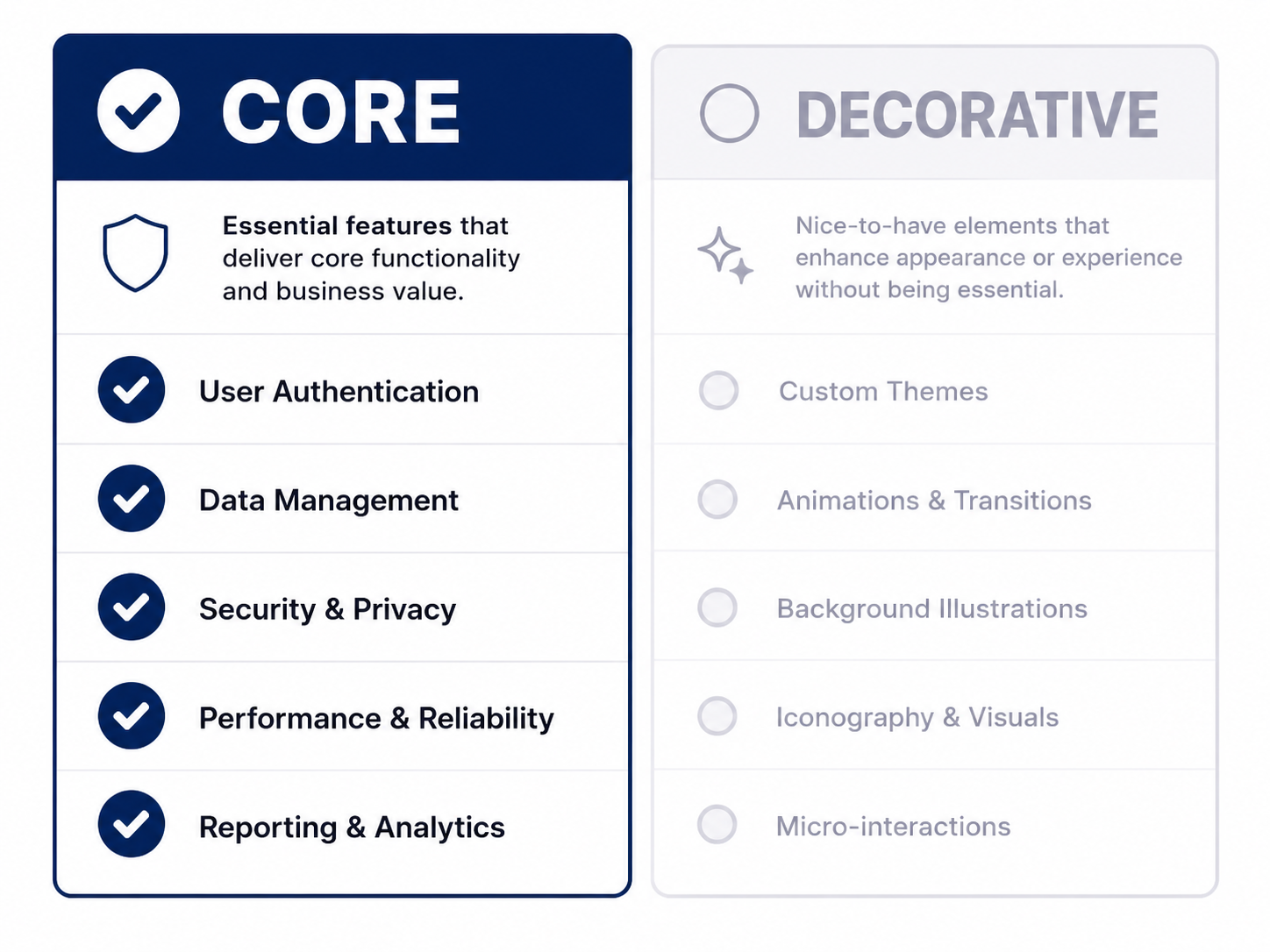
Core features that should actually influence your decision:

Decorative features worth checking, but rarely worth prioritizing:
If a platform's pricing tier structure charges significantly more for the decorative column while the core column looks similar across competitors, that's often a sign you're paying for a longer feature list rather than a genuinely better workflow. This distinction matters more than any individual line item when you're running a real estate video generator software comparison between two or three finalists.
A solo agent evaluating tools for the first time. She doesn't need six voiceover styles — she needs one reliable template and a fast export, so a simpler platform with strong defaults will likely outperform a feature-dense one for her actual weekly use.
A brokerage comparing an expensive "all-in-one" platform against a simpler alternative. If the all-in-one's extra cost comes almost entirely from features the team never touches, the simpler tool is often the better financial decision, not just the easier one.
A photography studio training new hires regularly. A tool with fewer, well-designed core options means faster onboarding for every new editor — a genuine operational advantage that doesn't show up on a spec sheet.
A property manager who just needs volume, not variety. Forty similar rental listings a month don't benefit from stylistic variety — consistency and speed matter far more than a large template library.
A luxury listing specialist who genuinely uses advanced options. This is the one case where a feature-rich tool earns its complexity — if color grading and custom effects are actually part of a weekly workflow, that's a real core feature for this use case, not bloat.
Choosing a tool based on the demo's most impressive feature. The feature that wins a sales call is rarely the feature that gets used in week twelve.
Assuming more expensive automatically means more capable where it counts. Higher pricing tiers often reflect more decorative features, not faster rendering or better branding tools.
Ignoring your team's actual comfort level with complexity. A tool that feels intuitive to a tech-savvy marketing director might genuinely slow down agents who just want to post a video and move on.
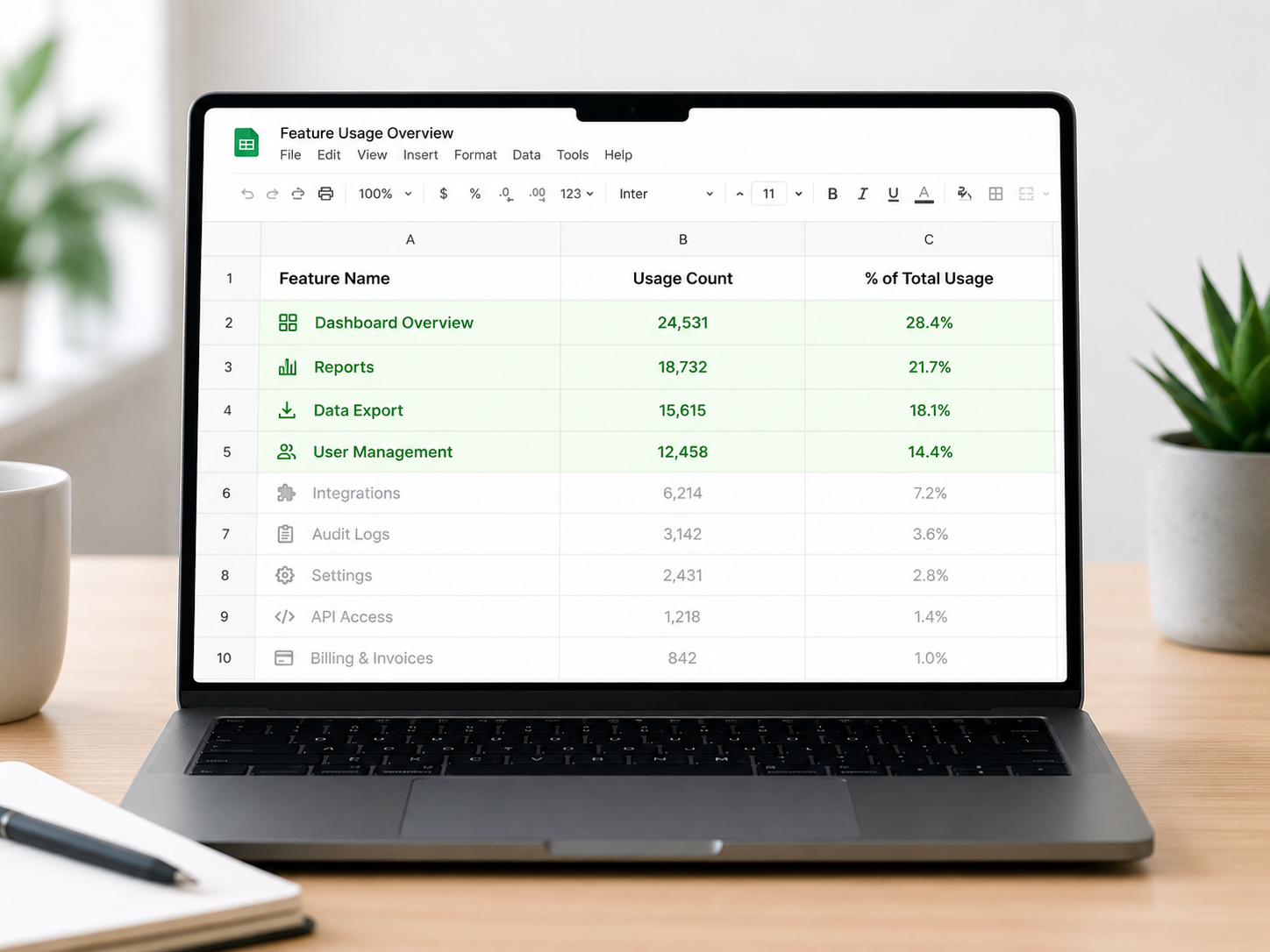
Skipping a real usage audit on your current tool before switching. If you don't know which features you actually use today, you can't meaningfully judge whether an alternative's feature set is better or just different.
Letting a long feature list substitute for evaluating actual workflow speed. A tool can have every bell and whistle and still take 40 minutes per listing if the core path to a finished video is buried under options.
Does more features always mean better real estate video software?
No — a longer feature list often adds complexity without adding value if most of those features go unused in a normal weekly workflow.
How do I know if a video tool has feature bloat?
Track which features you actually use over a month. If a large share of the interface goes untouched, you're likely paying for capability that doesn't serve your actual workflow.
What are the must-have features in real estate video editing software for agents?
Saved brand kit application, reliable fast rendering, and multi-format export are the features that show up in nearly every workflow — everything beyond that should be evaluated based on your specific use case, not assumed as necessary.
Is a simpler video tool actually better than a full-featured one?
For most agents and small teams, yes — simpler tools with strong defaults tend to get used consistently, while feature-dense tools often see most of their capability sit unused.
Should I pay more for a platform with a bigger template library?
Only if you can identify a genuine, recurring need for that variety — otherwise you're likely paying a premium for options that won't change your weekly output.
How do property managers evaluate real estate media software with AI video differently than agents do?
Property managers typically prioritize speed and consistency across high listing volume over stylistic variety, so feature bloat is even less valuable in that context than it is for a single agent marketing one property at a time.
What's the best way to compare real estate video automation software objectively?
List your actual recurring tasks first, then evaluate tools only against that list before considering extra features — this keeps the comparison grounded in real usage instead of a demo's highlight reel.


Compact, ready to go anywhere
Interchangeable lens that’s upgradeable
Dual 1-inch sensors for improved clarity and low light performance
Dynamic range and 6K 360° capture
360° photo resolution at 21MP

8K 360° video recording for ultra-detailed visuals.
4K single-lens mode for traditional wide-angle shots.
Invisible selfie stick effect for drone-like perspectives.
2.5-inch touchscreen with Gorilla Glass protection.
Waterproof up to 33ft for underwater shooting.

360° photo resolution in 23MP
Slim design at 24 mm thick
Built-in image stabilization for smooth video capture.
Internal 19GB storage for photo and video storage.
Wireless connectivity for remote control and sharing.

60MP 360° still images for high-resolution photography.
5.7K 360° video recording at 30fps.
2.25-inch touchscreen for intuitive control.
USB Type-C port for fast charging and data transfer.
MicroSD card slot for expandable storage.
.png)

.png)

Try it free. No credit card required. Instant set-up.







.svg)


.svg)