


.png)


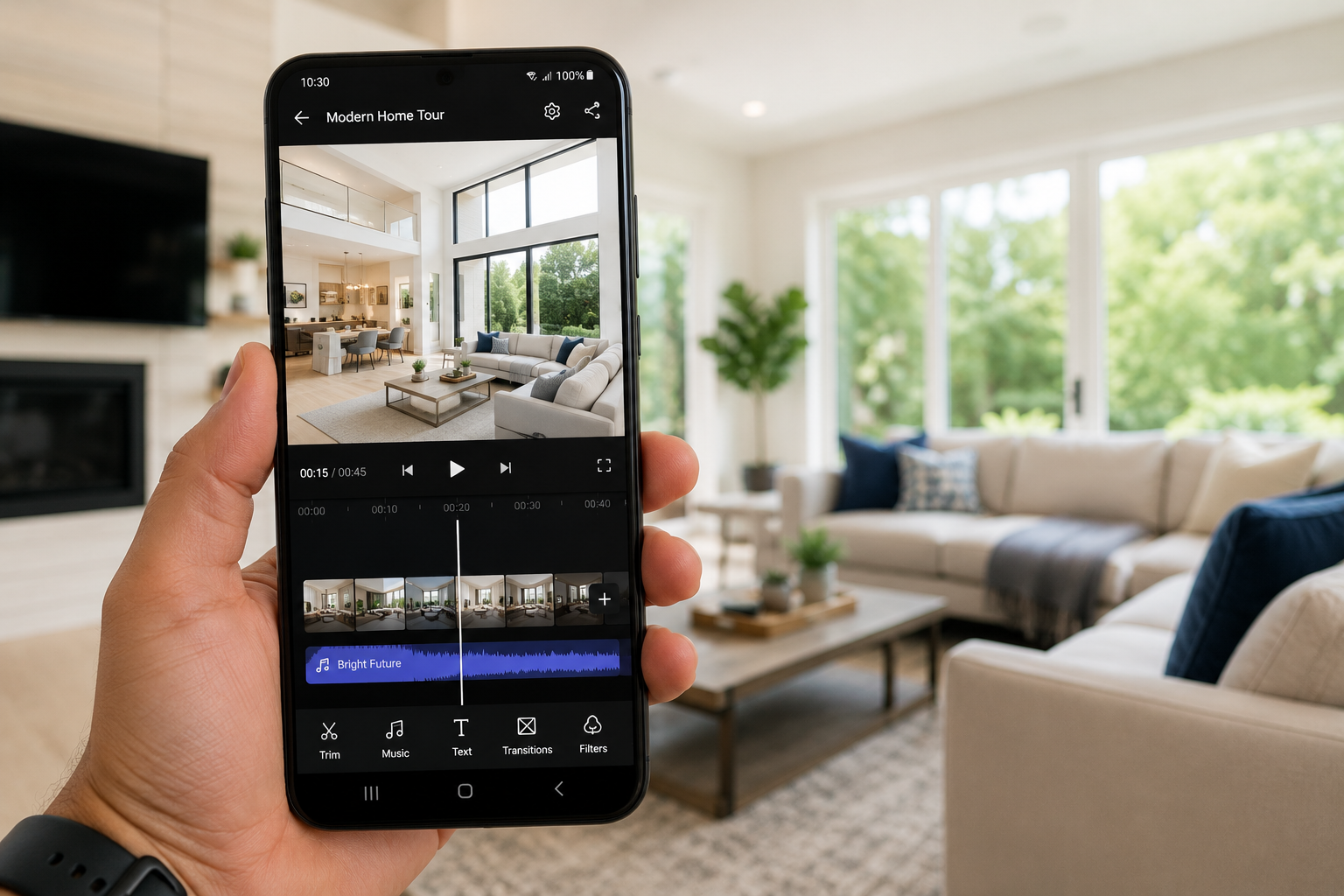
Most "video maker" apps on Android weren't built with real estate in mind. They're general-purpose tools — pick a template, drop in photos, choose a song, trim to fit — and the finished product looks like every other slideshow video on the internet. A real estate video maker app should do something different: understand that you're working with a specific property, a specific set of rooms, and a specific goal of getting a buyer to picture themselves living there.
That's the gap an AI real estate video maker is supposed to close. Instead of you supplying the creative direction, the app generates it — turning a folder of listing photos into a video with motion, pacing, and style already applied. Here's what actually separates a good one from a repurposed general editor, and how Photo AI Video approaches the problem specifically on Android.
A generic video editor is a blank canvas. That's fine for someone who wants full creative control, but most agents don't have the time — or the editing background — to storyboard a listing video from scratch between showings. A dedicated real estate video maker removes that blank-canvas problem entirely: you're not choosing from stock transitions and hoping they look professional together; you're describing what you want and letting the app handle the execution.
This distinction matters more now that video is table stakes rather than a differentiator. Sprout Social's research on video marketing found that a large majority of businesses already use video as part of their marketing, and most of those that do report a positive return on it (Sprout Social). If most of the agents in your market are already posting some kind of video, a tool that makes the process fast and repeatable is doing more for your business than one that simply gives you more manual controls.
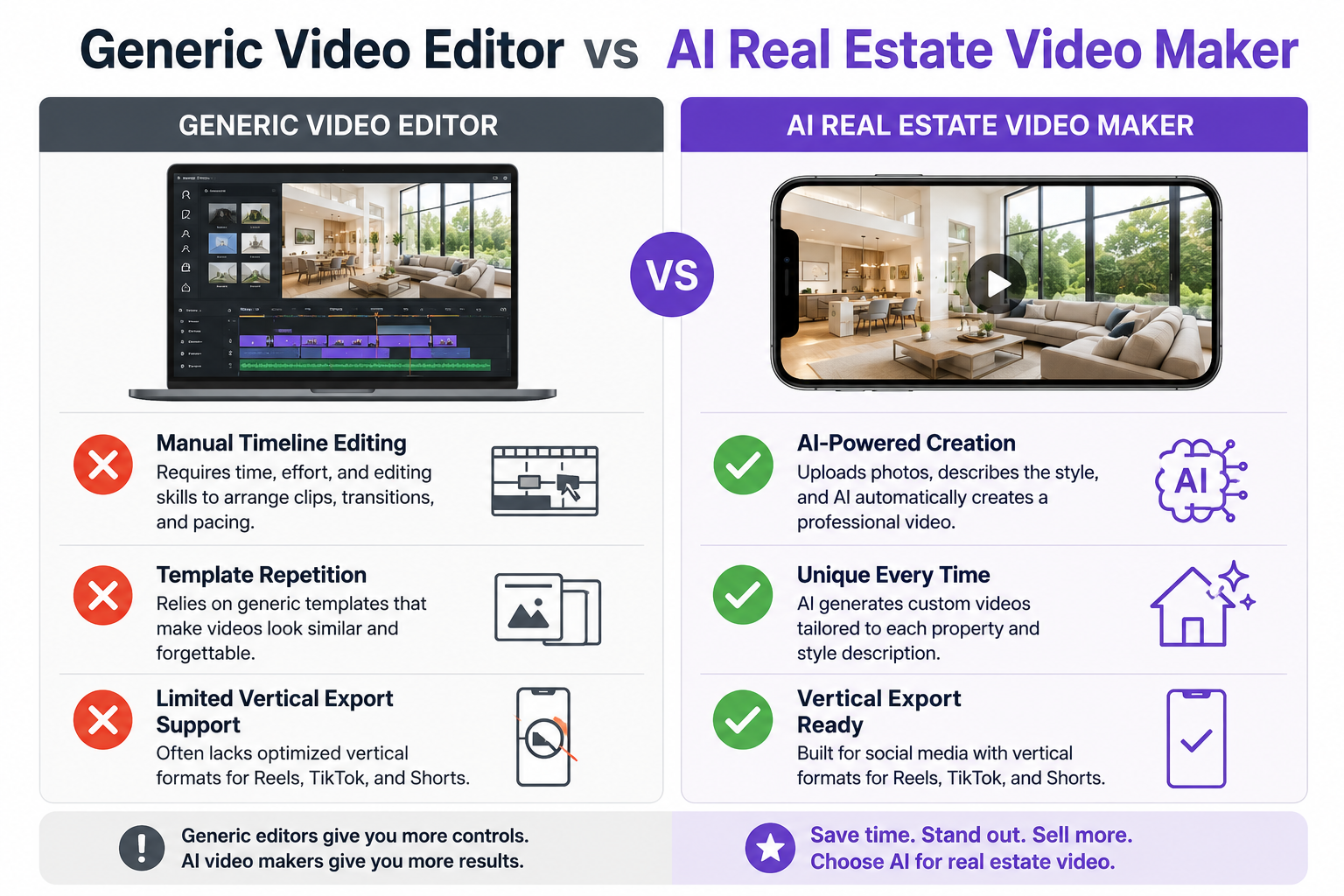
On Android specifically, a few things matter beyond the core feature set. Look for a workflow that's genuinely mobile-first — designed to be used one-handed, from your phone's camera roll, without assuming you'll eventually move the project to a desktop. Look for AI-driven generation rather than fixed templates, since templates start to look repetitive across your own listings after the third or fourth video. And look for export presets that match where you're actually going to post: vertical video for Reels, TikTok, and Shorts, not just a single generic MP4.
It's also worth checking how the app organizes your work. If you manage more than one active listing at a time — as most agents do — an app that dumps every photo into one undifferentiated library becomes a mess fast.
The manual approach to a listing video looks like this: import photos into an editor, arrange them on a timeline, add transitions one by one, pick background music, adjust the pacing, export, and hope it all reads as a coherent story rather than a slideshow with a soundtrack. Even with a template, that's a real time investment, and the result is only as good as the effort you put into the arrangement.
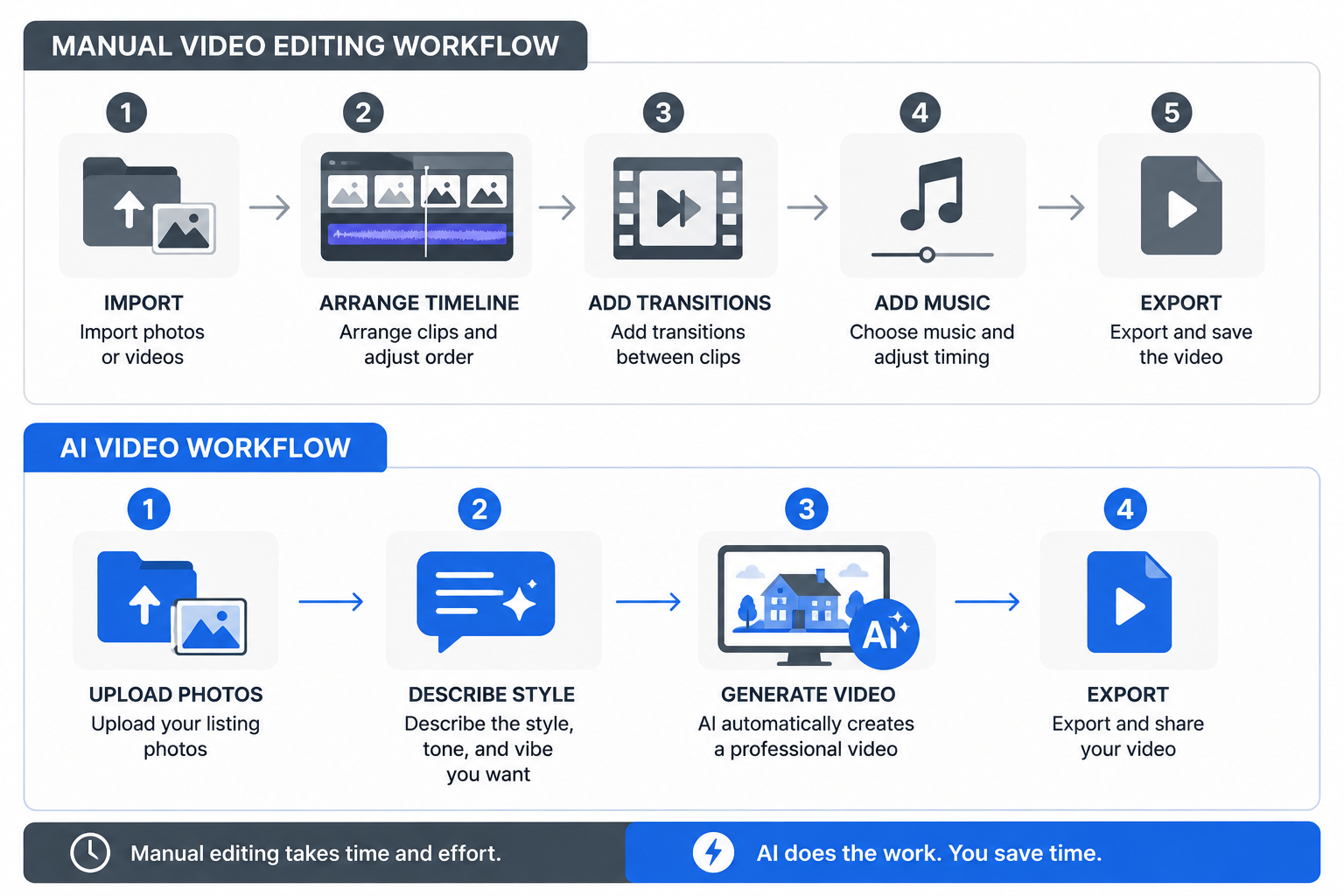
An AI-driven approach flips the order. You upload the photos and describe the style you're going for — the app generates the motion, pacing, and sequencing on its own. That's a meaningfully different amount of effort, and it's part of why AI adoption in video production has moved so fast: a notable share of marketers already report using AI tools specifically to create or edit video content (Sprout Social), not as a novelty but as a standard part of the workflow.
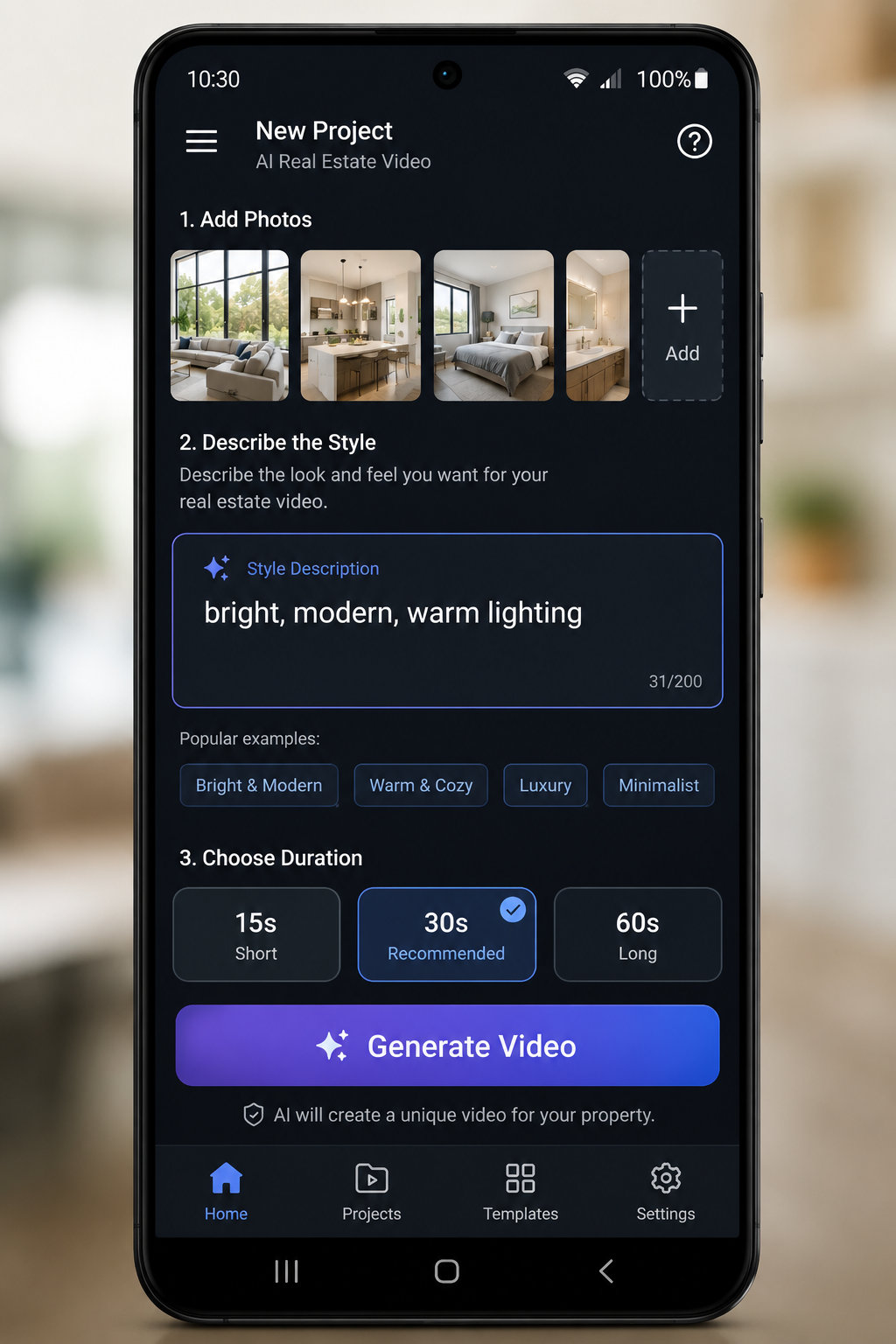
Photo AI Video is built around exactly this workflow. Upload your listing photos, describe the style you want the video to have, and the app generates a cinematic property video with motion already applied — no timeline, no keyframes, no manual transition-picking. Projects are organized by property, so agents with several active listings aren't stuck untangling one giant photo library. Finished videos export vertically, ready for Instagram Reels, Facebook, TikTok, and YouTube Shorts.
It's worth noting that StatCounter's tracking shows iOS currently holding a larger share of the U.S. mobile market than Android overall — but that still leaves a substantial base of Android users, and an app built Android-first isn't simply a secondary port of an iPhone product. If you're on Android, that's a meaningfully different experience from using a tool designed around iOS first and adapted afterward.
Start a new property project inside the app and give it a name you'll recognize later — the street address works well. Upload the photos for that listing, ideally your best 8 to 15 shots covering the exterior, main living areas, kitchen, and any standout features.
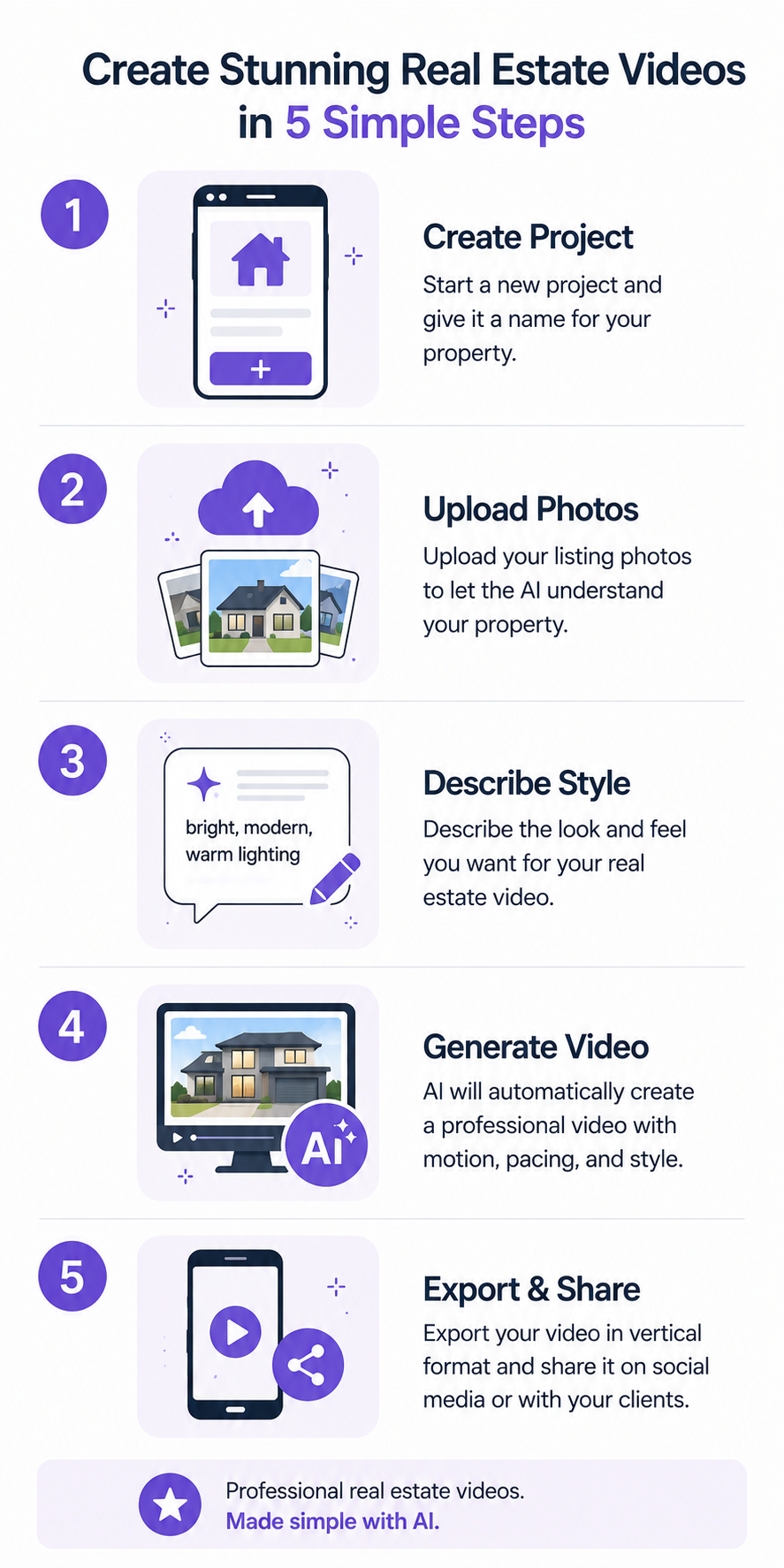
Describe the tone you want: bright and modern, warm and traditional, sleek and luxurious — whatever matches the property and your brand. Generate the video, watch the result, and regenerate it with an adjusted style description if the first pass isn't quite right. Export it in vertical format and share it directly from your phone.
Templates feel faster the first time you use one because the decisions are already made for you. The problem shows up on your fifth or tenth video, when every listing starts to look like it came from the same cookie-cutter mold — which undercuts the "let me show you what makes this property different" job that a listing video is supposed to do.
AI generation, driven by a style description specific to that listing, sidesteps that problem: two different properties described in two different ways can come out looking distinct, without you having to manually vary everything.
A few patterns show up repeatedly when agents pick the wrong tool. The most common is judging an app purely on its example reel in the Play Store screenshots, which is almost always the developer's single best-case output rather than a realistic preview of what your own listing photos will produce.
Another is choosing based on a long feature list without checking whether those features are actually relevant to real estate — a dozen generic filters and transition styles matter far less than reliable AI generation and vertical export support.
It's also easy to underweight organization. An app that makes one video beautifully but dumps every photo from every property into a single unsorted library becomes unmanageable the moment you have more than one active listing, which, for most working agents, is most of the time.
Finally, agents sometimes pick an app based on a friend's recommendation without checking whether it's actually built Android-first. A video app clearly designed around iOS first, with Android support added afterward, can show its seams in small but persistent ways: awkward permission prompts, export formats that need extra conversion, or features that quietly work better on one platform than the other.
It's worth setting realistic expectations for what adopting one of these apps actually feels like in practice, since "AI-generated" can sound more complicated than it is.
Day one usually means your very next new listing: you upload the photos you were going to post anyway, spend a minute or two writing a style description, and generate your first video. It won't be instant intuition — most people regenerate at least once on their first attempt as they get a feel for how their wording translates into pacing and tone.
By the second or third listing, the process stops feeling like using new software and starts feeling like a normal step in your listing routine, roughly as automatic as uploading photos to the MLS. That's really the marker of whether an app is the right fit long-term: not how impressive the first video looks, but how little friction there is by the third one. An app that still feels like a chore on your fifth listing isn't going to become a habit, no matter how good its output is in principle.
It's worth measuring your own experience against that bar rather than against a hypothetical "perfect" video. The goal in week one isn't a viral piece of content — it's simply proving to yourself that the workflow fits into a normal week without becoming its own project.
Do I need editing skills?
No. The workflow is built around uploading photos and describing a style in your own words, not manual timeline editing, so there's nothing to learn beyond describing what you want.
Which Android versions are supported?
Check the "About this app" section on the Google Play listing for the current minimum OS version, since supported versions can be updated over time as the app is developed further.
Can I use it without a computer?
Yes. The entire workflow, from uploading photos to generating and exporting a finished video, is designed to run entirely on your phone, with no separate desktop step required.
For a broader look at how this fits into Google Play specifically, see our guide to the best AI real estate video app on Google Play, and for the category overview, check our roundup of the best mobile apps for turning real estate photos into AI video.
Ready to try it? Download Photo AI Video free on Google Play and generate your first listing video today.


Compact, ready to go anywhere
Interchangeable lens that’s upgradeable
Dual 1-inch sensors for improved clarity and low light performance
Dynamic range and 6K 360° capture
360° photo resolution at 21MP

8K 360° video recording for ultra-detailed visuals.
4K single-lens mode for traditional wide-angle shots.
Invisible selfie stick effect for drone-like perspectives.
2.5-inch touchscreen with Gorilla Glass protection.
Waterproof up to 33ft for underwater shooting.

360° photo resolution in 23MP
Slim design at 24 mm thick
Built-in image stabilization for smooth video capture.
Internal 19GB storage for photo and video storage.
Wireless connectivity for remote control and sharing.

60MP 360° still images for high-resolution photography.
5.7K 360° video recording at 30fps.
2.25-inch touchscreen for intuitive control.
USB Type-C port for fast charging and data transfer.
MicroSD card slot for expandable storage.
.png)

.png)

Try it free. No credit card required. Instant set-up.






.svg)


.svg)