


.png)



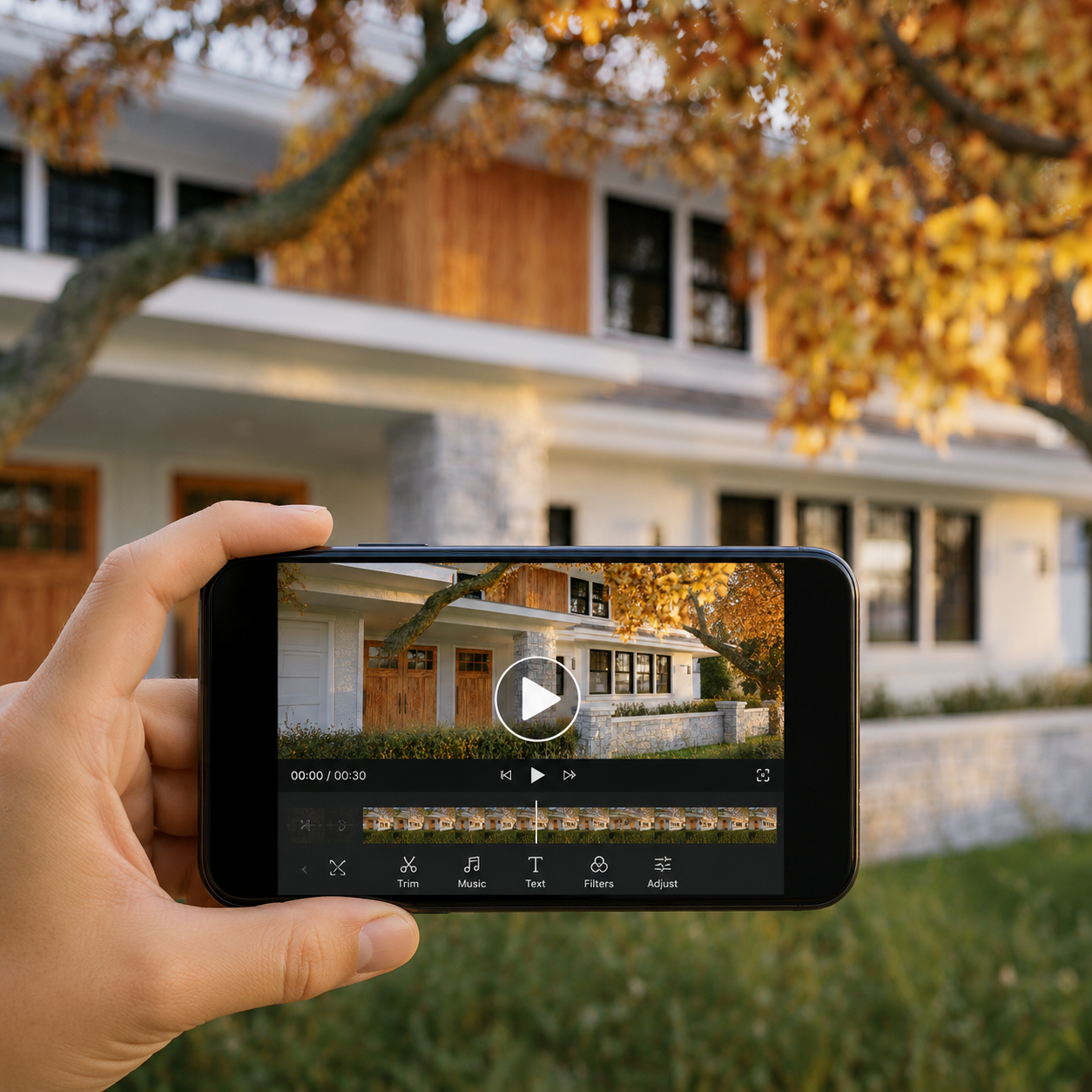
Search "real estate video app" on Google Play and you'll get dozens of results: general-purpose video editors, plain slideshow makers, and a much smaller number of apps actually built around what a real estate listing needs. The difference matters more than it looks at first glance. A generic video editor hands you a blank timeline — you still have to supply the creative direction, pick a template, trim clips, and choose music yourself. A real AI real estate video app is supposed to do the heavy lifting: turn a folder of listing photos into a finished, shareable video with almost no manual editing on your part.
This guide covers what "best" should actually mean when you're comparing real estate video apps on Google Play, what to check before you install anything, and where Photo AI Video fits if you're an Android-using agent, property manager, or FSBO seller who wants a finished video rather than another editing project.
Unlike a link someone drops in a Facebook group, an app on Google Play comes with a paper trail you can actually check before installing anything. Start with the basics: how many ratings does it have, and — more importantly — how recent are the reviews? A high average score built on reviews from years ago tells you less than a lower-volume app with a steady stream of current, detailed feedback.
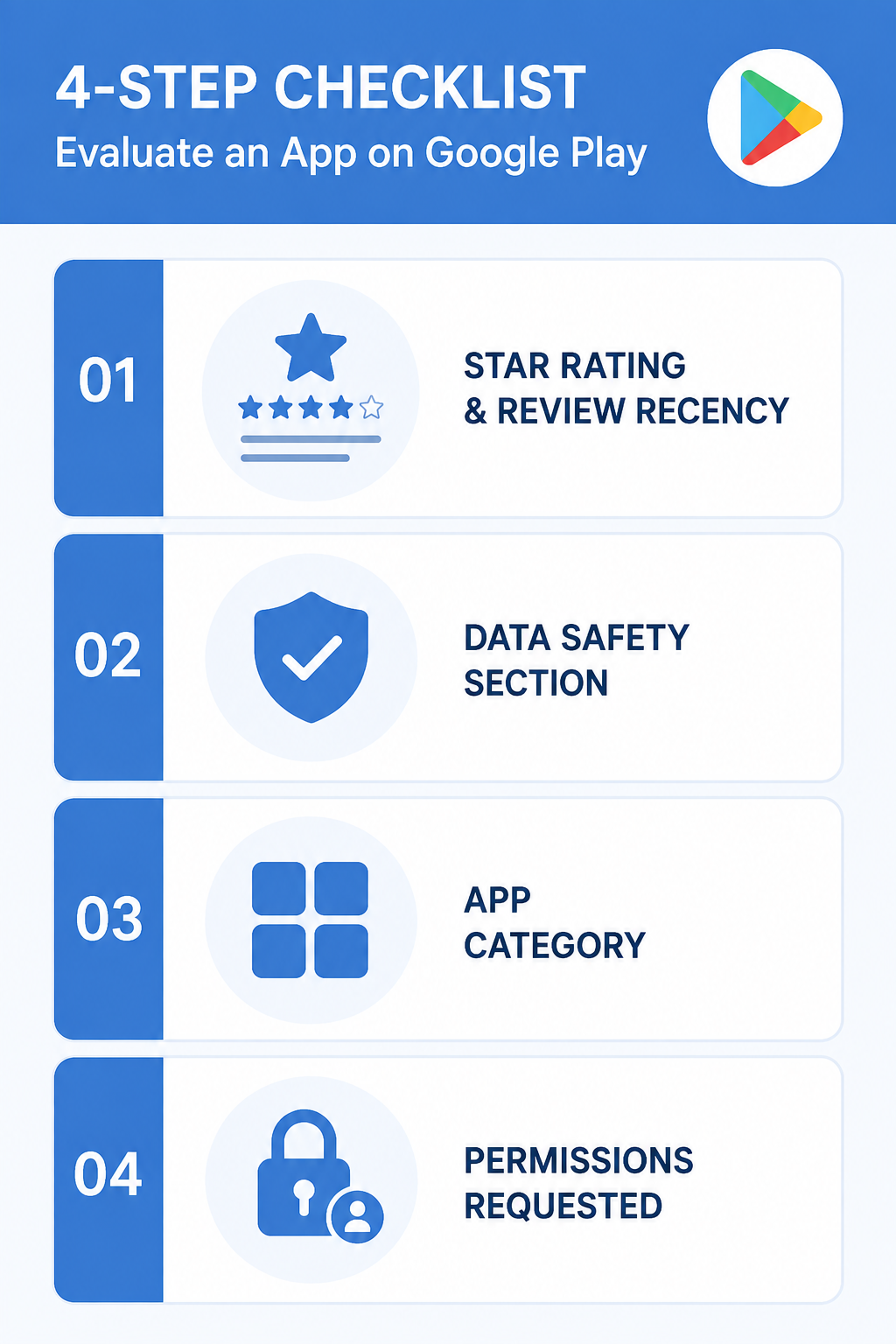
Then go a layer deeper into the Data safety section on the listing. This is a standardized disclosure that every Android app on Google Play has to fill out, showing what data it collects, whether that collection is optional, and whether it's shared with third parties (Google Play Help). For a tool that's going to touch your listing photos — property addresses, interior shots, and sometimes clients' names in file metadata — this section is worth thirty seconds of your attention before you tap install.
Finally, check which category the app is actually listed under. An app filed under "Business" and built around property photos is a different animal from a generic app in "Photography" that happens to support any kind of image.
Strip away the marketing language, and a "best real estate video app" comes down to a short list of concrete criteria: Does it generate video from photos using AI rather than just stitching clips to a template and calling it done? Can it keep multiple properties organized separately, so you're not hunting through one giant camera roll? Does it export in the vertical format that Instagram Reels, TikTok, and YouTube Shorts actually want? And can someone with zero video-editing experience use it without watching a 20-minute tutorial first?
These aren't nice-to-haves anymore. Video and visual marketing have become baseline professional practices in real estate — NAR's technology survey found that roughly half of REALTORS® already use drone photography or video as part of their marketing, and three-quarters use social media regularly (NAR). If the bulk of your competition has already moved past static photos, "best" has to mean an app that gets you there fast, not one that just gives you more tools to figure out yourself.
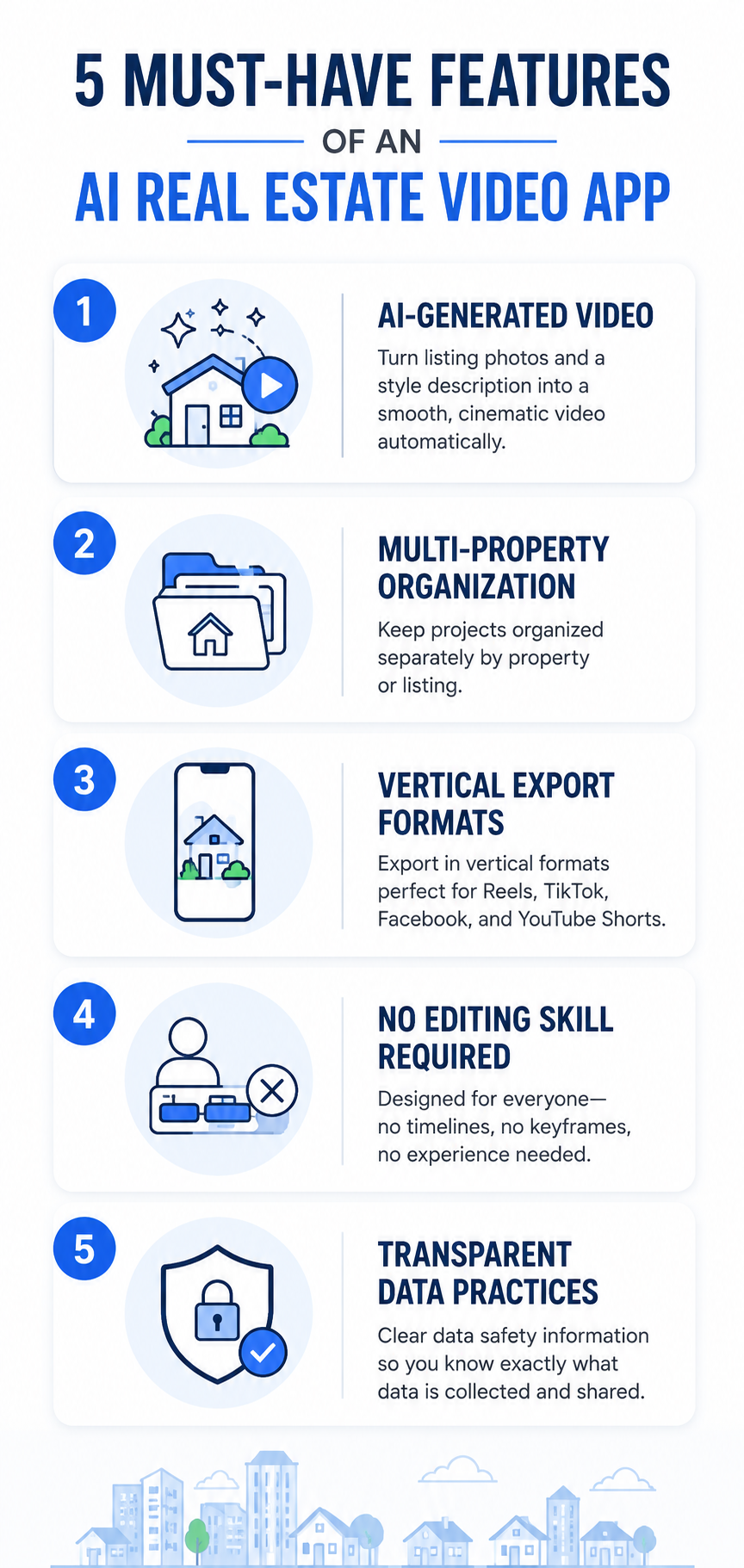
When you're comparing apps side by side, look specifically for:
Any app that's missing more than one of these is probably a general-purpose video tool wearing a real estate label, not a purpose-built one.
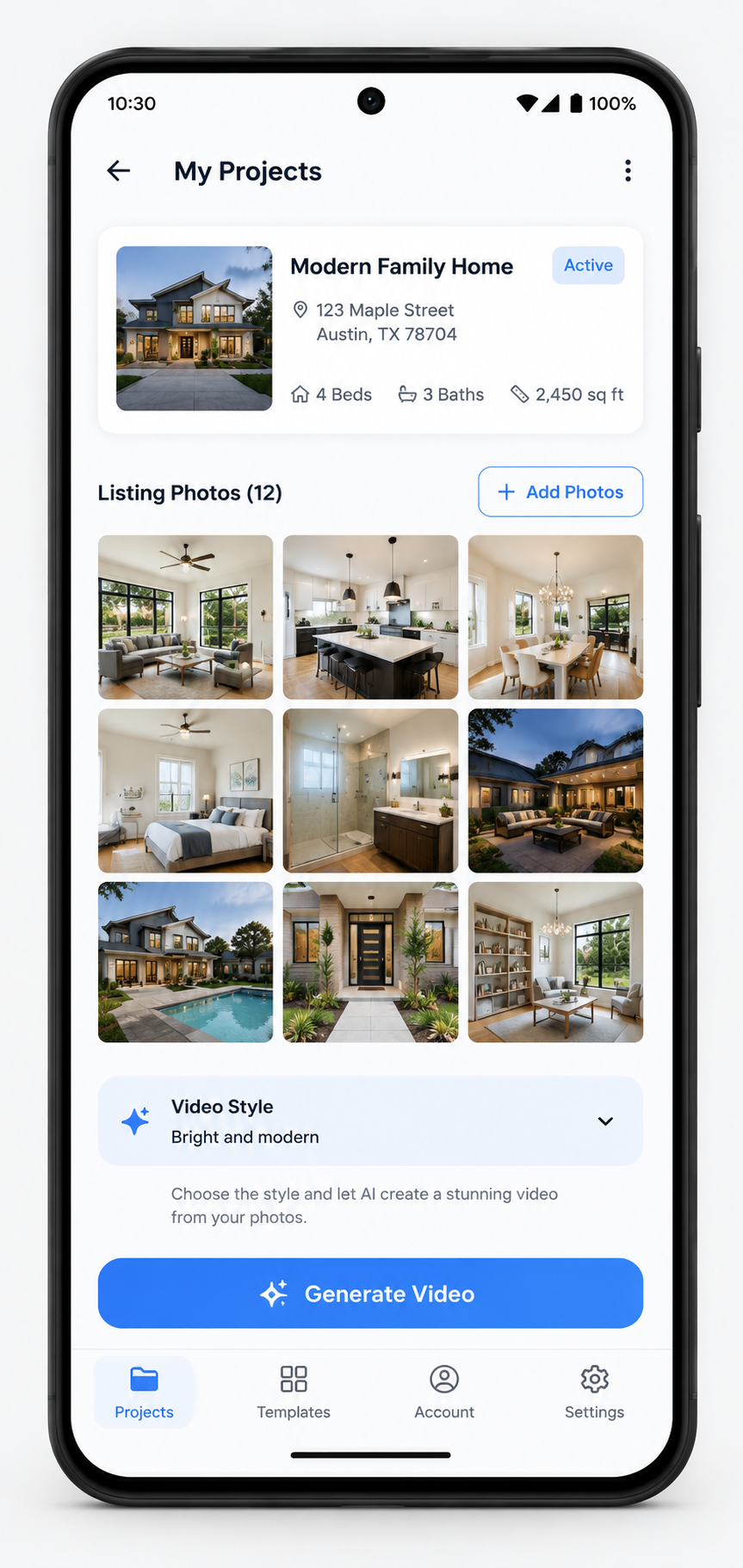
Photo AI Video is built specifically around the workflow above: you upload your listing photos, describe the style you want, and the app generates a smooth, cinematic property video without any manual editing. Projects stay organized by property, so agents juggling several active listings at once aren't stuck scrolling through a single unsorted photo library. Videos export vertically, ready to post straight to Instagram Reels, Facebook, TikTok, or YouTube Shorts — the formats where many buyers, especially younger ones, are actually scrolling.
It's listed on Google Play under the Business category, and its Data safety disclosure states that no data is collected or shared with third parties — worth verifying yourself on the listing page rather than taking any blog post's word for it, ours included.
That combination of speed and low effort matters commercially, too: Wyzowl's research found that a large majority of marketers who use video say it has directly helped increase sales and generate leads (Wyzowl) — and a real estate video, unlike a paid ad, keeps working for a listing for as long as it stays live.
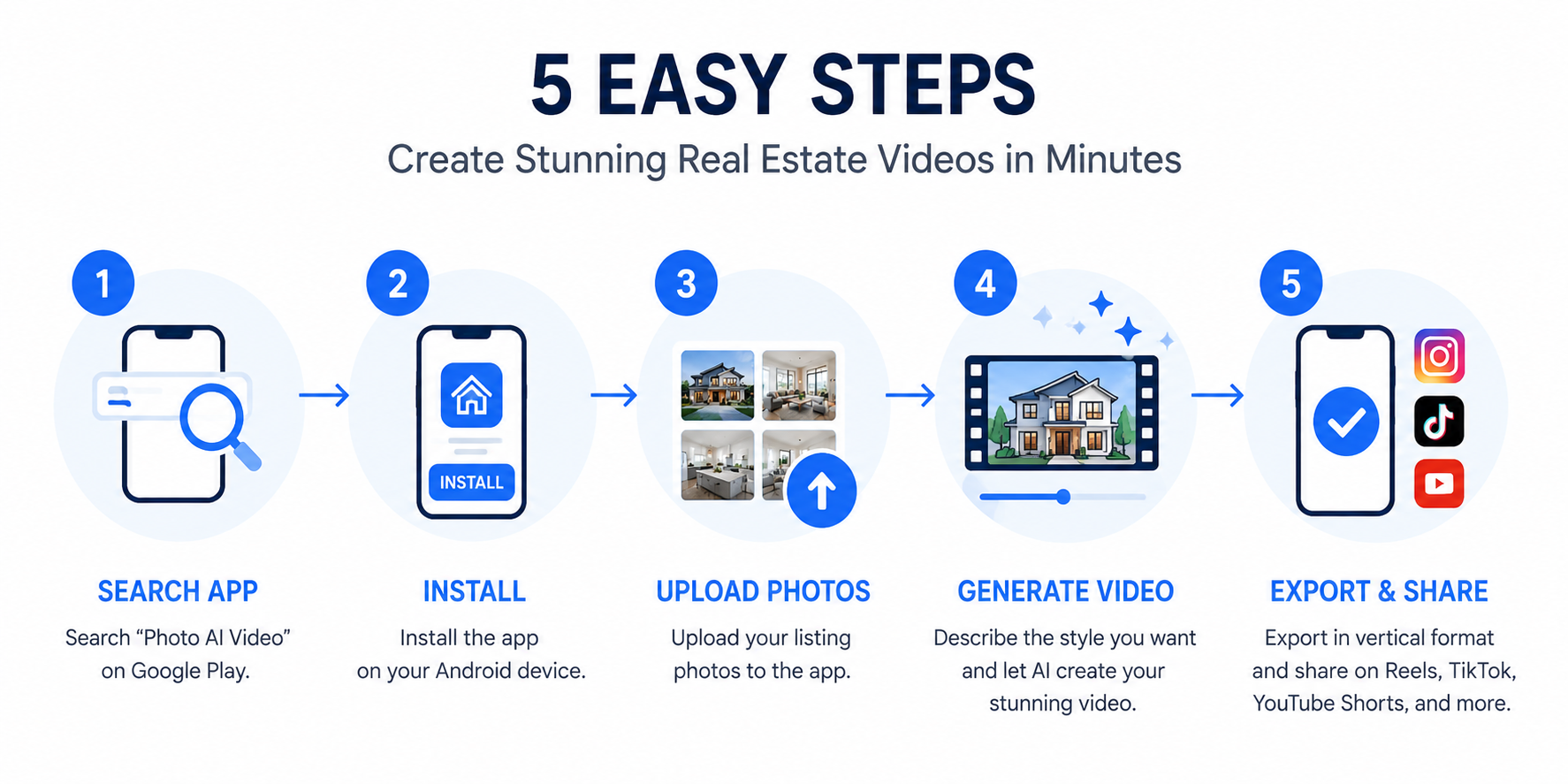
Getting from zero to a finished video takes a handful of steps: search "Photo AI Video" on Google Play, or follow this direct link; skim the rating, recent reviews, and Data safety section before installing; open the app and start a new property project; upload the listing photos for that property; describe the tone or style you want — bright and modern, warm and cozy, luxury and dramatic, or whatever fits the listing; let the app generate the video; review it; and export it in the vertical format for the platform you're posting to.
The whole process is designed to happen on your phone, in the field or between showings, without needing a laptop or any separate editing software.
Star averages are a blunt instrument. Two apps can both sit at 4.3 stars and be worlds apart in reliability. When you're actually deciding, sort by "Most recent" and read a handful of one- and two-star reviews specifically — they usually tell you exactly what breaks, which is more useful than five-star reviews that just say "great app."
Cross-reference specific feature claims — multi-project support, vertical export, no editing required — against what reviewers actually describe experiencing, and check the Data safety section again against anything a review claims about the app's data practices.
Not every listing is what it appears to be, and a few warning signs are worth checking for specifically before you commit your listing photos to any app.
Be cautious of apps that advertise themselves as "AI real estate video" tools but whose screenshots and descriptions read like a generic slideshow maker with the words swapped in — often a sign that the app wasn't actually built around real estate workflows at all.
Watch for apps that request permissions well beyond what photo and video access would reasonably require, such as contacts or call logs, which have no obvious connection to generating a property video.
Be skeptical of an app with a large number of reviews but almost none from the last few months, which can indicate either an abandoned product or a review pattern that doesn't reflect current performance.
And treat "free" claims with a healthy amount of verification — check the Data safety section and recent reviews together rather than trusting either one in isolation, since a developer's stated intentions and an app's actual behavior don't always match perfectly.
None of this is meant to create paranoia about installing an app — most listings on Google Play are exactly what they claim to be. It's simply worth the two or three minutes it takes to check, given that you're handing over photos tied to real properties and real clients.
Is Photo AI Video free on Google Play?
Check the current pricing directly on the Google Play listing, since app pricing and any optional in-app features can change over time. The listing itself is always the most current source of truth and is more reliable than any third-party article, including this one.
Does it work on any Android phone?
The app is built for Android and designed to run on typical modern Android hardware. Check the "About this app" section on the listing for the specific minimum OS version currently supported, since minimum requirements can be updated as the app evolves.
Is my listing photo data safe?
Review the Data safety section on the app's Google Play listing yourself before installing. It discloses what data is collected, whether any of it is optional, and whether any of it is shared with third parties (Google Play Help), so you don't have to take anyone's word for it, including ours.
If you're also weighing Android-specific options more broadly, our guide to the best AI real estate video maker apps for Android digs into that comparison in more depth, and our full roundup of the best mobile apps for turning real estate photos into AI video covers the category beyond just Google Play.
When you're ready to try it yourself, download Photo AI Video free on Google Play and turn your next listing's photos into a video before your next open house.


Compact, ready to go anywhere
Interchangeable lens that’s upgradeable
Dual 1-inch sensors for improved clarity and low light performance
Dynamic range and 6K 360° capture
360° photo resolution at 21MP

8K 360° video recording for ultra-detailed visuals.
4K single-lens mode for traditional wide-angle shots.
Invisible selfie stick effect for drone-like perspectives.
2.5-inch touchscreen with Gorilla Glass protection.
Waterproof up to 33ft for underwater shooting.

360° photo resolution in 23MP
Slim design at 24 mm thick
Built-in image stabilization for smooth video capture.
Internal 19GB storage for photo and video storage.
Wireless connectivity for remote control and sharing.

60MP 360° still images for high-resolution photography.
5.7K 360° video recording at 30fps.
2.25-inch touchscreen for intuitive control.
USB Type-C port for fast charging and data transfer.
MicroSD card slot for expandable storage.
.png)

.png)

Try it free. No credit card required. Instant set-up.






.svg)


.svg)