


.png)


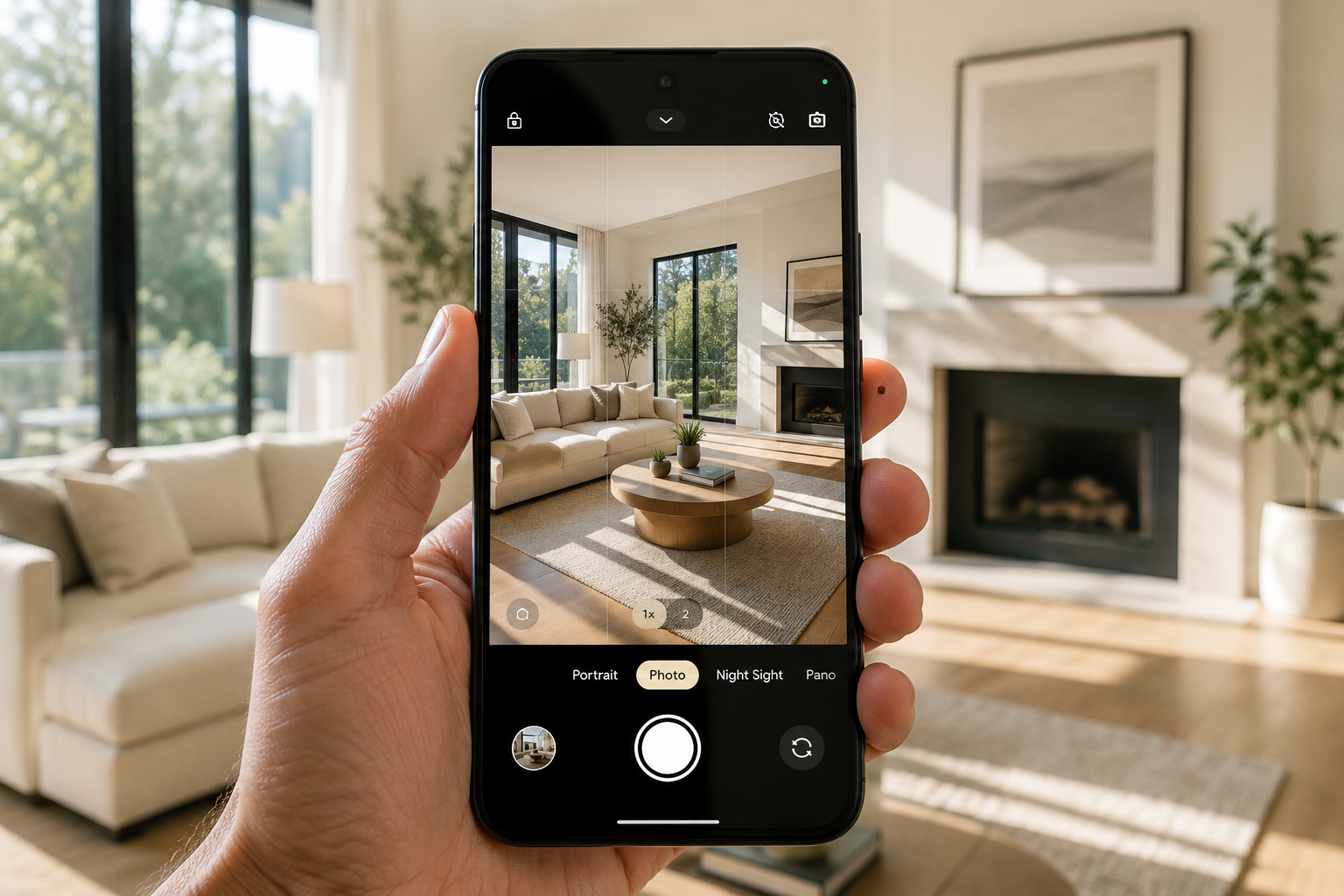
Pixel owners tend to be a little particular about their phone's camera — often for good reason, since computational photography has long been one of the Pixel line's signature strengths. That makes a Pixel a capable starting point for capturing real estate listing photos.
But a great photo is still just a photo until something turns it into video, and that's a separate job from anything the camera app itself does.
This guide covers what Pixel owners should look for in an AI real estate photo-to-video app and how Photo Ai Video can take photos shot on a Pixel and turn them into a finished, shareable video.
If you've already invested in a phone partly for its camera, it makes sense to want the rest of your workflow to maintain that level of quality.
Traditional template-and-music editors can certainly turn listing photos into video, but AI-powered tools can offer a more automated approach to the process. Instead of manually arranging every image, transition, and visual element, you can provide your photos and creative direction and let the app handle more of the production work.
That makes the quality of your source photos particularly important. Better-lit, thoughtfully composed images give the video-generation process stronger material to work with from the start.
Pixel phones have built a reputation around computational photography, including their ability to handle challenging lighting conditions — a useful quality for real estate photography, where you're often dealing with bright windows and darker interior areas in the same room.
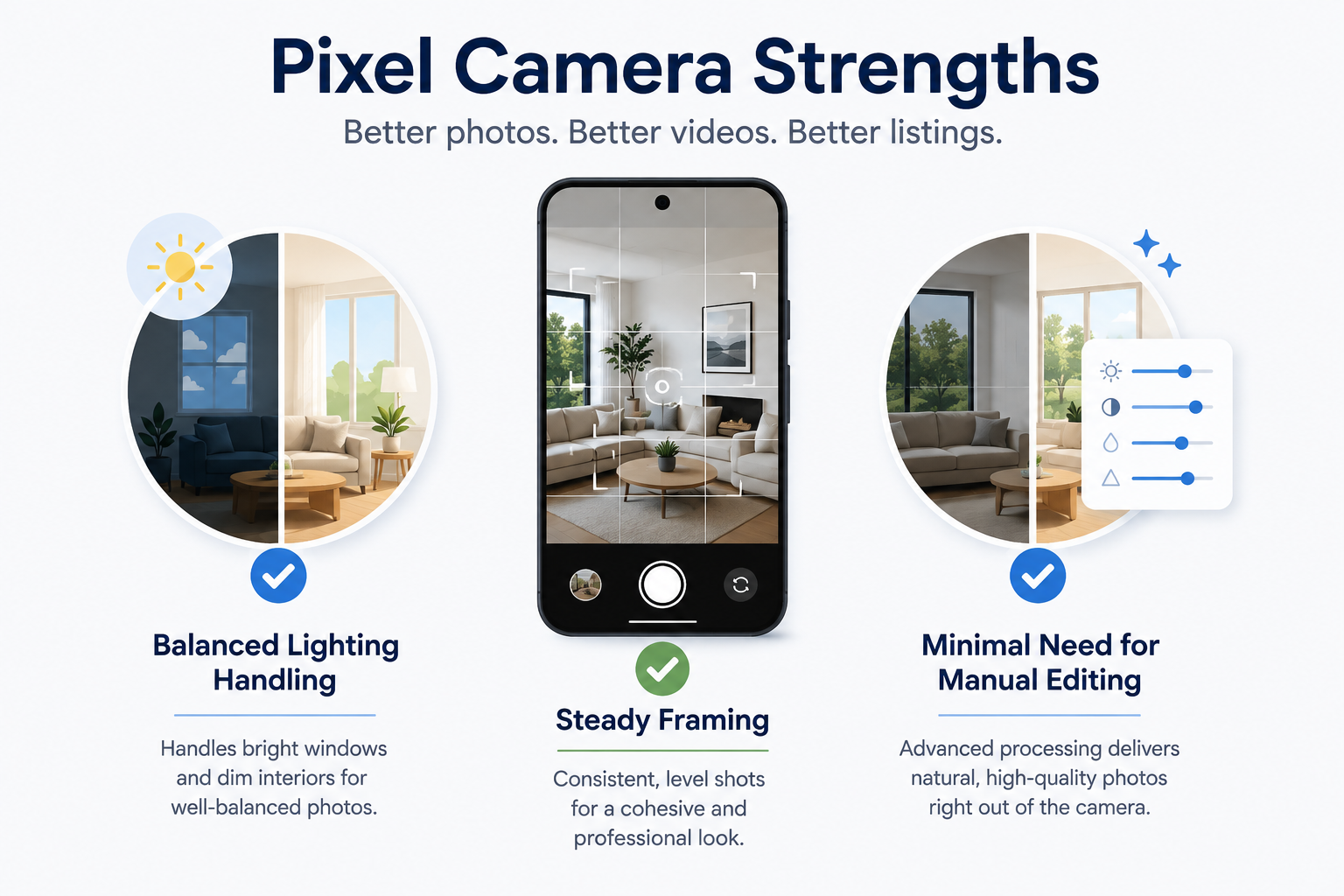
Google's own guidance for the Pixel camera (Pixel camera tips) highlights techniques that can help users get more from the camera.
For real estate photography, the fundamentals still matter regardless of the phone you're using: steady framing, thoughtful composition, good use of available light, and consistent perspectives throughout the property.
Practically, that means a Pixel can give you a strong starting point for creating a room-by-room photo set without requiring a separate camera setup.
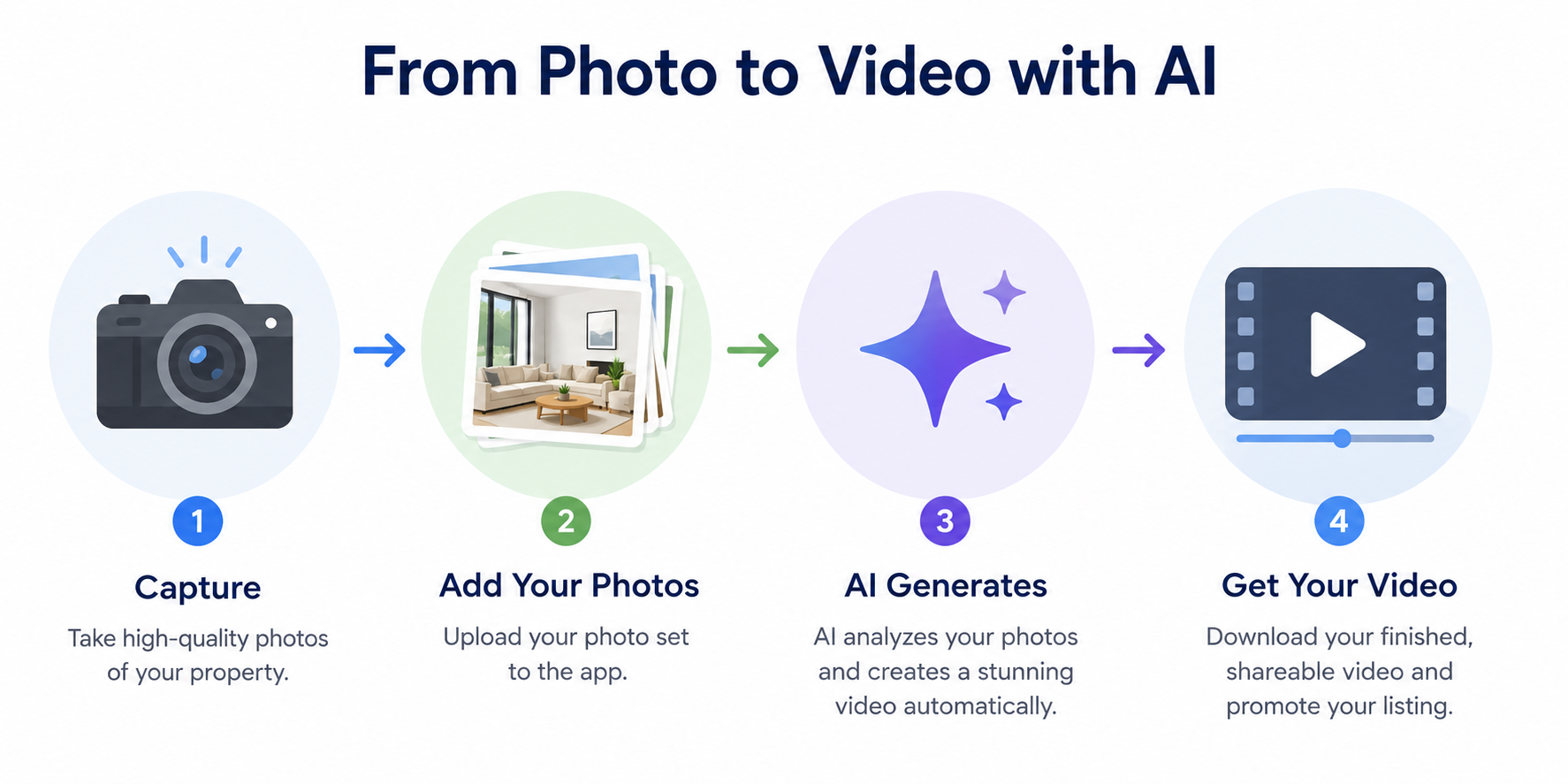
The workflow doesn't require a Pixel-specific integration. It's the same basic process you would use on a compatible Android device: upload your photos, describe the style you want, and generate the video.
What the Pixel contributes is on the input side. Well-lit, consistently framed listing photos give the video-generation process better source material to work with.
The relationship is straightforward: the phone helps you capture the property, while the AI video app turns those photos into a different type of marketing asset.
Photo Ai Video follows a straightforward workflow on compatible Android devices: create a project for the property, upload your photos, describe the tone or style you want, generate the video, and review the result.
There's nothing inherently Pixel-exclusive about that workflow — and that's useful if you work with other agents who use different Android phones.
For Pixel owners, the advantage is having a capable camera and the video-creation workflow available on the same device. You can capture the listing photos and then move directly into creating marketing content without transferring those images to a computer or another device.
Start by taking your listing photos on your Pixel, paying particular attention to lighting, composition, and consistent framing from room to room.
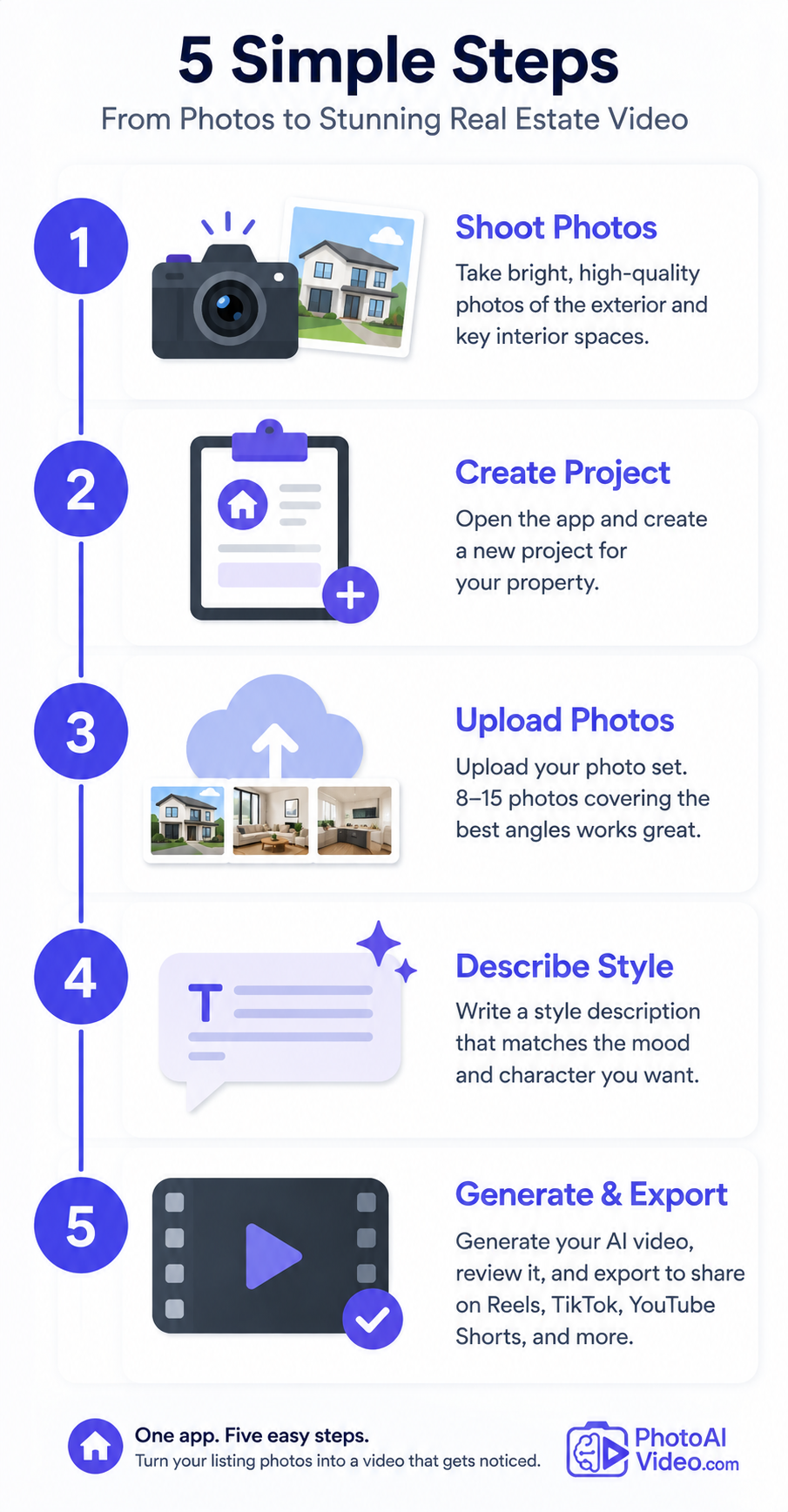
Open Photo Ai Video and start a new project for the property. Upload a carefully selected photo set covering the exterior and the most important interior spaces. Rather than including every photo you captured, choose the images that best represent the property.
Next, write a style description that matches the property's character and the type of marketing video you want to create.
Generate the video and review the result. Once you're satisfied, export it in the appropriate format for your intended platform, whether that's Instagram Reels, TikTok, Facebook, YouTube Shorts, or another marketing channel.
If you encounter a device-related issue rather than an app-specific problem, Google's Pixel Phone Help provides general Pixel troubleshooting resources. App-specific issues are best handled through the app's own support channels.
A few simple habits can make a meaningful difference.
Shoot during daylight hours when possible, since natural light can make interiors easier to photograph consistently. Keep your framing relatively consistent from room to room — similar camera height and thoughtful perspectives can make the resulting collection feel more cohesive.
Avoid excessive filters or aggressive edits before uploading your images unless they're necessary. Clean, naturally exposed photos give you a more neutral starting point for the video-generation process.
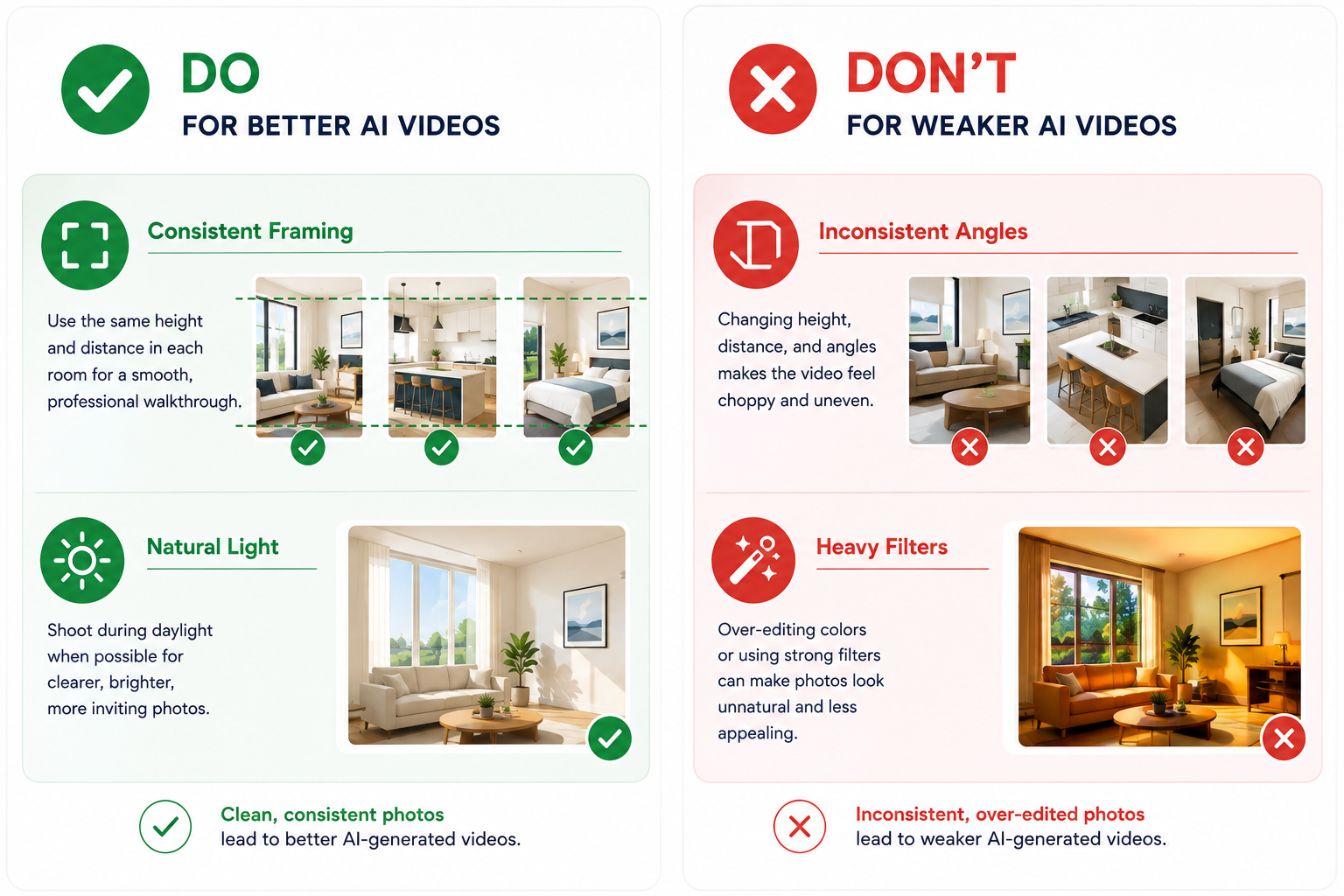
And don't assume that having a good camera automatically guarantees good listing photos. Composition still matters. Take a moment to straighten vertical lines, remove distracting clutter from the frame, and choose angles that clearly communicate the size and layout of each room.
Video itself is also increasingly important to digital marketing. Wyzowl's research highlights widespread use of video among marketers and the business benefits marketers report from using it (Wyzowl), making good source material worth paying attention to before you begin creating your listing video.
For many individual agents and property owners, a Pixel paired with an AI photo-to-video app may be enough for everyday residential listing content.
There are, however, situations where a more elaborate setup makes sense.
If you're marketing an exceptionally large property — such as a sprawling estate, commercial listing, or multi-unit building — one short video may not adequately showcase everything. Creating a primary property video plus additional feature-specific clips could make more sense than trying to fit the entire property into one piece of content.
Likewise, if aerial footage is an important part of your marketing strategy, you'll still need a drone or professional aerial photography service. A smartphone can't replace that capture step.
The AI video workflow can complement those additional assets rather than necessarily replacing them.
A listing video, however good, works best as part of a broader marketing routine rather than as a standalone effort.
Pair it with the same photos used for your MLS listing and website, write captions that highlight the property's strongest selling points, and aim to publish your marketing content promptly after the listing goes live.
The video then becomes another asset generated from a photo shoot you were already doing.
Over time, the bigger benefit is consistency: photos in, video created, content published — for every suitable property rather than only the occasional listing where you have enough time for video production.
For a Pixel owner, there's also a practical advantage in keeping much of that workflow on one device. The same phone used to capture the listing photos can also be used to upload them, generate the video, review the result, and prepare it for sharing.
There's no need to transfer the photo set from a camera to a computer before you can start creating content.
That may seem like a small convenience on a single listing, but repeated across many properties, eliminating unnecessary file transfers can make the workflow noticeably easier to maintain.
For a busy agent juggling listings, showings, client calls, and administrative work, reducing those little points of friction is often what makes a marketing routine sustainable.
Does it work on all Pixel models?
Compatibility depends on the app's current Android requirements rather than simply whether a device carries the Pixel name. Check the Google Play listing from your device to confirm current compatibility before installing.
Are there Pixel-specific features?
The core Photo Ai Video workflow isn't dependent on Pixel-specific features. The benefit of using a Pixel comes primarily from having a capable smartphone camera and the ability to move directly from capturing listing photos to creating video on the same device.
Any storage or performance tips for Pixel?
Keep enough free storage available for your listing photos and video exports, and use a reliable internet connection when uploading or generating content. For general device-related troubleshooting, Google's Pixel Phone Help provides additional guidance.
If your team is split between phone brands, see our guide to the best Samsung and Pixel app for AI real estate photo-to-video conversion. You can also explore our full roundup of the best mobile apps for real estate photos to AI video for a broader look at the category.
Download Photo Ai Video free on Google Play and turn your next Pixel-shot listing into a video.


Compact, ready to go anywhere
Interchangeable lens that’s upgradeable
Dual 1-inch sensors for improved clarity and low light performance
Dynamic range and 6K 360° capture
360° photo resolution at 21MP

8K 360° video recording for ultra-detailed visuals.
4K single-lens mode for traditional wide-angle shots.
Invisible selfie stick effect for drone-like perspectives.
2.5-inch touchscreen with Gorilla Glass protection.
Waterproof up to 33ft for underwater shooting.

360° photo resolution in 23MP
Slim design at 24 mm thick
Built-in image stabilization for smooth video capture.
Internal 19GB storage for photo and video storage.
Wireless connectivity for remote control and sharing.

60MP 360° still images for high-resolution photography.
5.7K 360° video recording at 30fps.
2.25-inch touchscreen for intuitive control.
USB Type-C port for fast charging and data transfer.
MicroSD card slot for expandable storage.
.png)

.png)

Try it free. No credit card required. Instant set-up.






.svg)


.svg)