


.png)


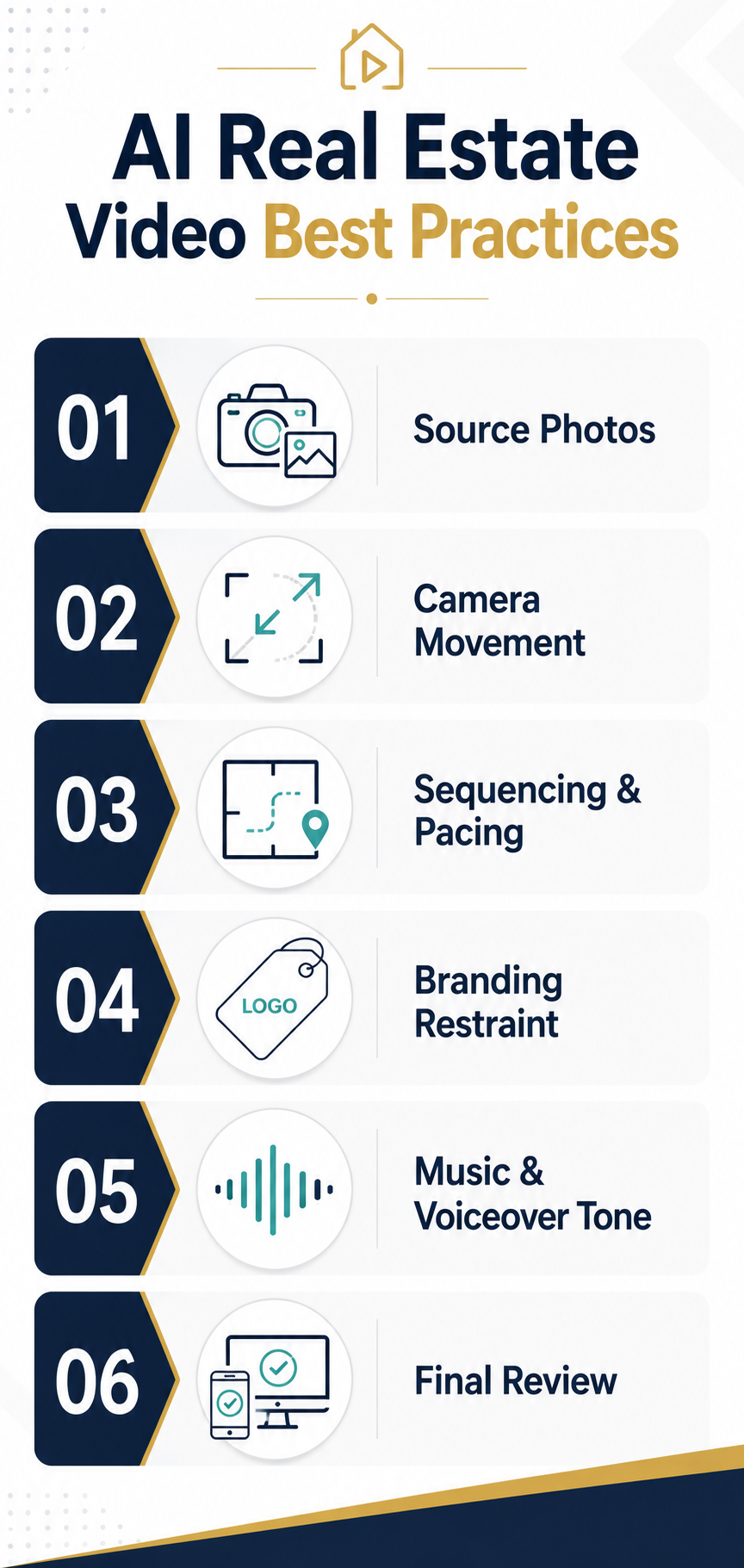
To create a realistic AI real estate video, start with high-quality listing photos, choose subtle camera movements that fit each room, arrange scenes in a natural walkthrough order, and keep branding and audio restrained. Before publishing, review the entire video for visual distortions, inaccurate property details, awkward transitions, cropping, pacing, and audio issues.
Source photo quality, camera movement choices, pacing, and a critical final review determine whether an AI real estate video looks like a polished listing tool or an obvious computer-generated gimmick. As more agents adopt AI real estate video to keep up with buyer expectations and tighter listing timelines, the gap between a video that looks professional and one that looks artificial usually comes down to a handful of production habits rather than the software itself.
This guide walks through the practical choices — from photo selection to final export — that consistently produce the most realistic, professional AI real estate video results.
Buyers increasingly expect video and immersive media when they shop for homes, and industry trend data from sources like National Association of Realtors research and Zillow Research consistently points to video and visual content as a growing part of how listings get discovered and shortlisted.
That means the bar for what counts as "good enough" keeps rising. An AI real estate video built from poorly lit, low-quality, or inconsistent source photos will always show its seams, no matter how advanced the underlying motion engine is. Treat your photo set as the actual raw material of the video, not an afterthought to the software.
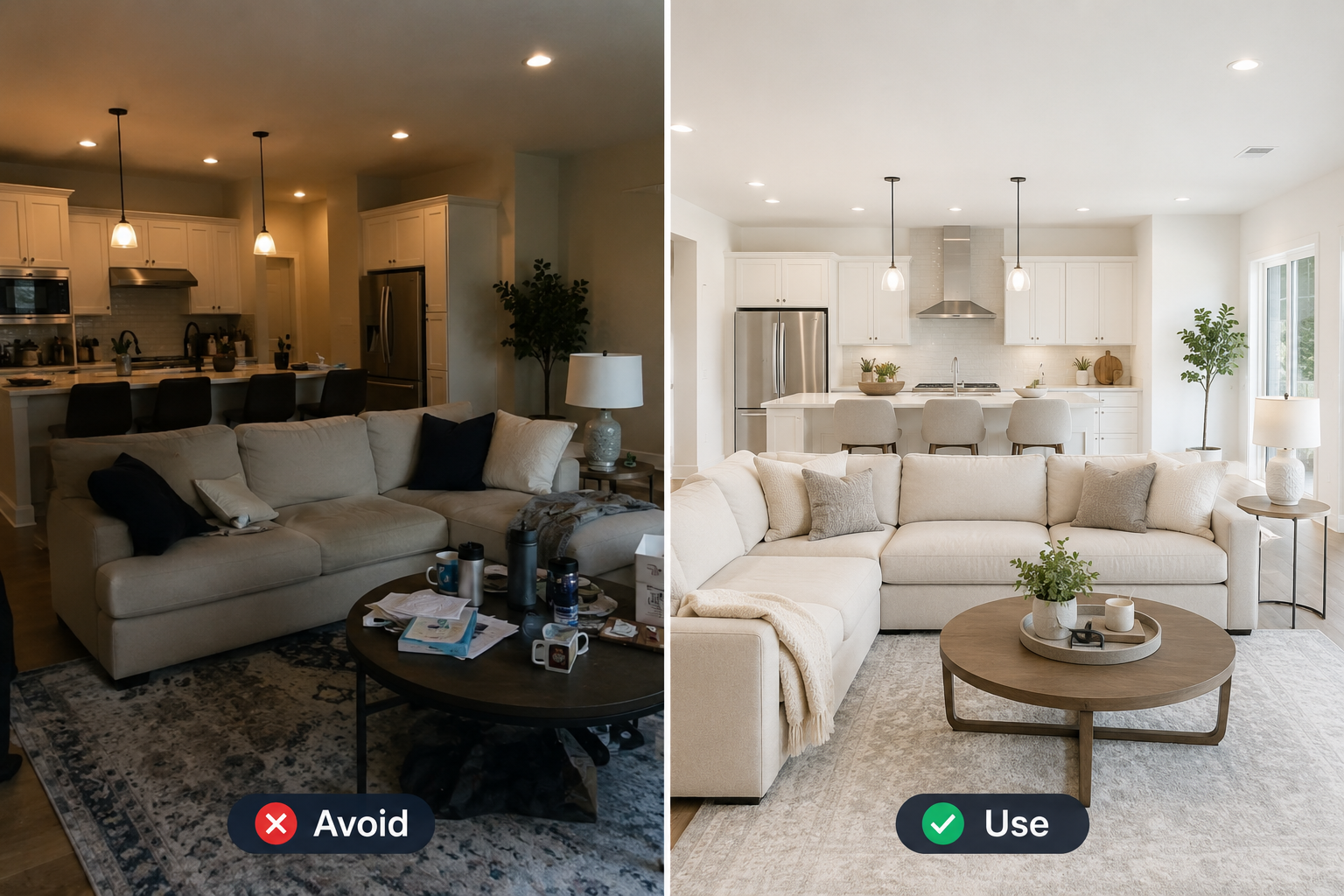
Before you upload anything, run through this checklist:
Good source photos are the single highest-leverage thing you control. Everything downstream — camera movement, pacing, and branding — works better when the underlying images are clean.
One of the most common mistakes agents make with AI real estate video is treating every room the same way. A platform with 12+ professional camera movements — pans, zooms, tilts, dolly moves, orbits, and more — is only as effective as the choices behind them. Movement should feel like it belongs to the space, not like a demo reel showing off what the software can do.
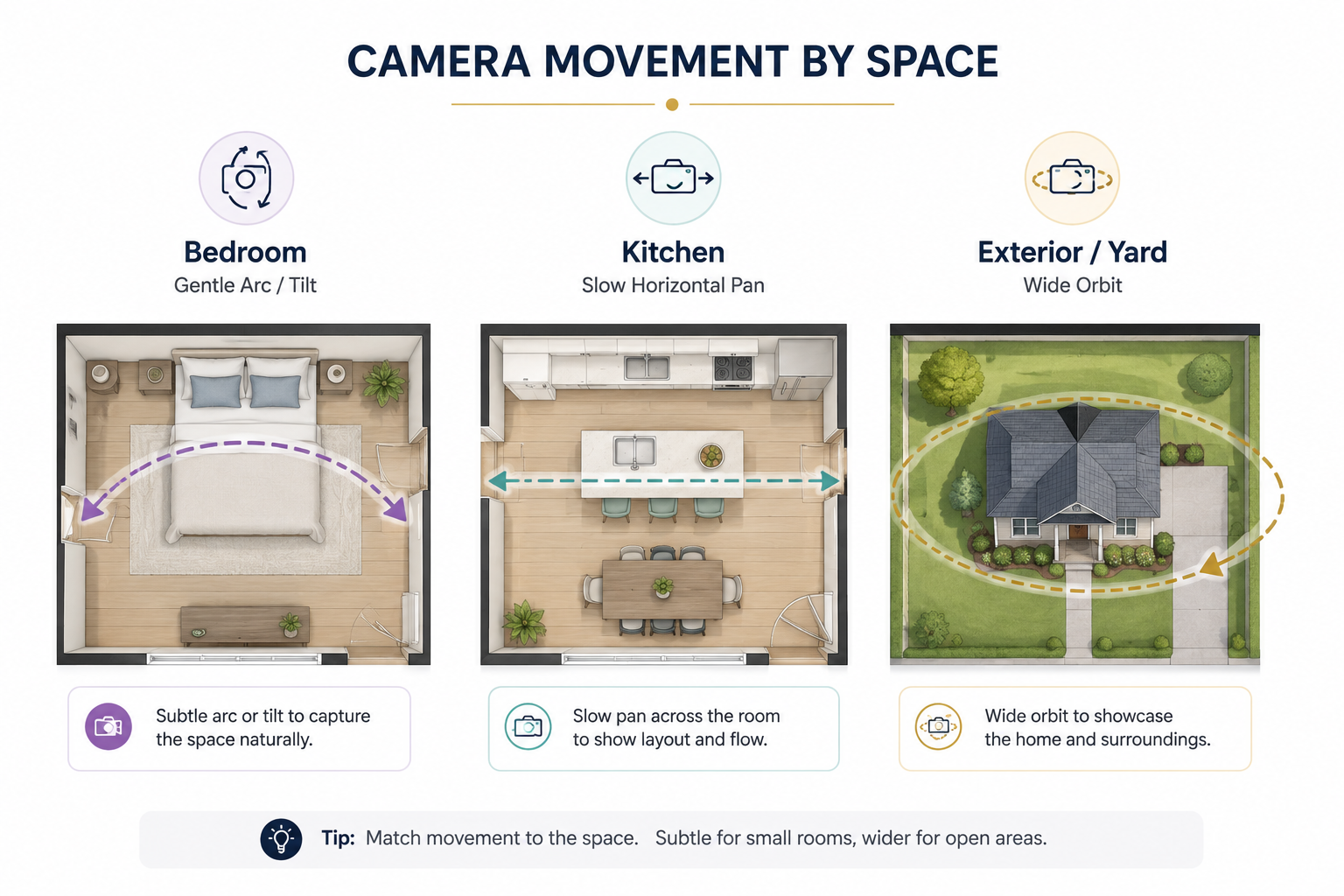
A few room-by-room guidelines that tend to work well:
The goal is for viewers to feel like they're walking through the home, not watching a camera perform tricks. When in doubt, choose the more subtle movement — realistic and understated almost always beats flashy and exaggerated.
If you want a clear reference for how movement selection works room by room, PhotoAIVideo's walkthrough shows how each photo can be assigned its own movement before the final render.
Camera movement gets the most attention, but sequencing is what actually makes an AI real estate video feel like a coherent tour rather than a slideshow with effects applied. Buyers mentally map a home as they watch, so the order of rooms matters just as much as how each individual clip looks.
Keep these pacing principles in mind:
This is also where Think with Google's video marketing strategies offer a useful general principle worth borrowing for real estate: front-load the strongest, most representative footage early, since viewer attention naturally declines as a video goes on.
Put your best room — the one most likely to sell the property — within the first third of the walkthrough rather than saving it for the end.
Custom branding is one of the most valuable features available to agents producing AI real estate video content, but it's also one of the easiest things to overdo. A logo, color scheme, contact information, and a short intro or outro should reinforce your identity without competing with the property itself.
A few restraint-focused guidelines:
Less is almost always more here. The property should be the reason someone watches to the end; your branding should be the reason they remember who to call afterward.
Audio is one of the fastest ways to make an AI real estate video feel either polished or mismatched. A high-energy, upbeat track can undercut a quiet, elegant estate, while a slow ambient track can drain the energy from a vibrant, modern condo designed for a younger buyer.
Some tone-matching guidelines:
The last and most overlooked step in producing a professional AI real estate video is a genuine, critical review — not a quick glance, but a full watch-through on more than one device.
A video that looks smooth in a desktop preview can behave differently when viewed vertically on a phone, which is how many buyers will encounter it on social media and listing apps.
Before publishing, check:
Only after this review — on both desktop and mobile, in whichever export formats you plan to publish — should the video go live. This final pass is often what separates a video that looks genuinely professional from one that merely looks finished.
Tools like PhotoAIVideo, which are built for real estate agents working from listing to listing, make it easy to re-render quickly if the review turns anything up, so there's little reason to publish a video you haven't actually watched from beginning to end.
There is no universal ideal length. Keep the video long enough to show the property's important spaces without padding it with repetitive views. Prioritize strong rooms early, maintain a logical walkthrough, and remove clips that do not provide additional information about the property.
Subtle movements usually produce the most natural results. Slow pans and gentle dolly movements work well for living areas and kitchens, while smaller rooms often benefit from restrained tilts or push-ins. Wider movements can work for exteriors and large open spaces when the source image provides enough visual information.
They can, but audio should support rather than overwhelm the property. Choose music that matches the home's style and keep it below narration. If using an AI voiceover, review pronunciation, pacing, property details, and timing carefully so the narration accurately corresponds with what viewers see.
Usually, yes. Widescreen 16:9 works well for many web and video placements, while vertical 9:16 is important for Reels and similar short-form environments. Meta recommends native 9:16 creative for Reels and keeping important elements within the safe zone.
Start with clean photographs and use restrained camera movements. Avoid excessive zooms, unrealistic orbits, warped architecture, inconsistent room transitions, and unnecessary effects. Most importantly, review every generated clip for distortions or invented visual details before publishing. Realistic movement should showcase the property rather than draw attention to the AI.


Compact, ready to go anywhere
Interchangeable lens that’s upgradeable
Dual 1-inch sensors for improved clarity and low light performance
Dynamic range and 6K 360° capture
360° photo resolution at 21MP

8K 360° video recording for ultra-detailed visuals.
4K single-lens mode for traditional wide-angle shots.
Invisible selfie stick effect for drone-like perspectives.
2.5-inch touchscreen with Gorilla Glass protection.
Waterproof up to 33ft for underwater shooting.

360° photo resolution in 23MP
Slim design at 24 mm thick
Built-in image stabilization for smooth video capture.
Internal 19GB storage for photo and video storage.
Wireless connectivity for remote control and sharing.

60MP 360° still images for high-resolution photography.
5.7K 360° video recording at 30fps.
2.25-inch touchscreen for intuitive control.
USB Type-C port for fast charging and data transfer.
MicroSD card slot for expandable storage.
.png)

.png)

Try it free. No credit card required. Instant set-up.







.svg)


.svg)