


.png)


Adding an ADA widget can improve virtual tour engagement by removing barriers for visitors who use keyboards, screen readers or other assistive technologies. With the widget enabled, descriptive hotspot labels and keyboard testing, more visitors can keep exploring instead of leaving. Clearer navigation also helps everyone, though standard analytics rarely show which exits were caused by accessibility barriers.
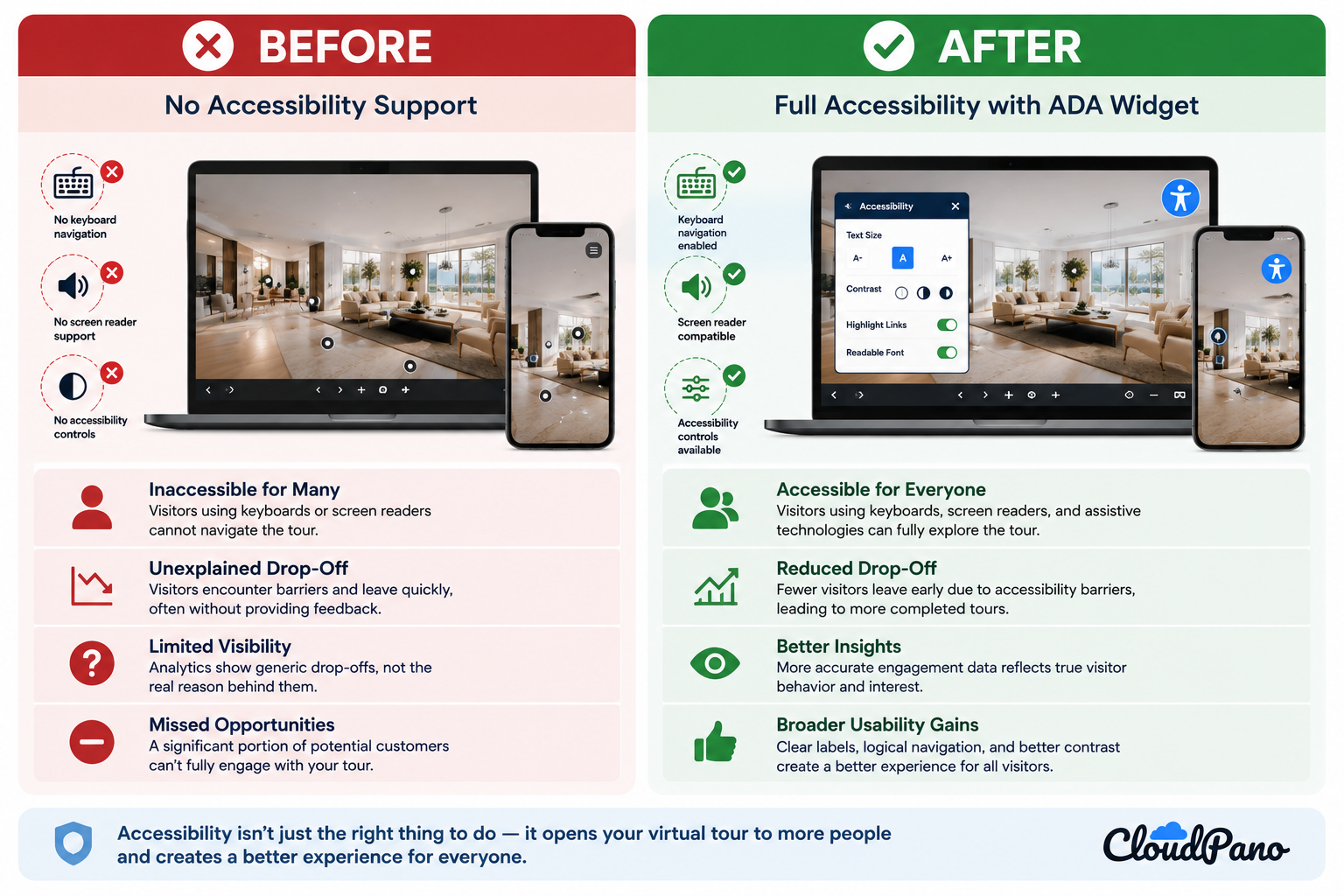
It's one thing to describe the theoretical benefits of an ADA widget. It's another to walk through what actually happens, practically, when a virtual tour goes from having little or no accessibility support to having accessibility features properly implemented. This ADA widget case study breaks down a representative before-and-after scenario, based on common patterns in virtual tour accessibility, to illustrate the kind of impact businesses might reasonably expect.
Note: This article presents an illustrative scenario based on common, well-documented patterns in accessibility research rather than a single client engagement. Individual results will vary depending on tour type, audience, configuration, and implementation.
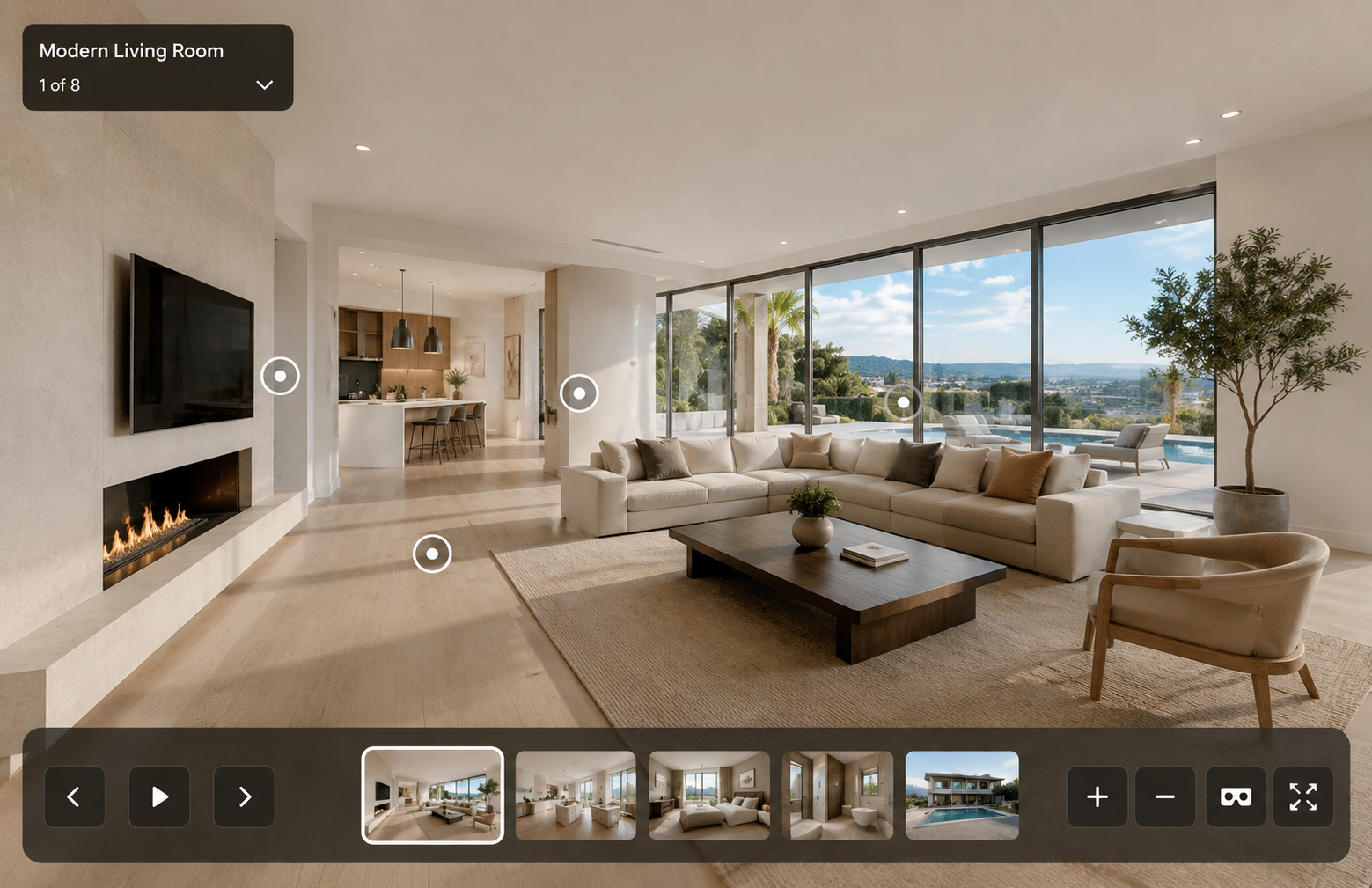
Picture a mid-sized business — perhaps a real estate brokerage, boutique hotel, or retail showroom — that has built a visually polished virtual tour with no dedicated accessibility features. The tour looks great for sighted visitors navigating with a mouse. For someone relying on a keyboard or screen reader, however, significant barriers may exist: hotspots may not be keyboard accessible, labels may not be communicated meaningfully, and visual accessibility options may be limited or unavailable.
This can be a common starting point. Accessibility may not have been treated as a core requirement during the initial build, particularly when a tour was designed primarily around visual and mouse-based interaction.
Without adequate accessibility support, some potential visitors may have difficulty engaging with the tour or may be unable to use certain parts of it altogether. According to the CDC, more than 1 in 4 U.S. adults report having a disability.
Because visitors encountering accessibility barriers don't necessarily provide feedback explaining why they left, businesses may have limited visibility into these experiences. In conventional analytics, an accessibility-related exit may simply appear as another drop-off rather than being identified as the result of a specific usability barrier.
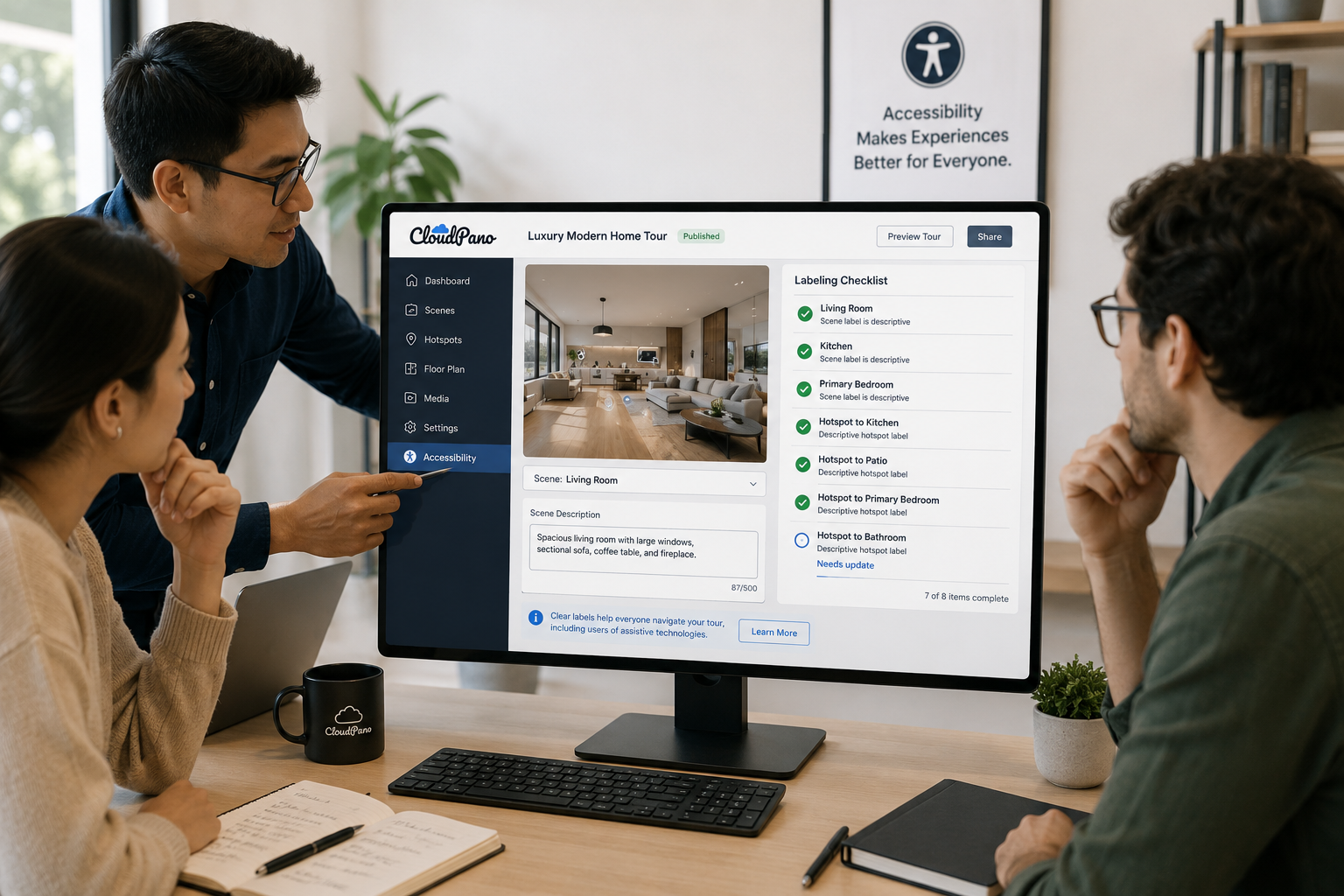
In this scenario, the business enables a purpose-built ADA widget for virtual tours, adding accessibility functionality to the existing tour without requiring the entire experience to be rebuilt.
Alongside enabling the widget, the team reviews its scenes and hotspots and replaces generic labels such as "Scene 3" or "Hotspot A" with clearer, more descriptive names such as "Living Room" and "Go to Kitchen."
The team then tests the updated tour using keyboard-only navigation and assistive technology, checking whether important controls, scenes, and hotspots can be identified and operated without relying exclusively on a mouse or visual cues.
Direct accessibility gains. The most important change is functional: visitors who use keyboards, screen readers, or other assistive technologies may be able to access parts of the tour that were previously difficult or impossible for them to navigate. This is the primary benefit, independent of any downstream business metric.
Potential engagement improvements. Removing navigation barriers can give more visitors the opportunity to continue exploring the tour rather than leaving when they encounter an inaccessible control or interaction. The exact impact on engagement will depend on the audience and implementation.
Broader usability improvements. Accessibility work often encourages clearer labels, more logical navigation, and more usable controls. These improvements can benefit visitors beyond those who rely on assistive technologies, reflecting the broader inclusive-design principles found in the WCAG guidelines.
Clearer navigation for visitors. Descriptive labels and predictable controls can also make a virtual tour easier to understand in general. Instead of guessing where a hotspot leads, for example, a visitor can be given a clear destination such as "Kitchen" or "Primary Bedroom."
There's an important limitation when measuring the impact of accessibility improvements: standard analytics generally don't tell you whether a visitor left specifically because they encountered an accessibility barrier.
A visitor who can't operate a control may simply leave the tour, with the analytics recording an ordinary exit rather than an "accessibility failure." As a result, it can be difficult to isolate the precise before-and-after impact of an ADA widget using conventional analytics alone.
Other changes to a website or tour — such as new content, performance improvements, marketing campaigns, or design updates — can make attribution even more difficult.
That's an important caveat for any accessibility-related case study, including an illustrative one like this.
Even without precise before-and-after metrics, the case for improving virtual tour accessibility doesn't depend on proving a specific increase in conversions or engagement.
The more fundamental goal is to remove unnecessary barriers so that more visitors have an opportunity to experience and navigate the tour. Improvements in usability, engagement, and overall visitor experience may follow, but they're secondary to making the experience more accessible in the first place.
If you're considering an ADA widget for your own virtual tour, one of the best ways to understand its impact is to implement the available accessibility features and test the published experience directly. Try keyboard-only navigation, test with relevant assistive technologies, and review your scene and hotspot labels to make sure they clearly communicate their purpose.
CloudPano's ADA compliance page provides more information about the platform's accessibility features, while the CloudPano feature set covers the broader tools available for building and managing virtual tours.
An ADA widget is a tool that adds accessibility functionality to an existing virtual tour without rebuilding the whole experience. It helps visitors who use keyboards, screen readers or other assistive technologies identify and operate controls, scenes and hotspots that might otherwise depend on a mouse or visual cues.
Many virtual tours are designed mainly around visual, mouse-based interaction, so accessibility isn't treated as a core requirement during the build. As a result, hotspots may not work with a keyboard, labels may not be communicated meaningfully to screen readers, and visual accessibility options may be limited or unavailable.
It can. Removing navigation barriers gives more visitors the chance to keep exploring instead of leaving when they hit an inaccessible control. Clearer labels and more usable controls can also help visitors who don't use assistive technologies. The exact impact depends on the audience, tour type and implementation.
Standard analytics don't show whether a visitor left because of an accessibility barrier, so that exit looks like any other drop-off. Other changes, such as new content, performance improvements, marketing campaigns or design updates, make it even harder to attribute results to an ADA widget alone.
Implement the available accessibility features, then test the published tour directly. Try navigating with only a keyboard, test with relevant assistive technologies, and review your scene and hotspot labels. Replace generic names like "Scene 3" or "Hotspot A" with descriptive ones like "Living Room" or "Go to Kitchen."


Compact, ready to go anywhere
Interchangeable lens that’s upgradeable
Dual 1-inch sensors for improved clarity and low light performance
Dynamic range and 6K 360° capture
360° photo resolution at 21MP

8K 360° video recording for ultra-detailed visuals.
4K single-lens mode for traditional wide-angle shots.
Invisible selfie stick effect for drone-like perspectives.
2.5-inch touchscreen with Gorilla Glass protection.
Waterproof up to 33ft for underwater shooting.

360° photo resolution in 23MP
Slim design at 24 mm thick
Built-in image stabilization for smooth video capture.
Internal 19GB storage for photo and video storage.
Wireless connectivity for remote control and sharing.

60MP 360° still images for high-resolution photography.
5.7K 360° video recording at 30fps.
2.25-inch touchscreen for intuitive control.
USB Type-C port for fast charging and data transfer.
MicroSD card slot for expandable storage.
.png)

.png)

Try it free. No credit card required. Instant set-up.







.svg)


.svg)