


.png)



Business owners often assume that the Americans with Disabilities Act (ADA) applies only to physical spaces — ramps, doorways, accessible parking, and similar accommodations. However, digital accessibility has become an increasingly important area of ADA enforcement and litigation.
Virtual tours, as a highly visual and interactive form of online content, introduce their own accessibility considerations. This article explains what the law says, how digital accessibility standards are commonly applied, and what businesses should consider when publishing virtual tours online.
Here's the part that surprises many people: the Americans with Disabilities Act, as originally written, doesn't explicitly mention websites. The law was enacted in 1990, before the modern web became an essential part of everyday commerce.
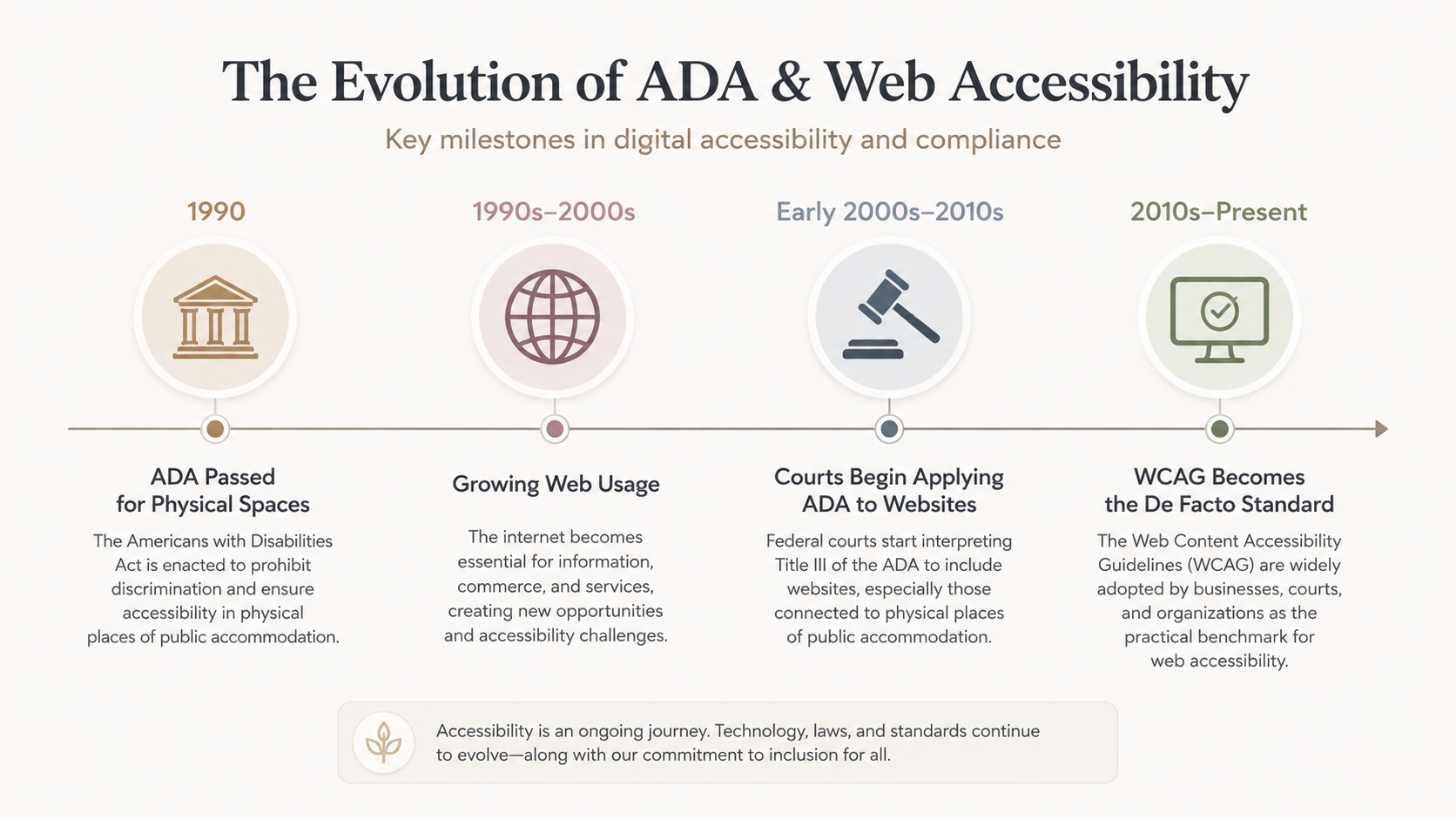
Title III of the ADA prohibits disability discrimination by businesses that are considered "places of public accommodation." The U.S. Department of Justice provides additional guidance on web accessibility through ADA.gov, explaining that businesses covered by the ADA must provide people with disabilities equal access to the goods, services, and activities they offer, including those provided online.
However, the precise application of Title III to websites and other digital experiences has developed through court decisions, regulatory guidance, and enforcement actions. Courts in different jurisdictions have sometimes taken different approaches, particularly when determining whether a website must have a connection to a physical place of public accommodation.
As a result, businesses shouldn't assume that the absence of the word "website" from the original statute means digital accessibility can be ignored.
The Web Content Accessibility Guidelines (WCAG), published by the W3C, have become one of the most widely recognized technical frameworks for digital accessibility.
WCAG itself isn't the ADA, and following WCAG doesn't automatically guarantee compliance with every legal requirement that may apply to a particular organization. However, its guidelines are widely used by businesses, developers, accessibility professionals, and government organizations when evaluating and improving digital accessibility.
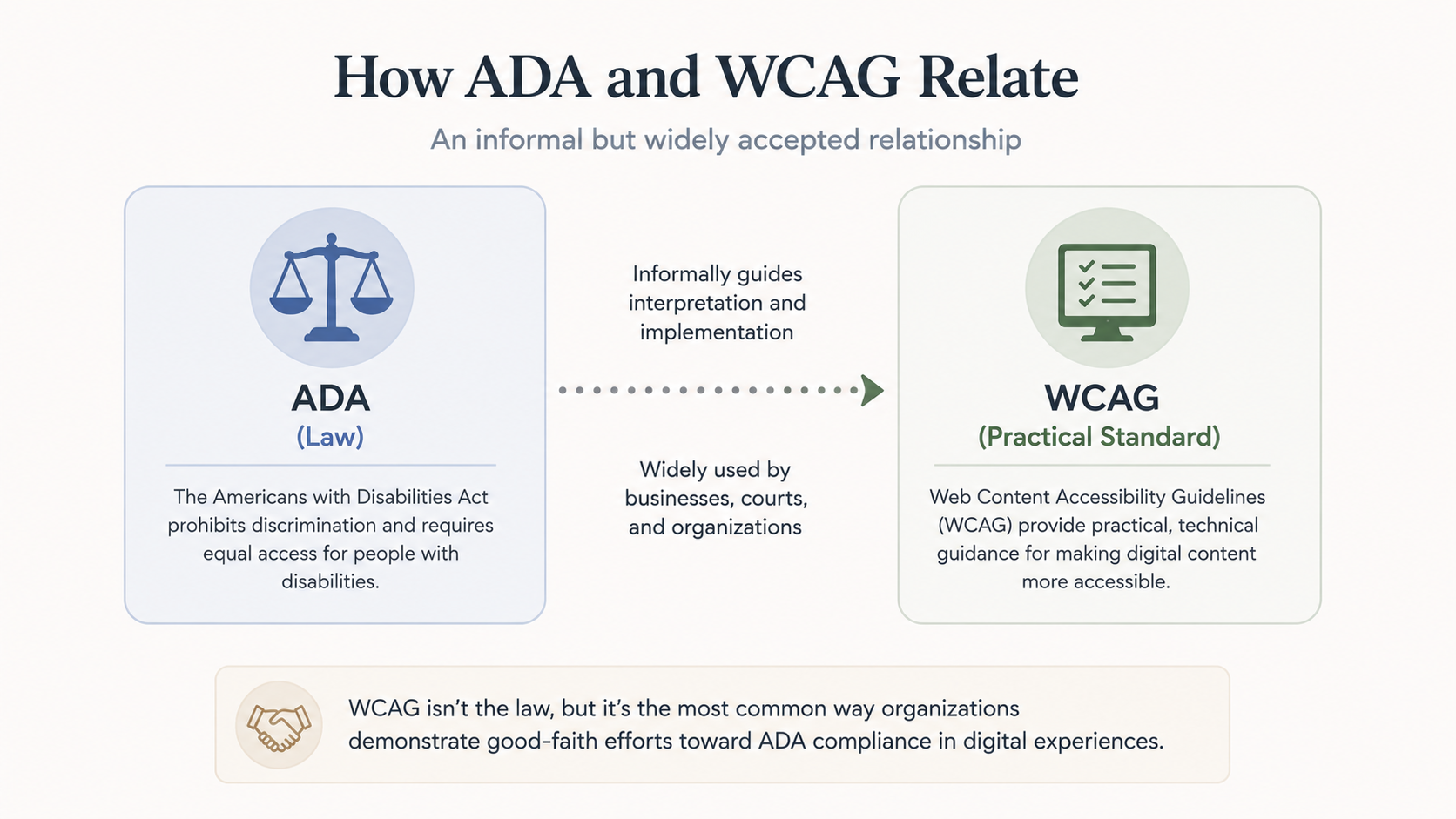
For virtual tours specifically, WCAG's four core principles — perceivable, operable, understandable, and robust — provide a useful framework, even though the guidelines weren't created exclusively for 360° interactive experiences.
Applying these principles means considering whether visitors using assistive technologies can perceive the tour's content, operate its controls, understand its navigation, and reliably interact with its features.
Virtual tours are visually rich, interactive, and often an important part of a business's online customer experience — particularly in industries such as real estate, hospitality, education, museums, and retail.
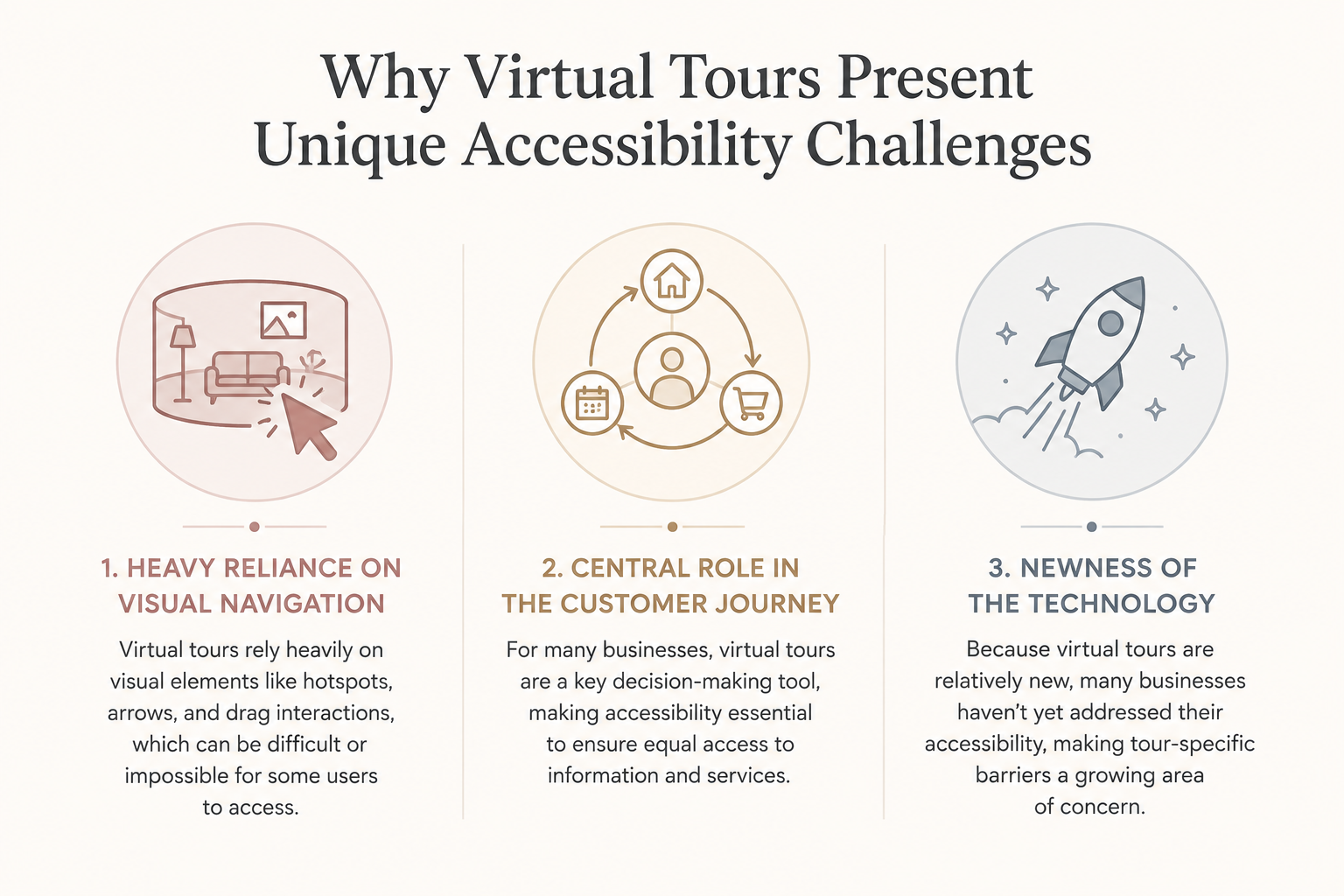
That creates several accessibility considerations:
These factors make it important to evaluate the accessibility of the virtual tour itself rather than assuming that an accessible surrounding webpage automatically makes embedded interactive content accessible.
There isn't a single widget, plugin, or technical change that can automatically guarantee ADA compliance in every situation. Accessibility typically requires a combination of technology, accessible content practices, testing, and ongoing maintenance.
For a virtual tour, that may include:
For organizations subject to federal accessibility requirements, Section508.gov provides additional resources on accessible information and communications technology. Section 508 applies specifically to federal agencies and certain federal contexts, so it shouldn't be treated as interchangeable with the ADA requirements that apply to private businesses.
Ignoring accessibility can create both practical and legal concerns.
Businesses have faced complaints and litigation involving inaccessible websites and digital services, making digital accessibility an issue that organizations should take seriously. The specific legal obligations and level of risk can vary based on the business, jurisdiction, type of digital service, and other circumstances.
There is also a broader issue beyond legal exposure.
When a virtual tour can't be navigated using assistive technology or alternative input methods, some visitors may simply be unable to access information that other visitors can use freely. Those users may leave without contacting the business or explaining what prevented them from completing the experience.
Improving accessibility therefore isn't solely about reducing legal risk. It's also about making your digital content available to a broader audience.
If you're unsure how accessible your virtual tour currently is, start by testing the experience from different perspectives.
Try navigating the tour without using a mouse. Review whether scenes and hotspots have meaningful labels. Test important interactions with assistive technologies such as a screen reader. Pay particular attention to any point where a visitor could become unable to continue navigating the experience.
From there, consider the accessibility functionality available through your virtual tour platform. A tour-specific accessibility solution can provide a useful foundation, while thoughtful labeling, testing, and ongoing review can help address additional accessibility barriers.
CloudPano's ADA compliance page provides more information about the accessibility functionality available for CloudPano virtual tours. You can also visit the CloudPano homepage to learn more about creating and hosting interactive 360° tours.
This article is provided for general informational purposes only and does not constitute legal advice. Accessibility requirements can vary depending on your organization, location, and circumstances. If you have questions about your specific legal obligations or exposure, consult a qualified attorney familiar with digital accessibility law.


Compact, ready to go anywhere
Interchangeable lens that’s upgradeable
Dual 1-inch sensors for improved clarity and low light performance
Dynamic range and 6K 360° capture
360° photo resolution at 21MP

8K 360° video recording for ultra-detailed visuals.
4K single-lens mode for traditional wide-angle shots.
Invisible selfie stick effect for drone-like perspectives.
2.5-inch touchscreen with Gorilla Glass protection.
Waterproof up to 33ft for underwater shooting.

360° photo resolution in 23MP
Slim design at 24 mm thick
Built-in image stabilization for smooth video capture.
Internal 19GB storage for photo and video storage.
Wireless connectivity for remote control and sharing.

60MP 360° still images for high-resolution photography.
5.7K 360° video recording at 30fps.
2.25-inch touchscreen for intuitive control.
USB Type-C port for fast charging and data transfer.
MicroSD card slot for expandable storage.
.png)

.png)

Try it free. No credit card required. Instant set-up.







.svg)


.svg)