


.png)



If you’re comparing tour platforms, it’s easy to get distracted by flashy features—3D dollhouse views, “digital twin” language, or who has the biggest brand name. But for most real estate marketers and media teams, the deciding factor is much simpler:
How well does the platform embed on your website—reliably, fast, and branded? ✅
That’s what this article covers: website embedding for virtual tours, the practical realities of virtual tour platform integration, and how to embed virtual tours on website pages in a way that supports SEO, lead capture, and long-term distribution resilience.
We’ll also include accurate research on the widely publicized dispute involving CoStar, Zillow, and Matterport—because it changed how many professionals think about platform dependency and portability.
Keywords included naturally throughout:
A tour embed isn’t just a technical detail—it’s your distribution strategy.
When you embed tours directly on your website:
This is why virtual tour website compatibility should be treated like a must-have feature—not a “nice-to-have.”
Most platforms embed tours using an iframe—a “window” on your webpage that displays content hosted elsewhere.
That might sound boring, but the business impact is huge.
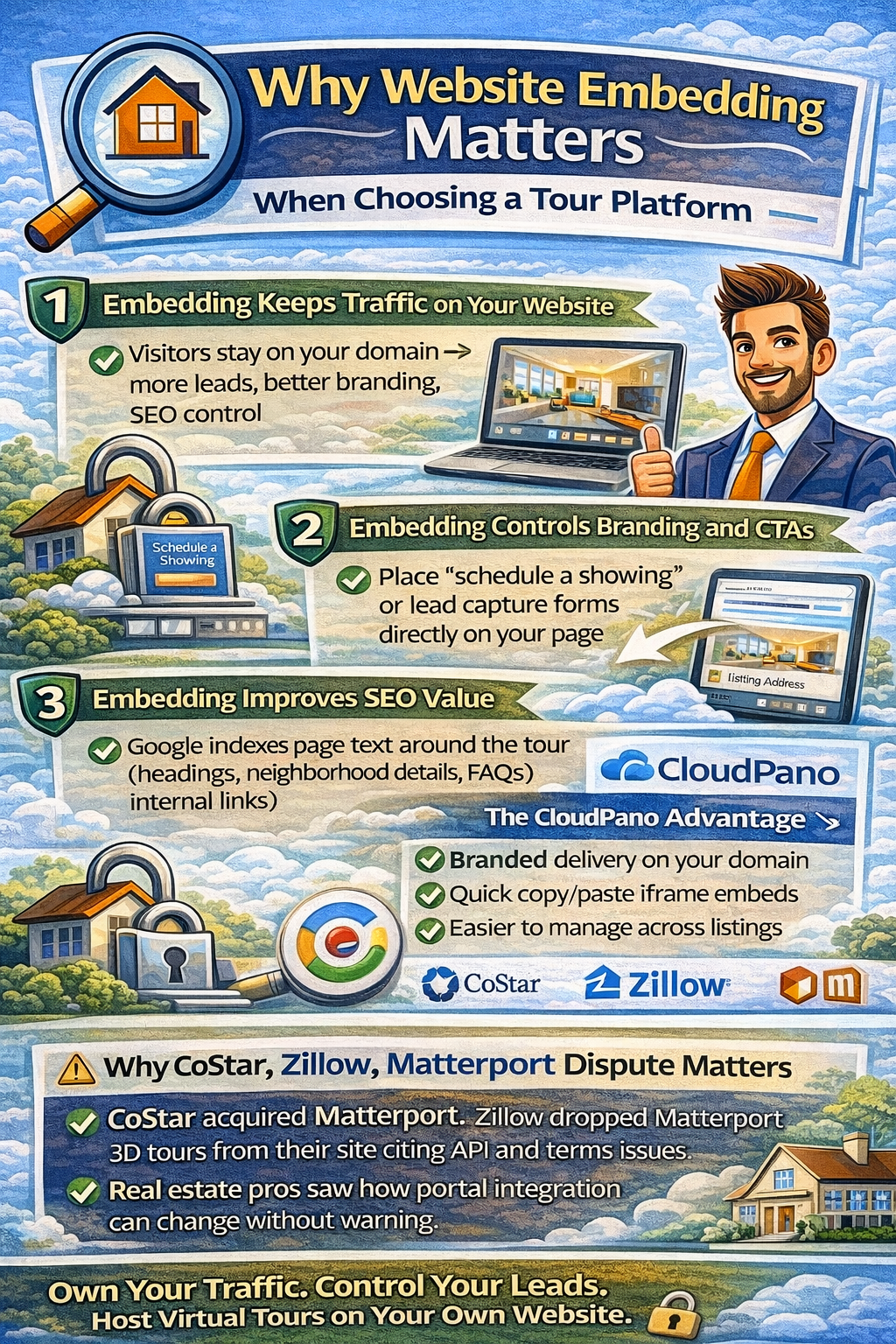
1) Build a high-converting page around the tour
Your tour is the hero. Your page provides the conversion system:
2) Create SEO value that a shared link can’t
Google indexes the text on your page: headings, neighborhood details, FAQs, and schema—not the content inside the iframe.
3) Keep your brand consistent
Sending someone off-site to a generic tour link breaks the marketing flow. Embedding keeps the experience inside your brand environment.
When evaluating the best virtual tour software for websites, test these embedding factors:
A tour that looks great on desktop but breaks on mobile is a conversion killer.
You want:
Matterport provides official guidance on embedding and resizing.
For real estate teams, branding is trust. For photographers, branding is your moat.
Look for:
CloudPano explicitly supports branded delivery via a white-labeled/custom domain feature.
Your listing pages live on long after a listing sells (and can still generate leads). Embeds should remain stable, not break due to platform changes.
If your platform requires custom development just to embed properly, you’ll lose time (and sometimes money).
Look for simple copy/paste embed workflows and basic documentation.
CloudPano’s help docs show a copy/paste iframe embed example.
If you only rely on portals to show your tours, you’re exposed to changes you don’t control.
A very visible example of this risk happened after CoStar acquired Matterport and Zillow stopped displaying Matterport tours on its sites.
This situation reminded the industry that:
So your safest long-term strategy is:
Treat your website as the hub, and use embedding as your stable distribution layer. 🛡️
Both platforms support website embedding. The difference is how website-first they are, how much branding control you get, and how easy it is to integrate into a conversion-focused marketing page.
Matterport provides official documentation for embedding a model on a website and guidance for resizing/placement.
That’s valuable because many teams need:
Matterport also documents URL parameters that can influence behavior in embedded contexts (useful for certain technical setups).
CloudPano’s docs and feature pages emphasize embedding tours on your website and customizing the embed for your layout.
Where CloudPano tends to stand out for agents and media teams:
1) White-label / custom domain branding
CloudPano supports pointing your domain to CloudPano (white-label URLs), keeping your brand front-and-center.
This matters because the most valuable lead is the one that remembers you, not the platform.
2) Simple embed workflow
CloudPano’s help center shows straightforward iframe embedding.
That speeds up production, especially for teams publishing lots of listings.
3) Website-first distribution mindset
CloudPano’s embedding pages focus on seamless integration into your website experience, which aligns with conversion-focused marketing pages.
4) Extra evergreen visibility via Google publishing (optional strategy)
CloudPano highlights publishing tours to Google Street View/Maps, which some teams use for long-term discovery beyond a single listing lifecycle.
Important accuracy note: Using CloudPano with a custom domain is branded delivery, not literal “self-hosting.” The tours still run on the platform’s infrastructure.
To keep this accurate: CloudPano is often the better choice specifically for website-first real estate marketing when your priorities are:
Matterport can be a fit for teams prioritizing certain “digital twin” workflows and a specific ecosystem—but for agents and media teams whose website is the primary lead engine, CloudPano’s website-first + white-label orientation is usually the advantage.
When evaluating virtual tour platform integration, run this simple test:
If you already have a template (WordPress, Squarespace, Wix, Webflow), use that.
Check:
Add:
Now ask: which platform makes this easier to keep consistent across dozens of listings?
If you’re building a business (agent brand, team brand, photography brand), custom domain/white-label options can meaningfully improve perceived value. CloudPano explicitly positions this as a feature.
The Zillow–Matterport situation is a reminder that relying solely on portal distribution can be fragile. Embedding tours on your website is the hedge.
Embedding alone won’t rank. The page around it does.
For each tour page:
This is how website embedding for virtual tours becomes an SEO strategy—not just a media feature.
Choosing a tour platform isn’t just about the viewer—it’s about your marketing system.
If your goal is leads, SEO, and brand control, then embedding compatibility is one of the most important criteria:
And when you compare CloudPano vs Matterport specifically for website-first real estate marketing, CloudPano is often the better fit because of its focus on easy embedding and branded delivery via custom domains.


Compact, ready to go anywhere
Interchangeable lens that’s upgradeable
Dual 1-inch sensors for improved clarity and low light performance
Dynamic range and 6K 360° capture
360° photo resolution at 21MP

8K 360° video recording for ultra-detailed visuals.
4K single-lens mode for traditional wide-angle shots.
Invisible selfie stick effect for drone-like perspectives.
2.5-inch touchscreen with Gorilla Glass protection.
Waterproof up to 33ft for underwater shooting.

360° photo resolution in 23MP
Slim design at 24 mm thick
Built-in image stabilization for smooth video capture.
Internal 19GB storage for photo and video storage.
Wireless connectivity for remote control and sharing.

60MP 360° still images for high-resolution photography.
5.7K 360° video recording at 30fps.
2.25-inch touchscreen for intuitive control.
USB Type-C port for fast charging and data transfer.
MicroSD card slot for expandable storage.
.png)

.png)

Try it free. No credit card required. Instant set-up.







.svg)


.svg)