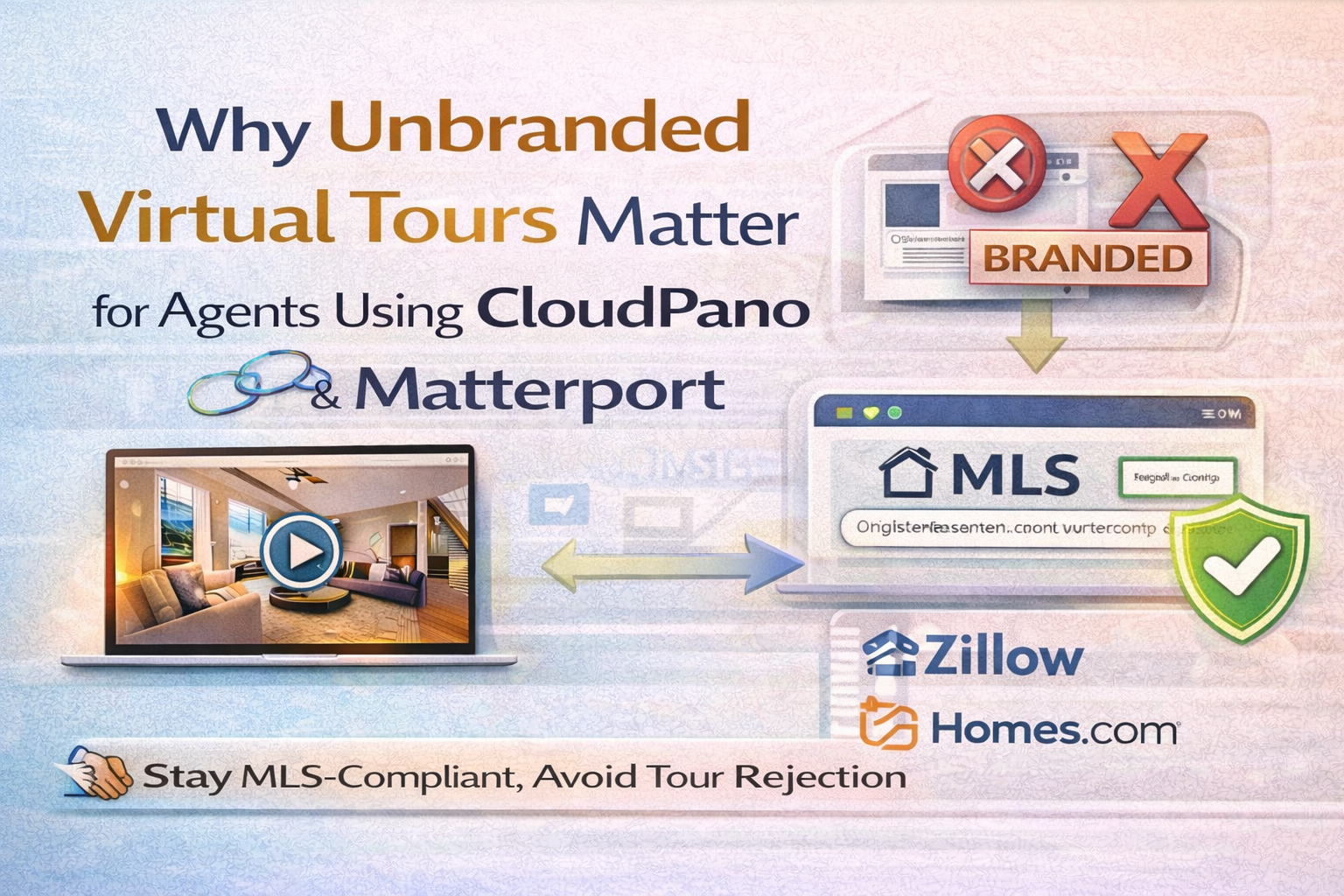
Why Unbranded Virtual Tours Matter for Agents Using CloudPano and Matterport

Cloudpano
February 8, 2026
5 min read
Share this post

Why Unbranded Virtual Tours Matter for Agents Using CloudPano and Matterport 🔗✨

Virtual tours are one of the best ways to market a listing in 2026. They boost engagement, reduce time-wasting showings, and help buyers feel confident before they ever step inside a home. But there’s a catch that many agents learn the hard way:

A tour can be beautiful and still be rejected, hidden, or removed—simply because the link type wasn’t MLS-friendly.

That’s where unbranded virtual tours for agents become essential. Whether you’re using CloudPano unbranded links or Matterport unbranded tours, the unbranded version is often the difference between a tour that’s everywhere… and a tour that disappears quietly.

In this evergreen guide, you’ll learn:

  • What “unbranded” really means (and what MLS is looking for)
  • How to stay aligned with real estate virtual tour branding rules
  • Why MLS compliant virtual tours protect your exposure
  • How CloudPano and Matterport fit into the same MLS reality
  • What the CoStar–Matterport–Zillow dispute reveals about tour visibility (with 5 articles to read) 📰

What Are Unbranded Virtual Tours for Agents? 🤔

Unbranded virtual tours for agents are tours that show the property without any agent or brokerage marketing elements. They typically remove (or avoid including):

  • Agent name, phone number, email
  • Brokerage logos
  • Lead capture forms
  • “Schedule a showing” buttons
  • Call-to-action overlays
  • Any marketing that identifies who listed the property

Instead, the tour focuses on the home itself: rooms, layout, navigation, and the viewing experience.

Why? Because many MLS systems aim to remain neutral and prevent advertising inside certain listing fields—especially fields that syndicate publicly.

That neutral, property-only version is what many MLS boards consider “safe.”

The MLS Reality: Compliance Is About the Link Content 🧩

Most MLS rules aren’t “anti-marketing.” They’re pro-standardization.

MLS platforms are designed to:

  • Distribute listing media fairly
  • Prevent one brokerage from advertising inside shared listing systems
  • Keep consumer-facing feeds consistent across portals

So the MLS often wants the tour link to behave like a “media asset,” not a marketing page.

That’s why MLS compliant virtual tours often need to be unbranded.

Branded vs Unbranded: The Practical Difference 🔥

Here’s the simplest way to think about it:

Branded tours = marketing performance 💰

Use these on:

  • Your website
  • Property websites
  • Landing pages
  • Email campaigns
  • Social media posts and ads

Branded tours are great because they can convert viewers into leads.

Unbranded tours = MLS visibility ✅

Use these in:

  • MLS “Virtual Tour URL” field
  • Any field labeled “Unbranded Tour”
  • Public MLS views that syndicate to portals

Unbranded tours are about staying compliant and maximizing distribution.

If you mix these up, your tour may still “work”—but it may not show where you need it.

Why Unbranded Tours Protect Your Syndication 🔁

A huge reason unbranded tours matter is syndication.

MLS feeds often distribute listings to:

  • IDX websites
  • Brokerage websites
  • Portal partners (depending on agreements)

If your tour link violates real estate virtual tour branding rules, it can be:

  • Rejected at the MLS level
  • Removed by compliance review
  • Filtered by portals later

That can create the worst-case scenario: the seller expects a tour “everywhere,” but it only shows in one place (or nowhere public).

Unbranded links reduce that risk dramatically.

CloudPano Unbranded Links: Why Agents Like the Workflow ✅

When agents search CloudPano unbranded links, they usually want an MLS-ready option that’s easy to manage.

In a clean MLS workflow, CloudPano typically fits like this:

  • You create the tour for marketing
  • You produce an MLS-safe version (unbranded)
  • You paste the unbranded link into the MLS tour field
  • You use the branded version everywhere else (property site, email, ads)

The biggest advantage for agents is consistency: you can maintain both versions without reinventing your process every listing.

The more predictable your system, the fewer “tour disappeared” surprises you’ll get later.

Matterport Unbranded Tours: Why Agents Must Be Extra Careful 📌

Matterport unbranded tours can be very MLS-friendly—if you use the correct share/link version.

Where agents run into problems is usually one of these:

  • Sharing a link that includes agent branding or “Powered by” details
  • Using a marketing landing experience instead of a pure property experience
  • Pasting the link in remarks or photos instead of the tour field
  • Not verifying what the public sees after publishing

Matterport tours are powerful—especially for premium listings—but MLS compliance still comes down to what the viewer sees, not how impressive the tour is.

The Hidden Win: Unbranded Tours Build Seller Trust 🤝

Sellers don’t care about the difference between branded and unbranded links.

They care about outcomes:

  • “Is the tour visible?”
  • “Does it work on the listing?”
  • “Can buyers actually view it?”

Unbranded links help agents avoid:

  • Awkward follow-ups (“It’s showing in MLS but not Zillow…”)
  • Scrambling to replace links after compliance notices
  • Losing momentum during the first week of a listing (when traffic is highest) ⏱️

When your tours reliably show up, your marketing looks more professional.

Unbranded Tours Are Also a Hedge Against Portal Changes 🛡️

Even if you do everything right, portals can still change how they display tours.

That’s why unbranded links matter long-term:

  • MLS-friendly assets tend to survive distribution rules
  • Branded marketing assets are best kept on channels you control (your site, your property pages, your email list)

In other words:

  • Use unbranded to protect distribution
  • Use branded to maximize conversion

That combo is resilient.

The CoStar–Matterport–Zillow Dispute: What It Means for Tour Visibility 📰⚠️

This is where things get real for agents.

In late 2025, Zillow removed Matterport tours from its platforms and attributed the change to issues involving CoStar (which acquired Matterport), including API agreement decisions and terms-of-use interpretations. Multiple outlets covered the escalation and the competing claims.

CoStar publicly responded with its own statement, arguing that customers could still share Matterport Spaces broadly, including via MLS distribution.

Why does this matter to everyday agents?

Because it proves a key point:

Tour visibility can be impacted by platform relationships—outside your control.

That’s why leaning on MLS compliant virtual tours (and having a clean unbranded workflow) is the safest foundation, while branded tours should live on channels you own.

Best Practices: Staying MLS-Compliant Without Losing Marketing Power ✅🚀

Use this evergreen workflow every time (CloudPano or Matterport):

  1. Create the tour once
  2. Save two links
    • “MLS Unbranded Tour Link”
    • “Marketing Branded Tour Link”
  3. Test the MLS link in incognito (no logos, no phone/email, no CTAs)
  4. Paste only into the MLS virtual tour field
  5. Verify after publishing (MLS public view + key portals)

This process prevents most issues before they happen.

Final Thoughts: Unbranded Tours Are the MLS “Insurance Policy” 🏁

If you want consistent visibility, fewer headaches, and stronger seller confidence, treat unbranded tours as mandatory—not optional.

Whether you’re using CloudPano unbranded links or Matterport unbranded tours, the value is the same:

✅ More compliance
✅ Better syndication stability
✅ Fewer removals
✅ Less scrambling
✅ Stronger marketing credibility

🚀 Your All-In-One Virtual Experience Stack Starts Here

Share this post
Cloudpano

Choose The Right 360° Camera

Insta360 ONE RS 1-Inch 360 Edition

  • Compact, ready to go anywhere

  • Interchangeable lens that’s upgradeable

  • Dual 1-inch sensors for improved clarity and low light performance

  • Dynamic range and 6K 360° capture

  • 360° photo resolution at 21MP

Learn More

Insta360 X4

  • 8K 360° video recording for ultra-detailed visuals.

  • 4K single-lens mode for traditional wide-angle shots.

  • Invisible selfie stick effect for drone-like perspectives.

  • 2.5-inch touchscreen with Gorilla Glass protection.

  • Waterproof up to 33ft for underwater shooting.

Learn More

Ricoh Theta Z1

  • 360° photo resolution in 23MP

  • Slim design at 24 mm thick

  • Built-in image stabilization for smooth video capture.

  • Internal 19GB storage for photo and video storage.

  • Wireless connectivity for remote control and sharing.

Learn More

Ricoh Theta X

  • 60MP 360° still images for high-resolution photography.

  • 5.7K 360° video recording at 30fps.

  • 2.25-inch touchscreen for intuitive control.

  • USB Type-C port for fast charging and data transfer.

  • MicroSD card slot for expandable storage.

Learn More
Property Marketing
Allows potential buyers to explore properties in detail from anywhere, enhancing the real estate marketing process.
Automotive Spins
Create an interactive virtual showroom and engage affluent digital buyers with live 360º video calls, all through the CloudPano mobile app for a complete automotive sales solution.
Interactive Floor Plans
Create 2D and 3D floor plans with measurements in 4 minutes or less, all from your phone. Download the Floor Plan Scanner app and get your first scan free.

360 Virtual Tours With CloudPano.com. Get Started Today.

Try it free. No credit card required. Instant set-up.

Try it free
Latest posts

See our other posts

Interviews, tips, guides, industry best practices, and news.

How Real Estate Agents Can Provide MLS-Compliant Tours Using CloudPano and Matterport

This article explains how real estate agents can deliver MLS-compliant virtual tours using CloudPano and Matterport without risking listing rejection or lost syndication. It covers CloudPano MLS tours, Matterport MLS tours, and best practices for creating MLS-ready 3D tours that meet real estate virtual tour compliance standards. The post also provides industry context around the CoStar, Matterport, and Zillow dispute, reinforcing why MLS-first workflows are essential for consistent visibility and long-term listing stability.
Read post

How to Deliver MLS-Compliant Virtual Tours Using CloudPano and Matterport

This article explains how to deliver MLS-compliant virtual tours using CloudPano and Matterport without risking listing rejection or lost syndication. It walks through CloudPano MLS tours, Matterport MLS integration, and best practices for maintaining real estate virtual tour compliance across MLS systems and portals. The post also provides industry context around the CoStar, Matterport, and Zillow dispute, highlighting why MLS-ready 3D tours and MLS-first workflows are essential for long-term listing visibility and stability.
Read post

Why Unbranded Virtual Tours Matter for Agents Using CloudPano and Matterport

This article explains why unbranded virtual tours for agents are essential for MLS compliance and consistent listing visibility. It breaks down how CloudPano unbranded links and Matterport unbranded tours align with MLS compliant virtual tours and current real estate virtual tour branding rules. The post also explores how platform relationships—highlighted by the CoStar, Matterport, and Zillow dispute—can impact tour visibility, reinforcing why MLS-friendly, unbranded workflows are critical for long-term syndication and marketing stability.
Read post