


.png)


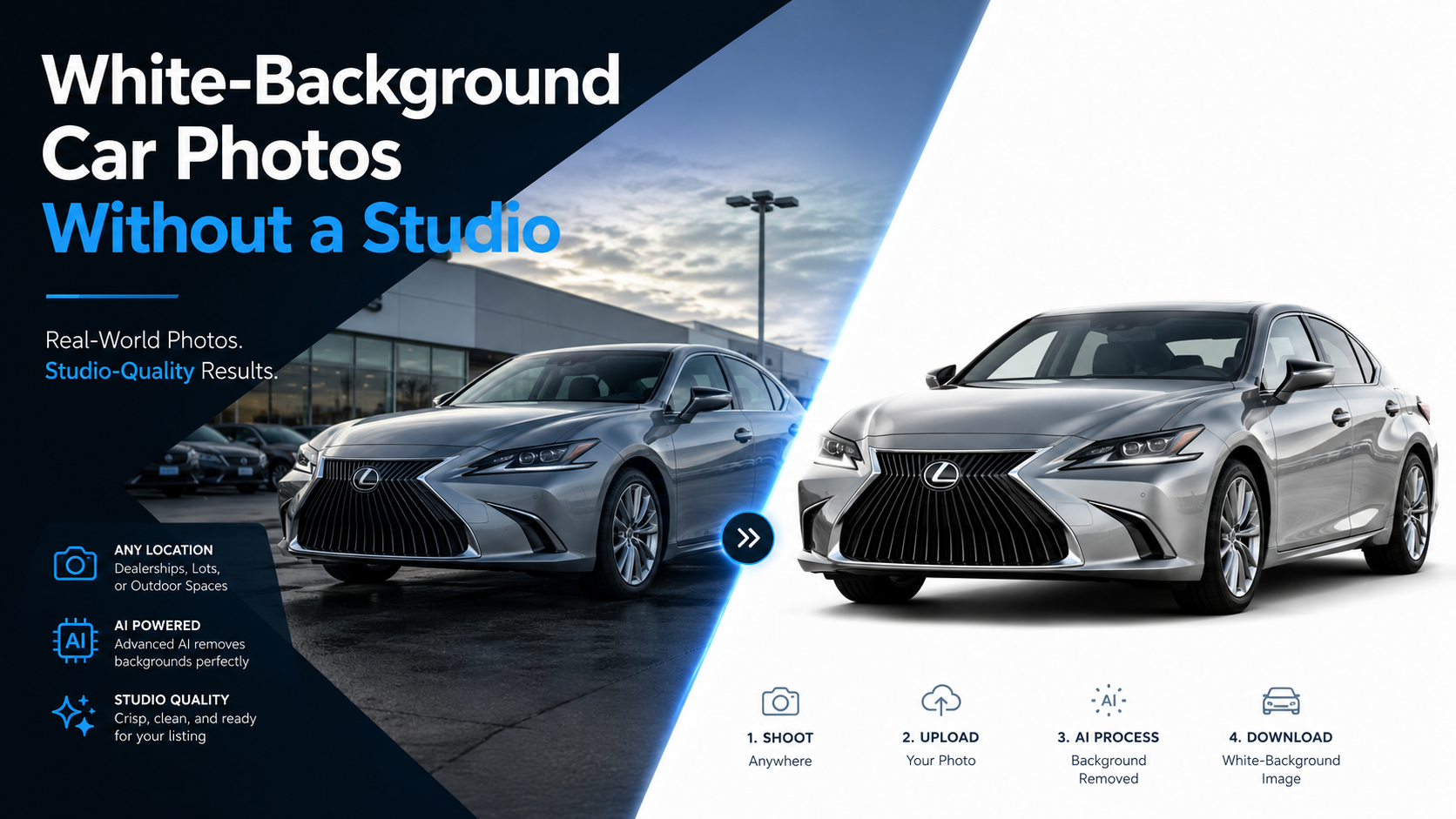
Clean vehicle photography has become an important part of online automotive merchandising.
Shoppers may first encounter a vehicle on a dealer website, marketplace, social ad, or mobile search result. Before they read the mileage, trim level, or vehicle history, they see the photos.
That creates a challenge for dealerships.
Vehicles are rarely photographed in perfect conditions. Inventory may be parked beside other cars, near a service lane, in front of dealership buildings, under changing weather, or in areas where the background is visually distracting.
A traditional solution is to build a dedicated studio or photo booth.
But that is not the only option.
Modern background-removal software makes it possible to create professional-looking white background car photos while continuing to photograph vehicles in normal dealership environments.
The key is understanding what a successful workflow requires before assuming that simply deleting the original background will produce a professional result.
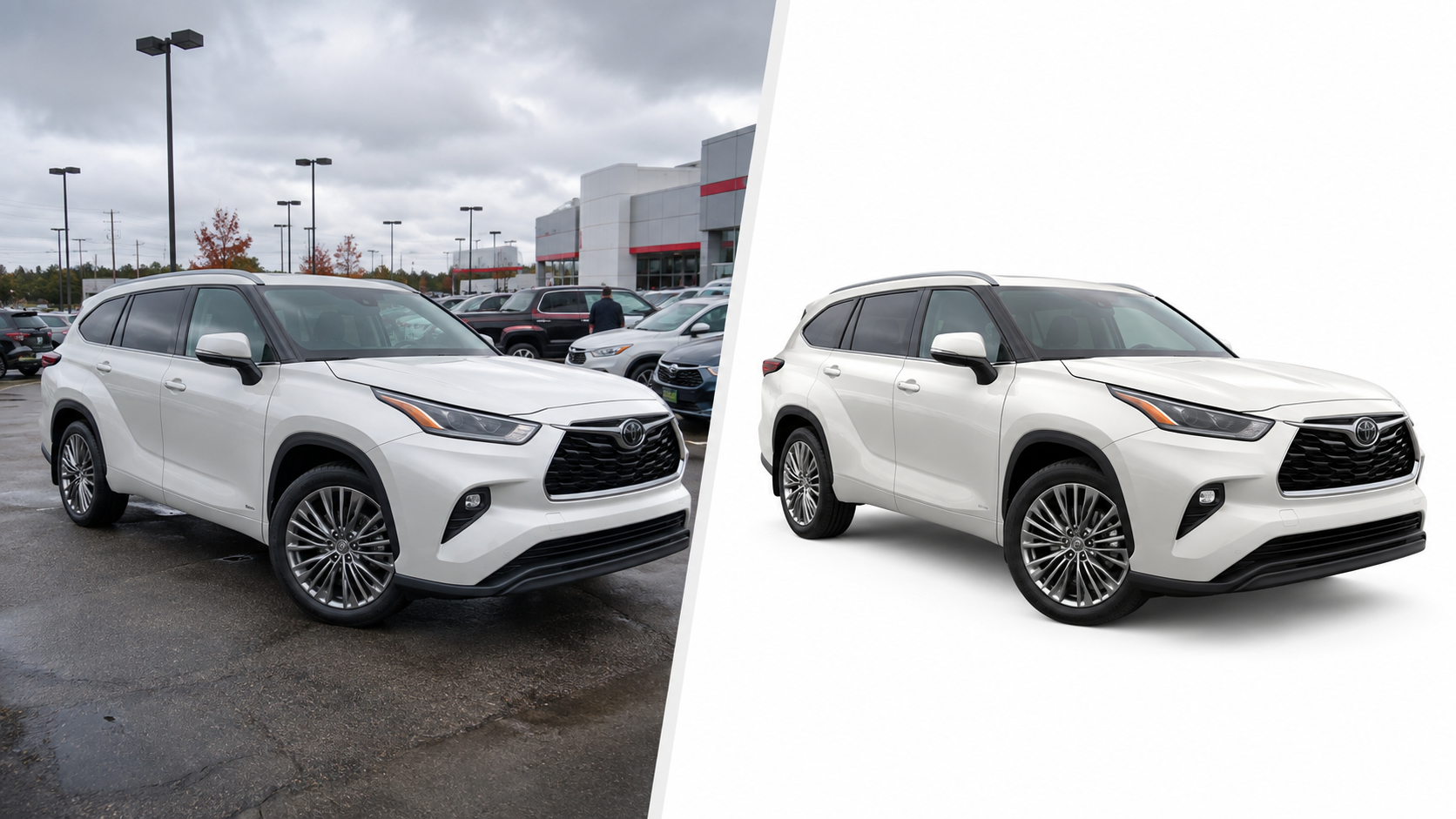
White backgrounds remove visual distractions and make the vehicle the primary focus of the image.
Instead of competing with parked cars, light poles, buildings, signs, employees, or changing weather conditions, the vehicle appears against a consistent neutral background.
That can help dealerships create a uniform presentation across inventory.
A white-background approach can be especially useful when vehicles are photographed:
Without background processing, every vehicle may look slightly different depending on where and when the photo was captured.
With a standardized workflow, the original environment becomes less important.
The dealership can focus on capturing the vehicle correctly and handle much of the visual consistency afterward.
A dedicated photography studio can produce excellent results.
Controlled lighting, repeatable camera angles, consistent flooring, and carefully planned backgrounds can create extremely polished vehicle images.
The problem is that studios require space, equipment, workflow changes, and often significant investment.
For a single high-volume rooftop, that investment may make sense.
For a dealer group with several locations, duplicating a studio at every rooftop can become much more difficult.
This is where AI background removal changes the equation.
Instead of forcing every vehicle into a physical studio, dealerships can create a digital version of that consistency.
The workflow becomes:
photograph the vehicle → remove the original background → place the vehicle on white → export → publish
That does not mean photo quality stops mattering.
It means the dealership can separate two problems:
Those steps no longer have to happen in the same physical environment.
Background removal can solve many environmental problems, but it cannot fix every capture mistake.
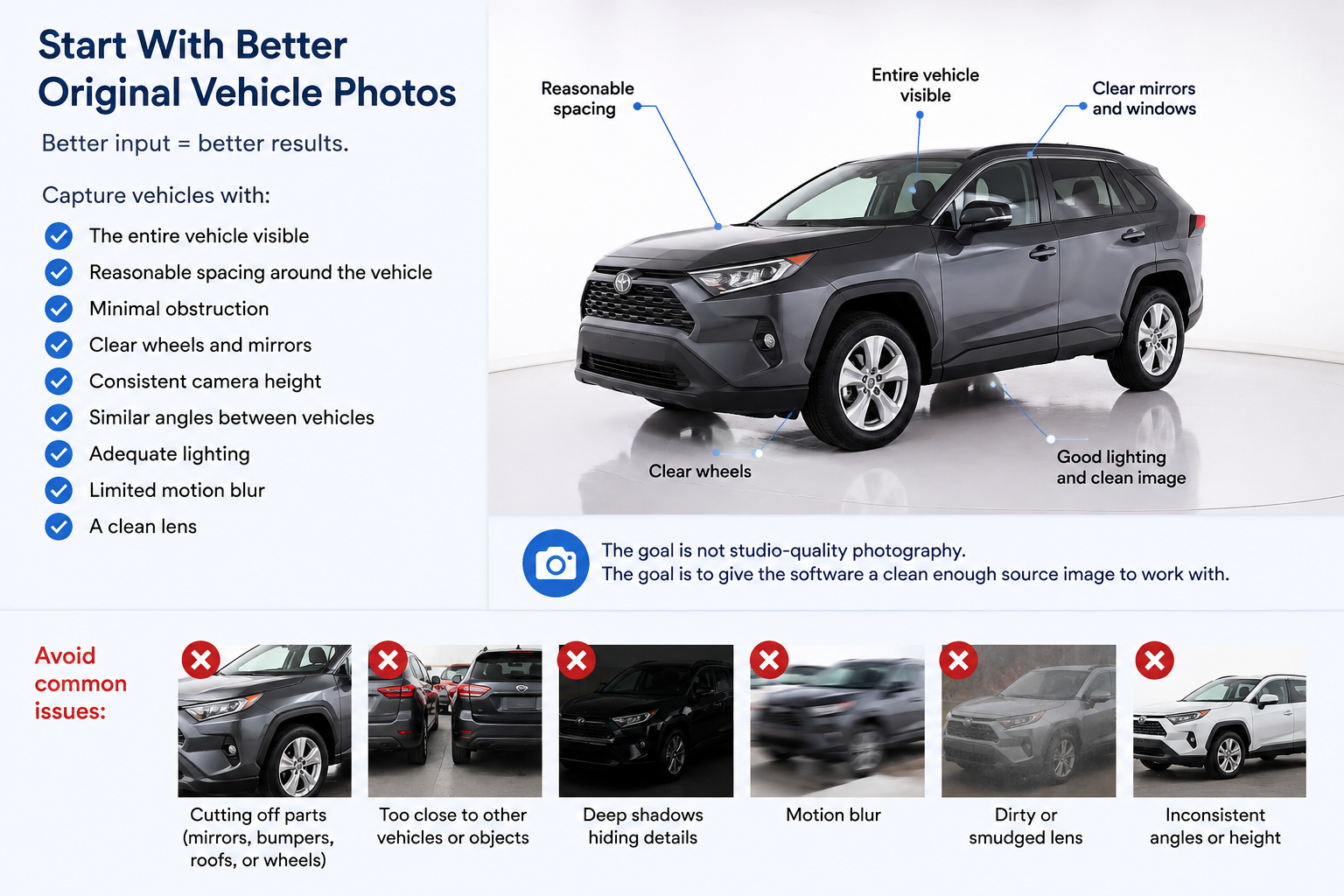
The quality of white background car photos still begins with the original photograph.
Employees should try to capture vehicles with:
Avoid cutting off mirrors, bumpers, roofs, or wheels.
If the vehicle is photographed too close to another vehicle, the software may have a harder time determining where one object ends and another begins.
Dark vehicles photographed in deep shadows can also create challenges around tires, wheel wells, and lower body panels.
The goal is not studio-quality photography.
The goal is to give the software a clean enough source image to work with.
Removing a vehicle background is more complicated than isolating a simple product.
Cars contain many difficult visual elements.
Software needs to identify:
Windows are particularly important.
A poor cutout may remove portions of the glass, leave pieces of the original background behind, or create unnatural edges around mirrors and tires.
Before rolling out a new platform across an entire dealership, test it with a variety of actual vehicles.
Use:
Do not rely exclusively on polished demo photography.
The real question is whether the software can consistently process the images your employees actually capture.
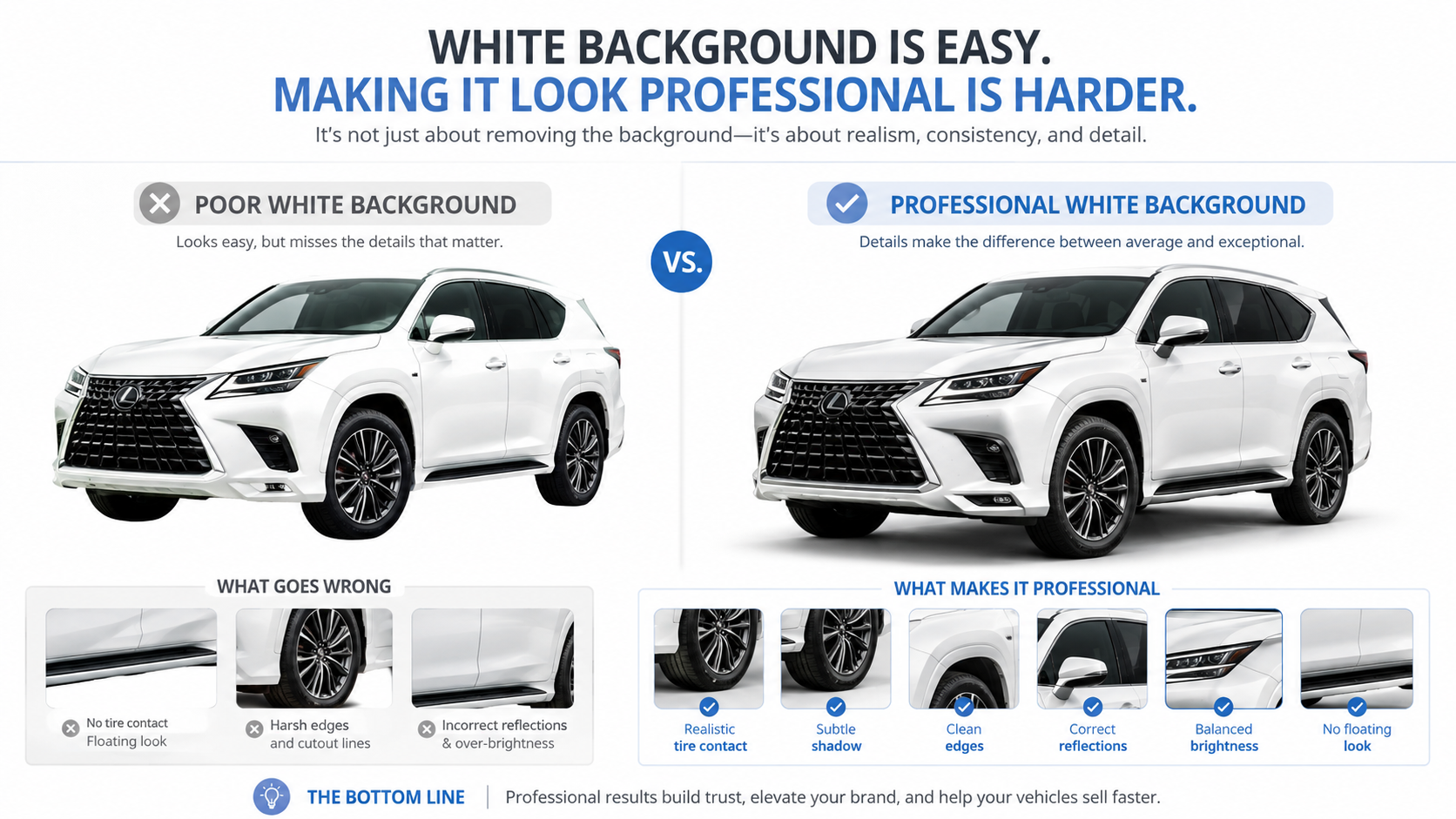
Creating a white background is easy.
Creating a professional-looking white-background vehicle image is more difficult.
If the software simply cuts out the vehicle and places it on pure white, the result may look like the car is floating.
Natural grounding matters.
Look for:
A subtle shadow beneath the tires can make a major difference.
The viewer should feel that the vehicle is sitting on a surface rather than hovering in empty space.
When evaluating platforms for white background car photos, zoom in around the wheels and lower body panels.
Those areas often reveal whether the final image was handled carefully.
Dealership photography should be evaluated as a collection, not just one image at a time.
Imagine a VDP gallery containing 35 photographs.
If every image has a slightly different crop, vehicle position, brightness level, and background treatment, the gallery can feel inconsistent even if each photo is individually acceptable.
A stronger workflow applies the same standards across the entire vehicle.
That may include:
For dealer groups, those standards can also extend across multiple rooftops.
A vehicle photographed at Location A should not look completely different from one photographed at Location B simply because different employees captured the inventory.
Standardization can make a dealership's online inventory feel much more organized.
Processing one image at a time may be manageable for a photographer handling a few vehicles.
It becomes much less practical at dealership volume.
Consider:
40 photos × 100 vehicles = 4,000 images
If an employee must manually upload, configure, process, and download every photograph individually, the background-removal workflow becomes another labor-intensive task.
For dealerships creating large quantities of white background car photos, look for software that supports:
Ideally, an employee should be able to upload an entire vehicle, apply the preferred settings, and process the set together.
The fewer repetitive actions required per image, the easier the workflow becomes to scale.
Background removal alone does not guarantee consistency.
One vehicle may appear too far left.
Another may be too small.
A third may nearly touch the edge of the canvas.
For dealership inventory, consistent framing can be just as important as the background itself.
When evaluating a platform, look at how it handles:
A large pickup truck and a compact sedan should both feel properly framed.
The goal is not to make every vehicle physically the same size.
It is to create a predictable visual layout that feels consistent when shoppers move from one listing to another.
Using white does not mean dealership images need to lose their identity.
Dealers may still want to add:
The key is keeping the vehicle as the visual priority.
Avoid turning a clean white-background image into a crowded advertisement.
A small dealership logo or consistent watermark may be enough to identify the image while preserving the clean merchandising style.
For dealer groups, saved branding templates can also help each rooftop maintain its identity without manually editing every photograph.
A white-background image may look excellent as a small thumbnail but reveal problems when viewed at full size.
Dealerships should understand the resolution their VDP and marketplace partners require.
Resolution affects:
Higher resolution is not always necessary for every workflow, but low-resolution output can reduce the professional appearance of otherwise strong images.
When comparing software, determine:
Match the output to the systems where the images will actually be used.
For larger dealer groups and automotive technology companies, even batch uploads may eventually become too manual.
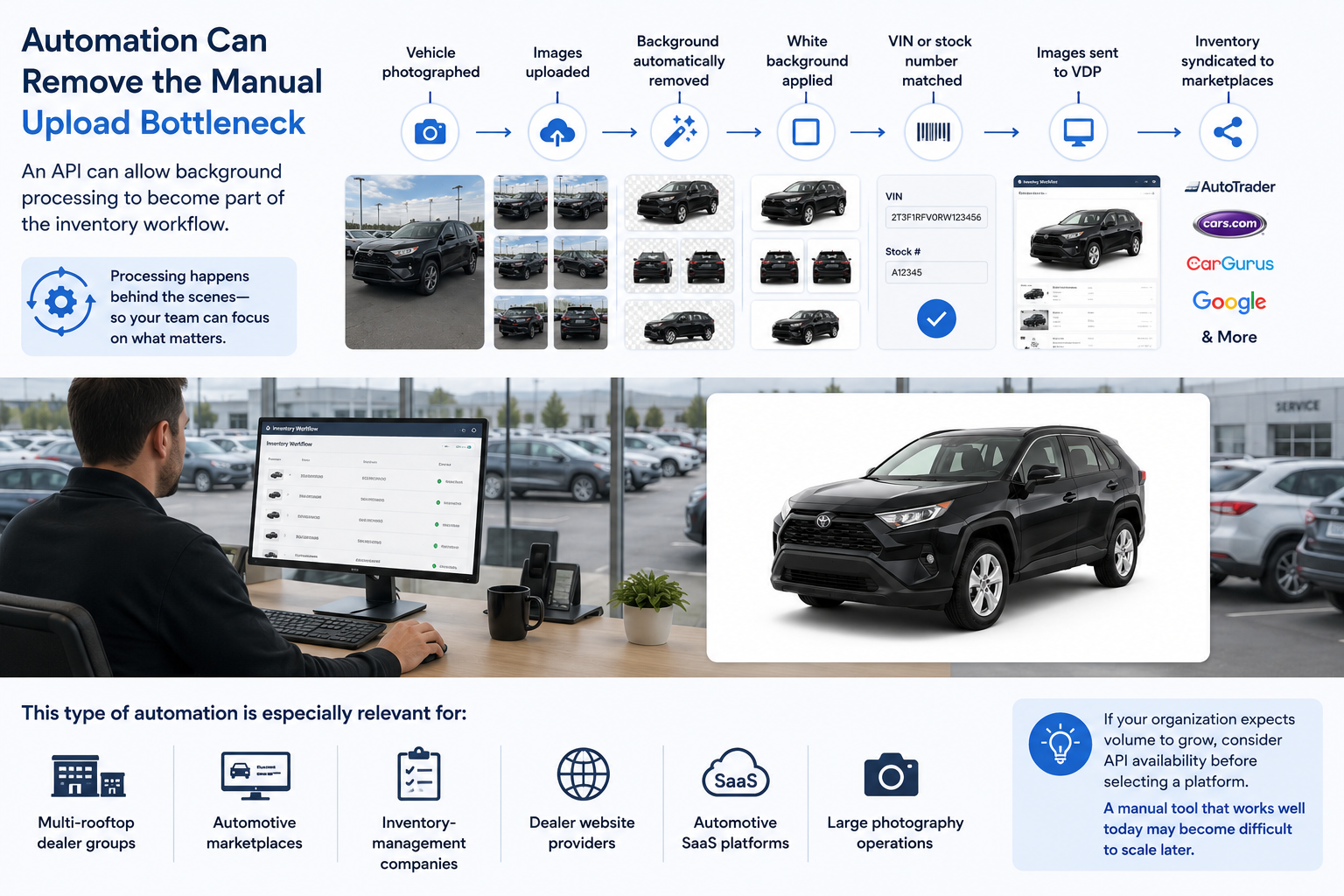
An API can allow background processing to become part of the inventory workflow.
For example:
Vehicle photographed
↓
Images uploaded
↓
Background automatically removed
↓
White background applied
↓
VIN or stock number matched
↓
Images sent to VDP
↓
Inventory syndicated to marketplaces
At that point, employees may not need to operate a separate editing application at all.
The processing happens behind the scenes.
This type of automation is especially relevant for:
If your organization expects volume to grow, consider API availability before selecting a platform.
A manual tool that works well today may become difficult to scale later.
The best way to evaluate software is to create a realistic test set.
Do not choose 20 perfect photos.
Choose difficult ones.
Include:
Process all of them.
Then review:
That test will tell you much more than a marketing website ever can.
The best workflow is not simply the one that removes the background most accurately.
It is the one that fits the dealership's overall merchandising process.
A smaller dealership might need:
capture → upload → white background → download
A larger dealer group may eventually need:
capture → bulk processing → consistent white background → branding → inventory matching → VDP → marketplace
The underlying background-removal model matters.
But once volume increases, workflow design matters just as much.
A physical automotive studio can still be the right choice for dealerships that want maximum lighting control and highly specialized photography.
But it is no longer the only path to consistent inventory images.
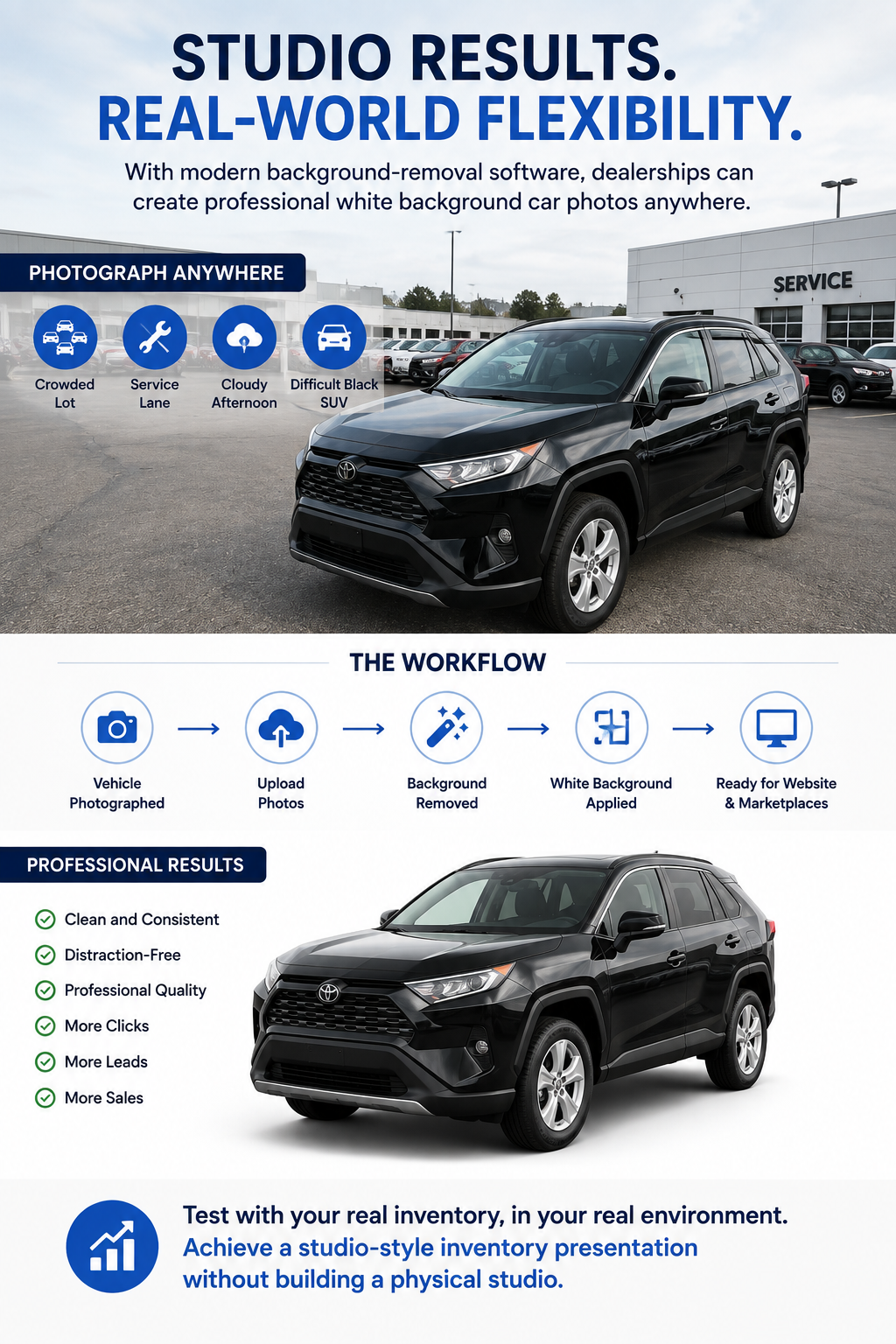
Modern background-removal software makes it possible to create professional white background car photos using vehicles photographed in ordinary dealership environments.
That can allow dealerships to keep a familiar capture process while standardizing the images shoppers eventually see online.
The most important step is testing the workflow with real inventory.
Photograph the vehicles where your employees normally photograph them.
Use the crowded lot.
Use the service lane.
Use the cloudy afternoon.
Use the difficult black SUV.
Then evaluate whether the software can consistently transform those photographs into clean, professional white background car photos.
If it can, the dealership may be able to achieve a studio-style inventory presentation without building a physical studio at every location.


Compact, ready to go anywhere
Interchangeable lens that’s upgradeable
Dual 1-inch sensors for improved clarity and low light performance
Dynamic range and 6K 360° capture
360° photo resolution at 21MP

8K 360° video recording for ultra-detailed visuals.
4K single-lens mode for traditional wide-angle shots.
Invisible selfie stick effect for drone-like perspectives.
2.5-inch touchscreen with Gorilla Glass protection.
Waterproof up to 33ft for underwater shooting.

360° photo resolution in 23MP
Slim design at 24 mm thick
Built-in image stabilization for smooth video capture.
Internal 19GB storage for photo and video storage.
Wireless connectivity for remote control and sharing.

60MP 360° still images for high-resolution photography.
5.7K 360° video recording at 30fps.
2.25-inch touchscreen for intuitive control.
USB Type-C port for fast charging and data transfer.
MicroSD card slot for expandable storage.
.png)

.png)

Try it free. No credit card required. Instant set-up.







.svg)


.svg)