


.png)



If you've ever built a 360 virtual tour by hand, you already know the part nobody enjoys: linking everything together. You shoot the panoramas, and then comes the slow second job of clicking into each one, placing a hotspot, aiming it at the right doorway, testing it, and repeating that for every single room. TourFlash was built to skip that second job entirely. Here's what it is, how it works, and how to use it on your next tour.
Before auto-connect tools existed, building a virtual tour meant treating each panorama like its own little puzzle piece. You'd open your first pano, drop in a hotspot arrow, point it toward the doorway that leads to the next room, then open the next pano and do the same thing again — and again, and again, for every connection in the tour.

For a small space, that's annoying but manageable. For a 30- or 50-pano property — a large home, an office suite, a hotel — it turns into real work. You have to keep track of which pano connects to which, double-check that hotspots are pointed at the right spot, and catch mistakes before you hand the tour off to a client. It's easy to mislink a hallway, forget a connection, or spend an hour on something that feels like it should take five minutes.
This is where a lot of 360 photographers quietly lose time on every job. It's not the shooting that eats the afternoon — it's the linking. And it's the kind of tedious, repetitive task that's practically begging for automation. Matterport has written about how hotspot and tag-based navigation traditionally works in virtual tours, and it's the same basic manual logic most tour platforms have relied on for years.
TourFlash flips the process around. Instead of you manually linking every pano, it looks at your images and figures out the connections itself. The core idea is simple: if one panorama has a clear visual line of sight to another — meaning you could stand in the first spot and actually see the second spot — TourFlash will connect them automatically.
That's it. No dragging hotspots. No aiming arrows. No remembering which room leads where. You capture your panos the way you normally would, upload them, and let TourFlash auto-connect your virtual tour in one click. What used to be the slowest part of building a tour becomes the fastest.
This matters most for real estate agents and photographers who aren't deep into the technical side of 360 software. You shouldn't need to be a tour-building expert to publish something that looks professional. TourFlash's whole design is aimed at removing the technical layer so you can focus on the photography and the listing, not the software.
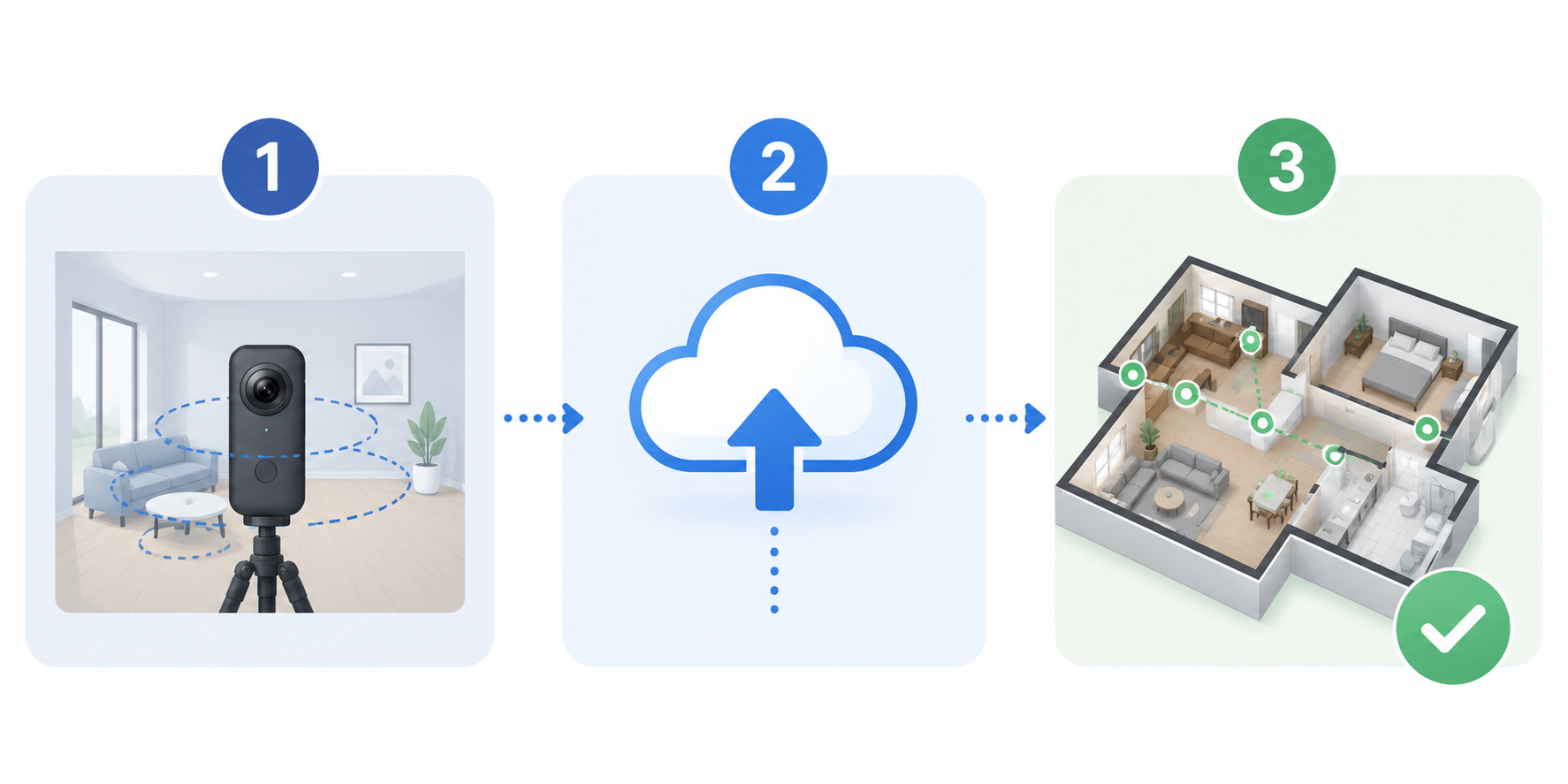
Using TourFlash is about as close to "set it and forget it" as tour-building gets. Here's the whole process:
That's genuinely the whole workflow. There's no setup step before this, either — you don't need to pre-plan hotspot placement or configure anything special. The only thing that matters is capture: shoot your panos so that each one has a visual line of sight to the next one in the sequence, and TourFlash takes care of the rest.
This is one of the most common questions people ask when they first try TourFlash, so it's worth spelling out clearly: one run equals one tour.
It doesn't matter if that tour has 15 panoramas or 50 panoramas — it's still just one run. You're not charged more for a bigger property or a more complex layout. Whether you're covering a small condo or a sprawling five-bedroom house, running TourFlash on it counts as a single run against your credits. That makes the cost predictable no matter what kind of property you're shooting next.
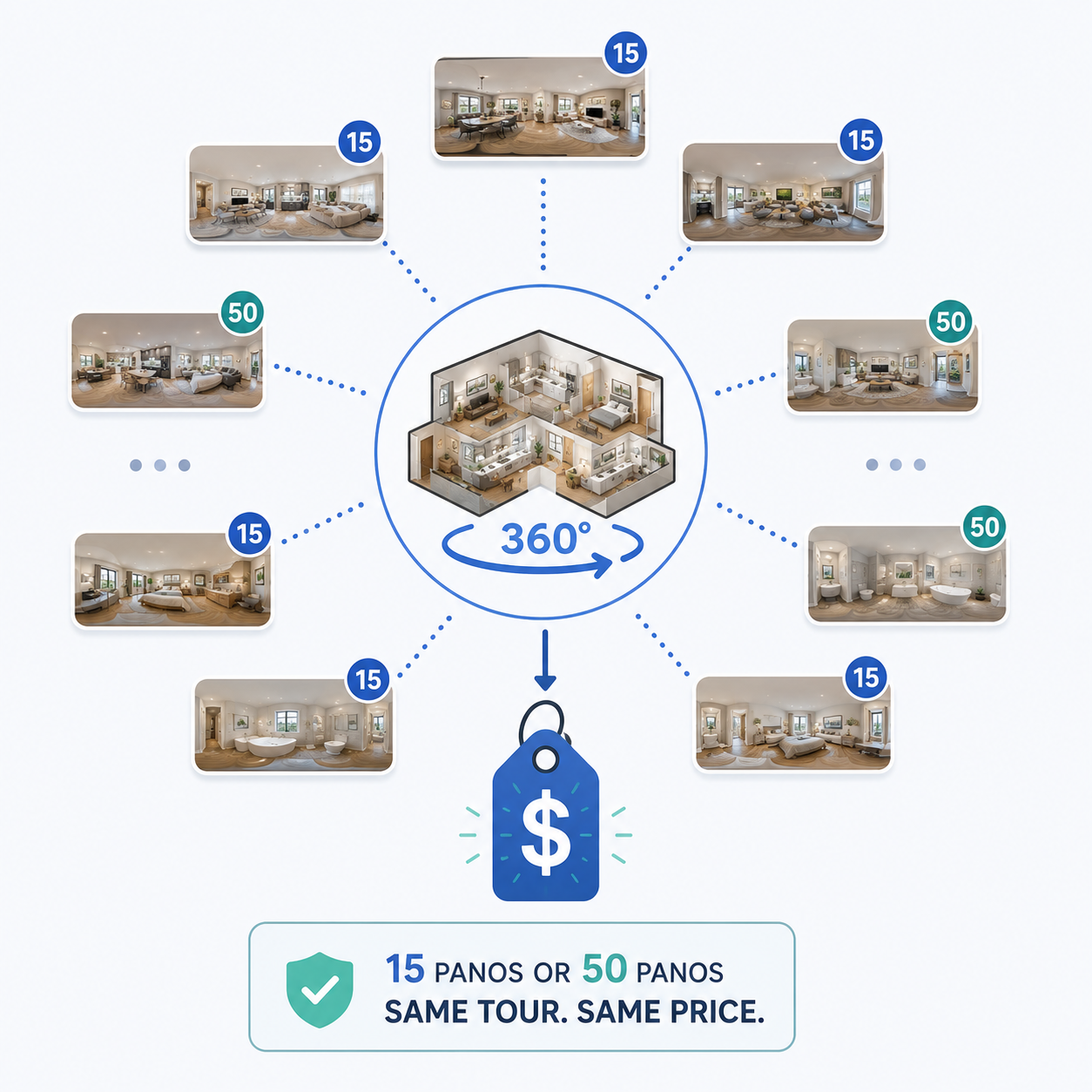
What does a tour actually cost?TourFlash currently has a launch promo running: 10 runs for around $48, which works out to about $4.85 per virtual tour. Bigger bundles bring the per-run price down even further, so the more you use it, the cheaper each tour gets. You can see TourFlash pricing for current bundle options.
What if I need to add more panos later?You're covered. You can run TourFlash up to three separate times on the same tour, so if you go back and shoot a few more rooms, or a listing expands, you don't have to start over — just re-run it once the new panos are in place.
Do I need to set up hotspots or linkbacks before running it?No. That's the entire point. TourFlash figures out the connections on its own. The only thing you need to keep in mind while shooting is line of sight — as long as one pano can visually "see" the next one, TourFlash will connect them.
Is this only for real estate?Not at all. Anyone building a multi-room 360 tour — real estate, hospitality, retail spaces, offices — can use it the same way. The line-of-sight rule works the same regardless of the type of property.
For context on why this matters beyond convenience: NAR's research on virtual tours and listings points to how much buyer engagement improves when a listing includes an interactive tour. Tools that make tours faster and cheaper to produce mean more agents can realistically offer one on every listing, not just the high-end ones.


Compact, ready to go anywhere
Interchangeable lens that’s upgradeable
Dual 1-inch sensors for improved clarity and low light performance
Dynamic range and 6K 360° capture
360° photo resolution at 21MP

8K 360° video recording for ultra-detailed visuals.
4K single-lens mode for traditional wide-angle shots.
Invisible selfie stick effect for drone-like perspectives.
2.5-inch touchscreen with Gorilla Glass protection.
Waterproof up to 33ft for underwater shooting.

360° photo resolution in 23MP
Slim design at 24 mm thick
Built-in image stabilization for smooth video capture.
Internal 19GB storage for photo and video storage.
Wireless connectivity for remote control and sharing.

60MP 360° still images for high-resolution photography.
5.7K 360° video recording at 30fps.
2.25-inch touchscreen for intuitive control.
USB Type-C port for fast charging and data transfer.
MicroSD card slot for expandable storage.
.png)

.png)

Try it free. No credit card required. Instant set-up.







.svg)


.svg)