


.png)



Real estate video editing is the process of turning property photos or recorded footage into a polished video for listing marketing. Agents can use traditional editing for greater creative control or AI-powered photo-to-video tools to add motion, transitions, branding, music, and other elements to existing listing photos without filming separate video footage.
If you've spent any time browsing listing platforms lately, you've probably noticed that photos alone don't always capture attention the way they used to. Buyers scroll quickly, and a short video walkthrough can give a listing another way to stand out.
But "video editing" for real estate means something different than it did even a few years ago. Many agents still picture hiring a videographer, learning professional editing software, or spending hours working through raw footage.
That's no longer the only option.
Today, a tool like PhotoAIVideo can turn a folder of listing photos into a polished, walkthrough-style video without requiring a camera crew or traditional video-editing software.
This guide explains what real estate video editing involves, why it matters for listing marketing, and how the two main approaches—traditional editing and AI-powered photo-to-video tools—compare.
Real estate video editing is the process of turning raw visual assets—either photos or filmed footage—into a finished video that showcases a property.
Traditionally, that meant a videographer, sometimes using a drone, captured raw footage of a home. An editor then cut the clips together, added transitions and music, adjusted the visuals, and exported the final video.
That workflow still exists, and for luxury listings or agents who want fully customized cinematic footage, it can be worth the additional time and cost.
But another category has emerged: AI-powered photo-to-video editing.
Instead of filming new footage, these tools use the still photos you or your photographer have already captured and apply camera motion, transitions, and pacing to create a video-style presentation.
No separate video shoot is required, and no raw video footage needs to be captured.
This distinction matters because it changes what video production can require in terms of time, money, and coordination. Traditional production involves scheduling a shoot, capturing footage, and either hiring an editor or editing the material yourself. Photo-to-video AI tools can streamline that workflow by starting with visual assets you already have.
Strong visual media plays an important role in how buyers evaluate properties online.
Research and resources from the National Association of Realtors consistently highlight the importance of digital and visual content during the home-search process. Photos, videos, virtual tours, and other media can help buyers understand a property before deciding whether to learn more or request a showing.
Video can also give agents another format for presenting a listing across websites and social media.
Broader video marketing research shows why businesses across many industries continue to invest in video as a way to communicate information and engage audiences.
For real estate agents, the opportunity is straightforward: instead of relying exclusively on a gallery of still images, video adds motion, pacing, and a more guided visual experience.
There's also a storytelling advantage.
Marketing teams across industries increasingly use video as a core part of their content strategies, a trend reflected in broader video marketing statistics and research.
A real estate listing is ultimately presenting a space to a potential buyer. Thoughtful movement, sequencing, and pacing can help viewers understand how that space looks and feels in a way that differs from clicking through individual photos.
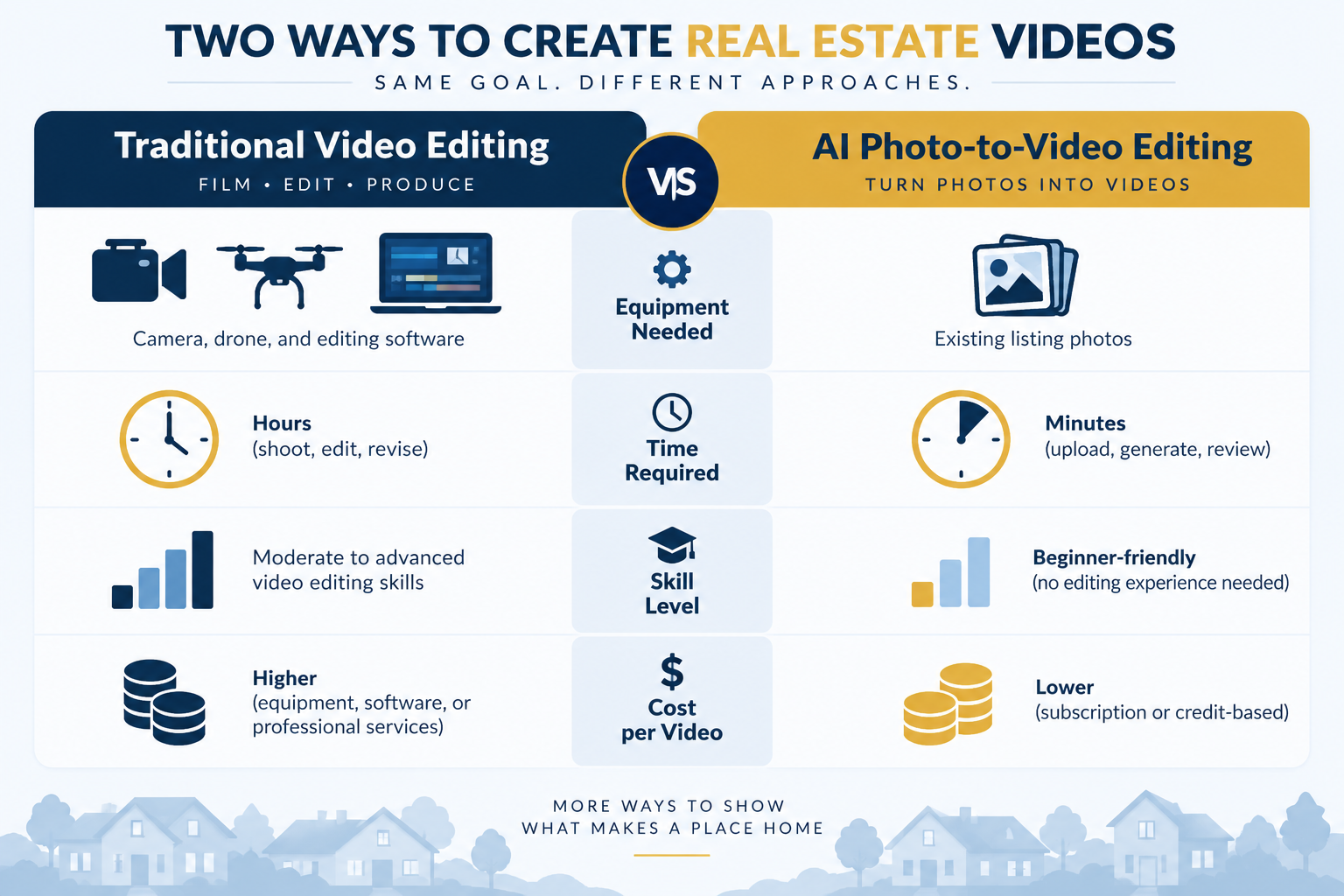
Once you've decided to add video to your listing marketing, there are two fundamentally different workflows to consider.
This is the classic route.
You or someone on your team films raw video of the property—potentially using a gimbal, drone, or dedicated camera setup—then imports that footage into editing software.
From there, the editor manually cuts the footage, corrects colors, adds transitions and music, and prepares the final export.
Tools in this category range from consumer-friendly apps to professional-grade editing suites, and the learning curve varies accordingly.
The biggest advantage is control. You can capture specific angles, movements, and moments and customize nearly every aspect of the finished video.
The trade-off is the additional production work. Filming and editing require time, equipment, and skill, and agents who don't already have the necessary setup may need to purchase equipment or hire a professional.
The second approach skips the separate filming stage.
You upload your existing listing photos, and AI-powered software can apply camera movements such as pans, zooms, tilts, push-ins, and other motion effects to create video clips from those still images.
Instead of manually editing raw footage, you're using your existing photography as the starting point for the video.
This is where a platform like PhotoAIVideo fits in.
Rather than treating listing photography and video as two completely separate productions, it uses existing listing photos as the raw material for a finished video.
For agents managing multiple active listings, that can simplify the workflow considerably. Instead of arranging another shoot for every property, you can create video content from assets you've already produced.
You can also view real listing examples to see how photo-to-video motion can be applied across different types of properties.
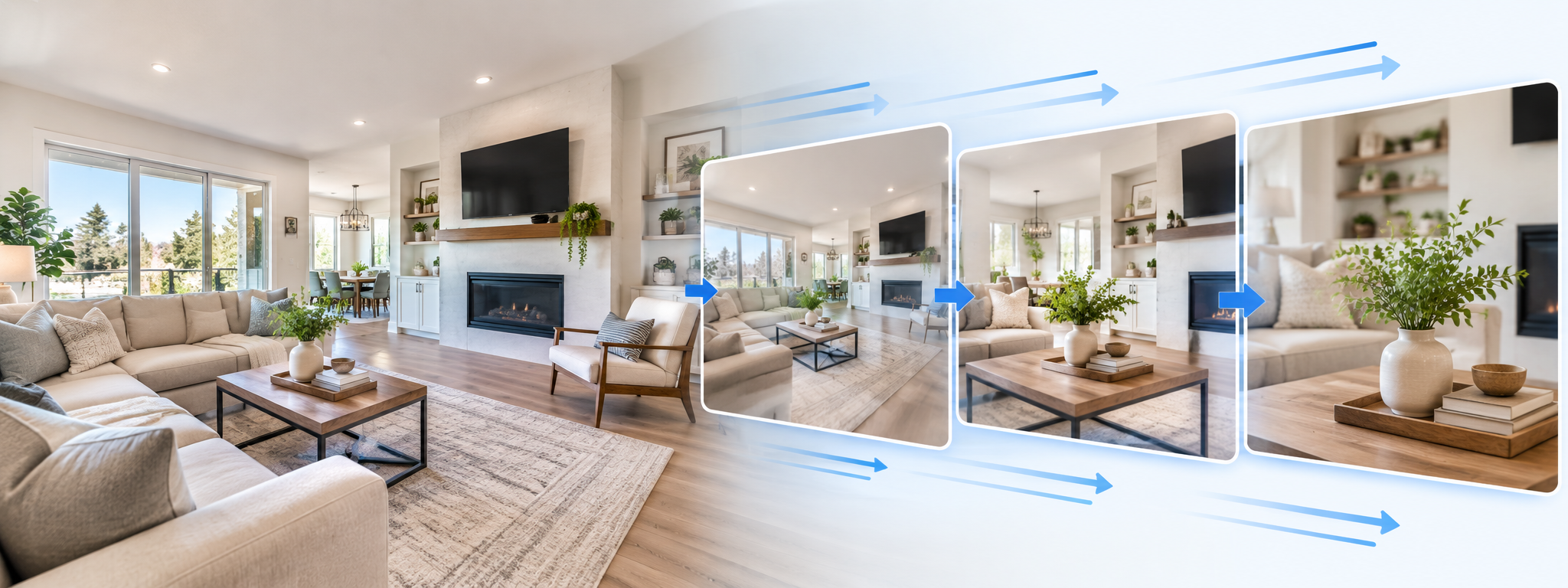
Whether you're editing traditional footage or creating a video from listing photos, a finished real estate marketing video can include several core elements:
Producing all of these elements manually for every listing can require considerable repetitive work. Automation can reduce some of that workload while still allowing agents to customize the final presentation.
Time is often one of the biggest differences between traditional video production and AI-powered photo-to-video workflows.
Traditional filming and editing can require several stages: scheduling the shoot, capturing footage, transferring files, editing, reviewing, revising, and exporting the finished video.
For a flagship or luxury listing, that additional production effort may make sense. But repeating the same process across a large pipeline of active listings can become difficult to scale.
AI-powered photo-to-video editing removes the separate filming stage.
Once listing photos are available, the workflow can move directly into generating and assembling the video. The exact production time will depend on the number of photos, the platform, processing time, customization, and the amount of review or revision required.
For agents who would rather not handle the production process themselves, a Done-For-You service can provide another option. Instead of generating the video yourself, you provide the listing assets and have a production team prepare the finished video.
That can be useful for agents or brokerages that want consistent video output without requiring every team member to learn a new production workflow.
Real estate video editing no longer has to mean scheduling a separate video shoot and manually editing raw footage.
Traditional filmed video still has an important place, particularly for high-end listings where custom cinematography and precise creative control matter. But for agents who want a more repeatable way to add video to everyday listings, AI-powered photo-to-video tools provide another option—one that can build on photography they've already produced.
Whether you choose a self-service AI workflow, traditional video production, or a Done-For-You service, the goal is ultimately the same: present the property clearly, professionally, and in a format that gives prospective buyers another reason to keep exploring the listing.
It depends on the approach.Traditional video production may involve cameras, gimbals, drones, microphones, or other equipment depending on the type of footage you're creating.AI-powered photo-to-video production can work from existing listing photographs, eliminating the need to capture separate video footage.
Many real estate video platforms offer branding options such as logos, colors, contact information, and intro or outro sequences.Check the specific features included with the platform and plan you're considering, since customization options can vary.
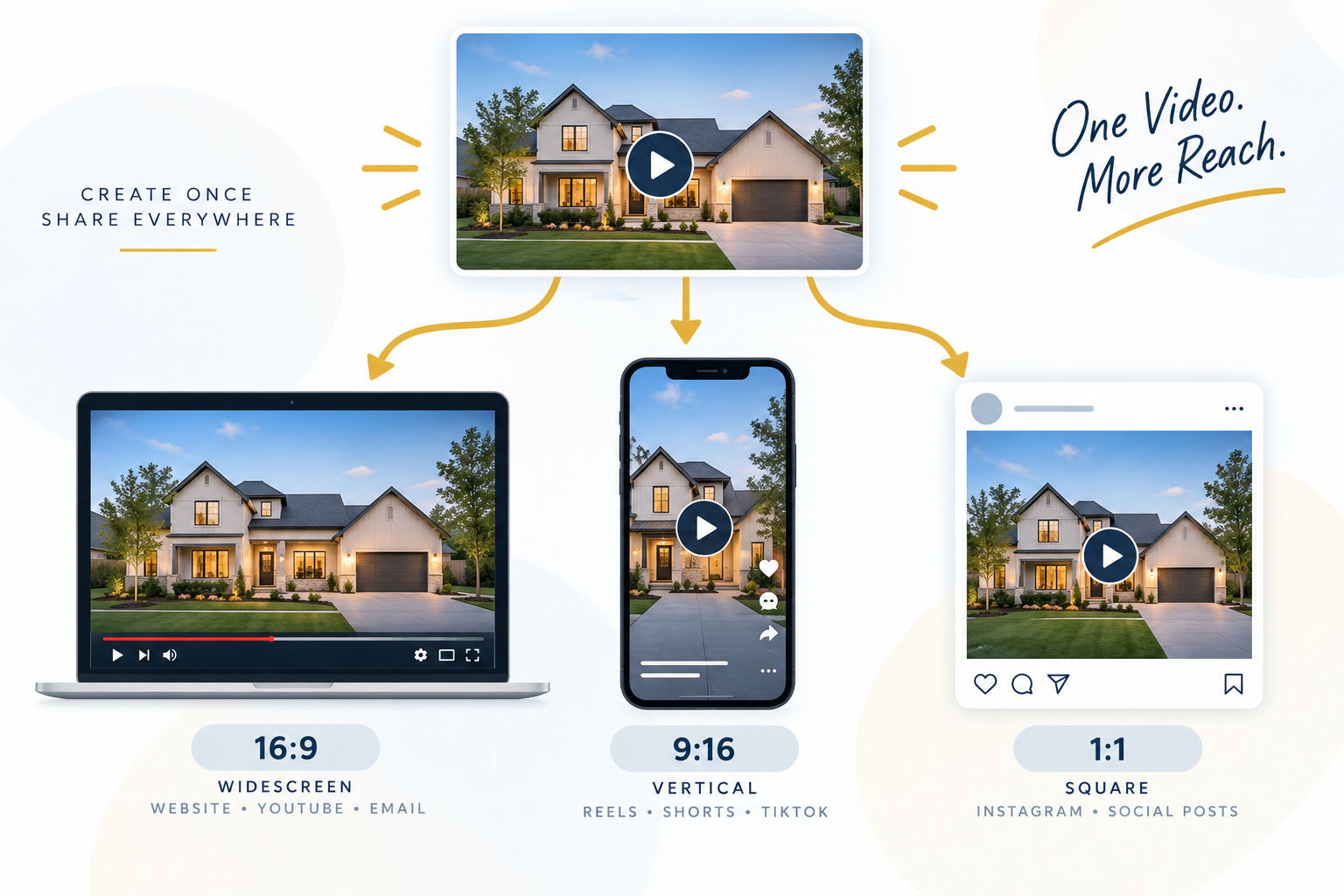
AI-generated listing videos can be useful for websites and social media platforms, but publishing requirements vary by channel.Social platforms such as Instagram, TikTok, and YouTube support common video formats and aspect ratios. MLS requirements, however, can vary by organization, so agents should confirm their local MLS's rules regarding video, branding, links, and other listing media before publishing.
It depends heavily on the production method.Traditional videography and editing are commonly priced according to factors such as shoot duration, property size, equipment requirements, and editing complexity.AI-powered tools may instead use subscription, credit-based, or other pricing models.If you're considering PhotoAIVideo, you can check the current plans and compare the cost with your existing video-production workflow.
Yes. AI-powered photo-to-video tools can transform existing listing photos into video-style presentations by adding simulated camera movements such as pans, zooms, and push-ins. This allows agents to create property marketing videos without filming separate footage, although the final result should always be reviewed for accuracy and presentation quality.


Compact, ready to go anywhere
Interchangeable lens that’s upgradeable
Dual 1-inch sensors for improved clarity and low light performance
Dynamic range and 6K 360° capture
360° photo resolution at 21MP

8K 360° video recording for ultra-detailed visuals.
4K single-lens mode for traditional wide-angle shots.
Invisible selfie stick effect for drone-like perspectives.
2.5-inch touchscreen with Gorilla Glass protection.
Waterproof up to 33ft for underwater shooting.

360° photo resolution in 23MP
Slim design at 24 mm thick
Built-in image stabilization for smooth video capture.
Internal 19GB storage for photo and video storage.
Wireless connectivity for remote control and sharing.

60MP 360° still images for high-resolution photography.
5.7K 360° video recording at 30fps.
2.25-inch touchscreen for intuitive control.
USB Type-C port for fast charging and data transfer.
MicroSD card slot for expandable storage.
.png)

.png)

Try it free. No credit card required. Instant set-up.







.svg)


.svg)