


.png)


An agent in a coaching group I follow posted something blunt a few months back: "I read 20 reviews before buying my video software and still picked wrong. The reviews weren't lying. I just didn't know what I was actually looking for." That comment got more replies than almost anything else in that thread — because most agents have lived some version of it.
This isn't another list of red flags to spot in a review. It's the step before that — the homework agents skip because nobody tells them it exists. Before you open a single AI real estate video software reviews article, there's a shorter, more useful exercise: figuring out what you're actually optimizing for. Skip it, and even a completely honest review will send you toward the wrong tool.
Reviews answer "is this software good." They almost never answer "is this software good for what I specifically do every week." Those are different questions, and most agents walk in assuming the first one implies the second.

The gap shows up because reviewers test a product in isolation — one listing, one demo, one afternoon — while your actual use of it happens inside a business with its own rhythm: showings between 10am and 6pm, a listing going live Friday whether you're ready or not, a brokerage brand guide you didn't write but have to follow. A review can be entirely accurate about the software and still be useless to you if it never accounts for that rhythm.
Agents don't switch software casually. There's a learning curve, a contract term, sometimes a client-facing brand shift mid-listing-cycle if the video style suddenly changes. Picking based on review sentiment alone — without first knowing your own constraints — means you're gambling that a stranger's priorities happen to match yours. Sometimes they do. Often they don't.
This matters more now than it used to, because listing video has become table stakes rather than a differentiator, and the National Association of Realtors has noted rising buyer expectations around listing media quality as a baseline, not a bonus. Choosing badly doesn't just cost you a subscription — it costs you weeks of using a tool that fights your actual workflow before you admit it's wrong and switch.
Here's the pattern that shows up again and again: an agent reads a glowing best real estate video apps roundup, signs up for the top pick, and only discovers three weeks in that the tool assumes she's shooting her own footage — when her actual workflow is entirely photo-based, no video clips involved. The review wasn't wrong about the software's quality. It just never asked what her raw material looked like before recommending it.
This actually happens constantly with brokerage-level rollouts too: leadership picks a tool based on a single glowing case study from a luxury brokerage, then rolls it out to a team that mostly handles $200K starter homes and modest listing budgets — and wonders why adoption stalls. The software wasn't the mismatch. The assumption that one team's workflow generalizes to another's was.
The honest answer is that no single tool is the "best" one in the abstract — the right fit depends on what you feed it and what you need out the other end. Where PhotoAIVideo tends to earn its place is in the gap most reviews skip: agents whose raw material is simply photos, who need a finished, branded video without owning video production skills or hiring one out per listing. That's a specific starting condition, not a universal one — which is exactly the kind of detail worth confirming about your own workflow before you go shopping.
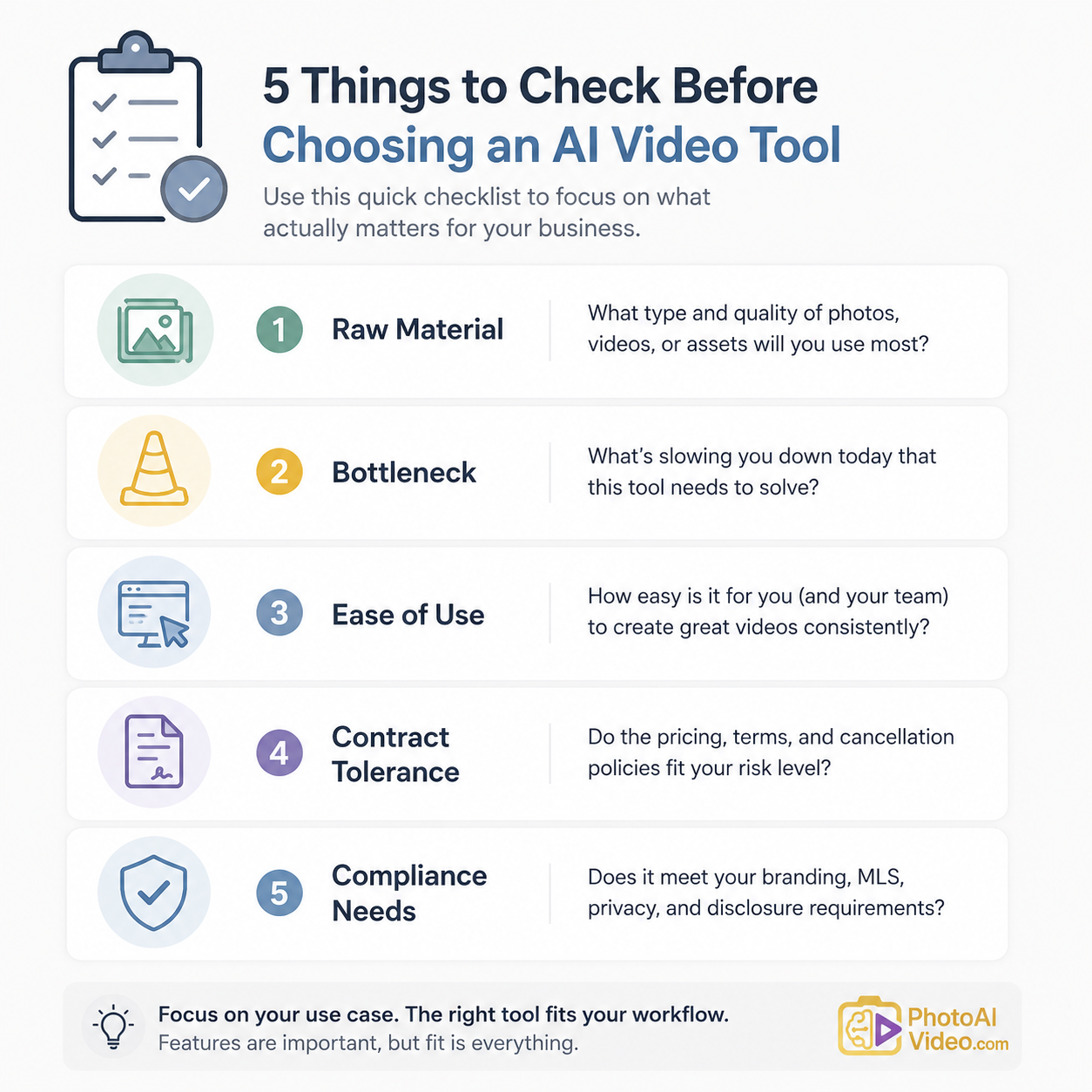
Step 1: Write down your raw material, honestly. Photos only? Occasional video clips? Drone footage? A tool reviewed as "excellent" by someone shooting video clips may be mediocre for someone working from photos alone.
Step 2: Name your actual bottleneck. Is it speed (needs to be live same-day), polish (needs to look expensive), or volume (needs to handle a dozen listings at once)? Reviews rarely separate these, but your workflow only has room for one top priority most weeks.
Step 3: Check what "easy to use" meant for the reviewer. A tech-comfortable photographer's definition of easy and a busy agent's definition of easy between showings are not the same threshold — read for specifics, not adjectives.
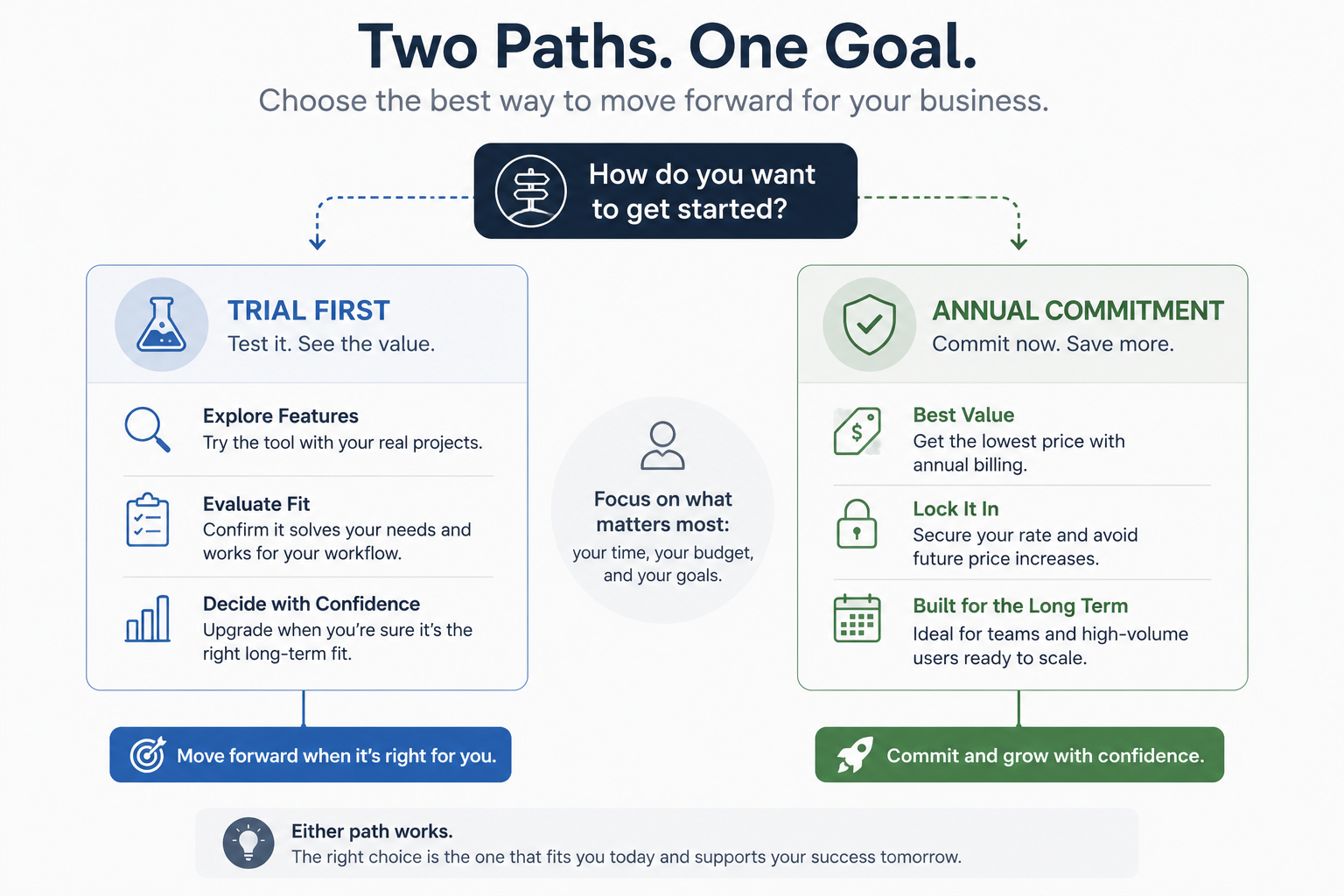
Step 4: Look at your own contract tolerance. If you can't commit to an annual plan without testing first, confirm a trial or month-to-month option exists before you fall in love with a review's top pick that only offers annual billing.
Step 5: Decide your MLS compliance non-negotiables before you compare anything. Equal housing language, brokerage disclosures, licensing text — know what your board requires so you can check for compliance handling directly, rather than trusting a general review that never tested your specific board's rules.

What's the biggest mistake agents make before reading software reviews?
Not defining their own workflow first — raw material, priority (speed vs. polish vs. volume), and compliance needs — which means even accurate reviews get misapplied to the wrong situation.
Do photo-based and video-based tools really perform that differently?
Yes. A tool praised for handling video clips well may produce mediocre results from photos alone, and vice versa — this is one of the most overlooked distinctions in general reviews.
Should I trust a tool's demo video as a preview of my own results?
Only partially. Demos typically use professionally shot source material, which can make the output look better than what you'll get from average listing photos.
How do I know if I need speed or polish more in a video tool?
Look at your typical listing price point and timeline. Lower price-point, higher-volume listings usually benefit more from speed; higher-end single listings often justify slower, more polished production.
Should brokerages let agents choose their own video software individually?
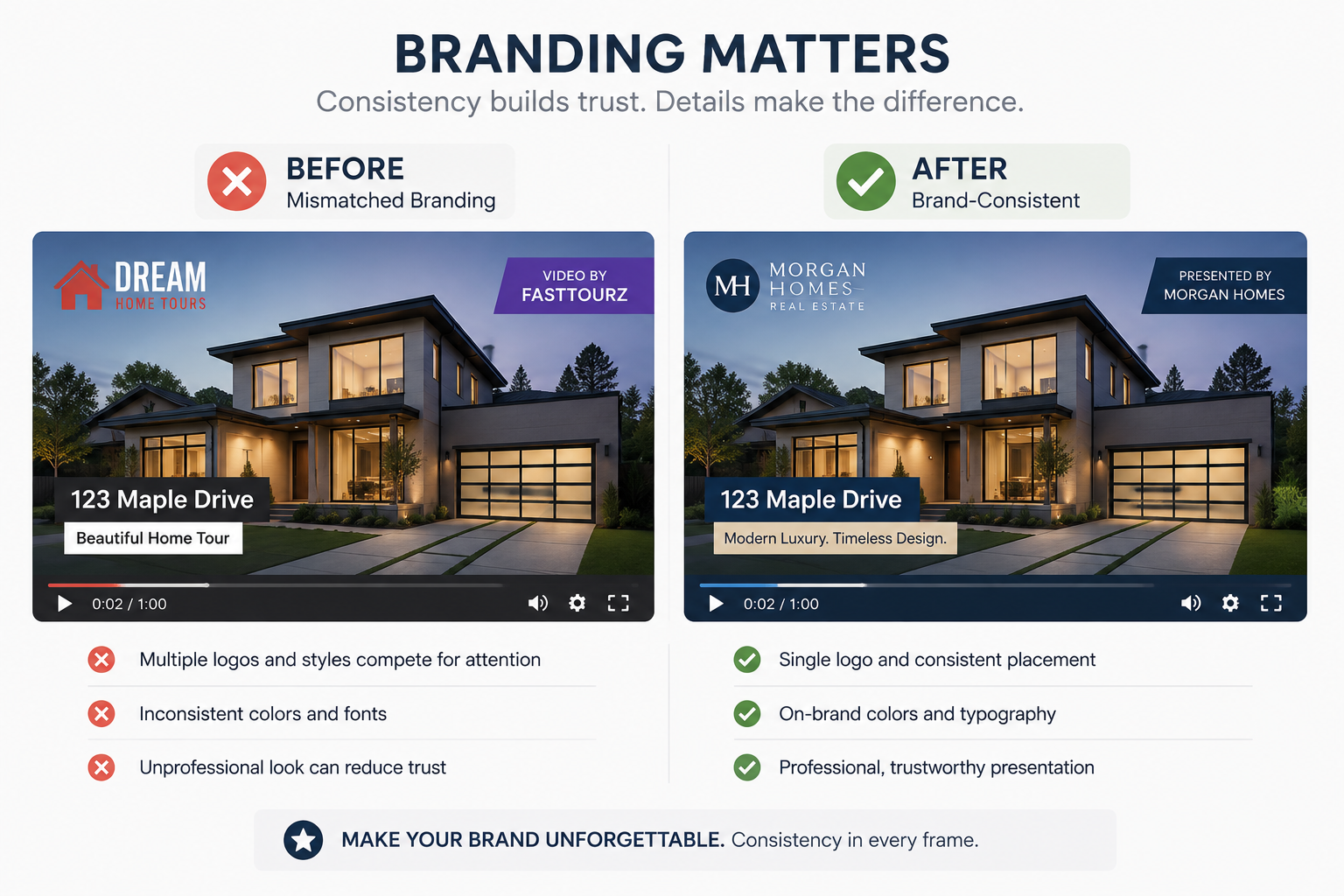
It depends on how much brand consistency matters to the brokerage — letting agents choose independently can create visual inconsistency across listings unless brand elements are locked centrally.
Is a month-to-month trial worth prioritizing over an annual plan with a discount?
For most agents testing a new workflow, yes — the savings from an annual plan rarely outweigh the cost of being locked into a tool that turns out not to fit your actual workflow.
Does MLS compliance differ enough between tools to matter for this decision?
Yes — disclosure requirements vary by board, so confirming compliance handling for your specific MLS is worth doing before comparing any other feature.


Compact, ready to go anywhere
Interchangeable lens that’s upgradeable
Dual 1-inch sensors for improved clarity and low light performance
Dynamic range and 6K 360° capture
360° photo resolution at 21MP

8K 360° video recording for ultra-detailed visuals.
4K single-lens mode for traditional wide-angle shots.
Invisible selfie stick effect for drone-like perspectives.
2.5-inch touchscreen with Gorilla Glass protection.
Waterproof up to 33ft for underwater shooting.

360° photo resolution in 23MP
Slim design at 24 mm thick
Built-in image stabilization for smooth video capture.
Internal 19GB storage for photo and video storage.
Wireless connectivity for remote control and sharing.

60MP 360° still images for high-resolution photography.
5.7K 360° video recording at 30fps.
2.25-inch touchscreen for intuitive control.
USB Type-C port for fast charging and data transfer.
MicroSD card slot for expandable storage.
.png)

.png)

Try it free. No credit card required. Instant set-up.







.svg)


.svg)