


.png)


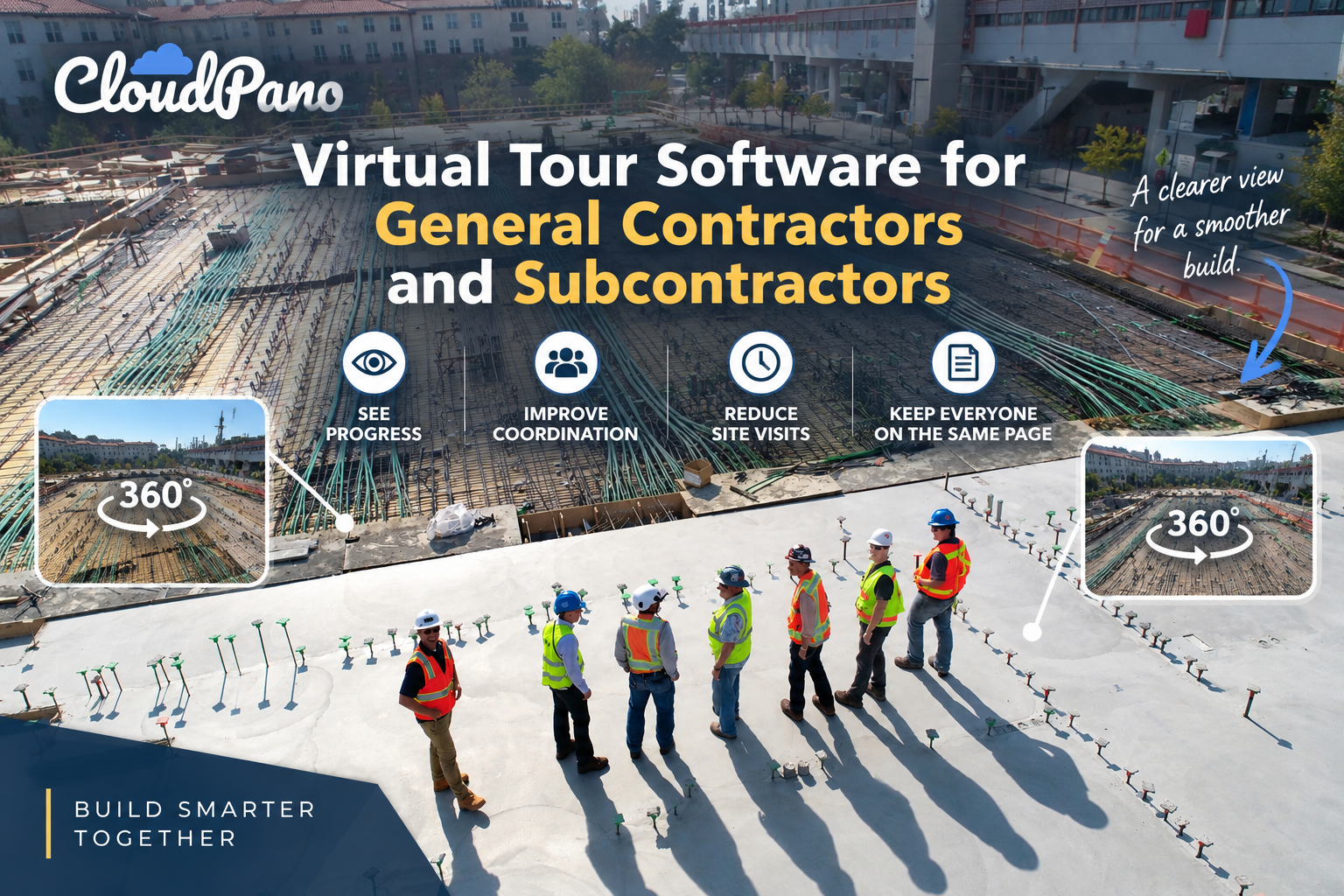
Virtual tour software gives general contractors and subcontractors a shared, current 360° view of the job site through a single link that opens on a phone, tablet, or computer. Trades can review conditions before arriving, find flagged areas through hotspots, and join live walkthroughs, which helps reduce unnecessary site visits, repeated questions, and miscommunication.
Coordinating a construction site is, in many ways, an exercise in managing information gaps. The general contractor knows what the space looks like today. The electrical subcontractor remembers what it looked like two weeks ago. The framing crew may be working from a mental picture that becomes outdated the moment drywall goes up.
Multiply that across a dozen trades and several phases of work, and it’s easy to see why so much friction on a job site isn’t about the work itself — it’s about everyone operating from a slightly different version of reality.
That’s the gap virtual tour software for construction can help close, giving every trade a shared, current view of the site without requiring an extra visit just to look around.
Ask any general contractor what takes up a significant portion of their week, and answering repeated questions is likely to be somewhere on the list. A subcontractor calls to confirm whether a wall has been framed yet. A supplier wants to know whether a mechanical room is accessible for delivery. Another trade shows up on-site expecting one set of conditions and finds another because the schedule shifted or a previous crew left materials staged where they shouldn’t be.
Each of these moments seems small on its own, but they compound. Wasted site visits consume fuel, labor hours, and goodwill. Miscommunication about current conditions can lead to rework, scheduling conflicts, and finger-pointing when a trade shows up unprepared.
And because construction projects involve so many independent parties — architects, engineers, subcontractors, inspectors, and owners — everyone can end up working from their own snapshot of the project, updated at their own pace through a patchwork of phone calls, texted photos, and site walks.
The problem isn’t necessarily a lack of effort. Most GCs and subcontractors are diligent about communicating. The challenge is that the tools traditionally used to share site conditions — a phone call, a handful of photos in a group chat, or a walkthrough scheduled around everyone’s calendar — can be slow, incomplete, and quickly outdated.
A photo shows one angle at one moment. A phone call relies on someone’s memory. Neither provides the same spatial context as actually standing in the space.
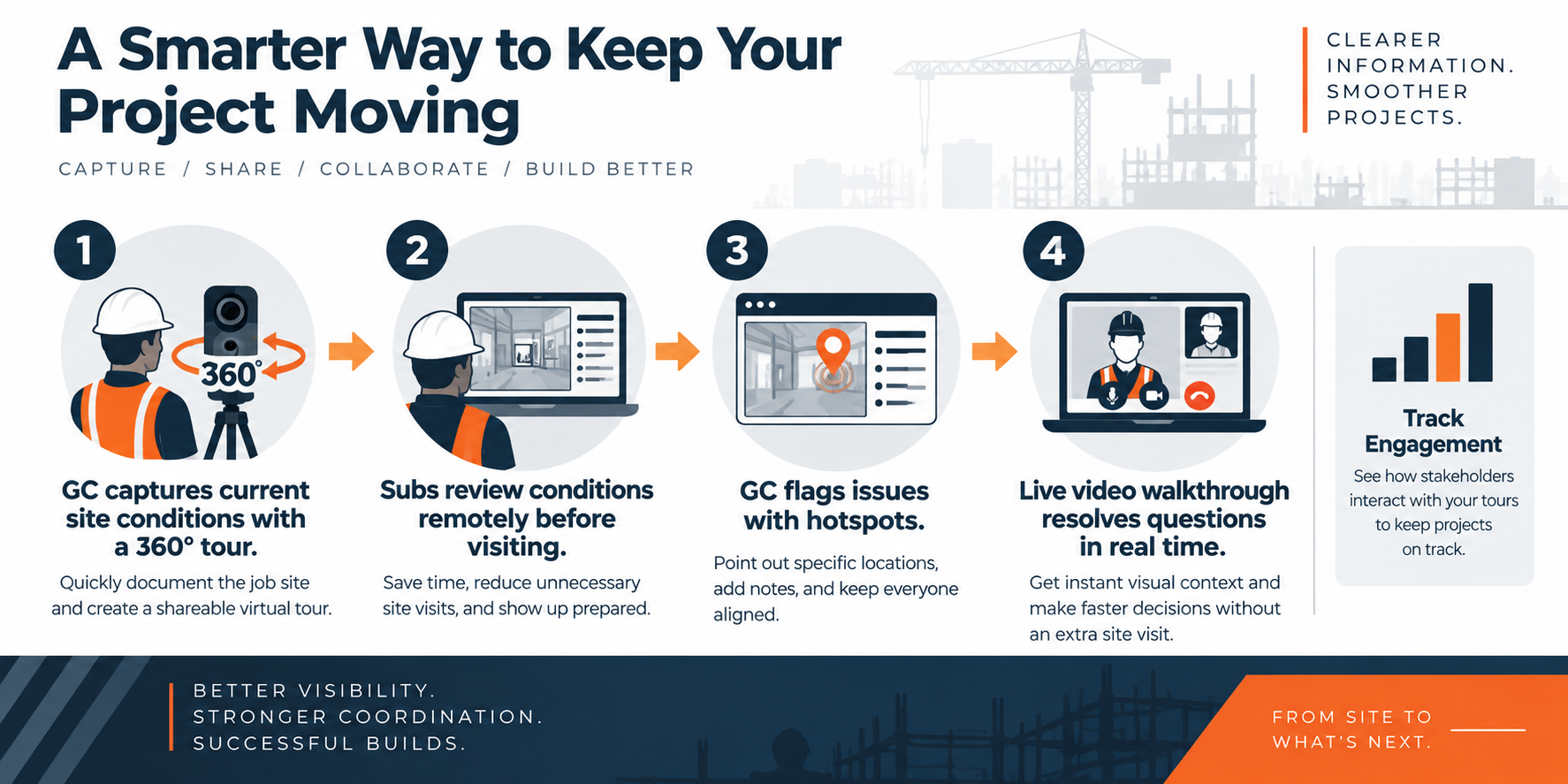
This is where a navigable 360° virtual tour can change the dynamic.
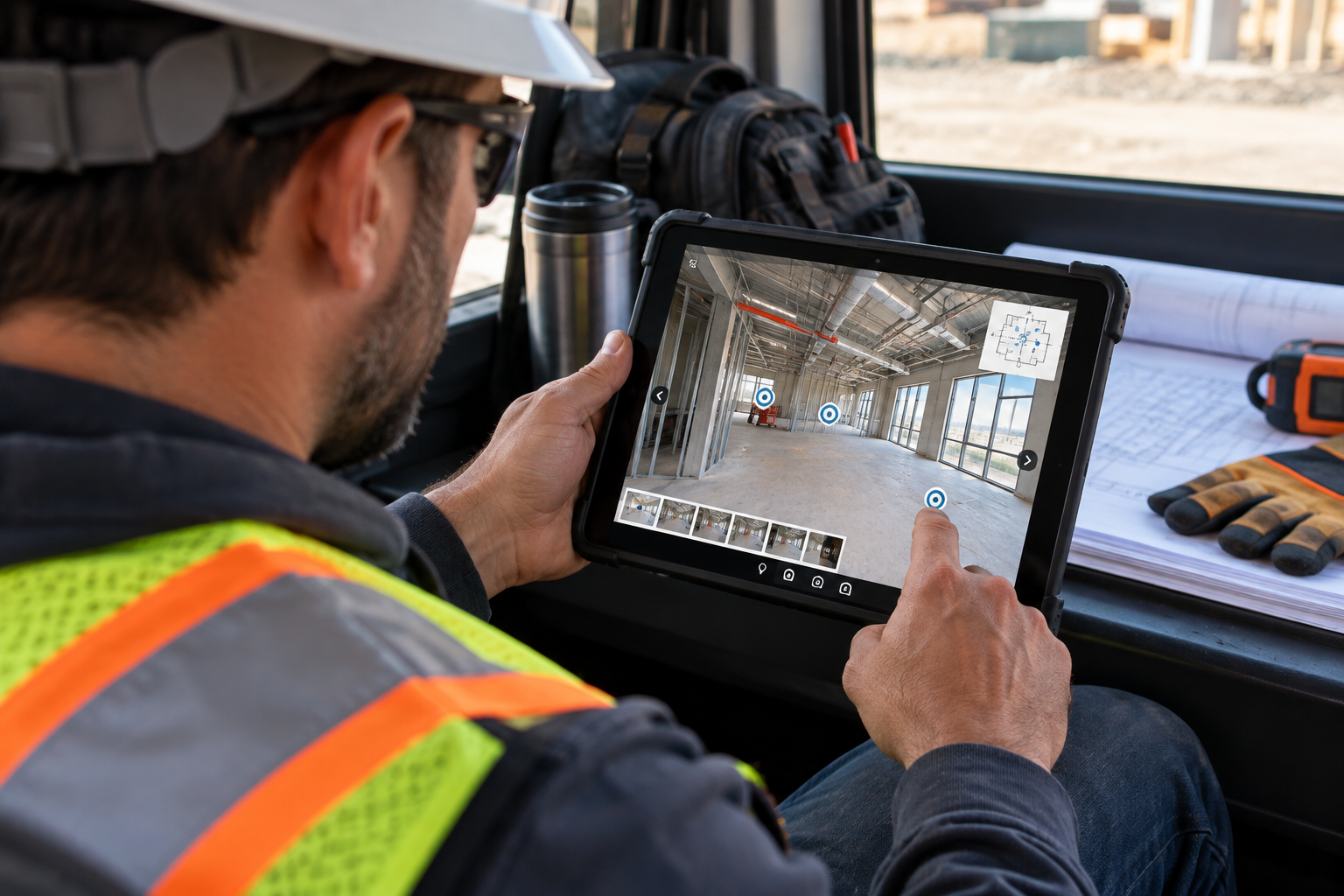
Instead of relying on a description or a few static photos, a GC can capture the current state of a site — a floor, a unit, a mechanical room, or a phase of buildout — and share a single link that subcontractors can open on a phone, tablet, or computer.
Rather than waiting for a scheduled walkthrough, a plumbing subcontractor preparing for next week’s rough-in can review the current framing conditions beforehand and arrive with a clearer understanding of what to expect.
That shift can reduce a meaningful category of unnecessary trips: site visits that exist primarily to “take a look” before committing labor or materials to a job. When a subcontractor can review current conditions remotely first, the on-site visit can focus more on doing the work and less on scouting the space.
It’s one reason GCs may choose to incorporate virtual tour software for construction into their subcontractor coordination process rather than treating it solely as an occasional convenience.
This kind of shared visibility also supports something the industry has emphasized for years: better coordination between general contractors and the trades they manage.
Organizations like the Associated General Contractors of America provide resources and guidance around effective project management, communication, and collaboration across construction teams. A shared virtual tour can support that approach by giving project participants a visual point of reference instead of relying entirely on one-off conversations that may need to be repeated as new trades come on-site.
Because browser-based tours are easy to share, they can also fit naturally into the way a GC already communicates. A tour link can be included in an email, text message, or project management system alongside schedules, drawings, and other project information.
Keeping the viewing experience straightforward matters. The less friction involved in accessing project information, the easier it is for teams to incorporate that information into their existing workflows.
A walkthrough of current conditions solves only part of the problem. The other part is directing attention to what actually matters.
A GC doesn’t just need subcontractors to see the space — they may need specific trades to notice specific issues: a conduit run that’s in the wrong location, a rough-in that needs to shift before drywall goes up, or a punch-list item that’s easy to miss during a general walkthrough.
Hotspots can help address this.
Within a virtual tour, markers can direct viewers to specific locations or connect them to relevant scenes. When annotation or information features are available, those locations can also provide additional context about what the viewer needs to examine.

Instead of trying to determine which of a dozen rooms the GC meant, the subcontractor can navigate directly to the relevant area and see the location in the context of its surrounding conditions.
That’s a meaningfully different experience from trying to describe a location over the phone or circling something on a floor plan without additional visual context.
As a project progresses, maintaining clearly organized scenes and visual reference points can also make it easier for the GC and subcontractors to return to previously discussed areas without relying entirely on their memory of a conversation from weeks earlier.
Even with a thorough, up-to-date tour and clearly organized scenes, some issues require real-time back-and-forth. A subcontractor might have a question that a static tour alone can’t fully answer — something that requires someone to walk them through the space live.
Traditionally, that might mean a GC describing the issue over the phone or scheduling another site visit that pulls someone away from other work.
A live 360° video chat option offers another approach. Instead of immediately defaulting to an in-person visit, a superintendent or project manager on-site can guide a remote subcontractor, engineer, or other stakeholder through the space in real time — showing the condition in question and answering questions as they come up.
The remote participant gets additional visual context without necessarily having to travel to the site.
This can be particularly useful in situations that might otherwise create a same-day scheduling scramble: a subcontractor who needs clarification before proceeding, an out-of-town stakeholder who needs to review a condition, or a project participant who needs additional visual context before determining the next step.
Real-time remote collaboration can help teams resolve some of those questions without automatically adding another trip to everyone’s schedule.
This kind of digital collaboration is part of a broader trend across the construction industry. Platforms like Autodesk Construction Cloud are built around connecting project teams digitally by sharing models, documents, and project information across GCs, subcontractors, architects, and owners.
A virtual tour with live collaboration capabilities fits naturally into that broader shift: it provides another way for the person who needs to see something on-site to get useful visual context, even when they aren’t physically there.
Another useful benefit of a shared virtual tour is the ability to understand how people interact with the content.
On a busy project, a GC might distribute an updated tour link without knowing which areas stakeholders are most interested in until questions begin coming back.
When tour activity is connected to analytics tools such as Google Analytics, teams may be able to evaluate metrics such as tour traffic and engagement with different parts of the experience. This can help identify which areas are attracting attention and which may need to be surfaced more clearly.
For example, if a mechanical room or phase-two buildout receives significant attention, that may indicate an area where additional communication would be helpful. Conversely, limited engagement with an important section of the tour may be a reason to make its navigation or labeling more prominent.
It’s important, however, not to treat general analytics as proof that a specific individual or subcontractor has reviewed a particular update unless the platform explicitly provides that level of user identification.
A current visual record can also provide useful context about site conditions before a subcontractor arrives. Staged materials, open areas, access conditions, and active work zones may all be easier to understand when someone can visually review the space beforehand.
Resources such as OSHA’s construction industry guidance emphasize the importance of appropriate safety practices and hazard awareness on construction sites. A virtual tour should never replace required safety training, site orientation, inspections, or other established procedures, but it can provide supplementary visual context before someone arrives on-site.
Do subcontractors need any special equipment or software to view a tour?
For browser-based virtual tours, subcontractors can typically open a shared tour on a phone, tablet, or computer without specialized viewing equipment. VR headsets may also provide a more immersive experience when supported, but they aren’t necessary for standard tour viewing.
How often should a GC update the tour to keep it useful?
It depends on how quickly the site is changing. During active phases with frequent trade turnover, updates can be tied to meaningful milestones — such as framing completion, rough-ins, or the start of a new phase — so the tour remains a useful reference rather than becoming a stale snapshot.
For fast-moving projects, teams may choose to capture updates more frequently.
Can a tour replace an in-person walkthrough entirely?
No, and it isn’t meant to. A virtual tour can reduce some visits that exist primarily to check conditions, answer routine questions, or provide visual context.
Situations involving hands-on inspection, physical measurements, regulatory requirements, or safety-critical sign-offs may still require someone to be physically present.
Is this only useful for large commercial projects?
No. The core challenge it addresses — project participants working from outdated or incomplete information about current site conditions — can occur on projects of many sizes.
Smaller projects may also benefit from having a shared visual reference, particularly when avoiding an unnecessary trip or preventing a misunderstanding can save valuable time and resources.
None of this replaces good project management or the fundamentals of GC-subcontractor coordination — clear schedules, well-defined scopes, and clear expectations still do most of the work.
What a shared virtual tour adds is a consistent, current, and easy-to-access visual reference of the site that trades can check before they arrive, reference during a conversation, or review remotely when something needs a closer look.
For general contractors coordinating multiple subcontractors across different phases, that relatively small change in workflow can help reduce some of the friction, unnecessary trips, and miscommunication that come with managing a job site where different people may be working from different versions of current conditions.
It’s worth exploring what virtual tour software for construction could look like on your next project, particularly if outdated site information and unnecessary visits have become recurring challenges.
No. Browser-based virtual tours can typically be opened from a shared link on a phone, tablet, or computer without specialized viewing equipment. VR headsets may offer a more immersive experience when supported, but they aren't necessary for standard tour viewing.
It depends on how quickly the site is changing. During active phases, updates can be tied to meaningful milestones such as framing completion, rough-ins, or the start of a new phase. Fast-moving projects may call for more frequent captures so the tour stays a useful reference instead of a stale snapshot.
No, and it isn't meant to. A virtual tour can reduce visits that exist mainly to check conditions, answer routine questions, or provide visual context. Hands-on inspections, physical measurements, regulatory requirements, and safety-critical sign-offs may still require someone to be physically on-site.
Hotspots are markers inside the tour that direct viewers to specific locations or connected scenes. Instead of guessing which room the GC meant, a subcontractor can go straight to the relevant area and see the issue, such as a misplaced conduit run or punch-list item, in the context of its surroundings.
No. The core problem it addresses, people working from outdated or incomplete information about site conditions, can occur on projects of any size. Smaller projects can also benefit from a shared visual reference, especially when avoiding an unnecessary trip or misunderstanding saves time and resources.


Compact, ready to go anywhere
Interchangeable lens that’s upgradeable
Dual 1-inch sensors for improved clarity and low light performance
Dynamic range and 6K 360° capture
360° photo resolution at 21MP

8K 360° video recording for ultra-detailed visuals.
4K single-lens mode for traditional wide-angle shots.
Invisible selfie stick effect for drone-like perspectives.
2.5-inch touchscreen with Gorilla Glass protection.
Waterproof up to 33ft for underwater shooting.

360° photo resolution in 23MP
Slim design at 24 mm thick
Built-in image stabilization for smooth video capture.
Internal 19GB storage for photo and video storage.
Wireless connectivity for remote control and sharing.

60MP 360° still images for high-resolution photography.
5.7K 360° video recording at 30fps.
2.25-inch touchscreen for intuitive control.
USB Type-C port for fast charging and data transfer.
MicroSD card slot for expandable storage.
.png)

.png)

Try it free. No credit card required. Instant set-up.






.svg)


.svg)