


.png)



If you've started shopping for virtual tour software, you've probably noticed the pricing landscape is all over the place. Some platforms charge by the panorama. Some charge a flat monthly subscription whether you use it once or fifty times. Some sell credits in bundles. It's genuinely hard to compare apples to apples — which makes it hard to know if you're paying a fair price or getting quietly overcharged on your bigger listings.
This guide breaks down what actually drives virtual tour cost, walks through how TourFlash's pricing works, and gives you the math to plug into your own photography package pricing.

Before comparing specific tools, it helps to understand the two main pricing models you'll run into.
Per-pano pricing. Some software charges based on how many individual 360 images go into a tour. A small condo with 10 panos costs less than a sprawling house with 60 panos. On the surface this sounds fair — pay for what you use — but it also means your cost is unpredictable until you know exactly how big the property is. Quote a package price to a client before the shoot, and you're guessing at your own margin.
Per-tour pricing. Other platforms — TourFlash included — charge per tour, not per pano. One property, one charge, regardless of size. This makes budgeting far easier, especially if you're pricing photography packages in advance and don't want your software cost to swing depending on square footage.
Subscriptions vs. credits. On top of pano-based vs tour-based pricing, there's also the question of how you pay. A monthly subscription can make sense if you're shooting tours constantly and want unlimited (or high-volume) usage baked into a flat fee. But if your tour volume is uneven — busy some months, quiet others — a subscription can mean paying for capacity you're not using. Credit-based systems, where you buy a bundle of runs and use them whenever, tend to fit real estate photographers better, since listing volume rarely lines up neatly with a calendar month.
Understanding which of these models you're actually being charged under is the first step to knowing whether a price is good or not. A "cheap" per-pano rate can end up more expensive than a "pricier-looking" per-tour rate once you're shooting larger properties regularly.
TourFlash uses a straightforward per-tour credit model, and it's built around one simple rule: one run equals one tour, full stop. It doesn't matter if that tour has 15 panoramas or 50 — running TourFlash on it uses exactly one credit.
Pricing is bundle-based: you buy a set number of runs, and the per-run price drops as the bundle size goes up. As an example, a starter bundle of 10 runs has worked out to around $4.85 per virtual tour, with larger bundles bringing that per-run cost down even further. Bundle sizes and rates do get updated from time to time, so treat any specific number as illustrative and check current TourFlash pricing for the exact tiers available today.
This structure removes the guesswork that comes with per-pano pricing. You can quote a photography package to a client, factor in a flat, known software cost, and not worry about your margin shrinking if the listing turns out to have six more rooms than expected.
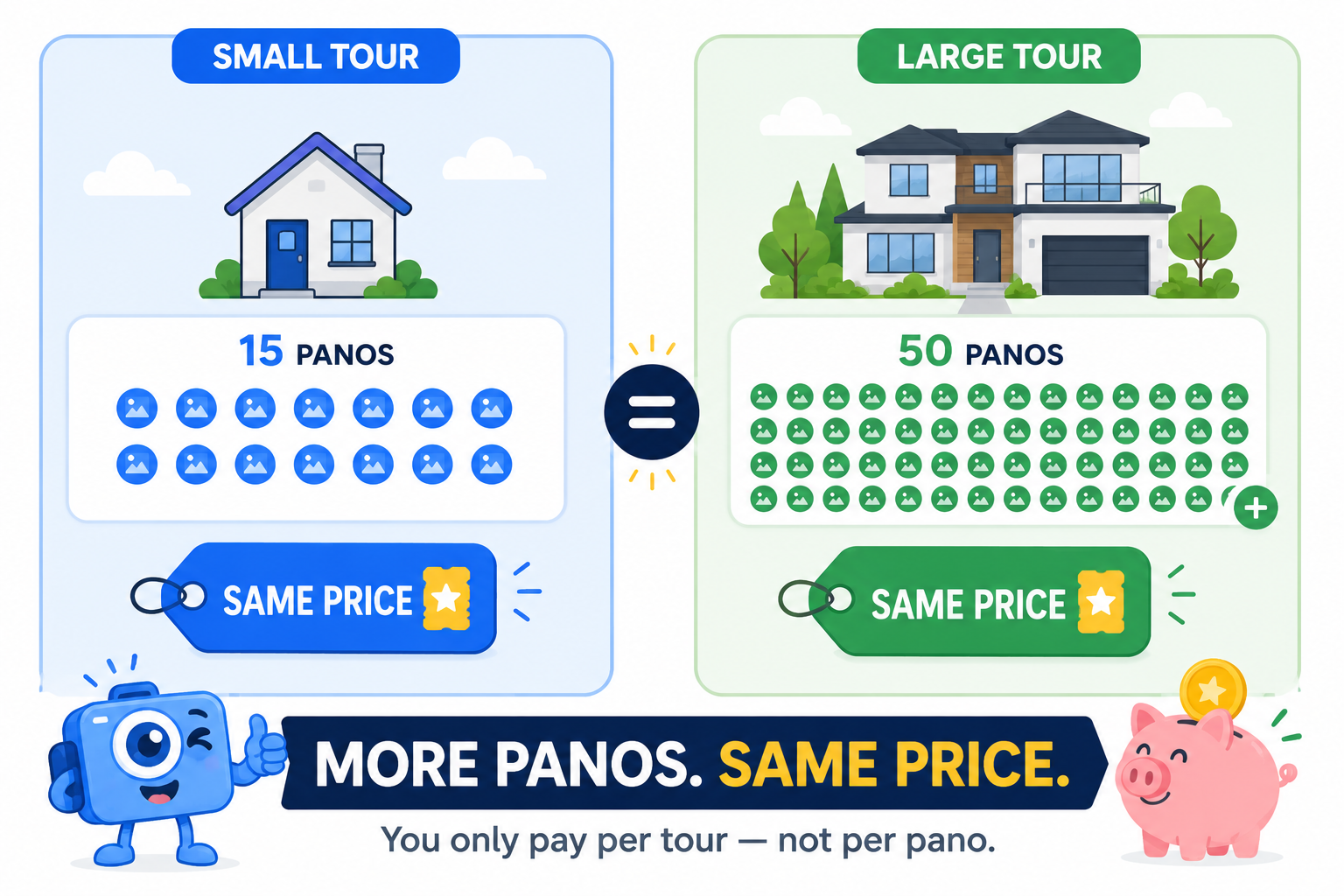
Here's where the "one run = one tour" model really shows its value. Let's compare two properties using an illustrative rate of $4.85 per tour — the same math applies at whatever rate your bundle works out to.
Property A: A 15-pano condo. Total panoramas: 15Cost to run TourFlash: $4.85Cost per pano: roughly $0.32
Property B: A 50-pano estate home. Total panoramas: 50Cost to run TourFlash: $4.85Cost per pano: roughly $0.10
Same $4.85 charge either way — but notice what happens to the cost-per-pano figure. On the bigger property, your effective cost per image drops to a third of what it was on the smaller one. If you were instead paying a per-pano software fee, the 50-pano estate could easily cost three to four times more than the condo, just because of size. With TourFlash's model, your largest, most complex listings are actually where you get the best value relative to image count — not the worst.
And if you're running a high volume of tours in a given month, you can buy tour credits in bulk to push that per-run cost down even lower.
Once you know your actual software cost per tour, folding it into your package pricing is simple. Here's a practical approach:
Because the per-tour software cost stays flat no matter the property size, this budgeting exercise stays simple even as you take on bigger listings. You're not recalculating your margin every time a house has an extra bedroom.
It's also worth remembering why this cost is worth budgeting for in the first place. Media quality has a real, measurable effect on how listings perform — Zillow's research has repeatedly shown that stronger visual content correlates with higher buyer engagement. A virtual tour isn't just a nice-to-have; it's a competitive edge on the listing page. If you want a broader look at how photographers structure pricing across an entire shoot (not just the tour software portion), PhotoUp's pricing guide is a useful cross-reference for real estate photography rates generally.

Per-pano pricing punishes you for shooting bigger, more complete tours. Subscriptions can leave you paying for capacity you don't use. A per-tour credit model — where one run covers the whole property regardless of size — is the simplest to budget around and rewards you for shooting thorough, high-pano tours instead of penalizing you for it.
A per-run rate around $4.85 per virtual tour (less with bigger bundles) makes it easy to lock in consistent, predictable tour pricing across every package you quote — no matter how listing volume ebbs and flows month to month.


Compact, ready to go anywhere
Interchangeable lens that’s upgradeable
Dual 1-inch sensors for improved clarity and low light performance
Dynamic range and 6K 360° capture
360° photo resolution at 21MP

8K 360° video recording for ultra-detailed visuals.
4K single-lens mode for traditional wide-angle shots.
Invisible selfie stick effect for drone-like perspectives.
2.5-inch touchscreen with Gorilla Glass protection.
Waterproof up to 33ft for underwater shooting.

360° photo resolution in 23MP
Slim design at 24 mm thick
Built-in image stabilization for smooth video capture.
Internal 19GB storage for photo and video storage.
Wireless connectivity for remote control and sharing.

60MP 360° still images for high-resolution photography.
5.7K 360° video recording at 30fps.
2.25-inch touchscreen for intuitive control.
USB Type-C port for fast charging and data transfer.
MicroSD card slot for expandable storage.
.png)

.png)

Try it free. No credit card required. Instant set-up.







.svg)


.svg)