


.png)


Every Realtor, photographer, and property marketer has seen it happen.
The listing is beautiful in person. The kitchen has depth. The primary suite feels warm. The living room has character. But the photo gallery? Dark corners, yellow lamps, gray window light, and a few interior shots that feel flatter than the home deserves.
Then the seller asks, “Can we make this look more premium?”
That is where AI video becomes useful—not as a magic filter, but as a better presentation layer.
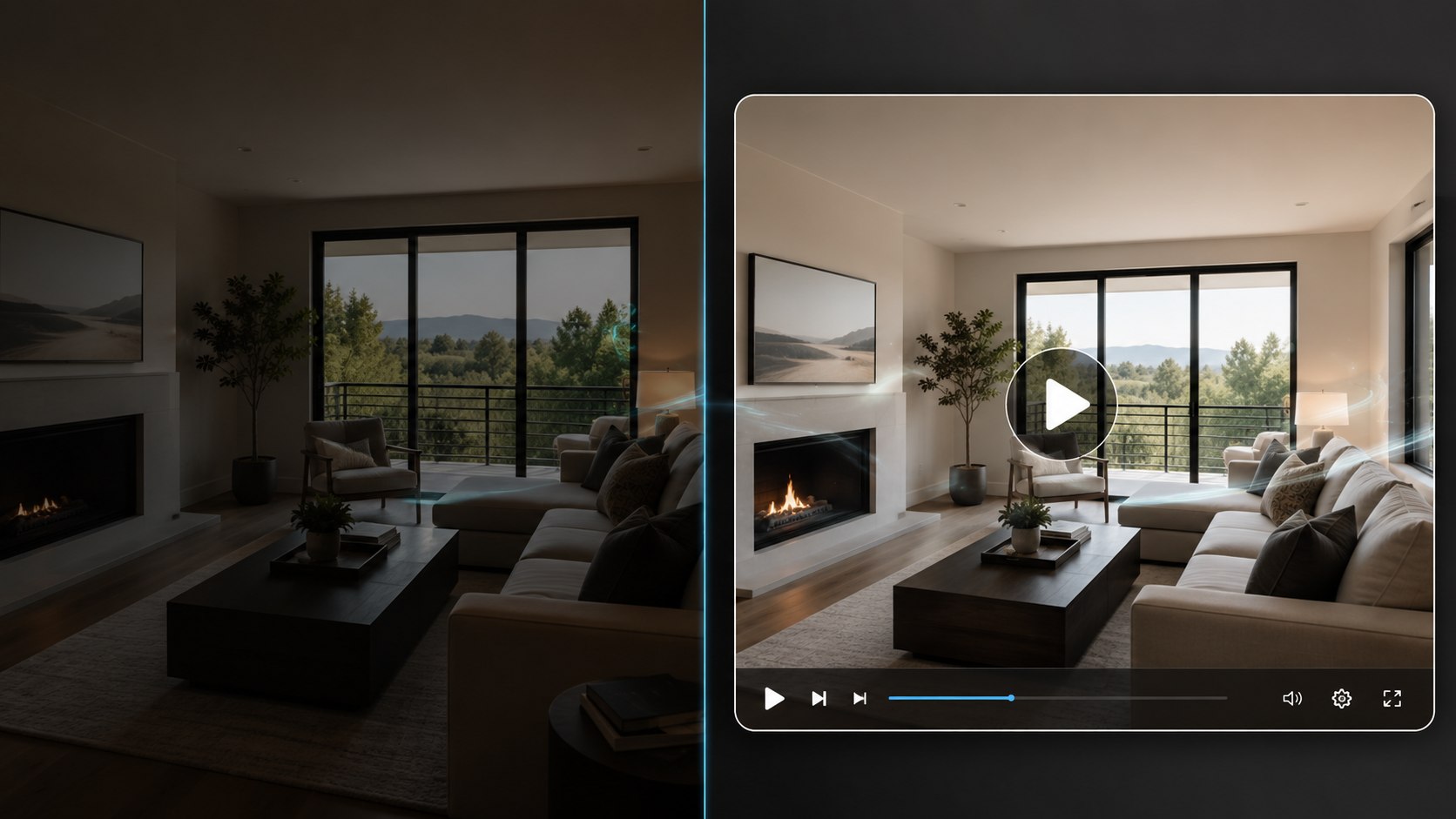
With the right workflow, low-light interior stills can be turned into polished video presentations that feel intentional, cinematic, and high-end. The goal is not to fake the property. The goal is to guide attention, improve pacing, and use motion to make imperfect listing media feel more professional.
For agents, photographers, brokerages, and property managers, this matters because you do not always get perfect source photos. You get twilight interiors, rental turnovers, cloudy-day shoots, vacant rooms, older lighting, and occupied homes where a reshoot is not realistic.
A smart AI workflow gives you a second chance.
Upgrading low-light interior stills into high-end AI video presentations means taking dim or imperfect room photos and converting them into a smooth, marketable property video using artificial intelligence, controlled image selection, sequence planning, movement effects, and export settings.
This is different from simply brightening photos.
Photo editing improves the still image. AI video improves the experience of moving through the property.
A strong low-light AI video workflow may include:
This is where create real estate videos from photos with AI becomes more than a convenience keyword. It becomes a real production strategy for listings that need better presentation without requiring a full video shoot.
For teams that need a practical system, PhotoAIVideo’s real estate photo-to-video AI workflow is built around this exact idea: upload property photos, let AI create professional movement, and download formats for listing, social, and marketing use.
Low-light interiors can make a listing feel cheaper than it is.
That sounds harsh, but it is true.
A dark living room photo may make buyers assume the home is smaller. A yellow kitchen shot may make the finishes look dated. A shadowy bedroom may get skipped entirely. And when buyers are scrolling quickly, “skipped” means forgotten.
According to the National Association of Realtors, digital presence is now a core part of modern real estate marketing because consumers expect accurate information quickly and conveniently. That means your visuals are doing more of the first impression work than ever before. A useful online listing is not just about uploading more media. It is about making the media easier to consume. You can see this broader shift in NAR’s guidance on effective online marketing for real estate professionals.
AI video helps because motion creates a guided viewing experience. Instead of forcing a buyer to tap through 38 photos, you can show the best sequence in 30–60 seconds.
This is especially helpful for:
The video does not need to hide the truth. In fact, it should not.
It should help the viewer understand the space faster.
That is the important difference.
The common mistake is treating every photo equally.
An agent uploads the whole gallery into a video tool, including the dark hallway, the cluttered laundry room, the underexposed guest bath, and the awkward corner of the dining area. Then the video feels inconsistent. Some shots look premium. Others feel like filler.
This actually happens all the time.
A photographer delivers a gallery with 40 photos. The listing agent wants a video by tonight. The easiest move is to use everything. But low-light interiors punish lazy sequencing. One bad image in a still gallery is easy to ignore. One bad image in a video interrupts the entire presentation.

The better workflow is to curate before you generate.
A strong AI video should feel like a guided showing, not a slideshow of every image the camera captured.
That means asking:
For agents searching for an AI app to turn property photos into videos, the app matters—but the selection process matters just as much.
A good tool gives you speed. A good workflow gives you quality.
PhotoAIVideo fits best after the photo gallery has been lightly curated.
The platform is designed to help real estate professionals turn property images into AI-generated video walkthroughs with smooth camera movement and no traditional editing timeline. Instead of hiring a videographer, filming the home again, or spending hours inside editing software, you can use the photos you already have and create a more engaging presentation.
For low-light interiors, the practical advantage is speed with control.
You can test a version, review the pacing, remove weak images, adjust the order, and generate a cleaner version without rebuilding the whole project from scratch. That is useful when you are working against a listing deadline.
For example, an agent may have 22 photos from a townhome listing. Eight of them are strong exterior and kitchen shots. Six are low-light interior rooms. The rest are bathrooms, closets, and utility spaces. Instead of creating one long video with every image, the agent can use PhotoAIVideo’s AI real estate video generator to build a shorter, cleaner presentation focused on the rooms that create buyer interest.
The same listing might need two versions:
A branded social version with agent information.
An unbranded MLS-safe version without personal branding.
That is where an AI tool for making unbranded real estate videos becomes valuable. MLS rules vary by market, so agents should always check local requirements, but separating branded and unbranded exports is a safer workflow than trying to use one video everywhere. MLS policies can differ by board, and NAR’s broader professional standards remind agents to represent properties accurately and follow applicable rules. For compliance-sensitive marketing, it is worth reviewing NAR’s Code of Ethics and professional standards as a baseline and then confirming your local MLS requirements.
Most galleries are organized logically: exterior, entry, living room, kitchen, bedrooms, bathrooms, backyard.
That is fine for browsing, but not always best for video.
For low-light interiors, sort photos into three groups:
Strong openers: exterior, bright living room, kitchen, backyard, view, pool, or best architectural detail.
Usable support shots: bedrooms, secondary living spaces, dining areas, office, covered patio.
Weak or risky shots: dark hallways, dim bathrooms, awkward corners, cluttered closets, underexposed rooms.
Your video should open with confidence. Do not start with the dim entry photo just because it is first in the gallery.
Start with the image that makes the buyer want to keep watching.
AI video movement can make a good photo feel premium. But it can also expose problems in a bad photo.
Avoid using low-light photos when:
This is the hidden rule: not every photo deserves motion.
If an image is already hard to understand, adding movement may make it feel even more distracting. Use fewer photos and make the video stronger.
A brightness bridge is a sequencing technique where you place darker interiors between brighter images so the video does not feel visually heavy.
For example:
Exterior daylight shot → bright kitchen → slightly darker dining room → living room with windows → primary bedroom → backyard or patio.
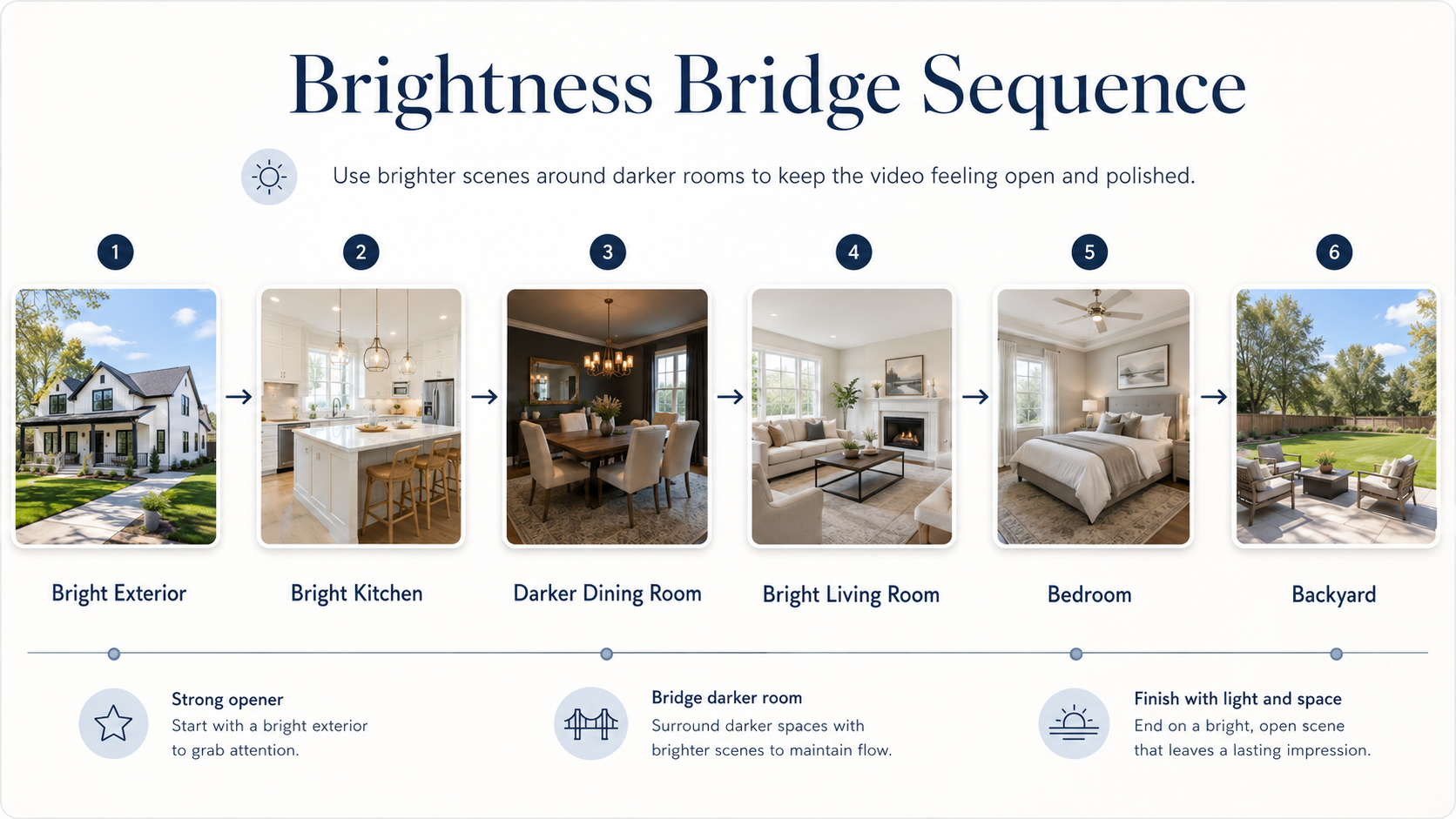
This keeps the viewer from feeling trapped in a dark interior sequence.
It also helps low-light rooms feel like part of the property story instead of a sudden drop in quality.
This is a small detail, but it changes the perceived value of the video.
Fast movement on low-light photos can feel cheap.
For darker interior stills, use slower, smoother camera movement. A gentle push-in on a fireplace, a slow pan across a kitchen, or a subtle pull-out from a bedroom usually feels more premium than aggressive zooming.
This is where PhotoAIVideo’s walkthrough tutorials can help teams understand the relationship between photos, movement effects, voiceovers, and finished exports.
A low-light video should feel calm.
Luxury pacing beats hype pacing.
Do not use the same video for every platform.
A good workflow creates versions based on where the video will live:
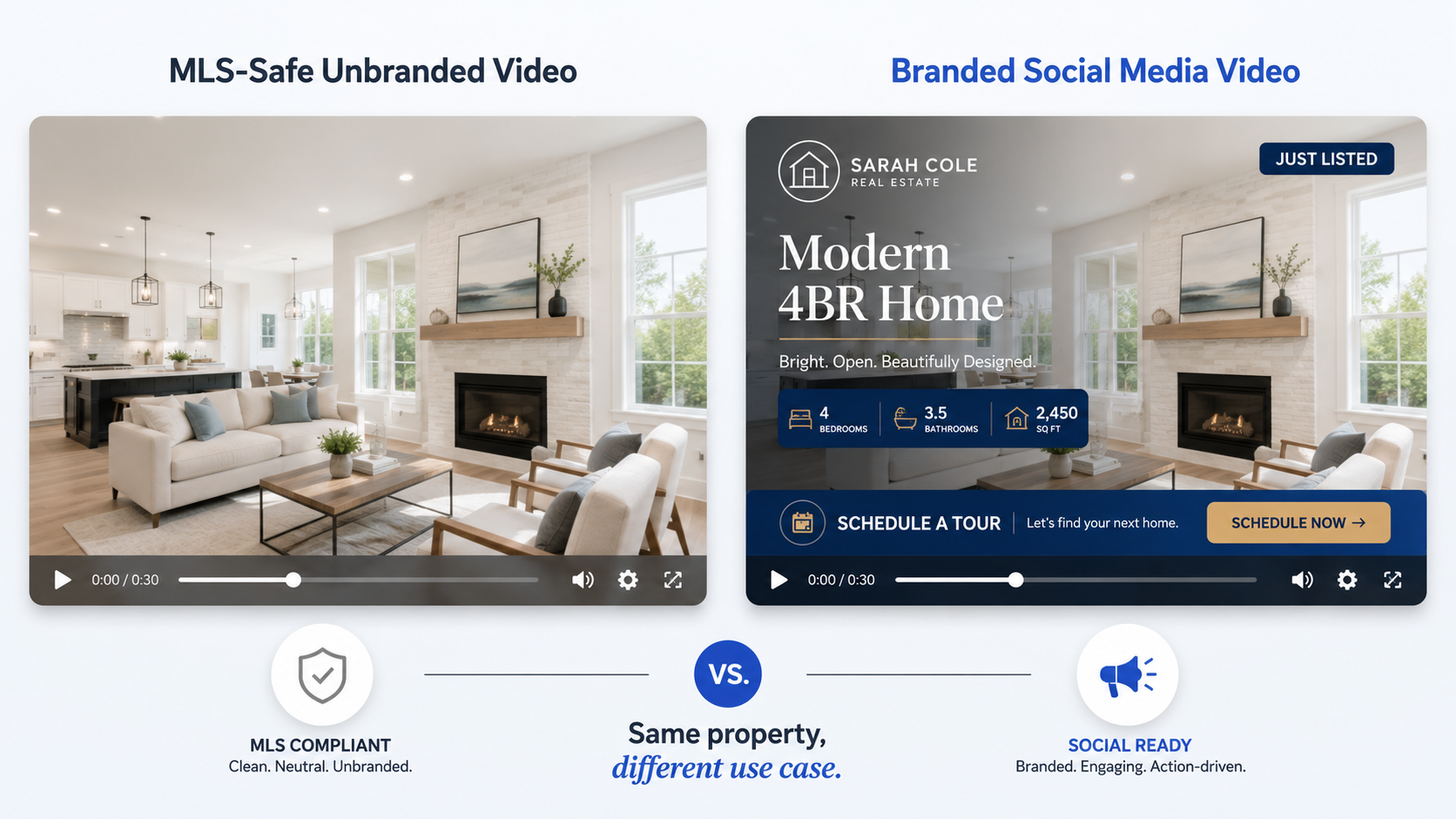
Agents looking for an MLS compliant video maker for property listings should think in terms of versions, not one universal file.
A tool can help generate the video, but compliance still depends on your local MLS rules. If your market restricts branding, contact information, URLs, or agent promotion in MLS media, build the unbranded version first and then create the branded versions for social and websites.
Low-light interior videos often benefit from simple text overlays, but too much text becomes clutter.
Use overlays for:
Avoid long captions that repeat the listing description.
In video, the text should guide the eye, not become a paragraph on screen.
Before publishing, watch the final video once without thinking like the listing agent.
Ask:
This simple review catches most mistakes.
If the answer is “the property feels darker in video than in real life,” go back and remove weak interior images. Do not try to save the video by adding more effects.
The best choice depends on the listing.
A $3 million architectural property may still deserve a full video shoot. A rental turnover, mid-market listing, condo, vacant home, or quick seller update may not.
That is where AI video software for real estate photographers can become a profitable service layer. Photographers can add video delivery without filming every property, while agents can get more usable marketing content from the same photo shoot.
For teams comparing tools and production models, PhotoAIVideo’s property video app page explains how AI-powered property video creation differs from traditional editing and manual production.
A Realtor has a great home, but the shoot happened on a gray day. The living room and bedrooms look dim. Instead of delaying the listing, the agent selects the brightest 12 photos, opens with the exterior, uses the kitchen as the first interior shot, and turns the set into a smooth AI video.
The result is not fake sunlight.
It is better presentation.
A real estate photographer delivers photos on Monday morning. The agent asks, “Do you offer video too?”
Instead of scheduling a second appointment, the photographer offers an AI video add-on using the same photo gallery. For lower-end listings, this becomes a fast upsell. For luxury listings, it becomes a teaser video that complements the full shoot.
This works especially well when the photographer positions it as “AI listing video from your finished photos,” not as a replacement for premium video production.
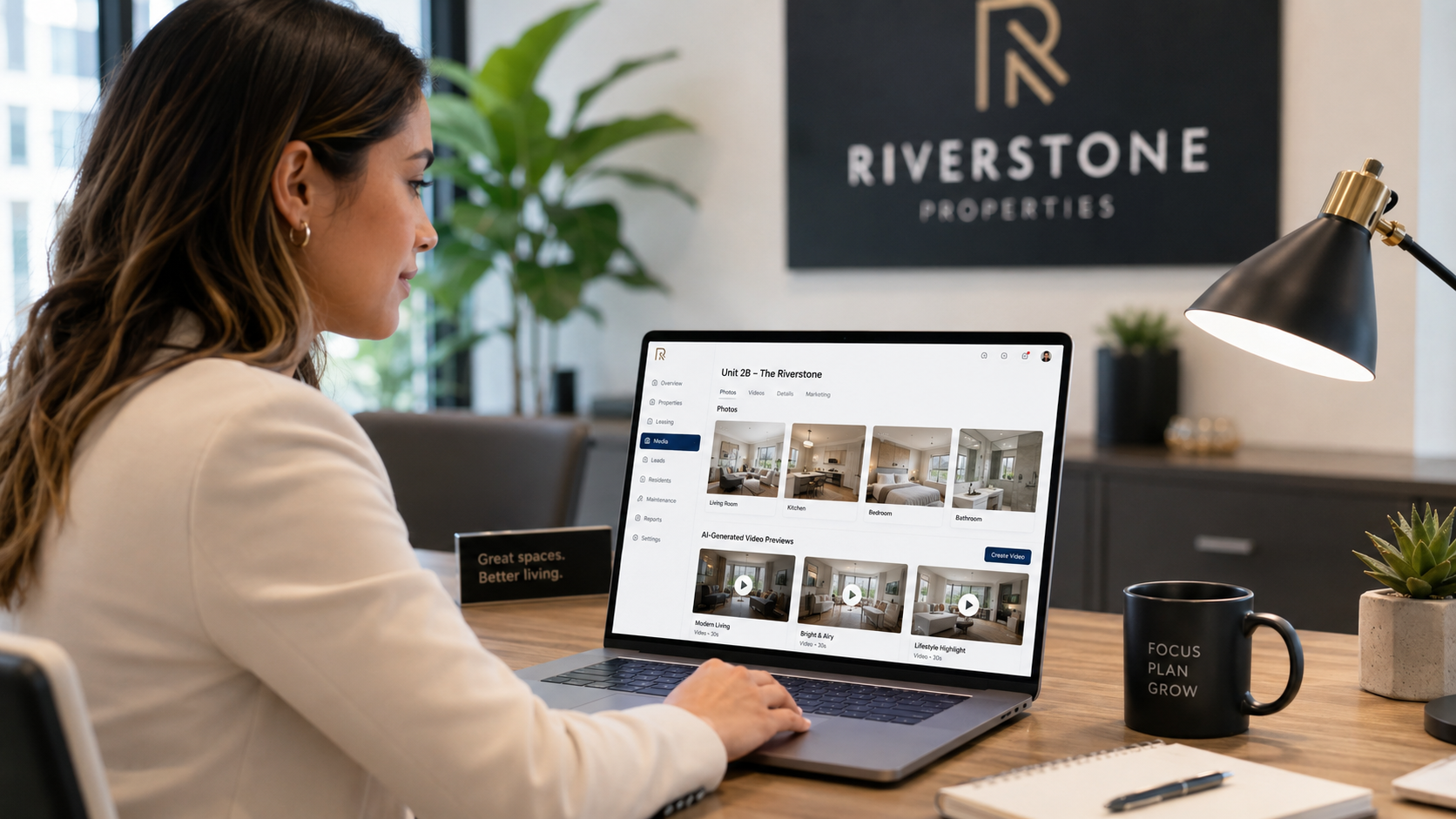
A property manager has 40 rental units and inconsistent media. Some units were photographed with phones. Others were shot professionally. Some have dark interiors because tenants were still moving out.
Using PhotoAIVideo’s homepage workflow, the leasing team can turn selected photos into simple unit videos and create a more consistent leasing presentation without waiting for every unit to be reshot.
For property managers, consistency often matters more than perfection.
A brokerage wants every listing to include a video, but not every agent has the budget or skill to produce one.
A simple brokerage workflow could be:
This helps the brokerage standardize listing media without relying on each agent to become a video editor.
Sometimes the best use of AI video is not buyer-facing.
An agent can send the seller a short polished video after the listing goes live: “Here is the social version we created from your listing photos.” That reassures the seller that the agent is actively marketing the property.
For dim interiors, this matters because sellers may already be nervous about how the photos look. A clean video presentation can make the campaign feel more professional.
More photos do not automatically create a better video.
If the gallery includes weak low-light rooms, remove them. A 35-second video with 12 strong visuals is usually better than a 90-second video with every room included.
The first few seconds decide whether someone keeps watching.
Do not open with the darkest hallway, entry, or bedroom. Use the exterior, kitchen, view, backyard, living room, or best architectural feature.
This is risky.
Your social video can include branding, captions, calls to action, and personality. Your MLS version may need to be cleaner and unbranded depending on your local rules.
When in doubt, build the unbranded version first.
Text overlays can help, but they should not fight the photo.
Low-light images already require the viewer’s attention. If you cover them with heavy captions, animations, and logos, the video feels crowded.
Use short labels only.
AI video can improve presentation, but it cannot turn a truly bad photo into premium media.
If the image is blurry, noisy, poorly composed, or misleading, skip it. The best editing decision is often deletion.
If you publish the video on a property page, blog post, or listing landing page, make sure the surrounding page has useful crawlable text. Google’s guidance on creating helpful, reliable, people-first content is a reminder that search visibility depends on the usefulness of the full page, not just the media asset.
Also, when adding visual examples to a blog or listing page, use real image files and descriptive alt text. Google’s image SEO best practices recommend standard image elements and useful alt text so search engines can understand visual content.


Compact, ready to go anywhere
Interchangeable lens that’s upgradeable
Dual 1-inch sensors for improved clarity and low light performance
Dynamic range and 6K 360° capture
360° photo resolution at 21MP

8K 360° video recording for ultra-detailed visuals.
4K single-lens mode for traditional wide-angle shots.
Invisible selfie stick effect for drone-like perspectives.
2.5-inch touchscreen with Gorilla Glass protection.
Waterproof up to 33ft for underwater shooting.

360° photo resolution in 23MP
Slim design at 24 mm thick
Built-in image stabilization for smooth video capture.
Internal 19GB storage for photo and video storage.
Wireless connectivity for remote control and sharing.

60MP 360° still images for high-resolution photography.
5.7K 360° video recording at 30fps.
2.25-inch touchscreen for intuitive control.
USB Type-C port for fast charging and data transfer.
MicroSD card slot for expandable storage.
.png)

.png)

Try it free. No credit card required. Instant set-up.







.svg)


.svg)