


.png)


The fear is understandable.
An agent removes the logo, contact info, brokerage intro, “call me today” outro, social handle, and branded lower-third from a listing video.
Now the video feels… plain.
It may be safer for MLS-sensitive placement, but will buyers still watch it? Will it still create interest? Will it still help the seller feel like the home is being marketed well?
That is the tension.
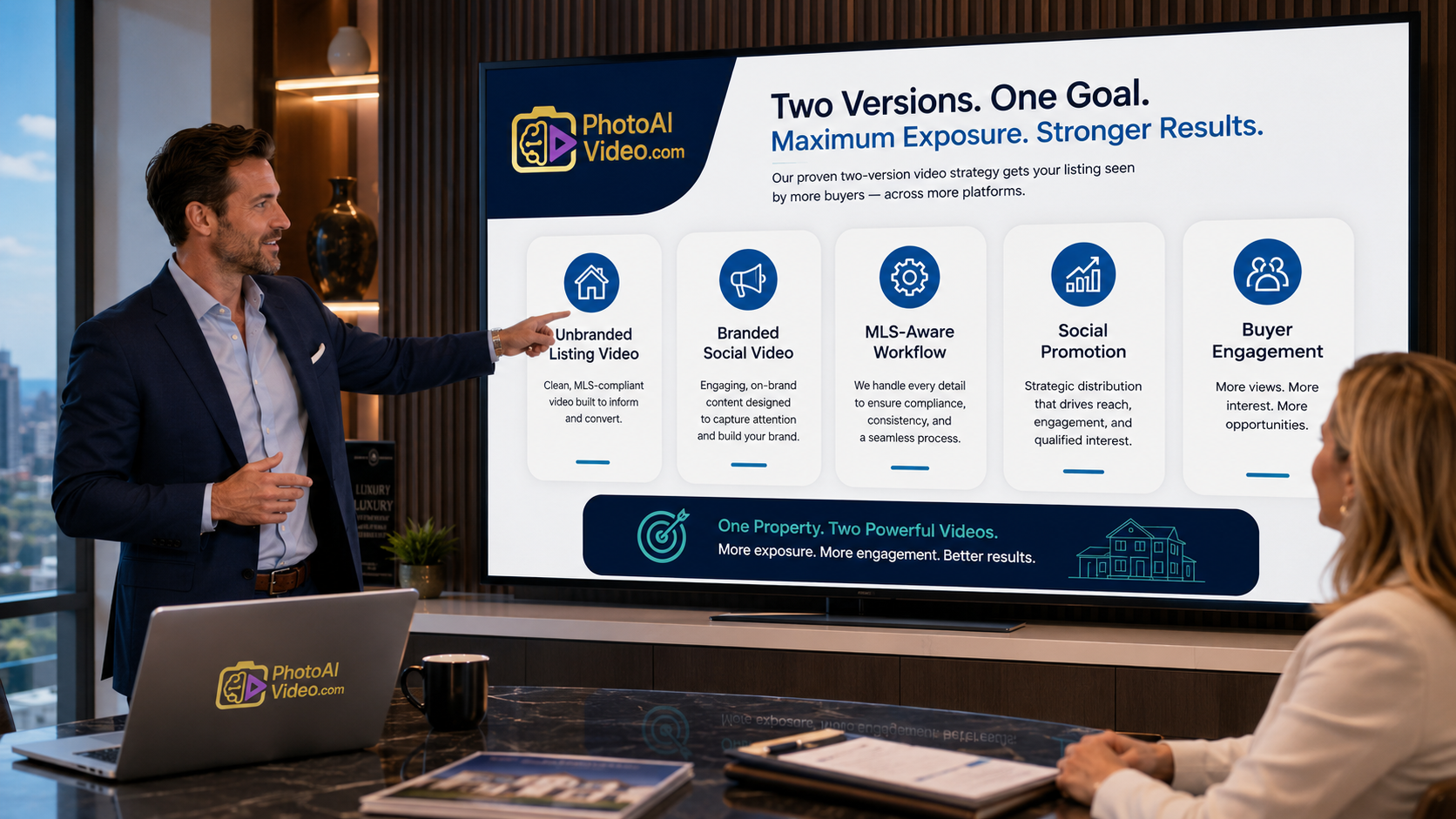
A branded video can create personality and lead flow. An unbranded video can help keep the property presentation cleaner for MLS-aware workflows. The mistake is assuming those two goals are opposites.
They are not.
A strong unbranded listing video can still be engaging if it uses the right structure: better photo order, sharper pacing, useful captions, layout clarity, feature sequencing, and a clear visual story. You do not need a giant logo to hold attention. You need the video to answer the buyer’s next question.
PhotoAIVideo helps real estate professionals turn listing photos into polished property videos that can be used in cleaner, unbranded workflows or adapted into branded social versions. For agents searching for an AI tool for making unbranded real estate videos, the real goal is not just removing branding. The goal is creating a video that feels professional, compliant-aware, and still worth watching.
An unbranded listing video is a property video that avoids obvious agent, brokerage, or promotional branding.
Depending on local MLS rules and brokerage policies, this may mean removing or avoiding:
Agent names
Brokerage logos
Phone numbers
Email addresses
Website URLs
Social media handles
Personal photos
Branded intros or outros
Promotional CTAs
Watermarks
Lead capture overlays
“Call now” messaging
The exact rules can vary by MLS, brokerage, and market, so agents should always confirm local requirements before publishing any listing video. NAR’s broader MLS policy resources can help agents understand the role of MLS governance, but the local MLS is still the final authority for specific media rules. You can review NAR’s MLS policy resources when building your internal process.
But here is the important part: unbranded does not mean boring.
An unbranded listing video can still include:
Strong property visuals
Logical room sequence
Clean motion
Neutral feature captions
Floor plan context
Neighborhood-neutral location cues
Room flow explanations
Music, if appropriate and licensed
Professional pacing
High-quality image crops
A polished ending frame focused on the property
The difference is that the video sells the home, not the agent.
That makes an unbranded workflow useful for MLS-sensitive environments, syndication, brokerage review, property pages, and seller-approved listing media. Then, separately, the agent can create a branded social version for Instagram, Facebook, YouTube Shorts, email, open house promotion, and lead generation.
PhotoAIVideo can support both workflows from the same listing photos, making it easier for agents and media teams to create property videos from photos with AI without starting from scratch every time.
Real estate buyers do not want to decode a marketing file.
They want to understand the home.
That is why unbranded listing videos can work well when they focus on clarity. A buyer wants to know:
What does the home feel like?
How do the rooms connect?
Is the kitchen actually open to the living room?
Does the primary suite feel private?
How big is the backyard?
Where does the office sit in relation to the bedrooms?
Is the home worth touring in person?
An unbranded video can answer these questions without turning into an agent commercial.
NAR has emphasized that strong online listing presentation matters because buyers rely heavily on digital visuals before deciding what to see in person. A clean property video fits that behavior when it helps buyers understand the home faster through NAR’s guidance on making online listings shine.
This is also why a good MLS compliant video maker for property listings should do more than strip away logos. It should help real estate professionals create clean, useful visual assets that still support buyer decision-making.
For sellers, this matters too.
A seller may ask, “Why are we removing your branding from the video?” The answer is simple:
“We create a clean version for MLS-aware placement and a branded version for social promotion. That way your home is shown professionally in both environments.”
That sounds organized.
And sellers like organized.
Most agents create the branded video first.
That is natural. The agent wants the video to look good on social media. They add a logo, name, phone number, brokerage badge, caption, CTA, maybe an intro slide, maybe a “schedule your showing” outro.
Then someone asks, “Do we have an unbranded version?”
Now the team has to go backward.
They remove the logo.
They trim the intro.
They delete the phone number.
They change the captions.
They export again.
They rename the file.
They hope the correct version gets uploaded.
This actually happens all the time.
The result is usually a weaker video because the unbranded version was treated as an afterthought. It becomes the stripped-down version instead of the clean property-first version.
That is the wrong order.
The better workflow is:
Create the clean property story first.
Then create the branded marketing version second.
The unbranded version should not feel like something was removed.
It should feel like it was designed intentionally.
That means the engagement has to come from the property sequence, not from the agent’s branding.
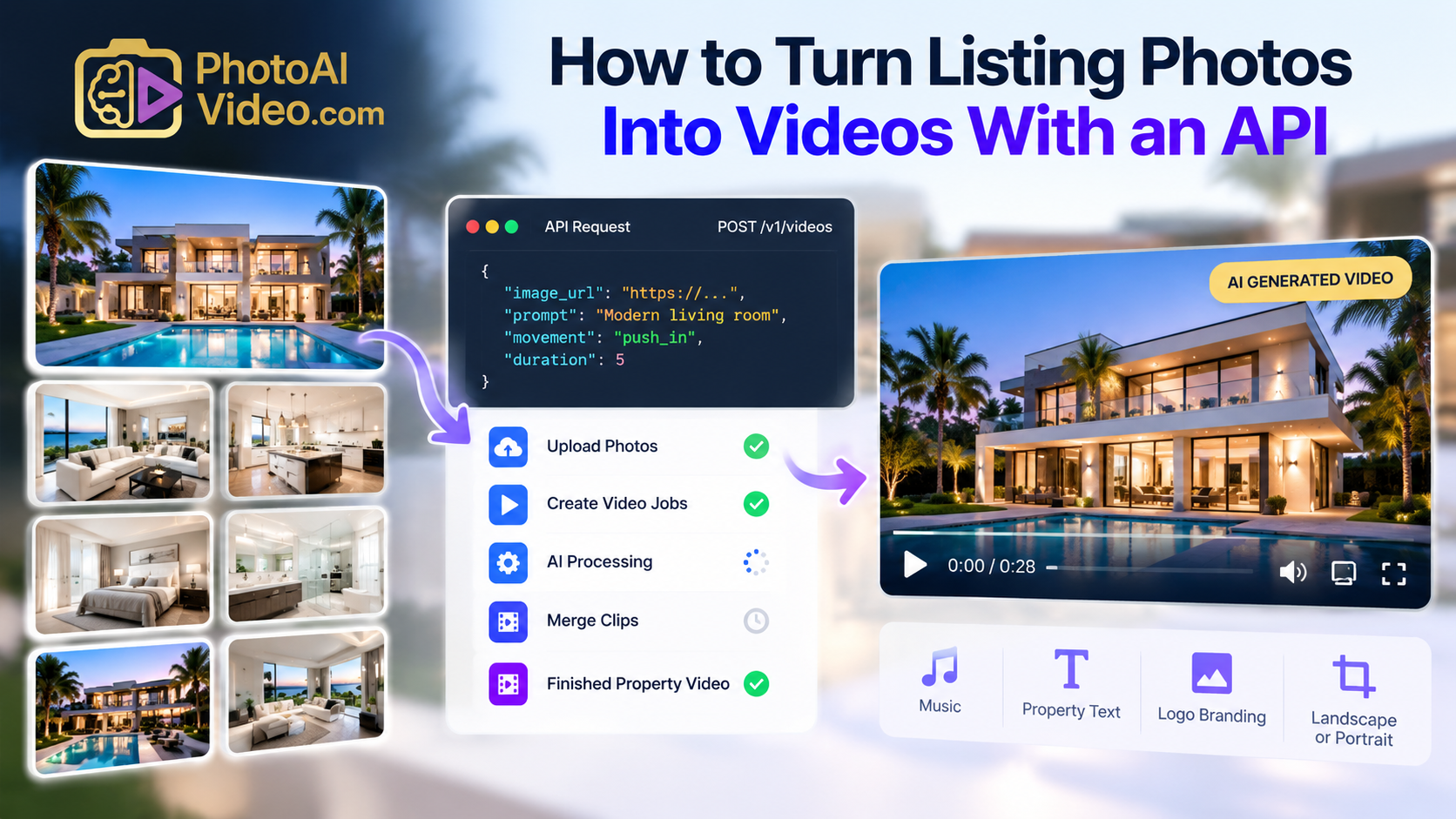
PhotoAIVideo helps agents, photographers, brokerages, and property managers turn listing photos into AI-generated video assets.
That matters because listing photos are already part of the normal real estate workflow. They are usually edited, approved, and ready before the listing goes live. Instead of waiting on a full video shoot or building every video manually, an agent can use an AI app to turn property photos into videos and create a cleaner property video from the existing listing gallery.
For unbranded listing videos, PhotoAIVideo fits best as the property video layer.
The agent or media team can:
Upload approved listing photos
Choose the strongest room sequence
Create a clean property video
Use neutral captions when needed
Export an unbranded version
Create a separate branded social version
Use each file in the right channel
This makes PhotoAIVideo useful for individual agents, but also for photographers and brokerages that need repeatable listing media systems. With PhotoAIVideo’s real estate video workflow, the goal is not just speed. The goal is version control: clean assets for MLS-aware use, branded assets for social, and organized delivery for teams.
The software helps with the production bottleneck.
The strategy decides how the video should be used.
Do not start with the prettiest photo.
Start with the buyer’s mental tour.
A strong unbranded listing video should feel like a guided walkthrough, even when it is made from still photos.
A good sequence might be:
Exterior hero shot
Entry or front elevation
Main living space
Kitchen
Dining or open-concept flow
Primary suite
Secondary bedrooms
Office or flex space
Bathrooms
Backyard or patio
Garage, storage, pool, view, or bonus feature
Floor plan or layout reference, if appropriate
Closing exterior or strongest lifestyle image
This structure helps the buyer understand the property.
The order matters because unbranded videos cannot lean on agent personality to keep attention. The home itself has to carry the story.
Generic opening frames kill engagement.
Do not begin with a blank title slide if you can avoid it. Do not start with a slow fade that takes too long. Do not open with a feature that could belong to any house.
Start with the strongest reason to keep watching.
Examples:
A luxury exterior at golden hour
A wide kitchen shot with strong natural light
A backyard pool or outdoor living area
A dramatic living room view
A floor plan image showing a rare layout
A clean front elevation with curb appeal
A unique feature like a guest house, lake view, or home office
Even without branding, the first three seconds should tell the viewer, “This property is worth a closer look.”
Unbranded does not always mean caption-free.
Depending on your local rules and use case, neutral captions may be appropriate if they describe the property rather than promote the agent.
Examples of neutral captions:
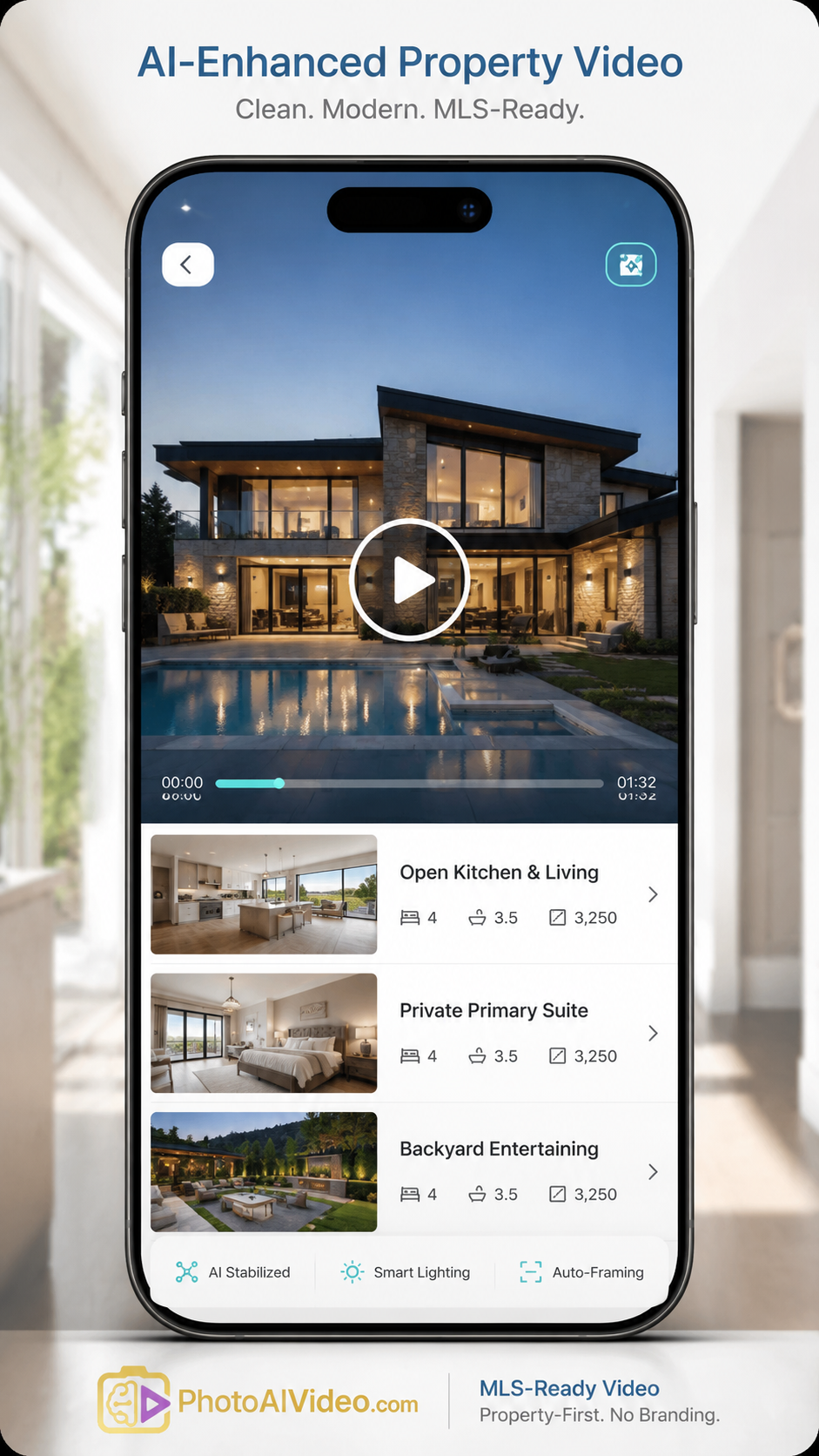
Open kitchen and living area
Covered patio with backyard access
Private primary suite
Flexible home office
Three-car garage
Second-floor media room
Pool and outdoor entertaining space
Main-level guest suite
Floor plan designed for everyday flow
Avoid promotional or agent-centered captions in the clean version.
Examples to avoid:
Call today
DM me for details
Presented by Sarah Johnson
Listed by Riverside Realty
Schedule your showing now
Visit my website
Text me for price
The best unbranded captions help buyers understand the property without turning the video into an ad.
AI motion should make the property feel more alive, not distract from it.
Use motion to guide attention:
Slow push into the exterior
Gentle pan across the kitchen
Subtle movement through the living room
Smooth reveal of the backyard
Light zoom on a floor plan
Slow movement across a view or patio
Avoid motion that feels too dramatic for the image. A tiny bathroom does not need a cinematic sweep. A floor plan should not spin. A kitchen should not feel like an action sequence.
This is where the right best AI video software for real estate agents should help create polish without making the video feel fake or overproduced.
The buyer should notice the home, not the effect.
A branded social video can end with a CTA.
An unbranded listing video should usually end cleanly.
Depending on your MLS or brokerage rules, the ending might include:
A final exterior image
A simple property address, if allowed
A neutral “Property Video” title
A floor plan recap
A final feature image
A fade-out with no branding
Avoid ending with contact information or agent promotion if this version is intended for MLS-aware placement.
The ending should feel finished, not empty.
Do not try to make one file do everything.
After the clean version is created, make a branded social version for marketing channels where branding is allowed.
That version can include:
Agent name
Brokerage logo
Hook text
Showing CTA
Social captions
Open house details
Lead magnet
Neighborhood positioning
Contact information
Seller-focused marketing language
This is how agents keep engagement and compliance-aware workflows separate.
The clean version serves the listing environment.
The branded version serves the lead generation environment.
PhotoAIVideo can help agents create both versions from the same property media, which is why AI real estate marketing software for agents is most powerful when used as a versioning workflow, not just a one-click video generator.
File naming prevents mistakes.
Use names like:
123-main-street-unbranded-listing-video.mp4
123-main-street-branded-social-video.mp4
123-main-street-open-house-reel.mp4
123-main-street-seller-preview.mp4
Never use vague names like:
final.mp4
new-final.mp4
final-version-2.mp4
listing-video-approved-real-final.mp4
This sounds small, but it matters.
A clean unbranded video only helps if the right file gets uploaded to the right place.
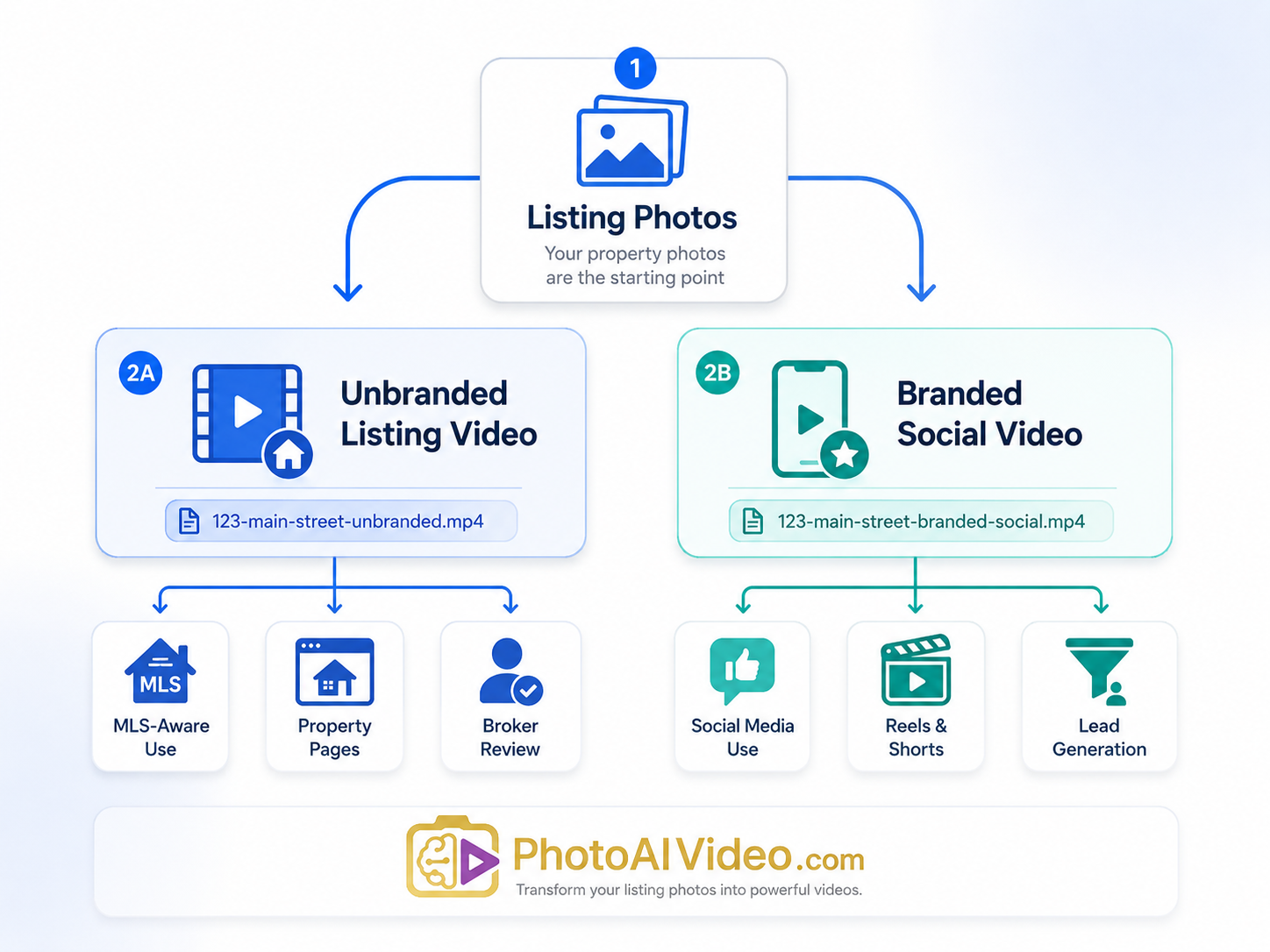
Use the unbranded version for:
MLS-aware listing environments
Unbranded virtual tour slots
Brokerage review
Property information pages
Seller-approved listing media
Syndication-sensitive workflows
Use the branded version for:
Instagram Reels
Facebook posts
YouTube Shorts
Email campaigns
Open house promotion
Paid social ads
Seller updates
Agent lead generation
Listing appointment examples
This is where real estate video software that works with MLS rules becomes valuable. It should support clean media production without limiting the agent’s ability to market aggressively in channels where branding makes sense.
The difference is not branding.
The difference is structure.
An agent has a new listing going live and wants video content for multiple channels.
The clean version is created first with no agent branding, no CTA, and no personal contact information. It focuses on the exterior, kitchen, living room, primary suite, backyard, and layout.
Then the agent creates a branded Reel for social media with a hook:
“New listing with the backyard buyers keep asking for.”
The unbranded version supports the listing workflow. The branded version supports lead generation.
That is the two-file system in action.
A photographer wants to increase average order value without filming full walkthrough videos for every property.
Using AI video software for real estate photographers, the photographer can offer:
Unbranded listing video
Branded social version
Vertical Reel
Open house teaser
Seller preview clip
This gives agents more usable content from the same photo shoot.
With PhotoAIVideo for real estate photographers, the value is not just “a video.” It is a more complete listing media package.
A brokerage has dozens or hundreds of agents creating listing videos in different ways.
Some agents overbrand everything. Others do not use video at all. Some upload the wrong file to the wrong place.
The brokerage can set a simple rule:
Every listing video project starts with a clean unbranded version. Branded versions are created separately for social and lead generation.
That gives agents flexibility while reducing operational confusion.
Property managers can use unbranded or lightly branded video workflows for rental listings, apartment units, vacation rentals, and community pages.
A clean unit video can focus on:
Floor plan
Kitchen
Bedroom layout
Amenities
Parking
Pet areas
Move-in condition
Community features
Then a branded version can be used for leasing ads, email follow-up, or social posts.
For rental teams, the benefit is speed. A vacant unit photo set can become a short video quickly without waiting for a separate video shoot.
An agent can use this workflow during a listing appointment.
Say this:
“We create a clean property-first video for listing environments, then a separate branded version for social promotion. That way your home gets professional exposure without mixing compliance-sensitive media with marketing content.”
That explanation makes the agent sound more prepared.
It also helps the seller understand why unbranded video is not weaker marketing.
It is smarter distribution.
The unbranded version should not feel like the branded video with everything removed.
Create the clean version intentionally.
Use better sequencing, clearer captions, smoother pacing, and stronger property visuals.
A video can be unbranded visually but still promotional in text.
If captions say “Call today,” “DM me,” or “Presented by,” the file may not be appropriate for MLS-sensitive use.
Keep the clean version property-focused.
The video file may be clean, but the page around it may show branding, contact forms, suggested videos, agent names, or brokerage details.
If the video is being used in an MLS-aware workflow, review the full viewing experience, not just the file.
More photos do not always make a better video.
A strong unbranded video may use 10–18 carefully selected images instead of 40.
The goal is clarity, not completeness.
Unbranded videos should not drag.
Most listing videos should move quickly enough to keep attention while still giving buyers time to understand the home.
For many properties, 30–60 seconds is enough. Larger or luxury listings may need more time, but only if every section adds value.
Even clean listing videos are often watched on phones.
Make sure the home is understandable on a small screen.
Use strong images, clean crops, readable captions, and simple pacing.
If the video is part of a blog post, property page, or landing page, do not hide important context inside the video or image only. Google recommends using descriptive filenames, helpful alt text, and relevant surrounding page content through Google’s image SEO best practices.
For real estate marketing pages, the surrounding text should explain what the video shows and why it matters.
Use an unbranded listing video when the video may appear in a place where branding, contact information, or promotional CTAs could create issues.
Good situations include:
MLS-aware listing workflows
Unbranded virtual tour slots
Brokerage review processes
Seller-approved property presentations
Syndication-sensitive environments
Internal listing media delivery
Property-first landing pages
Clean buyer education videos
Use a branded video when the goal is direct marketing.
Good situations include:
Instagram Reels
Facebook ads
YouTube Shorts
Email campaigns
Open house posts
Seller updates
Lead follow-up
Retargeting ads
Listing appointment examples
Use both when you want the strongest system.
The unbranded video protects the property-first workflow.
The branded video drives attention and leads.
That is why PhotoAIVideo’s AI photo-to-video platform is useful for agents who need more than one export. A modern listing does not need one video. It needs the right video for the right channel.
Here is a practical framework agents can use.
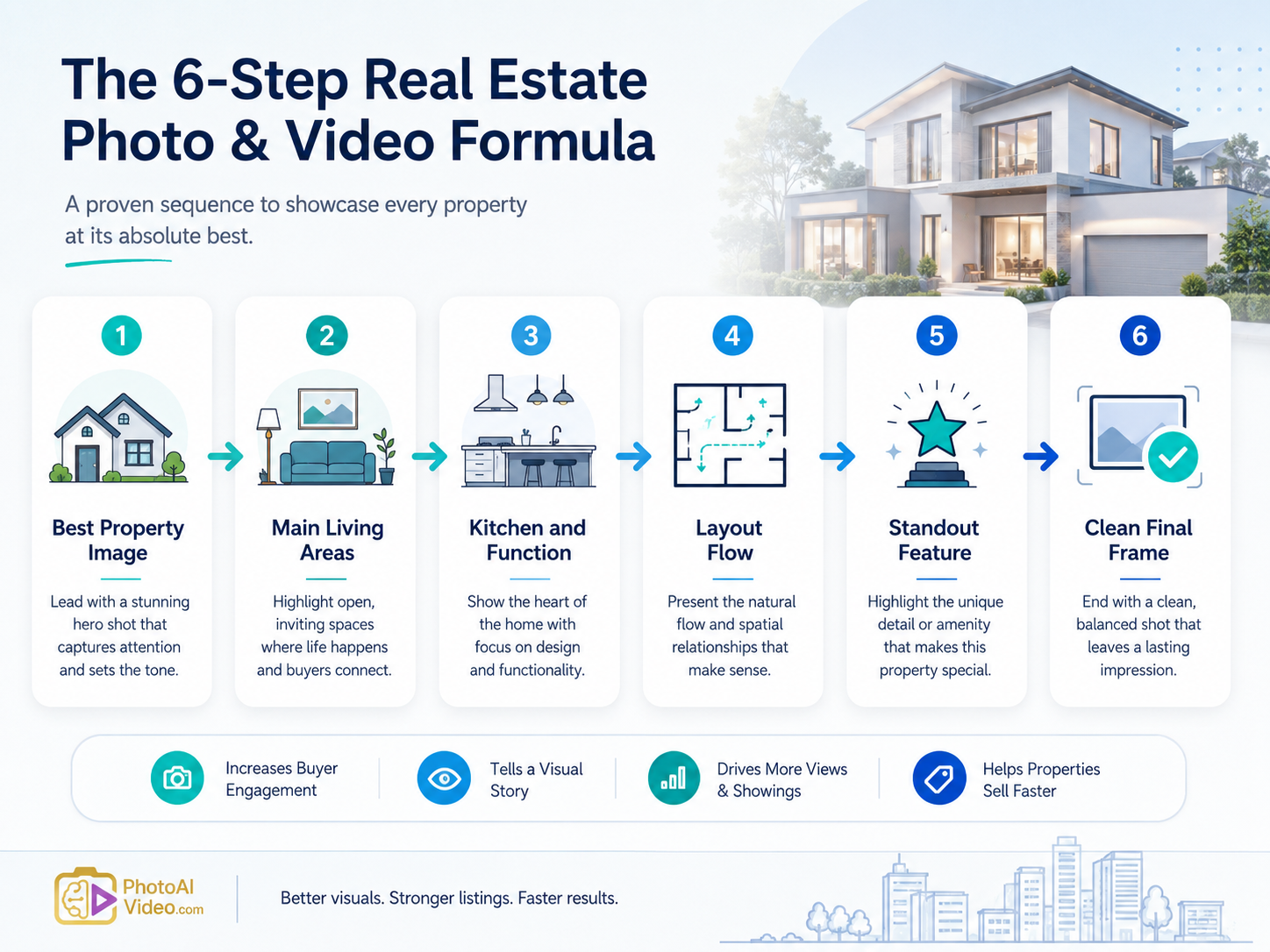
Start with the strongest image. Usually exterior, kitchen, view, backyard, or living room.
Show the buyer how the home feels day to day.
Help the buyer understand how the space works.
Show room order, floor plan, hallway connection, indoor-outdoor flow, or private suite placement.
Highlight the backyard, pool, view, garage, guest suite, updates, acreage, or location value.
End with the strongest property image or a simple neutral property frame.
That structure works because it replaces branding with buyer clarity.


Compact, ready to go anywhere
Interchangeable lens that’s upgradeable
Dual 1-inch sensors for improved clarity and low light performance
Dynamic range and 6K 360° capture
360° photo resolution at 21MP

8K 360° video recording for ultra-detailed visuals.
4K single-lens mode for traditional wide-angle shots.
Invisible selfie stick effect for drone-like perspectives.
2.5-inch touchscreen with Gorilla Glass protection.
Waterproof up to 33ft for underwater shooting.

360° photo resolution in 23MP
Slim design at 24 mm thick
Built-in image stabilization for smooth video capture.
Internal 19GB storage for photo and video storage.
Wireless connectivity for remote control and sharing.

60MP 360° still images for high-resolution photography.
5.7K 360° video recording at 30fps.
2.25-inch touchscreen for intuitive control.
USB Type-C port for fast charging and data transfer.
MicroSD card slot for expandable storage.
.png)

.png)

Try it free. No credit card required. Instant set-up.





.svg)


.svg)