


.png)


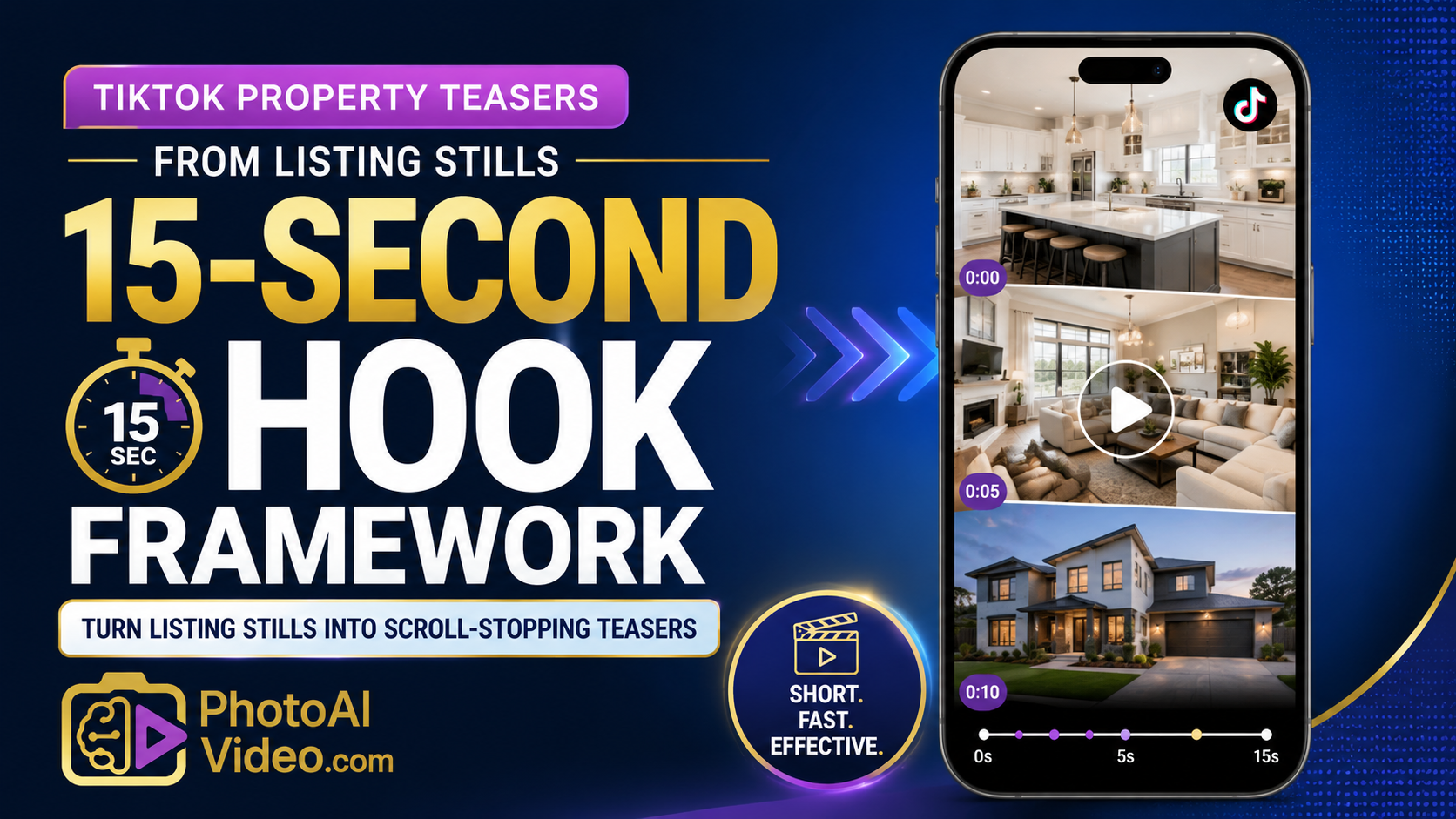
A TikTok property teaser does not need to show the whole house.
That is where many agents get it wrong.
They take 28 listing photos, turn all of them into one long video, add music, post it, and wonder why people swipe away before the primary bedroom appears.
TikTok does not reward completeness first.
It rewards attention first.
A good 15-second property teaser should do one job: make someone stop scrolling long enough to want the next step. That might be tapping the profile, saving the video, asking for the address, sending it to a spouse, or clicking through to see the full listing.
The trick is not cramming the entire listing into 15 seconds.
The trick is choosing the right hook, the right five photos, and the right ending.
This is where AI video helps, but only when it is used with a smart framework. The tool can create motion. The agent still needs to choose the angle.
TikTok property teasers from listing stills are short vertical videos made from existing real estate photos. Instead of filming a new walkthrough, the agent or photographer uses listing images and turns them into a fast, mobile-first video designed for TikTok and other short-form platforms.
A 15-second hook framework is a simple structure for deciding what happens in those 15 seconds.
The format looks like this:
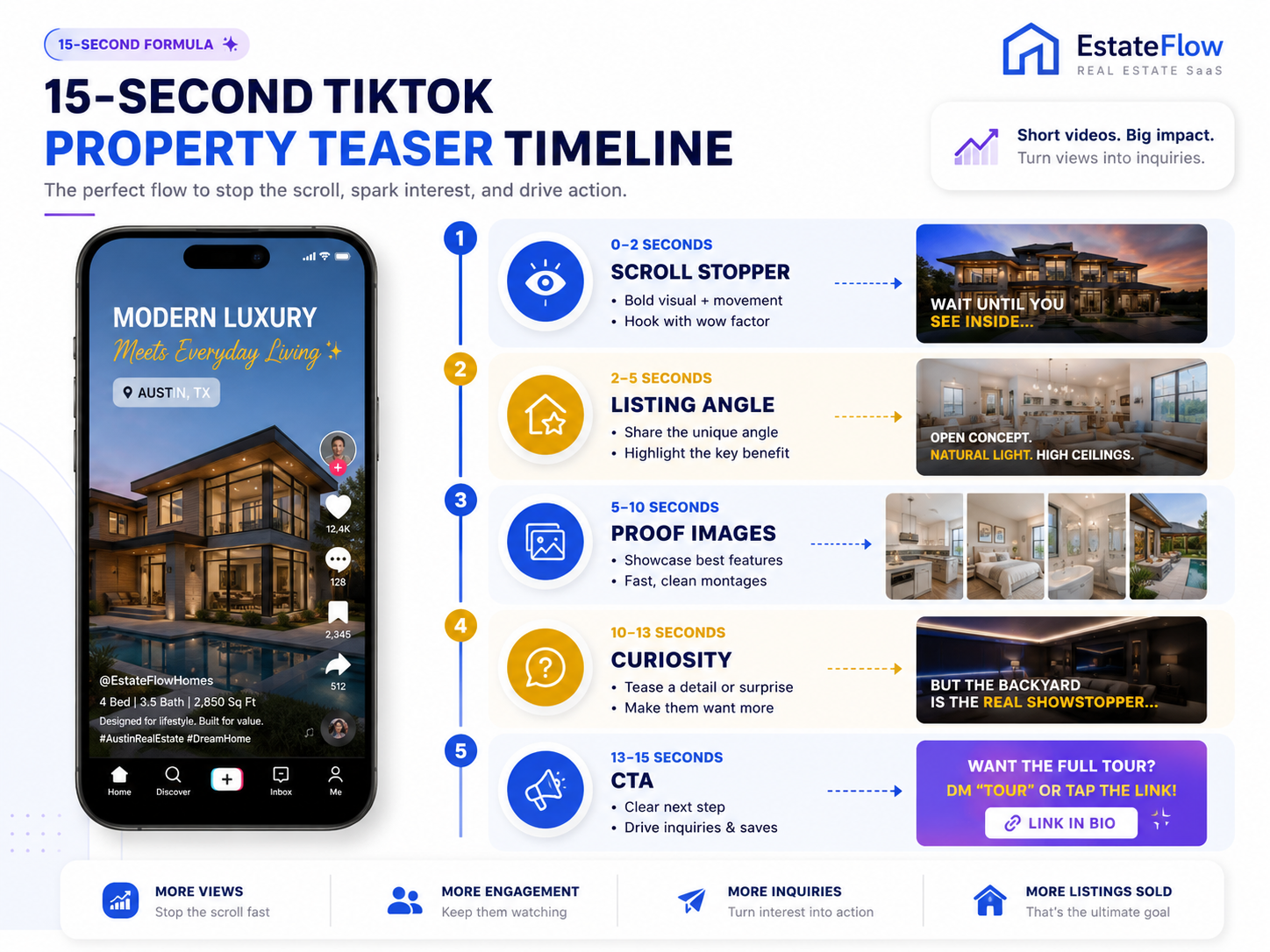
That is different from a traditional listing video.
A traditional listing video says, “Here is the whole property.”
A TikTok teaser says, “Here is the reason you should care.”
When agents look for the best AI real estate video generator for social media, they usually want a tool that can produce short-form videos quickly. But the winning workflow is not just about speed. It is about knowing which part of the listing deserves the first two seconds.
Real estate marketing is now split between discovery and decision-making.
The MLS, property websites, and portals help buyers evaluate details. TikTok, Instagram Reels, YouTube Shorts, and Facebook Reels help people discover listings, agents, neighborhoods, and property features before they are actively comparing every fact.
That means your TikTok teaser is not supposed to replace the listing page.
It is supposed to create the click, save, share, or message that leads someone there.
NAR’s digital marketing guidance for real estate professionals reinforces how important online presence has become for agents, and TikTok-style short video is one more layer of that presence. The agent who can turn every listing into multiple sharp short-form teasers has more chances to create visible marketing activity.
The business impact is practical:
This is why AI real estate marketing software for agents should not be judged only by whether it can create a video. It should be judged by whether it helps agents create usable listing content for different marketing moments.
The biggest mistake is treating TikTok like a smaller MLS video.
Here is how it usually happens.
The listing photos come back. The agent wants a TikTok. They upload the whole gallery into a video tool. The video starts with the front exterior, moves through the entry, shows the living room, kitchen, hallway, bedrooms, bathrooms, laundry room, backyard, and finally ends with a CTA.
By the time the best feature appears, the viewer is gone.
This actually happens all the time.
The home may be great. The photos may be professional. The video may technically look fine. But the structure is wrong for the platform.
TikTok viewers are not patiently waiting for the floor plan tour.
They are deciding, almost instantly, whether the next second is worth watching.
The second mistake is going too trendy. An agent uses a viral sound, adds too many animated stickers, throws in fast cuts, and the property starts to feel cheap. That might get attention, but it can hurt the listing if the style does not match the home.
The goal is not to make real estate look like random entertainment.
The goal is to make property marketing native to short-form video without losing trust.
PhotoAIVideo fits into this workflow because it helps real estate professionals turn existing listing photos into video assets without manually editing every TikTok teaser from scratch.
Instead of opening a complex editor, agents can use PhotoAIVideo to create motion-based property videos from the photos they already have. Then they can build specific short-form versions around one hook at a time.
For agents who need an AI app to turn property photos into videos, the advantage is speed. A listing gallery can become a full video, a TikTok teaser, a kitchen highlight, a backyard feature, an open house reminder, and a seller update.
For teams that want to create real estate videos from photos with AI, the better workflow is not “upload everything and hope.” It is:
Choose the hook.
Choose the five photos.
Generate the teaser.
Review the first two seconds.
Export the right version.
Post with a clear CTA.
PhotoAIVideo becomes the production layer. The agent still controls the strategy.
That balance matters.
Do not begin with the gallery.
Begin with the angle.
A 15-second TikTok teaser should usually focus on one of these hooks:
Examples:
“This backyard is the reason to tour this home.”
“This kitchen deserves its own video.”
“Still looking under [price point] in [area]?”
“Open house this weekend — here’s the 15-second preview.”
“Most buyers will miss this feature.”
The hook decides everything else.
If the hook is about the backyard, do not start with the powder room.
If the hook is about the kitchen, do not start with the exterior unless the exterior is truly the showpiece.
A 15-second TikTok teaser usually does not need 20 photos.
A simple rule: use five strong images.
That gives each image enough breathing room without making the video feel slow.
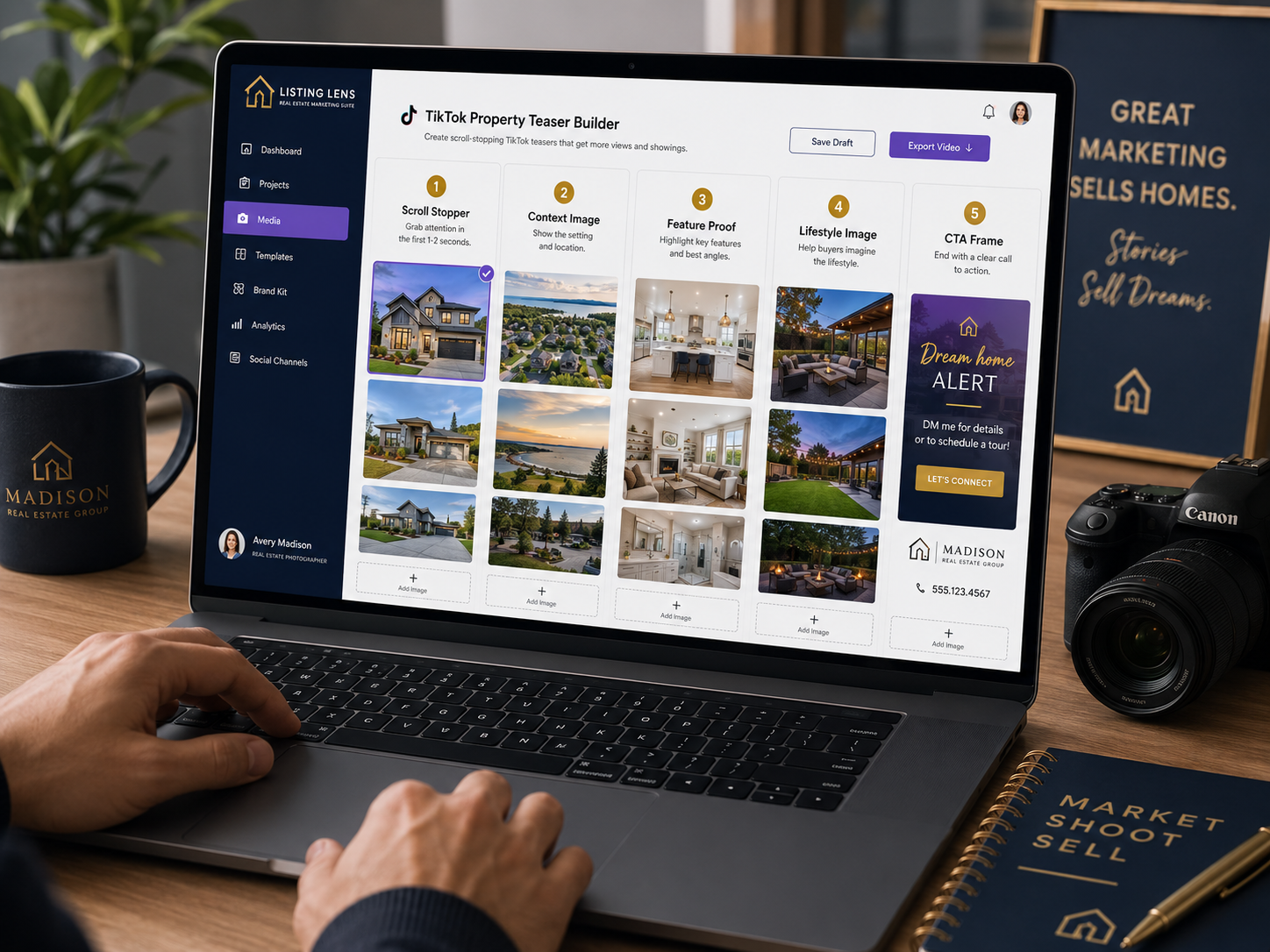
A five-photo teaser might look like this:
For a kitchen teaser:
For a backyard teaser:
For an open house teaser:
This is one of the simplest ways to improve the video.
Less content. Better sequence.
Here is the actual framework.
This is the most important part.
Use the best image first, not necessarily the first image in the listing folder.
Good first-frame options:
Overlay text should be short.
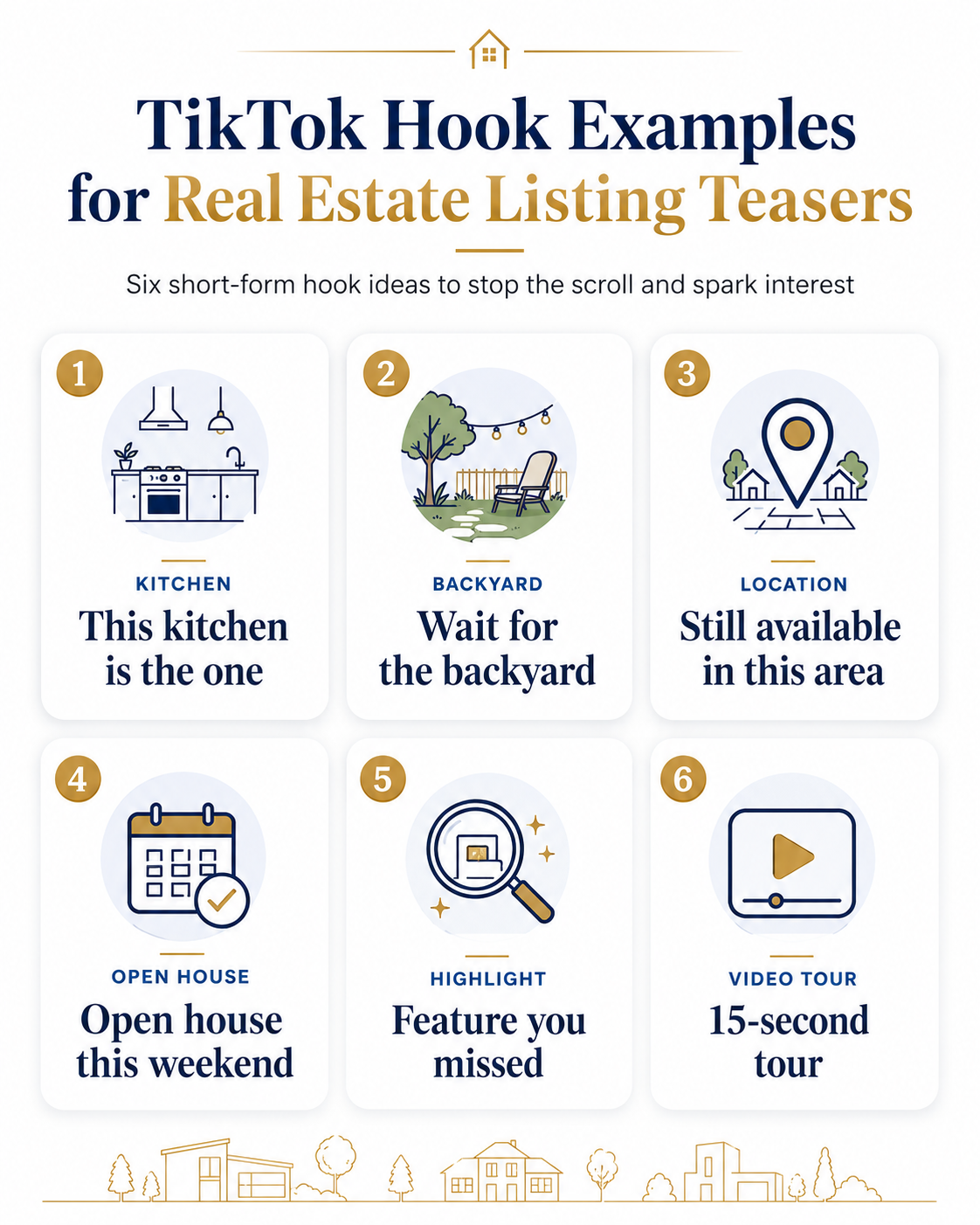
Examples:
“Wait for the backyard.”
“This kitchen is the one.”
“15-second tour.”
“Open house preview.”
“Still available in [Area].”
TikTok’s own creative best practices for business content emphasize the importance of native, attention-focused creative. Real estate does not have to become gimmicky, but it does need to get to the point quickly.
Now show the viewer what kind of property they are seeing.
This can include:
Examples:
“Move-in ready near [Area].”
“Built for weekend hosting.”
“Bright condo with city access.”
“Rental available this week.”
“Family layout with a backyard upgrade.”
This is where the viewer decides whether the video is relevant.
This is the middle of the teaser.
Use two or three images that support the hook.
If the hook is the kitchen, show the island, dining connection, and open living area.
If the hook is the backyard, show seating, landscaping, pool, patio, or privacy.
If the hook is price-point related, show the rooms that make the home feel like a good value.
Do not wander.
A 15-second teaser has no room for filler.
AI-generated motion can make still photos feel more alive.
But motion should support the story.
A slow push-in works well for a dramatic exterior. A gentle pan can work for a kitchen. A subtle zoom can work for a bedroom. Fast movement might work for a teaser, but too much can make a listing feel cheap.
This is where PhotoAIVideo’s real estate photo-to-video workflow helps. The tool can handle the production work, but the agent should still review whether the motion feels appropriate for the property.
Luxury homes usually need slower motion.
Rentals need clarity.
Open house reminders need speed.
Stale listing refreshes need a new angle.
The text overlay should sound like something a real person would say.
Avoid:
Those can work occasionally, but they are overused.
Better:
Specific beats generic.
Every time.
TikTok property teasers are usually branded because they are designed for social media. The agent wants recognition, leads, comments, follows, and messages.
A branded TikTok teaser may include:
But do not assume the same video should be used everywhere.
If the video may be repurposed for MLS-sensitive environments, create a separate clean version. A branded TikTok teaser is not the same thing as an MLS-safe property video.
For agents or teams that need an AI tool for making unbranded real estate videos, the safer move is to build separate exports from the beginning.
NAR’s Code of Ethics and Standards of Practice provides a broad professional foundation for truthful and accurate real estate communication. Local MLS rules should still be checked before uploading or syndicating videos that may include branding, contact information, URLs, or promotional calls to action.
A 15-second TikTok teaser does not need five calls to action.
Pick one.
Examples:
The CTA should match the video.
A kitchen teaser might ask viewers to save it.
An open house teaser should push the event.
A stale listing teaser might encourage a showing.
A rental teaser might push availability.
The wrong CTA can make a good video feel disconnected.
A full video gives context.
A TikTok teaser creates curiosity.
You need both.

That is where automated video marketing software for Realtors becomes useful. It helps agents create repeatable video assets from one media package instead of treating every video as a brand-new production.
A Realtor has a new listing going live Friday.
Instead of posting the full video first, the agent creates a 15-second TikTok teaser:
Hook: “This kitchen is the reason to tour this one.”
Photos:
CTA:
“DM me for the full listing.”
The video does not show every room. It sells the strongest angle first.
A real estate photographer wants to add a simple upsell.
The offer becomes:
“Five TikTok teasers from your listing photos.”
The package could include:
This is a strong use case for AI video software for real estate photographers because the photographer already has the listing media. The value is turning that media into content the agent can post immediately.
A brokerage wants every agent to post better short-form content, but it does not want every agent inventing a new style.
The brokerage creates a standard 15-second teaser framework:
Now agents get consistency without losing listing-specific customization.
A property manager has multiple rental units available.
Instead of long walkthroughs, the leasing team creates 15-second TikTok teasers:
For rentals, speed and clarity matter. A short teaser can help prospects decide whether to ask for the full tour.
A listing has been active for three weeks.
The original post is old. The full listing video has already been used.
The agent creates a new teaser:
“Feature you missed: the backyard.”
The video only uses backyard, patio, and exterior images. The CTA is simple:
“Still available — message me for a private showing.”
That is not reposting.
That is repositioning.
A 15-second teaser does not need every room.
Too many photos make the video feel rushed and forgettable.
Use five strong images instead.
Do not let the file order choose your opening.
The first frame should be selected based on attention.
A weak first frame can hurt the entire video, even if the rest of the listing is strong.
“Beautiful home” is not specific enough.
Tell people why this property deserves attention.
Use the kitchen, backyard, layout, location, price range, availability, or open house timing.
TikTok and other vertical platforms place interface elements on the screen. Keep important text away from the bottom and far right edge.

Put the most important property details in the center-safe area.
Audio should support the property, not overpower it.
A luxury listing may need a polished, slower feel. A rental may need a clear, upbeat pace. An open house reminder may need energy.
Choose audio based on the listing, not just the trend.
The teaser should lead somewhere.
That could be a property page, showing request, DM conversation, email reply, or open house visit.
Google’s video SEO best practices are written for search visibility, but the same principle applies here: video performs better when it has context, useful surrounding information, and a clear purpose.
TikTok can help buyers discover listings, but it can also help sellers judge your marketing.
When a seller sees multiple smart property teasers, they see activity.
That can support listing presentations, seller updates, and perceived agent value.


Compact, ready to go anywhere
Interchangeable lens that’s upgradeable
Dual 1-inch sensors for improved clarity and low light performance
Dynamic range and 6K 360° capture
360° photo resolution at 21MP

8K 360° video recording for ultra-detailed visuals.
4K single-lens mode for traditional wide-angle shots.
Invisible selfie stick effect for drone-like perspectives.
2.5-inch touchscreen with Gorilla Glass protection.
Waterproof up to 33ft for underwater shooting.

360° photo resolution in 23MP
Slim design at 24 mm thick
Built-in image stabilization for smooth video capture.
Internal 19GB storage for photo and video storage.
Wireless connectivity for remote control and sharing.

60MP 360° still images for high-resolution photography.
5.7K 360° video recording at 30fps.
2.25-inch touchscreen for intuitive control.
USB Type-C port for fast charging and data transfer.
MicroSD card slot for expandable storage.
.png)

.png)

Try it free. No credit card required. Instant set-up.






.svg)


.svg)