


.png)


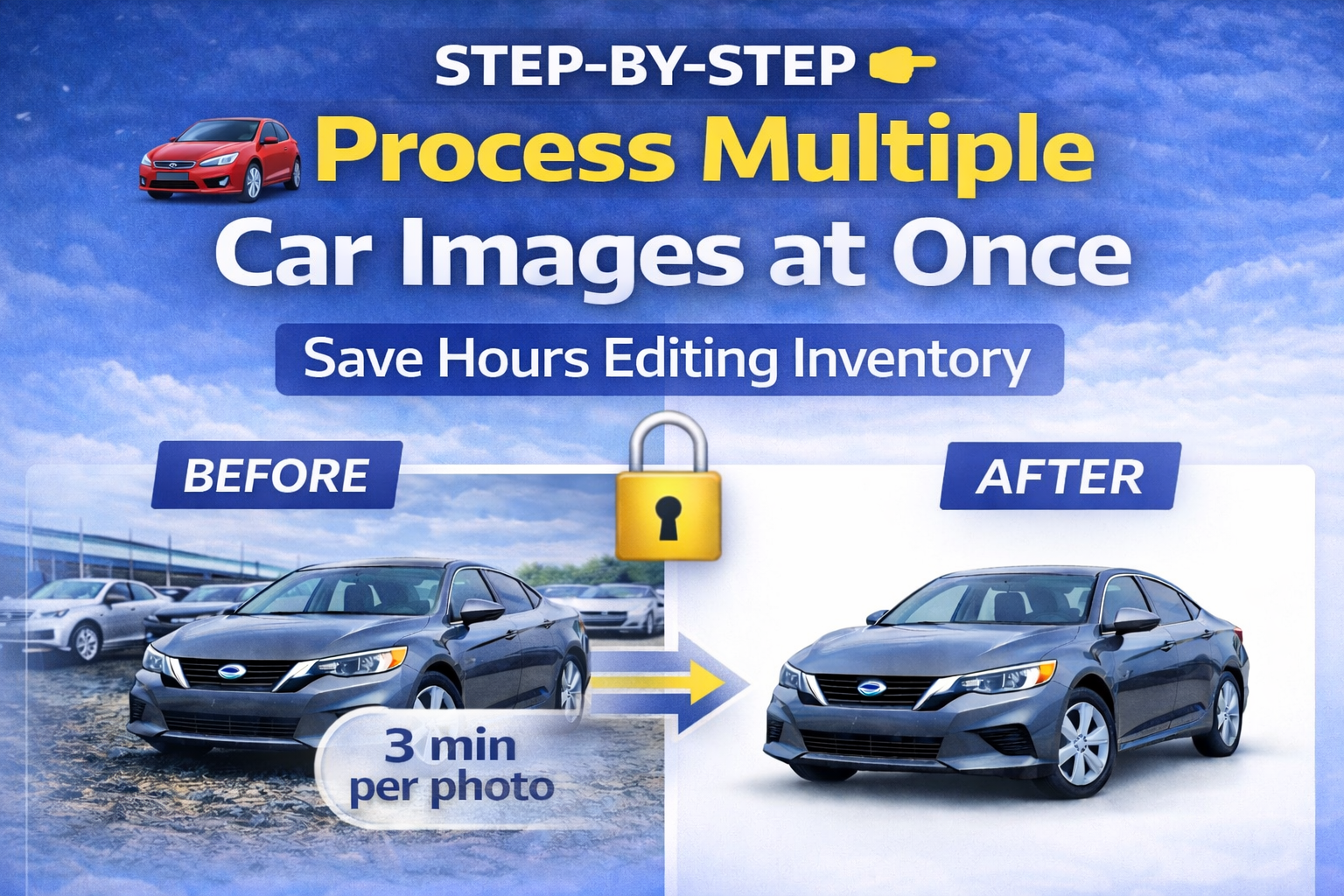
If you manage dealership inventory, you already know the challenge.
New vehicles arrive daily. Photos need to go live fast. Listings must look polished, consistent, and professional.
But manually editing each vehicle photo? That’s slow, repetitive, and expensive.
The solution is learning how to batch process car photos using AI-powered bulk editing tools.
In this guide, we’ll walk step-by-step through how dealerships and automotive resellers can process multiple car images at once — while maintaining studio-level quality and brand consistency.
This workflow is evergreen, scalable, and built for modern digital retail. 🚀
Before diving into the steps, let’s understand why bulk processing is so important.
Most dealerships face these issues:
• Inconsistent lot backgrounds
• Uneven lighting
• Shadow problems
• Manual Photoshop editing
• Slow inventory uploads
• Mixed visual quality
When processing 10, 20, or even 100+ vehicles per day, manual editing simply doesn’t scale.
Buyers shop online first. If your photos are delayed or poorly presented, you lose visibility and credibility.
That’s why learning how to batch process car photos efficiently is a competitive advantage.
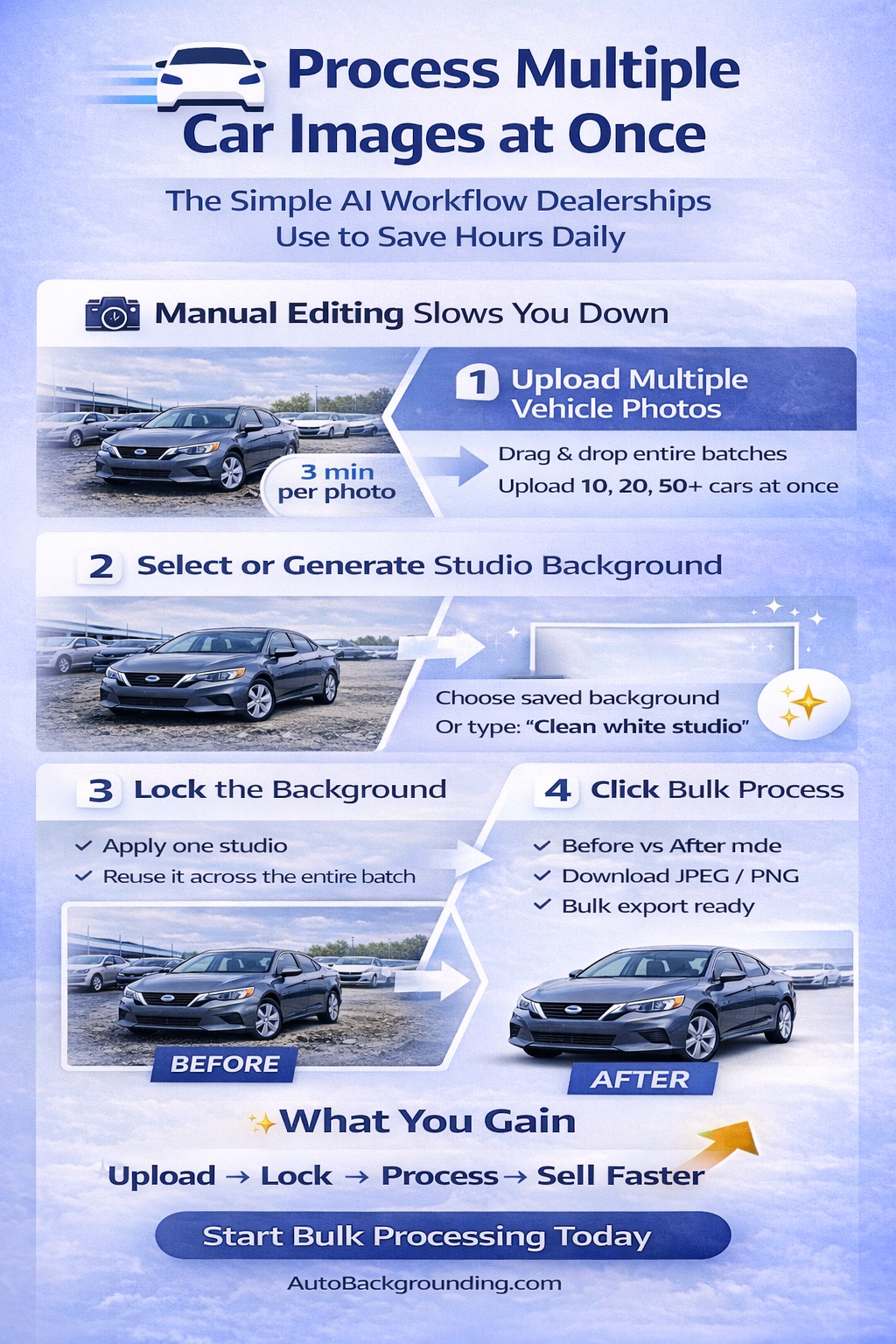
The first step is simple.
Instead of uploading one vehicle at a time, use a bulk uploader.
Modern AI automotive platforms allow you to:
• Select multiple vehicle images
• Drag and drop entire folders
• Upload complete batches
This instantly saves time.
Rather than repeating the process per vehicle, you centralize your workflow.
If your dealership photographs inventory daily, uploading in batches keeps operations smooth and organized.
Now comes the most important part: environment selection.
Instead of keeping cluttered lot backgrounds, you can:
• Choose a saved dealership background
• Select a white infinity wall
• Apply a turntable studio look
• Use a branded showroom backdrop
With AI tools, you can even generate a background by typing a prompt like:
“Clean white studio background with soft shadows.”
The AI automatically creates a proportional environment that fits your vehicle.
Once selected, this background becomes the reference for the entire batch.
This is where consistency begins.
Here’s the game-changer.
Background locking allows you to:
• Lock one selected studio background
• Apply it to every uploaded vehicle
• Process everything simultaneously
Instead of re-prompting or selecting a background for each car, the system uses the same environment for the entire batch.
This ensures:
• Identical lighting feel
• Matching shadow depth
• Unified branding
• Consistent presentation
When dealerships talk about scale, this is the feature that makes it possible.
Learning to batch process car photos with background locking dramatically increases efficiency.
Now the automation kicks in.
With one click, the AI:
• Detects the vehicle
• Cuts it out perfectly
• Removes the existing background
• Applies the locked studio
• Adjusts perspective
• Generates realistic shadows
• Enhances lighting
• Outputs high-resolution images
Instead of editing image by image, the entire set processes at once.
What used to take hours now takes minutes.
Quality control matters.
Modern platforms offer:
• Before vs After compare mode
• Single final output view
This allows you to quickly verify:
• Clean vehicle cutouts
• Proper alignment
• Natural shadow rendering
• Consistent results
Even when processing 50+ vehicles, review remains fast and efficient.
Automation doesn’t eliminate oversight — it simplifies it.
Once processing is complete, you can download:
• JPEG files
• PNG files
• Bulk ZIP packages
All images are ready for:
• Website uploads
• Inventory management systems
• Third-party listing platforms
• CRM integrations
Instead of exporting one at a time, everything downloads together.
This completes the bulk workflow.
Upload → Select → Lock → Process → Download.
That’s how you batch process car photos efficiently.
One of the most powerful upgrades in AI bulk editing is studio generation.
You no longer need:
• Lighting rigs
• Turntables
• Backdrop walls
• Controlled studio spaces
Simply type your desired environment.
The AI:
• Generates a proportional studio
• Corrects angles
• Adjusts lighting
• Enhances presentation
This makes every vehicle look professionally staged — without expensive infrastructure.
Processing multiple car images at once isn’t just about speed.
It’s about branding.
When every vehicle appears:
• In the same environment
• With consistent lighting
• With professional presentation
Buyers perceive your dealership as:
• Organized
• Trustworthy
• High quality
Consistency builds subconscious trust.
Trust increases:
• Click-through rates
• Time on page
• Lead submissions
• Closing rates
Better presentation → Higher perceived value → Faster sales.
Dealer groups face an additional challenge.
Without centralized editing standards, each location may:
• Use different backgrounds
• Present vehicles differently
• Create inconsistent branding
Bulk processing with locked backgrounds ensures:
• Unified visual standards
• Shared presets
• Corporate brand alignment
• Centralized marketing control
For high-volume dealer groups, this is essential.
Let’s look at a simple example.
If manual editing takes 3 minutes per image and each vehicle has 20 photos:
That’s 60 minutes per car.
Multiply by 30 cars per day.
That’s 30 hours of editing.
Bulk AI processing compresses that dramatically.
With automation, you can process entire sets in minutes rather than hours.
That operational efficiency frees your team to focus on sales and marketing instead of repetitive editing.
Traditional editing involves:
• Labor costs
• Outsourcing fees
• Software licenses
• Studio investments
AI bulk editing platforms often start at affordable monthly pricing, with free credits to test the system.
Bulk tiers unlock discounted processing credits — making high-volume workflows cost-effective.
For dealerships handling daily inventory turnover, the ROI becomes clear quickly.
The digital automotive marketplace is not slowing down.
Consumers increasingly expect:
• Clean visuals
• Fast listing updates
• Professional presentation
Learning how to batch process car photos isn’t just a short-term tactic.
It’s a long-term operational strategy.
As inventory volume grows and competition increases, bulk automation remains essential.
When starting bulk processing, avoid:
• Changing backgrounds mid-batch
• Ignoring quality checks
• Using inconsistent prompt language
• Skipping shadow adjustments
Set your studio once. Lock it. Reuse it.
Consistency wins.
Processing multiple car images at once is no longer a luxury.
It’s a requirement for competitive dealerships.
By using AI-powered bulk editing tools, you can:
• Upload entire vehicle batches
• Lock a studio background
• Process all images instantly
• Download and publish immediately
That’s how modern dealerships scale efficiently.
The workflow is simple:
Upload → Generate Studio → Lock Background → Bulk Process → Download → Publish.
When you master how to batch process car photos, you transform your inventory workflow from manual and slow to automated and scalable.
And in today’s market, speed and consistency drive revenue. 🚀


Compact, ready to go anywhere
Interchangeable lens that’s upgradeable
Dual 1-inch sensors for improved clarity and low light performance
Dynamic range and 6K 360° capture
360° photo resolution at 21MP

8K 360° video recording for ultra-detailed visuals.
4K single-lens mode for traditional wide-angle shots.
Invisible selfie stick effect for drone-like perspectives.
2.5-inch touchscreen with Gorilla Glass protection.
Waterproof up to 33ft for underwater shooting.

360° photo resolution in 23MP
Slim design at 24 mm thick
Built-in image stabilization for smooth video capture.
Internal 19GB storage for photo and video storage.
Wireless connectivity for remote control and sharing.

60MP 360° still images for high-resolution photography.
5.7K 360° video recording at 30fps.
2.25-inch touchscreen for intuitive control.
USB Type-C port for fast charging and data transfer.
MicroSD card slot for expandable storage.
.png)

.png)

Try it free. No credit card required. Instant set-up.







.svg)


.svg)