


.png)


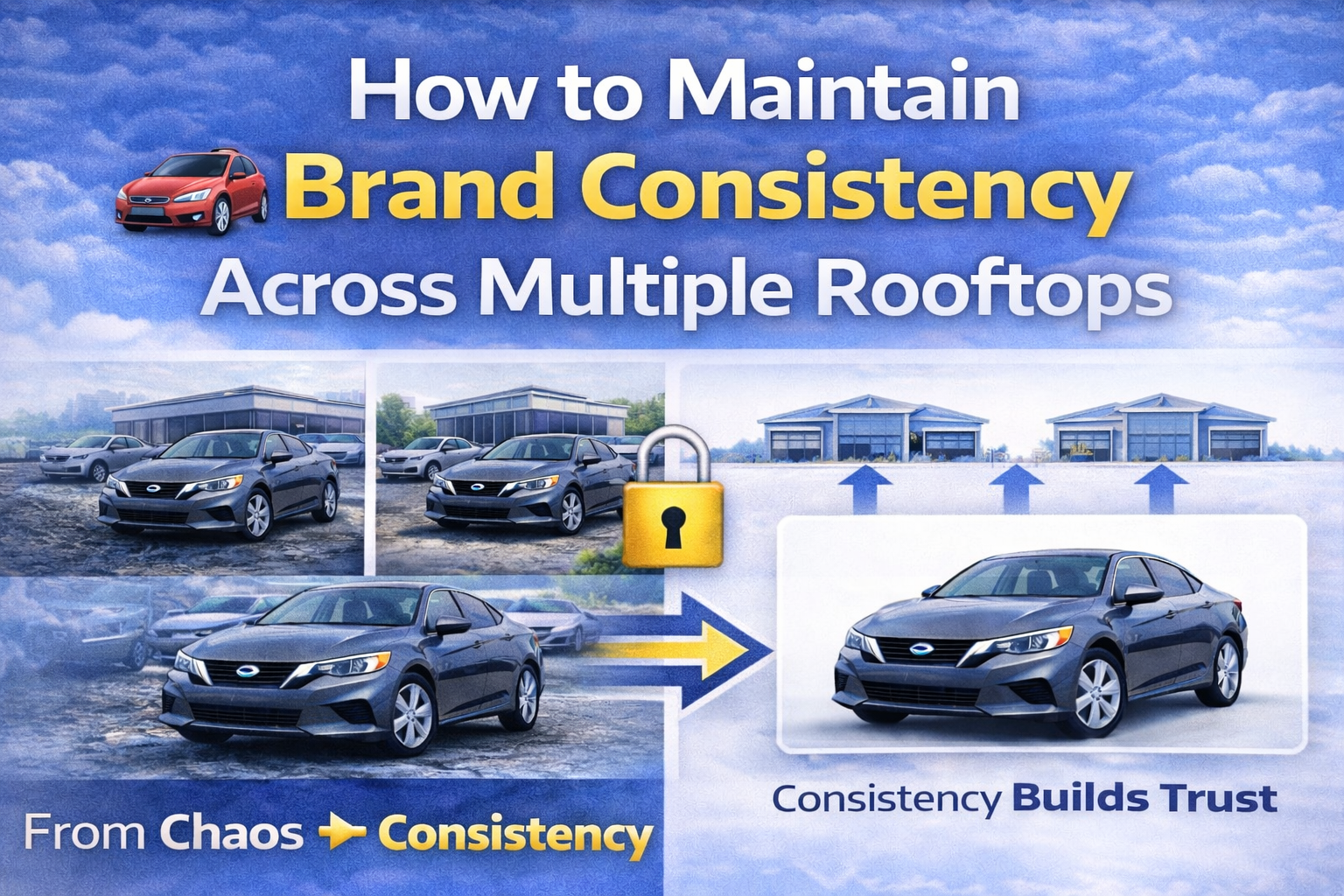
In today’s digital automotive marketplace, brand consistency isn’t optional — it’s strategic.
If your dealership group operates multiple rooftops, locations, or franchises, your online presentation must look unified. Whether a shopper visits Location A or Location B, the experience should feel cohesive.
That’s where dealership brand consistency photos become critical.
When every vehicle listing looks aligned — same lighting, same background style, same visual polish — it builds trust, authority, and professionalism.
In this guide, we’ll break down exactly how to maintain brand consistency across multiple rooftops using scalable, AI-powered workflows that are evergreen and future-proof. 🚀
Car buyers today shop online before ever stepping onto a lot.
They compare:
• Vehicle pricing
• Inventory availability
• Dealership reputation
• Visual presentation
If one location uses clean studio images while another uses cluttered lot photos, the inconsistency weakens your brand perception.
Consistency signals:
• Professionalism
• Organization
• Corporate alignment
• Attention to detail
Inconsistent imagery signals the opposite.
This is why mastering dealership brand consistency photos is essential for dealer groups.
Without centralized image management, each location may:
• Photograph vehicles differently
• Use inconsistent lighting
• Choose different backgrounds
• Apply different editing styles
Even small differences create brand fragmentation.
Across 3, 5, or 20 rooftops, inconsistency multiplies quickly.
The solution isn’t just better photography — it’s standardized workflow automation.
Before technology, define your standard.
Ask:
• What background should all vehicles use?
• Should it be a white infinity wall?
• A branded showroom backdrop?
• A consistent dealership environment?
Choose one core studio style.
This becomes your visual rulebook.
Consistency = brand polish.
Modern AI editing tools now include a “Recent” or saved background feature.
When you generate a studio background like:
“Clean white studio background with soft shadows”
It can be saved automatically.
Now every rooftop can:
• Click “Recent”
• Select the same saved background
• Apply it instantly
No re-uploading.
No re-prompting.
No guesswork.
This single feature eliminates visual drift between rooftops.
The real power for multi-location dealer groups lies in background locking.
Background locking allows you to:
• Select one studio environment
• Lock it as the reference
• Apply it to dozens of vehicles at once
Each rooftop can upload inventory daily and use the exact same locked background.
This ensures:
• Identical lighting tone
• Matching shadows
• Unified vehicle placement
• Standardized image presentation
When managing dealership brand consistency photos, this is the scalability breakthrough.
Outdoor photography creates unavoidable inconsistency:
• Weather changes
• Time-of-day lighting shifts
• Seasonal differences
• Construction zones
• Neighboring vehicles
AI-powered studio generation solves this permanently.
Instead of relying on physical environments, simply type:
“Minimal white dealership studio with soft shadows.”
The AI:
• Cuts out the vehicle
• Generates proportional studio lighting
• Adjusts perspective
• Creates realistic shadows
• Outputs high-resolution images
Now every rooftop operates in the same “virtual studio.”
No matter where the vehicle is photographed, the final presentation is identical.
Brand consistency requires oversight.
Modern platforms include:
• Before vs After compare view
• Final output single view mode
This allows:
• Marketing managers to review images
• Corporate teams to audit consistency
• Resellers to verify quality
Even when processing 100+ vehicles daily across rooftops, review remains streamlined.
Automation doesn’t remove control — it enhances it.
Once processed, images should be downloaded in consistent formats:
• JPEG for web listings
• PNG for higher resolution needs
• Bulk downloads for CRM upload
When each rooftop uses the same export settings, listings appear uniform across:
• Dealer websites
• Inventory management platforms
• Third-party marketplaces
Uniform output reinforces brand authority.

Brand consistency isn’t just aesthetic.
It directly impacts:
• Click-through rates
• Time on page
• Lead submissions
• Perceived vehicle value
If one rooftop looks more professional than another, customers gravitate toward the polished location.
Consistency ensures every rooftop competes equally.
Better presentation → Higher perceived value → Faster sales.
Solution: Use AI editing to standardize final output regardless of shooting conditions.
Solution: AI corrects lighting, perspective, and shadows automatically.
Solution: Bulk processing eliminates manual editing variation.
Solution: Process entire batches simultaneously with locked backgrounds.
Automation bridges operational differences between locations.
For dealership groups managing:
• 3 rooftops
• 5 rooftops
• 10+ locations
Centralized AI editing provides:
• Shared background presets
• Brand-wide studio standards
• Reduced editing labor
• Faster listing updates
Corporate marketing teams can set the standard once and enforce it everywhere.
That’s operational leverage.
Consumer expectations continue to rise.
Buyers expect:
• Clean, professional images
• Uniform presentation
• Fast inventory updates
AI-powered consistency workflows will remain relevant because:
• Inventory turnover isn’t slowing
• Digital competition is increasing
• Brand perception still drives trust
Dealership brand consistency photos are not a short-term trend.
They’re foundational to digital retail success.
Avoid these pitfalls when scaling across rooftops:
• Allowing each location to choose its own background
• Skipping background locking
• Changing studio styles seasonally without strategy
• Ignoring quality control review
Standardization must be deliberate.
Corporate sets the standard:
“Clean white infinity wall studio.”
Each rooftop:
Result:
• Identical presentation across all locations
• Faster time-to-market
• Stronger brand identity
When customers compare dealerships online, they judge in seconds.
A unified visual presence signals:
• Stability
• Professional management
• Corporate strength
• Attention to detail
Inconsistent presentation signals fragmentation.
Strong brand alignment increases buyer confidence.
Confidence increases sales velocity.
Maintaining brand consistency across multiple rooftops doesn’t require expensive studios or large editing teams.
It requires:
• Clear visual standards
• Saved background presets
• Background locking
• Bulk processing
• Centralized oversight
When you standardize dealership brand consistency photos, you:
• Strengthen your corporate identity
• Increase buyer trust
• Improve engagement
• Reduce editing costs
• Accelerate inventory publishing
In a digital-first automotive market, consistency isn’t cosmetic.
It’s strategic.
And the dealerships that master scalable visual workflows across rooftops will dominate online presentation — and sales. 🚗✨


Compact, ready to go anywhere
Interchangeable lens that’s upgradeable
Dual 1-inch sensors for improved clarity and low light performance
Dynamic range and 6K 360° capture
360° photo resolution at 21MP

8K 360° video recording for ultra-detailed visuals.
4K single-lens mode for traditional wide-angle shots.
Invisible selfie stick effect for drone-like perspectives.
2.5-inch touchscreen with Gorilla Glass protection.
Waterproof up to 33ft for underwater shooting.

360° photo resolution in 23MP
Slim design at 24 mm thick
Built-in image stabilization for smooth video capture.
Internal 19GB storage for photo and video storage.
Wireless connectivity for remote control and sharing.

60MP 360° still images for high-resolution photography.
5.7K 360° video recording at 30fps.
2.25-inch touchscreen for intuitive control.
USB Type-C port for fast charging and data transfer.
MicroSD card slot for expandable storage.
.png)

.png)

Try it free. No credit card required. Instant set-up.






.svg)


.svg)