


.png)


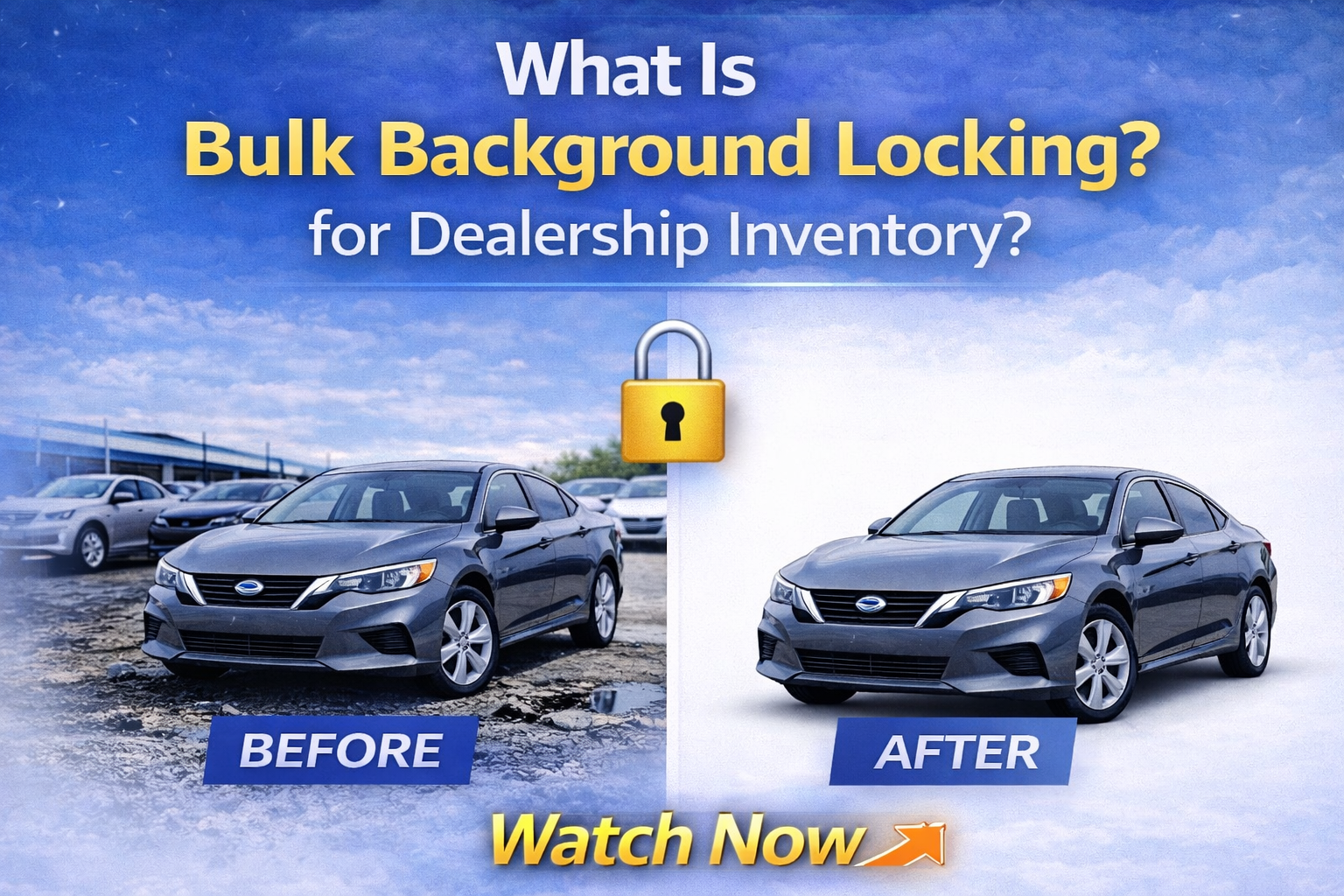
In today’s digital-first automotive market, presentation drives perception — and perception drives profit.
When shoppers browse dealership inventory online, they are not just comparing prices. They are comparing visual quality, brand professionalism, and consistency.
That’s where background locking car photos becomes a powerful competitive advantage.
Bulk background locking is one of the most important innovations in AI-powered dealership photo editing. It allows dealers to process dozens — even hundreds — of vehicles per day while maintaining perfect visual consistency.
In this guide, we’ll break down exactly what bulk background locking is, how it works, why it matters, and how dealerships can use it to scale inventory faster and more efficiently. 🚀
Most dealerships still photograph vehicles on outdoor lots.
That creates:
• Uneven lighting
• Distracting backgrounds
• Different weather conditions
• Inconsistent shadows
• Visual clutter
Even if vehicles are professionally shot, no two days look the same.
When inventory images vary wildly, the dealership brand looks inconsistent.
And inconsistency reduces buyer trust.
Buyers subconsciously associate clean, uniform presentation with professionalism.
This is why bulk background locking has become such an important feature in modern AI editing tools.
Bulk background locking is an AI-powered feature that allows dealerships to:
• Select one studio or branded background
• “Lock” it as the reference environment
• Apply it automatically to multiple vehicle photos at once
Instead of editing each vehicle individually or re-prompting the AI for every image, the same background is reused across an entire batch.
That means:
• Identical studio look
• Consistent lighting feel
• Uniform shadow positioning
• Scalable processing
When dealerships talk about background locking car photos, they’re referring to the ability to set a visual standard once — and apply it across all inventory automatically.
Here’s how bulk background locking typically works inside an AI automotive editing platform:
1️⃣ Upload multiple vehicle photos
2️⃣ Choose or generate a studio background
3️⃣ Lock that background
4️⃣ Click bulk process
5️⃣ Download all finished images
Every vehicle is cut out perfectly and placed into the same studio environment.
No manual adjustments.
No repeated prompts.
No inconsistent results.
It’s automation built for scale.
When every vehicle on your website appears in the same clean studio environment, it signals:
• Professionalism
• Organization
• Brand identity
• Attention to detail
Whether a shopper views 3 cars or 30, the experience feels cohesive.
That cohesion builds trust.
Dealerships that process:
• 10 cars per day
• 20 cars per day
• 100+ cars per day
Cannot afford to edit manually.
Without background locking, teams would have to:
• Re-upload backgrounds
• Re-enter prompts
• Adjust settings per vehicle
Bulk locking eliminates repetition.
The system applies the same environment instantly to every vehicle in the batch.
This dramatically reduces processing time.
Manual editing often leads to:
• Slight background variations
• Shadow inconsistencies
• Angle mismatches
• Cropping differences
With AI-driven background locking car photos workflows, every vehicle follows the same standardized visual rule.
Automation removes inconsistency caused by fatigue or oversight.

One powerful complement to background locking is the “Recent” tab feature in modern AI platforms.
When a dealership generates a background — such as:
“Clean white infinity wall with soft shadows”
That background gets saved automatically.
Instead of recreating it every time, users can:
• Click “Recent”
• Select the saved studio
• Lock it again for a new batch
This creates a reusable visual template.
Dealer groups managing multiple rooftops can ensure that all locations follow the same background standard.
You don’t even need to upload your own background anymore.
Modern AI platforms allow you to type a prompt like:
“Minimalist white dealership studio with soft shadow.”
The AI then:
• Cuts out the vehicle
• Generates a proportional studio
• Adjusts lighting
• Aligns perspective
• Adds realistic shadows
Once generated, that studio can be locked and reused for bulk editing.
This eliminates the need for:
• Physical photography studios
• Lighting rigs
• Turntables
• Background screens
The result? Professional staging without physical overhead.
Let’s compare.
Traditional workflow:
• Photograph vehicle
• Open editing software
• Remove background manually
• Replace environment
• Adjust shadows
• Export
• Repeat
Bulk locking workflow:
• Upload vehicles
• Select background
• Lock it
• Process all
Time saved multiplies quickly.
For dealerships processing 50+ cars daily, the labor savings alone justify adoption.
Faster image processing means:
• Faster website uploads
• Faster listing syndication
• Faster online visibility
In competitive markets, speed-to-market impacts sales velocity.
If your inventory goes live before competitors — and looks better — you gain advantage.
Clean studio photos increase:
• Click-through rates
• Time on page
• Lead submissions
Better visuals → More engagement → Faster sales.
Dealer groups face a unique challenge:
Maintaining brand consistency across locations.
Without centralized editing standards, each rooftop might:
• Use different backgrounds
• Shoot under different lighting
• Present vehicles differently
Bulk background locking ensures:
• Standardized visuals
• Unified brand presence
• Centralized control
Corporate marketing teams can enforce visual consistency across every dealership.
Modern platforms also include:
• Before vs After compare mode
• Final output single view
This helps teams quickly verify:
• Cutout precision
• Shadow realism
• Alignment
Even with high-volume processing, quality remains high.
After processing, dealerships can download:
• JPEG files
• PNG files
• Bulk zip files
Images are ready for:
• CRM uploads
• Website listings
• Marketplace feeds
No additional formatting needed.
Upload → Lock → Process → Download → Publish.
Yes.
Consumer expectations for online shopping will continue to rise.
Buyers expect:
• High-quality images
• Clean presentation
• Brand consistency
Bulk background locking supports:
• Scalability
• Automation
• Standardization
As dealerships expand and inventory grows, locked backgrounds make visual management sustainable.
AI automotive editing tools often start at affordable monthly pricing.
Bulk tiers unlock discounted credit pricing — making high-volume processing cost-effective.
Compared to:
• Hiring additional editors
• Outsourcing photo retouching
• Investing in studio builds
Background locking car photos workflows provide significant ROI.
Imagine a dealership receiving 40 vehicles in a single day.
Without background locking:
• Each vehicle must be edited individually
• Backgrounds may vary
• Processing time increases
With background locking:
• One studio selected
• Locked once
• 40 vehicles processed simultaneously
The result:
• Consistent presentation
• Faster uploads
• Reduced labor hours
Bulk background locking is not just a convenience feature.
It is a scalability tool.
It allows dealerships to:
• Standardize brand visuals
• Process high volumes efficiently
• Reduce editing time
• Eliminate inconsistency
• Improve buyer perception
• Increase sales velocity
In a market where digital presentation drives purchasing behavior, automation becomes essential.
The future of dealership marketing is not just about better photos.
It’s about smarter workflows.
And background locking car photos is one of the most powerful workflow upgrades available today. 🚀


Compact, ready to go anywhere
Interchangeable lens that’s upgradeable
Dual 1-inch sensors for improved clarity and low light performance
Dynamic range and 6K 360° capture
360° photo resolution at 21MP

8K 360° video recording for ultra-detailed visuals.
4K single-lens mode for traditional wide-angle shots.
Invisible selfie stick effect for drone-like perspectives.
2.5-inch touchscreen with Gorilla Glass protection.
Waterproof up to 33ft for underwater shooting.

360° photo resolution in 23MP
Slim design at 24 mm thick
Built-in image stabilization for smooth video capture.
Internal 19GB storage for photo and video storage.
Wireless connectivity for remote control and sharing.

60MP 360° still images for high-resolution photography.
5.7K 360° video recording at 30fps.
2.25-inch touchscreen for intuitive control.
USB Type-C port for fast charging and data transfer.
MicroSD card slot for expandable storage.
.png)

.png)

Try it free. No credit card required. Instant set-up.






.svg)


.svg)