


.png)


Most real estate videos do not fail because the house looks bad.
They fail because the video has no job.
An agent posts a beautiful kitchen, a drone shot, a living room pan, and a “DM me for details” caption. The video gets a few likes from other agents, maybe a seller comment, then disappears into the feed.
The problem is not effort.
The problem is structure.
Short-form video works best when each clip is built around one clear action: save, share, click, reply, request a showing, ask for the address, or remember the agent. A listing Reel designed for saves should not be built the same way as an open house teaser. A buyer education Short should not feel like a luxury montage. A photographer upsell clip should not be edited like a listing walkthrough.
That is where formulas help.
The right short-form real estate video formula gives your content a purpose before you create it. And with PhotoAIVideo, agents, photographers, brokerages, and property managers can turn listing photos into repeatable short-form video assets without rebuilding every clip from scratch.
If you want to create real estate videos from photos with AI, the real win is not simply making one video faster. The win is creating multiple video types from the same property media, each with a different marketing job.
Short-form real estate video formulas are repeatable structures for creating short videos that match how buyers, sellers, renters, and homeowners actually behave on social media.
A formula defines:
The hook.
The visual order.
The caption style
The length.
The call to action.
The platform fit.
The viewer action you want.
For example, a “save this floor plan” video is built differently from a “just listed luxury home” video. One is designed for usefulness. The other is designed for attention and interest. Both can work, but they need different pacing.
For Realtors, this means short-form video should not be random.
For photographers, it means video add-ons can become a system instead of a one-off edit.
For brokerages, it means every agent can follow repeatable content frameworks.
For property managers, it means units, amenities, neighborhoods, and leasing updates can become simple video campaigns.
PhotoAIVideo is useful because it gives real estate professionals a faster way to turn still images into motion-based content. When paired with formulas, AI real estate video creation becomes a workflow for producing Reels, Shorts, listing teasers, seller updates, and buyer education clips from the same photo set.
Short-form video is not just a social media trend for agents who like being on camera.
It is a listing exposure tool, a seller confidence tool, and a lead generation tool.
Buyers are already scrolling. Sellers are already judging whether agents know how to market. Property managers are already competing against listings that look more polished. Brokerages are already trying to help agents create more consistent content.
Video helps because it compresses the decision-making process.
A buyer can decide in 10 seconds whether a kitchen feels right.
A seller can decide in 15 seconds whether an agent understands modern marketing.
A renter can decide in 20 seconds whether a property feels worth touring.
And a homeowner can decide, quietly, “That agent knows how to market homes in my area.”
NAR has long emphasized the importance of strong online listing presentation, because buyers evaluate homes visually before making the next move. That same principle applies to short-form video, especially when the asset is designed around what a viewer needs to understand quickly through NAR’s guidance on online listing presentation.
But here is the practical truth:
A pretty video is not always a useful video.
A useful short-form video gives the viewer a reason to save, share, ask, click, or book.
That is why agents need more than an editing tool. They need a content system. PhotoAIVideo can support that system by helping agents produce motion-based real estate videos from existing listing photos through AI-powered photo-to-video software for real estate.
Most agents create one video per listing and expect it to do everything.
That one video is supposed to:
Show the home.
Impress the seller.
Attract buyers.
Work on Instagram.
Work on Facebook.
Work on YouTube Shorts.
Support open houses.
Help with email follow-up.
Stay appropriate for MLS-safe workflows.
Generate leads.
That is too much pressure for one file.
This actually happens all the time: an agent gets 30 listing photos, creates one 45-second video, posts it once, and then moves on. The best photo in the gallery may have been the kitchen. The most shareable feature may have been the backyard. The most save-worthy asset may have been the floor plan. The strongest seller-facing angle may have been the marketing plan itself.
But everything gets flattened into one “just listed” post.
A better approach is to create a short-form video set.
One listing can become:
A save-worthy layout video.
A shareable “who do you know looking for this?” video.
A showing request teaser.
A neighborhood lifestyle clip.
A seller proof-of-marketing video.
A price-positioning update.
An open house reminder.
A post-showing follow-up clip.
This is where automated video marketing software for Realtors becomes useful. The goal is not to replace strategy. The goal is to remove the production bottleneck so agents can create the right video for the right moment.
PhotoAIVideo helps real estate professionals turn property photos into short-form video content without needing a full video shoot or manual editing process for every asset.
But the tool works best when you give it a clear job.
Instead of uploading photos and asking, “Can this make a video?” ask:
What action do I want from this video?
Do I want saves?
Shares?
Showing requests?
Seller trust?
Buyer questions?
Open house attendance?
Email replies?
Neighborhood authority?
Once you know the action, you can choose the formula.
PhotoAIVideo fits into this workflow by helping you turn one photo gallery into multiple video angles. You can take the same listing and create a social Reel, a seller update, a buyer teaser, and a follow-up clip from the same media set.

That matters because agents do not need more random content.
They need reusable video frameworks.
For teams that want the best AI video software for real estate agents, the deciding factor should not only be whether the software can generate a nice-looking video. It should be whether the workflow helps agents create usable marketing assets quickly and repeatedly.
With PhotoAIVideo.com, the listing photo set becomes the starting point for a short-form campaign, not just a one-time post.
Do not start by picking your favorite image.
Start with the viewer action.
Choose one:
Save this home.
Share this with someone.
Request a showing.
Attend the open house.
Ask for the price.
Download the guide.
Book a seller consultation.
Reply to the email.
Follow for more neighborhood listings.
This decision changes the entire video.
A save-focused video should teach something useful.
A showing request video should create urgency and curiosity.
A share-focused video should make the viewer think of someone else.
A seller-facing video should show professionalism and process.
Once you know the goal, choose a formula.
Here are seven high-use formulas for real estate short-form video:
Each one creates a different type of engagement.
The mistake is treating all engagement as equal. A like is nice. A save is better. A share can introduce you to a new buyer. A showing request is a business outcome.
For a “Save This Feature” video, choose images that explain one specific value point.
Example: kitchen storage, backyard entertaining, flexible office, walk-in pantry, guest suite, pool, garage, or floor plan.
For a “Neighborhood Fit” video, choose exterior, street, local amenities, parks, community entrance, nearby lifestyle visuals, or aerial stills.
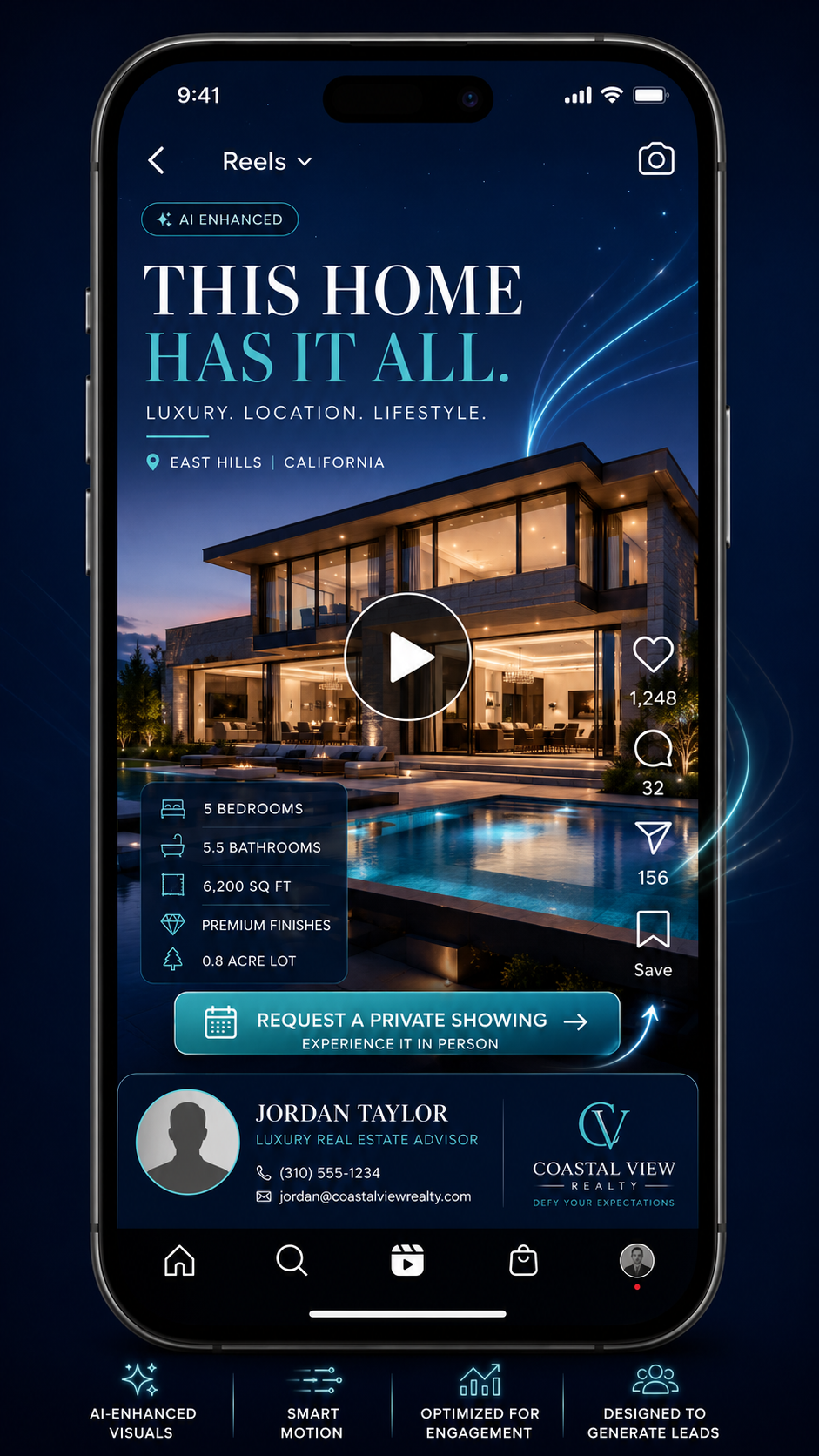
For an “Open House Countdown,” choose the strongest emotional photos first: exterior at dusk, kitchen, living room, backyard, primary suite.
Do not use every photo.
Short-form video usually improves when you remove weak images.
Use PhotoAIVideo to turn the selected images into a short video asset.
Keep the pacing tight.
A social clip does not need to show every room. It needs to hold attention long enough to create the next action.
For most formulas:
10–15 seconds works for quick attention.
15–30 seconds works for listing teasers.
30–45 seconds works for more detailed buyer education.
45–60 seconds can work for email, seller updates, and YouTube-style explanations.
If you are using AI video software for real estate marketing, create the motion first, then add the channel-specific layer: captions, hook, branding, CTA, or unbranded version when needed.
A good hook tells the right person to keep watching.
Weak hook:
“Beautiful new listing.”
Better hook:
“Save this if you want a one-story layout with a real home office.”
Weak hook:
“Luxury home just listed.”
Better hook:
“This backyard is why buyers will book the showing.”
Weak hook:
“Open house this weekend.”
Better hook:
“Tour this before Sunday if you need four bedrooms under $700K.”
The hook should qualify the viewer.
This is one of the most useful short-form insights agents miss: your hook should not attract everyone. It should attract the right buyer, seller, renter, or referral source.
The caption should not repeat the video.
It should move the viewer forward.
Example caption for a save-focused video:
“Save this layout if you are comparing one-story homes this month. The office placement, kitchen flow, and backyard access make this one easier to live in than it looks from photos alone.”
Example caption for a showing request video:
“Want to see it before the open house? Message me ‘TOUR’ and I’ll send the details.”
Example caption for a seller proof video:
“This is how we turn listing photos into multiple video assets: social teaser, email follow-up, open house promotion, and seller update. Your home needs more than one post.”
One short-form video can have multiple versions.
Create:
A branded social version.
A clean unbranded version if needed.
A vertical version for Reels and Shorts.
A square version for Facebook or feed posts.
An email-friendly version.
A seller update version.
An AI tool for making unbranded real estate videos can be helpful when you need clean versions for compliance-sensitive contexts, but the social version should usually carry more personality and CTA power.
Always check local MLS rules before uploading video assets into MLS environments. Some MLS systems restrict branding, contact information, logos, URLs, and promotional overlays. Google Search Central also recommends creating helpful, people-first content, which is a useful standard for video landing pages and blog posts that support your video campaigns through Google’s people-first content guidance.
Use the formula based on the action you want.
Not based on what is easiest to post.
A Realtor has a listing going live Thursday afternoon with an open house Saturday.
Instead of posting one generic “just listed” video, the agent creates three short-form clips:
Thursday: “Three reasons buyers will notice this home.”
Friday: “Before you book a showing, look at this backyard.”
Saturday morning: “Open house today: here is what to see first.”
The first video builds awareness. The second creates interest. The third drives attendance.
That is a campaign.
A real estate photographer wants to increase average order value without filming full walkthrough videos for every agent.
The photographer adds a short-form video package:
One listing teaser.
One vertical Reel.
One open house reminder.
One seller update clip.
One unbranded video option when needed.
Using PhotoAIVideo for real estate photographers, the photographer can turn the client’s photo set into a more complete delivery package. The value is not only the video. The value is that the agent receives content they can post immediately.
That is easier to sell.
A brokerage has agents posting all kinds of content with no consistent standard.
Some agents post low-quality phone clips. Some post nothing. Some only share MLS links. Some create polished Reels but forget lead capture.
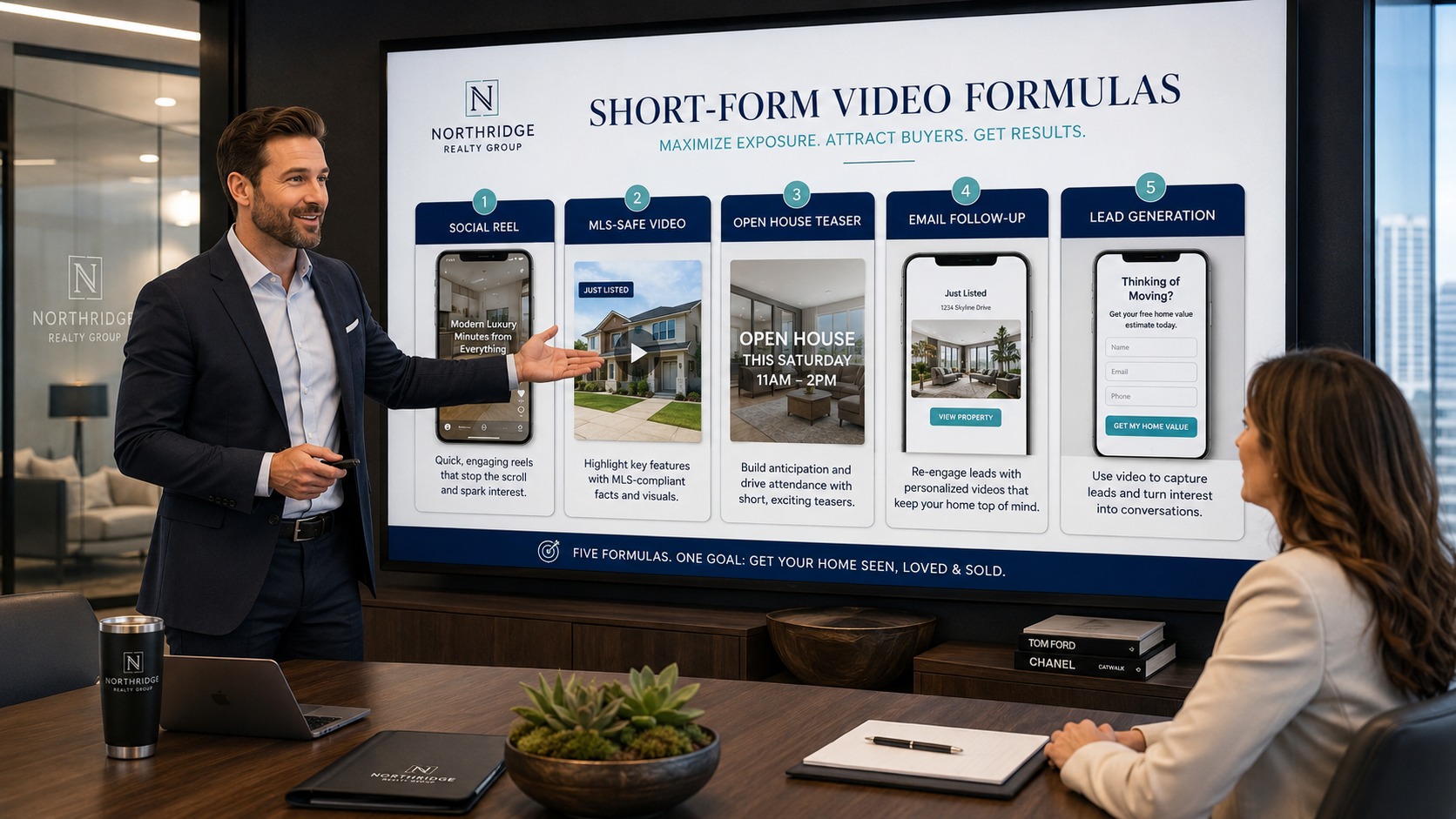
A brokerage can standardize five video formulas for every listing:
Listing teaser.
Feature highlight.
Open house reminder.
Seller proof clip.
Post-sale marketing recap.
This gives agents structure without making every post look identical.
The brokerage wins because the brand becomes more consistent across the market.
A property manager does not need a cinematic masterpiece for every rental unit.
They need fast, clear videos that answer renter questions.
Useful formulas include:
“Three things renters will like about this unit.”
“Before you schedule a tour, here is the layout.”
“Pet-friendly rental near local amenities.”
“Available this week: quick unit walkthrough from photos.”
“Save this if you need move-in ready by next month.”
These can be created from unit photos, amenity photos, and community images.
Short-form leasing content should reduce friction, not just look pretty.
A seller wants proof that the agent will market the home beyond MLS upload.
The agent shows a sample short-form video set:
One branded Reel.
One clean listing video.
One email follow-up video.
One open house teaser.
One neighborhood authority clip.
That changes the listing appointment.
The seller sees a system.
Systems win trust.
Realtor.com has published practical video marketing advice for agents, including using video to improve lead generation and online visibility through real estate video marketing guidance for agents. A formula-based workflow makes that advice easier to execute consistently.
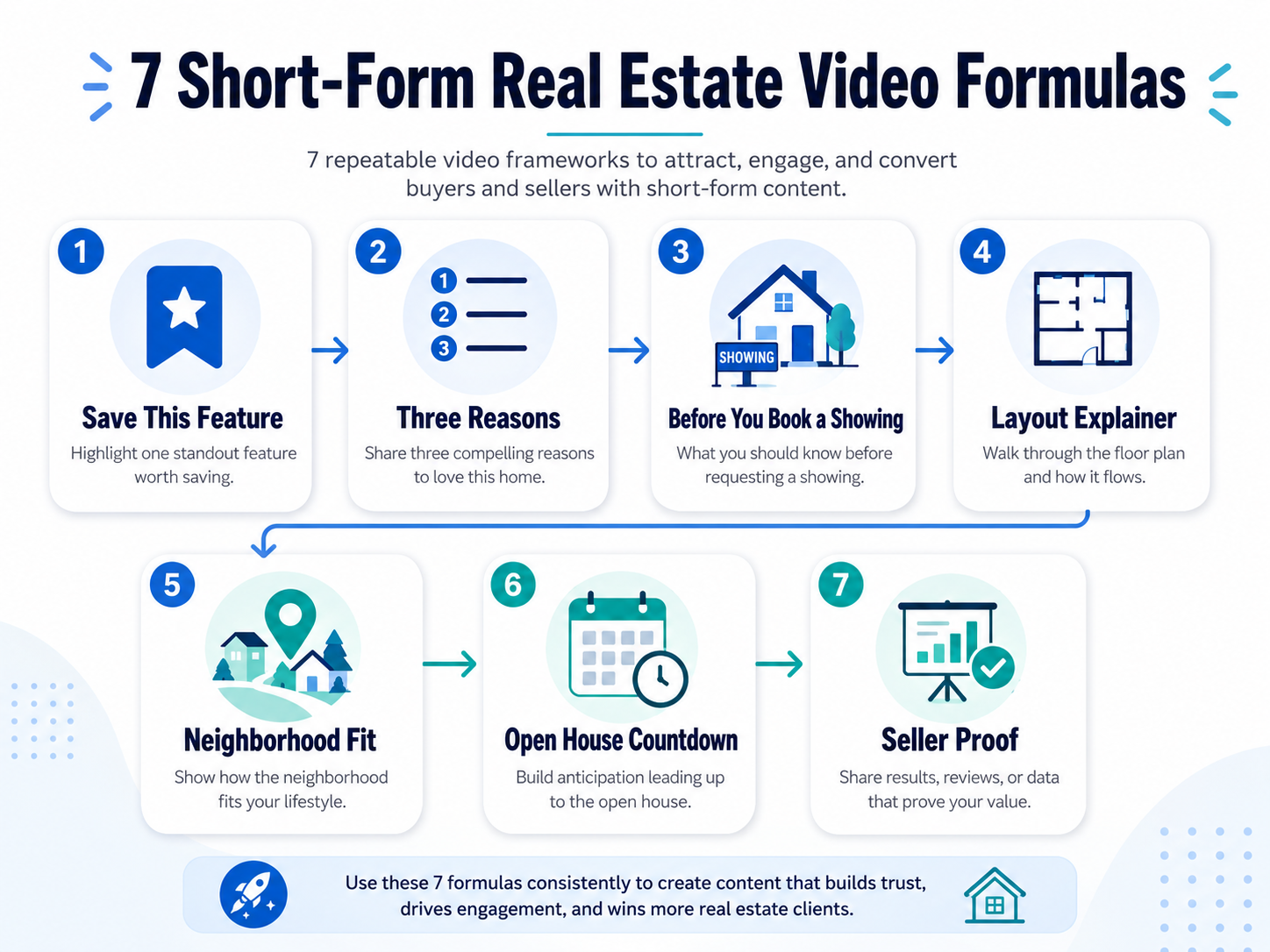
Use this when a home has one feature buyers will compare.
Structure:
Hook: “Save this if you want…”
Visual 1: Show the feature.
Visual 2: Show why it matters.
Visual 3: Show supporting context.
CTA: “Save this before you tour.”
Example:
“Save this if you want a kitchen that actually works for hosting.”
Show the kitchen island, dining flow, pantry, patio access, and living room connection.
This formula drives saves because it helps buyers remember a practical detail.
Use this when the home has multiple strengths.
Structure:
Hook: “Three reasons buyers will notice this home.”
Reason 1: Location or exterior.
Reason 2: Layout or feature.
Reason 3: Lifestyle or condition.
CTA: “Want the full details?”
This works well because it gives the viewer a mini decision framework.
Use this for active buyers.
Structure:
Hook: “Before you book a showing, notice this…”
Visual 1: Most important feature.
Visual 2: Detail buyers may miss.
Visual 3: Emotional payoff.
CTA: “Message me for the tour link.”
This is one of the strongest showing request formulas because it creates urgency without sounding pushy.
Use this when floor plan or flow is the selling point.
Structure:
Hook: “The photos look good, but the layout is the real win.”
Visual 1: Floor plan.
Visual 2: Kitchen to living.
Visual 3: Bedrooms or office placement.
Visual 4: Outdoor connection.
CTA: “Want the floor plan?”
This formula is underused. Buyers often save videos that help them understand layout, not just beauty.
Use this when location is a major value driver.
Structure:
Hook: “This area is a fit if you want…”
Visual 1: Neighborhood entrance or street.
Visual 2: Home exterior.
Visual 3: Park, shops, clubhouse, school area, or lifestyle visual.
CTA: “Ask for the neighborhood guide.”
This formula helps agents build local authority beyond one listing.
Use this 24–48 hours before an open house.
Structure:
Hook: “Open this weekend.”
Visual 1: Best exterior.
Visual 2: Best interior.
Visual 3: One standout feature.
CTA: “Stop by Saturday from 1–3.”
Keep this short. The goal is attendance, not a full tour.
Use this to win listings.
Structure:
Hook: “This is what modern listing marketing looks like.”
Visual 1: Listing video.
Visual 2: Social Reel.
Visual 3: Email follow-up.
Visual 4: Open house promo.
CTA: “Ask for the media plan.”
This is a powerful brokerage and agent recruiting asset because it shows process.
Short-form video does not need to show every room.
A 15-second video should make one point clearly.
If you try to show the entire home in every clip, the viewer may remember nothing.
The exterior is not always the best hook.
Sometimes the best hook is the pantry, backyard, office, pool, floor plan, neighborhood, or price point.
Start with the strongest reason to keep watching.
“Beautiful home in a great location” is not a strategy.
Use captions to explain who the property is for and what to do next.
Short-form social videos can include branding, CTAs, agent information, and promotional overlays.
MLS-safe videos may need to be cleaner depending on local rules.
Do not confuse the two.
An MLS compliant video maker for property listings should support a clean video workflow, but agents should still verify the requirements of their local MLS or brokerage before uploading.
A listing is not one post.
It is a content sequence.
Launch post.
Feature post.
Open house post.
Follow-up post.
Seller proof post.
Neighborhood post.
Each one can use the same media but a different formula.
Not every video should be judged by views.
A layout explainer might get fewer views but more saves.
An open house clip might get fewer likes but more showing requests.
A seller proof video might get fewer comments but help win a listing appointment.
Match the metric to the goal.
Use this quick decision guide.
Need immediate buyer action?
Use “Before You Book a Showing” or “Open House Countdown.”
Need more saves?
Use “Save This Feature” or “Layout Explainer.”
Need more shares?
Use “Three Reasons Buyers Will Notice This.”
Need local authority?
Use “Neighborhood Fit.”
Need seller trust?
Use “Seller Proof.”
Need photographer upsells?
Package several formulas into one listing media delivery.
Need brokerage consistency?
Choose five approved formulas and train agents around them.
The best short-form strategy is not posting more random clips.
It is posting more intentional clips.
That is why PhotoAIVideo’s real estate video workflow works best when paired with repeatable formulas. The software helps create the asset. The formula gives the asset a business purpose.


Compact, ready to go anywhere
Interchangeable lens that’s upgradeable
Dual 1-inch sensors for improved clarity and low light performance
Dynamic range and 6K 360° capture
360° photo resolution at 21MP

8K 360° video recording for ultra-detailed visuals.
4K single-lens mode for traditional wide-angle shots.
Invisible selfie stick effect for drone-like perspectives.
2.5-inch touchscreen with Gorilla Glass protection.
Waterproof up to 33ft for underwater shooting.

360° photo resolution in 23MP
Slim design at 24 mm thick
Built-in image stabilization for smooth video capture.
Internal 19GB storage for photo and video storage.
Wireless connectivity for remote control and sharing.

60MP 360° still images for high-resolution photography.
5.7K 360° video recording at 30fps.
2.25-inch touchscreen for intuitive control.
USB Type-C port for fast charging and data transfer.
MicroSD card slot for expandable storage.
.png)

.png)

Try it free. No credit card required. Instant set-up.







.svg)


.svg)